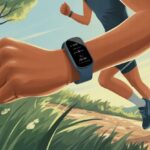
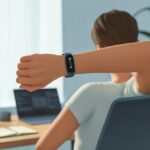
Isn’t it wild how our wrists now do more than just show the time? With smartwatches, step counting has never been easier. We can finally find out how many steps it really takes to get from the couch to the fridge—and maybe back, if we remember the snacks.
Just wear your smartwatch and let its built-in sensors track your every move. Suddenly, daily walks, sprints, or even lazy strolls to the mailbox turn into step data.

Let’s be real, most of us want to see those step numbers rise, even if our biggest workout is chasing the ice cream truck. Using a smartwatch for step counting keeps us on track with almost no effort.
If we swing our arms and keep the watch snug on our wrist, we’re already halfway to step counting greatness.
Ever wonder how these little gadgets know when we’re moving? It’s not magic—it’s science and a bit of tech wizardry. Our smartwatches use clever sensors to keep tabs, so we don’t have to do any math.
Who knew fitness could be this easy—or honestly, this entertaining?
Getting Started With Your Smartwatch
When we use a smartwatch to track steps, picking the right device, using the right settings, and strapping it on properly all matter. Let’s cover what actually counts—so we aren’t just logging wrist shakes as our morning run.
Choosing the Right Device
First, look for a smartwatch or fitness tracker with reliable step counting. Basic models use a simple pedometer. Fancier ones come with extra sensors like a gyroscope and accelerometer, so they know if we’re walking or just waving hello.
If we want to check our steps all day, we need a device with solid battery life. No one wants their watch to die halfway through a jog.
A big, easy-to-read screen helps, unless we enjoy squinting. Water resistance is a must, because sweat happens (and so does surprise rain).
Don’t forget compatibility. Our smartwatch should play nice with our phone’s operating system. There’s nothing worse than setting up a watch that won’t sync with our favorite health app.
Some brands even offer step goals and friendly reminders, so we can feel a bit guilty for sitting too long.
Here’s what we usually look for:
- Accurate sensors
- Long battery life
- Water resistance
- Smartphone compatibility
Setting Up Step Tracking Features
Once we’ve got our smartwatch, setup comes next. Usually, we start by connecting it to our phone using the companion app.
These apps walk us through step goals, notification options, and linking health data. On most smartwatches, we just open the app, pair the watch with Bluetooth, and follow the prompts to enable step tracking and sync our stats.
Some devices offer extra fitness options, like reminders to move, different activity modes, and daily reports. If we’re feeling nerdy, we can adjust stride length in the settings for better accuracy.
It helps to check that automatic updates are on, so the smartwatch’s software stays sharp and not outdated.
Checking step counts during the day is easy—many smartwatches show steps right on the main screen. Others let us dig into detailed stats if we’re feeling ambitious.
Wearing Your Smartwatch Correctly
If we just slap our smartwatch on any old way, it might not count steps accurately. Wear it on your non-dominant wrist, just above the wrist bone.
Too loose, and the sensors miss our moves. Too tight, and, well, circulation isn’t happy—bad for both us and the watch.
Keep it snug but comfy. If our device came with band size options, pick the one that won’t make your hand turn purple.
And please, don’t spin the face around for fun—wrong position means wrong readings.
A little routine cleaning never hurts, especially if we use our smartwatch daily for steps. Sweat and dirt build up faster than our step count some days.
Clean the band and back of the device often. This helps the sensors work and keeps our wrist smelling fresh—not like last night’s gym bag.
Want more accuracy tips and a peek behind the scenes? Check out this simple explanation.
Calibrating Step Counting for Accuracy
Getting our smartwatch to count steps accurately isn’t just about strapping it on and hoping for the best. We need to share a few personal secrets with technology and tweak some settings.
Otherwise, our step counter might log wild dance moves in the kitchen as our daily workout.
Inputting Personal Information
Our smartwatch needs to know who it’s working for. If we enter our age, height, weight, and gender, the watch gets a better sense of our stride length.
If it thinks we’re eight feet tall, every slow wander to the fridge might count as a marathon.
Why does this matter? The step counter uses this info to estimate stride length and calories—not just to judge us for late-night snacks.
Most fitness watches ask for this during setup, but it’s smart to double-check in case we ever exaggerated our height.
Some smartwatches measure weight in pounds, so double-check the units before you end up as the world’s strongest toddler.
Accurate details help with tracking distance, calorie burn, and our daily glory as a champion stepper. For more, see how Apple recommends calibration.
Adjusting Sensitivity Settings
Our smartwatch’s sensors pick up more than just our dramatic arm-waving during story time. Sometimes, they mistake typing, clapping, or even nose scratching as a step.
To avoid logging thousands of fake steps while air-drumming, check the device’s sensitivity settings.
Many watches let us adjust sensitivity in the app or settings menu. If we’re suddenly smashing step records while sitting still, our sensitivity might be too high.
Lowering it helps ignore extra motions that aren’t real steps.
If our watch thinks we’re more statue than human, it might be set too low. It’s a balancing act—kind of like walking in slippery socks.
For more help with accuracy, check out step counting tips for Samsung watches.
No setting will fix all fake steps, so a little common sense and regular calibration help. It’s part of the fun of making sure our wrists don’t outpace our legs.
Using Step Counting Features
Smartwatches make step counting feel fun and simple, as long as we actually wear them and remember they’re not mind readers. These gadgets show us our daily steps and help us understand activity stats.
They even cheer us on when we set new goals.
Viewing Your Daily Steps
Checking our daily steps is as easy as glancing at our wrist—unless we’ve got sleeves, potato chips, or ketchup in the way.
Most watches have a steps screen or widget. We swipe or tap the display, and there it is—our daily steps.
On some models, steps show up right on the main clock face, next to the time. It’s a little reminder of both the hour and our lack of movement.
Some watches break things down hour-by-hour. We get to see exactly when we’re active and when we fell into a “couch potato” black hole.
A few even buzz to remind us to move if we’ve been sitting too long. That’s perfect for those of us who can sit still longer than a garden gnome.
Interpreting Step Statistics
Our smartwatch does more than just count steps. It measures active time, shows step streaks, and sometimes fills the screen with so many graphs, we feel like data analysts in gym shorts.
Most devices use built-in sensors to watch for our movements in every direction. With this info, our smartwatch shows us active minutes, distance walked, and even calories burned.
It does all that by measuring movement changes—mainly using a three-axis accelerometer—and turning that data into step count magic.
A lot of apps display our steps with colorful rings or charts to keep us motivated. We can check daily, weekly, or even monthly trends.
This comes in handy when we want to see if that epic walk to the fridge made more of a difference than our actual gym trip.
Setting Step Goals
Setting step goals turns daily walks into a game, even if the main prize is bragging rights to our pets.
Most smartwatches let us set our own daily step goals. Common targets are 5,000, 7,500, or 10,000 steps, but we can adjust them based on our mood, shoes, or energy.
Some apps suggest a starting goal based on our current activity.
Once we set a goal, our watch tracks progress and sends us little cheers, confetti, or motivational reminders when we hit them. Sometimes, it gives us gentle nudges if we’re slacking off.
It’s a bit like having a mini fitness coach, only this one can’t shout at us—thank goodness.
For a little extra motivation, some of us join step challenges or share stats with friends. Competition helps, especially when Karen from accounting keeps beating us, even on weekends.
Popular Smartwatch and Fitness Tracker Brands
Not all smartwatches and fitness trackers are created equal—even if they all claim to count every step. Let’s take a closer look at some top brands and what makes them stand out (or, sometimes, stumble) in the world of step tracking.
Getting The Most from Garmin
Garmin is a name we keep running into—maybe because we can’t stop walking. Garmin offers models like the Vivoactive and pairs them with the handy Garmin Connect app, making it easy to track detailed stats.
Garmin gives us real-time feedback, instant updates, and weekly goals. We even get reminders to get off the couch.
Step tracking accuracy stands out with Garmin, thanks to their advanced sensors and software.
Garmin watches do more than just count steps. They measure heart rate, track different exercises, and sync with most phones.
If we want a smartwatch that acts more like a fitness coach and less like a nagging friend, Garmin is usually at the top of the list. For recommendations, check out Garmin fitness trackers if you’re into stats and staying active.
Tracking With Fitbit
Let’s talk Fitbit. This brand really stands out for its easy-to-use design and solid step counting. The Fitbit Charge 6 (and even old favorites like the Fitbit Charge 2) have a devoted following, thanks to their simple setup and no-nonsense app.
Fitbit lets us set step goals, join walking challenges, and check our progress anytime. The app turns each walk into a bit of friendly competition—sometimes with ourselves, sometimes with family or coworkers.
Features like badges and reminders nudge us to keep moving. That little buzz when we hit a goal? It’s oddly satisfying.
A lot of people still pick Fitbit for its comfort and straightforwardness. But lately, some have raised questions about accuracy, especially with wrist movement quirks.
Some studies and users have flagged the brand’s step counting accuracy. If you’re a stickler for every single step, it’s worth considering.
Exploring TAG Heuer Options
TAG Heuer isn’t just about fancy watches anymore. The TAG Heuer Connected and its Wellness feature bring luxury to step tracking, so we can count calories and steps while looking like we’re late for a board meeting—or maybe a yacht party.
TAG Heuer’s platform puts the spotlight on sleek design and smooth performance. It tracks steps, calories burned, and logs activities without missing a beat.
The Wellness feature lets us keep tabs on daily activity and aims to balance fitness with a busy lifestyle. It’s for people who want their tracker to double as a style piece, not just a gadget hidden under a sleeve.
TAG Heuer Connected watches definitely cost more than average step counters. But if you want a fitness tracker that’s also a fashion statement, it’s hard to beat.
Advanced Tracking and Integrations
Our smartwatches do more than just count steps. They sync with other devices and apps, and even let us watch our heart rate in real time.
Let’s break down how syncing features and live heart rate tracking actually make these gadgets more useful.
Syncing With Mobile and Wellness Apps
Syncing our smartwatch with mobile and wellness apps is like giving our steps a passport—they get to travel across devices and platforms. By connecting to apps like Google Fit and Apple Health, our step data syncs automatically.
This makes it a breeze to see progress, set goals, and join those sometimes too competitive step challenges. Reminders from the apps and friendly competition with others keep us moving, especially if we have a streak of healthy rivalry.
Our step info doesn’t get stuck on the watch—it becomes part of a bigger wellness picture. We can plug it into nutrition apps, sleep trackers, or even social platforms for a little humble bragging.
If you’re curious about the nitty-gritty of syncing, this guide on wearable trackers and wellness apps explains more.
Live Heart Rate Monitoring
Live heart rate monitoring is honestly one of the best features. Our smartwatch tracks heart rate during walks, runs, or even when we’re just dashing to catch the bus.
Seeing heart rate live helps us know how hard we’re working, so we don’t overdo it—or slack off (hey, no judgment). We can check charts and stats right from the watch or our phone.
Modern smartwatches use optical sensors on the back, so wearing the watch snugly actually matters. Want to geek out on what else these sensors can do? Here’s an ultimate guide to smart watches with advanced body metrics.
Watching a live heart rate readout during a walk is the closest most of us get to feeling like a secret agent—except instead of dodging lasers, we’re just trying to hit 10,000 steps on a random Tuesday.
Counting Steps During Various Activities
Step counting isn’t just for neighborhood strolls. Our smartwatches track movement while we run, play sports, or pedal like mad on a bike.
But not all activities get counted the same way. Depending on what we’re doing, step counts (and those sweet calories burned) can be more or less accurate.
Walking and Running
Let’s be honest: most smartwatches are excellent at counting steps during walking and running. These activities are what step sensors and algorithms were made for.
Smartwatches use built-in sensors like accelerometers and gyroscopes to pick up on our arm swings and foot movements. When we walk or run, the repetitive pattern makes it easy for the watch to count steps and estimate calories burned.
Proper fit matters! If the watch is loose or hiding in a jacket pocket, accuracy drops. For best results, wear it snug and swing your arms, even if you look a little silly speed-walking in the mall.
Step Tracking During Exercise and Sport
When we’re not just walking or running, things get tricky. Playing basketball, tennis, or chasing a runaway soccer ball means lots of wild arm swings and quick turns.
Our step counters sometimes miss these moves or count them wrong. Not all “sporty” actions look like steps to the wrist sensors.
Some jumps, side-steps, or hand movements don’t register as steps. We might crush it in the gym, but our step count could lag behind. At least our calories burned still add up, thanks to heart rate and time tracking.
If counting steps during sports is a big deal for you, stick with activities that involve steady, rhythmic movement. Step tracking loves predictable patterns (sorry, synchronized swimming).
Cycling and Its Quirks
Cycling really confuses smartwatches. Our legs are working hard, but our arms—where the watch sits—barely move.
This is like telling someone, “Look how hard I’m working!” but they only see you folding laundry. Because cycling arm movement is minimal, most watches don’t log many (or any) steps.
We could ride for miles and barely see our step count change. Some smartwatches recognize cycling as its own activity, using GPS or cadence data to estimate distance and calories burned.
If you want step counts to skyrocket while cycling, you could try waving your arms wildly—but yeah, probably not the best idea safety-wise.
Tips for Maximizing Step Counting Accuracy
A step counter is only as good as the steps it actually catches. To help our smartwatch keep up, it’s important to set things up right and fix any tracking hiccups before bragging about our numbers.
Granting Necessary Permissions
If we want our smartwatch pedometer to catch every step, we have to let it do its job. That means granting the right permissions—basically telling our watch, “Go ahead, track my every move.”
Start with location permissions. Even if we’re just counting steps, turning on location helps the watch tell shaky hand movements apart from real walking.
Our health app may also need permission to collect activity data. Don’t skip those pop-ups during setup—better to say yes now than wonder why your jog counted as “zero steps.”
Most watches also need motion and fitness permissions to use their built-in pedometers. This lets them track movement with accelerometers, which is how step counts happen in the first place.
Apple Watch and others often ask us to update personal info like height and weight for better accuracy. So, grant those permissions and let the step counting begin.
Troubleshooting Common Issues
Sometimes, our smartwatch seems to think we’re glued to the couch even when we’re out for a walk. Before panicking, let’s run through a few quick fixes.
First, make sure the watch fits snugly on your wrist. If it’s too loose, the pedometer can miss steps—so skip the floppy watch ballet.
If the step count is still off, clean the sensors. Sweat and dirt can mess things up more than we’d like to admit.
Check for software updates. Bugs happen, and even the best watches get confused without the latest fixes.
If it’s still acting up, double-check your settings—make sure permissions are set and wrist detection isn’t accidentally turned off.
For the data nerds, try comparing your smartwatch step count to a manual count over a short distance. You might be surprised.
Most smartwatches use accelerometers to track motion, so weird step discrepancies could mean it’s time for an update—or maybe we just need to stop waving our arms like we’re hailing a cab.
Reaching and Maintaining Your Daily Step Goal
Getting those steps in isn’t just about watching a number tick up. It’s about using smart features, keeping ourselves motivated, and knowing how to tweak things when we need a boost.
Our smartwatches can help us hit our daily step goals and keep us moving, even when the couch is calling.
Motivation and Reminders
We all have days when sitting sounds better than stepping. That’s when our smartwatches step in as our personal coach—minus the whistle and spandex.
Most watches come with built-in reminders that nudge us to move if we’ve been still too long.
We can set custom reminders to walk, stretch, or even sneak in an awkward dance break in the kitchen. The constant feedback from the watch turns walking around the house or office into a mini accomplishment.
Some apps let us compete with friends, share our daily step count, and turn every hallway stroll into a battle for bragging rights.
On the days when motivation is low, just seeing our progress can give us that little push to go further.
If you’re feeling ambitious, check out these 5 top tips to reach your daily step goals to make things more fun (and less of a snooze).
Checking Progress and Making Adjustments
Tracking our step progress is honestly easier than convincing the dog to go for another walk. Most smartwatches keep tabs on our steps in real time.
We can watch the numbers climb after every trip to the snack cupboard. And hey, those steps totally count.
Usually, we’ll find our step data in the fitness or activity app. On the Apple Watch, just tap the Activity app and swipe up to see your steps.
It really is that simple. If we notice we’re falling short of our daily goals, we might park a little farther away or take the long route to the fridge.
If things still seem off, maybe we should check if our watch fits snugly or if it’s tracking right. Sometimes it’s not the watch—it’s us… but honestly, sometimes it is the watch.
Watching our numbers helps us decide when to add more steps or maybe follow advice from verified experts. If the numbers look totally bizarre, we can even check places like justanswer.
A few smart tweaks and regular checks usually keep our goals realistic—and honestly, even achievable.

From a young age, I have always had a big interest in technology, and this blog is an extension of that interest. Through this blog, I hope to provide others with all of the information they need regarding tech options to consider, and things such as compatibility. Some of the different items I will be discussing include headphones, smartwatches, and how to fix common issues.
- How to Get Text Messages on Fitbit Versa 2 Android: Simple Guide for Users - October 13, 2026
- Why Doesn’t My Fitbit Record My Sleep? Quick Troubleshooting Guide - October 13, 2026
- How to Change Face on Fitbit Versa 2: Quick and Easy Guide - October 12, 2026
Related Posts: