Let’s be honest—keeping track of our parents and grandparents used to mean endless phone calls, most of which went unanswered. Technology finally gives us a break.
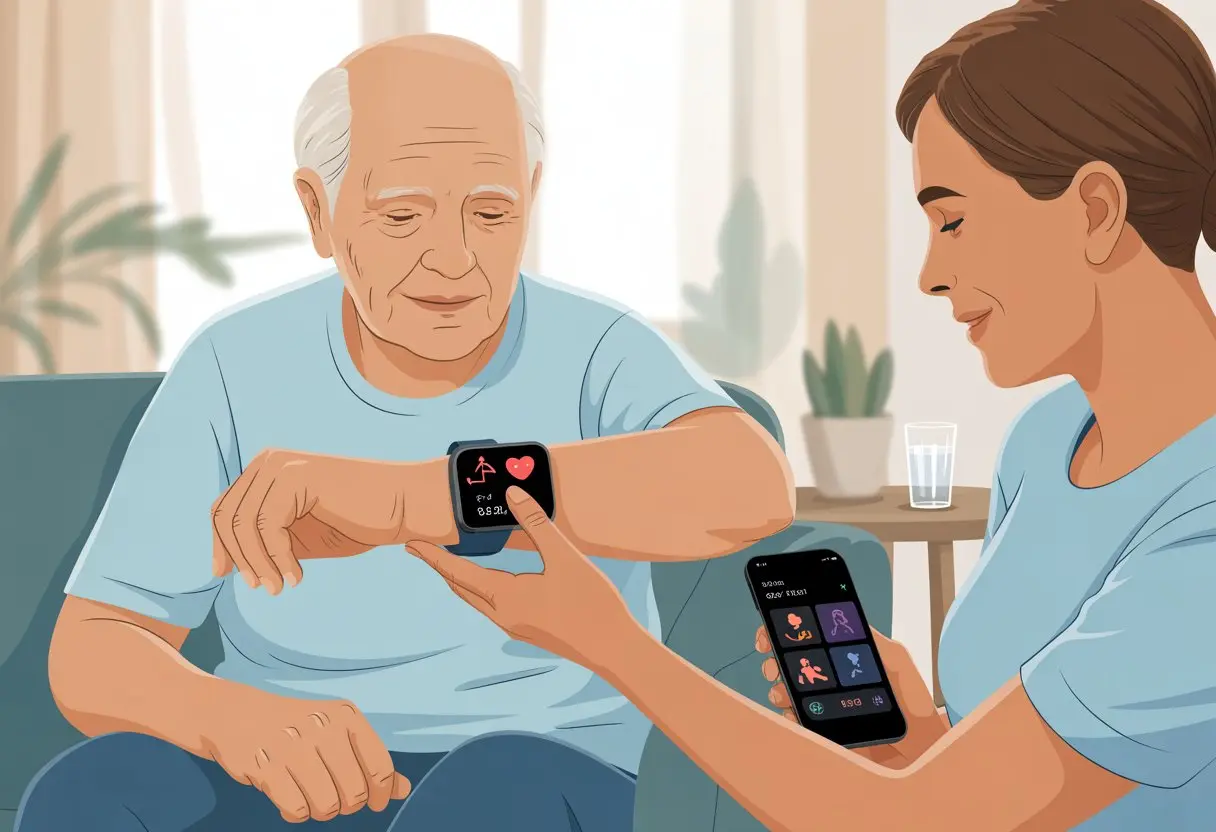
Using a smartwatch for elderly care makes it easier to boost safety, track health, and help everyone relax a little more, all without turning us into the family detective.
We don’t have to be tech wizards to get this stuff working. With simple features like heart rate checks, step counters, and even fall detection, smartwatches keep our loved ones active—and let us know if something’s gone sideways.
They might even send us a message or two (and maybe, just maybe, with fewer typos than last time).
If we want our loved ones to stay independent but still get a little backup, it’s probably time to see how these tiny gadgets can make life easier. Maybe they’ll even have a little fun with it.
Understanding Smartwatches for Elderly Care
When we’re caring for seniors, we want tools that help but don’t make us feel outsmarted. Modern smartwatches give us a handy tech boost for health, safety, and those gentle reminders to take our vitamins.
What Is a Smartwatch?
A smartwatch is basically a tiny computer we strap to our wrists. It’s like our phone’s eager little sidekick, but it cares more about our steps than we do.
Sure, it tells time, but it also tracks our steps, heartbeats, and sometimes even our sleep (or lack of it). For seniors, that means an easy way to stay connected and keep tabs on health—without digging through couch cushions for a lost phone.
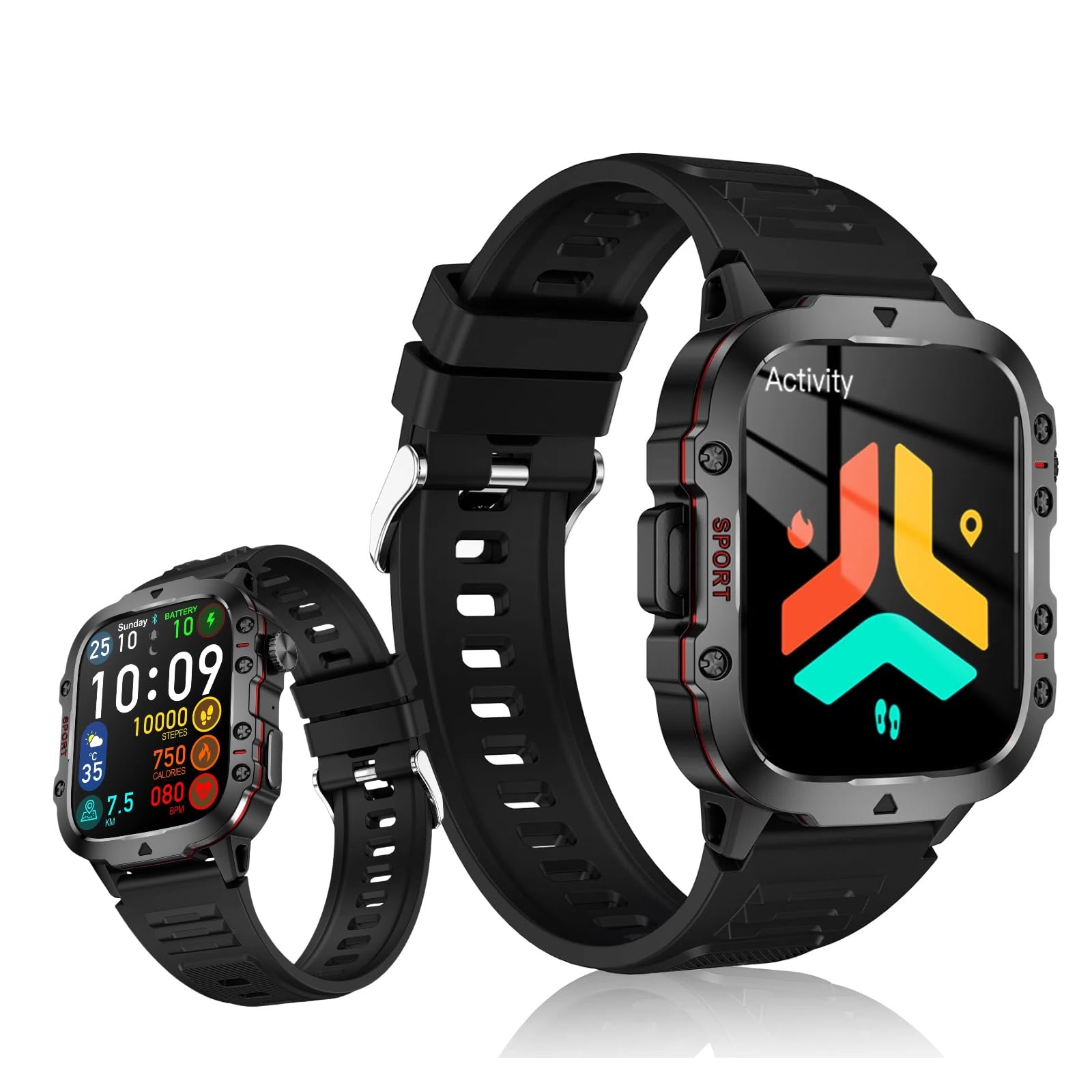
Some smartwatches for seniors ditch the cluttered app screens and stick to big, clear displays with one-tap access to the important stuff.
Many models even look pretty stylish—at least, that’s what we tell the grandkids when they roll their eyes.
And hey, if we’ve ever wished for a device that calls for help when we trip over the cat, the right smartwatch can do exactly that.
Key Benefits for Seniors
Smartwatches give us a sense of safety without wrapping us in bubble wrap. Emergency SOS calls and GPS location tracking mean our loved ones can help us out—or save us from another awkward family dinner.
Medication reminders keep us on track, so we won’t mistake our fish oil for a jelly bean. Some smartwatches even nudge us about doctor’s appointments, birthdays, or just tell us it’s Thursday (because, honestly, who can remember?).
Staying connected matters. With smart alerts, texts, and call features, we’re only a tap away from family—even if they’re just sending us another meme.
And for anyone with a competitive streak, built-in step counters turn us into Olympic walkers, even if we’re just pacing to the fridge.
Common Health Features
Most smartwatches come loaded with health monitoring. Heart rate monitors quietly keep an eye on our pulse, so we’ll know if bingo gets our heart racing—or if we’re snoozing through another nature documentary.
Many watches track sleep patterns, too, so we can brag about our naps.
A lot of modern devices measure blood oxygen levels, which can really help seniors with breathing or circulation issues. Some even have an ECG feature to watch for signs of atrial fibrillation.
Fall detection is a big deal for safety. If we take a tumble, certain smartwatches will spot it and alert our emergency contacts right away.
These checks feel more like peace of mind than nagging (well, most of the time).
With health alerts, easy-to-read displays, and activity tracking, smartwatches help us focus on living well—with a little backup right on our wrist.
Setting Up a Smartwatch for Seniors
Getting a smartwatch ready for an older family member sometimes feels like herding cats, but it’s really about picking the right device, keeping the battery happy, and connecting it to the phone. With a little patience and a checklist, we can make it work—and maybe even have a laugh along the way.
Choosing the Right Device
Let’s not get distracted by a fitness tracker that only cares about steps. We should focus on comfort, easy-to-read screens, and features that actually help.
The Apple Watch SE keeps things simple, with a clear display and solid health tracking. The Apple Watch Ultra has a bigger screen and longer battery life, which is great for anyone who forgets to charge things.
If we’re on Android, Fitbit and Garmin are solid picks. Their menus are straightforward, battery life is decent, and the bands are comfortable.
Tip: Avoid thin silicone bands for sensitive skin—lots of folks now prefer soft, stretchy options.
Here’s a quick table for comparison:
Device
Pros
Cons
Apple Watch SE
Easy interface, great for iPhone users
Needs iPhone
Apple Watch Ultra
Big screen, long battery, rugged
Pricey
Fitbit
Simple, good battery, sleep tracking
Basic interface
Garmin
Sturdy, fitness features
Bulky
Charging and Battery Life Management
We all know someone who forgets to water their plants, so charging a watch might be a stretch. The trick is to pick a model that doesn’t die before dinner.
Fitbits can go up to a week on a single charge. Apple Watch SE and Ultra need charging daily or every couple of days, depending on how much we use them. Garmin usually lasts several days with normal use.
A good routine helps: charge the watch during breakfast or while showering. Fast-charging on Apple devices is handy if we’re in a rush.
Turning off extras like always-on display can squeeze out more battery life.
Connecting to Android and iOS Devices
Pairing a smartwatch with a phone is like setting up a new friendship—sometimes it clicks, sometimes it takes a few tries.
Apple Watch SE and Ultra pair easily with iPhones—just hold the watch near the phone and follow the steps. For Android, Fitbit and Garmin generally connect quickly through their apps.
If we get stuck, asking a teen, grandkid, or the neighbor kid can work wonders.
Daily Use and Navigation
We want a smartwatch to make life easier, not more confusing. Once we get the hang of tapping, swiping, and maybe even talking to our wrists, we can get the most out of the gadget.
Mastering the Screen
Let’s be real: some of us have fingers that feel more like thumbs. Modern smartwatches respond to gentle taps, so there’s no need to poke and hope.
Swiping left or right brings up different apps, and a long press might reveal more options—like checking the weather or setting a reminder for bingo.
We can adjust the brightness, so if the room is dark, we can make the screen brighter. Outside in the sun? Crank it up and see those notifications without squinting.
Some watches let us bump up the text size, which is a lifesaver when we’re tired of squinting at ant-sized letters.
Menus usually look like little icons or simple lists. If we get lost, there’s almost always a home button or gesture to get us back to the main screen.
Talking to our wrists used to be for secret agents, but now it’s how we call the grandkids or set a pill reminder. Most smartwatches include voice assistants like Siri, Google Assistant, or Alexa.
We just press and hold a button or say a magic word, and the watch listens.
That means we don’t have to fumble through menus or type on a screen the size of a cracker. We can say, “Call Linda,” or “Remind me to water the plants,” and the watch takes care of it.
It’s totally hands-free, which is great if we’re holding a mug of tea or, let’s be honest, a cookie.
If we speak slowly and clearly, these voice helpers usually get it right. Voice assistants help us send texts, set appointments, and even get directions if we wander off during our walk.
Waterproof Features and Durability
We’re not all swimmers, but sometimes we forget to take off the watch while washing dishes or dodging a water balloon. Many smartwatches are waterproof, so a splash or even a shower won’t fry them.
Look for watches with IP67 or IP68 ratings. That means they can handle rain, sweat, a quick rinse, and even a dip in the pool.
The screen keeps working even if it gets wet, so there’s no need to panic if we get caught in the rain.
Durability matters, too. Some models have toughened glass and shock-resistant cases, so if we bump into the doorframe (again), the watch will survive.
Staying healthy as we age is a bit like trying to keep a banana from turning brown—constant attention helps. Smartwatches give us real-time checks on our hearts, our sleep, and other stats, all right on our wrists.
These tools make it easier to act quickly if something seems off.
Heart Monitoring and ECG Tools
Our smartwatches come with a tiny heart rate monitor that keeps an eye on us—sometimes more closely than our grandkids do at dinnertime. These little sensors track our pulse all day, letting us know if we’re as calm as a monk or if our hearts are racing like we just missed the bus.
A lot of watches go further and add an ECG tool. This feature records the heart’s electrical signals and helps spot issues like atrial fibrillation—which, honestly, is a phrase we’d rather not hear from the doctor.
Some smartwatches even earn the FDA’s seal of approval for their ECG features. If we feel skipped beats or chest flutters, we can check the reading ourselves and send it to the doctor without ever getting off the couch. Sure, it’s not a replacement for a real doctor visit, but it gives us a sense of control.
Sleep and Activity Monitoring
We spend about a third of our lives sleeping, or at least trying to. With smartwatches, tracking our sleep patterns is easier than tracking our car keys—unless we’ve really lost both. These watches show how long we sleep, how restful it was, and if we made that midnight trip to the kitchen.
They also come with a pedometer to count our steps, which helps us keep up with fitness goals. We can set goals for daily activity, like walking around the block or chasing grandkids at the park. The watch will cheer us on, silently—unless we count the little buzz as applause.
Lists and charts on the display let us check our progress, whether it’s sleep or steps. No more guessing if we got enough exercise—although chasing pets probably should count.
Blood Oxygen and Wellness Checks
Modern smartwatches pull off a neat trick—they measure our blood oxygen levels just by sitting on our wrists. Knowing our blood oxygen helps us catch problems early, especially if we’re dealing with lung or heart issues.
We get a clear number, usually a percentage, and most watches alert us if it drops too low. Keeping tabs on this gives us peace of mind, especially during allergy season or those days when we feel extra tired for no clear reason.
Some watches remind us to check other wellness stats, like stress or breathing rate. Instead of filling out forms at the doctor’s office, all the info sits right on our wrists. That makes check-ups a bit less stressful and a whole lot more high-tech. For a deeper dive into helpful features, check out How Smartwatches Improve the Quality of Life for Older People.
Safety and Emergency Features
Let’s be honest, we all want our loved ones safe—and maybe to finish our coffee before it gets cold. Smartwatches help us spot problems early, get help quickly, and even play detective when someone “forgets” where the coffee shop is.
Fall Detection and Alerts
You know how socks vanish in the laundry? Falls can happen just as mysteriously—except it’s not funny. Thankfully, most smartwatches for seniors include fall detection. If the watch senses a sudden drop, it checks if the person moves or responds.
If it doesn’t detect a response in about a minute, the smartwatch sends medical alerts to emergency contacts, like family, friends, or caregivers. The alert usually includes location and time, and sometimes the watch even calls emergency services on its own. This feature can cut down long waits for help after a fall.
Some watches let us adjust the sensitivity, which is handy if Aunt Betty’s dance moves keep setting it off. Either way, it gives everyone a little more breathing room.
Emergency SOS Functions
When trouble pops up, pressing a single button on a smartwatch calls for help—no cape needed. Most models include an Emergency SOS feature that’s easy to use, even if we’re panicking or our hands are shaking.
All it takes is holding down a button or tapping the screen a few times. The watch then calls emergency numbers, sends alerts to pre-set contacts, or shares our real-time location. Some connect straight to 911 or similar services, which can be a real lifesaver.
This system saves us from fumbling for a phone, scrolling for contacts, or—let’s admit it—searching for our glasses. For more about SOS features, check out how the Apple Watch helps seniors in emergencies.
GPS Tracking for Location Assistance
Remember when getting lost meant wrestling with a map the size of the living room? Those days are gone, thanks to GPS tracking inside many smartwatches. We can check someone’s up-to-the-minute location right from a phone or computer.
If a loved one gets confused, we can use the watch to find them and send help or directions. Caregivers can set up safe zones and get alerts if someone leaves an area, or they can share location with emergency services if needed. This matters a lot if someone wanders off due to memory problems.
In a pinch, GPS can help emergency crews get there faster. For more info, see how GPS in smartwatches provides location help for seniors.
Staying Connected With Caregivers
Smartwatches aren’t just clever gadgets—they’re also a sneaky way to keep tabs on each other for safety and peace of mind. They let us share updates, quick alerts, and even goofy faces with our caregivers (or grandkids) right from our wrists.
Sending and Receiving Notifications
If we lose track of time, our smartwatch won’t let us forget anything for long. It vibrates or beeps whenever we get a message or alert from caregivers, whether it’s a reminder about medicine or a cheerful, “Did you water the plants today?”
Notifications pop up on the screen, big and clear, so no one has to dig for reading glasses. Most smartwatches let us reply with quick responses or voice messages—because typing on those tiny screens isn’t for everyone.
Many seniors and their families love this direct line for urgent updates. If there’s a sudden doctor’s appointment or our ride home changes, we find out right away. It almost feels like being a secret agent—always in the loop. Smartwatches make it easier for older adults and caregivers to stay connected, whether it’s sharing important updates or just checking in, as you can see here.
Using the Camera and Video Calling
Our smartwatches aren’t just for reading texts—they can turn us into on-the-go reporters. Some models have a camera or connect to our phone’s camera, so we can snap a quick photo, join a video call, or even see our grandkids’ latest missing tooth.
Video calling helps us skip the hassle of setting up complicated computers or tablets. With a few taps, we can wave at caregivers, pull silly faces, or show off the mountain of mismatched socks piling up. It adds a personal touch to our check-ins.
If our smartwatch doesn’t have a built-in camera, it usually connects to our phone instead. This lets us join a call or take a photo hands-free. No more digging through the couch for the phone. For older adults, this keeps us more involved and connected with loved ones—sometimes face-to-face, sometimes just to show off the dog’s latest haircut. Smartwatches with video calling make it easier to keep in touch, since lots of services now support messaging, phone calls, and video right from the wrist.
Smartwatch Reviews and Choosing Wisely
Shopping for a smartwatch feels a bit like picking out new glasses—we want something that looks good, does the job, and won’t get us weird looks at family dinner. Choosing the right one means knowing what to look for and which features really matter for elderly care.
How to Read and Compare Reviews
Let’s be real, not all reviews are helpful. Some people complain their smartwatch made them look too cool, while others just want to know if it actually detects a fall. We need to focus on reviews that talk about health features, battery life, and how easy the watch is to use.
Here’s how we can make smarter choices:
Look for honest feedback about fall detection and emergency alerts.
See what people say about setup—if Grandma needs a PhD to get started, that’s a red flag.
Notice if reviews mention clear screens or loud speakers, since hearing and seeing clearly matters.
It helps to check a few different sites instead of trusting just one. If everyone’s raving about a feature—or warning us it’s terrible—we know what to expect.
Popular Models for Elderly Care
Whenever someone mentions a smartwatch for seniors, three brands pop up right away: Apple Watch, Fitbit, and Garmin.
The Apple Watch usually stands out for seniors. It’s got fall detection, emergency SOS, and a big, bright screen that’s easy to see. Some versions even let you call for help with just one button.
Fitbit leans more toward health and fitness tracking. Sure, they might skip a few emergency features, but they’re super simple to use and the battery life is honestly impressive.
Garmin isn’t just for runners these days. Their simpler watches still track your heart and steps, and the fancier ones offer big text and menus that don’t make you squint.
Honestly, it helps to jot down what matters most—calls, fall alerts, or maybe just a watch you can read without your glasses. Then, you can size up these brands based on what you actually want.
Hi, my name is Garrett Jones, and I am a tech enthusiast. I enjoy researching the new tech that has been released, and have a vast knowledge of the best tech to purchase.
From a young age, I have always had a big interest in technology, and this blog is an extension of that interest. Through this blog, I hope to provide others with all of the information they need regarding tech options to consider, and things such as compatibility. Some of the different items I will be discussing include headphones, smartwatches, and how to fix common issues.