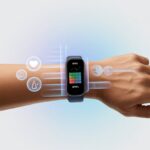
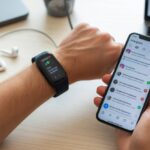
Let’s be honest—we all love a bit of recognition when we crush a workout. If we’re tracking every sweaty step, why not make it Instagram official?
Using a fitness tracker for Instagram lets us share our workout stats, daily progress, and even sweaty selfies to brag (just a little) and motivate our friends at the same time.

We can post our step count, calories burned, or that wild heart rate after hill sprints—no filter needed.
Some apps make it easy to sync our stats and post them straight to our Instagram Story or feed so our followers never miss a flex.
Of course, making those stats look cool (and not like some ancient spreadsheet) takes a little effort.
With the right fitness app, we can jazz up our workout posts and maybe even inspire that one friend who still thinks a gym is a type of Pokémon.
Getting Started With Your Fitness Tracker
Before our big debut on Instagram, we need to know what we’re doing.
It all starts with picking the right gadget, getting it running, and sprucing up what we see every day to keep us motivated (and, yeah, help us humble-brag online).
Choosing The Best Fitness Trackers
We all want a tracker that doesn’t quit when we start sweating—or when we forget to charge it for three days straight.
Let’s be real, not all activity trackers are created equal. Looking for the best fitness trackers is really about finding a solid sidekick.
Here’s a quick rundown of some picks:
| Device | Features | Why Choose |
|---|---|---|
| Apple Watch | Heart-rate monitor, GPS, apps, smartwatch | It does everything (except laundry). Perfect for Apple fans. |
| Fitbit | Steps, sleep tracking, pedometer | Easy to use, affordable, lots of motivation badges. |
| Garmin | Advanced fitness data, strong battery | For serious runners or people pretending they are. |
Let’s pick a tracker that fits our goals, budget, and tech taste.
If we like simple step counting, a basic pedometer or entry-level Fitbit can do the job.
If we want every data point possible (and to out-geek our friends), the Apple Watch or a high-end Garmin might be our jam.
Setting Up Your Device
Let’s not let our new gadget gather dust.
First, charge it up—even if we’re excited.
Next, connect it to our phone with Bluetooth.
Most devices ask us to install a companion fitness app, usually from the App Store or Google Play.
Once paired, the app walks us through setup.
We’ll need to create a profile with age, height, and weight, so let’s keep it real.
The more accurate we are, the better our calorie count!
Many devices also let us link to social or health apps, so we can send our victories (and embarrassing misses) straight to our feed.
Setting step goals usually comes next.
Devices like Fitbit often start with a default of 10,000 steps, but let’s not pretend we’re all marathoners.
We can lower it if we want—a realistic goal makes us less likely to rage-quit by Tuesday.
For more setup tips, check out this how-to guide for fitness trackers.
Personalizing Your Dashboard
We don’t have to settle for boring graphs.
Dashboards on most fitness trackers can be customized so we see the stuff we actually care about.
Heart-rate stats, step counts, or how little we sleep—pick what matters.
Want to impress followers with running progress graphs?
Toggle those on.
Care more about calories burned?
Bump that up on the main screen.
If our tracker is a smartwatch, we can usually rearrange tiles or widgets for easy swiping.
Some apps let us set reminders to move, drink water, or even hype us up with badges and confetti.
That’s the kind of encouragement we need, especially when our couch starts looking extra comfy.
Personalizing our dashboard makes it easier to keep an eye on goals, quickly share cool stats to Instagram, and avoid digging through endless tabs like lost treasure hunters.
Test layouts, explore themes, and settle on something that makes us smile—even if we’re gasping from that last set of squats.
Tracking Your Fitness Progress
When we use a fitness tracker and share on Instagram, we want our fitness data to tell a story—not just look cute on our feed.
Let’s focus on steps, heart rate, strength stats, and even how many times we almost swallow pool water while swimming.
Monitoring Daily Steps and Workouts
Nothing makes us feel like fitness pros faster than checking our daily steps and realizing we’ve out-walked our dog.
Modern fitness trackers count every step, whether we’re running, walking, or pacing nervously before a big meeting.
With these numbers, we can post sneaker selfies with proud captions.
Trackers log steps, distance, calories burned, and time spent active.
Most show this info in easy-to-read charts or graphs that are begging to be screenshot for Instagram.
But it’s not just about steps.
When we finish a workout (even if “workout” means walking to the fridge), fitness trackers record the session.
They tag activities like running, cycling, yoga, and more.
This makes it easy to look back and say, “Wow, we’ve achieved so much!” and then show everyone online.
For more advice on organizing fitness progress photos and measurements, check this guide on photo organization.
Using Heart Rate Zones
If we want to look like we understand sports science, let’s talk heart rate zones.
Fitness trackers with a heart-rate monitor show us when our heart is just chilling or when it’s working overtime, like during a high-intensity workout.
Heart rate zones usually look like this:
| Zone | Intensity | Feels Like |
|---|---|---|
| Resting | Very Light | Watching TV |
| Fat Burn | Light | Fast walking |
| Cardio | Moderate | Jogging, sweating a bit |
| Peak | Vigorous | Sprinting, gasp-worthy |
We can use this info to tweak our workouts.
It’s easy to post a graph of our heart rates or brag about hitting a new peak zone on Instagram.
Sharing that we stayed in the cardio zone for 20 minutes is more exciting than posting a breakfast photo—unless the breakfast includes sprinkles.
Strength Training and Swimming Metrics
When we lift weights or go for a swim, fitness trackers become our quiet gym buddy—tracking each exercise so we don’t have to write it on our hands.
For strength training, trackers count reps, track sets, and sometimes guess what move we’ve done.
Was that a bicep curl or just us waving at someone across the gym?
The tracker has opinions.
With swimming, many fitness trackers are waterproof and count laps, track distance, and even record our pace per length.
Some can spot which stroke we’re using—yes, even if our “butterfly” looks more like flailing.
This lets us share real achievements and improvements in the pool or the weight room, with easy-to-read stats for those Instagram workout recaps or highlight reels.
For a rundown on ways to track fitness progress using journals and other tools, see the detailed fitness tracking guide.
We know—if it’s not on Instagram, did our fitness tracker even count our steps?
Let’s get creative with photos, record videos that don’t make us look out of breath (even if we totally are), and celebrate real fitness wins, not just pretty wrist shots.
Our tracker deserves the limelight almost as much as we do.
Taking Eye-Catching Fitness Tracker Photos
First things first, let’s make our fitness tracker the star.
Natural light is our secret weapon.
Snapping a quick wrist selfie just before peeling ourselves off the gym floor (no judgment) always scores double likes.
For a clean background, let’s ditch clutter—nobody wants to see our leftover smoothie bowl.
We should try fun angles to highlight both our tracker and what we’re doing.
A close-up of our tracker showing that sweet “10,000 steps” badge with a blurred-out running trail in the back? Gold.
For bonus points, we can add our shoes, a kettlebell, or even our favorite mismatched socks.
Editing a photo can make a difference, but overdoing it might make our arm look sunburned or blue.
Let’s stick with light editing, focusing on natural colors.
Using vibrant, relevant hashtags like #fitnessgoals or #activitytrackers helps others see our hard work too.
More likes, more motivation.
Recording Videos of Our Workouts
Videos do what a photo can’t: show us in action.
Propping our phone somewhere stable (like a water bottle or a stack of yoga blocks) is a must unless we want a shaky, crime-drama effect.
It’s best to record short clips, like quick exercises or just a quick wrist-flip to the tracker stats, instead of the whole hour-long sweat session.
High energy is key—we don’t have to look professional, just honest about our fitness journey.
Adding text on the video such as step counts or calories burned, or even a funny comment like “Pretending not to be tired,” draws in viewers.
We should keep loud gym noises low and make sure our tracker screen is visible and readable.
For extra fun, we can try filming time-lapses or before-and-after workout clips.
Sharing real moments (including that little happy dance after closing all our fitness rings) helps us connect and keep it real on social media.
Highlighting Activity Achievements
Let’s brag a little—nicely.
Our fitness tracker is made to celebrate milestones.
We can share screenshots or photos of our biggest wins: completed fitness goals, long-run maps, or epic streak days.
Posting a chart of our weekly step average is always a crowd-pleaser.
Many trackers auto-generate badges or achievement images that are perfect for Instagram.
Let’s add a simple caption, like “Finally crushed leg day (and survived)” or “Eight weeks, no skipped walks.”
Making it a regular feature—like #MilestoneMonday—keeps our followers cheering us on (and keeps us accountable for our progress too).
When people see us actually hitting our goals, we’ve got a chance to inspire them—and maybe even earn some virtual high-fives.
For more ideas, check out these creative ways to boost fitness brand engagement on Instagram Stories.
Integrating Fitness Tracker Data With Instagram
Let’s face it—if we’re sweating on the treadmill, we want everyone to know.
Sharing our fitness tracker data on Instagram helps keep us motivated, lets friends cheer us on, and maybe adds a little extra flex to our feeds.
Syncing Apps for Automatic Sharing
Syncing up our favorite fitness tracker—Apple Watch, Fitbit, or maybe something a bit more high-tech—with Instagram usually takes just a couple of steps.
First, we connect the tracker to a health or fitness app that supports sharing, like this quick guide. Strava and MyFitnessPal, for example, let us send our workout stats and step counts straight to our phones.
After that, we grant Instagram permission to use fitness data from those apps. So, when we post a run or ride recap, Instagram can pull in our stats automatically. Sharing gets way easier.
Some third-party apps even auto-post completed challenges or our weekly summaries for us. It’s a little wild how hands-off we can get.
We should keep privacy in mind, though. Sometimes, connecting apps shares more than we expect. It’s worth reviewing those settings before we accidentally broadcast every step we take.
If you want a quick rundown on privacy and syncing options, check out this Reddit discussion. It’s surprisingly helpful.
Creating Interactive Stories With Metrics
When we want our followers to see just how much we crushed leg day, interactive Instagram Stories are perfect.
After syncing our fitness tracker, we can add real-time stats—like calories burned, distance, or heart rate—right on top of our Stories.
Adding stickers, polls, or sliders gets people involved. Maybe we ask, “How many calories did I burn?” and let them guess. Or we slap a tired selfie next to our step count and turn it into a meme. Why not?
Every Stories feature—question boxes, reaction sliders, all of it—is a chance to make sharing more fun. It isn’t just about flexing; it’s about bringing our community along for the ride.
Honestly, who doesn’t appreciate a “Nice job!” from a friend after a tough workout?
Designing Infographics From Your Progress
Sometimes, a basic bar graph just doesn’t cut it. Custom infographics can turn our fitness journey into something way more eye-catching.
Apps like Canva, FitSnap, or even some tracker apps let us design cool images that highlight our records, streaks, and progress.
We can use bold colors, quirky icons, or before-and-after charts to make our posts stand out from endless selfies and brunch shots. Listing key stats—steps per day, longest run, calories torched—as a mini-table or chart can really pop.
If we want an even easier way to share health data, some apps sync directly with our devices and feed stats into ready-to-share graphics. Nothing says “I’m serious” like a pie chart of our sleep cycles right next to last night’s dessert.
Engaging Your Followers With Fitness Content
Let’s be real—if our Instagram was just sweaty selfies and vague workout plans, even our grandma would probably unfollow.
To keep folks from scrolling past, we need creative, accountable ways to share our progress and help others smash their goals too.
Crafting Motivational Fitness Posts
Nobody wants to see a boring feed, so let’s spice things up like we do our smoothies.
We can use fitness tracker screenshots to highlight steps, calories burned, or our latest distance record. For example, a simple template could be:
| Day | Steps Taken | Calories Burned | Mood |
|---|---|---|---|
| Mon | 8,765 | 420 | Energetic |
| Tue | 9,123 | 452 | Tired but happy |
A fun caption—maybe with an emoji, like “Burned off the pizza 🍕, ready for more!”—makes us more relatable. We don’t have to be perfect, just real.
Posting short workout clips keeps things interesting. If we finally nail a pull-up, why not share it? People love honesty and seeing real progress from actual fitness trackers. Adding a quick tip or bit of advice can help us stand out, too.
Building Accountability Through Challenges
Accountability makes fitness more fun—and honestly, more likely to happen. We don’t want to be the first to flake, right?
We can create weekly or monthly challenges like “10,000 steps a day” or “Seven-day workout streak” and post our daily tracker stats.
To get friends involved, let’s use captions to tag people or drop Instagram hashtags like #StepUpForHealth or #TrackerChallenge.
Sharing wins in Stories, using quizzes or polls (like “Did you beat your Monday run?”), gets everyone playing along.
Celebrate every win, no matter how small. If we miss a day, own it with humor and move on—no shame, just life. That’s how we all get a little fitter (and maybe a bit more popular on the ’gram).
Maximizing Results With Fitness Data
We’ve all wondered if those numbers on our wristbands mean anything beyond bragging rights. By actually using fitness data, we can dial in our nutrition and set goals that make sense for us.
Adjusting Nutrition Based on Activity Data
If we want our snacks to help us out (instead of working against us), we need to connect the dots between our step count and our food choices.
When our tracker shows a slow day, it might be time to swap the afternoon brownie for something greener.
On those marathon days—or days that just feel like marathons—we probably need more calories. Many apps estimate calorie burn, so we can adjust our meals and avoid living off salad alone.
It’s not just wishful thinking; it’s matching what we eat to how much we actually move.
Some ways to use fitness data for nutrition:
- Log meals daily, aiming for balance.
- Check activity at night, and tweak tomorrow’s menu.
- Use tracker data to spot trends, like late-night hunger after tough workouts.
If nothing else, at least our tracker won’t judge us for that midnight snack.
Fine-Tuning Your Fitness Goals
Fitness trackers aren’t psychic, but they do give us clues for setting smarter goals.
If our steps have flatlined or our heart rate data looks like nap mode, maybe it’s time to try something new.
Instead of just chasing 10,000 steps (because “everyone” does), let’s look at our own numbers. Do we move more on weekends? Only hit goals when there’s pizza after?
A simple table keeps it real:
| Day | Steps Taken | Goal Met? | Notes |
|---|---|---|---|
| Mon | 8,900 | ✗ | Sat too much, must dance |
| Tue | 11,200 | ✓ | Walked dog, he’s tired |
| Wed | 10,500 | ✓ | Grocery trip = bonus steps |
Review the patterns. Then tweak weekly fitness goals based on when and how we actually move.
With the right data, we can set targets that fit our lives—and maybe even impress ourselves (and our followers) with the real story, not just a pretty filter. For more on using data for goal setting, check out this advice on tracking fitness progress with smart data.
Are Fitness Trackers Worth It for Instagram Fame?
So, here’s the real question: will a fitness tracker actually make us Instagram famous? Or are we just tossing another gadget into that drawer with the tangled charging cables and the selfie stick we never use?
Here’s what fitness trackers really do:
- Count our steps (so now we see exactly how little we moved on Sunday)
- Track calories burned (great for showing off after a quick 15-minute jog)
- Monitor sleep (because our followers totally need to know we woke up three times)
- Let us post activity stats for that sweet #FitFam attention
When we track workouts with these gadgets, our posts just look more legit. There’s something about a sweaty post-run selfie next to a colorful activity chart that says, “Look, I’m serious about this.”
| Fitness Tracker Perks | Instagram Points |
|---|---|
| Sleek workout graphs | Eye-catching stories |
| Automatic data | Easy proof you moved |
| Fun badges | More hashtags (#AchievementUnlocked) |
Honestly, we’re probably not going viral overnight. Still, using a fitness tracker can push us—and maybe even our followers—to get up and move more, which is never a bad thing. Some folks even say fitness trackers can make us more active, so at least we’ll have more fitness stuff to post.
If we’re chasing Instagram fame, though, the tracker isn’t magic. We still need good lighting, clever captions, and maybe a friend who never puts their camera down.

From a young age, I have always had a big interest in technology, and this blog is an extension of that interest. Through this blog, I hope to provide others with all of the information they need regarding tech options to consider, and things such as compatibility. Some of the different items I will be discussing include headphones, smartwatches, and how to fix common issues.
- Why do my Bluetooth headphones not work with my camera? Reasons Your Gadgets Won’t Play Nice Together - September 21, 2026
- How to Use a Fitness Tracker for Elderly Care: Because Grandma Wants to Outsmart Her Step Counter - September 21, 2026
- Best Bluetooth Headphones for Treadmill Workouts: Sweat-Proof Beats for Speedy Feets - September 20, 2026
Related Posts: