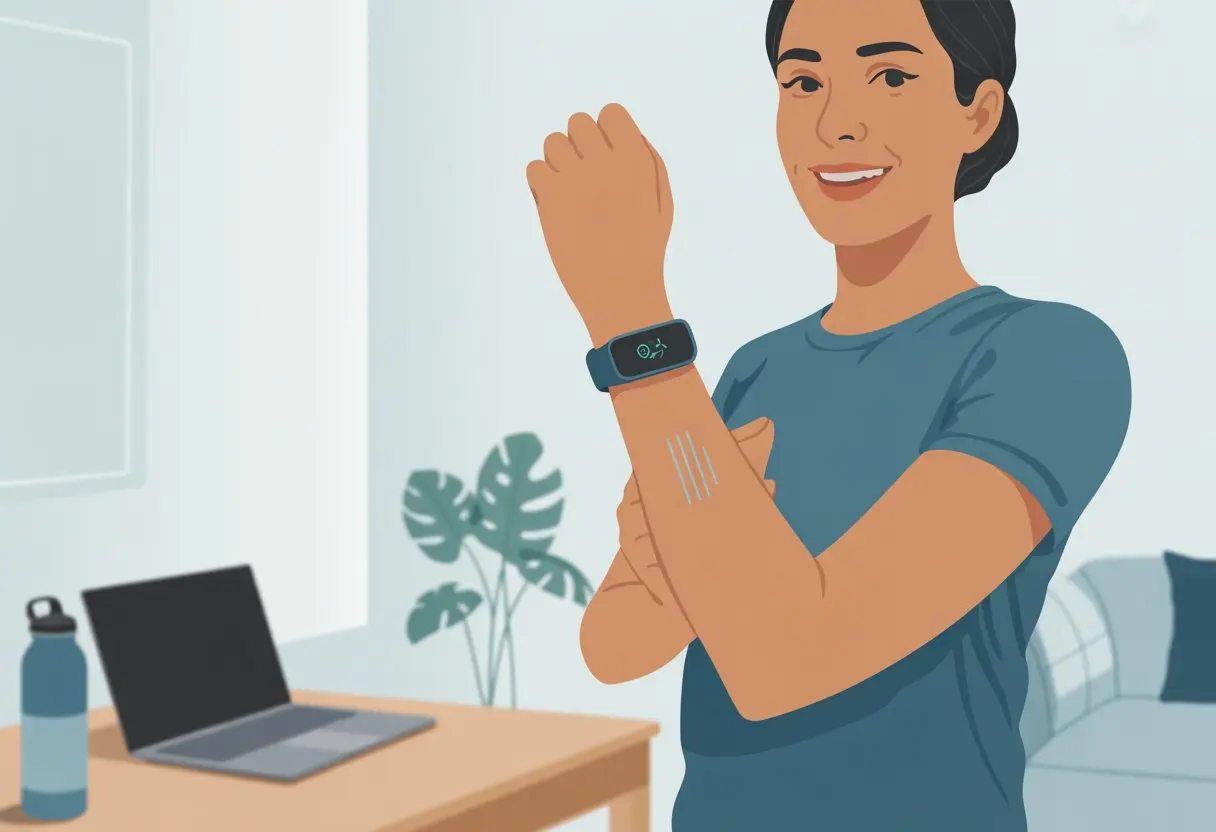
Let’s be real—if our fitness trackers didn’t buzz on our wrists, a bunch of us would probably stay glued to our chairs all day. Work, games, cat videos—it’s easy to forget to move, but those little nudges are our secret weapon for better habits.
Setting up activity reminders on a fitness tracker takes the pressure off our memory and keeps us moving.
With just a couple taps, we can have our tracker remind us to stand, walk, or stretch—even if we’re deep in couch mode. Devices like the Apple Watch and Fitbit make it super easy to set up custom nudges, so we don’t miss a step (unless we’re fully committed to the couch that day).
If you’ve ever wanted a digital cheerleader that doesn’t actually yell, these reminders are a solid place to start.
So, if you want to sneak more movement into your day without relying on your brain to remember, you’re in the right place. We’ll get into how to set up those gentle reminders and maybe, just maybe, get up a little more often—without giving up our love for lounging.
Choosing The Right Fitness Tracker for Activity Reminders
Picking a fitness tracker for activity reminders isn’t rocket science, but it does feel a bit like shopping for a tiny, nagging friend who lives on our wrist. We want reminders that actually work, but also features that fit into our lives (and onto our wrists).
Understanding Key Features
First up, let’s talk features because our wrists deserve the best nagging possible. We should look for customizable inactivity alerts so we can get nudged at times that make sense for us.
Some trackers, like the Fitbit and Garmin Vivofit, let us set our own reminder intervals. Who wants a device buzzing at us during pizza time, anyway?
Good activity reminders should include:
Vibration (for those times we ignore the screen)
Adjustable alert timing
Clear display notifications
Easy-to-use app controls
Other features like sleep monitoring and heart rate tracking are nice, but honestly, we’re just trying to move more right now. If charging gadgets isn’t our strong suit, a tracker with a long battery life (Garmin Vivofit, looking at you) might save us from another dead device in the drawer.
Now, let’s talk brands. Fitbit has a loyal following because it’s easy to use and delivers solid reminders. Garmin trackers, especially the Vivofit series, are famous for battery life and waterproofing, which is great for folks who forget to take off their watch before a swim or shower.
Polar trackers look sporty and track sleep well. Apple Watch isn’t just about texts; its “Stand” reminders buzz every hour, which can feel like a bee poking you to get up. If you want something slim, the Withings Pulse keeps it simple and offers gentle nudges—perfect if you’re jumpy.
Each device has its own strengths, so jot down what you actually need (and maybe what you just want to show off) before dropping cash on a new wrist buddy. To compare trackers, check out Run United’s guide.
Setting Up Your Fitness Tracker for Reminders
Before our tracker can start bossing us around, we need to set it up. Most trackers need a few quick steps: syncing with our phone, setting reminders, and turning on notifications.
Doing this now means we’ll actually get those nudges to move, instead of just wearing a silent, sad gadget on our wrist.
Syncing with Your Smartphone
First things first: sync the tracker to our smartphone. Most trackers—Fitbit, Apple Watch, Garmin—use Bluetooth.
We turn on Bluetooth, then install the right app. Fitbit fans grab the Fitbit app, Apple users go for the Watch app.
The app usually walks us through pairing the device. If our thumbs aren’t cooperating, we just follow the prompts. Once synced, our reminders and data show up on both our phone and tracker, like workout buddies sticking together.
If syncing fails, try restarting both devices. Yelling at them rarely helps, but hey, we’ve all tried it.
Choosing and Customizing Reminders
Nobody wants reminders at the worst times. With just a few taps, we can set when and how often our tracker nudges us to move, stretch, or walk.
Some trackers come with preset reminders, like standing up every hour, but the best part is making our own.
On the Apple Watch, we head into the Activity or Reminders section in the Watch or Health app. Fitbit users look for “reminders to move” in the Fitbit app.
We pick our times, set our goals, and can even add custom messages if we’re feeling creative.
Custom reminders make our tracker feel less like a boss and more like a coach who just wants us to walk around the kitchen during Zoom calls.
Enabling Notifications and Silent Alarms
Reminders only work if we actually notice them. That’s where notifications and silent alarms come in.
In the app, we turn on notifications for movement or hydration reminders. We check that our tracker’s vibration isn’t set to “barely there” so we don’t miss alerts.
Silent alarms are a lifesaver for us (and our coworkers). Instead of a loud beep, our tracker buzzes quietly and tells us to get up without bothering anyone.
Some models let us set different alarms for different times, so we can get nudges in the morning, after lunch, or when it’s time to leave work.
If we want our tracker to gently guilt us into being healthier, this is the way to do it.
Using Fitness Trackers to Nudge Your Activity
Fitness trackers have a sneaky way of getting us to move more. They track almost everything we do and remind us to stay active, whether we’re in the mood or not.
Setting Daily Goals and Activity Targets
Honestly, sometimes we need a push. That’s where daily goals come in.
Most fitness trackers let us set a daily goal, like 10,000 steps or 30 minutes of exercise. Watching our progress on the screen can be surprisingly motivating—even if the couch is calling our name.
Many trackers help us “close our rings” or earn badges by the end of the day. These little rewards make it feel more like a game than a chore.
We get nudges throughout the day when we haven’t moved enough. Some trackers vibrate or beep, almost like they’re calling us out for slacking.
If we want to raise the bar, we can use the app to set new goals. Higher goals might mean more steps or longer workouts.
The nice thing? We can always adjust our targets if life gets in the way—or if we realize 20,000 steps is just a bit much.
Tracking Steps and Distance Covered
Step tracking is a classic feature. Our tracker quietly counts every step from the minute we wake up.
The numbers show up in real time, so we see exactly how much (or how little) we’re moving. We’ve all done laps around the kitchen just to watch that number go up—no shame.
Distance covered is another handy stat. Most trackers turn our steps into miles or kilometers, so we know how far we’ve actually gone.
Turning errands or dog walks into a distance challenge can make moving feel less like a chore. Some apps show our weekly or monthly totals in simple graphs.
With step counts, distance, and all those gentle buzzes, our fitness trackers are relentless little cheerleaders—minus the pom-poms.
Staying Motivated With Reminders and Progress
Let’s be honest, our motivation to move can vanish faster than snacks at a party. With a fitness tracker, reminders and progress updates are like secret weapons for those days when the couch looks way too comfy.
Celebrating Milestones and Challenges
When we hit a goal—like the mythical 10,000 steps—it deserves more than a silent fist pump. Most trackers throw confetti on the screen or buzz excitedly, making us feel like champions, even if we’re alone in the kitchen.
Setting small goals, like walking 20 minutes or drinking enough water, helps us see progress every day. Tiny wins add up.
Most devices and exercise apps log our achievements, hand out virtual badges, or let us look back and see how consistent we’ve been.
Some trackers let us join challenges or streaks. Did we walk every day this week? Our device will remind us, and it’ll probably try to guilt us with “friendly” reminders the next time we’re tempted to skip.
If we love seeing our progress on a calendar, activity calendars help us visualize our workout history and keep us on track.
Integrating Fitness Apps and Social Features
If we think accountability is just a scary word, we might be surprised when connecting with friends turns out to be fun. Many fitness trackers connect to exercise apps where we can join step challenges, compare progress, and maybe show off a little.
Sharing our progress or goals in an app brings support—or some good-natured teasing—from friends. Some platforms let us rate how we feel after workouts or track our mood, so we see when moving actually improves our day.
Social features aren’t just about making us jealous of our friend’s 5 AM run. They help us set group goals, remind each other to move, and even send badges for accomplishments.
Apps and tech tools can nudge us, keep us moving, or at least remind us to stretch between episodes of our favorite show.
Some apps even let us journal our mindset right there, bringing a little mindfulness into our sweaty routines.
Advanced Reminder Hacks for Techy Movers
We all love our fitness trackers, but sometimes their reminders feel like basic texts from a robot ex. Let’s upgrade our routines with smarter ways to stay on our toes—quiet alerts, calendar tricks, and even our favorite clock faces can make a big difference in not becoming couch potatoes.
Custom Silent Alarms and Calendar Alerts
Custom silent alarms nudge us quietly, so we don’t blast our eardrums or startle the whole office. Instead of a harsh beep, most trackers vibrate gently.
We can set these up for things like hourly activity check-ins, hydration reminders, or sneaky stretch breaks. On some trackers, it’s easy to make multiple alarms—one for every habit we want to keep.
For important meetings or workouts, syncing our tracker with the calendar app just makes sense. Calendar reminders pop up as notifications, giving us that little push to get moving before the next appointment.
Basically, it’s a secret signal to stand up and move—no one else even notices.
If you need inspiration, check out how the Fitbit Alta uses Reminders to Move. Sometimes, a small buzz on your wrist really does make a difference.
Using Clock Faces and Widgets
Clock faces aren’t just about telling time anymore. On a lot of trackers, we can pick or customize a face that shows movement stats, progress bars, and nudge notifications.
Now, glancing at the time can actually give us a motivation boost, not just remind us how far away lunch is. Some trackers let us add widgets, like hydration reminders, step counters, or even a daily “hours active” ring.
A quick look at our wrist helps keep us on track before the couch wins. If we get bored, we can switch up our clock face to keep things fresh and our motivation up.
Want to browse options? Expert picks for trackers with great clock face and widget options are out there. With the right setup, it’s tough to ignore the reminders—and honestly, it’s fun to brag to friends who still use regular watches.
Monitoring Your Health Alongside Activity Reminders
If we’re glued to our fitness trackers, why not use them to learn more than just “move around sometimes”? Watching our heart rate and calories burned makes the reminders more useful and, honestly, less annoying.
Using Heart Rate Monitoring for Smarter Reminders
Think of the heart rate monitor as a tiny coach on your wrist. It won’t yell, but it keeps a close watch.
When our tracker notices our heart rate hasn’t budged, it knows we’re due for a break from couch-potato mode. Many fitness trackers show our heart rate in real-time during exercise.
This pushes us into the right heart rate zone, so we get more out of our workouts. If we’re too relaxed, the device gives us a nudge—“Hey, let’s get the heart going.”
With reminders tied to heart rate, we’re less likely to get distracted or skip a workout. It’s not about perfection—just staying motivated, even when our heart says, “How about another episode?”
Tracking Calories Burned During Activity
Counting calories burned isn’t just for athletes or math nerds. If our tracker says we’ve burned 200 calories, we know ten minutes fighting with the lawn mower did more than make us sneeze.
Fitness trackers figure out calories burned using heart rate, movement, and sometimes our age, weight, and gender. This info updates as we move and shows up in the tracker dashboard or activity app.
When we get an activity reminder, we can check if we’re close to a milestone or just need another lap around the kitchen. Some trackers break down calories by activity, which is kind of fun.
Walking the dog: ~80 calories in 20 minutes
Dancing badly: ~150 calories in 30 minutes
Stairs (chasing kids): ~60 calories in 10 minutes
Mixing activity reminders with calorie data finally lets us answer the big question: “Did I earn that extra slice of pizza?”
Smart Reminders for Sleep and Rest
Getting enough rest is tough when we’re glued to screens all day. Fitness trackers can nudge us to wind down, track our sleep, and maybe even stop us from turning into caffeine-fueled zombies.
Activating Sleep Mode and Restful Reminders
Sleep mode isn’t just a setting—it’s our new bedtime buddy. On most trackers, we can jump into the sleep section in the app, tap “sleep,” and set a bedtime reminder.
Suddenly, our wrists buzz at night, reminding us that sleep matters more than doomscrolling memes until 2 AM. Some trackers offer “relax reminders” for those moments when stress hits and chocolate doesn’t cut it.
We love that our device might politely suggest, “Take deep breaths,” instead of yelling, “Calm down!” Garmin watches, for example, nudge us when tension builds, so we remember to rest or meditate before we explode.
Ever wonder if you’re getting deep sleep or just spinning like a rotisserie chicken? Sleep tracking splits our slumber into stages: light, deep, REM, and the classic “Was I even asleep?”
Some apps show color-coded graphs so we can brag about our five straight hours of deep sleep—or at least pretend that’s why we’re grumpy. Fitbit and other trackers show trends and nudge us to go to bed at the same time every night.
With smart reminders, maybe we actually have a shot at real rest—even if we keep sneaking peeks at our tracker to see if we’re sleeping well.
Staying Connected: Beyond Activity Reminders
Fitness trackers do more than just ping us to move. They’re packed with tools that make life a little easier—and sometimes, a bit more fun.
Using Music, Payments, and Bonus Features
Honestly, sometimes we need music just to get through a workout—or a Monday. Luckily, many fitness trackers let us control our favorite songs right from our wrists.
We can play, pause, or skip tracks without digging for our phones and looking awkward on the treadmill. If we hate pulling out our wallets, fitness trackers now offer contactless payments like Fitbit Pay.
We can tap to pay at stores, vending machines, or anywhere that takes contactless cards. It feels futuristic, and maybe just a little bit magical.
Some trackers remind us of calendar events, help us find our phones (which is honestly a lifesaver), or even give us weather updates. Our fitness trackers might be the personal assistants we never realized we needed.
If our tracker dies, those reminders to move won’t do much. To get the most out of these clever wrist gadgets, we need some practical tips for keeping them powered and running smoothly.
Best Tips for Battery Life and Syncing
Nothing ruins a step streak faster than a dead battery. Try setting a charging schedule, like plugging in the tracker while you shower or eat breakfast.
Making this a habit helps us avoid forgetting and keeps those sedentary alerts coming on time. Most fitness trackers last longer if we turn off extra features we aren’t using.
Unless we’re lost in the woods, we probably don’t need GPS tracking every step to the fridge. To save battery, dim the screen or lower notification volume.
Connecting our tracker to its app is a must. Syncing logs our workouts and updates those precious stats—no one wants to miss proof of a record day.
Our fitness tracker isn’t just some fancy bracelet—it actually runs on software that needs a bit of attention now and then.
Regular updates fix bugs, add new features, and keep the tracker connected to our phones or apps without any drama.
It’s smart to check for updates in the tracker’s app every few weeks. Sure, most devices send reminders (like we need more notifications), but it doesn’t hurt to look manually sometimes.
Updates can speed up syncing, fix battery drain, or even make step counting more accurate. That’s always a win, right?
When the tracker asks for an update, try to install it while it’s charging and connected to Wi-Fi. That usually makes things go smoother.
Don’t forget—updating the phone app matters, too. Sometimes, new features pop up there before they hit the tracker.
Staying current helps us dodge annoying surprises right when we’re about to smash that step goal. Honestly, we just want our tracker to keep up with us.
Hi, my name is Garrett Jones, and I am a tech enthusiast. I enjoy researching the new tech that has been released, and have a vast knowledge of the best tech to purchase.
From a young age, I have always had a big interest in technology, and this blog is an extension of that interest. Through this blog, I hope to provide others with all of the information they need regarding tech options to consider, and things such as compatibility. Some of the different items I will be discussing include headphones, smartwatches, and how to fix common issues.