We’ve all done it—claimed we walk a million steps a day, but can’t prove a thing. That’s where fitness trackers come in and keep us honest about our daily walks.
Using a fitness tracker for walking lets us count our steps, see how far we’ve gone, and actually track our progress, so we know if we’re moving or just making trips to the fridge.
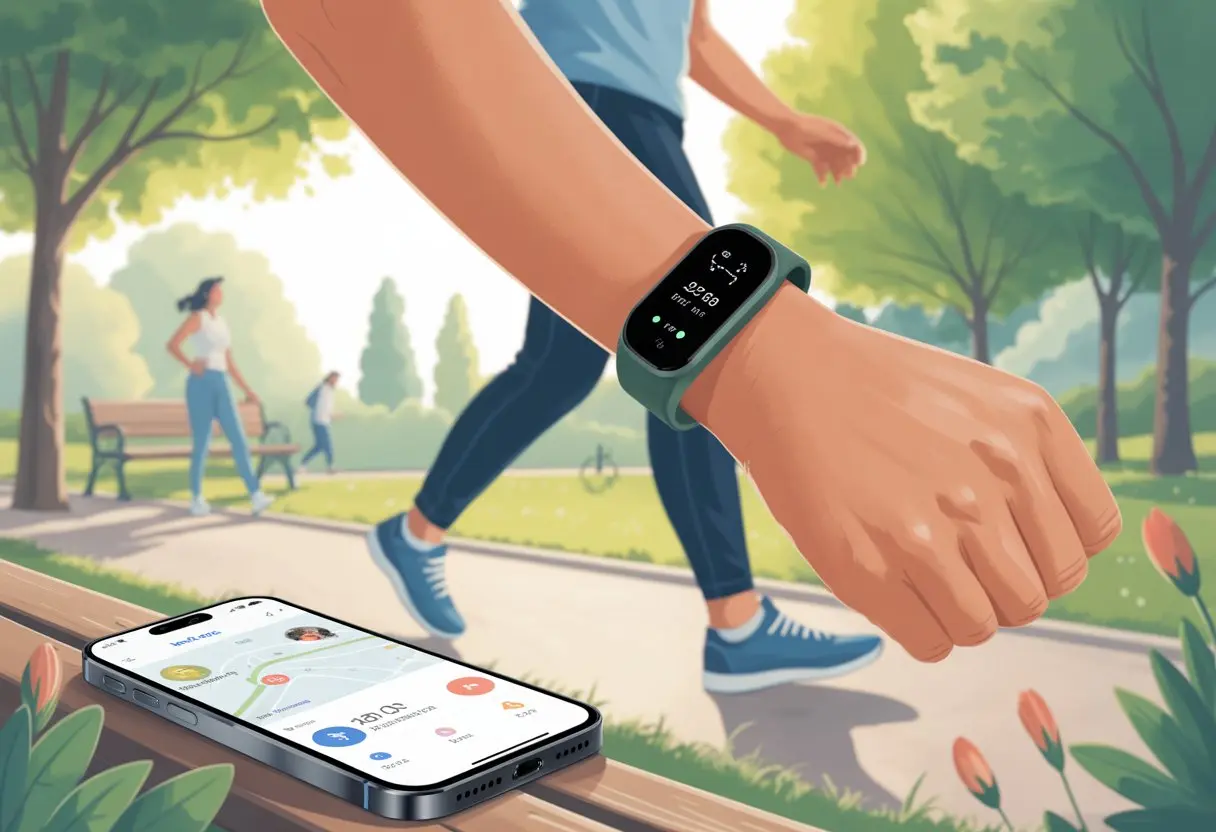
We just strap on the device and let it do the math while we enjoy the view—or maybe just the sidewalk cracks. With all our walking stats right there, setting goals gets way easier.
These little gadgets aren’t just there to call us out for taking the elevator instead of the stairs. They actually keep us motivated and moving.
The trick? Make your fitness tracker work for you. If we want every step to count, we need a few simple tips and a relaxed attitude about the numbers.
Let’s cheer ourselves on with every walk and, hey, maybe brag a little when we hit our goals. If you’re curious to see exactly how many steps you take on your next stroll, you’re in the right place to learn more about making your tracker your new walking buddy, just like Mayo Clinic suggests for activity trackers.
Choosing the Right Fitness Tracker for Walking
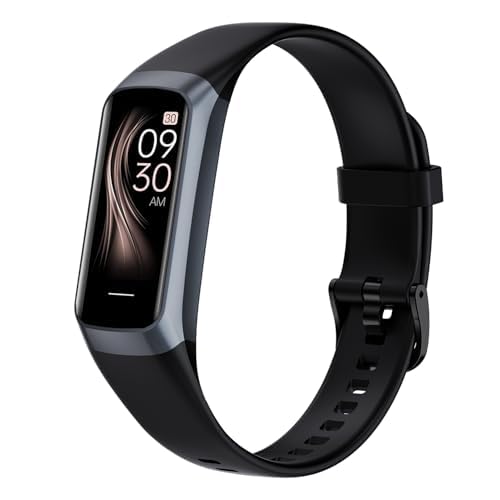
When we go to pick out a new fitness tracker, it helps to know which features actually matter. We want something accurate, comfortable, and—let’s be honest—something that doesn’t make us look like we’re wearing a mini-computer on our wrist.
Key Features to Look For
Let’s start with the basics. A good step counter is a must—if it can’t count steps, it’s just a bracelet.
We need a reliable pedometer that won’t add 1,000 steps every time we wave at a neighbor. Heart rate monitoring helps us figure out if our walk is a workout or just a slow lap.
If you want to track distance on outdoor walks, look for built-in GPS. Sleep monitor features are handy if you’re curious whether all those steps help you sleep better.
Battery life matters. Nobody wants a tracker that dies after one walk.
Many new models last a week or more, so we’re not charging more than we’re walking.
Comparing Popular Fitness Trackers
So, which one should we grab? Devices like the Fitbit Inspire 3 get lots of love for being easy to use and tough enough for daily walking.
If you’re after more stats, the Fitbit Charge 6 and Garmin Vivoactive 6 offer solid accuracy and heart rate data. They work with both iPhones and Android phones.
A good activity tracker should feel comfy and show info clearly—even in bright sunlight. Some trackers connect to a chest strap for more accurate heart readings, but most walkers will do fine with built-in wrist monitors.
If you want to compare more, check out WIRED’s best fitness trackers and watches and the Wirecutter’s fitness tracker reviews.
Budget vs. Premium Devices
Let’s be real—our wallets matter. Budget trackers are easier on the bank account and usually cover all the basics: step counting, basic heart rate, and decent battery life.
They skip the fancy stuff. On the flip side, premium trackers let us dive into sleep stages, ECG, GPS, and a pile of charts that might inspire us—or just overwhelm us.
A pricey wearable might make us feel like a tech superhero, but a solid budget model will still log our steps and get us moving. It’s about what gets us off the couch, not what empties our wallet.
Setting Up Your Fitness Tracker
Getting our fitness tracker set up shouldn’t feel like rocket science. We just connect it to the right app, adjust a few settings, and we’re ready to count steps.
Syncing with Your Fitness Tracking App
First up, let’s get our tracker and phone talking. Whether we use iPhone or Android, we’ll need to download the app for our device—like Fitbit or Garmin Connect.
We turn on Bluetooth, open the app, and follow the setup prompts. Sometimes the tracker asks for a code—don’t worry, it’s just making sure our step data stays ours.
Some trackers work best on the inside of the wrist for more accurate counts. Once we sync, our steps, distance, and calories show up in the app dashboard.
If something doesn’t work, most apps have a “Help” button or we can watch YouTube guides for quick fixes.
Tip: Double-check that Bluetooth is actually on. Seriously, it trips us up more than we’d like to admit.
Customizing Device Settings
Now it’s time to tell our tracker a bit about us. In the app, we’ll enter things like height, weight, age, and maybe even our shoe size (kidding—usually).
Putting in real info helps the tracker count steps and calories more accurately. No judgment here.
We can also choose what shows up on the main screen—steps, distance, whatever we care about. Want to set a daily goal? The app lets us do that too, just like the pros suggest in this FitTrend guide.
Quick settings to check:
- Display (inside or outside wrist)
- Step goals (pick our number)
- Notifications (for cheers or gentle nags)
- Sync with Apple Health or other apps if we want
Take a test lap around the house. If we rack up 500 steps from the fridge to the couch, something’s definitely off.
Creating and Tracking Walking Goals
When we use a fitness tracker for walking, setting clear goals and tracking progress turns an ordinary stroll into something a little more exciting. Goals keep us moving, and tracking lets us celebrate every win—even if our only reward is a happy beep from our wrist.
Setting Daily Step Targets
If we don’t have a goal, we’ll just end up pacing from the kitchen to the couch. Setting a daily target, like 7,000 or 10,000 steps, gives us something to aim for.
Most trackers let us set our own goals or suggest one based on our activity. Start with your current daily steps and bump it up by 500-1,000 steps each week.
As we hit our targets, we can nudge the goal higher. For many, tracking steps with an activity tracker is pretty motivating because every step counts—even the ones from late-night snack runs.
Here’s a quick cheat sheet:
| Starting Step Count | Suggested Goal | Weekly Increase |
|---|---|---|
| 3,000 steps | 4,000 steps | +500 steps |
| 5,000 steps | 6,000 steps | +1,000 steps |
| 8,000 steps | 10,000 steps | +1,000 steps |
Progress Tracking and Motivation
Watching our step count climb is surprisingly satisfying. Most trackers show charts or graphs and send reminders if we’ve been sitting too long.
Milestones—like 50,000 steps in a week—are worth celebrating. Push notifications and badges fuel our competitive side.
Many apps buzz or flash messages like “You did it!” even if “it” just means we walked to the mailbox. Mini-challenges, like seeing who in the house racks up the most steps, add some fun.
We can use free walking apps if we’d rather use our phones. No matter how short the walk, our tracker remembers it all.
Using Training Plans
Once daily step targets feel easy, we might want more structure. Many fitness trackers include training plans with weekly routines to help us ramp up safely.
These plans tell us exactly what to do—like “walk 20 minutes Monday, 30 on Wednesday, 40 on Friday”—so we don’t have to overthink it.
Why use training plans?
- We make steady progress toward bigger goals.
- Our fitness and stamina improve (maybe even our mood).
- We’re less likely to overdo it and end up with sore feet.
Some trackers offer plans for things like charity walks or virtual 5Ks. With reminders and progress tracking, sticking to a plan feels easier—almost like having our own robot coach.
Using Your Fitness Tracker Effectively for Walking
Let’s be honest—most of us aren’t marathoners. We just want to walk more, burn a few calories, and maybe feel less guilty about that donut.
To get results, we need to use our fitness tracker in ways that actually help.
Monitoring Steps Taken
Counting steps is the main job of any fitness tracker. We can check our step count anytime, so we know if we’re moving enough.
Setting a daily goal like 7,000 or 10,000 steps gives us a simple target. If our step count is low by lunchtime, we know to park farther away or take the stairs.
Many trackers buzz or flash to remind us to get up and move every hour. If we want to see more details, most trackers offer charts or tables showing steps by hour or by day.
We get to spot lazy afternoons, celebrate streaks, and, honestly, sometimes just feel proud.
Tracking Moderate Exercise and Active Time
Walking only counts as a workout if we get our heart rate up. Most trackers use sensors to figure out if we’ve done “moderate exercise”—like brisk walks, uphill strolls, or chasing the dog.
We can set reminders or earn badges for hitting 30 minutes of active time each day. Seeing those minutes add up might nudge us to walk a little farther.
Some trackers split active time into light, moderate, and vigorous. That way, we can brag about how our detour through the park actually counted as exercise.
For more tips, SBM has a handy guide to effective use.
Measuring Calories Burned
Do we ever really know how many calories we burn when we walk? Most of us just hope it’s enough to justify dessert.
Good fitness trackers estimate calories burned during each walk based on steps, speed, and sometimes even heart rate. It’s not an exact science, but at least it gives us something to aim for besides just racking up numbers.
Some trackers show calories for each walk. Others total up our daily burn so we can compare it to what we ate (and maybe rethink that second slice of pizza).
Keep in mind, these numbers are just estimates—so maybe don’t use them to plan your next buffet. For a deeper look at using trackers for home workouts, check out RunMeFit’s advice on tracking workouts.
Heart Rate Monitoring for Walkers
Staying on top of our heart rate helps us make sure we’re actually exercising and not just window shopping in sneakers. Using a heart rate monitor shows how hard we’re working—and sometimes how much harder we could be trying.
Understanding Maximum and Target Heart Rate
Let’s start with some simple math. We usually find our maximum heart rate (MHR) by subtracting our age from 220.
If we’re 40 years old, our MHR is 180 beats per minute (bpm). No fancy calculators needed.
Now, about the target heart rate zone. This is where the real fitness magic happens—usually between 50% and 85% of our maximum.
A moderate walk might have us aiming for 50–70%. If we’re going for an “I’m in an infomercial” power walk, we can shoot for 70–85%.
Most fitness trackers with heart rate features make it easy to check this. Some even beep or vibrate if we wander out of our zone, saving us from checking our wrists every fifteen seconds.
For more details, see how to monitor your heart rate during exercise.
Benefits of a Heart Rate Monitor
A heart rate monitor does more than just remind us we have a pulse. It helps us push a little harder when our pace is more turtle than cheetah.
If we work too hard, it lets us know when to slow down and untangle ourselves from our headphone wires. There are two main types—chest strap and wristband.
Chest straps are more accurate, but honestly, they can make us look like we’re headed for an Olympic swim instead of a brisk walk. Wristbands are less precise, but they’re so easy to forget we’re even wearing them.
Having this data on our fitness tracker helps us stay in our target zone and get better results with each walk. For tips, check out these heart rate monitor basics.
Analyzing Your Fitness Data
We may not be math geniuses, but looking at fitness data doesn’t need a PhD. With a few simple tools and a little curiosity, we can learn a lot from the numbers our trackers collect every day.
Interpreting Activity Levels
Let’s be honest: sometimes our fitness trackers make us feel like secret agents being watched. But instead of enemy spies, it’s just our steps, calories, and heart rate getting all the attention.
Here’s what usually shows up:
-
Step count: This shows how much we’re moving. More steps usually means we’re living our best, most active lives—even if most of it is walking back for forgotten keys.
-
Active minutes: Not all movement is equal. Trackers highlight when we’re actually moving at a decent pace, not just shuffling to the fridge.
-
Calories burned: We like to think long walks cancel out dessert, but knowing our calories burned helps us set realistic goals.
Looking at daily and weekly progress can be motivating. Details from our tracker, like those explained by Experience Life Magazine, turn confusing numbers into useful feedback.
We just have to glance at the charts and spot when we’ve been active and… when we’ve been more like potatoes.
Performance Tracking Over Time
Nothing feels better than spotting improvement, even if it’s just out-walking our past lazy selves. Fitness trackers offer different ways to see progress, including trends that help us set smarter goals.
For example, we can:
-
Check week-to-week distance: Did we walk farther this week than last? Seeing those numbers climb, even slowly, is rewarding.
-
Look for changes in speed: If we cover the same distance faster, we’re making gains—even if we’re still late for the bus.
-
Monitor heart rate: Tracking how quickly our heart recovers after walking tells us a lot about our fitness level. Slow recovery? Time to take more brisk walks.
Apps like Longevity Biomarkers automatically pull data from our watch, offering new ways to review trends and spot patterns.
By checking over time, we can celebrate small wins—or at least know why our shoes are wearing out so fast.
Integrating Additional Features
Let’s admit it—walking is great, but sometimes we want our trackers to do a little more heavy lifting. Along with counting steps, tracking sleep and connecting with other fitness apps can take our walking game to a whole new level.
Sleep Monitoring and Recovery
When we think about becoming walking champions, most of us don’t think about what happens when our eyes are closed. But our fitness trackers often come with a sleep monitor that quietly spies on how long we snore and toss around each night.
By checking the sleep data, we can see how much deep, restful sleep we’re actually getting. Many trackers will even tell us when we should go to bed, like a persistent grandma who lives on our wrist.
This matters because our bodies recover from exercise while we snooze. A good night’s sleep helps us recover faster and feel more energetic during our walks.
Here’s a quick breakdown of what most sleep monitoring features track:
| Feature | What It Does |
|---|---|
| Sleep duration | Tracks how long we sleep |
| Sleep stages | Tells us if we’re in light or deep sleep |
| Wake times | Counts how often we wake up |
Understanding this data can help us spot bad habits, like staying up too late scrolling social media instead of getting the rest we need to crush our step goals tomorrow.
Connecting With Third-Party Apps like Strava
We all need a buddy who keeps us motivated, and that’s where third-party apps come into play. Pairing our tracker with apps like Strava means we can compare our walks with friends, brag about our step count, or just see fancier maps of our strolls.
Syncing is usually simple—most fitness trackers have an option in their app settings to connect directly to these platforms. Once connected, our walk data uploads to Strava, letting us keep a digital diary of victories, both big and small.
Some trackers also let us set up challenges or join walking groups right in the app. This is a perfect way to boost motivation, especially if we secretly enjoy humblebragging over our lunchtime laps.
For those of us who like numbers, Strava adds extra data, maps, and fun badges to celebrate every accomplishment.
Boosting Results: Nutrition and Recovery
Walking is just one part of staying healthy. Fuel and rest play a huge role too.
Eating the right foods and letting our bodies recover helps us get the most out of every step we take.
Understanding the Role of Nutrition
If we want our fitness tracker to cheer us on, we can’t live on potato chips and hope for the best. Good nutrition helps our bodies use energy more efficiently, keeps us from crashing halfway through, and supports our health over time.
It’s important to eat a balance of foods. Here’s a cheat sheet for our walking menu:
| Food Group | Why We Need It | Examples |
|---|---|---|
| Carbohydrates | Quick energy | Oats, fruits, rice |
| Protein | Muscle support | Chicken, beans, eggs |
| Healthy Fats | Longer energy | Avocado, nuts, olive oil |
| Vitamins & Minerals | Body functions | Veggies, berries, dairy |
Let’s not forget hydration. Even on lazy strolls, drinking water keeps us feeling good and prevents headaches or cramps.
If we push harder, a sports drink might help us replace lost electrolytes, but plain water usually does the trick.
Tips for Effective Recovery
After you rack up those steps, it’s finally recovery time—though, let’s be honest, it usually doesn’t involve cookies (but hey, maybe just one).
Recovery helps your muscles rebuild and gives your body a chance to recharge. That way, you’ll actually want to get up and walk again tomorrow.
Here are some tips that genuinely help:
- Stretch after you walk, even if people give you weird looks at the park.
- Get enough sleep—aim for at least 7 hours—so your body can do its much-needed repair work.
- Refuel with a snack that combines carbs and protein within an hour of finishing your walk. A banana with peanut butter? It’s both easy and honestly pretty tasty.
- Check your fitness tracker for heart rate and sleep trends. By watching this health information, you might catch signs of burnout or overdoing it before things get out of hand.
You don’t need to be a pro athlete. With a bit of recovery, you’ll probably walk a little farther—or at least not wake up groaning the next day.

From a young age, I have always had a big interest in technology, and this blog is an extension of that interest. Through this blog, I hope to provide others with all of the information they need regarding tech options to consider, and things such as compatibility. Some of the different items I will be discussing include headphones, smartwatches, and how to fix common issues.
- The Best Rugged And Waterproof Smartwatches - October 21, 2026
- 10 Best Military Smartwatch – Find The Best Tactical Military Watches in 2023 - October 20, 2026
- Are Wired Headphones Safer Than Bluetooth? A Friendly Guide - October 20, 2026
Related Posts: