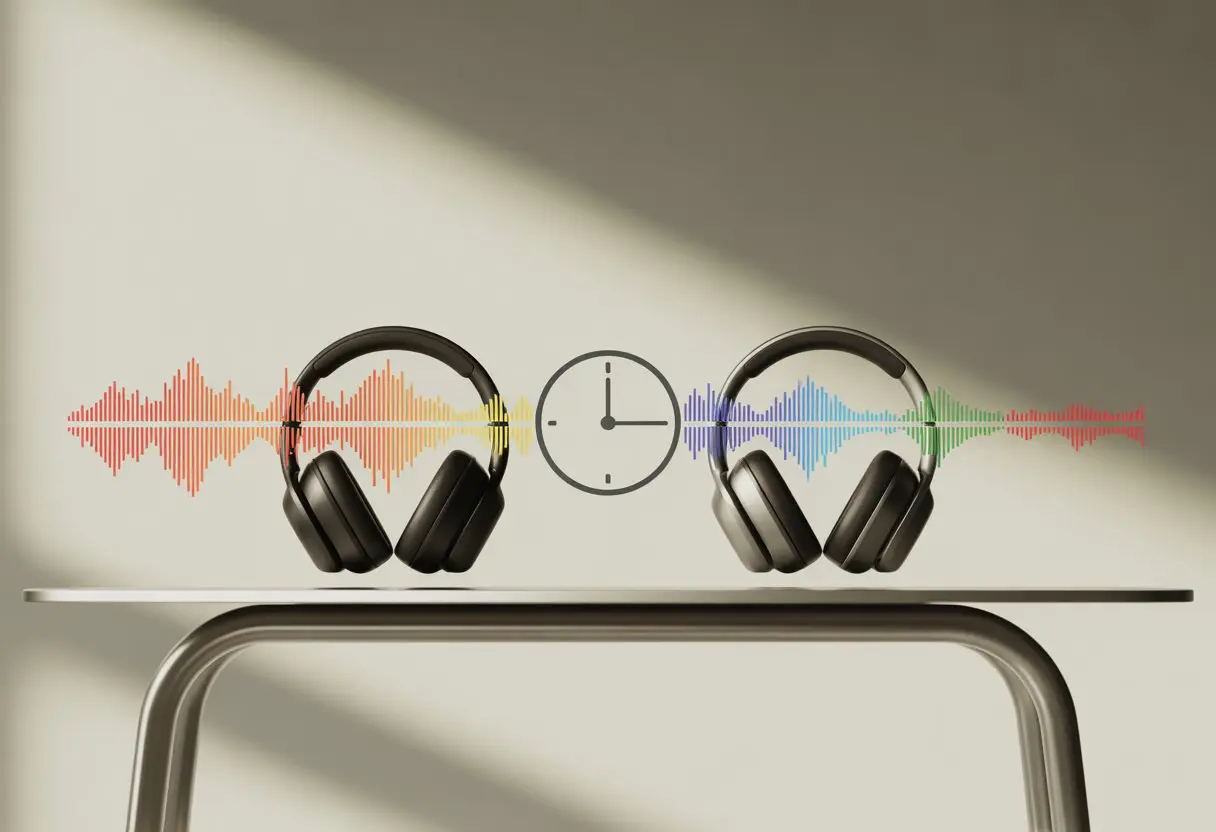
Ever notice your favorite cat video is out of sync? The paws move, but the meow comes late. Bluetooth headphone latency is the sneaky culprit behind slow audio, making videos, games, and calls just a tad annoying.
Most Bluetooth headphones lag more than wired ones. But some cans are way better than others when it comes to keeping up.
Whether you’re a casual listener or chasing gaming legend status, picking the right headphones can save you a lot of frustration. Some Bluetooth headphones hit a delay as low as 32 milliseconds.
Others? They might make you wait 200 milliseconds or more before you hear anything—like that friend who laughs at your joke five minutes late.
If you’re tired of missing punchlines or perfect musical cues, you’ll want to know which headphones keep up. Let’s dig into the details and see which models actually deliver your sound on time.
What Is Bluetooth Headphone Latency?
Ever press play and notice a tiny pause before your headphones kick in? That’s latency—a little lag that can mess with how your audio matches up with your video or game.
Defining Latency and Delay
Latency is just the delay between something happening and you actually noticing it. For Bluetooth headphones, it’s the gap between the sound leaving your device and reaching your ears.
Wired headphones always win this race. Bluetooth has extra steps: converting data, sending it wirelessly, and then piecing it back together.
If your headphones use older Bluetooth versions or basic codecs, this dance gets slower. For example, the SBC codec might give you over 200 milliseconds of lag.
You’ll definitely notice if lips move before you hear the words. Some newer headphones with low-latency codecs keep the delay under 60 milliseconds, which is way better.
You can check actual numbers on sites like RTINGS.com.
How Latency Affects Play and Sync
Watching videos or gaming with high latency is rough. Audio and video get out of sync and suddenly, everyone’s starring in a badly dubbed movie.
Apps try to help by delaying the video or using tricks to hide the lag, but they can’t always fix it. For gamers, every extra millisecond makes it harder to react.
In music, bad latency means your air guitar is always off-beat. To dodge these moments, look for Bluetooth headphones with low-latency features.
If you want zero lag, wired headphones are still the winner. There’s a good Reddit discussion on which apps help most.
Bluetooth Codecs And Latency Impact
Bluetooth codecs aren’t all the same. Your choice of codec can mean the difference between smooth lip sync and looking like a badly dubbed action star.
sbc and Its Codec Cousins
SBC is the default codec for most Bluetooth earbuds and headphones. It’s like the plain toast of codecs—works everywhere, but not exactly speedy.
SBC usually has about 150-200 milliseconds of latency. That’s enough to notice a delay with videos and games.
LE Audio and LC3 are newer on the scene. LC3 offers lower latency and better sound, but most headphones don’t have it yet.
Here’s a quick look at common codecs:
Codec
Typical Latency (ms)
Universal Support
SBC
150–200
Yes
LC3 (LE Audio)
~30–40
No (limited)
AAC
120–180
No
The Wonders of aptX, aptX Adaptive, and aptX Low Latency
aptX gives your headphones a bit of a speed boost. It usually brings latency down to 70-80 milliseconds.
You might still catch a tiny delay, but it’s much less obvious. aptX Low Latency is the hero here—about 40 milliseconds of lag, which is great for gaming and YouTube.
aptX Adaptive tries to balance speed and sound quality, usually keeping latency under 90 milliseconds. Both your headphones and your device need to support the same aptX version, or you’ll end up back with SBC.
Breakdown:
aptX: Faster than SBC, fine for most stuff
aptX Low Latency: Super quick, best for gaming
aptX Adaptive: Adjusts for best experience
You can dig deeper at the RTINGS.com Bluetooth Connectivity Score and SoundGuys Bluetooth codecs guides.
aac: Apple’s Preferred Codec
AAC (Advanced Audio Codec) is Apple’s favorite. iPhones, iPads, and Macs run on AAC like cats on catnip.
Latency with AAC sits around 120 to 180 milliseconds—a bit better than SBC, but not as snappy as aptX. On Android, AAC can have higher latency, especially on older phones.
If you’re in the Apple club, AAC usually means clear sound and decent sync for music and movies. For fast-paced games, though, even AAC might lag a bit.
Bluetooth audio latency isn’t just about your headphones. Your phone, computer, or operating system can make a surprising difference.
Let’s see how Apple devices, Android phones, and computers handle latency—sometimes well, sometimes not so much.
apple Devices, aac, and Apple Ecosystem
If you’re in the Apple ecosystem with your iPhone and AirPods Pro, you’re in a good spot. Apple uses AAC and tunes its hardware and software for it.
Latency for music and videos stays impressively low. Gaming? Still not perfect, but not terrible.
Apple makes up for AAC’s average speed with smart device optimization. Your AirPods and iPhone talk efficiently to keep delays down.
Take those AAC headphones to a Windows PC, though, and latency gets worse. Apple’s magic is for Apple gear only.
Android 10 and Bluetooth Codec Choices
Android 10 is like a codec buffet. You get SBC, AAC, aptX, and even LDAC if your headphones support it.
Some phones pick the “best” codec for you, but “best” sometimes just means “SBC.” Want more control? Head into developer settings and switch codecs.
Picking aptX or LDAC can cut latency, especially on newer phones. But not all Androids are equal—sometimes your phone or headphones quietly switch back to SBC.
The benefit is real, but it’s a bit chaotic. Always check your settings if you care about latency for games or calls.
windows 11, macos, and Cross-Platform Performance
Windows 11 and macOS don’t handle Bluetooth audio the same way. Connect AirPods Pro to a Windows PC and you’ll probably notice more lag and a less stable connection.
Windows 11 added better AAC support, but it’s still not as smooth as Apple’s. On macOS, Apple-friendly gear works well, but with other headphones, latency can creep in.
Gamers: both OSes add lag with Bluetooth, so audio and on-screen action might not match up. For the lowest latency, grab a wired headset or use special low-latency wireless dongles.
Bluetooth is convenient, but sometimes it just takes its sweet time.
Comparing Different Bluetooth Headphones
Not all Bluetooth headphones are equal. Some deliver your favorite song like you’re in the front row, while others make it sound like it’s coming from the moon.
True Wireless vs Wireless Headphones vs Bluetooth Earphones
You might be wondering what the big deal is between true wireless, wireless headphones, and Bluetooth earphones.
Let’s break it down without making your head spin like a pair of overused ear cups.
True wireless headphones have no wires at all—not even between the left and right earbud.
This setup is super convenient when you’re on the move, but there’s a catch: more latency.
Because of their tiny size and Bluetooth limitations, true wireless models often lag behind in audio sync.
Movie lovers or gamers might catch lips moving before the words actually come out.
Wireless headphones—the big, comfy ones that sit over your ears—are bulkier, but they usually handle latency better.
Many models use higher-end Bluetooth codecs, which help cut down on delay.
They’re also better for long listening sessions, since they don’t dig into your ears like some of those tiny earbuds.
Meanwhile, Bluetooth earphones (the lightweight ones with a wire between the buds) often land somewhere in between.
They’re less likely to vanish under your car seat, and some models offer surprisingly low latency if they support modern Bluetooth versions.
You can find more info about how different Bluetooth versions and codecs impact delay at RTINGS.com.
Here’s a quick comparison table:
Type
Typical Latency
Comfort
Convenience
True Wireless
High
Good
Excellent
Wireless Headphones
Low/Medium
Excellent
Good
Bluetooth Earphones
Medium
Fair
Fair
Sound Quality Comparison: Wired vs Wireless
If you’ve ever plugged in a pair of wired headphones and thought, “Wow, this sounds clear,” you’re not alone.
Wired models usually beat Bluetooth headphones in sound quality because there’s no need to compress the audio for transmission.
The signal reaches your ears without taking a detour through a digital traffic jam.
Bluetooth headphones use different codecs (like SBC, AAC, aptX), which can squish the audio and add a bit of delay.
Some codecs are better than others, but even the best wireless headphones can’t quite match the pure, lossless sound you get from wired headphones.
But if you hate untangling wires more than you care about perfect sound, wireless options are probably your jam.
Just remember: if you’re playing games or watching videos, even a tiny delay can make things feel weird—like that old kung-fu movie with the mismatched lips.
So, pick the type that matches your habits.
Audio Quality, High Fidelity, and Sound Samples
If you care about crisp detail in your music or movies, it pays to know how your Bluetooth headphones handle audio science.
Let’s see where that fuzzy bass or sudden silence might be coming from.
Evaluating 48 kHz, THD+N, and High Fidelity
You might not brag about knowing what 48 kHz or THD+N means, but your ears will thank you if you do.
48 kHz is the sample rate most Bluetooth headphones use.
This is high enough for most people—even dogs would be impressed.
THD+N, which stands for Total Harmonic Distortion plus Noise, measures how much “junk” sneaks into your sound.
Lower values are better.
If your headphones advertise a low THD+N, your music will sound cleaner, with less hiss or buzz.
High fidelity audio means your favorite songs won’t sound like they were recorded in a tin can.
Some codecs, like aptX HD, aim for the cleanest signal.
Others, like SBC, are less fancy—they get the job done but may lose some sparkle.
The Impact of mp3, Streaming Services, and Audio Codecs
When it comes to mp3s and streaming services, what you play is only part of the story.
The codec moves your music from phone to headphones, and boy, does it matter.
Good codecs keep things punchy and clear.
Bad ones? Imagine your song stuck in a cardboard box.
Most music streaming services use their own compression tricks.
Spotify and Apple Music make music files smaller so they won’t clog your data, but this sometimes means you’re missing out on detail.
The codec, like AAC or aptX, helps decode this stream and send it to your headphones.
Each codec has its own sound quality and speed—some are great for audiophiles, others are just fine for background tunes.
For a deeper dive, look at this Bluetooth codec comparison and discover why “codec” isn’t just a fancy tech word, but a deal breaker for your playlists.
Newer Bluetooth Technologies and Standards
Get ready to meet the new kids on the Bluetooth block.
These upgrades bring better sound, lower latency, and a few features that might finally stop your video and audio from arguing about timing.
Bluetooth 5.2, LE Audio, and LC3
You might think Bluetooth is just Bluetooth.
But Bluetooth 5.2 says, “Please, I’m much cooler than that.”
This newer version lets your headphones connect with better reliability and gives your battery a break.
Bluetooth 5.2 comes with LE Audio, the fresh new way of sending sound without gobbling up your battery life.
If you like listening for a long time without recharging, this is a big win.
LE Audio uses a special codec called LC3 that keeps your music sounding smooth—even at lower bitrates.
But the real magic is in latency.
With LC3 and LE Audio working together, you get much faster audio delivery, so videos stop looking like a badly dubbed movie.
While Bluetooth Classic could have around 100 ms latency, LE Audio can push this delay down as low as about 6 ms according to recent comparisons.
Exploring Modern Bluetooth Speakers
Bluetooth speakers aren’t left behind; they’re joining the party with these new technologies too.
Many modern speakers support Bluetooth 5.2, so you get a stronger connection—and your music won’t cut out just because you walked three steps away.
With LE Audio support, sharing music with your friends becomes much easier.
Some new speakers let you broadcast one song to several devices at once—meaning the group can jam together without any awkward silence.
Bluetooth speakers using LC3 usually have better sound quality, even if your Wi-Fi is acting up.
Lower latency can even make these speakers OK for watching movies, not just blasting goofy playlists.
Your movie nights just got a whole lot less desynced.
Codec Oddities: Lesser-Known and Niche Choices
Bluetooth headphones love to keep you guessing.
Beneath all the tech jargon, some codecs and devices stand out for being oddballs, rebels, or just plain complicated.
If you’re tired of standard SBC and aptX talk, you’re in for a treat.
In theory, LDAC gives you three bitrate settings—330, 660, and 990 kbps.
You get better detail, but the catch is that higher bitrates often cause more latency.
If your connection hiccups, LDAC might drop quality faster than you can say, “Where did my bass go?”
Opus is rarely seen in Bluetooth headphones.
You probably only hear about it if you hang out with voice chat apps or open-source projects.
It shines in low-latency voice, but when it comes to music, most gadgets don’t support Opus over Bluetooth.
If you do see Opus on your headphone settings, congratulations: you’ve uncovered a unicorn.
FDK-AAC is another rare beast.
Most devices use plain old AAC, but FDK-AAC is a special flavor used more by audio nerds.
It’s nearly impossible to find actual Bluetooth headphones using FDK-AAC, unless you’re DIY-ing your own codec stack (which, let’s be real, you probably aren’t unless you like living dangerously).
Special Cases: sony psp-3000 and djm-s9
If you thought codecs were weird, meet the Sony PSP-3000.
This handheld console supports Bluetooth audio, but only through some pretty ancient profiles.
You’ll get significant latency—think lip sync that makes kung fu dubs look subtle.
Gamers beware: reaction timing is not this device’s strong suit.
Then there’s the Pioneer DJM-S9 mixer.
Calling this a “Bluetooth device” is technically true, in the same way your fridge is a food storage solution.
The DJM-S9 has quirks that make Bluetooth use tricky.
DJs have reported latency that turns scratching into an unintentional remix.
If you’re aiming for accurate audio cues, you might want to keep your Bluetooth dreams in check with this one.
Key takeaways:
LDAC: High-res, higher risk of latency
Opus: Rarely supported, great for voice
FDK-AAC: Niche, not on your mainstream cans
Sony PSP-3000: Latency so bad, you’ll laugh (or cry)
DJM-S9: DJs beware, Bluetooth here is just for fun
If you want to see how these oddball codecs stack up against the regulars, this detailed codec comparison breaks things down.
Testing Latency: Methods and Analysis
Measuring Bluetooth headphone latency is more than plugging stuff in and hoping for the best.
You need careful tests and numbers that make sense, not just a stopwatch and optimism.
anova analysis for Latency Data
Once you finish testing different headphones, things can get messy faster than tangled headphone wires.
You’ll have lots of numbers, all showing how fast—or slow—each pair responds.
This is where anova analysis becomes your trusty sidekick.
ANOVA stands for Analysis of Variance.
It helps you spot if the differences in latency are real or just a random blip.
You run the test, and it tells you if one headphone is lagging behind the group, or if they’re all in the same slow race together.
The most important part is that ANOVA helps you avoid judging headphones by “feel.”
You get cold, hard data.
If you like numbers, you’ll love it.
If not, at least it sounds smart to say, “My headphones have a statistically significant latency.”
Using Real-World Sound Samples
Testing with real-world sound samples means more than just clapping your hands and hoping your headphones keep up.
You use sounds you hear every day, like speech, music, or even keyboard clicks.
For this test, you play a sound through your device’s speakers and your Bluetooth headphones at the same time.
You then record both and check for delays by comparing their waveforms.
This way, you can see how much lag is happening in the situations you actually care about.
Real-world samples show practical latency—not just numbers from a lab.
So when your favorite movie’s dialogue is out of sync, you’ll know exactly which headphones to get mad at.
Bluetooth headphones try to balance two tricky things: making sure your sound is in sync, and not running out of battery halfway through your favorite song.
Chasing ultra-low latency can leave your headphones gasping for power, while long battery life often means a bit of lag sneaks in.
How Latency Impacts Battery Life
When you want super low latency for gaming or video, your headphones have to work extra hard. They speed up their data processing and wireless signal, which is kind of like asking your friend to run faster while juggling more snacks—fun, but honestly a bit exhausting.
Low latency modes chew through battery faster because they keep the Bluetooth chip and audio processor busy.
This can shrink battery life, making you search for a charger more often.
If you let the headphones relax and accept a little more latency, the battery tends to last longer.
It’s a trade-off: Zoom through audio in real time, or enjoy a marathon session at the cost of a minor sound lag.
With wired headphones, battery life isn’t even a problem—just plug in and go, no desperate searches for an outlet.
Hi, my name is Garrett Jones, and I am a tech enthusiast. I enjoy researching the new tech that has been released, and have a vast knowledge of the best tech to purchase.
From a young age, I have always had a big interest in technology, and this blog is an extension of that interest. Through this blog, I hope to provide others with all of the information they need regarding tech options to consider, and things such as compatibility. Some of the different items I will be discussing include headphones, smartwatches, and how to fix common issues.