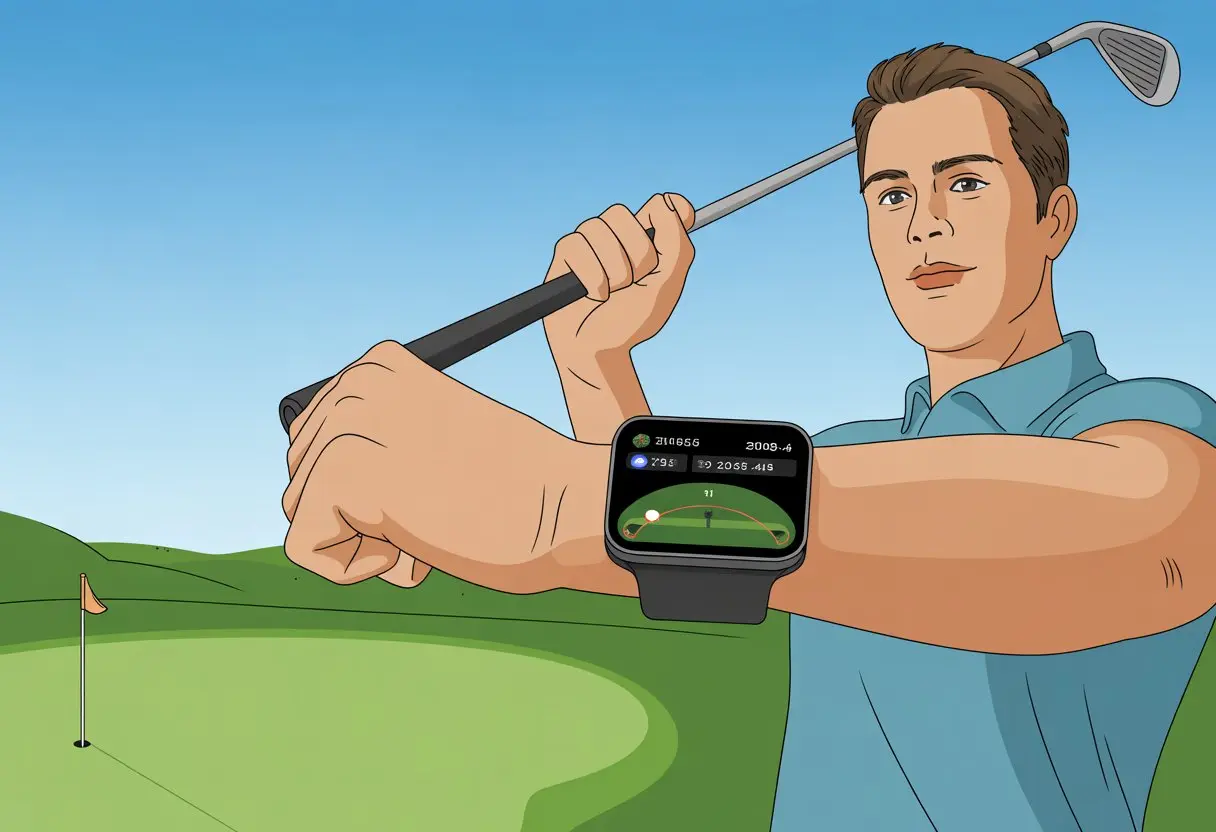
Golfers like us are always looking for ways to shave strokes off our game—or at least keep that last ball out of the pond. What if you could get GPS distances, track every shot, and keep score, all without fumbling around for your phone? A smartwatch turns your wrist into a secret golf weapon, putting yardages, course maps, and shot tracking right where you need them.
Forget paper scorecards or wandering around looking for yardage markers. When you sync the right golf app to your smartwatch, every drive, chip, and putt feels a lot more fun (and way less confusing).
Honestly, if we can use our watches to order pizza, why not use them to make nine holes less of a headache? Let’s see how your smartwatch can make your next round smoother, smarter, and—maybe—just a bit cooler.
Getting Started With Your Golf Smartwatch
Let’s get your new golf smartwatch ready for action. If you set things up properly, you’ll track every shot and avoid annoying tech hiccups on the course.
With a good start, you’ll actually use all those smart features and enjoy the lightweight design.
Unboxing and Setup
Alright, first step—pop open the box. You’ll find a sleek watch (like the Garmin Approach S44 or Approach S50), a charging cable, and that tiny manual nobody wants to read.
Take out the watch and check out how light it feels. You want something comfy for all 18 holes.
Plug in the charger using the cable from the box. Here’s a tip: get it fully charged before you start messing with settings.
Most golf smartwatches use a magnetic charger, so it snaps right into place. If it doesn’t fit, don’t force it—just flip it around.
Once powered up, you’ll pick your language, region, and maybe set a nickname if you’re feeling clever. If it’s a touchscreen, swipe through the menus. For button models, click and scroll.
That’s the basics—don’t worry about the box for now.
Pairing With Your Phone and Connectivity
Now, it’s time for your golf smartwatch and your phone to become best buddies. Usually, you’ll need to download a companion app (for Garmin, it’s Garmin Connect).
Open the app, turn on Bluetooth on your watch, and let them find each other. You’ll probably have to type in or confirm a code—don’t sweat it if you mess up, it happens.
Got a Wi-Fi or LTE model? It’ll probably ask to connect to your network too. Keep both devices close for a strong connection.
This matters for syncing scorecards, mapping courses, or getting notifications. If your connection’s solid, you won’t miss a single birdie or bogey update.
Once you pair them, sync your watch to check that everything’s working. Updates might start installing—just wait it out.
This step lets your golf smartwatch pull in course maps and the latest GPS data. That’s key for accurate distances and smooth play.
Choosing the Right Golf App
With everything connected, you’ll need the right app to really make your golf smartwatch shine. Most watches, like the Garmin Approach series, work best with their own golf apps.
These apps let you download course maps, track stats, and even join leaderboards if you’re feeling competitive.
You could go with a third-party golf app if you want something different. If you care about both looks and features, the Tag Heuer Golf app pairs perfectly with lightweight Tag Heuer models.
When picking an app, check if it covers your favorite courses and tracks things like shot distances, club suggestions, and scorekeeping.
Some apps even offer swing analysis, green heat-maps, or a virtual caddie. We recommend poking around the app to see what fits your style.
With the right app, your smartwatch becomes your own golf coach—minus the pep talks.
Customizing Your Golf Watch Settings
Dialing in your golf watch is almost as satisfying as a perfect drive. Spend a few minutes tweaking things like display, tracking, and syncing with your favorite apps.
Display and Interface Options
If you’re going to stare at your wrist all round, the screen should look good. Most newer golf watches have a color AMOLED display.
These screens show sharper data and, for those of us who like a bit of flash, bright colors that are easy to read in sunlight—or when you’re showing off at the 19th hole.
Start by picking a watch face. Some models let you choose between a classic analog look and a bold digital readout.
Big numbers help, especially after a couple of post-game drinks.
Adjust brightness and screen timeout to save battery. Change up widgets so you can see weather, scores, or tee times at a glance.
Don’t forget: many watches come with preloaded maps so you’re never guessing the distance to the green.
Enabling Golf Features
Before you can track those double bogeys in style, open the golf menu on your watch or in the app. Here, you can turn on shot tracking, scorekeeping, and even set up caddie advice.
Sadly, it can’t talk you out of risky shots.
Some watches let you add, edit, or retire clubs in your virtual bag. This keeps your data tidy and your bragging rights accurate.
Smart notifications will show wind info and hazards right on your wrist. Want drive tracking? Most models let you turn it on in the settings, so you can track your best (and worst) swings.
Let’s be real—nobody wants to lose their epic round because they forgot to sync. Most watches pair easily with apps like Garmin Golf or Apple Health.
Once you pair them, rounds and stats update wirelessly. You’ll have all the numbers (and excuses) you need.
Start by connecting your watch to your phone with Bluetooth. Then, sign into the golf platform app and link your device.
Now you can store data, check your progress, and even compare scores with friends—some of whom might “forget” to post their bad days.
Keeping everything synced means your watch stays up to date with the latest maps, course changes, and software tweaks.
It’s a lot more impressive to show off cloud stats than a crumpled scorecard.
Navigating Golf Courses With Your Smartwatch
https://www.youtube.com/watch?v=41bZX3Fm7IE
Using a smartwatch on the course means you can skip paper maps and guessing where to tee off. With just a couple taps, you’ll see course maps, pick your hole, and get details to (hopefully) keep you out of the sand traps.
Accessing Course Maps
Let’s be honest—remembering every twist and turn of a course is almost as hard as avoiding water on hole nine. Smartwatches make this easy with preloaded maps for thousands of golf courses.
You can scroll and zoom around enhanced courseview maps right on your wrist. No need to carry a booklet that’s already wrinkled from last week’s rain.
On models like the Garmin Approach S62, just pick your golf app and the course layout pops up—fairways, greens, doglegs, and all.
It’s simple to plan your shots or just sigh at the number of bunkers ahead. Preloaded and downloadable maps make it quick, even if you travel to nearby courses or new spots.
Selecting a Course or Tee Box
Every round starts with picking the right course and tee box. You don’t want to tee off from the parking lot.
Your smartwatch uses GPS to pull up a list of nearby courses. Choose your location, then pick your tee box (not all of us are ready for the championship tees).
Usually, it’s just a tap or two in the golf app on your watch. For something like the Samsung Galaxy Watch 5 Golf Edition, it’s fast, so you can get back to pretending you meant to slice the ball left.
Choosing the right tee box also helps you track your stats more accurately.
Getting Hole Information
Once you’re on the right course, your smartwatch shows you data for each hole. You’ll see distances to the green, hazards, and layup points.
It’s like having a caddy who never complains about your club choices. Watches like the TAG Heuer Connected Golf Watch give you details per hole, so you know exactly where you stand (hopefully not in a bunker).
Having fresh hole info on your wrist speeds up play and helps you set real goals—like “don’t hit that tree again.” The display updates as you move, so you get a bit more confidence before every shot—even if the ball has other ideas.
Using Distance Measurement and Course Features
Modern golf smartwatches do way more than count steps or calories. They help you avoid embarrassing shots into the water, spot sand traps before you’re knee-deep, and pick targets like you’ve got your own caddie—without having to tip.
Measuring Distances and Hazards
We all want to know exactly how far it is to the flag, right? Golf smartwatches give you accurate distances to the green, hazards, layup spots, and those sneaky bunkers that pop up out of nowhere.
With built-in GPS, your watch does the math so you don’t have to pace and guess.
Many watches with pre-loaded maps can detect your shots and show real-time yardages. Some even calculate “PlaysLike Distance,” so you know if uphill or downhill lies will change your ball flight.
You can choose clubs smarter and ignore your cousin’s questionable advice.
A lot of models offer Hazard View. This pops up a list of water, sand, and other hazards on the hole.
You get a mini map, so you can avoid trouble and maybe stop donating so many balls to the pond. Layup info is just a tap away, which is handy if you “play it safe” (or just hit short).
Green Contours and Touch Targeting
Getting close to the green is where golf starts to get really interesting. With Green Contours, most high-end golf smartwatches show us the slopes, hills, and sneaky rolls on every green. We don’t need to guess how our putt will break—our watch quietly hands over the inside scoop.
But honestly, the real game-changer? Touch Targeting. We just tap anywhere on the course map—fairway, rough, or green—and get the exact distance to that spot. It almost makes us feel like pros, even if our swing tells a different story.
Maybe we want to aim for the edge of the green instead of the flag. No sweat. Touch targeting does the math, so we don’t end up standing around looking lost. All this info helps us pick landing spots and read our shots, so if we miss a putt, well, that’s on us—not the watch.
Tracking Shots and Golf Sessions
A smartwatch on the course does more than just count steps since our last snack. We can track every shot, log each stroke and putt, and keep a digital scorecard that won’t blow away in the wind.
Enabling Shot Tracking
First things first, let’s turn on shot tracking—because “eyeballing” our last drive distance just doesn’t cut it. Many smartwatches, like those from Garmin, TAG Heuer, and Apple, offer automatic shot tracking using swing detection and GPS.
To get started, we open the golf app on our watch before the round. When we swing, the watch’s sensors try to catch the moment the ball takes off. Some, like Garmin watches with AutoShot, record each swing based on impact and speed. Others, like the TAG Heuer Connected, use Drive Tracking to spot our swing gesture and show a little red circle to let us know it’s watching.
If we tend to forget things, these auto features build a shot-by-shot record for us—no pencils, no notebooks, no fussing after every shot. We might have to add short-range shots or putts by hand, but every big swing gets tracked automatically. That leaves us free to focus on, well, blaming the wind.
Logging Strokes and Putts
Tracking big shots is great, but we still need to log every stroke and putt—those four putts per hole, unfortunately, do count.
Good golf apps let us add strokes and putts right on the watch between holes. For example, Golfshot and similar apps let us tap in how many shots it took to reach the green, then add putts with a quick press or two. Our digital scorecard stays up to date, and we get immediate feedback on our stats.
Many watches track stats like fairways hit, greens in regulation, and number of putts. After the round, we can see all our session’s numbers right on the screen. If we’re brave, we might even dig into trends and see where those extra strokes keep sneaking in—usually not far from the cup.
If we want to get extra nerdy, some watches support automatic club tracking with extra sensors. We’ll see exactly how far we hit each club. Don’t worry, though—our watch won’t judge our club selection, but our friends definitely will.
Health and Fitness Features for Golfers
Smartwatches are more than digital caddies—they track our body stats while we play. With the right features, we can watch our heart rate spike on a tough drive and see if the walk to the 18th tee actually counts as exercise.
Monitoring Heart Rate During Play
With a heart rate sensor on our wrist, our watch checks how our ticker’s holding up every step of the way.
During a long round, heart rate data shows how our body reacts to tough shots or stressful putts. If our pulse jumps after missing a short putt, the watch knows—though it can’t help us make the next one.
Most smartwatches display real-time heart rate on the screen. Some even alert us if we’re swinging too hard or need to slow down (our caddies would probably agree). We can compare our heart rate during play, warm-up, and after the round in the app.
When we’re done, smartwatches let us check heart health trends and see if we’re getting fitter—or if it’s just time for a snack at the turn.
Tracking Your Fitness and Energy
Tracking steps and calories is just the start. Golf-friendly smartwatches like the Apple Watch and Garmin models count our activity the whole round. We can see how many miles we walked, how many swings we took, and whether the round helped or hurt our “fitness age.”
Some models use fun metrics like “body battery” to show our energy. We’ll know if we’ve got enough in the tank for another hole or if it’s time for a lemonade break. All this health tracking helps us make smarter choices—and gives us more stats to brag about at the clubhouse.
By checking this data, we get a sense of whether golf burns enough calories to justify that extra post-game snack.
Everyday Use and Smart Features
Golf smartwatches aren’t just for the course. Back at the club or running errands, these watches keep us connected, make payments simple, and help us avoid the “where’s my phone?” panic.
Receiving Smart Notifications
Let’s face it, most of us can’t go two holes without checking our phones. With smart notifications on our wrists, we can leave the phone in the bag. When someone texts, calls, or emails, our smartwatch gives us a subtle tap or buzz. It’s like a tiny butler who only interrupts for the important stuff.
Popular golf watches from Garmin and Tag Heuer Sports let us filter notifications—no more group chats about Aunt Susan’s cat. We can reply to messages, read updates, and check who’s calling, all without pausing our awkward pre-shot routine. Many top models even support app alerts, so whether it’s a rain warning on 14 or just a much-needed lunch reminder, we’re covered.
Mobile Payments and More
Bulky wallets in our golf pants? No thanks. With smartwatch payment features like Garmin Pay, buying a drink or settling a lost bet is as easy as a tap. We don’t need to dig for cash or cards—our wrist handles it while we look cool and a bit futuristic.
These watches do more than just payments. Many handle daily fitness tracking, navigation, and calendar reminders. We can check our steps, set an alarm, or get directions to the next tee box—sometimes we really do get lost out there. For those who want style with their smarts, Tag Heuer Sports mixes advanced features with a look that says, “Sure, I slice my drive, but at least I look sharp.”
Battery Life and Power Management
If our smartwatch runs out of juice before the 18th hole, we’re not just guessing the distance to the flag—we’re out of luck (and maybe out of strokes). Knowing how to stretch battery life keeps us focused on swings, not searching for a charging cable in the clubhouse.
Optimizing Battery Settings
GPS mode drains battery fast, but it’s the price we pay for accuracy. To keep our watch alive, try these tips:
Lower screen brightness: It saves power and adds a little mystery when we check our wrist.
Turn off unused sensors: Not checking our pulse every shot? Switch off heart rate tracking.
Limit notifications: Everyone can wait to hear about our birdie until after the round.
Use built-in power management: Most smartwatches have tools like Power Manager. This lets us see which settings and sensors are draining the battery. Garmin users can check out the Garmin Power Manager guide for more details.
Spending a minute on these settings before tee-off can help us avoid the dreaded low-battery warning on the back nine.
Saving Power During Play
Let’s talk about squeezing out more battery while still making putts. Some smartwatches, like the Apple Watch, offer a Workout Power Saving Mode in Settings. This stretches battery life while still tracking our round. Here’s a quick checklist:
Use GPS mode only when we need it—pause location tracking if we’re not on the hole.
Close unused apps and widgets running in the background.
Pick golf apps that are lightweight and optimized for wearables.
Some watches last a full round on a single charge, but we shouldn’t risk it unless we’ve dialed in our settings. If all else fails, maybe it’s a sign to spend less time searching for lost balls and more time actually playing.
Upgrades, Memberships, and Suggested Retail Prices
Before we expect our wrists to turn us into pro golfers, let’s talk about the extras that really make a difference. Smartwatches now pack in premium tools, but sometimes we need to pay a little more for memberships or the latest tech.
Choosing Premium Features or Subscriptions
We all love free stuff, but some upgrades are honestly worth it. Many golf smartwatches, especially Garmin models, offer extra features if we grab the Garmin Golf membership.
For about $9.99 a month or $99.99 a year, we unlock Enhanced Play, better hole overviews, touch targeting, and even detailed green contour data—no need to argue with the caddy. Check out more about these premium golf features and pricing in this Garmin Golf Membership breakdown.
These subscriptions work with the Garmin Golf app, so we can track stats, review shot history, and join virtual leaderboards. If we want the best data, memberships are our ticket.
Exploring the Latest in Golf Tech
Smartwatches just keep getting better, and honestly, our wrists aren’t complaining. New models like the Garmin Approach S44 and S50 now have sharper displays and improved sensors.
You get cleaner visuals, even in harsh sunlight—no more squinting like you forgot your glasses.
Both the S44 and S50 work with Garmin Golf membership, so if you love new tech, you can dive in right away.
Thankfully, NFTs haven’t taken over our golf watches yet. Our digital clubs and golf balls are safe from the blockchain, at least for now.
With every update, these watches become more useful both on and off the course. Sometimes, it’s just an excuse to sneak a look at your wrist—even if you’re only checking the time.
Hi, my name is Garrett Jones, and I am a tech enthusiast. I enjoy researching the new tech that has been released, and have a vast knowledge of the best tech to purchase.
From a young age, I have always had a big interest in technology, and this blog is an extension of that interest. Through this blog, I hope to provide others with all of the information they need regarding tech options to consider, and things such as compatibility. Some of the different items I will be discussing include headphones, smartwatches, and how to fix common issues.