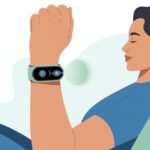
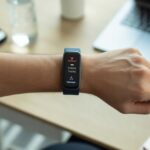
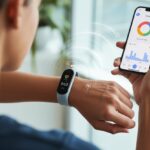
Let’s be honest, most of us could use a bit more calm in our lives. Between work meetings, spilled coffee, and that alarm we keep snoozing, it’s way too easy to forget we already have a relaxation tool sitting right on our wrists.
We can use our smartwatch to guide us through simple breathing exercises that lower stress and help us feel more focused.
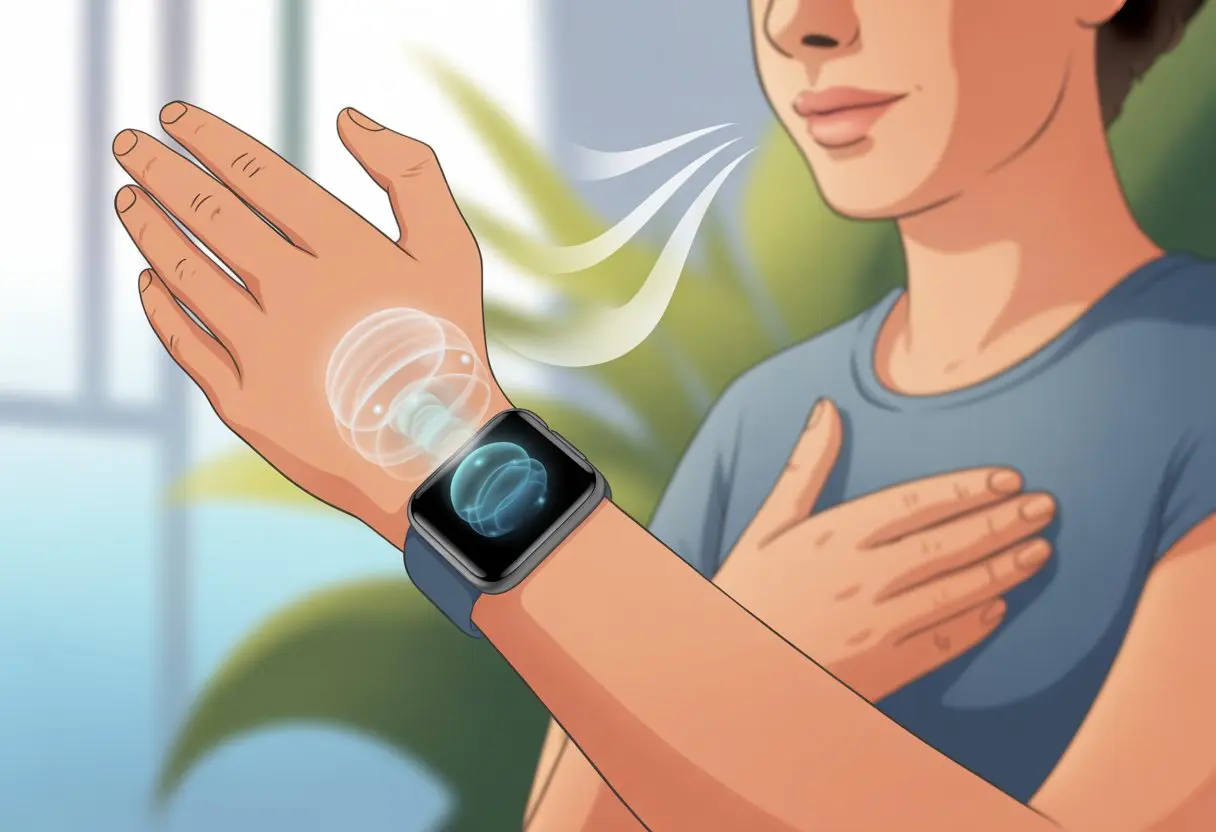
Smartwatches offer built-in breathing features, giving us easy visuals or gentle reminders to slow down and take deeper breaths. Some watches, like Fitbit, Apple, and Garmin, walk us through a steady rhythm for better results.
Our pockets stay free, and our lungs get a mini-workout—honestly, that’s multitasking at its best.
Breathing exercise apps have become as common as step counters or weather widgets. They give us step-by-step instructions and instant feedback, so we can sneak in a quick breathing break pretty much anywhere.
Whether we’re at our desks, sitting on the bus, or hiding from our to-do lists, it’s surprisingly easy to fit in a few mindful breaths. If you’re curious about how it all works, stick around for some tips and tricks—nothing too complicated, promise.
Getting Started With Breathing Exercises on Your Smartwatch
Breathing exercises can boost our mood, lower our stress, and help us feel a little less like overcaffeinated squirrels. To get the most out of our smartwatch for breathing, we just need to pick the right device, set up helpful apps, and make sure our health data is actually going somewhere.
Choosing the Right Device
Not all smartwatches are created equal—some feel like personal trainers, others just tell time and look pretty. If we want a solid breathing exercise experience, it’s smart to choose a device with built-in features or good health app support.
The Apple Watch and certain Garmin or Samsung models come with tools for tracking and guiding mindful inhales and exhales. Design matters too.
We want a screen that’s easy to read, controls that don’t get fussy when we’re sweaty, and a battery that doesn’t die before we’re done breathing. Comfort counts, since we’ll be wearing it daily.
If we’re loyal to Google and Android, there are models that play nicely with Google Fit. The goal: find a smartwatch that doesn’t leave us confused or frustrated.
Setting Up Breathing Apps
First, we need to check if the breathing exercise app is already on the watch or if we have to download one. Apple Watch users get the Breathe app built-in, so we can get started in seconds.
Other devices might need us to grab a breathing or meditation app from the App Store or Google Play. Setup usually means picking the session length, choosing vibration reminders, and turning on notifications so our watch can nudge us when stress ramps up.
Some smartwatches, like the Galaxy Watch Ultra, offer their own guided sessions that walk us through each inhale and exhale. We just follow the on-screen instructions—no need to master yoga poses or learn Sanskrit.
Tap and breathe. Even our grandma’s goldfish could figure it out.
Syncing Health Data
We want our newfound calm to count, so syncing our health data is a must. Most smartwatches connect with health apps like Apple Health or Google Fit.
This lets our breathing exercises show up alongside heart rate, steps, and those late-night snack logs. To set it up, we connect our watch to our phone, open the health app, and double-check that breathing sessions are being tracked.
Sometimes, we need to grant permission for the data to sync and set privacy options—turns out, our breathing habits are apparently top secret. Seeing progress in charts or graphs keeps us motivated.
It’s proof that yes, we’re actually getting more relaxed—one deep breath at a time.
How Smartwatches Guide Breathing Sessions
Using a smartwatch for breathing exercises can turn us into zen warriors, one vibration at a time. These gadgets don’t just count steps—they give us prompts, feedback, and tracking to help us relax and focus, even when the dog’s barking or coffee’s on the floor.
Deep Breathing Prompts
Smartwatches say, “Inhale… Exhale…” like a tiny yoga teacher on our wrists. They guide us through deep breathing by sending notifications or starting guided sessions.
If we forget to pause, most watches send reminders to breathe when they sense stress—a lifesaver after doom-scrolling headlines. We get simple instructions, like holding our breath for a few seconds, then exhaling slowly.
Each step is broken up, so if we lose focus, we just follow the next cue. Some watches, like Garmin’s Breathwork, offer different routines, whether we want a quick “calm down” or a longer session.
When life spins, these on-screen prompts bring us back to our breath in real time.
Visual and Haptic Feedback
Let’s talk buzzes and blinks. Smartwatches give us visual feedback, like animations that expand and shrink to show when to breathe in and out.
It’s like watching a balloon inflate, but without floating away from our desks. Most watches add haptic feedback—they gently vibrate on our wrists when it’s time to inhale, hold, or exhale.
This combo means we can close our eyes without losing track, which is perfect for sneaking deep breaths during meetings. For those of us easily distracted, these cues help keep us on track and make the whole thing feel interactive.
Tracking Breaths Per Minute
Here’s where things get nerdy, but honestly, it’s helpful. The watch tracks our breaths per minute (BPM), so we can see—on a chart—how our stressed-out breathing turns into calm, steady inhales and exhales.
If the number drops, we know we’re actually relaxing. Some watches even alert us if our breathing gets too fast or slow, so we don’t have to guess if we’re chill or just sleepy.
Tracking these stats over time lets us brag about our progress. Instead of collecting participation ribbons, we get improved data—and proof that all those calm moments add up.
For watches like the WalkerFit M6 Ultra, these stats go hand-in-hand with reminders, giving us one more reason to keep going.
Optimizing Breathing Exercises for Specific Benefits
Let’s fine-tune our smartwatch breathing so we actually get the benefits we want—less stress, more relaxation, and maybe a better shot at sleep. Using the right techniques at the right time can make a real difference.
Combating Stress and Anxiety
When stress skyrockets and we’re about to yell at the toaster, it’s time to use the breathing app. Most smartwatches notice spikes in heart rate or anxiety and remind us to pause—maybe before we throw the toaster out the window.
We can pick routines that slow us down, like the classic 6-second inhale and 6-second exhale. This helps lower heart rate and decrease anxiety.
It doesn’t matter if we’re on the subway or hiding in a closet; it only takes a minute or two.
A quick checklist:
- Inhale deeply for 6 seconds
- Exhale for 6 seconds
- Repeat for at least a minute, or until we stop thinking the printer is out to get us
Improving Relaxation Response
Some days, we just want to relax so hard our couch cushion remembers us. Smartwatches offer relaxation features that guide us through diaphragmatic breathing—a proven way to spark relaxation.
To boost calm, we can:
- Choose a guided breathing exercise
- Close our eyes (unless we’re driving, obviously)
- Let the smartwatch set the rhythm, so we can focus less on counting and more on feeling less like a coiled spring
When we relax, our body gets the memo to lower blood pressure and chill out. This is a win for stress management and for anyone who doesn’t want to turn into a stress ball.
Supporting Sleep and Focus
Poor sleep or squirrel-brain can ruin a day. Most smartwatches offer sleep tracking and breathing exercises to help us wind down before bed or regain focus when our minds wander.
For sleep, we try:
- Slow, rhythmic breathing for 5–10 minutes before bed
- Letting the watch vibrate in a way that feels oddly comforting, not jarring
To regain focus, we do short breathing sessions at our desks—a quick two-minute reset—so we can stop doom-scrolling and maybe actually get something done. With a smartwatch, it’s easier to stay centered without having to join a yoga retreat.
Integrating Smartwatch Features for Maximum Zen
If we want to get the most out of breathing exercises, our smartwatch can become a pocket-sized meditation coach. By using reminders, heart rate checks, and health data, we turn ordinary breathing into a supercharged stress buster.
Reminders and Notifications
Let’s be real—most of us forget to breathe, unless our smartwatch gives us a little nudge. With reminders, our device pings us to pause, breathe, and chill.
We can set these notifications at regular intervals, so we don’t have to rely on memory alone. It’s easy to customize.
We pick the time, frequency, and even the sound or gentle vibration. For those who need extra help, some smartwatches offer guided breathing pop-ups and tips right on the watch face.
According to Zero Lifestyle, guided breathing reminders can make stress management almost effortless.
Honestly, we can treat these as mini-breaks—like a spa appointment, minus the fuzzy robe and scented candles.
Monitoring Heart Rate During Exercises
Breathing on its own is great, but pairing it with heart rate tracking? That’s next-level stuff. Most smartwatches quietly track our heart rate as we move through breathing steps.
We get real feedback—just breathe and watch those numbers change. Checking heart rate before, during, and after exercise tells us if we’re actually relaxing or just thinking about lunch.
If our heart rate drops after a session, that’s proof we’re winding down, not just zoning out. Some smartwatches even buzz us if our heart rate gets too high or too low.
That little nudge can give us peace of mind. Seeing data in real time lets us tweak our breathing or adjust our session on the fly.
Breathing Plus Blood Oxygen Insights
Why stop at heart rate? Smartwatches can measure blood oxygen too, which gives us even more insight into how our body’s doing. When we slow down and breathe, SpO2 readings might show how well our lungs work.
Many devices display live SpO2 percentages before and after a breathing session. If we notice a downward trend, maybe it’s time to tweak our routine, sip some water, or just… actually breathe.
Combining SpO2 and heart rate feels like a power duo, especially if we’re chasing a mindful lifestyle. Tracking both during breathwork sessions lets us personalize exercises and make our next Zen break even better.
We don’t need a medical degree to use the data, either. Just trust the watch and take a breath.
Popular Smartwatch Apps for Breathing Practice
Giving our brains a break doesn’t mean we have to sit cross-legged on a mountain top. Smartwatches help us center ourselves (or at least fake it) with apps made for easy breathing.
Let’s check out a few top picks and what they actually do.
Apple Breathe App
When we grab our Apple Watch and open the Breathe app, it’s rarely to impress anyone. Usually, we just need a reminder on how to inhale and exhale without overthinking it.
The app uses simple on-screen prompts to guide us in and out. Our watch vibrates gently, so we don’t get distracted by incoming texts.
Sessions run from one to five minutes, making it easy to squeeze in a quick breather between meetings. After each exercise, the app displays our heart rate.
If we actually manage
Tips for Making Breathing Exercises a Habit
Building new habits can honestly feel harder than remembering your neighbor’s Wi-Fi password. Thankfully, a smartwatch makes it easier.
Reminders, health apps, and even a bit of playful competition keep us on track—whether we’re meditating, managing stress, or just trying to breathe a bit better than last year.
Setting Consistent Schedules
Let’s be real: if we don’t plan it, we forget it. Setting a daily breathing schedule on our smartwatch feels like having a tiny dance instructor who cares about our lungs.
Most smartwatches let us set recurring reminders, so we actually remember to do our breathing exercises. We can pick specific times, like after waking up or before lunch—just not during our annual “pasta-eating contest,” please.
If we’re juggling meetings or classes, the calendar or health app can sync reminders so they pop up right when we need them. Smartwatches also encourage routines by showing streaks or badges for consecutive sessions.
Miss a day? No big deal—just start fresh. More oxygen for our brains, less guilt.
Gamifying Our Breathing
Breathing doesn’t have to be as boring as watching paint dry. Some smartwatches turn breathing into a game, complete with points, levels, or goofy animations.
Unlocking badges for keeping up with sessions feels a bit like adult gold stars—minus the glue. Making a game out of it works because, honestly, who doesn’t love a little challenge?
We can compete with ourselves or with friends who use smartwatches too. Having friends in on it makes skipping a session tougher (and way less fun to brag about).
Some health apps use leaderboards or unlock extra features when we hit small goals. Who knew breathing could become our new favorite sport? If only it burned as many calories as actual dancing.
Finding Motivation From Data
Watching our progress can actually make us want to keep going. It’s a bit like glancing at your step count after you take the stairs instead of the elevator.
Most smartwatches track stuff like daily streaks, average session length, and even how your heart rate changes while you meditate.
That data isn’t just there to clutter up your screen. It lets us spot real changes over time.
If you notice your heart rate variability improving or your stress readings dropping, that can seriously boost your motivation. It’s especially true for folks with TBI or anyone trying to get a handle on anxiety.
A good health app shows you which days you crushed it and which days, well, maybe didn’t go as planned.
Sometimes just sharing your progress, even if it’s only with yourself, keeps you going. Who knows—maybe it’ll inspire a happy dance, no choreography required.

From a young age, I have always had a big interest in technology, and this blog is an extension of that interest. Through this blog, I hope to provide others with all of the information they need regarding tech options to consider, and things such as compatibility. Some of the different items I will be discussing include headphones, smartwatches, and how to fix common issues.
Related Posts: