Ever tried connecting your Bluetooth headphones to your laptop, phone, and tablet all at once, only to end up disappointed? We’ve all been there, juggling devices like circus performers, just hoping for a smoother way to swap audio between screens.
Most Bluetooth headphones don’t support multipoint because the technology and hardware only let you connect to one or two devices at the same time—sometimes barely even that.
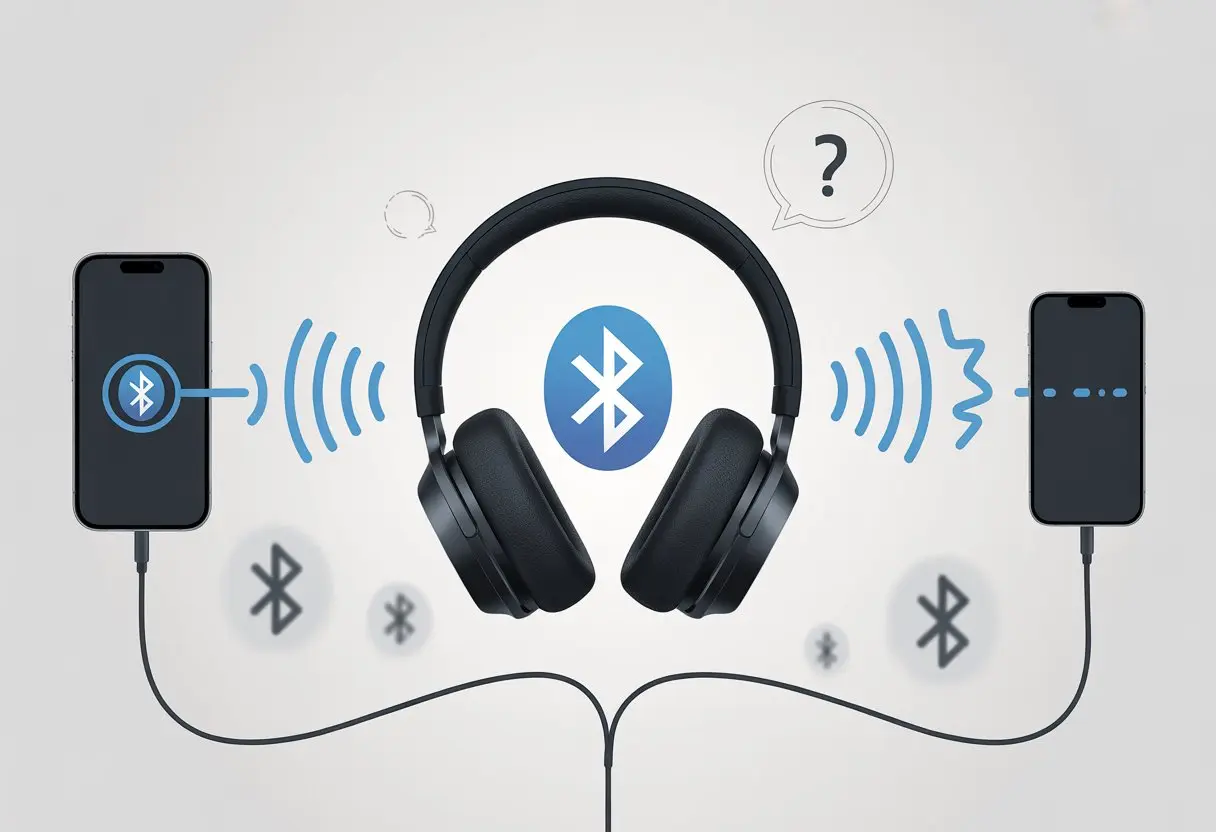
Turns out, our fancy headphones have some not-so-fancy limits. Multipoint connections sound awesome, but they need more advanced tech than most headphones actually have.
If you’ve ever wondered why your headphones can’t handle a multipoint party, trust me, you’re not alone. There are real reasons why most models can’t juggle more than two devices—and why even the ones that try sometimes drive us up the wall.
What Is Multipoint and How Does It Work?
Ever wished your Bluetooth headphones could juggle more than one device at once? With multipoint, that’s almost possible.
Multipoint lets you connect to more than one device at a time—no need to run around unplugging and re-pairing like a magician trying to keep up with a disappearing act.
Understanding Multipoint Connection
Multipoint is a feature in some Bluetooth headphones and earbuds that lets you link to two devices at once. Think laptop and phone, not laptop, phone, and toaster (sorry, kitchen tech fans).
When you activate multipoint, your headphones can switch between devices as needed. For example, if you’re watching videos on your tablet and get a call on your phone, headphones with multipoint can pause the tablet audio and answer the call—no frantic fumbling with Bluetooth settings needed.
This “device hopping” isn’t magic, though. It uses specific Bluetooth profiles to manage audio and call data, juggling them in the background so you barely notice the swap.
Multipoint is perfect for people who switch devices often, need a smooth workflow, or just want to show off at family gatherings—because who doesn’t want to impress Grandma by taking a call mid-YouTube cat video?
Bluetooth Connections Explained
Bluetooth connections let you transfer wireless data—mostly audio—between devices. Normally, a basic Bluetooth connection links your headphones to one device at a time, sending audio through a virtual “tunnel.”
The magic of Bluetooth is that it skips the wires and gets audio to your ears with less delay than your pizza delivery. With multipoint Bluetooth, your headphones create two tunnels, letting both connected devices send audio signals. Only one tunnel actually sends sound at a time, but switching is quick—way faster than swapping aux cords or untangling the mess in your drawer.
Not every Bluetooth headset has the hardware or brains to pull off this balancing act.
Standard vs. Multipoint Bluetooth
Here’s a quick look at the differences:
| Feature | Standard Bluetooth | Multipoint Bluetooth |
|---|---|---|
| Devices connected | One at a time | Two (sometimes more, but rare) |
| Switch devices | Manually (disconnect, reconnect) | Automatically between paired devices |
| Use case | Simple listening | Calls and media across two devices |
| Setup | Straightforward | Slightly more settings, more freedom |
Regular Bluetooth connections are like single-lane roads. You have to stop, park, and then start on another road if you want to switch devices.
Multipoint Bluetooth throws in an express lane—two devices, both on standby, both ready for action, no driver’s license required.
Not all headphones play nice with multipoint. Usually, it’s because of missing tech in the hardware, software limitations, or a brand’s choice to keep things simple.
So, if your headphones can’t handle multipoint, they’re not alone in the single-connection club. You can still listen to your tunes; it just takes a bit more unplugging and patience.
Why Most Bluetooth Headphones Don’t Support Multipoint
Let’s be real—multipoint sounds amazing, but most headphones just shrug and refuse to join the fun. Why can’t they keep up with all our devices at once?
Technical Limitations
Bluetooth headphones are a bit like us after a long week: low on resources and short on patience. Multipoint connections need more memory and power, since the headphones have to juggle multiple Bluetooth devices instead of focusing on just one best friend.
Most Bluetooth chips in headphones just aren’t built for this kind of multitasking. They might manage a connection to your phone or your laptop, but throw in a second or third device and things get tense real fast.
One device usually ends up dominating, while the others just wait their turn. On top of that, keeping up with two audio streams at the same time is tough using standard Bluetooth profiles.
The tech wasn’t really designed for a full-on party, so most headphones can only handle two devices—if that.
Cost and Manufacturing Choices
Adding multipoint support isn’t free. Manufacturers have to use better Bluetooth chips and more advanced software, and that costs extra.
A lot of companies focus on keeping prices low so people like us actually buy their headphones instead of just admiring them from afar. Honestly, most of us just want our music and calls to work, and we grumble if we have to pay more for features we might never use.
Brands know this, so they often skip multipoint to keep costs down and profits up. Multipoint support usually ends up in the fancier models—think of it as the secret menu for those willing to spend a bit more.
Most everyday earphones and headphones just keep things simple to reach the widest crowd.
Compatibility Issues
Even if you splurge on high-end headphones, not all your devices speak the same Bluetooth language. Bluetooth uses several profiles, and they don’t always play nicely together.
Trying to get your laptop and smartphone to share headphones peacefully is sometimes like refereeing a sibling rivalry. Operating systems like Windows, Android, and iOS all have their quirks.
Some multipoint connections work best with certain brands or models and just ignore others. Switching between devices can be buggy or slow, depending on which gadgets you love most.
So, even if you get lucky with multipoint headphones, the experience can vary wildly and sometimes feels more like a gamble than a reliable feature. Sometimes, the only thing your headphones and devices have in common is making you sigh.
Popular Devices and Multipoint Capabilities
Multipoint Bluetooth is a great feature, but it feels like winning the lottery when your favorite headphones actually support it. Not all headphones, earphones, or even the fanciest smartphones play along—sometimes, it really does feel like tech companies are just messing with us.
Headphones and Earphones That Offer Multipoint
Many popular Bluetooth headphones and earphones brag about multipoint support, but there’s always small print. Brands like Sony, Jabra, and Sennheiser often include this feature.
If you check the documentation, most headsets only let you connect to two devices at a time. That means juggling between a phone and a laptop, but not going wild with three or more connections.
A quick look at real user feedback shows that more than two device connections is still very rare.
Multipoint is far from standard in cheap earphones too—if your headphones actually have this, count yourself lucky.
Here’s a shortlist of headphones with multipoint:
- Sony WH-1000XM4/5
- Jabra Elite series
- Sennheiser Momentum 4 Wireless
- Bose QuietComfort series (but with quirks!)
These models usually sit in the mid- to high-end price range. Basic earbuds and budget models rarely include multipoint, no matter how cool they look.
Limitations With Smartphones and Mobile Phones
Let’s not blame just headphones—our smartphones and other mobile devices have some say in how multipoint works. Bluetooth multipoint only functions if both the headphone and the device support the feature properly.
That means two-pairing is about as good as it gets for both your phone and tablet, according to SoundGuys.
Some smartphones only let you connect to one Bluetooth audio device at a time. Others, like iPhones and flagship Androids, do better.
Even then, music will usually only play from one device while the others wait in the background, twiddling their virtual thumbs. Expect weird glitches like calls suddenly switching devices or notification sounds getting lost.
Bluetooth seems to enjoy keeping us on our toes, just to see if we’re paying attention.
The Truth About Bose, Plantronics, and Neckbands
Bose and Plantronics make big promises with multipoint, but there’s a twist. The Bose app lets you manage devices, but you still hit a limit of two simultaneous connections.
Plantronics (now called Poly, but “Plantronics” just sounds cooler) is in the same boat: you can switch between phone and computer, but anything more is wishful thinking.
Neckband headphones are slowly fading from fashion, but some still support multipoint. Usually, these neckbands top out at two devices as well, so you can’t go wild with phone, tablet, AND laptop all at once.
Even the fanciest headphones come with quirks—sometimes calls drop, connections get confused, or you have to reset everything just to get audio back. It’s like they’re training us in patience and humility.
Common User Experiences and Pitfalls
We’ve all bought Bluetooth headphones hoping to switch devices like tech wizards, only to face plenty of frustrating moments instead. From problems when hopping between gadgets to unexpected music cut-outs, we’ve seen more Bluetooth drama than we’d like.
Switching Devices: The Struggle Is Real
Trying to switch your Bluetooth headphones from your laptop to your phone feels like a puzzle nobody asked for. Instead of a smooth toggle, you usually have to unpair, repair, then re-pair again.
Sometimes, nothing connects, and you end up staring at the Bluetooth icon, wondering if technology is actually making life harder. Some headphones promise “easy switching,” but in reality, most only handle multipoint for two devices at once.
If you try connecting to three or more, chaos generally follows. According to real user complaints, Android can handle lots of connections, but headphones just tap out after two.
The only “seamless” experience is, ironically, us sighing in frustration.
Calls And Music Playback Headaches
Jumping from music to a phone call can get weird fast. Sometimes the music stops like it should, but the headphones just won’t pick up the call.
Or worse, the call rings, but the sound blasts from the phone instead of our ears. We end up poking around in Bluetooth settings while someone waits on the other end, feeling awkward and a little annoyed.
This gets even messier when our devices start fighting for control. Playing music on a laptop can block the phone from using the same headphones.
To get things working, we often disconnect one device by hand or even reboot something. It’s not magic—it’s just one more hassle. For more help, check this guide.
Earpods, Bluetooth Headset, and Call Quality
Call quality? That’s a whole other adventure. With earpods or a Bluetooth headset, sometimes the sound is crystal clear, and other times it’s like talking underwater.
The mic quality drops because headphones switch to a low-quality “hands-free” mode for calls, cutting out the rich sound we enjoy for music.
Latency can sneak up, too. There’s sometimes a delay between what we say and what the other person hears, almost like a bad comedy routine.
It gets worse if multiple devices are involved or the headphones keep switching between sources.
Call controls don’t always work—maybe the headset ignores us when we try to answer, or hangs up when we just want to turn up the volume. These hiccups make Bluetooth a risky bet for important calls, so we always need a backup plan in case the tech goes rogue.
How to Confirm If Your Headset Supports Multipoint
Before getting too cozy with a headset, let’s make sure it really does Bluetooth multipoint. Hoping for the best is fun, but a little button pressing and menu digging works better.
Checking Your Bluetooth Menu
First stop: the Bluetooth menu on our device. This is where things either work or fall apart.
On most phones or computers, head to settings, then “Connected Devices” or “Bluetooth.” We’re looking for two things:
- Does the headset show as connected to more than one device?
- Is there a toggle or option for “Multipoint,” “Dual Connection,” or something similar?
If our headset clings to just one device like a barnacle, it’s probably not feeling multipoint today. Android users can check the official setup page, which sometimes has a “Multipoint” switch.
Even if a headset claims multipoint powers, not every Bluetooth menu looks the same. Some hide controls under a little gear icon or somewhere unexpected. We have to stay alert.
Touch Control Shortcuts and Settings
Let’s talk about all those taps, holds, and swipes—the touch control shortcuts. Sometimes multipoint is hiding behind a certain button combo.
Many headsets use a long press or double-tap to flip between devices. Some flash special LED lights or play a sound when connecting to a second device.
Check the user manual. If the headset suddenly shouts “Device Two Connected!” then we’re in business.
Some models have a secret Bluetooth setting mode. If we’re bored, poking around might reveal hidden talents. But honestly, a quick manual check (or a helpful guide online) usually saves time and frustration.
Workarounds and Alternatives to Multipoint
Multipoint is cool, but not every Bluetooth device can do it. If our headphones refuse to juggle two connections, a few tricks and tools can help us outsmart the tech.
Bluetooth Splitters and Dongles
Let’s talk gadgets! Bluetooth splitters and dongles save the day for folks with more devices than sense. These clever tools let us connect one pair of headphones to several devices at once—well, sort of.
A Bluetooth splitter acts like a traffic cop, sending sound from multiple sources right into our ears. Some splitters plug into a TV, computer, or phone, then stream audio over Bluetooth to our headphones.
We don’t need multipoint built into our headphones for this to work. Some advanced dongles even support two pairs of headphones, which is perfect for sharing music or being the DJ at brunch.
Not all splitters are equal, though. Compatibility with codecs like AAC or aptX can affect sound quality. For more on multipoint limitations and setup, SoundGuys on Bluetooth multipoint is worth a read.
Manual Switching Without Tears
When tech lets us down, we switch by hand. Manual switching just means disconnecting from one device and connecting to another when we need to. Old-school, maybe, but it usually works.
The trick is to make this as painless as possible. On most devices, “forget” or “disconnect” is just a tap away in Bluetooth settings.
Some headphones have handy buttons or touch controls for pairing. Others make us press and hold until we hear “Ready to pair.” Pro tip: label devices clearly—no one wants to play guess-the-laptop before coffee.
If things get choppy, it might be the hands-free or “AG” audio mode, especially with Windows PCs. For more tales of headphone drama, check out this Reddit workaround for multipoint Bluetooth. At least we’re not alone in the struggle.
The Future of Multipoint In Bluetooth Headphones
New Bluetooth standards and better headphone tech are on the way, and that gives us hope for more reliable multipoint connections. Soon, juggling headphones across our pile of gadgets might actually get easier, but a few pain points still linger.
Upcoming Bluetooth Standards
If we got a dollar for every device demanding a connection, we’d be rich—or at least have enough for snacks while waiting for our headphones to finally connect.
Bluetooth keeps getting upgrades. The latest versions, Bluetooth 5.0 and up, have built-in support for multipoint, but making it work well depends on each headphone brand.
Bluetooth SIG teased features for better multipoint support in future releases. In theory, we’ll soon swap between our phone, laptop, and tablet without Bluetooth throwing a tantrum.
Not all devices will get updated, though, and some older headphones may never learn these new tricks.
Most headphones today only support two devices at once. Our dream of connecting to our watch, phone, and laptop at the same time is still just a dream.
But with new standards, maybe we’ll see three or more connections before we finish this bag of chips.
Trends in Headphone Tech
Headphone companies are finally listening to us (yeah, pun totally intended). Brands like Sony, Bose, and Jabra have started adding multipoint features to their newest wireless headphones.
Some of them even brag about easier device switching, fewer audio dropouts, and smarter software that puts our calls ahead of whatever music our tablet’s playing. Is it perfect? Not really, but it’s a step up.
If you want the latest features, check out lists of the best multipoint headphones. Every brand seems to do multipoint Bluetooth their own way, though, so what works well on one pair might be a total headache on another.
We’re also getting more controls in the apps now, like being able to pick which two devices stay connected. The catch? You really have to read the product details, or you might end up with “multipoint” headphones that only connect to one device… and then you’re left disappointed.
The march of progress is slow, but at least it gives us something to laugh about.

From a young age, I have always had a big interest in technology, and this blog is an extension of that interest. Through this blog, I hope to provide others with all of the information they need regarding tech options to consider, and things such as compatibility. Some of the different items I will be discussing include headphones, smartwatches, and how to fix common issues.
- Why is My Fitness Tracker Screen Not Responding? When Your Steps Tracker Takes a Nap - September 22, 2026
- Why do my Bluetooth headphones not work with my camera? Reasons Your Gadgets Won’t Play Nice Together - September 21, 2026
- How to Use a Fitness Tracker for Elderly Care: Because Grandma Wants to Outsmart Her Step Counter - September 21, 2026
Related Posts: