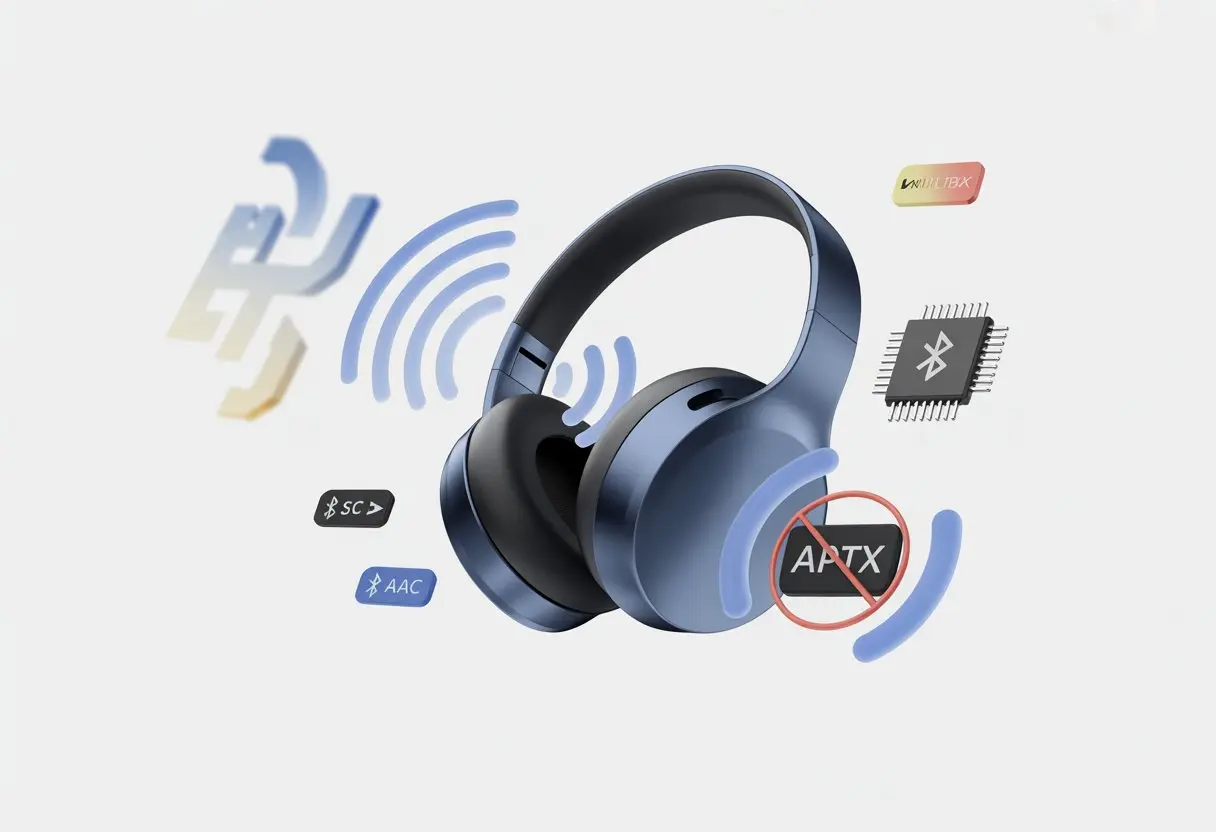
Let’s be honest—buying new Bluetooth headphones and then realizing they don’t support aptX is a real letdown. You expect to bask in crisp, detailed sound, but something feels… off. The main reason our Bluetooth headphones skip aptX? The hardware and software inside just don’t support it, usually because of brand decisions, licensing expenses, or deals with chipmakers.
It’s not really our fault. Companies often pick chips that don’t do aptX, or they skip it to avoid extra licensing fees. Ever tried to turn on that “HD Audio” setting and found it missing? You’re not alone—tons of users have noticed their headphones just default to other codecs, as folks discuss on the OnePlus Community.
Here’s the upside: we can actually break down why this happens and what it means for us as listeners. Let’s dig into this wireless mystery together—no tech degree needed.
Understanding Bluetooth Audio Codecs
Bluetooth audio doesn’t just magically beam music straight into our heads. It works through codecs—digital translators—that shape how our music sounds, how quickly it gets to us, and even how long our battery lasts.
Let’s get curious about these invisible helpers and what they actually do for our listening.
What Is a Bluetooth Codec?
A Bluetooth codec is basically a language our headphones and our devices both speak. When we hit play, audio data gets compressed and sent wirelessly, then our headphones decompress it so we can actually hear.
Without codecs, we’d probably be stuck rewinding cassette tapes with a pencil again. Each codec squishes and stretches music files its own way.
Some aim for better sound quality, others focus on less delay, so our movie’s lips actually match the words.
If our headphones and phone can’t agree on a codec, they just fall back to the basic one—usually SBC. It gets the job done, but it’s not exactly a gourmet audio experience. Here’s a bit more on Bluetooth codec basics.
Popular Bluetooth Audio Codecs
The Bluetooth audio world is kind of an alphabet soup, isn’t it? Here’s a quick cheat sheet so we don’t get lost:
Codec
Full Name
Key Trait
SBC
Subband Codec
Default, basic quality
AAC
Advanced Audio Coding
Better for Apple devices
aptX
aptX
Better sound on supported gear
aptX HD
aptX High Definition
Higher quality (needs support)
aptX LL
aptX Low Latency
Great for gaming, less delay
aptX Adaptive
aptX Adaptive
Adjusts quality to connection
LDAC
LDAC
Sony’s high-resolution option
LHDC
Low Latency HD Codec
High-res, mainly Android devices
Not every phone or headphone supports every codec. Sometimes we’re stuck with SBC, which is like getting plain toast when you wanted a fancy breakfast. You can see the differences in Bluetooth codec types.
Codec Impact on Sound Quality
The codec we use matters more than we might guess. SBC is the most common, and it’s reliable, but not exactly amazing for sound.
AAC gives us better audio on iPhones, but doesn’t always shine on Android. aptX and its cousins—aptX HD and aptX LL—can deliver better sound, less lag, and more stable connections, but only if both our headphones and device support them.
Codecs like LDAC and LHDC aim for the highest audio quality, especially for high-res music. But if our gear doesn’t support them, everything just defaults back to basic SBC.
Manufacturers don’t always add every codec because of licensing fees and extra costs. So, even shiny new headphones might skip aptX if it’s not in the plan. Want a deep dive? Check out this guide to Bluetooth audio quality.
What Is aptX and Why Should You Care?
We all want our Bluetooth headphones to sound great, not glitch out, and sync up with our devices. Ever wonder why some headphones just sound better, or why videos sometimes look like a bad lip-sync? aptX is often the missing piece.
The Magic Behind aptX
Let’s face it, not all wireless headphones treat our favorite songs kindly. aptX is a codec—a translator—that helps our headphones play high-quality audio over Bluetooth without lag or hiccups.
Qualcomm, the same folks behind a bunch of phone chips, created it. When we stream music over Bluetooth, the files are just too big to send as-is.
aptX jumps in and compresses the audio, making it travel faster while trying to keep things sounding crisp. It’s smart about what parts of the sound our ears really care about.
Unlike the basic SBC codec built into most Bluetooth gear—which sometimes makes music sound like it’s coming from a tin can—aptX keeps things closer to CD quality. Not “lossless,” but a big upgrade from the squished sound we’d get otherwise. If you’re curious, here’s a detailed guide on aptX.
Different Flavors: aptX, aptX HD, aptX LL, aptX Adaptive
It’s not just “aptX”—there’s a whole menu. Classic aptX supports good audio at a lower data rate.
aptX HD is the high-end option, supporting 24-bit music for folks who want every detail. aptX LL (Low Latency) is a lifesaver for movies and games. Ever seen someone’s mouth move before you hear the words? aptX LL tries to fix that by cutting lag to around 40 milliseconds.
Then there’s aptX Adaptive. As the name suggests, it adjusts both quality and delay based on what we’re doing—less lag for games, better sound for music. Here’s a quick table:
Codec
Key Benefit
Typical Use
aptX
Good quality
General music streaming
aptX HD
High-res audio
Audiophile listening
aptX LL
Low latency
Movies, games, video call
aptX Adaptive
Adaptable
Mixed usage
Sound Quality Benefits
Let’s be real: we all judge headphones the second the bass hits. aptX codecs make a difference if we care about sound quality and syncing.
Compared to SBC, aptX sends more audio data. That means clearer highs, better bass, and fewer weird artifacts.
aptX HD steps things up. With the right headphones and music, we might hear more detail and less hiss, giving us a richer sound stage.
This is perfect for picking out hidden instruments or catching a singer’s subtle notes. Here’s a deeper look at Audioengine’s aptX HD breakdown.
If you watch a lot of YouTube or game with Bluetooth headphones, low latency codecs like aptX LL and aptX Adaptive help keep sound and action in sync. Less lag means fewer awkward moments.
In a nutshell, aptX helps our wireless music sound way better—without the drama of lag or dropped notes.
Why Your Bluetooth Headphones Might Not Support aptX
Bluetooth headphones make a lot of us wonder why aptX is missing. Let’s try to untangle this by looking at licensing, hardware, and cost—the usual suspects.
Licensing and Manufacturer Choices
Some companies treat aptX like a VIP club and only let a few products in. Qualcomm owns aptX and charges device makers to use it.
Not every company wants to pay for that. If a manufacturer doesn’t want to deal with the fees, they just skip aptX.
It’s kind of like skipping dessert because it’s overpriced. What happens? Our headphones come out of the box with standard codecs like SBC or, if we’re lucky, AAC.
Here’s a quick comparison:
Codec
Quality
License Required?
SBC
Basic
No
AAC
Good (Apple)
No
aptX
Better
Yes
aptX HD
Even better
Yes
Sometimes, even if our phone or tablet supports aptX, the headphones don’t. Both sides need to agree.
If they don’t, we get a connection, but none of the aptX perks.
Hardware Limitations
Some headphones just don’t have the right parts. The Bluetooth module or chip needs to support aptX.
Not all Bluetooth devices use the fancy chips that can do aptX. It’s like expecting an old bicycle to win a race—it’s just not built for it.
If the hardware isn’t there, there’s no update or trick that’ll add aptX. We’re stuck with whatever codecs the chip can handle.
The system-on-chip (the little brain inside our Bluetooth headset) decides a lot. Manufacturers pick these chips based on price, power use, or just what’s available.
If aptX isn’t built in, we can wish all we want, but it’s not showing up. Here’s more on hardware platform limits.
Cost Considerations
We all want champagne tech on a soda budget. Bluetooth headphones with fancy codecs like aptX or aptX HD usually cost more.
Why? The licensing fees, pricier chips, and extra testing all add up.
Entry-level or budget headphones tend to skip aptX to save money. That means cheaper parts, no fees to Qualcomm, and a lower price tag.
But it also means we’re stuck with SBC or AAC and none of the aptX magic. Manufacturers know most people just want music to play wirelessly, so they keep costs down.
If we want aptX, we usually need to pay more or make sure it’s listed as a feature when shopping for Bluetooth headphones. It’s not hiding—it’s just not in the budget this time.
Device Compatibility and Platform Limitations
Getting aptX to work on Bluetooth headphones depends a lot on the device and platform. Some brands treat aptX like a secret recipe—sometimes it’s there, sometimes it’s not, and sometimes they swap it for their own thing.
Apple Products and aptX Support
Apple really likes to do things their way. iPhones, iPads, and MacBooks skip aptX support almost entirely.
Apple uses AAC as the main Bluetooth audio codec. So even if our headphones support aptX, Apple gadgets just ignore it.
No matter what we try, there’s no way to add aptX to iPhones. We’re stuck with AAC.
Some folks might not hear a difference, but if we care about Bluetooth audio quality, it’s honestly a little annoying.
There’s a tiny silver lining, but not much. Macs used to support aptX for a while, but that’s gone now—especially after recent updates.
So, in Apple’s world, aptX is basically a unicorn.
Android Smartphones and aptX
Android plays much nicer with aptX. Most newer Android phones have aptX support built in.
We can check our phone’s specs or poke around in Bluetooth settings to see if we’ve got it.
But not every Android phone includes aptX. Some budget and midrange models skip it.
Sometimes, phone makers just don’t want to pay for the license, so we end up with SBC or AAC instead.
If both our headphones and Android phone support aptX, we’ll usually get better audio and less lag. It’s like a secret handshake for good Bluetooth sound.
But if either device is missing aptX, we’re back to regular Bluetooth basics.
Windows 10 and aptX
Here’s where things get weird. Many Windows 10 laptops and PCs technically have hardware that could handle aptX.
We might buy fancy aptX headphones and a nice Windows laptop, expecting them to work together. Sometimes they do, but only if the laptop maker added the right drivers.
Otherwise, our Bluetooth audio drops down to SBC. No amount of yelling at the screen will add aptX if the driver’s missing.
Bluetooth connections on Windows feel like rolling dice. If we want aptX, we need to check the Bluetooth specs or hunt for extra drivers—maybe even cross our fingers.
Bluetooth Versions and Protocols: What Matters?
If we’re wondering why our Bluetooth headphones don’t support aptX, it’s not just about the brand or price. The secret hides in the tech—Bluetooth version, protocols, and the hardware that connects our music to our ears.
Bluetooth Standards and aptX
Let’s peek behind the curtain at Bluetooth standards. Each new Bluetooth version (like 4.2, 5.0, 5.2) brings better range or battery life.
But even with the newest version, high-quality codecs like aptX aren’t guaranteed.
Manufacturers have to pay for codec licenses, so sometimes they skip aptX to save money, leaving us with basic SBC or maybe AAC. Apple, for example, never includes aptX and sticks to AAC and SBC codecs.
So, just because our headphones say “Bluetooth 5.0” doesn’t mean aptX comes along for the ride.
Here’s what really matters for codec support:
The hardware chipset
Software or firmware
Licensing fees
Even the fanciest Bluetooth version won’t help if those pieces don’t line up.
Role of Bluetooth Modules
Every Bluetooth device has a tiny hero inside: the Bluetooth module. This chip acts as the control center for all our wireless hopes (and headaches).
If the chip doesn’t support aptX, our headphones won’t either—no matter what the box says.
These modules come from various companies, and not all include aptX. Sony and Bose often use Qualcomm chips (the folks behind aptX), but licensing or business decisions can block certain aptX versions.
When shopping for headphones, aptX support really depends on which chip is inside and what the manufacturer decided to turn on. Basically, the module calls the shots—sometimes whether we like it or not.
Alternative Codecs for Non-aptX Headphones
Even if we don’t have aptX, we’re not doomed to muffled audio. Several Bluetooth audio codecs exist, each with its own quirks and strengths.
SBC: The Reliable Old Timer
SBC (Subband Codec) is like that old pair of headphones we can’t throw out—it just works. Every Bluetooth audio device supports SBC, whether we love it or not.
It’s not for audiophiles, but most people find the sound totally fine for daily listening.
Here’s a quick table:
Feature
SBC’s Offerings
Sound Quality
Decent, sometimes muddy
Bitrate
Up to 328 kbps
Delay
Noticeable with games/videos
Compatibility
Extremely high
SBC is a “lossy audio” codec, so some details get lost. If we just stream music or use headphones for background noise, we probably won’t notice. Just don’t expect miracles.
AAC: Apple’s Favorite
AAC (Advanced Audio Coding) is Apple’s go-to. If we’re using an iPhone or iPad, AAC is what we get.
Apple loves AAC, and it usually sounds clearer than SBC on Apple gear.
AAC bitrates run from 128 kbps to 256 kbps. It’s also a lossy codec, but it compresses smarter than SBC, so with the right hardware, sound quality can be better.
On Windows and Android, though, AAC can stumble and sound inconsistent—like trying to dance while Bluetooth skips a beat.
If we’re all-in on Apple, AAC is a solid pick. With other gadgets, it’s a bit of a gamble.
LDAC and LHDC: For Audiophiles
If we want “hi-res audio” minus the wires, LDAC and LHDC are the new kids to watch. Sony made LDAC, and LHDC is catching up.
LDAC reaches up to 990 kbps, while LHDC gets close at about 900 kbps.
Quick comparison:
LDAC
Max bitrate: 990 kbps
Nearly lossless audio
Needs supported devices
LHDC
Max bitrate: 900 kbps
Competes with LDAC
Not as widely supported
Device compatibility is still a headache—LDAC and LHDC aren’t everywhere. But when our headphones and phone both support them, it feels like an upgrade from shouting through a tin can.
If sound quality is top priority and our gear allows it, these codecs are worth a shot.
How to Check AptX Support on Your Devices
Before we fret about missing aptX magic, let’s see if our devices and headphones even support it. There are a few ways to check. Sometimes it’s straightforward, sometimes it takes a little digging.
Verifying on Headphones and Earbuds
Let’s start with headphones or earbuds. Most brands list their supported codecs (like aptX, SBC, AAC) on the box, in the manual, or online.
If we tossed the manual, we can usually find codec info on the manufacturer’s website. Some high-end headphones flash an LED or give a voice prompt like “aptX connected!” when paired.
If we’re still unsure, spotting aptX logos on packaging or product images can help. If all else fails, contacting support can save a lot of time.
Inspecting Your Source Device
Our Bluetooth headphones can’t do all the work—our source device matters too. Most Android phones (at least the newer ones) support aptX, but it depends on the model and Android version.
We can check in the phone’s “Bluetooth settings,” or head into “Developer Options,” where there’s usually a codec list. On Windows laptops, codec info sometimes shows up in Bluetooth settings, but it’s not always easy to find.
On Mac, it hides in the Bluetooth menu (hold “Option” and click the Bluetooth icon).
Bluetooth speakers usually list compatible codecs in the product details or tech specs online.
We might need to enable developer options or re-pair devices to see updates. For the tech-savvy, checking the registry in Windows can show codec status, as some Reddit users explain about enabling aptX.
If the software starts asking for a blood sample, maybe it’s time to take a break.
Impact on Everyday Use: Should You Worry?
Honestly, not having aptX might sound like a big deal, but it usually doesn’t ruin our daily Bluetooth headphone experience. The impact depends on what we’re doing—listening to music, making calls, or gaming.
Listening to Music
When our Bluetooth headphones don’t have aptX, music streams over basic codecs like SBC or AAC. Most phones and speakers use these by default, so we’re not left in silence.
Without aptX, music can sound a bit less crisp, especially if we care about the tiny details in our favorite tracks.
For most folks, casual listening is fine—the difference isn’t huge unless we have a trained ear or very high-end headphones. Bass might feel a little softer, and treble can lose some sparkle compared to aptX.
But if we’re just listening at the gym or catching up on podcasts, we probably won’t notice unless we’re true audio nerds.
Music lovers who want hi-fi audio might wish for aptX or even fancier codecs like LDAC, but the basic options still give us clear, enjoyable tunes. It’s not quite a live orchestra, but it’s not a tin can either.
Voice Chat and Microphone Usage
Bluetooth headsets often drop audio quality for calls, even if they have aptX. When we start using the microphone, stereo sound usually switches to mono, and the audio quality can get pretty muffled.
If we don’t have aptX, our voice chats just won’t sound as sharp. Sometimes, friends say we sound like we’re shouting from the other side of a parking lot on a windy day.
Most Bluetooth connections for calls care more about clarity than rich sound. Even fancy codecs don’t change that much.
If you use Bluetooth for work calls or gaming chat, missing aptX probably won’t matter. Microphones and voice links stick to very basic codecs anyway.
The real pain usually comes from background noise, dropped calls, or that one friend who insists on using speakerphone.
Watching Movies and Gaming
Ready to spot explosions before the credits roll? This is where things start to get interesting.
Without aptX, Bluetooth headphones can lag behind, so voices might show up half a second after lips move. For movies, it feels like you’re watching a badly dubbed kung fu flick—and not in a good way.
Low latency codecs like aptX Low Latency help fix this mess. If our headphones don’t have it, we’ll probably notice sound lag, especially when gaming.
Imagine missing the dramatic music right before a game boss jumps out. That gets old fast.
Some apps try to fix sync problems in software. Not everyone notices lag the same way, though.
If you game or stream a lot, picking headphones or Bluetooth speakers with low latency support might save you some frustration.
For folks who just binge cartoons, SBC or AAC will probably do the trick.
If you want to dive deeper into how codecs mess with latency and audio quality, check out this aptX and Bluetooth codec guide.
Tips for Getting Better Audio Without aptX
Just because our Bluetooth headphones skip aptX doesn’t mean we’re stuck with tin-can sound. There are easy tricks and smarter choices that can squeeze better audio from our headphones.
Optimize Your Bluetooth Connection
We all want clear sound, but a weak Bluetooth connection can make even expensive headphones sound like they’re playing music through mashed potatoes.
First step? Keep your Bluetooth device and headphones close together. Walls, bags, and even our own snack-loving bodies can block Bluetooth signals, so getting rid of obstacles actually helps.
Try to avoid using other wireless gadgets nearby. Wi-Fi routers, microwaves, and smart fridges all love to mess with your Bluetooth connection.
Restarting Bluetooth on both devices sometimes solves those annoying audio hiccups faster than you’d expect.
Here’s another sneaky move: turn off unused paired devices. Phones or laptops can get confused if five speakers are fighting for attention, so disconnecting random gadgets can help.
Using the Right Devices Together
The audio quality from our headphones depends a lot on what we pair them with.
Pairing a shiny new phone with ancient headphones? It’s like hiring an opera singer to perform in a shower stall—what a waste.
We should check that both our Bluetooth device and headphones support the best shared audio codecs, like AAC or SBC. Some phones let you switch codecs in the settings or developer options, so it’s worth poking around before blaming your headphones for fuzzy audio.
Not every phone or headphone model is built the same, and making sure they play nice together helps a lot.
Don’t forget to keep software up to date. Manufacturers sometimes push out fixes and boost compatibility, making “old” headphones feel almost new again.
Prioritize High-Quality Audio Files
No amount of Bluetooth wizardry can rescue tinny, low-bitrate tracks. We need to start with good audio if we want good sound. Most streaming services let us tweak the audio quality—so whenever possible, let’s just nudge those settings up to “High” or even “Very High.”
Honestly, free plans usually cut corners on quality. If you care about sound, maybe it’s worth paying for a better subscription. Your ears might thank you.
When we play music we’ve actually downloaded, it’s smart to look for files in formats like FLAC or ALAC. If you can’t get those, at least grab high-bitrate MP3s. Here’s a quick table to keep things straight:
File Type
Quality
Good For
FLAC
Very High
Lossless music
AAC
High
Apple devices
MP3 (320)
Good
Most headphones
MP3 (128)
Low
Emergency only
If we use better audio files, we’ll get better Bluetooth sound—no matter which codec we’re stuck with.
Hi, my name is Garrett Jones, and I am a tech enthusiast. I enjoy researching the new tech that has been released, and have a vast knowledge of the best tech to purchase.
From a young age, I have always had a big interest in technology, and this blog is an extension of that interest. Through this blog, I hope to provide others with all of the information they need regarding tech options to consider, and things such as compatibility. Some of the different items I will be discussing include headphones, smartwatches, and how to fix common issues.