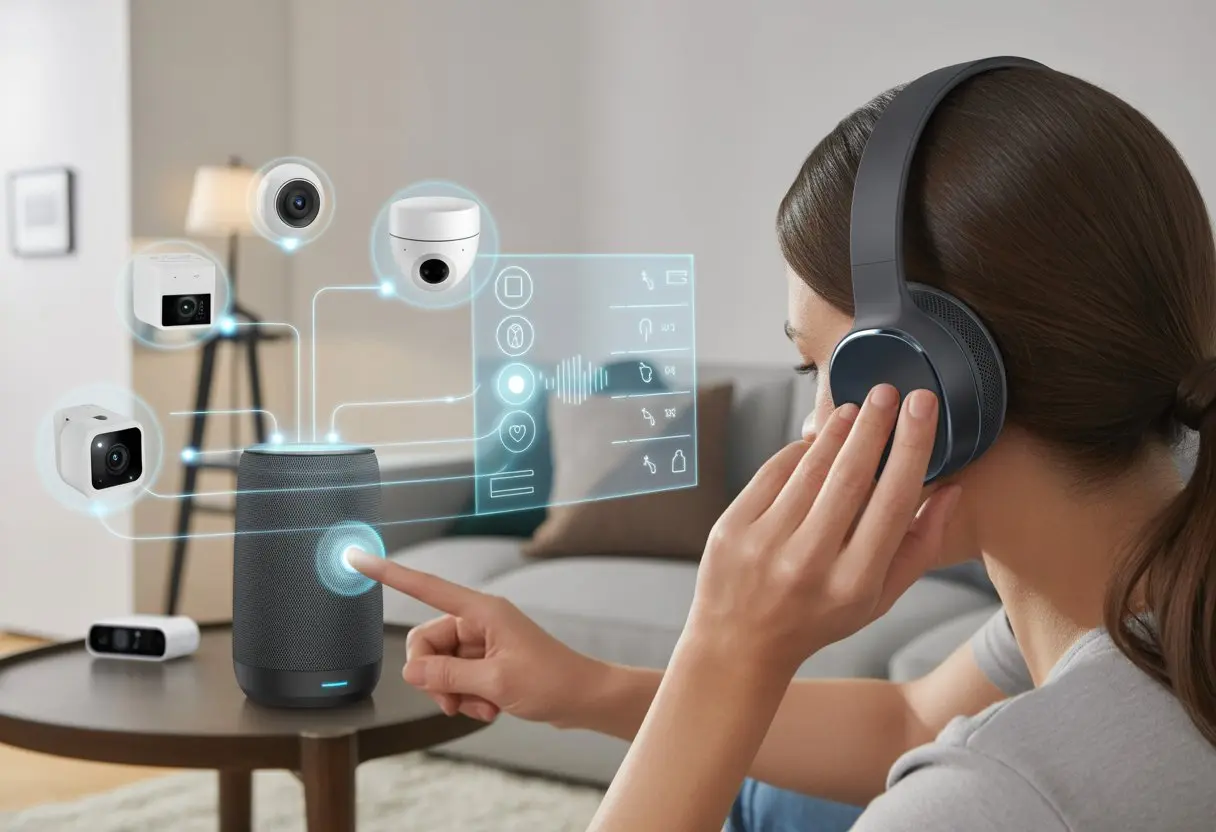
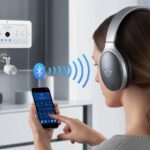
We all love a smart home that does everything except make us pancakes. But when it comes to blasting music or catching our favorite shows—without waking the baby or the dog—connecting Bluetooth headphones to your smart home system just makes sense.
You can pair Bluetooth headphones to most smart TVs or devices, so you get better sound without disturbing anyone else.
Ever had your smart speaker start talking while you’re sneaking in a midnight movie? Yeah, same here.
With a quick pairing, your headphones can join the party, hooking up with TVs, smart displays, and even some streaming devices for private listening bliss.
Devices like Roku streaming boxes let you connect Bluetooth headphones for a more personal movie night—no more fighting over the remote volume or pretending you can lip-read from across the room.
It’s honestly easier than you’d think to sync headphones with your smart gadgets. This means more freedom to listen how—and when—you want.
Let’s check out the steps to get your Bluetooth headphones and smart home working together in perfect harmony, like peanut butter and jelly. Or at least like smart homes and clever people.
Understanding Bluetooth Headphones
Blasting your favorite tunes while dodging tangled wires feels pretty great, doesn’t it? Bluetooth headphones let you do just that, sending sound through the air instead of a mess of cables.
But let’s not get ahead of ourselves—there’s a lot happening under those ear cups, and not every smart home system will play nice.
What Makes Bluetooth Headphones Tick?
Bluetooth headphones use tiny radios to beam music and calls from your devices straight to your ears. No wires needed—they use Bluetooth signals, which is basically a secret language your gadgets share.
A little battery inside powers the headphones and keeps the tunes coming. Most models have built-in microphones so you don’t sound like a robot during calls.
The range for Bluetooth headphones usually hits about 30 feet, so you can wander to the kitchen for a snack without losing your music. If you want a closer look at how this works, check out this deep dive into how Bluetooth connects devices.
Compatibility Requirements for Smart Home Systems
Before you start jamming with your smart home setup, make sure your headphones and devices are on speaking terms. Not every smart home system supports Bluetooth audio connections.
Some hubs or speakers only support certain brands or Bluetooth versions. You can check for Bluetooth compatibility by looking for symbols or checking device settings.
Some smart home gadgets only work with “classic” Bluetooth, while others use newer forms like Bluetooth Low Energy. If you want simplicity, grab devices that say they support “Bluetooth headphones” right on the box.
Pairing gets a lot easier when everyone’s using the same protocol—just ask your blood pressure.
Common Bluetooth Headphone Features
Bluetooth headphones aren’t just about ditching wires. You get perks like noise cancellation, built-in controls, and microphones.
Some have buttons to skip songs or answer calls without fishing out your phone. A lot of wireless headphones come with multipoint pairing, so you can switch between your phone and laptop like a tech ninja.
Battery life matters too—nothing kills the mood like headphones dying halfway through your shower concert.
Let’s be honest—if your smart home can’t handle Bluetooth headphones, you might as well go back to yelling across the house. You need to make sure your tech plays nice together.
Your platforms should work with Bluetooth, and your gadgets need to be awake and ready to connect.
Checking Our Smart Home Hub’s Bluetooth Capabilities
First, figure out if your smart home hub even speaks Bluetooth. Some hubs are charming social butterflies with all the radio signals, while others are wallflowers that only do Wi-Fi or Zigbee.
Take a look at the hub’s specs (yeah, you might have to actually read the manual or the box—sorry). If you see “Bluetooth” listed, you’re in luck.
If not, don’t panic yet; you might be able to add a Bluetooth dongle. Manufacturers like Amazon Echo and Google Nest offer versions with built-in Bluetooth.
There’s a difference between using Bluetooth to connect headphones and just using it to find setup info, so check what type of connections it can handle.
A quick check online or a peek at the settings menu can tell you if you’ve got Bluetooth in the bag. No Bluetooth? Maybe it’s time to treat yourself to an upgrade before you unpack those fancy headphones.
Smart Home Platforms That Play Nicely With Bluetooth
Not every smart home platform is best friends with Bluetooth headphones. For example, Apple HomeKit supports some Bluetooth devices, but not all types.
This Reddit thread shows you can use Bluetooth lightbulbs without Wi-Fi, but results can be mixed.
Amazon Alexa devices like the Echo Dot are pretty chill—pairing Bluetooth headphones for audio isn’t rocket science. Google Home devices support Bluetooth audio too, but don’t expect to control every smart gadget via Bluetooth; lots of them insist on Wi-Fi for the fancy stuff.
When you pick a platform, check their Bluetooth device support list.
A table like this helps you keep score:
Platform
Bluetooth Audio Support
Controls Other Devices
Amazon Alexa
Yes
Yes, limited
Google Home
Yes
Yes, limited
Apple HomeKit
Some devices
Yes, some devices
Prepping Devices for Pairing Success
Now that your hub and platform have passed the vibe check, it’s time for device prep. Both the smart hub and your Bluetooth headphones need to be in pairing mode.
Usually, this means clicking a button and watching little blinking lights like a low-budget sci-fi movie. If your headphones already remember another device, clear that memory or disconnect them.
Smart hubs may need you to go into a “Bluetooth setup” or “accessories” menu. If you lose patience (or sanity), factory resetting the headphones is often the fastest fix.
Turn off other Bluetooth devices nearby to avoid mix-ups.
If all else fails, a dramatic sigh and a quick Google search for your model can work wonders.
Pairing Bluetooth Headphones with Smart Home Devices
Bluetooth headphones can make life easier, letting you sneak around late at night listening to music or podcasts without worrying about waking up housemates.
If you set things up right, you’ll move from room to room without drama and enjoy your favorite sounds.
The Art of Bluetooth Pairing: Step-by-Step
First things first: make sure your headphones and smart home devices are speaking the same wireless language.
Most headphones have a tiny button or switch that puts them into pairing mode. Usually, you hold down a button until a tiny light starts flashing, like it’s trying to rave but can’t quite commit.
Next, on your smart home hub or system, open the settings for Bluetooth devices. For example, with Google Home, just turn on the speaker or device, make sure it’s in pairing mode, then head into the Google Home app.
Here’s a quick list so you don’t forget a step:
Set headphones to pairing mode
Open smart home Bluetooth settings
Start scanning for new devices
Tap your headphones when they pop up
Hope for a friendly confirmation chime
Sometimes, the hardest part is finding the right settings menu. If in doubt, try the old “turn it off and on again” trick.
Troubleshooting Fumble-Fingered Connections
Even the most careful among us have been bested by these connections. You press all the right buttons, yet the devices refuse to talk.
First, make sure your headphones aren’t already married to another device, like the phone at the bottom of your bag.
If things still aren’t working, double-check if both devices are in range and not hiding behind thick walls or refrigerators (Bluetooth can be surprisingly sneaky). Deleting the old pairing and reconnecting often does the trick.
Some of us wave the headphones around in the air for “signal,” but honestly, science hasn’t confirmed its effectiveness.
Smart home apps sometimes get updates that move the Bluetooth settings to a new spot. If you’re completely lost, a quick visit to official how-to guides can save you from Bluetooth meltdown.
Ensuring Seamless Audio Handoffs
Once you’re paired, the next challenge is keeping things smooth when moving between devices. This part can get a little finicky.
Sometimes, when you ask your smart speaker to play music, it sticks with its own speaker instead of handing audio off to your headphones.
To keep that handoff smooth, set your headphones as the default output device for whatever smart home hub you’re using. For Google Nest products, there’s an option in the Google Home app settings to pick your paired headphones as the preferred speaker.
Some systems let you save several default audio devices. So if you want, you can quickly switch between headphones, speakers, or even the TV.
If things start acting weird—like audio coming out of the wrong place—a quick check of the defaults usually sets it right.
When all else fails, a firm but loving reboot of your devices can help remind your smart home who’s boss: you, with your perfectly paired headphones and questionable dance moves.
Customizing the Bluetooth Audio Experience
We all want the best sound, the least chaos, and the smoothest way to tell our house what to do—all through our Bluetooth headphones.
There are a few tricks (and maybe a few pitfalls) as you set up your smart home audio.
Optimizing Sound Quality in Your Smart Home
If you’ve ever wanted your music to sound like it’s being performed live in your living room instead of inside a tin can, it’s time to check your audio settings.
Many smart home platforms, like SmartThings, let you adjust audio profiles and link settings to your mood, activity, or even the time of day.
By connecting Bluetooth headphones and using preset sound profiles, you can shift from bass-heavy movie mode to crisp podcast mode with just a tap. Some automation systems provide routines that change headphone sound settings based on activities—like boosting the treble for morning news or muting everything for phone calls.
You’ll get the most enjoyment by exploring these settings through your smart home hub (or app). That way, you don’t need to get up or fumble with tiny buttons.
Using Multiple Bluetooth Headphones—Without Creating Chaos
Sharing is caring—until someone’s headphones hijack the living room playlist. Connecting several Bluetooth headphones at once gets tricky fast.
Most smart home systems only link to one pair of headphones at a time. A few let us connect two (they call it “dual audio”), but don’t expect to run a full headphone orchestra.
When we connect more than one pair, we often run into sound sync issues or lower sound quality. If we’re planning a headphone movie night, it’s worth checking if our smart hub supports dual audio output.
For a bigger setup, we can use a Bluetooth splitter or a dedicated transmitter. That lets us share audio across several headphones, though everyone might notice a tiny delay.
Some hubs actually make device management simple. For example, SmartThings lets us add Bluetooth devices right through the Devices tab in the app.
Mic Use and Voice Commands: Talking to Your Smart Home
Let’s be honest—hands-free is just cool. With a mic on our Bluetooth headset, we don’t have to yell across the house anymore.
Most smart speakers and home hubs support voice commands from Bluetooth mics, but we should double-check compatibility. Some systems only let us use the mic for phone calls or voice assistants, not both.
We sometimes have to choose between high-quality audio mode (A2DP) and headset mode (HSP/HFP), depending on what we want. If we want both music and clear voice commands, the best move is usually to disconnect and reconnect the headphones to switch modes.
We can set up custom routines—like “Good morning” or “Start movie night”—and trigger them with our voice. That keeps the power in our headphones, not just in our hands.
Controlling Smart Home Features with Bluetooth Headphones
Bluetooth headphones do more than just play music. With a bit of setup, we can use them to control our smart homes, chat with voice assistants, and even pretend to be spies on secret calls in every room.
Triggering Smart Scenes with Headphone Controls
Let’s admit it—we all want to feel like secret agents sometimes. These days, a lot of Bluetooth headphones come with buttons for play, pause, skip, and more.
We can reprogram those buttons to trigger smart home scenes. Want to turn off the lights and lock the doors? Double-press the play button and voilà, we’re ready for movie night (or just a nap).
Some smart home systems, like Home Assistant, let us connect Bluetooth headphones and map their controls to actions around the house. So instead of digging for our phones, we just tap our headphones.
It’s a small step for comfort, a giant leap for couch potatoes everywhere. For more tips on device integration, check the smart home integration guide.
Integrating Headphones with Voice Assistants
If chatting with our electronics makes us feel like we’re living in the future, voice assistants push it even further—in a good way. Connecting our headphones to Alexa, Google Assistant, or Siri lets us control lights, ask for the weather, or set timers without raising our voices.
Many Bluetooth headphones now have built-in microphones, so we don’t have to run to a speaker or phone for help. We can just say, “Hey Google, turn down the lights,” and pretend we’re hosting a late-night talk show.
If our home system supports it, we may need to tweak a few settings, but the convenience is worth it every time we avoid stubbing our toe in the dark. Learn more about smart home voice controls in this smart home setup guide.
Hands-Free Calls and Notifications Throughout Your Home
Here’s where things get fun. We can take calls and get notifications right through our headphones—even if we’re folding laundry or sneaking snacks in another room.
When a call comes in, we just tap our headphones and start talking. No sprinting for the phone required.
Notifications from our smart home system can reach us this way, too. Imagine being in the backyard and hearing a chime in our headphones when someone rings the doorbell.
We might not have superpowers, but alerts in our ears make us feel like we do. Thanks to Bluetooth range and smart integration, we’re always in the loop—sometimes even before the kids.
Common Issues and Their Not-So-Common Fixes
A lot of us love the idea of walking from our bedroom to the kitchen with our favorite song blasting, only to get silence halfway there. Or, maybe we try to pair our headphones and suddenly Siri yells at us from three rooms away.
Bluetooth and smart homes are great—when they actually work.
Bluetooth Range: Avoiding Audio Dropouts
We all assume Bluetooth can reach across the whole house. Sadly, it can’t read our minds or walls (yet).
The average Bluetooth range is about 30 feet. Walls, doors, and even aquariums (yes, fish tanks!) love to mess with that.
To keep the music going, we need to keep devices closer together or at least in the same room. Placing our smart hub and main Bluetooth devices in an open space helps a lot.
Some routers and smart speakers double as Bluetooth repeaters, so we might get a little more distance if we set them up right.
Here’s a quick table to make life easier:
Range Blocker
Impact Level
What Can We Do?
Thick Walls
High
Move devices closer or to same room
Microwaves
Medium
Don’t cook popcorn while syncing tunes
Multi-story Homes
High
Try to stick to one floor when pairing
If we really need to cover the whole house, a new set of headphones with a stronger Bluetooth version might help. Nobody wants a surprise silent disco.
Dealing with Device Overlap and Confusion
Bluetooth gets overwhelmed when too many gadgets yell for its attention. If we try to connect our headphones and the smart vacuum turns on instead, it’s probably a pairing conflict.
We might even get phantom connections or music blasting from last week’s speaker in the garage.
First, clear old pairings from the headphone’s memory and our smart home device list. Most headphones let us reset all connections—check the manual for details.
After that, make sure only one smart home hub tries to pair with the headphones at a time. It’s like letting just one friend shout our name in a crowd.
If things still act weird, use the “forget device” option and re-pair everything fresh. These Bluetooth troubleshooting tips can help.
Pairing problems usually come down to something being confused or disconnected—just like us before coffee.
Don’t forget, even small updates can fix big pairing headaches. Keep both the smart home gear and our headphones updated for fewer tech tantrums.
Advanced Bluetooth Headphone Integrations
Bluetooth headphones get even more interesting when we get creative with our smart home systems. Let’s look at how to take them beyond basic listening with smart automations and clever gadgets.
Automating Audio Control Using Smart Home Routines
If we’re tired of yelling, “Can you turn that down?” across the room, automating audio control might just save our voices.
With smart home systems like Alexa or Google Home, we can set routines that pause, play, or adjust audio based on certain triggers. Maybe we want our headphones to start streaming our favorite podcast when we walk in the door—no magic wands needed, just some smart programming.
Some favorite tricks:
Schedule music to play at a set time.
Triggeraudio playback when motion sensors spot us entering a room.
Auto-pause audio on our headphones when the doorbell rings or the phone buzzes.
Platforms like Home Assistant let us integrate Bluetooth headphones with other devices, making listening as hands-free—and argument-free—as possible. Check the Home Assistant Community for more creative ideas.
Linking Bluetooth Transmitters to Non-Bluetooth Devices
We all have that stubborn old TV or stereo that refuses to join the 21st century. Good news: Bluetooth audio transmitters can bring them up to speed without buying something new.
These little gadgets connect to headphone or audio-out ports, instantly giving our old devices wireless connectivity.
Setup is usually as simple as plugging in the transmitter, putting it in pairing mode, and connecting our Bluetooth headphones. Some transmitters even let us connect two sets of headphones at once, so there’s no fighting over the remote.
With this setup, we can watch TV late at night or blast music without waking up the whole house—or the cat.
Security and Privacy When Using Bluetooth Headphones
When we grab our Bluetooth headphones and parade around the living room, it feels like we’re in charge. But while we’re jamming, some sneaky risks could be lurking nearby.
Bluetooth isn’t some unbreakable code. Many Bluetooth connections use encryption, but not all. If we pair devices in public places, there’s a small chance someone could try to intercept our audio or snoop on our data.
Hackers are kind of like raccoons—always sniffing around for an opening. More details live in this Bluetooth security guide.
Here’s how to stay safe:
Turn off Bluetooth when we don’t need it. Our batteries and privacy will thank us.
Never accept weird or random pairing requests. If our headphones want to pair with ‘Toaster_3000’ at the coffee shop, run.
Set device visibility to “hidden” or “non-discoverable” mode whenever possible. No need for the whole neighborhood to see our playlist or headphone name.
If we follow these steps, we can rock out without worrying that someone else is secretly listening in on our questionable 90s playlist.
Final Thoughts: Living Smart and Listening Smarter
We’ve mashed together music, podcasts, and even the voice of our smart fridge into one Bluetooth stream. If robots ever take over, I just hope they’re into our playlists.
Pairing Bluetooth headphones with a smart home isn’t just about showing off. It lets you sneak snacks from the kitchen without missing a plot twist—or yelling, “What did they say?” from the hallway.
Here’s what we love:
No more tripping on cords while vacuuming
Secret dance breaks during work calls
Actually hearing the doorbell, even if you’re deep into a true crime podcast
Honestly, who hasn’t thrown out a voice command like they’re in a spy movie? “Alexa, start my theme song!” Sometimes, living in the future just means asking yourself if you left your earbuds in your jeans again.
Hi, my name is Garrett Jones, and I am a tech enthusiast. I enjoy researching the new tech that has been released, and have a vast knowledge of the best tech to purchase.
From a young age, I have always had a big interest in technology, and this blog is an extension of that interest. Through this blog, I hope to provide others with all of the information they need regarding tech options to consider, and things such as compatibility. Some of the different items I will be discussing include headphones, smartwatches, and how to fix common issues.