Ever wish you could actually hear your security alarms without waking up everyone in the house—or the neighbor’s dog? Good news: you can pair your Bluetooth headphones with a bunch of security systems and catch alerts straight to your ears. Using Bluetooth headphones with a security system means you get notifications privately, minus the loud chaos.
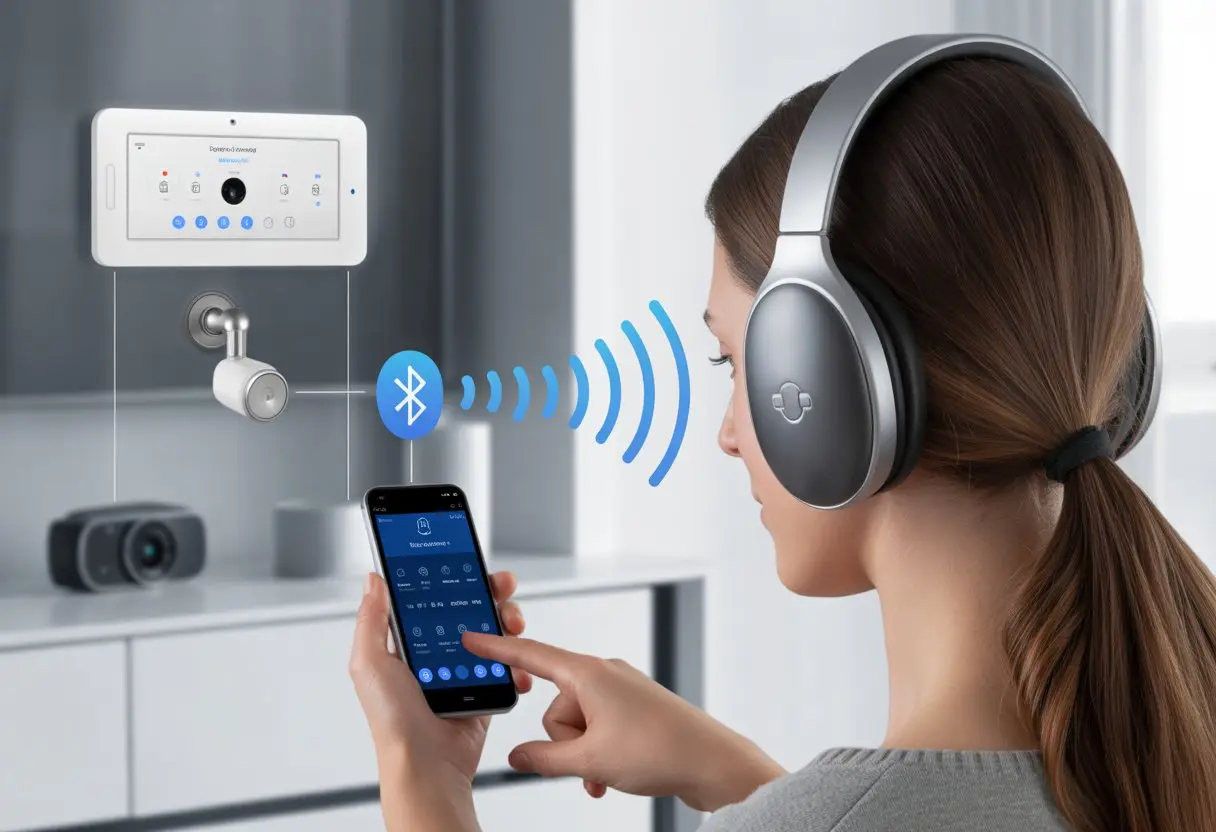
Honestly, the process sounds tricky, but it’s easier than trying to sneak past a motion sensor in fuzzy slippers. Whether you want to listen in on doorbell alerts while watching TV or catch alarm sounds out on the porch, connecting wireless headphones to your security setup can make life quieter—and, let’s be real, a bit cooler.
If you’re tired of scaring your pets—or yourself—let’s walk through the simple steps to make this work. With a little tech magic, you’ll stay secure and skip the neighborhood concerts.
Understanding Bluetooth Technology
Bluetooth connects devices without wires, making life simpler and, honestly, way less tangled. To really get the most out of your Bluetooth headphones, it helps to know what Bluetooth is, how these headphones actually work, and what the whole pairing thing is about.
What Is Bluetooth Wireless Technology
Bluetooth is short-range wireless tech used by millions of devices—phones, speakers, cars, laptops, and of course, headphones. It uses radio waves to send data over short distances, usually about 10 meters (33 feet).
This lets your devices “talk” without cables. If a lot of people use Bluetooth nearby, you might get some interference or connection drops. So, keeping your devices close helps keep the signal strong.
Bluetooth works great for electronics, but it won’t send messages to Mars—so, galactic headphone jams are still just a dream.
How Bluetooth Headphones Work
Bluetooth headphones have tiny built-in radios. When you turn them on, they search for nearby devices, like your phone or security system.
Once connected, audio travels from the device to your headphones through those radio waves. Inside, small chips and antennas handle the connection and sound.
Battery life varies, so you’ll want to remember to recharge—unless you’re ready to go back to wired, which, let’s be honest, nobody is.
Security matters because nobody wants someone tuning in to their conversations or playlists. You can lower risks by keeping devices updated, turning Bluetooth off when not in use, and avoiding random connections. For more tips, check out this Bluetooth security guide.
Bluetooth Pairing Explained
Pairing is like introducing your headphones and device at a party—they need to “meet” before they can chat. Usually, you put the headphones in pairing mode, and your other device scans for available Bluetooth gadgets.
During pairing, the devices swap info like names and sometimes need a PIN for security. This keeps random people from connecting to your headphones. Once paired, the devices remember each other, so next time, they connect faster.
If pairing fails, move closer, restart, or remove old pairings. Staying patient—think of it as Bluetooth’s awkward phase—helps. Pairing is also when security settings get set, so your connection stays private. For more about the Bluetooth pairing process and security, check that link.
Compatibility of Bluetooth Headphones with Security Systems
Bluetooth headphones and home security systems don’t always get along. You need to know what actually works together and what doesn’t, so you don’t waste time (or money) on stuff that’s just not compatible.
Supported Home Security Systems
Not every home security system was built for Bluetooth headphones. Most classic systems stick to loudspeakers and alarms, not fancy wireless audio.
Some newer systems from brands like SimpliSafe and Ring have started adding wireless features. A few even let you pair Bluetooth devices for custom alerts or private listening.
Still, it’s rare for security systems to support direct pairing with Bluetooth headphones out of the box—most connect with phones or smart speakers, not your favorite over-ear cans.
Before you buy anything new, check the product’s FAQ or manual. Sometimes, the best option is just using a mobile app that plays alerts on your phone, then connecting your Bluetooth headphones to the phone. That way, you skip compatibility headaches and still get discreet, wireless alerts.
Checking Software and Hardware Requirements
You can’t force two devices to get along—they need to speak the same “language.” To use Bluetooth headphones with a security system, you usually need either:
- A security system app on your smartphone or tablet.
- A Bluetooth transmitter connected to the security panel or base station.
- Built-in Bluetooth audio features (which are pretty rare).
Don’t forget about software. Your phone or tablet should run the latest version of the security app, and the app has to support audio notifications or streaming. Some older home theater hubs or electronics might need a firmware upgrade, but don’t expect miracles if they’re ancient.
If you’re not sure, just search the model number online and see what other people have done. Saves a lot of guesswork.
Assessing Your Home Theater Setup
Your home theater setup can make or break the Bluetooth headphone experience. If your security system plugs into a home theater receiver or soundbar, you might be able to route audio to your headphones—but only if your gear supports Bluetooth output.
Check if your receiver has Bluetooth Out or supports wireless headphone pairing in its settings. Some smart TVs and soundbars make this easy, while others act like Bluetooth is a foreign concept.
Sometimes, you’ll need to buy a separate Bluetooth transmitter that plugs into the audio output of your home theater device. For older or stubborn devices, wired solutions or RF transmitters might be your only real option.
A little patience—and maybe a magnifying glass for those tiny diagrams—will help you untangle the mess. Good luck out there.
Step-by-Step Guide to Connect Bluetooth Headphones to a Security System
You want your home security system to keep you safe, but sometimes, you also want it to keep things quiet (or private) by using Bluetooth headphones. It’s not hard, but you’ll need to jump through a few tech hoops and be ready for some hiccups.
Activating Pairing Mode
First, get your Bluetooth headphones ready to meet the security system. Most headphones want you to press and hold a button, usually with a Bluetooth icon or some wavy lines.
Hold it for a few seconds, and usually, a light flashes blue or red—like your headphones are winking at you. Here’s a quick cheat sheet:
- Press and hold the power or Bluetooth button.
- Wait for the LED to start blinking.
- Some models beep or say “pairing mode.”
If something weird happens, like the headphones try to connect to your neighbor’s toaster, just turn them off and try again. For more about getting into pairing mode, check this Bluetooth headphone pairing guide.
Connecting via Security System Interface
Now for the fun part—convincing your security system to find your headphones. Start by opening the settings menu on the main panel or app.
Look for “Bluetooth,” “Audio Devices,” or anything that mentions sound and devices.
Here’s the usual process:
- Open the security system’s Bluetooth settings.
- Make sure Bluetooth is ON.
- Choose ‘Add Device,’ ‘Pair Headphones,’ or something similar.
- Pick your headphones from the list.
Some systems ask for a PIN—try 0000 or 1234 unless you want to play hacker at home. When the headphones and system connect, you’ll hear a sound or see a confirmation.
For more about device connections, check out how to pair wireless headphones.
Resolving Bluetooth Pairing Issues
If things go sideways and your security system ignores your headphones, don’t panic. First, turn everything off and back on again—it’s a classic move for a reason.
Also make sure:
- Nothing else is connected to the headphones.
- Bluetooth is ON for both devices.
- You’re close to the main security system (not trying this from the backyard).
If problems keep popping up, forget the headphones on the security system and repeat the pairing process. For more tips on solving pairing trouble and keeping your connection secure, this secure Bluetooth guide is a lifesaver. And hey, only pair your devices where nosy neighbors can’t join in.
Alternative Audio Connections
Sometimes Bluetooth just won’t cut it, especially when your security system decides the future is wired, not wireless. Luckily, there are clever gadgets and old-school tricks that let you connect to your security audio in ways Bluetooth can only dream about.
Using a Headphone Jack Adapter
Remember the trusty headphone jack? It’s still alive in a lot of electronics, even when phones have ditched it. If your security system has an audio output—like a 3.5mm jack—you can use a simple headphone jack adapter.
A few options:
- 3.5mm to USB-C or 3.5mm to Lightning for newer phones
- 3.5mm splitter to share audio (if your dog wants to listen in, maybe)
- Volume control adapters for sneaky late-night listening
Plug your Bluetooth headphones’ receiver into one of these adapters for a cabled connection with less audio lag. Not wireless, but reliable and cheap—kind of like grandma’s old landline.
Integrating Wireless Audio Transmitters
If the headphone jack is missing or hiding, wireless tech can save the day. You can get Bluetooth transmitters to bridge the gap between your security system’s audio output and your headphones.
Here’s how:
- Connect the transmitter to the security system’s audio or headphone jack.
- Power on and pair it with your Bluetooth headphones.
- Enjoy untethered audio—perfect for pacing nervously while the system checks for invaders.
Some transmitters have low-latency modes, so you’ll hear alarms or alerts instantly. Just make sure the transmitter supports the right codecs for good sound—you don’t want your burglar alarm sounding like underwater techno.
Creating a Custom Receiver Gadget (CRG)
Sometimes, making Bluetooth headphones work with a security system takes more than just luck and good vibes. Building a Custom Receiver Gadget (CRG) lets you get creative, connect devices, and maybe even impress your friends (or your pets).
How to Create a CRG for Your Security System
Let’s be real—not everyone’s an electrical engineer, but honestly, making a CRG isn’t rocket science. I like to start with a Bluetooth receiver from a regular electronics shop.
These little devices can pair with almost any wireless headphones. I just connect the receiver to my security system’s audio output with a standard audio cable.
The module usually needs power from a USB port or some batteries. No wizardry here.
If you’re feeling brave, you can solder parts together, but most of us just use off-the-shelf Bluetooth receivers and plug everything in.
Helpful tools:
- Bluetooth audio receiver
- Audio cables (3.5mm or RCA work fine)
- USB power supply or batteries
- Screwdriver, if you need to open anything up
Once everything’s hooked up, the pairing process with the headphones is pretty straightforward. That’s it—suddenly, you’re channeling your inner spy.
Benefits and Drawbacks of DIY Solutions
I’ll admit, going the DIY route has its ups and downs. You can save a chunk of money and get a gadget that fits your setup perfectly.
Plus, there’s something satisfying about building it yourself. That feeling? Can’t buy it.
Pros
- Cheaper than buying the ready-made stuff
- You can tweak it for your own audio setup
- It’s a good learning experience (sometimes stressful, but hey)
Cons
- Might not be as reliable as professional products
- Compatibility issues can pop up
- No late-night tech support if it all goes sideways
I always double-check that my security system and headphones will play nicely together. Tech can be a little moody, right? If you want more inspiration or proof that this works, check out this DIY Bluetooth adapter guide.
Optimizing Your Listening Experience
Let’s be honest—everyone wants crisp, clear sound from their Bluetooth headphones, whether you’re watching your front door or sneaking in a midnight movie. Getting the best out of your gear isn’t hard if you know what to look for.
Adjusting Audio Settings on Your TV or Security Console
We’ve all poked around in TV menus, hoping to find a magic “Make Everything Sound Awesome” button. While that’s wishful thinking, a few tweaks can seriously upgrade your sound.
First, check your Bluetooth audio codec settings. If your TV or console lets you pick a codec like AAC or aptX, go for it. It can boost sound quality and cut down on lag.
No more lips moving out of sync—finally. Next, play with the equalizer (EQ).
Most TVs and consoles have basic EQ options. Want more bass for action scenes? Crank it up. Need voices to stand out on your security feed? Go for clarity.
Volume normalization is another life-saver. It keeps sudden loud noises—like your cat knocking something over—from blasting your ears. Usually, you’ll find this under audio or sound settings.
If you want more tips, check out these Bluetooth headphone tricks.
Enhancing Home Theater Audio Quality
If you want your home theater to sound just as good on Bluetooth headphones as it does on big speakers, you’ll need to tweak a few things.
Always pair your headphones directly to your main device. Skip the random adapters if you can—less lag, better sound.
Update your headphones when possible. Manufacturers roll out new features and bug fixes all the time.
Try sitting closer to your home theater gear. Bluetooth loves open space and hates thick walls or big appliances in the way.
For those who really care about sound, check if your TV or receiver supports high-quality Bluetooth codecs. It can make a noticeable difference, especially if you’re streaming movies or gaming late at night.
If you want to dive deeper into improving Bluetooth audio quality, even small changes can make a big difference.
Troubleshooting Common Connectivity Challenges
Connecting Bluetooth headphones to a security system doesn’t always go smoothly. Sometimes, invisible problems—like interference from other gadgets or stubborn batteries—make things tricky.
Interference from Other Wireless Devices
Let’s be honest: our homes are packed with wireless tech that loves to mess with Bluetooth headphones. Wi-Fi routers, microwaves, and even the neighbor’s smart fridge can get in the way.
When lots of wireless devices run nearby—especially on the 2.4 GHz band—Bluetooth signals get jumbled. It’s like your headphones are trying to chat at a noisy party, with everyone shouting.
Moving away from your Wi-Fi router or switching it to the 5 GHz band can help. Sometimes, you just need to kick some devices off the network. Turning off unused gadgets helps too.
You can read more about these Bluetooth connectivity issues.
Pair your headphones in a “quiet” environment, signal-wise. Keep other Bluetooth devices out of range during setup, and things usually go a lot smoother.
Battery and Range Limitations
Battery life always seems to cause headaches with Bluetooth headphones. When the battery dips low, you might hear crackling, sudden dropouts, or just get total silence. Honestly, who hasn’t had their headphones die right in the middle of a security check? It’s the worst.
Try to keep your headphones charged up. If you notice the battery icon looking grim, just plug them in before you start anything important.
Range gets in the way too. Bluetooth headphones usually stick to a 10-meter (about 33 feet) sweet spot, but they really don’t get along with thick walls, doors, or even big leafy plants. If you wander off too far, or leave your phone behind while you check cameras in another room, you’ll probably lose the connection.
For fewer headaches, try to stay close to your device and security system. Want to get into the weeds with common Bluetooth problems? There are some handy tips out there to keep those annoying gremlins at bay.

From a young age, I have always had a big interest in technology, and this blog is an extension of that interest. Through this blog, I hope to provide others with all of the information they need regarding tech options to consider, and things such as compatibility. Some of the different items I will be discussing include headphones, smartwatches, and how to fix common issues.
- Why is My Fitness Tracker Screen Not Responding? When Your Steps Tracker Takes a Nap - September 22, 2026
- Why do my Bluetooth headphones not work with my camera? Reasons Your Gadgets Won’t Play Nice Together - September 21, 2026
- How to Use a Fitness Tracker for Elderly Care: Because Grandma Wants to Outsmart Her Step Counter - September 21, 2026
Related Posts: