Let’s be honest—most of us have at least one old stereo lurking somewhere, refusing to call it quits. It sits there, always ready to blast our favorite tunes, but it just doesn’t play nice with our shiny wireless headphones. Here’s the good news: we can actually get that stubborn old stereo to work with Bluetooth headphones in just a few easy steps.
No need to grab a toolbox or pretend we’re tech geniuses—there are simple gadgets that bridge the gap between vintage and wireless. With a small Bluetooth transmitter, we can be rocking out to our music collection wirelessly in no time.
If we already have wireless headphones and an old receiver, we’re halfway there. Imagine listening to our old CDs or vinyl, but with all the freedom of wireless. It’s honestly easier than convincing Uncle Joe to ditch his VHS tapes, and a lot more fun.
Let’s see how we can drag our retro audio setup into the wireless age without breaking a sweat.
Understanding Bluetooth Technology
If we want to connect our trusty old stereo to the world of wireless headphones and speakers, we’ll have to get friendly with Bluetooth. This means figuring out how signals travel, which gadgets we need, and what perks we get from making the switch.
How Wireless Audio Works
Bluetooth isn’t magic, though it feels like it when our music floats through the air from our stereo to our headphones. It’s actually a type of short-range radio tech.
When we hook up a Bluetooth transmitter to our stereo, it sends audio over radio waves. Our headphones, speakers, or headsets have tiny receivers that pick up those signals, turn them into sound, and save us from untangling cords every time we want to listen.
The range is usually about 30 feet. So, no, we can’t wander out to the neighbor’s house with our headphones and still expect to hear the music. Bluetooth compresses audio a bit, so it’s not exactly like plugging in with a cable, but for most of us, the difference is barely noticeable. The lack of wires is a huge bonus.
Plus, newer Bluetooth versions deliver better quality than the old ones.
Key Components of Bluetooth Connections
To get wireless audio going, we need two main things: a Bluetooth transmitter and a Bluetooth receiver. The transmitter plugs into our stereo’s headphone jack or RCA outputs and sends the sound out wirelessly.
Our wireless headphones have the receiver built right in. When we hit “pair,” the devices find each other, connect, and start sending music through the air. Some transmitters have extra features like aptX support for better sound, longer range, or the ability to pair with multiple headphones at once.
Compatibility depends on our stereo’s outputs and the Bluetooth version on our headphones, so it’s smart to check before buying.
Benefits of Going Wireless
We finally get to say goodbye to tangles, knots, and tripping over random cables. Wireless headphones let us roam around the house, chill on the sofa, or even dance in the kitchen while blasting our favorite tracks.
Sharing music gets easier, too—some systems allow pairing with more than one Bluetooth speaker or headset. Bluetooth also means less wear and tear on headphone jacks and ports.
A lot of Bluetooth headphones come with handy extras, like volume controls, built-in microphones, or even voice assistants (for those times we want to ask if “I Will Survive” is a bit much for the neighbors). Adding a Bluetooth transmitter makes our stereo compatible with other smart devices, so we’re ready for future upgrades without ditching the classic gear.
Assessing Your Old Stereo’s Compatibility
Before we start grabbing Bluetooth adapters and unraveling wires, let’s check what our old stereo is hiding. This step saves us from buying the wrong gadget or just staring at the stereo in confusion.
Checking for a Headphone Jack or Audio Output
First, give the stereo a good look—think detective mode. Most old stereos have a headphone jack (usually labeled “Phones” or “Headphones”), often a big 1/4-inch port on the front.
If we spot this, we’re halfway there; this jack lets us send audio out to other devices. No luck? Check the back for RCA-style audio outputs—those red and white (or sometimes black and red) ports labeled “Out” or “Line Out.”
If we find either a headphone jack or those outputs, we’re set to connect a Bluetooth transmitter. If we can’t find anything, maybe it’s time for a new stereo—or a new hobby.
Understanding Audio Signal Types
Our old stereo keeps its secrets close, doesn’t it? The main thing to know is what kind of audio signal comes out of those jacks.
Headphone jacks and RCA outputs usually give us an analog audio signal, which is exactly what most Bluetooth transmitters want. Some fancier or newer models might have optical (TOSLINK) outputs—a little square port with a flap.
Most gear from the cassette tape era just has analog outputs, though, and that’s perfect for us.
Identifying Aux-In and Output Ports
Now, let’s play “Port or Not a Port?” Our stereos usually have a buffet of jacks: “Aux-In,” “Tape,” “CD,” “Phono.” For this project, we want output ports, not input.
“Aux-In” or “Line-In” are for plugging devices into the stereo, not sending sound out. Here’s a quick cheat sheet:
Label
Use for Bluetooth Transmitter?
“Line Out”
Yes
“Rec Out”
Yes
“Phones”
Yes
“Aux-In”
No
“Line-In”
No
If we’re still confused, it’s time to dig up the manual—or search online and cross our fingers it’s not written in hieroglyphics. Lots of people have figured out how to connect wireless headphones to an old stereo, so we’re not alone.
Essential Bluetooth Gear You’ll Need
To make our old stereo work with Bluetooth headphones, we’ll need a few key gadgets. The right gear means fewer headaches and better sound, so we don’t end up yelling at tangled wires like it’s 1995 again.
Choosing a Bluetooth Transmitter
First up: a solid Bluetooth transmitter. This little gadget plugs into our stereo’s audio output—usually the headphone jack or RCA ports—and shoots the sound to our headphones through the magic of wireless signals.
We should look for a transmitter with low latency. That means less delay between the music playing and us actually hearing it. Nobody wants to watch a video and see lips moving before the sound comes out.
Most newer transmitters have a range of at least 30 feet, which is more than enough for living room dance breaks. Check compatibility with our stereo. Most transmitters use a 3.5mm aux or RCA connection, so picking the right plug type can save us late-night frustration.
Some transmitters use USB for power, others need batteries or a wall plug. We can find transmitters at Best Buy or online—there are plenty of options.
Picking the Right Bluetooth Adapter
Now, about Bluetooth adapters—they’re a bit different from transmitters, but just as handy if we want to cover all the bases. An adapter can turn our old stereo into a wireless receiver, so we can also send music from our phone to those classic speakers.
Most Bluetooth adapters connect using RCA or 3.5mm aux cables. They usually have pairing buttons and LED lights so we know when things are working (or not).
For headphones, check that the adapter supports headphone pairing. Reading product descriptions carefully helps us avoid buying something meant just for speakers.
Adapters often come with short cables, but double-check if our stereo sits far from where we can reach. Some adapters can transmit and receive, so they do double duty if we want to use headphones and stream from our phone. If in doubt, the right Bluetooth adapter for our stereo is usually compact, easy to set up, and doesn’t blink like a disco ball at 2 a.m.
Considering aptX HD and Other Features
Let’s be real—sound quality matters (almost as much as snacks). Some Bluetooth transmitters and adapters support aptX HD, a codec that gives us higher-quality wireless audio.
If our headphones also have aptX HD, pairing them with a matching transmitter can make our music sound a lot clearer. Look for other perks too. Some gear supports multipoint pairing, so we can connect more than one device, and auto-reconnect, so we don’t have to mash the pairing button every morning.
Fast charging and long battery life are nice bonuses, especially if we forget to charge before a party. If we want smooth, rich sound, aptX HD and a stable connection should top our list.
Checking reviews and product details can save us from gadgets that cut out every time we walk to the fridge. Nobody wants their groove ruined by dropouts.
Connecting Your Bluetooth Headphones to an Old Stereo
Turning our beloved old stereo into a Bluetooth party machine sounds fancy, but it’s actually simple. We just need a Bluetooth transmitter, a bit of patience, and the willpower to untangle a few cables.
Plugging Everything Together
Let’s talk hardware. Our old stereo doesn’t have Bluetooth, but plugging in a transmitter changes everything. Most transmitters have a 3.5mm plug or RCA connectors.
A 3.5mm headphone jack is super common, but if our stereo only has RCA ports, we can use an RCA-to-3.5mm cable. Here’s what to do:
Find the audio output on the stereo; the headphone jack or RCA out works best.
Connect the Bluetooth transmitter to the audio output.
Plug in the power for the transmitter, which might need USB or a wall plug.
This YouTube tutorial shows exactly how to wire things up, step by step. Most transmitters take just a couple of minutes to set up.
By the end, our old stereo will be ready for wireless adventures.
Pairing Bluetooth Headphones with Transmitter
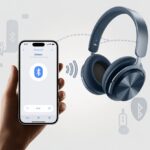
Alright, let’s get our Bluetooth headphones chatting with the transmitter. First, turn both gadgets on.
Press and hold the button on the transmitter until a light flashes. That’s pairing mode in action—pretty standard, right? Pairing mode guide.
Now, set the wireless headphones to pairing mode too. If you see funky light flashes, you’re good.
Both should start blinking, and usually, they’ll connect on their own. Sometimes it takes a minute, so try not to mash more buttons out of impatience.
Some transmitters can handle more than one pair of headphones. Want to share the music? Check the manual for multi-pairing steps. For a deeper dive, here’s a detailed guide.
Testing Your Wireless Connection
Crank up the stereo and see if it all works. Play some music and listen through the Bluetooth headphones.
If sound comes through, awesome! High-fives all around.
Hear a delay, static, or just silence? Double-check the connections. Is a cable loose? Battery low? Maybe Bluetooth is out of range. Troubleshooting sometimes just means poking around a bit.
A few transmitters have their own volume controls. If it’s too quiet or too loud, tweak both the stereo and headphone volume. For more troubleshooting tips, check this forum post. Plug, pair, test, dance—simple as that.
Optimizing Your Wireless Listening Experience
Nobody wants dropouts, weird buzzing, or dull sound when jamming out on Bluetooth headphones. With a few simple fixes and a bit of know-how, we can get smooth audio—even if our stereo is old enough to remember cassette tapes.
Troubleshooting Common Glitches
Let’s be real, sometimes wireless audio gets glitchy. If the sound stutters or drops, check if both the headphones and Bluetooth adapter are charged up.
Keep the adapter and headphones close together. Bluetooth hates walls, thick furniture, or that mountain of laundry you keep ignoring.
If you hear static or echo, unplug the adapter, count to ten (or sing a chorus), and plug it back in. Still stuck? Try unpairing and re-pairing. Restarting fixes more than we care to admit.
Make sure the adapter connects to the correct audio output—usually the headphone jack or RCA outputs. Don’t just plug things in anywhere and hope for magic.
Other wireless gadgets can mess with Bluetooth. Microwaves and Wi-Fi routers love to crash the party, so be mindful of those.
Getting the Most Out of Audio Quality
Now that you’re connected, let’s make those headphones sing. Look for adapters and headphones that support higher-quality Bluetooth codecs like aptX HD—less compression, better sound.
Your ears will thank you. Unless you’re blasting polka at full volume, then maybe your neighbors won’t.
Volume matters on both the headphones and the stereo. If things sound muddy, adjust the audio output on the stereo, not just the headphones. Sometimes, the wrong balance makes everything sound like it’s underwater.
If you can, use a Bluetooth adapter designed for home theater. Those tiny, cheap ones for cars? Not so great. Home theater adapters usually give you a stronger signal and cleaner sound.
Check if your adapter supports aptX, aptX HD, or any other fancy-sounding audio tech. These usually mean better sound, less lag, and maybe a little respect from your techie friends.
Sometimes, plugging in Bluetooth headphones just isn’t practical. Or maybe you just want options—nothing wrong with that.
Using a Bluetooth Speaker Instead
Honestly, sometimes wearing headphones feels a bit antisocial. That’s where a Bluetooth speaker comes in handy.
Connect a Bluetooth transmitter to your stereo’s headphone jack or AUX output. Then, your favorite music plays wirelessly on any Bluetooth speaker you like.
Pairing is quick—just press the pairing buttons on both the transmitter and speaker. Wait for that satisfying “connected” beep.
You won’t get surround sound, but at least you’re not tied to the sofa with wires. Some Bluetooth transmitters even run on batteries, so all you need is music, a speaker, and maybe a little curiosity about how loud you can get.
Hooking up Bluetooth headphones to your TV or home theater system isn’t always a walk in the park, but hey, it’s doable. You’ll probably need a wireless receiver that matches your TV’s digital or analog outputs—honestly, those ports on the back can be a bit of a mystery.
Just grab a Bluetooth transmitter, plug it into the TV’s audio out, and suddenly you can binge-watch without bothering anyone else.
With a home theater setup, you’re looking at a similar process. If your amp or receiver has a headphone jack or RCA output, you’re in luck.
Plug the transmitter in, pair up your headphones, and you’re ready for those epic movie moments (just without the booming volume shaking the house). You’ll control the volume from your headphones, so nobody else gets jolted by a wild car chase.
Hi, my name is Garrett Jones, and I am a tech enthusiast. I enjoy researching the new tech that has been released, and have a vast knowledge of the best tech to purchase.
From a young age, I have always had a big interest in technology, and this blog is an extension of that interest. Through this blog, I hope to provide others with all of the information they need regarding tech options to consider, and things such as compatibility. Some of the different items I will be discussing include headphones, smartwatches, and how to fix common issues.