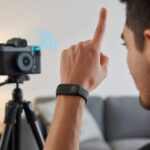
Smartwatches aren’t just about telling time or nagging us to stand up anymore. These days, they do everything from reading our texts to letting us snap a sneaky group photo—no sprinting for the timer required.
Our wrists have basically turned into tiny command centers. We track our steps, check our messages, and now, we can even command our phone’s camera from across the room.
Remote camera control is a feature more people want in their smartwatch. No more awkward arm-stretch selfies or wondering if everyone actually made it into the shot.
With the right smartwatch, we can prop our phones up, strike a pose, and snap that perfect picture calmly and coolly. All from across the room.
But not every smartwatch makes remote camera magic happen easily. Compatibility with our phones, a reliable camera app, and battery life that lasts through the photo session matter the most.
Some watches work only with certain brands. Others hide camera controls so deep, it feels like a scavenger hunt.
We got hands-on with the top options to find smartwatches that make remote camera-taking as painless as possible.
Best Smartwatches for Remote Camera Control
Ever wish your arms were just a little bit longer for the perfect selfie? These smartwatches let us snap photos without the awkward stretching.
Let’s check out our favorite techy wrist sidekicks for remote camera control.
BOOOMIC Smart Watch with Alexa

If you want to boss your phone’s camera around from your wrist without breaking the bank, this little gadget is a solid pick.
Pros
- Remote camera control is a breeze for group selfies and sneaky pet shots
- Alexa on our wrist actually works (and sometimes startles us in quiet rooms)
- Crazy good value for all the features packed in
Cons
- Connection sometimes drops like our motivation to exercise
- Not every feature feels as smooth as the promo photos suggest
- Limited faces out of the box—so our wrists don’t look that unique
The BOOOMIC Smart Watch finally frees us from awkward stretching, contorting, or accidentally photobombing our own group photos. Camera control works surprisingly well for something in this price range.
We just open the camera app, hit the button on our watch, and boom—no more blurry selfies or asking strangers to take our picture.
Hands-free calls and messages turned out way more useful than we expected. Who knew we’d actually enjoy chatting with Alexa from our wrists while making dinner?
The fitness tracking isn’t bad, either—if only tracking steps actually counted as exercise. On the downside, sometimes the connection takes an unplanned nap, especially when our phone hides at the bottom of a crowded bag.
Some features (looking at you, custom watch faces) could use a bit more polish. Still, considering how much it offers for the price, we keep wondering if BOOOMIC accidentally set the price tag based on 2005 technology.
This one’s a good companion for anyone craving reliable camera remote control and not afraid of a few quirks.
Zttopo Wireless Camera Remote Shutter

If you want to take group selfies without embarrassing arm stretches or running back and forth, this handy little remote makes life easier (and more photogenic).
Pros
- Feels almost ridiculously easy to set up and use
- Compact and fits anywhere—ours practically vanished in the pocket (until we needed it, then—bam—photo time)
- Works with both iPhones and Androids, so nobody gets left out of the group chat or the group photo
Cons
- Plastic build feels pretty budget and a bit “one accidental drop away” from disaster
- Not compatible with every Android out there—so double-check if your device is on the list before clicking “buy now”
- Sometimes it works on the first click, sometimes it needs a second nudge—kind of like us getting out of bed
This Zttopo remote lets us set up our phones, strike a pose, and snap away without any awkward fumbling. We love tossing it on a keychain or forgetting it in a backpack because it takes up barely any space.
Even at events or family gatherings, we paired it in seconds and got right to capturing everyone (including ourselves) in the frame. The remote feels light and a bit cheap, but that’s not a dealbreaker for something so useful.
No more leaving someone out of the shot or showing off our impressive reach—just a quick tap and done. The range surprised us too; we easily controlled the shutter from across the room (about 30 feet, which in selfie terms is basically another country).
On the flip side, sometimes we had to press the button twice if it got stage fright. Our Samsung didn’t love it the first time around, either.
Still, for a device that fits in our smallest pocket, works with most phones, and keeps us in every photo, we’ll happily forgive a hiccup or two.
TickTalk 5 Kids Smart Watch

If you want peace of mind while the kids get to feel like secret agents, the TickTalk 5 is the smartwatch to pick.
Pros
- Remote camera lets us peek in (or play paparazzi)
- Video and voice calls keep us just a tap away from the littles
- Location tracking means we finally know where in the world Carmen Sandiego is
Cons
- Interface can feel a little too “for kids,” even for us tech-savvy grown-ups
- Music streaming not available everywhere
- Camera quality is good but won’t win any photography contests
We all know the joys of playing “Where did our kid disappear to this time?” With the TickTalk 5, we get location updates, video calls, and even a front-facing camera so we can check up on their latest fort-building masterpiece—or, let’s be honest, what the cat’s up to now.
Remote camera control actually works like magic, letting us snap a quick picture or check in visually, even if junior pretends he left the watch on airplane mode. No more guessing—just open the app and see for ourselves.
Calling and messaging both work well, so we can video call and text in a flash. In emergencies (or, more commonly, snack emergencies), our kids can reach us or even hit SOS for instant location sharing.
It’s reassuring, and we love how TickTalk 5 puts us firmly in control. The parental controls gave us so much power we started scheduling reminders for ourselves, too.
Scrolling around the screen does reveal it’s definitely a device for younger kids, and the camera snaps nice pictures but nothing frame-worthy.
If music features are your selling point, make sure you’re in the right country. Still, for keeping us in the loop, touching base on the go, and adding a dose of laughter to remote camera fun, TickTalk 5 brings plenty of value.
Wiwian 4G Kids Smart Watch
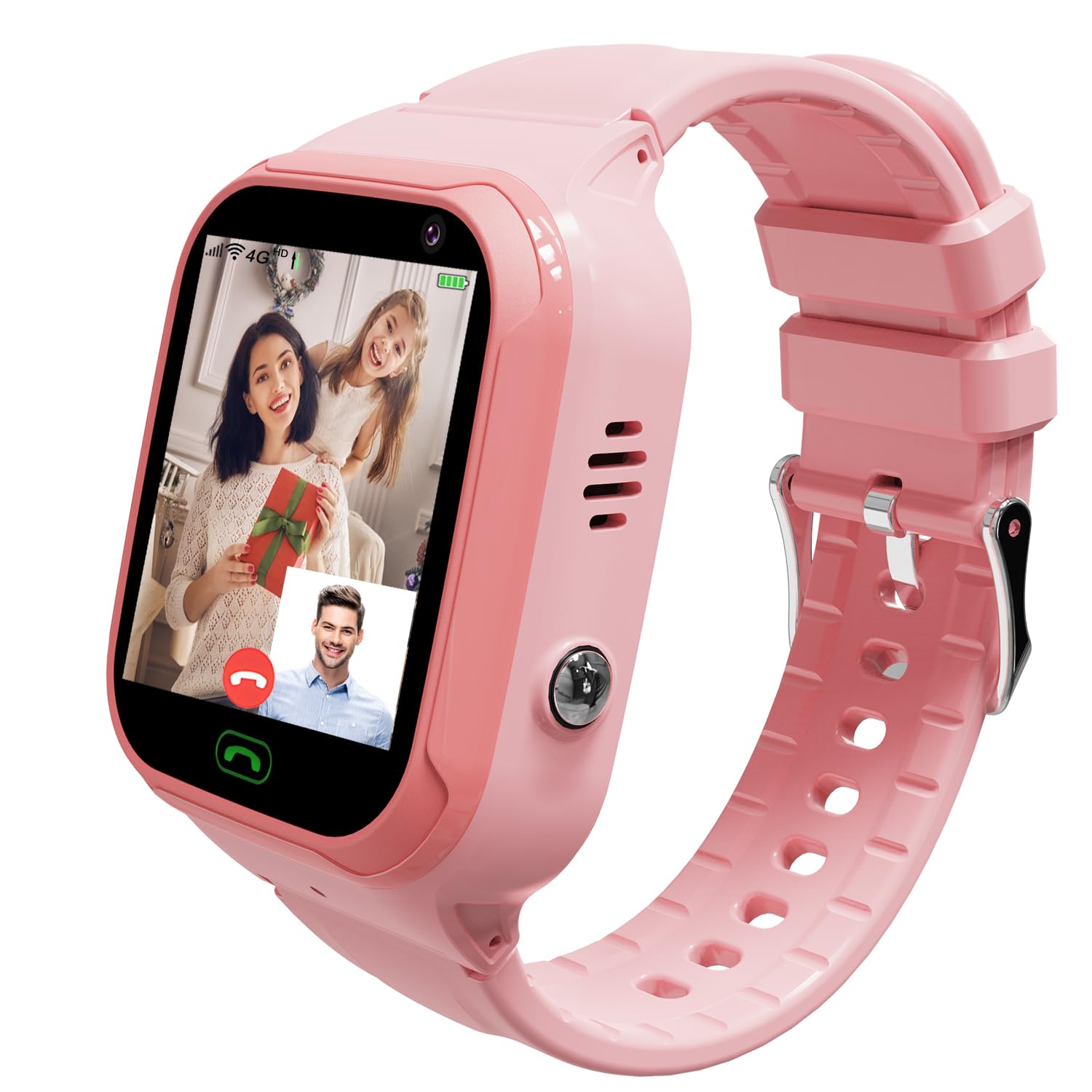
If you want to keep tabs on your mini-mes while proving you’re still hip with tech, this is a solid pick—if you don’t mind some quirks.
Pros
- Comfortable to wear for little wrists (and dramatic meltdowns)
- Handy remote camera for quick kid-selfies and surprise “what are you up to?” check-ins
- SOS button is reassuring for us nervous adults
Cons
- Spotty GPS can have us believing our kid teleported to another country
- Needs a separate SIM card and setup can feel like solving a riddle
- Battery may run out before their energy does
We just tried it, and honestly, our biggest win was finally convincing our kid to keep the watch on for more than five minutes (thank you, soft strap).
Video calls and remote photo snaps had us chuckling, especially the blurry close-ups of a chin or ceiling fan that keep landing in our photo gallery.
The watch lets us check in with a quick call or send a camera request, so we can see whether our child is doing homework or creating a questionable tower of couch cushions.
Parent controls are simple enough, and the touchscreen is bright—no squinting needed, even if our adult eyes aren’t what they used to be.
Not everything is sunshine and accurate GPS pins, though. Sometimes, the location jumps around so wildly that it’s like our child’s starring in their own travel show (without leaving the living room).
Thankfully, the SOS button works as advertised, and it’s easy to add family numbers for when a quick check-in is needed. Just don’t expect battery life that lasts all day, unless your kid actually sits still for once.
CamKix Bluetooth Camera Shutter Remote

If you want to avoid awkward group selfies and shaky timer disasters, this little remote is one of the easiest ways to snap photos from a distance.
Pros
- Works with both iPhone and Android—no tech gymnastics needed
- Ultra-light and fits on a keychain, so we won’t lose it (in theory)
- Quick setup and reliable Bluetooth connection
Cons
- No fancy features—just a shutter button, nothing more
- Easy to misplace because it’s so tiny
- The wrist strap is helpful, but feels a little flimsy
Let’s be honest: our arms aren’t getting any longer, so taking wide group shots is officially a two-person job—unless we have this CamKix remote handy.
Bluetooth pairing is painless, and once it’s synced, snapping pictures is as simple as pressing a button. The remote remembers our devices after the first time, letting us skip re-pairing shenanigans.
We liked how portable it is. Toss it in a pocket or clip it to our keys and we’re all set for those impromptu selfies anywhere.
The wrist strap means we can channel our inner spy, though we wish it was a bit sturdier. It does one thing—trigger the camera—and does it well.
No screens, no apps to fiddle with, and zero drama. If our phones run Android or iOS, it just works.
If we want video, it handles that too, though let’s not expect anything more complex than pressing a button and pretending we know how to pose for a photo.
Hingso Smart Watch

Looking for a budget smartwatch that lets us control our camera like a secret agent and count our steps? The Hingso totally does the trick.
Pros
- Handles remote camera control and notifications with some real energy
- Boasts a clear, colorful screen that honestly makes us look cooler than reality
- Survives sweaty workouts and rainy walks without complaint
Cons
- App setup might test our patience (and maybe our friendships)
- Can’t reply to every message from the watch
- Battery life is fine, but nothing to write home about
Let’s be honest—most of us just want to snap a group photo without sprinting back before the timer hits zero. The Hingso’s remote camera feature actually works, and getting a shot of us and our dog both looking at the lens felt miraculous.
Menus swipe smoothly, probably thanks to that big, sharp screen. Sure, it’s got fitness features, but we’re mostly here to show off wallpapers of our cats. It shrugs off sweat, rain, and even the occasional coffee splash, so we don’t have to baby it.
Setup took a few tries. Wrestling with the app and unblocking Bluetooth wasn’t exactly fun, but we got there (eventually, after a snack). We can’t answer texts, but taking calls on our wrist gives off serious secret agent vibes—even if the cat doesn’t care.
Zopsc 2-in-1 Smart Watch with Earbuds

If you need your gadgets to multitask as hard as you do, this smartwatch with built-in earbuds is actually pretty handy for snapping photos on the fly.
Pros
- Built-in earbuds keep our pockets emptier and music always on tap
- Remote camera control makes group selfies way less awkward
- Battery lasts long enough to forgive our forgetfulness
Cons
- Only two ratings so far—we’re definitely early adopters
- The design is chunky and hard to ignore
- Earbuds don’t block out chatty coworkers
It’s got that “all-in-one” vibe right away. Controlling our phone’s camera only took a couple taps, so group shots felt easy for once.
The earbuds synced quickly and stayed put, though we wish they blocked out more noise in busy coffee shops. Navigating the big touchscreen didn’t require a manual, which our clumsy thumbs appreciated.
Notifications for texts and calls came through loud and clear. On days when we forgot to charge (again), the 250mAh battery and extra earbud juice meant our playlist kept going.
The watch definitely stands tall on the wrist—stealthy, it’s not. With just a handful of reviews, we’re kind of the guinea pigs here. Still, for snapping photos and listening to music without juggling a bunch of devices, the Zopsc 2-in-1 Smart Watch with Earbuds really nails the convenience factor.
Paybay Smart Watch 2025

Want a smartwatch that lets us snap group selfies like a pro and doesn’t drain our wallet? This one fits the bill.
Pros
- Remote camera shutter saves us from awkward selfie attempts
- Custom watch faces keep our wrists looking interesting
- Tracking features nudge us to move (sometimes)
Cons
- No built-in GPS, so epic walks need a phone nearby
- Calls come through loudspeaker—hello, public audience
- Buttons feel a little plasticky
We tried the Paybay Smart Watch and realized pretty quickly how useful the remote camera feature can be. No more stretching our arms or bugging strangers for photos—the shutter button just works.
Pairing with our phone was painless, and we were posing in minutes. The display surprised us with its color, even under bright sun.
Swapping watch faces became a minor obsession, and showing off custom backgrounds was way more fun than expected. There’s a style for every mood, even if we just want to see our pet’s face.
We did notice the lack of GPS, so our phone stuck around for tracking walks. Calls sounded clear, but answering in public felt a bit awkward since it’s always on speaker. For snapping photos, tracking workouts, and making our wrist a little more fun, the Paybay Smart Watch made things easier.
Quican Alexa Smartwatch

Looking for an affordable smartwatch that handles sneaky selfies and camera control, but skips the big-name price tag? This one is a strong contender.
Pros
- Lets us snap photos from our wrist—perfect for group shots or sneaky cat pics
- Alexa voice control means we barely have to lift a finger
- Fitness and health features help us feel less guilty after snack breaks
Cons
- Bluetooth sometimes needs a nudge to play nice with camera apps
- Can’t reply to messages, just view them
- Design is practical, not exactly runway-ready
Setting up the Quican Alexa Smartwatch made us feel more like secret agents than step-counters. Unboxing was quick, the interface was simple, and pairing with our phone took less time than brewing coffee.
Camera remote worked—catching the family dog mid-zoomies was a highlight. Alexa integration helped with reminders (“Hey Alexa, remind us to pretend to exercise at 4”), and we could leave our phone across the room but still get calls and messages.
Controlling the camera from afar made group photos way less stressful. No more racing against the ten-second timer.
A few quirks popped up. Charging only took a coffee break each week, and the screen stayed readable in direct sunlight. Sometimes switching between camera and music controls tripped up the watch, but honestly, we also get confused before coffee.
Vikye Earbuds Sport Watch

If you love the idea of a two-in-one gadget and don’t mind a little risk, this smartwatch could be your next quirky adventure.
Pros
- Works as both a watch and a wireless earbuds case
- Remote camera control is great for group selfies
- Battery life keeps us untethered for days
Cons
- Build quality reminds us of dollar store toys
- Touchscreen and controls feel rough around the edges
- Earbuds last about as long as our attention span
Using this watch, we felt like multitasking heroes—snapping pics from across the room and jamming out, all at once. Earbuds tucked inside the watch is a clever trick, honestly.
The remote camera feature actually worked and made sneaky selfies more fun. The build, though, left us wanting; it feels a bit flimsy, kind of like those plastic forks from takeout.
We fumbled with the touchscreen more than we’d like to admit. Sometimes it’s too sensitive, sometimes it lags, and accuracy isn’t its strong suit.
The built-in earbuds sound okay for short calls but run out of steam after a few hours. Marathon listeners, plan accordingly.
If you’re after a bargain gadget that packs a bunch of features into a quirky package, this watch will do the job. For serious tech lovers, though, it might be better as a backup or a stocking stuffer than your daily go-to.
Buying Guide
Picking a smartwatch for remote camera control isn’t rocket science. Still, I wouldn’t leave it all up to luck.
We want something that works, and honestly, nobody wants to look like they’re wrestling with a UFO strapped to their wrist. So, what should you even look for? Let’s break this down.
First up, compatibility matters a lot. Not every watch wants to play nice with your phone or camera.
Always check if your watch and phone actually get along. Tapping a button and getting nothing? That’s just awkward.
Now, about battery life—we don’t want our watch dying halfway through a photo shoot. Some watches keep going for days, while others just give up before you even say “cheese.”
Here’s what I’d put on the must-have list:
- Easy camera control: Fewer buttons, fewer headaches.
- Reliable connection: Bluetooth should mean “connected,” not “still searching.”
- Decent screen: If you can’t see what’s on the screen, good luck snapping a pic.
- Good build quality: Let’s be honest, you’ll probably drop it at least once.
| Feature | Why It Matters |
|---|---|
| Compatibility | Makes sure everything works together |
| Battery Life | No surprise shutdowns |
| Screen Quality | Clear images and controls |
| Build Quality | Survives accidental bumps |
And hey, style counts too. There’s nothing wrong with wanting a watch that looks as good as your best selfie.
If it fits your needs and doesn’t require a PhD to figure out, you’re good to go.

From a young age, I have always had a big interest in technology, and this blog is an extension of that interest. Through this blog, I hope to provide others with all of the information they need regarding tech options to consider, and things such as compatibility. Some of the different items I will be discussing include headphones, smartwatches, and how to fix common issues.
- How to Get Text Messages on Fitbit Versa 2 Android: Simple Guide for Users - October 13, 2026
- Why Doesn’t My Fitbit Record My Sleep? Quick Troubleshooting Guide - October 13, 2026
- How to Change Face on Fitbit Versa 2: Quick and Easy Guide - October 12, 2026
Related Posts: