Most of us spend way too much time in the office. Whether we’re stuck in a loud open-plan jungle or glued to endless video calls, the right gear can honestly save our sanity.
Bluetooth headphones have become a must if you want to focus, take calls in peace, or just jam out at lunch without tangled wires.
Bluetooth headphones come in all sorts of shapes and sizes. Some look like giant earmuffs, others are so tiny they’re almost invisible.
They promise the freedom to move, but let’s be real—not all of them deliver. We’ve all had that pair that cuts out every time we walk away from our desk or squeezes our head like a medieval torture device.
When picking Bluetooth headphones for the office, a few things matter more than just “do these make my head look cool?” Sound quality is obviously important, but comfort for long days, solid connections, good microphones, and at least some noise cancelling are big deals too.
Nobody wants to shout, “Can you hear me now?” on every single call.
We tested a bunch of top-rated Bluetooth headphones to find the best ones for surviving office life with our eardrums (and sanity) intact.
Best Bluetooth Headphones for Office Use
The office is noisy, and sometimes all we want is to block out the copier or that one coworker who never stops talking. This list of the best Bluetooth headphones for office use should help us all find a little peace—and maybe sneak in a few dance moves at our desks.
If you want to stop sounding like you’re working in a zoo on every call, this headset could be your new office MVP.
Pros
Noise cancellation is so good, sometimes we forget our own thoughts (in a good way)
The battery life is ridiculous—we only need to charge it once a week, which is perfect for those of us who always forget
Switching between devices is a breeze, and the mute button is big enough to find even when you’re panicking mid-call
Cons
The on-ear design isn’t as soft as some over-ear models, especially during long calls
Not waterproof—so maybe don’t wear these in the rain
A bit bulkier than those sleek, “barely there” headphones—so your fashion mileage may vary
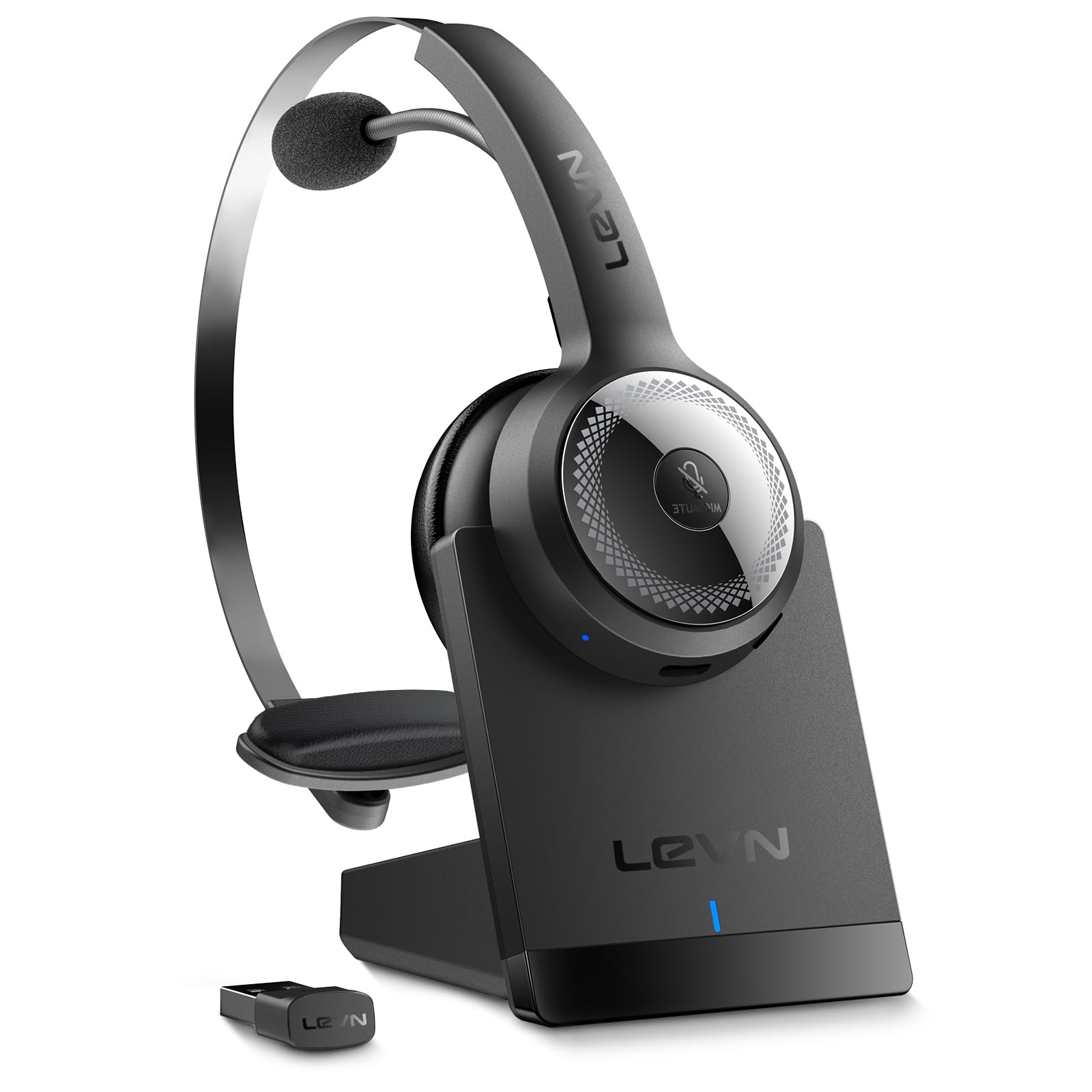
We set up this LEVN headset in no time. Just plug in the USB dongle and you’re basically a tech wizard in front of your coworkers.
Pairing it with both our laptop and phone took less time than reheating coffee.
The battery life? Wild. It lasted through endless conference calls—up to 65 hours before needing a charge. Tossing it on the charging stand at the end of the day helps keep the desk less cluttered, which is honestly a win.
The noise cancellation stands out. With a noisy house and chaos outside, our calls have never sounded so professional. The mute button is easy to hit if you need to yell at the cat or grab a snack without oversharing.
It’s not the lightest headset, but comfort holds up for most of the day. For busy remote workers who want good call quality and simple controls, this one’s a solid pick—just don’t take it for a swim.
If you’re after a comfortable headset for office use that won’t make you sound like a robot on Zoom, this one deserves a look.
Pros
Makes us sound like actual grown-ups in meetings, not like we’re calling from a wind tunnel
Battery lasts so long we nearly lose the charger
Stays comfy even on those “let’s circle back” marathons
Cons
Might feel big if you’ve got a smaller head
Mute works only for phone/meeting, so you can’t hide snack munching during movies
Not exactly pocket-sized
Trying this headset made us realize how much background noise we usually put up with. The AI noise cancellation makes it sound like we’re in a library, even when chaos is happening behind us.
We love that the microphone flips up for those moments when you need to yell at the printer (not that it listens).
The battery life is impressive—it lasted a full work week before needing a recharge. Connecting it to both laptop and phone at the same time felt like a tiny superpower, though it took a second to keep the right Bluetooth connection straight.
If there’s a downside, it’s the size—folks with smaller heads might find the ear pads a bit much. For most of us, though, the comfort, long playtime, and solid wireless range mean we can wander the office (or kitchen) without babysitting our computer.
If you’re tired of sounding like you’re trapped in a wind tunnel on calls, this headset actually helps you get through back-to-back meetings and keeps things comfortable (mostly).
Pros
Mic cancels out “work from home” chaos
Padding is surprisingly cozy, even on long Zoom calls
Battery outlasts our caffeine buzz
Cons
Ears can feel squeezed after a few hours
Pairing Bluetooth takes a little patience (or a YouTube tutorial)
Controls are a bit mysterious at first
Let’s be honest—none of us wants coworkers hearing our dog bark or our kids practicing the recorder in the background. This headset gives us real peace and quiet, and the microphone blocks out most of the madness.
We actually sound professional, even if we’re wearing pajama bottoms.
Comfort works well here. The headband adjusts easily, and the soft ear pads mean we can wear these through a morning of spreadsheets.
After a couple hours, though, our ears start sending not-so-subtle signals that it’s break time.
We had a few “Why isn’t this connecting?” moments, but after a little fiddling, it paired up with our laptops and phones. Once set up, switching between calls, playlists, and that “very important” YouTube tutorial is easy.
If you want an affordable headset that’ll last through your workday (and then some), this one’s worth a shot.
If you want to sound professional on calls without looking like you’re about to beam up to the mothership, this one’s a good bet.
Pros
Blocks out barking dogs and chatty roommates with AI noise cancellation
Battery lasts longer than most of our attention spans
Soft ear pads keep our ears happy
Cons
Mute button is a little tricky to find when you’re in a rush
Won’t win any style contests
Not great for sweaty gym sessions
We spent a week with the LEVN Wireless Headset on back-to-back video calls, and for once our coworkers could hear us instead of the blender. The AI noise cancellation actually works—even our pets couldn’t sabotage our meetings.
Switching between devices went smoothly, whether we used the USB dongle or Bluetooth.
The plush ear cushions saved us from sore ears, and the headset stayed put without pinching. The battery just kept going, so we didn’t need to scramble for a charger every night.
We liked being able to flip the mic up or down, depending on which side of our head had better hair that day.
If there’s a downside, it’s that the headset won’t turn any heads in the office style department. Still, comfort and function beat fashion during those three-hour meetings.
If you need a reliable headset for work calls, the LEVN Wireless Headset is a smart choice—just don’t expect it to turn you into a motivational speaker.
If you want headphones that don’t clamp your head like a vise and let you pretend you’re a real professional, the Zone Vibe 100 is worth a look.
Pros
Stays comfy all day—even on those never-ending Zooms
Noise-canceling mic keeps your background noise private (thank goodness)
Flip the mic up to mute when you realize you’ve started humming
Cons
Ear cups might be small if you’ve got big ears
Not the best for music if you’re secretly a DJ at heart
Build feels a little light—so maybe don’t sit on them
For anyone living in meetings (or “collab sessions,” if we’re being fancy), comfort is non-negotiable and these headphones totally deliver.
Our heads didn’t ache, our ears didn’t sweat, and we kind of forgot we were wearing them—except for that one time we jumped up and nearly dragged the laptop with us.
The mic is super handy. Just flip it up for instant mute—perfect for coffee-slurping or glaring at the cat.
It blocks out most background noise, so nobody hears the neighbor mowing or the kids fighting over snacks (again).
Switching between devices with Bluetooth is a breeze; no weird disconnects or tech drama.
Joining calls through Teams or Zoom worked fine, and tweaking the sound in the Logi Tune app was easy—even for those of us who never read the manual.
If your main thing is music, don’t expect mind-blowing sound—these are built for meetings, not for DJ dreams.
If you want easy, comfy, and dependable headphones for the office grind, the Zone Vibe 100 is a great pick—just don’t let the dog chew them.
This headset is a great pick if you want reliable Bluetooth headphones that can handle a week of non-stop conference calls and questionable office coffee.
Pros
Blocks out barking dogs and clattering keyboards better than earplugs at a toddler birthday party
Charges fast and keeps running, so your “battery low” excuse won’t fly with the boss
Fits comfortably, even if your head is more “pumpkin” than “pea-sized”
Cons
Can’t connect to two devices at once, even though the listing kind of hints at it
Not water resistant, so maybe keep your headset and coffee mug far apart
Ear cushions might get a little toasty during marathon meetings
Honestly, the LEVN Wireless Headset surprised us.
The memory foam cushions and light build made us forget we were even wearing headphones after a couple of hours of back-to-back meetings.
Voice clarity is so sharp that even our worst jokes come through clearly on Teams.
Noise cancelling here actually works—callers don’t hear our pets, clacking keyboards, or the lunch getting nuked in the microwave.
We find the mute button fast, which saves us from those awkward beeping lunch moments during client calls.
Switching from computer to phone is quick, though you can’t pair both at once.
That’s a little disappointing, but not a dealbreaker given how well everything else works.
The 65-hour battery life means we charge about as often as we water a cactus.
This headset feels sturdy enough that we don’t worry about tossing it in a bag.
If you want a comfy, long-lasting headset that makes you sound like you’re working in a quiet library (even if you’re not), the LEVN Wireless Office Headset deserves a spot on your desk.
We put these headphones on and instantly noticed how light they felt.
The padding sits gently on your head, and the earpads don’t squish your ears into pancakes.
That lightweight build makes it easy to forget they’re there—kind of like our motivation after lunch.
We wandered away from our desks with coffee in hand and still enjoyed a steady connection, even from the kitchen (or, let’s be honest, maybe the bathroom).
Multipoint Bluetooth is a lifesaver, letting us switch between devices without that awkward “hold on, let me reconnect” moment mid-call.
The noise-canceling mics do a decent job when chaos erupts, but they’re not miracle workers—our barking dog and noisy neighbors sometimes still get a cameo.
On the downside, those tiny buttons require some detective work, especially when we’re still half-asleep.
If you crank up the music, you might wish the volume went higher.
Call quality is solid most of the time, but sometimes Bluetooth gets moody.
Still, for a headset that’s comfy, versatile, and doesn’t look too ridiculous in a video meeting, the Zone 300 is easy to recommend for everyday office use.
If you want headphones that don’t clamp your brain and still let you hear those annoying coworkers coming, this is a solid choice.
Pros
Super lightweight—so comfy you might forget it’s there
Decent background noise reduction on calls
Can connect to both your laptop and your phone at once
Cons
Open design means others might hear your jams
Not the best for quiet, library-like offices
A little plasticky, definitely no luxury vibe
Putting these on feels like swapping out a winter hat for a feather—they’re seriously that light.
After a full day on endless Zoom calls, our ears actually still feel normal.
The open-ear style means you can keep tabs on office gossip or whether the boss is lurking, all while listening to music.
Sound quality checks out for both calls and Spotify breaks.
People on the other end hear us clearly, thanks to the noise-canceling mic.
Multitasking is simple: pairing with two Bluetooth devices at once is almost dangerously convenient for our scatterbrained team.
Let’s be real—these aren’t winning any beauty contests.
The material is more “budget ninja” than “executive chic.”
We also noticed that the open design can leak sound if you crank the volume.
For the price and the comfort, though, we can forgive a little plasticky feel.
If comfort and staying alert in the office are top priorities, this headset does the job without putting you to sleep.
Buying Guide
Picking Bluetooth headphones for the office feels a bit like choosing a roommate—except, thankfully, these won’t sneak your snacks. We want headphones that won’t embarrass us during important calls or leave our ears aching after an hour.
Key Features to Look For:
Noise Cancellation: This lets us actually hear the meeting, not Cheryl’s lunch crunching in the background.
Comfort: If ear pads feel like tiny rocks, who’s going to wear them for eight hours?
Battery Life: Nobody wants to charge their headphones more often than their phone.
Mic Quality: We’d rather not sound like we’re talking from inside a cereal box.
Multi-Device Pairing: Switching from laptop to phone should be easier than finding the mute button.
Feature
Why It Matters
Noise Cancelling
Blocks distractions
Battery Life
Fewer charging breaks
Comfort
All-day wear matters
Mic Quality
Clear voice on calls
Connectivity
Switch devices easily
Check the controls too. Physical buttons can save us from poking at tiny on-screen icons every time we need to pause music or answer a call.
Style actually matters more than we admit. Some folks want something sleek and subtle, while others go for headphones that basically say, “Yes, I take meetings from a beanbag.”
Either way, it’s smart to pick headphones that match your work vibe, not just your head.
And about the price—sure, we all want a deal. But if a pair looks like it belongs in a museum, maybe it’s time to keep looking.
Hi, my name is Garrett Jones, and I am a tech enthusiast. I enjoy researching the new tech that has been released, and have a vast knowledge of the best tech to purchase.
From a young age, I have always had a big interest in technology, and this blog is an extension of that interest. Through this blog, I hope to provide others with all of the information they need regarding tech options to consider, and things such as compatibility. Some of the different items I will be discussing include headphones, smartwatches, and how to fix common issues.