We’ve all done it—stepped on the scale, checked the tracker, and scratched our heads when the numbers just won’t move, even though we’ve been skipping dessert and taking the stairs. Usually, our fitness tracker fails at tracking weight changes because the app won’t sync, glitches pop up, or, honestly, we mess something up. Sometimes, it’s just us—gotta admit it.
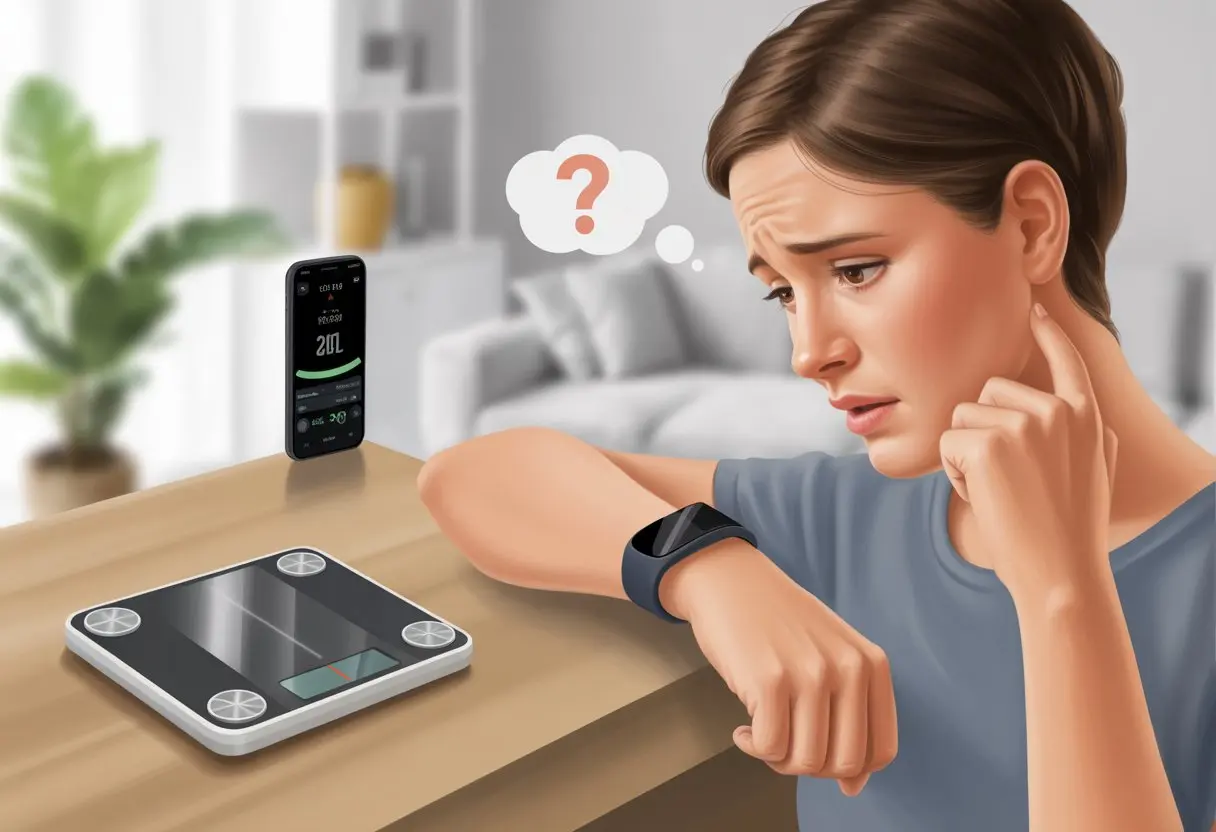
It’s pretty frustrating to put in the effort and not see it reflected anywhere. We expect our tracker to be the honest friend who tells it like it is, but sometimes it just needs a nudge.
Clearing the app cache or double-checking where we entered our weight can help. If our tracker still ignores our progress, we may have to dig a bit deeper or update our apps, which—let’s be real—isn’t as satisfying as actually losing a pound.
Let’s figure out why our fitness trackers sometimes act more stubborn than we do at 6 a.m. If you’re tired of your hard work going unnoticed, stick around.
We’ll look at the usual suspects (and maybe laugh a little) so we can finally get the credit we deserve.
How Fitness Trackers Measure Weight Changes
Fitness trackers aren’t mind readers, but they do their best with what we give them. To track weight changes, these gadgets rely on our input, a few clever accessories, and some tech magic.
Understanding Weight Input Methods
Most trackers can’t measure weight directly. They need us to tell them what we weigh.
That usually means entering our weight in the tracker app or syncing with other apps that store our info.
We have to enter our weight in the right spot, or the tracker just stares back at us blankly. Sometimes, we set this up when the device is new.
As our weight changes, we need to keep it updated. If we forget, the tracker keeps using old info.
This messes up calorie and activity estimates, which leaves us wondering why our hard work isn’t showing up on the dashboard. Fitness trackers can’t guess—so entering our weight accurately is on us.
Manual Entries Versus Smart Scales
We can log weight two main ways: manual entries and smart scale syncing.
Manual entry feels a bit retro—like jotting things down in a diary, but for our bodies. We type in the latest number, and the app updates.
The downside? It’s easy to forget or just skip it, and then our tracker falls behind.
Smart scales make things easier—honestly, it’s the lazy option most of us want. The scale sends our weight straight to the tracker or app using Bluetooth or Wi-Fi.
Some even update extras like body fat percentage. But sometimes, these gadgets glitch and won’t sync, so we really should check that they’re still playing nice.
For more on syncing, check out this Reddit thread about setting your weight correctly.
Role of Body Composition Data
Some smart scales do more than just blurt out our weight. They estimate things like body fat percentage, muscle mass, and total body water.
This is called body composition data. When it syncs with our tracker, we get more details about our progress.
The tracker gives us better feedback about changes in fat and muscle, not just the number on the scale. It’s handy for spotting trends, even if the overall weight stays the same.
Just remember, these estimates aren’t perfect. Use them as a guide, but don’t panic if the numbers bounce around.
If the display suddenly claims we’re made of 60% pizza, maybe step off and try again.
Common Reasons Your Tracker Isn’t Logging Weight Changes
When our fitness tracker acts clueless about our hard work, something’s getting in the way. Let’s break down the real culprits so we can stop yelling at the scale for “lying.”
Incorrect Data Entry
We all want to blame tech when things go wrong. But, if we’re honest, human error sneaks in more than we’d like.
When we enter our weight, a typo can turn 150 lbs into 1500. That would confuse any tracker.
If we add the weight to the wrong day or device, the numbers might not show up where we expect them. Double-checking units—pounds or kilograms—avoids surprise “gains” that make us question everything.
Some trackers store weight history per device. Entering weight on our phone won’t always update our watch unless we sync.
If multiple apps (like the tracker app and a health app) battle over our numbers, things get messy. Make sure all apps agree on the latest data, not fight over it like siblings fighting for the last slice of pizza.
Syncing Glitches Between Devices
We’ve all tried swiping down, hoping the data will magically refresh. If our tracker and phone aren’t getting along over Bluetooth, weight changes might not show up.
Frequent syncing problems mean it’s time for a reality check—and a little patience.
Whether it’s our Apple Watch, another tracker, or just a stubborn health app, syncing issues are common. Clearing the app’s cache sometimes helps—like taking out the trash to clear the kitchen smell.
For Android, go to settings, find the Fitbit or health app, and hit “clear cache” to force an update. The Fitbit Community has plenty of stories about this.
Check your internet connection, too. If Wi-Fi drops out mid-sync, don’t be surprised if your tracker stays clueless about your latest weight update.
Quick syncing checklist:
| Step | What to Do |
|---|---|
| Refresh App | Pull down on the app screen |
| Reconnect Bluetooth | Turn off/on Bluetooth |
| Clear App Cache | Use device settings |
Outdated Software Or Firmware
Sometimes, our tracker just refuses to keep up. If we’re running last year’s software, bugs can mess up activity tracking or weight logging.
Ignoring those “update available” notifications can backfire. Running an old version might stop the app from talking to our devices or other apps.
Manufacturers push out updates to improve sync speed, app stability, and fix tracking issues. For Apple Watch or any tracker, checking for updates in settings or the app keeps things running smoother—like a treadmill that finally stops squeaking.
And yes, we really do have to restart our devices sometimes. Just like us after a nap, they work better after a little break.
Impact of Caloric Intake and Expenditure on Weight Data
Our bodies act a bit like math teachers—they never let us ignore the whole “calories in, calories out” thing. If our tracker isn’t showing weight changes, maybe our real habits aren’t lining up with what we think we’re doing.
The Calorie Conundrum: Inputs vs. Outputs
Let’s talk about calories as if they’re sneaky characters in a soap opera. “Calories in” covers what we eat and drink, while “calories out” is what we burn moving around and just by living.
Here’s the kicker: estimating both numbers is harder than it sounds. We might eyeball portions and forget the extra cookie.
App estimates for calories burned can be off by hundreds, thanks to how wearables and apps guess our metabolism and activity. Even with apps, it’s easy to misjudge servings or forget a snack, which only adds to the confusion.
When we expect a drop on the scale but see nothing, it’s often because our calorie tracking isn’t as airtight as we thought. And let’s face it, the numbers our wearables spit out for energy burned aren’t always spot on.
Tracking Calories Burned
We all want our tracker to be a calorie-counting genius, but some days it’s more like a magician pulling numbers out of thin air. Trackers use sensors and heart rate data to estimate calories burned, but the accuracy can swing wildly.
Studies show fitness trackers often miscalculate energy use. Sometimes they overdo it, sometimes they miss the mark.
Wrist movement, skin tone, and even how tight we wear the band can throw off the numbers. It’s a bit of a comedy, but not always the kind that helps us reach our goals.
To get better data, we should look at trends over time, not just one day. Combining self-weighing with calorie tracking helps, since doing both usually gets better results.
If we want to see real changes, being more precise on both sides of the calorie equation can make all the difference.
Challenges with Activity and Diet Tracking
Trying to track our weight can feel like chasing a cat that doesn’t want to be caught. Even when we do everything right, little mistakes in recording steps or snacks throw off the results.
Limitations of Activity Tracking
Let’s be real about activity tracking. Our fitness trackers are eager, but sometimes they give us credit for wild hand gestures or dramatic yawns.
Counting steps isn’t as simple as it seems. We might think we burned a ton of calories after walking the dog, but trackers often overestimate our effort.
Calories burned from extra steps or workouts usually get reported too high, which can trick us if we use that number to plan meals. Sometimes our baseline activity is set higher than our real daily movement.
This can make us think we’re doing better than we are. So when the scale refuses to budge, it’s not hard to see why we get frustrated.
Incomplete Diet Logging
Let’s talk about the diet side of things. Honestly, logging every bite and sip takes more willpower than just skipping dessert sometimes. When we “forget” to jot down a handful of chips or fudge the amount of dressing on our salad, our calorie count for the day can end up way off.
Tracking only some meals just doesn’t cut it. We really need to log consistently and be honest with ourselves.
Weight loss is about 80% diet and 20% exercise, at least if you listen to community tips from people tracking both diet and exercise. Skipping or rounding down even a few snacks each week sneaks up on us.
Portion sizes are another troublemaker. Our eyes see a scoop, but the app wants grams. If we guess wrong, the tracker can’t help, and those sneaky calories stick around, no matter how many steps we rack up.
Integration Issues with Health Apps
Sometimes, our fitness trackers and health apps just don’t get along. When our devices can’t agree on our weight, it usually comes down to syncing headaches or third-party app drama.
Problems Syncing with Apple Watch
Let’s be real: our Apple Watch and health app sometimes act like siblings fighting over the remote. If our weight changes don’t show up, the first thing to check is whether Fitness Tracking is even turned on in our device’s privacy settings.
Without that, even the fanciest gadgets won’t share data the way we want. It’s worth double-checking that data sharing permissions are set up right between the Apple Watch and our favorite fitness app.
Miss a step, and suddenly our weight updates just vanish. Refreshing the health app’s feed can help, at least according to some user forums.
If nothing works, we might have to reinstall the app or sign out and back in. Sometimes, the digital equivalent of turning it off and back on again saves the day.
Third-Party App Complications
Our trackers love to sync, but when third-party apps join in, things get messy fast. MyFitnessPal, Lose It!, and other apps that connect with Apple Health or similar services often struggle if we don’t grant permissions or map data correctly.
A common headache? Our data points—like weight—just won’t sync because the third-party app and Apple Health aren’t communicating right.
We may have to reauthorize connections, double-check which data types are being shared, or follow some tech support steps like reinstalling the app. Articles about Apple Health sync issues are full of these tips.
The process isn’t exactly fun, but fixing permissions usually gets our weight data back on track.
Setting and Tracking Weight-Loss Goals Effectively
Not every step needs to be a leap, and not every salad means instant abs. When we set our weight goals, we need to match them with our actual activity level.
Sometimes, gaining weight is the plan, and that needs a smart approach too.
Aligning Goals with Activity Levels
Most of us have let our fitness tracker gather dust because the goal felt impossible. The important thing? Let’s not aim for Olympic records on day one.
We should match our weight-loss goals with our actual, day-to-day activity. If our routine is mostly couch-to-fridge, setting a marathon runner’s goal won’t do us any favors.
Tips for matching goals with activity levels:
- Be honest about how much we really move.
- Use the tracker’s step and exercise data.
- Start small, like 1–2 pounds per week.
Fitness apps can break down steps, calories burned, and exercise sessions. If we want a more structured approach, we can check out S.M.A.R.T. goals for weight loss—specific, measurable, achievable, relevant, and time-bound.
Adjusting Goals for Weight Gain vs. Weight Loss
Most of us focus on losing weight, but sometimes we need to gain it—maybe for sports, health, or just to fill out those jeans that looked great in the store.
The tracking approach changes depending on our goal.
When adjusting for weight gain:
- Set a caloric surplus target (yep, that means eating more).
- Track progress regularly so we don’t go overboard.
- Celebrate small gains—even if it’s just a little muscle, not a lot of belly.
When focusing on weight loss:
- Pick a realistic number. Losing 1–2 pounds per week is usually safe and keeps us sane.
- Track not just our weight, but our habits and calories too.
Apps and trackers let us set total and weekly goals, and show how much more we need to lose or gain. If features seem weird or goals disappear, it’s not just us—sometimes apps change their weight section and progress display, so it’s worth checking settings or looking up updates.
Troubleshooting: What to Do When Your Tracker Misses the Mark
Sometimes, our fitness tracker just forgets to update our weight, even after we’ve begged it to behave. Getting things back to normal means trying a few basic steps before blaming technology for everything.
Resetting or Re-Linking Devices
First off, let’s give the tracker a little encouragement—think digital TLC. If our weight isn’t updating, restarting both the fitness tracker and our phone can actually work wonders.
Next, we should check if the tracker is syncing with the app the right way. It sounds silly, but sometimes a tracker just stops talking to the app.
We can try disconnecting and re-linking the tracker, like giving it a fresh handshake.
Don’t forget about clearing the app cache. If the app feels sluggish, a quick cache clear in our phone’s settings can help.
For stubborn problems, a full app reinstall or unpairing and repairing the device (the classic turn-it-off-and-on-again) might be needed. For more details, check out these fixes for when weight isn’t updating on a Fitbit dashboard.
Contacting Support (And Not Losing Your Cool)
So, we’ve tried everything above and this stubborn tracker still acts like we haven’t lost—or gained—a single pound. That’s when it’s time to call in the big guns: customer support.
Before reaching out, I like to scribble down my device info, the steps I’ve already tried, and my account details. It’s just easier than repeating myself all afternoon… nobody wants that.
Let’s not forget, support folks are people too. Keeping a sense of humor (and resisting the urge to yell at the phone) really helps, whether you’re chatting with a person or a bot.
Most companies want us tracking our fitness as much as we do. They’ll guide us through some advanced tips or, if things get dire, help with a repair or replacement. Maybe next time we call, the tracker will finally get its act together—one can hope, right?

From a young age, I have always had a big interest in technology, and this blog is an extension of that interest. Through this blog, I hope to provide others with all of the information they need regarding tech options to consider, and things such as compatibility. Some of the different items I will be discussing include headphones, smartwatches, and how to fix common issues.
Related Posts: