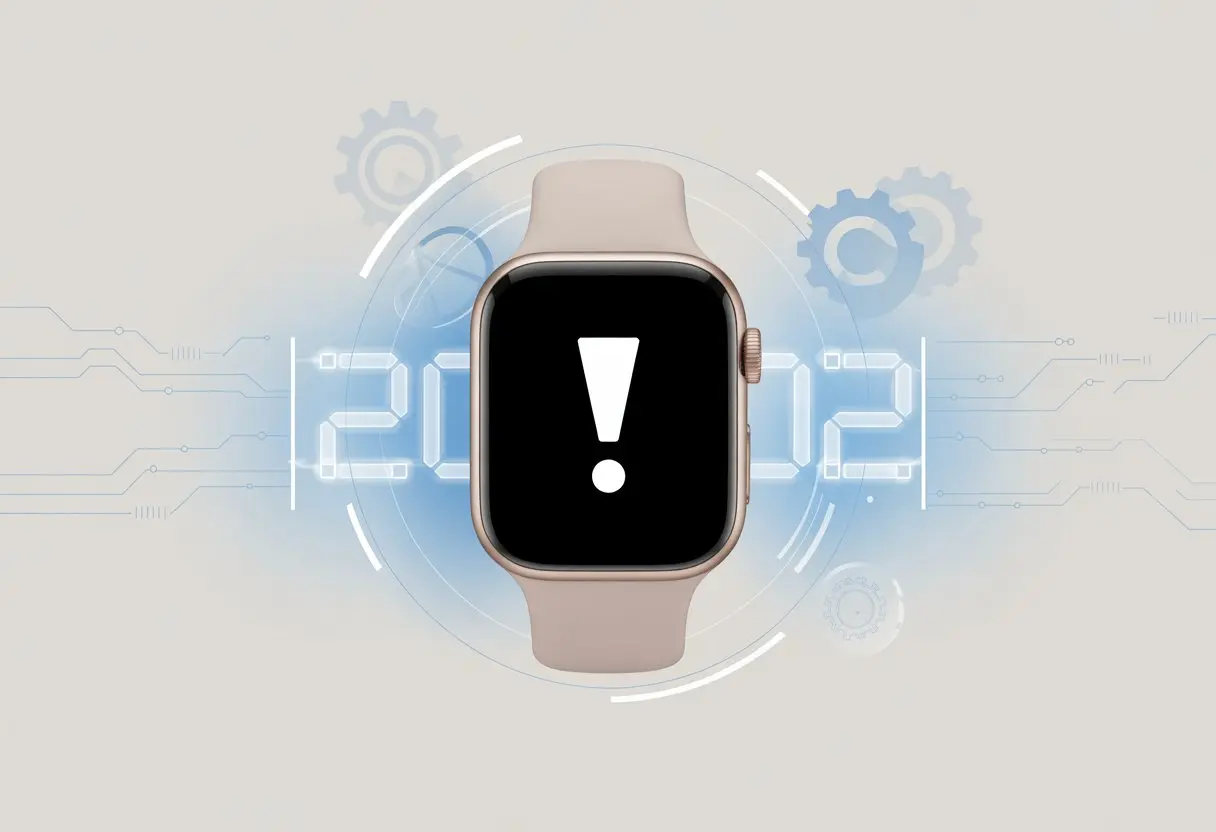
Let’s be real: when smartwatch error code 2002 pops up, it feels like we’re tech wizards who lost the spellbook. We’ve all stared at that tiny screen, wondering why something meant to make life easier is suddenly testing our sanity.
The fastest fix for error code 2002? Restart both your smartwatch and connected phone, double-check your mobile plan settings, and try syncing again.
When my watch acts up like this, I sometimes want to threaten it with a return trip to the store. But hey, don’t stress—we can usually get things back on track faster than you can brew a cup of coffee.
Let’s look at what causes error code 2002, how to dodge it, and the best tricks for getting your smartwatch back in sync with your busy day.
Understanding Error Code 2002 On Your Smartwatch
Dealing with error codes on our favorite smartwatches can really eat into our step counts—and, honestly, our patience. Error code 2002 is one of those confusing gremlins that shows up at the worst times.
To keep our wrists happy, let’s break down what this code means, which devices attract it most, and why it insists on showing up uninvited.
What Error Code 2002 Means
Error code 2002 isn’t exactly a friendly message. It tells us something went wrong on our smartwatch, usually while we’re trying to connect or sync data.
Most of the time, this code points to connection failures between the watch and its companion device, or it signals problems with security app communication. In plain English, our watch is basically yelling, “Help! I can’t reach my buddy!”
Some of us run into error 2002 when we try to activate mobile plans on LTE models or use security apps. It can also show up after a failed firmware update or when we tweak network settings.
Instead of giving us a fix, it gives us a number and goes silent.
So what’s behind this? Flaky Wi-Fi, mobile plan hiccups, or glitches in the watch’s software often cause it. Error 2002 doesn’t really care who’s to blame—it just refuses to budge until we sort it out.
Smartwatches Most Commonly Affected
We see error 2002 most often on Samsung Galaxy Watch models, especially the LTE versions.
Other smartwatches—like some Apple Watches—aren’t immune, but Samsung’s watches seem to throw the 2002 party a bit more often.
Why do Galaxy Watches get hit so hard? It’s partly because their mobile network features love to misbehave. When we try to set them up, the watch and our phone sometimes argue like siblings.
The more we try to fix things, the more stubborn that code gets.
Here’s a quick list of usual suspects:
Samsung Galaxy Watch 6 Classic LTE
Other Galaxy Watch LTE models
Some Apple Watches during cellular setup
If your smartwatch made this list, don’t worry. You’re definitely not alone in the error 2002 club.
When And Why Does Error 2002 Appear?
This error usually pops up when we’re setting up a mobile plan, activating LTE service, or linking our watch with a phone.
It’s like that one uninvited guest who always shows up—except there’s no cake.
The error might show up right after we enter our carrier details, or after an app update when the watch just decides to throw a fit. Sometimes a glitchy network or a sleepy connection between watch and phone causes it.
Common causes include:
Failed activation of a mobile plan
Issues syncing with a phone or carrier network
Recent changes in Wi-Fi, Bluetooth, or SIM settings
When error 2002 shows up, our smartwatch is basically saying, “Nope, not today.”
Quick Steps To Solve Smartwatch Error Code 2002
Error code 2002 can be a real pain, but don’t panic or toss your smartwatch across the room yet. There are practical fixes for SIM card issues, LTE activation, or just getting that stubborn watch to cooperate.
Restarting Your Smartwatch The Right Way
Sometimes our smartwatches just need a reset—kind of like us after a tough week.
The classic move is to restart. Hold down the side button until you see the power menu, then tap “Power Off.” Wait a few seconds (try not to get impatient), then turn it back on.
If you’re quick on the draw, make sure you let it fully power down—don’t just hit “Restart” right away. A soft reboot can refresh connections, clear out minor glitches, and maybe get your SIM card and network working again.
If Error 2002 still lingers, don’t worry—we’ve got more tricks.
Checking Network And SIM Card
Let’s get hands-on with the SIM card and network settings. Double-check if the SIM card (or eSIM profile) is active and properly installed.
Sometimes it’s just a little out of place. If your watch uses a physical SIM, pop the tray out, clean the gold contacts, and put it back in.
If you use an eSIM, go to your watch’s settings, tap “Connections,” and look for network or mobile plan errors. Re-download or refresh your LTE profile if there’s a problem.
Now let’s see if we can activate LTE like pros. First, make sure your phone and watch are connected with Bluetooth if needed.
Open the companion app and search for “Mobile Plans” or “LTE.” Tap “Retry” to activate, or if that fails, try “Skip” and go back after pairing.
If the profile won’t load or the SIM refuses to activate, reach out to your carrier. Sometimes they need to reset your account or profile on their end.
A working LTE connection is what lets our smartwatches act all grown up, so don’t skip the official steps. And hey, grab a snack while waiting for carrier support—just keep crumbs out of the SIM tray.
Service Provider Shenanigans: Is It Their Fault?
Sometimes, Error Code 2002 isn’t your watch’s fault—or even yours. The service provider might be the real culprit.
How Service Providers Impact Error Code 2002
Service providers can definitely drop the ball, causing activation headaches. Error Code 2002 often appears when our smartwatch can’t talk to the provider’s systems.
Maybe the network isn’t ready, the eSIM details are missing, or the provider’s servers are just having a bad day.
Swapping watches probably won’t help. Even Samsung’s reps have told customers the issue can be on the service provider’s side. Sometimes only the provider can reset the network or refresh your account.
Here’s a quick checklist:
eSIM not provisioned: Provider needs to activate it.
Account info mismatch: Double-check your details.
Temporary outages: Sometimes you just have to wait.
Contacting Your Service Provider Without Losing Your Cool
Nobody loves these calls. “Have you tried turning it off and on?” Yes, Susan, we have—probably three times.
To make things easier, get your account info, IMEI number, and error codes ready before you call. This helps you skip some of the hold music.
Use specific terms like “error code 2002” and “mobile plan activation.” If the first agent can’t help, politely ask for someone on the technical team.
Reference anything you heard from the device manufacturer—sometimes words like “HTTP refresh” get things moving.
If nothing works, try not to take it out on the rep. They’re probably stuck in a queue too.
Advanced Fixes For The Brave And The Bold
Getting error code 2002 on our smartwatches feels about as fun as stepping on a Lego. Some fixes go beyond the basics, and these steps can feel more like a quest than a quick repair.
But hey, if we want our watch to behave, sometimes we have to get a little techy.
Resetting Network Settings
Our smartwatches and their “can’t connect” dramas could win an award for best slow-burn soap opera. Error code 2002 often comes from network gremlins—Wi-Fi and Bluetooth connections that just won’t cooperate.
When our watch won’t talk to our phone or the internet, resetting network settings can jolt it back to life.
First, head to the “Reset” or “Network Reset” option in your watch settings. This wipes all saved Wi-Fi networks, Bluetooth pairings, and sometimes even cellular settings.
Make sure you know your Wi-Fi passwords and are ready to re-pair devices.
If you want more troubleshooting ideas for stubborn watch problems, check out this in-depth guide.
Firmware And Software Update Adventures
Nothing says “fun weekend” quite like updating firmware, right? Our smartwatches love to throw error code 2002 when they’re running old or glitchy software.
Updating isn’t thrilling, but it often makes those errors disappear faster than a sock in the dryer.
Next, check for software updates from the watch or its companion app. If there’s one waiting, it’s time to channel your inner tech hero and hit “update.”
Why updates help:
They fix bugs and squash old errors
Usually boost Bluetooth, Wi-Fi, and battery life
Sometimes sneak in new features
Clear up compatibility issues with your phone’s latest software
Sometimes, you’ll need to do a manual update using the manufacturer’s support site. Just follow the steps and don’t disconnect the watch too early.
If your watch still refuses to cooperate, try a full reset and reinstall the software. If you’re still stuck, this fixing guide has more ideas for stubborn glitches.
SIM Card Switcheroo: When Swapping Makes Sense
Let’s be honest: smartwatches can be as moody as a cat in a bathtub if the SIM card isn’t happy. Figuring out if the SIM is actually the problem—or if we’ve just missed something—can save a lot of frustration.
Diagnosing A SIM Card Problem
The SIM card often plays the villain in smartwatch dramas. Start by checking if it’s sitting in the slot correctly—not upside down or half shoved in like a last puzzle piece.
If LTE won’t activate, see if the watch shows “No SIM” or just won’t connect to the network. Cleaning the gold contacts with a soft cloth can sometimes work wonders.
If you’re really unlucky, the SIM might be too old or just not compatible. Swapping in a newer card (hopefully one that isn’t covered in lint) might solve it.
Sometimes, the watch just doesn’t like your SIM provider. Double-checking compatibility with your carrier isn’t just smart—it’ll save your sanity.
If you’re not sure, checking out threads on the Samsung Community can help confirm what works and what doesn’t.
SIM Activation Steps For The Absent-Minded
Setting up the SIM isn’t rocket science, but hey, everyone forgets things sometimes. Here’s a quick cheat sheet to make LTE activation a little less painful:
Power off your smartwatch.
Insert the SIM card (the right way, please).
Power the watch back on.
Open up network or connectivity settings.
Follow the prompts to activate LTE and let the watch chat with your carrier.
Make sure your phone plan covers smartwatches. Some companies want you to add an extra line for wearables.
If you need more details, Samsung’s SIM setup page can walk you through stubborn cases and help avoid common mistakes.
Persistence pays off. If things still don’t work, there’s no shame in asking customer support for the magic fix.
Making Calls After Fixing Error Code 2002
Once you’ve tackled error code 2002, it’s finally time to put your Galaxy Watch calling powers to the test. Double-check that you can call Grandma—or at least order a pizza—without any trouble.
Testing Call Functionality
Let’s pretend we’re secret agents for a second. Try every possible way to make calls from your Galaxy Watch.
Place an outgoing call from the watch to your own phone or a friend who doesn’t mind being your guinea pig.
Ask someone to call the watch number and see if it rings, vibrates, or at least doesn’t sulk in silence.
Try a Bluetooth headset if you’re feeling fancy, just in case the built-in speaker isn’t in the mood.
Listen to the sound quality after the call. If you sound like Darth Vader, move somewhere with better signal.
If everything works, do a little victory dance. If not, don’t throw in the towel.
Voice & Data Troubleshooting If You’re Still Out Of Luck
Sometimes, the watch just refuses to make calls, no matter how nicely you ask. Here’s what to check next:
Make sure the mobile data plan on the watch is active and set up right. Samsung has a troubleshooting guide for mobile data and activation headaches.
Reboot both the watch and your phone. It sounds cliché, but sometimes a restart is all you need.
Double-check Bluetooth is on and connected if you’re using your phone as a sidekick.
If calls still fail, call your carrier and confirm your plan actually allows calls—it might be set to “hermit mode.”
For the really persistent errors, the Samsung Community is full of people battling the same gremlins.
Don’t let a smartwatch boss you around. Stick with it, and you’ll be calling in style soon enough.
When All Else Fails: Contacting Official Support
Let’s be real, sometimes nothing works. If error code 2002 is still haunting your Galaxy Watch after you’ve tried everything, it’s time to call in the pros.
When To Wave The White Flag
There’s a fine line between being persistent and just plain stubborn. If you’ve already restarted, updated, and reset everything but still get nowhere, maybe it’s time to stop flying solo.
Stuck in a boot loop? Can’t activate cellular service after every trick in the book? That’s the moment to reach out for help.
Sometimes, constant error codes or failed activation come from deeper issues—account, firmware, or network problems only your service provider can fix.
If your smartwatch gets stuck on an error screen or simply won’t pair, you’re not just having a bad day—it’s probably a deeper technical problem. There’s no shame in calling for backup when your troubleshooting skills hit their limit.
Getting Help From Galaxy Watch Support
Let’s skip the endless forum rabbit holes and just head straight to the official Garmin Customer Support page. Trust me, letting the real experts handle things is so much faster—and honestly, it saves us all a headache.
Before you reach out, grab your watch, your phone, carrier info, and maybe a couple of screenshots of those pesky errors. Support folks appreciate it when we come prepared. Sure, they might walk us through steps we’ve already tried, but hey, just rolling with it usually gets things sorted out quicker.
If you’re stuck on cellular activation, odds are your service provider needs to step in. Sometimes they just have to reset something or untangle a weird account issue.
These teams deal with this stuff every day. Why not let them take a crack at error code 2002 and finally be done with it?
Hi, my name is Garrett Jones, and I am a tech enthusiast. I enjoy researching the new tech that has been released, and have a vast knowledge of the best tech to purchase.
From a young age, I have always had a big interest in technology, and this blog is an extension of that interest. Through this blog, I hope to provide others with all of the information they need regarding tech options to consider, and things such as compatibility. Some of the different items I will be discussing include headphones, smartwatches, and how to fix common issues.