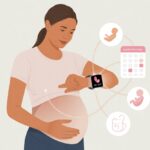
Let’s be real, growing a tiny human is already a full-time gig—who needs more guesswork? Why not let our fitness trackers do some of the heavy lifting (not literally, don’t worry, we’re still skipping leg day)? We can use a fitness tracker to monitor our pregnancy symptoms, track baby kicks, and keep tabs on our health data—all in one spot.
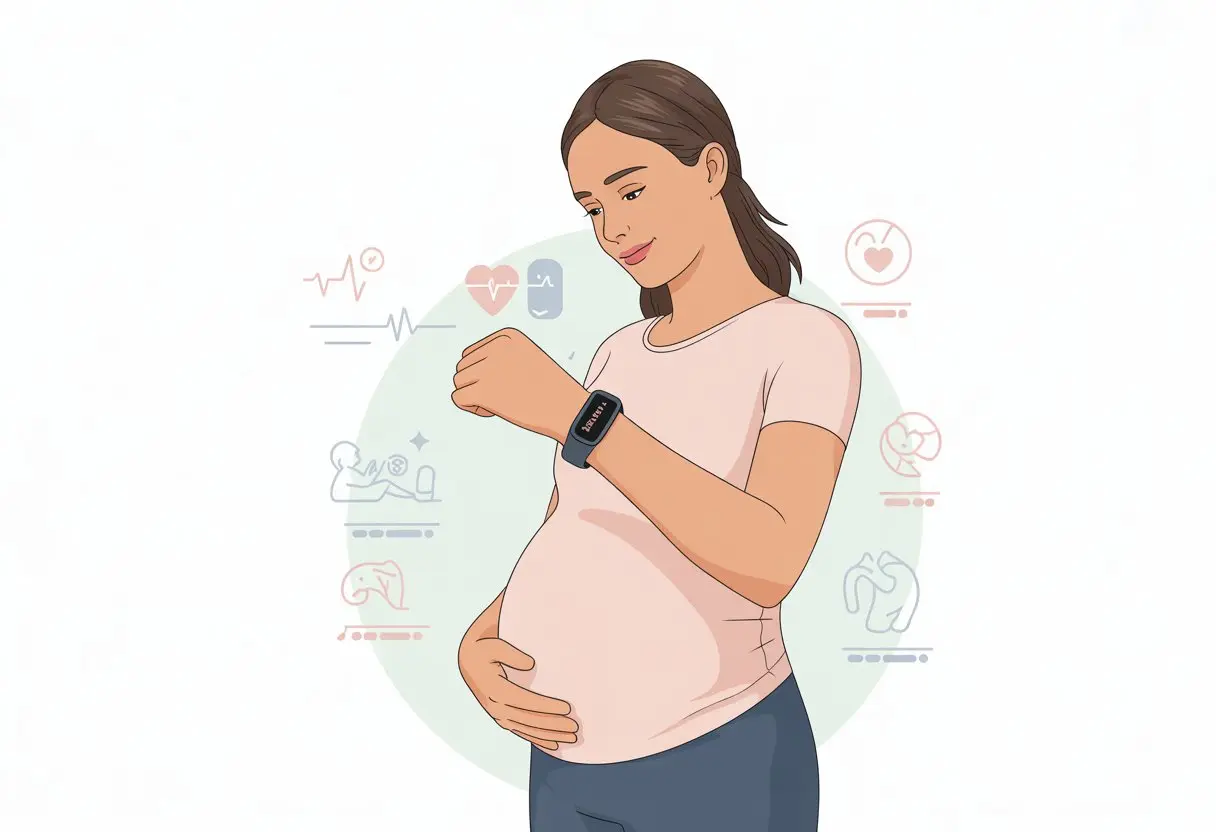
Most of us already stare at our smartwatches, obsessing over our step count like it’s the stock market. The latest updates from brands like Garmin and Apple Watch let us add pregnancy details right in the app, log symptoms, and even get tips for the wild ride ahead.
Tools like the Garmin pregnancy tracking app and Apple’s cycle tracking feature make the process less overwhelming.
While we’re trying to remember if we had a snack (or three), at least our wrists are handling the rest.
Benefits Of Using A Fitness Tracker During Pregnancy
Fitness trackers give us a real-time peek at what’s happening inside as our babies grow. These gadgets let us take charge of our health and make healthy choices with a little less guesswork—and honestly, it’s more fun.
Enhancing Women’s Health
Nothing triggers our inner hypochondriac like pregnancy. With a fitness tracker, we can watch important stats like heart rate, sleep patterns, and stress levels—all things that tend to go a little wild during pregnancy.
Tracking these numbers helps us spot weird changes immediately, instead of waiting for the next doctor’s visit.
Wearable tech supports monitoring of a pregnant woman’s heart rate and resting heart rate, so we can (hopefully) sleep better at night.
Some trackers even nudge us to drink water, breathe, or stretch—like a slightly judgy best friend who genuinely cares.
Staying Motivated For A Healthy Pregnancy
We all know we’re supposed to “move more,” but motivation can disappear quickly, especially when our feet feel twice their usual size.
Fitness trackers give us the nudge we need.
They make healthy habits feel less boring by tossing out digital trophies, badges, and confetti for hitting step goals or logging walks.
Even when getting off the couch is a struggle, those notifications help us stay on track.
A little friendly competition helps, too. We can challenge ourselves or other pregnant friends to see who racks up more steps.
Turning exercise into a game makes pregnancy tracking a bit more entertaining.
Small wins stack up and help us feel good about our progress.
Tracking Physical Activity Effectively
“Do I really need to move more?” Yeah, probably. But the right kind of activity matters more.
Fitness trackers record every stroll, stretch, and waddle—no judgment here.
We get data on steps, distance, and calories burned, so we don’t overdo it or sell ourselves short.
When our energy jumps around from day to day, we have real info to share with our healthcare team.
Activity trackers measure steps, distance, and calories burned during pregnancy pretty effectively.
With this info, tracking our physical activity gets a lot easier.
Some trackers even suggest workouts tailored for women’s health, so exercise feels safer and more doable.
Getting Started: Setting Up Your Fitness Tracker
Let’s get our fitness tracker ready for pregnancy tracking—no drama required. We want our device to handle new symptoms, keep up with our stats, and not freak out over midnight cravings.
Selecting A Compatible Device
Not every fitness tracker comes ready for pregnancy mode, so let’s be choosy.
Apple Watch users can sync pregnancy info by logging it in the Health app on their iPhone or iPad.
It’ll show key stats like gestational age and symptoms right on our wrist.
Garmin users get pregnancy tracking by updating the Garmin Connect app on supported models.
- Look for these features:
- Cycle or pregnancy tracking options
- Symptom or factor logging
- Notification support
- Compatibility with our phone’s health app
Double-check the product’s website for a list of pregnancy-friendly features.
We don’t want our step counter to stare blankly when we ask for our trimester.
Configuring Health Stats Settings
Once we have our tracker, it’s time to teach it about our current situation.
Open the main health app that pairs with your device.
For Apple, that’s the Health app.
For Garmin, it’s Garmin Connect.
Here’s where we tune up our health stats so heart rate, sleep, and activity actually make sense for pregnancy.
Let’s break it down:
- Enter height and weight changes
- Update activity goals (realistic ones, trust me)
- Allow notifications for new symptoms and trends
- Review privacy settings to control who sees our data
Adjusting these means fewer confusing results.
We’re growing a human, not just racking up laps around the grocery store.
Customizing For Pregnancy Tracking
Now for the finishing touches.
We need to actually tell our tracker that we’re expecting.
On the iPhone Health app, go to Cycle Tracking, tap Add Factor, and pick “Pregnancy.”
Garmin Connect users can just head to User Settings and enable pregnancy tracking.
This unlocks features like logging symptoms, bleeding, and baby movements.
Many trackers give us summaries, trends, and even little snippets of education.
Weekly updates are common, so we don’t have to Google “is this normal?” ten times a day.
Some trackers let us log cravings or emotional ups and downs—because wanting ice cream again is a valid stat.
Save your changes and maybe reward yourself with a nap.
Our fitness tracker won’t judge.
For Apple Watch steps, check out how to track your pregnancy with Apple Watch.
Garmin fans can get details for pregnancy tracking in Garmin Connect and on your wrist.
Must-Have Features For Pregnancy Tracking
Let’s face it, pregnancy is a wild ride. A fitness tracker helps us stay organized, worry less, and maybe even remember the last time we slept through the night.
When choosing features, focus on what matters for our health and the baby’s well-being.
Monitoring Weight Gain
Watching our weight creep up isn’t always fun—unless it’s for a good cause like growing a baby.
Fitness trackers that log weight gain let us track trends, spot concerns early, and compare our numbers with guidelines.
Some devices let us enter weight manually, while others sync with smart scales for automatic updates.
By monitoring our weight regularly, we can feel a bit more in control and share accurate info with our doctor.
We also get those pretty charts that show how that second helping of ice cream fits into the big picture.
Benefits of Weight Tracking:
- Keeps us within healthy weight gain ranges
- Makes sharing trends with our provider easy
- Offers gentle reminders if we’re drifting off track (not that salty fries ever hurt anyone, right?)
Tracking Baby Movement
Few things feel as reassuring as those little karate kicks and flips.
Some fitness trackers give us special tools for logging baby movement, so we don’t forget those milestones—like the first kick or the time our little one practiced acrobatics at 2 AM.
With a tap on our watch or a quick entry in the app, we can record movement patterns throughout the day.
This log helps us notice changes or slowdowns—info that’s worth sharing with our care team.
Plus, it’s kind of fun to compare notes at the next appointment.
Baby Movement Tracking Perks:
- Easy way to track kicks, flips, and hiccups
- Helps us spot changes quickly
- Makes us feel like secret baby spies (in a good way)
Receiving Weekly Updates
We all want to know if our baby is the size of a mango or a butternut squash this week.
Fitness trackers with weekly updates keep us in the loop about our body and what the baby’s up to.
We can get reminders about prenatal appointments, tips, and even fun facts—while folding laundry or hunting for pickles.
Weekly updates usually come with charts and summaries, so we get the info we need without endless scrolling.
If we use a compatible device, these updates might even pop up right on our wrist.
Check out Garmin’s pregnancy tracking features for an example.
Why Weekly Updates Rock:
- Keeps us informed and ready
- Sends helpful reminders, not just about eating kale
- Shares fun facts about our baby’s development every week
Nutrition And Health Data Logging
Let’s be honest—pregnancy brain is real, and remembering everything we eat (or crave for the fifth time today) is tricky.
It’s not just about what’s on our plates; tracking blood glucose levels can also help us and our baby stay healthy.
Recording Nutrition Information
Cravings can hit out of nowhere during pregnancy.
One minute we’re fine, the next we’re searching for ice cream at midnight.
With a fitness tracker, we can log what we eat during the day, whether it’s eggs for breakfast or pickles dipped in peanut butter for lunch.
These logs help us spot trends, track calorie intake, and check if we’re getting enough vitamins, calcium, and iron.
Most fitness tracking apps, like Garmin Connect, let us log meals, snacks, and even that dessert we swore we’d skip.
Many apps come with food databases, including pregnancy-safe options, and we can add custom foods if needed.
Some trackers break down macronutrients—fats, carbs, protein—so we can double-check our diet isn’t 90% chocolate (unless that’s the vibe).
Here’s what we might track in a nutrition log:
| Food Item | Portion Size | Calories | Protein | Calcium | Iron | Notes |
|---|---|---|---|---|---|---|
| Scrambled eggs | 2 eggs | 140 | 12g | 50mg | 2mg | Breakfast |
| Chocolate pudding | 1 cup | 200 | 4g | 100mg | 1mg | Midnight snack vibes |
| Pickles | 5 slices | 5 | 0g | 15mg | 0.2mg | For the baby, obviously |
Logging Blood Glucose Readings
Growing a tiny human means blood sugar sometimes needs extra attention, especially if gestational diabetes is on the radar. Most modern trackers and apps let us enter blood glucose readings by hand.
If we’re lucky, some of these apps connect straight to glucose monitors and sync the data for us. That saves us from squinting at numbers before coffee even hits.
When we log our readings, we start to see patterns—maybe breakfast always spikes our numbers, or skipping lunch leaves us feeling wiped out faster than our phone’s battery. We can share these charts with our doctor, who might even appreciate our color-coding skills.
Here’s what we might jot down:
- Fasting glucose first thing in the morning
- Post-meal readings (usually an hour or two after eating)
- Notes about meals and how we felt
Keeping this info in our fitness app means everything stays together—right between our step count and that brutally honest sleep tracker. For a little more help, Garmin watches actually have features for logging blood glucose during pregnancy.
Utilizing Fitness Tracking Throughout The Trimesters
Let’s be real—pregnancy is full of surprises. Tracking helps us roll with the changes, set goals that actually make sense, and spot patterns in this wild baby-growing adventure.
First Trimester Adjustments
The first trimester? It’s survival mode. We’re either napping or trying not to feel queasy.
Fitness trackers can help us measure activity and remind us to move, even if it’s just standing up for a minute.
Keep an eye on:
- Daily steps. If we manage 3,000 steps, that’s basically a gold medal some days.
- Sleep patterns. If we’re napping more than a house cat, our tracker will show it.
- Heart rate. Resting heart rate goes up during pregnancy, so we might need to set new, realistic goals.
Some trackers, like Garmin, have pregnancy tracking features. We can log symptoms, moods, and changes right from our wrist.
Don’t underestimate the power of logging a 2 a.m. pickle craving.
Second Trimester Goals
Second trimester usually brings a little more energy. We might feel less like a zombie and more like ourselves.
If our doctor gives the green light, it’s a good time to get back to regular activity. Trackers can encourage us to hit step goals or add a few more minutes of gentle movement.
Let’s try:
- Weekly step goals instead of daily ones.
- Using workout reminders for walking or prenatal yoga.
- Tracking water intake—hydration matters, and many trackers help us log it.
We can use our tracker to watch for changes in sleep and activity. Lots of fitness trackers also toss in tips about exercise and nutrition during pregnancy.
Third Trimester Considerations
Third trimester? It’s a masterclass in waddling. Steps slow down, but trackers still help.
We can monitor rest, keep moving safely, and log any symptoms worth mentioning.
Some handy features:
- Sleep tracking: Our sleep gets weird, so it’s nice to see which pillow works best.
- Gentle movement reminders: Even a walk to the fridge counts.
- Tracking weight gain and swelling helps us spot issues early—so let’s keep logging.
Devices like the Apple Watch let us enter pregnancy as a health factor. This fine-tunes our results for a healthier journey—even if “workouts” look more like shuffling to the couch.
Leveraging Artificial Intelligence For Expecting Moms
Let’s be honest, growing a tiny human is enough work—we deserve smart support systems. Artificial intelligence steps in to give us better health tips and insights as we track our pregnancy.
Personalized Insights And Recommendations
Ever wish our trackers could read our minds—or at least our ankles? With AI, we’re getting closer.
These smart algorithms chew through our steps, heart rate, and sleep. Then AI turns all that data into advice that actually makes sense.
Instead of generic “keep active” messages, our devices might nudge us with gentle reminders like, “Let’s take a short walk to boost your mood!” or “You need more rest—skip Hot Yoga!” AI looks at our details, compares them to tons of other data, and serves up tips that fit our day-to-day life.
Some apps even send nutrition ideas, hydration alerts, and real-time pregnancy updates. We get to skip the one-size-fits-all advice and enjoy personalized maternity care right on our phone.
Predicting Health Trends
Wouldn’t it be nice if our tracker warned us about problems before we noticed them? AI can do that now.
AI-powered trackers watch for trends in our health over days or weeks. They spot weird changes—like a dip or spike in heart rate, sleep shifts, or sudden drop in activity.
If something looks off, the system might flag it and suggest we check in with our doctor. Some apps even try to predict health patterns, so we’re not blindsided by tired spells, headaches, or swollen feet.
Now, if only AI could find our missing keys, too.
With these features, artificial intelligence makes pregnancy tracking smarter—and honestly, a bit less stressful.
Analyzing And Interpreting Your Health Data
Tracking our health during pregnancy isn’t just about counting steps. We need to actually understand what the tracker is telling us and notice anything weird.
It’s less about being a detective and more about figuring out why our heart rate jumped when someone mentioned baby names.
Making Sense Of Your Fitness Tracker Metrics
Our trackers collect all kinds of data: heart rate, sleep, steps, and sometimes even oxygen levels.
During pregnancy, a lot of this changes for real reasons—not just because we got up for another snack.
For example, our resting heart rate usually goes up. That’s our body working overtime, like a superhero with midnight cravings.
We want to watch for trends—like a rising heart rate or big changes in daily steps. If we notice a sudden drop in movement (and it’s not just a Netflix marathon), it might be time to check in with our care provider.
Most trackers let us add notes. We should use that! Quick notes like “Felt dizzy in the afternoon” help us remember what might’ve affected our data.
Identifying Patterns For Better Pregnancy Tracking
Finding patterns is where we get to be our own health detective.
We can compare days with good sleep to days we felt tired or noticed swelling. Even a simple table helps us see what’s normal and what’s not:
| Day | Steps | Sleep (hrs) | Notes |
|---|---|---|---|
| Monday | 6500 | 7 | Woke up tired |
| Tuesday | 4000 | 9 | Swollen ankles |
| … | … | … | … |
Are we always more tired after a short night’s sleep? Does our heart rate spike every Friday? (Maybe it’s pizza day.)
Spotting these trends helps us talk with our doctor and figure out what to expect next.
If something feels off, it’s always smart to check in with a healthcare professional. For the data lovers, wearables like the Oura Ring go deep and track a full range of biometrics during pregnancy, making the data pool even deeper—so bring your floaties!
Safety Considerations And Doctor Communication
Tracking pregnancy sometimes feels like juggling flaming batons—except the batons are ultrasounds and weird cravings. It’s not just about using the tracker; it’s about knowing when to loop in the doctor.
Pregnancy stats are cool, but there’s no secret mission to keep them to ourselves. We should bring some of our fitness tracker info to checkups, especially heart rate, sleep, or activity levels.
Some wearable sensors help doctors catch changes early.
We can print a summary from the app or just bring the device. If our resting heart rate jumps while we’re watching baby name videos, or our sleep tanks, it’s worth mentioning.
If our daily step count suddenly drops for no reason, that’s a red flag too.
Let’s be real—our doctor probably doesn’t want every single step, but seeing trends or big shifts can help them personalize care.
Recognizing Red Flags In Your Stats
Sometimes our trackers shout “look at this” for no good reason, but sometimes they spot things we shouldn’t ignore.
If our heart rate soars during a gentle walk, or we keep getting dizzy and tired with low activity, it’s time to call our healthcare provider—not just text the group chat.
Watch out for:
- Resting heart rate way higher or lower than normal
- Sudden drops in activity or big changes in sleep
- Swelling or sudden weight changes flagged by smart scales
These changes aren’t always an emergency, but with wearable sensors used for monitoring pregnancy health, it’s better to be safe than deep into YouTube videos about “DIY labor induction.” If anything feels off, don’t just play detective—call your doctor.
Staying Motivated And Having Fun While Tracking
Let’s be honest—pregnancy tracking can feel like a lot. Staying motivated (and even having a little fun) makes all the difference.
Turning our step count and health stats into a game, and connecting with others, can help us stick with it—and maybe even enjoy the ride.
Gamifying Your Progress
Ever tried to out-walk your neighbor just because your fitness tracker said you were behind? Welcome to “Gamifying Your Progress.”
Many trackers have built-in challenges, badges, and step leaderboards, so we can compete against ourselves—or friends—for bragging rights.
We can set mini-goals, like 7,000 steps a day or hydrating every hour (water, not coffee, unfortunately). Some apps even give out digital trophies for hitting pregnancy tracking milestones.
Nothing says “living our best healthy pregnancy life” like earning a badge for perfect sleep—even if it only happens once.
Lists and visual trackers help, too. We can keep a chart or check off boxes for moving, resting, and eating well. It’s oddly satisfying and makes us feel like pregnancy superheroes.
Joining Pregnancy Support Groups
Misery loves company, but honestly, so does motivation. When you join pregnancy support groups—especially the ones that use fitness trackers—you get a squad who actually gets why your resting heart rate is up or why you’re celebrating 5,000 steps like it’s a gold medal.
Most popular trackers let you join online groups or communities. Take Garmin Connect for example. It offers pregnancy tracking features, plus forums where you can swap tips, compare progress, or just laugh about swollen ankles together.
When you’re part of a group, you get to celebrate wins and survive setbacks with people who get it. You’ll find encouragement on tough days, new ideas for gentle workouts, and, if you’re into it, a little friendly competition.
Mutual support helps you stick with healthy routines. Suddenly, pregnancy tracking doesn’t feel like a lonely marathon anymore.

From a young age, I have always had a big interest in technology, and this blog is an extension of that interest. Through this blog, I hope to provide others with all of the information they need regarding tech options to consider, and things such as compatibility. Some of the different items I will be discussing include headphones, smartwatches, and how to fix common issues.
- How to Improve WHOOP Recovery Scores Without Giving Up Pizza or Netflix - April 7, 2026
- Why is my fitness tracker not unlocking my computer? Tech tantrums and wearable woes explained - April 7, 2026
- Best Fitness Trackers for Stress Relief: Because Your Anxiety Deserves a Step Counter Too - April 6, 2026
Related Posts: