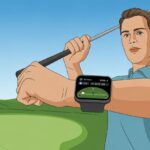
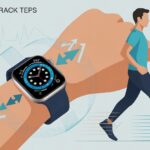
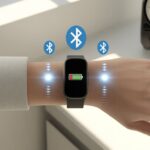
We all want to shave a few strokes off our golf game, but unless we magically wake up as Tiger Woods, we’ll take all the help we can get. That’s where our trusty fitness trackers come into play, tracking more than just the “accidental” steps we rack up searching for lost balls.
To use a fitness tracker for golf, just pick golf mode or track your activity while you play—then watch it monitor stats like heart rate, steps, distance, and sometimes even swing data.
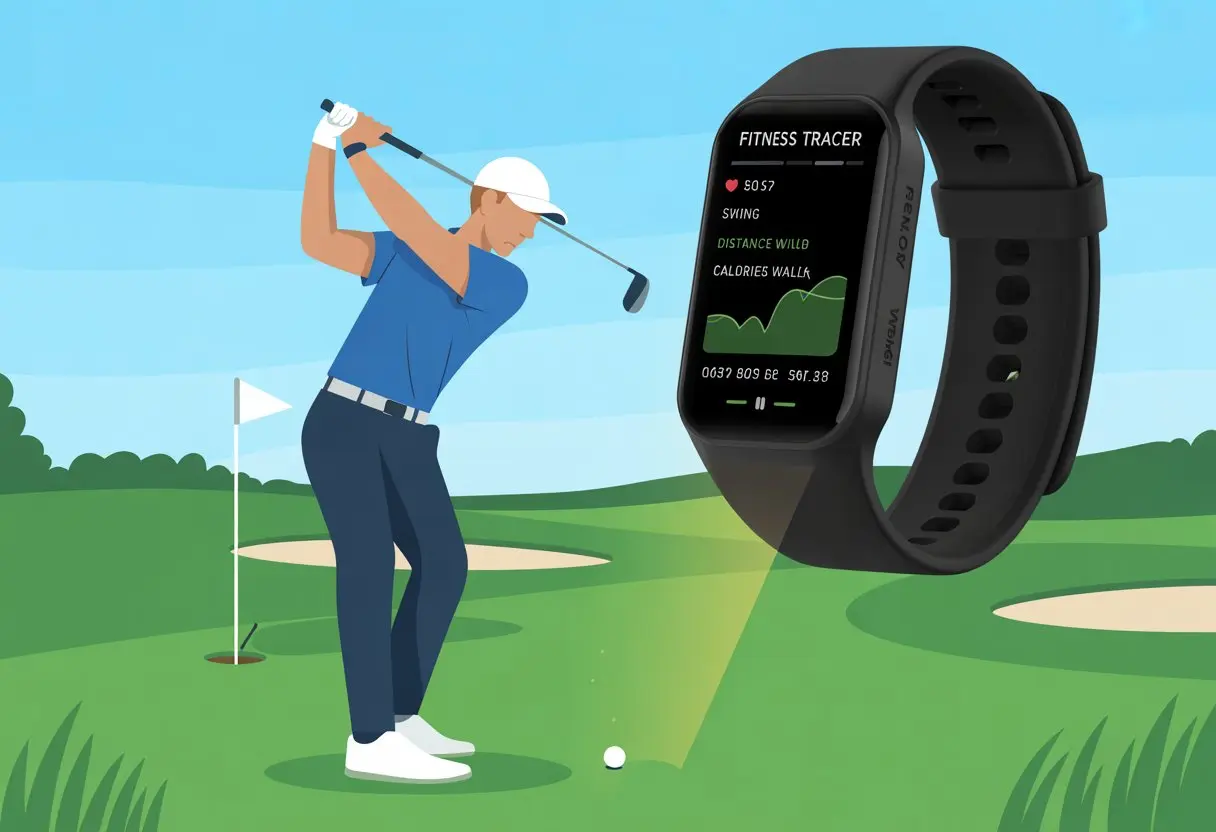
Golf courses might look peaceful, but honestly, they’re sneaky little workout zones. With a fitness tracker, you’ll see how much ground you actually cover, how your heart rate changes hole to hole, and keep an eye on your stamina.
It’s like having a tiny caddie on your wrist—minus the judgmental sighs when you slice into the woods again.
Ever wonder how all those steps and swings add up? Or maybe you just want a new gadget to blame for your score.
Either way, let’s dig into what these trackers can really do for your golf game (and your step count, too).
Getting Started with Your Fitness Tracker
Before you hit the course, you want tools that actually help—not just look cool on your wrist. So, pick the right golf watch, connect it to your phone without a meltdown, and load up some apps that (hopefully) don’t crash more than your drives.
Choosing the Right Golf Watch
A regular fitness tracker gets the job done, but a dedicated golf watch—like the Garmin S62—can really step things up. These watches give you yardages, track your shots, and sometimes even remind you to stop blaming your clubs for every slice.
When you’re picking a golf watch, look for a screen that’s actually readable in sunlight. No one wants to squint more than they already do on the 18th hole.
Battery life matters, too. You want it to last at least a full round—bonus points if it survives the whole weekend.
Pay attention to extras like heart rate monitoring and built-in GPS. Waterproofing is a must, especially if your short game involves a lot of water hazards.
Some watches, like Garmin’s, come packed with golf features and sync easily with your phone so you can keep stats and scores handy.
Pairing with a Smartphone
Once you’ve picked your favorite gadget, it’s time for the tech dance: pairing with your smartphone. For most devices, you’ll turn on Bluetooth, open the watch’s app, and cross your fingers for a prompt that doesn’t make you feel ancient.
Models like the Garmin S62 make this pretty simple—just a few taps and a short wait.
Pairing unlocks notifications, syncing scores, and sharing your golf glory online. You can even get calls and texts while lining up a putt—though maybe silence those when your friends are watching.
If you get stuck, most brands (even Microsoft, weirdly) have guides or support to bail you out when patience is running low.
Downloading Essential Golf Apps
Your new watch might already have some features, but the right apps turn it into a real caddie. Apps like Garmin Golf, Hole19, or GolfPad give you maps, scorecards, and advanced stat tracking right on your wrist.
Some, like GolfPad, even let you map out courses and track shot distances using just your watch or phone (see more GolfPad features).
Downloading is usually easy through your watch’s companion app or app store. Connect your watch, search for golf apps, and install.
Updates bring new features and better maps—so even if your game doesn’t improve, at least your watch does. With the right setup, you’re ready to analyze every swing, brag about your steps, and maybe blame technology for missed putts.
Setting Up for a Round of Golf
Getting your fitness tracker ready for golf isn’t rocket science, but missing a step can cause confusion on the green. You’ll want to pick the right golf course, tweak your settings, and make sure your swings sync smoothly with the app.
Selecting Golf Courses on Your Tracker
First, make sure your tracker recognizes the right golf course. Most Garmin devices, like the Approach S62, let you pick courses from a loaded database.
You can search by name or location, which is a lifesaver if you mix up Pine Hills and Pine Valley.
Some trackers let you start a round on any hole. You don’t have to follow the traditional order—perfect for sneaking onto hole 10 when the front nine’s packed.
Just choose your course, select your starting hole, and confirm. No caddie necessary—just a couple taps on the screen.
Customizing Tracker Settings for Golf
Before you charge onto the course, check your Golf Settings. Under Activities & Apps, pick “Golf,” then open the settings.
Here’s what to do:
- Turn on “Record Activity” so your chip shots count toward daily steps.
- Set notifications to silent if you don’t want a text mid-putt.
- Adjust scoring and measurement units to match your routine (yards or meters).
- Personalize features like AutoShot, swing tracking, or even club selection if your device offers it.
If you’re using something like the Garmin Approach S62, you’ll get options for advanced metrics—though, unfortunately, still not for luck.
Syncing with the garmin golf app
Nobody wants to lose track of their birdies, so syncing your tracker with the Garmin Golf app matters. First, download and log into the app on your phone.
Pair your watch or device through Bluetooth. After each round or practice, syncing uploads all your stats automatically.
The app lets you review scorecards, see performance trends, and maybe peek at your friends’ scores. If you use club tracking or shot mapping, all that data transfers to the app, too.
Turn on auto-sync if you can—it saves time and keeps everything organized.
Using Fitness Tracking Features on the Course
When you use a fitness tracker during your golf games, you’re not just counting steps for fun. You’re actually getting real insight into your activity, how far you stroll, and what your heart’s doing when you miss that two-foot putt.
Fitness tracking on the course turns every round into a mini health check.
Monitoring Steps and Activity Levels
Counting steps isn’t just for people trying to outstep their coworkers. On the golf course, every step really adds up.
Most trackers show your step count on the watch face, so you can check your progress in real time.
You might think swinging a club is all upper body, but those walks between holes add up fast—especially if you’re the type who spends time searching for lost balls.
If you walk 18 holes, you could hit 10,000 steps before you even finish your water bottle.
Trackers also log active minutes, showing if you’re moving or just waiting for the slow group ahead. It’s one way to make sure your fitness tracking reflects your golf experience, not just your time sitting around.
Tracking Distance Walked on the Fairway
Golf course terrain can be wild. One minute you’re climbing a hill, next you’re dodging sand traps like they’re out to get you.
Using GPS, most fitness trackers show the exact distance you’ve walked during a round. It’s not just a fun stat—it’s a good way to see how far your feet really travel, especially if you zigzag from the rough to the fairway and back.
Golf watches and apps like Garmin’s golf features or Apple Watch’s Golfshot show distance covered in miles or kilometers.
This info helps you plan for hydration, snacks, and maybe whether you need to start stretching before your next round. Who knew chasing golf balls could rival a morning run?
Keeping an Eye on Heart Rate
Let’s be real, golf can be relaxing—until you hit a ball into the water…again. Tracking your heart rate while golfing shows how your body reacts to both the stress of the game and the effort of walking the course.
Modern trackers monitor your heart rate all day, so you can spot spikes after a tough shot or when you’re trying to make par.
Sometimes, it’s funny to see your own heart rate zones—why did it jump just as you lined up that three-foot putt? Was it effort, nerves, or just too much coffee?
Some trackers give alerts if you’re out of your normal range, which can help you know when to take a breather (or just blame the excitement of a good drive).
Watching these numbers helps you make sure golf is challenging you—but not too much—while letting you brag about your game and your cardio effort. Fitness tracking adds a new twist to your scores, and not just the ones on the card.
Mastering Shot Tracking Technology
If you want to take your golf skills from “just trying not to whiff” to tracking your game like a pro, shot tracking technology is a must. Let’s check out how these smart gadgets—especially fitness trackers and dedicated devices—help you keep tabs on your shots and performance.
Shot Distance Measurement
There’s something satisfying about knowing exactly how far you hit that driver (or, let’s be honest, that slice into the next fairway). Fitness trackers with golf shot tracking measure the distance from your starting point to where the ball lands.
Devices like golf GPS shot trackers use sensors and GPS data for accuracy.
Let’s face it: Our guesses about distance are usually a bit optimistic. With these gadgets, there’s no fudging the numbers anymore.
You just start the round, let the device know when you swing, then walk and let the tech do the math. Some systems let you log each club, so you get real data on your 7 iron versus your buddy’s 8 iron.
Most fitness trackers have a button or screen tap to record a shot. But advanced trackers—like those in the best golf shot trackers list—do this almost automatically.
The distance results show up on your app or display by the time you’re ready for your next excuse.
Automatic Shot Detection
Automatic shot detection almost sounds like something out of a James Bond movie, right? But plenty of shot tracking gadgets actually do this. We don’t have to tap or press anything—these clever devices just know when we swing.
They use motion sensors, and sometimes even sound, to “feel” or “hear” the club during each stroke. That means we can forget about fiddling with buttons and keep our minds on the next shot—good or bad. With auto shot detection, the tracker logs every shot for us, so we don’t have to remember a thing.
There’s a catch, though: sometimes these gadgets think a practice swing is the real deal. We’ll need to check the app and clean up our stats later. Still, with tools like those in course management tech, we get a full view of our game—no strokes left behind… except maybe the ones we’d rather forget!
Improving Your Game with Data Analysis
If we want the truth about our golf game, data tells it straight—even when we wish it wouldn’t. Fitness trackers give us numbers that can help break old habits, improve our tempo, and swing more consistently.
With a focus on tempo and swing consistency, we can take our golfing experience up a notch.
Tempo Training Techniques
Turns out, rushing our swing won’t win us any trophies—or even get us solid contact half the time. Fitness trackers help us watch the timing between our backswing and downswing.
This ratio, called tempo, is basically the rhythm section of our game. By using a tracker to measure tempo, we can spot if we’re too quick or dragging things out like a soap opera.
Many fitness trackers let us compare our tempo with pro golfers’ stats. Here’s a quick look:
| Golfer Type | Backswing Ratio |
|---|---|
| Professional Players | 3:1 |
| Most Amateurs | 2:1 or less |
If we’re not close to a 3:1 ratio, the tracker nudges us to slow down the backswing or pick up the downswing—just not both at once!
Evaluating Swing Consistency
If our swing had a mood ring, our data would show every color. Fitness trackers log swing paths, speed, and impact location every time we take a crack at the ball.
After a few rounds, we start seeing patterns—the good, the bad, and the “please don’t ask.” With stats like club path, speed, and shot dispersion, we can spot where we’re struggling.
This lets us practice smarter. Tools like data analytics break down our averages for greens in regulation, fairways hit, and putting, giving us clear targets for improvement.
Suddenly, we’re not just swinging—we’re diagnosing, adjusting, and maybe even showing off our graphs at the clubhouse.
Staying Connected with Smart Notifications
Fitness trackers love keeping us in the loop, even when we’re teeing off. We can get texts, calls, and app alerts without checking our phones every five minutes.
The trick is to set up notifications so we’re informed but not bombarded mid-backswing.
Configuring Notifications for Calls and Messages
Nobody wants to miss an important call on the course… unless it’s our boss on a Monday. Most fitness trackers connect to our phones using Bluetooth and the official app—on Garmin devices, that’s the Garmin app.
We pair the watch with the phone through the app, not straight from Bluetooth settings. That way, our tracker can send notifications.
Next, we pick which alerts we want. Texts? Sure. Every single game invite? Maybe not.
Some trackers let us preview messages or reject calls with a flick of the wrist—dramatic, but pretty fun. Our settings might let us choose between vibrate or sound so we don’t rattle the whole fairway.
Managing Distractions on the Green
Golf isn’t a group chat. Our fitness trackers are handy, but every ding, buzz, and beep can mess with our focus faster than a missed putt.
Thankfully, most devices have features to help us handle distractions. We can use Do Not Disturb mode to silence notifications while lining up a tricky shot.
Custom options let us filter only urgent messages or calls, so we keep golfing buddies and family in, while muting spam and memes. We can pause notifications for just a round or set schedules so the tracker knows when we’re likely to be playing.
That way, we can enjoy the game—and maybe even improve our swing—without being the loudest thing out there.
Enhancing Your Golfing Experience
Golf isn’t just about hitting balls and chasing birdies. With today’s smart tech, we can track our swings, analyze our form, and even challenge our friends—all while getting some fresh air and missing yet another putt.
Integrating Third-Party Apps
Let’s be honest: our fitness trackers are clever, but with third-party apps, they’re like genius caddies. We can link our golf tracker to apps that analyze every swing, every step, and every “oops.”
A lot of us use options like Arccos or Shot Scope for detailed stats on each club, hole, and meltdown. Apps often pair with trackers to record heart rate, step count, and calories burned.
Some even connect with golf GPS apps for distance and shot tracking. It’s almost like having a tiny golf coach in your pocket.
If we want extra features, apps from big names like Microsoft sometimes sync data across devices, so we can check stats on a laptop or phone—handy for bragging or, let’s face it, troubleshooting.
The right app helps log our rounds, compare performance over time, and recommend focused workouts. No matter how many times we slice into the woods, at least our trackers know we tried.
Competing with Friends Online
What’s more fun than beating our personal best? Outsmarting our friends, obviously.
With fitness trackers and connected apps, we can set up digital leaderboards and see who’s actually practicing—and who just likes wearing bright polos.
We can join weekly step challenges, longest drive contests, and compete for most improved swing. Some trackers let us send friendly taunts and virtual trophies for extra motivation.
We can link up using apps like Arccos or group play software. Most apps make it simple to compare stats after a round.
We might not have the skills of PGA pros, but with digital scorecards, nobody can fudge the numbers. Every comeback, lucky shot, and triple bogey gets tracked and shared—making each game just a little more exciting.
Pro Tips for Maintaining Your Fitness Tracker
If we want our fitness trackers working like loyal little golf caddies, we’ve got to show them some love. A dead battery or soggy screen helps no one—especially mid-round.
Battery Life Optimization
Nothing kills the golf vibe faster than a tracker dying halfway through the back nine. One trick is to adjust display settings—lower brightness, shorter timeout, and ditch the animations.
It’s basically a battery diet, and it actually works. Turning off unused sensors, like continuous heart rate monitoring (unless you’re really tracking those golf-induced stress spikes), saves power too.
Got notifications on for every app under the sun? Time to cut that down. Limiting unnecessary alerts gives our battery a break so it lasts more rounds.
We should always keep our software updated. Companies push new features, but more importantly, they patch bugs that drain our battery like a leaky golf ball in a pond.
If our tracker offers low-power mode, let’s use it. And hey, toss a small portable charger in the bag for emergencies—we’re not above a quick boost at the turn.
Waterproof Care and Cleaning
So, our tracker says it’s waterproof. Still, let’s not treat it like it’s a submarine or scrub it with steel wool.
After sweating through a round or washing our hands, I usually give my tracker a gentle rinse with fresh water. Fancy soaps, lotions, or alcohol wipes? Those are a definite no-go—they’ll mess up the seals and make the screen look dull.
I just pat my tracker dry with a soft cloth. Please, don’t even joke about microwaving it dry (seriously, never do this).
If sand from the bunker sneaks into the band, a soft brush or a quick burst of air works way better than poking around with a tee. I check for cracks or loose straps every so often. That way, I catch any wear and tear before my gadget embarrasses me out on the green.
If we keep our trackers clean, dry, and far away from the wishing well, they’ll stick with us through rainy days and those awkward victory dances after a birdie.

From a young age, I have always had a big interest in technology, and this blog is an extension of that interest. Through this blog, I hope to provide others with all of the information they need regarding tech options to consider, and things such as compatibility. Some of the different items I will be discussing include headphones, smartwatches, and how to fix common issues.
Related Posts: