CrossFit leaves most of us sweaty, out of breath, and wondering what just happened to our bodies. So how do we make sense of those wild workouts?
A fitness tracker for CrossFit finally lets us put some numbers behind the madness. Now we can see our heart rate spike during burpees, count AMRAP rounds, and figure out just how much that WOD wrecked us.
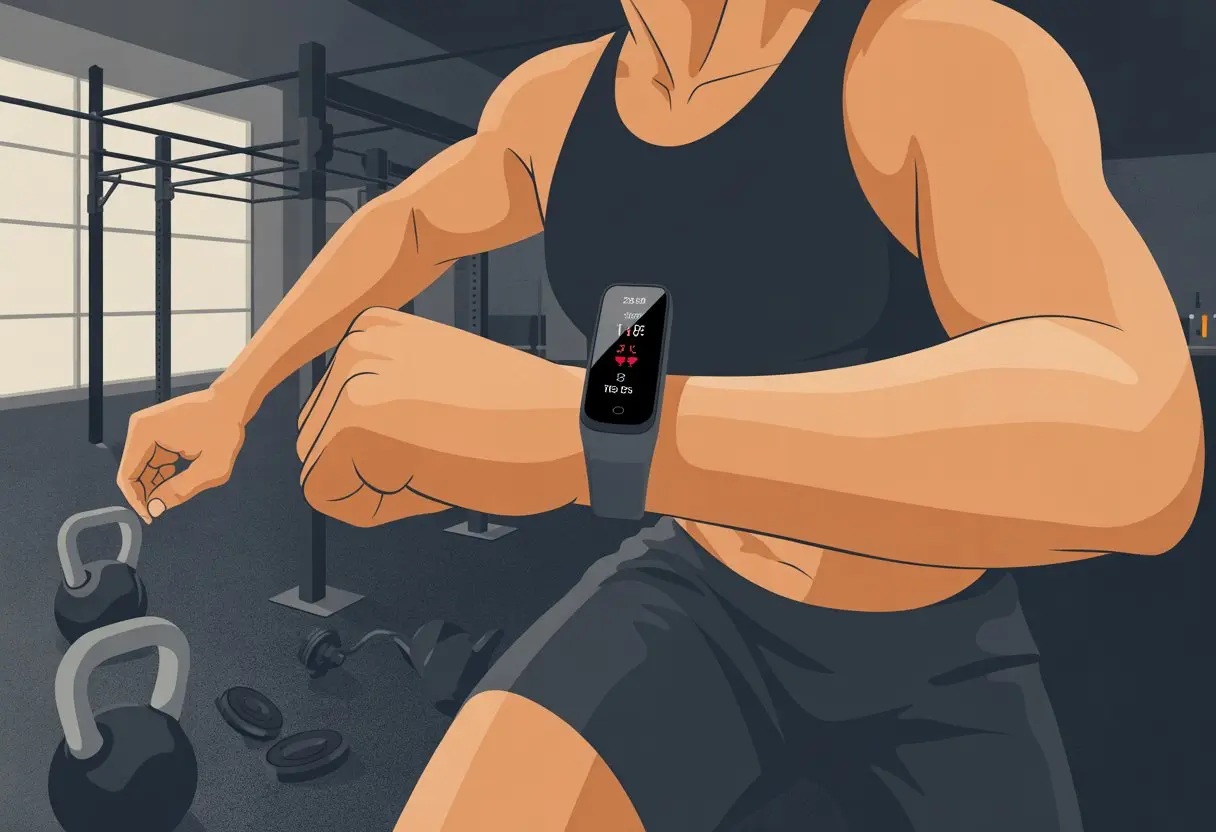
Fitness trackers aren’t magic, but they help us measure our progress. Some folks love watching their heart rate soar, while others just want proof they’re actually improving.
Picking the best tracker is tricky. Tools like the Garmin Venu 3 or a Whoop band are favorites in the CrossFit crowd.
Honestly, if tracking gives us an excuse to brag (with receipts), why not use it? With the right settings and a little patience, we can get real insights into our CrossFit journey—and maybe find a reason to buy a new gadget.
Choosing the Right Fitness Tracker for CrossFit
Let’s admit it: there’s no one-size-fits-all tracker. Our wrists, our rules.
We want something tough, smart, and sweat-proof—just like us after a brutal WOD.
Comparing Popular CrossFit-Friendly Devices
For tracking burpees and box jumps, we’re basically in a relationship with our devices. Garmin watches act like the “CrossFit coach” of wearables—they last forever, give detailed stats, and keep up through the Open.
Many CrossFitters recommend Garmin because training load and status widgets are actually useful.
The Apple Watch is sleek and easy for everyday life. It’s simple to use, with a smooth app experience and a touchscreen that just works. Does it track power cleans as well as Garmin? Maybe not, but it looks good at brunch and in the gym.
Whoop focuses on heart rate, recovery, and strain. It skips the screen, so if you like charging less and knowing more about your sleep, Whoop’s your friend. Less glare in the gym, more data for your spreadsheets.
Here’s a quick comparison table:
| Device | Best for | Battery Life | Key Features |
|---|---|---|---|
| Garmin | Hardcore training | 5-14 days | Advanced analytics |
| Apple Watch | Everyday + CrossFit | 1-2 days | Easy to use, apps |
| Whoop | Recovery focused | 4-5 days | Recovery, no screen |
Compatibility with Workouts
Our tracker needs to do more than count steps. If we’re doing CrossFit, we need a device that gets mixed workouts.
Garmin shines here, offering modes for lifting, HIIT, and even “what was that?” workouts. The app lets us customize activities and track different movements.
Apple Watch can track high-intensity intervals, strength, or circuit workouts. We can set it for CrossFit or tweak it as needed. Some apps fill in gaps if the built-in features fall short.
Whoop skips screens and workout labels. It auto-detects activity and uses heart rate data to measure effort. If you don’t want to mess with buttons during a WOD, that’s a big plus.
Water and Sweat Resistance
We sweat—a lot. Our tracker needs to keep up and not melt like a snowflake in Texas.
Both Garmin and Apple Watch are water and sweat resistant. Wear them during heavy workouts, in the rain, or for a swim—no big deal.
Garmin usually meets higher waterproofing standards (up to 50 meters or more), so we can go from rowing sprints to post-WOD showers without worry.
Apple Watch handles water well, but maybe don’t take it deep-sea diving.
Whoop bands are built for everyday wear, including the sweatiest WODs. The fabric dries fast and is simple to clean. No soggy wrists here.
If our workouts leave puddles, these trackers can handle it.
Setting Up Your Fitness Tracker for CrossFit
Before we can track our epic gains (and near-fainting spells), we have to set up our fitness trackers the right way.
Let’s make sure our devices and apps talk to each other, our workouts have the right labels, and our favorite apps are ready for all the sweating and syncing.
Pairing with Your Smartphone
Our fitness tracker only works its magic if it’s properly paired with our phone.
Most trackers use Bluetooth, so grab your phone, open the companion app (Garmin Connect, Apple Health, or whatever the aliens brought us), and start pairing.
Keep the tracker close to your phone. Select your device in the app and wait for that cheerful buzz—or, sometimes, a little frustration.
If things don’t connect, restarting both devices usually helps. You might need to allow some permissions for the app to get full access and show just how hard CrossFit is kicking our butts.
Good connectivity means real-time stats and easy syncing, so double-check that Bluetooth icon.
Customizing Workout Profiles
CrossFit and HIIT aren’t your grandma’s morning walk. Our trackers need to know what kind of chaos we’re putting ourselves through.
Many trackers let us add or edit activity types like “CrossFit” or “HIIT,” so we can stop pretending our workouts are just leisurely strolls.
On most Garmin watches, we add a CrossFit workout by editing the activities list or creating a custom profile. That way, burpees count as burpees, not naps.
For Apple Watch, using the “Other” workout or a custom CrossFit activity does the trick.
Some trackers let us set up intervals, rest, or even save favorite workouts. That makes our stats more accurate—and it’s fun to see data on those rope climbs that never get easier.
Syncing with CrossFit Training Apps
After we’ve worked ourselves into a sweaty mess, our tracker needs to show it off.
Syncing with CrossFit or HIIT-specific apps brings our data together. Apps like SugarWOD, Wodify, or even Strava can usually connect to our phone’s health app and pull in tracker data.
Open your fitness or CrossFit app, go to settings, and look for an option to link or sync devices.
With Garmin, using the Connect app is a common route. Tap the option, enter your info, and watch your burpee count soar to the cloud.
Now we can review progress, compete with box buddies, and (hopefully) see our numbers go up and rest times go down.
Tracking Your HIIT and CrossFit Workouts
When we tackle CrossFit or HIIT, wearables do more than count steps.
They help us see progress, avoid under-training, and sometimes even call us out when our “easy pace” looks suspiciously like a nap.
Monitoring Heart Rate in Real Time
Using a heart rate monitor during CrossFit makes every WOD feel a bit more scientific.
We can check our heart rates minute-by-minute, not just at the end when we collapse. Many trackers show live heart rate zones and buzz if we’re slacking—or overdoing it.
Most trackers have wrist-based sensors, but some folks swear by chest straps for better accuracy (especially when our wrists are busy with kettlebells).
Watching our heart rate climb in real time tells us if we’re pushing or just giving a dramatic performance. It’s like having a tiny coach on our wrist.
Measuring Workout Intensity
Figuring out how hard we’re going is tough, especially in CrossFit where “rest” means three more burpees.
Fitness trackers use heart rate and movement to estimate workout intensity, usually shown as METs or “effort points.” This helps us decide which sessions to brag about and which ones were just warmups.
Garmin’s HIIT feature and other brands show round times, intervals, and let us set custom alerts.
Some trackers offer a summary with calories burned and how long we spent in each intensity zone. That takes the guesswork out of logging our effort.
Interpreting HIIT Metrics
After our sweat session, we stare at the numbers and pretend to be data scientists.
Metrics like average heart rate, time in each zone, and recovery time help us adjust future workouts—or just give us cool graphs to share.
We look for patterns: Are we getting faster? Is our average heart rate dropping as we get fitter?
Some trackers show a “strain score” or “training effect,” turning chaos into something measurable.
Using these metrics helps us balance push and rest, so we don’t end up permanently glued to the foam roller.
All this info helps us make smarter choices, compete with ourselves, and justify post-workout snacks—even if our tracker says we only burned enough for half a cookie.
Using Fitness Tracker Features for Strength and Weight Training
Fitness trackers aren’t just for steps and sleep anymore. Now, they track our strength and weight workouts, letting us focus less on counting and more on lifting heavy stuff.
Counting Reps and Sets Automatically
Let’s be real. By the second round of burpees, we forget if we did five squats or ten.
Modern fitness trackers save our tired brains. Many, like Garmin, have a Strength activity profile that counts reps and sets for us.
They use motion sensors to recognize when we start and finish each movement. It might not cheer for every PR, but at least it won’t forget our last set of deadlifts.
Using a tracker means less scribbling in a notebook and more focus on form.
On some devices, we can edit the rep count after a set if the tracker gets it wrong. For more on automatic tracking for CrossFit, check out the Garmin strength training guide.
Tracking Lifting Progress
Our brains remember embarrassing gym fails, but not which week we hit a new bench press max.
Fitness trackers fix that with easy workout logs.
We can review each session, compare today with last month, and spot sneaky progress we might’ve missed.
Most trackers show trends for weight, reps, and even how fast we’re lifting (because speed matters, not just looking cool).
Some trackers let us categorize exercises, so it’s less likely we confuse bicep curls with pastry curls.
Keeping all this info in one spot keeps us on track for our next PR—and gives us bragging rights.
Monitoring Recovery for Better Gains
Everyone wants bigger muscles, but nobody wants to move like a rusty robot. That’s where fitness trackers with recovery features come in handy.
Devices like Whoop track strain, heart rate variability (HRV), and sleep quality to let us know when it’s time to push hard—or just take a nap.
Whoop and similar gadgets offer daily feedback, showing if we’re ready to tackle another tough session or need to chill out with some foam rolling. Recovery tracking isn’t magic, but it sure helps us dodge burnout and make smarter calls.
If we keep an eye on these stats, we can spend less time overtraining and more time actually getting results. For tips from serious CrossFit athletes, check out this CrossFit wearable discussion to see what works for others.
Analyzing Your Performance Data
If we’re going to sweat our way through CrossFit, we deserve more than just sore muscles. Why not make our data work for us?
By digging into what our fitness trackers record, we can actually spot where we’re making progress—and where we’re just spinning our wheels.
Deciphering Workout Summaries
After every workout, our Garmin or Apple Watch spits out a pile of numbers. It’s easy to glaze over, but some numbers matter more than others.
We should always check our average heart rate, max heart rate, and active calories burned. These give us a quick sense of how hard we worked.
For HIIT or CrossFit WODs, it helps to look at how long we spent in each heart rate zone, not just total time or reps. Most trackers show colorful charts or graphs (and honestly, who doesn’t love a good pie chart?) that make the data less boring.
Here’s a quick habit:
- Check summaries after each session
- Look for progress in speed, lift numbers, or just feeling less wrecked by the end
If something spikes or our numbers drop, maybe it’s time for more recovery or mobility—or just a tough talk with our foam roller.
Identifying Trends Over Time
We want more than proof we survived Monday’s workout—we want to know we’re getting fitter. Spotting trends over weeks or months helps turn random numbers into real progress.
A table or chart lets us see if our benchmarks—like Fran time, deadlift PR, or max burpees—are moving up, down, or just stuck. Fitness apps and trackers like Apple Watch and Garmin devices log this stuff automatically, so we don’t have to mess with spreadsheets.
Look for:
- Consistent increases in weights lifted
- Faster recovery between intervals
- Lower average heart rates for the same workouts
Charts that show progress (or plateaus) help us know when to tweak things. Maybe it’s time to switch up our routine or chat with a coach who actually loves data. For more on using workout data, check out how to track benchmarks and review your journey.
Tips and Tricks for Accurate Fitness Tracking
Getting the most out of CrossFit with a fitness tracker takes more than just strapping it on and hoping for the best. Let’s see how we can help our trackers keep up with our burpees, double-unders, and, honestly, spotty Wi-Fi.
Proper Tracker Placement During Workouts
If we want our tracker to count our reps and not just our hand waving during rest, placement matters. Wearing it on the less dominant arm can help.
This arm usually flails less during kettlebell swings and box jumps, so the sensors get a clearer read. More reliable tracking means fewer weird heart rate spikes.
Let’s not trap our tracker under wrist wraps or gloves. If it can’t breathe, it can’t monitor us well. We want it snug enough to stay put, but loose enough to move.
We should also avoid pressing buttons with our grips during pull-ups, unless we like random splits in our data.
Sometimes, for wild movements like battle ropes, swapping our tracker between arms (or moving it up the forearm, if we’re feeling bold) can help. The main thing is to keep the sensor flat against our skin and avoid impacts.
That way, when we collapse after a WOD, at least our stats will be on point.
Optimizing Sensor Calibration
Trackers do better when we set them up for our workout style. Keeping our device updated makes calibration and activity recognition sharper.
Most trackers let us pick workout types—choosing HIIT or Cardio instead of just Exercise helps the sensors know when our heart rate’s supposed to be through the roof.
Our trackers need a solid relationship with our phones for connectivity. Syncing before and after sessions keeps our data from disappearing into the cloud.
Washing sweat off our trackers (and wrists, honestly) keeps sensors happy. That little green light on the bottom? It works better when our wrist looks like skin, not a chalkboard.
For heart rate accuracy, it’s all about a clean sensor, a steady connection, and picking the right workout mode.
Staying Motivated and Accountable with Your Tracker
Sticking with CrossFit can get tough when we hit a wall or fall into a rut. Our fitness tracker acts like a personal cheerleader that never loses its voice and doesn’t judge us for skipping leg day.
Setting Personal Records and Goals
There’s something awesome about breaking our own records—especially if we can brag about it later. Fitness trackers like Whoop let us set targets for each CrossFit movement.
Maybe we want to deadlift heavier or shave a second off our Fran time. With our tracker, all those epic stats and embarrassing fails stick around for as long as we want.
We can watch our weights, reps, and times add up over weeks and months. Some trackers let us make SMART goals (Specific, Measurable, Achievable, Relevant, Time-bound), which keeps us from chasing wild dreams—like backflipping into a double-under on day two—but still pushes us.
Tracking workouts gives us proof we’re making progress or need a little nudge. Seeing our personal bests stack up feels like our own highlight reel—minus the crowd noise.
If we need a boost, some trackers even send reminders (or, let’s be honest, relentless notifications) to get moving. For more ideas, here’s some advice about using goals to stay focused.
Joining CrossFit Communities
Turns out, misery does love company—and so does motivation. Many fitness trackers have social features that let us connect with other CrossFit fans, share sweaty selfies, and compete on leaderboards with people we’ve never met but still want to beat.
With platforms connected to our tracker, we can compare scores, cheer each other on, and stay accountable. Friendly competition keeps us coming back for more.
Community boards, online challenges, and group chats make logging workouts feel like a team sport. Being part of a CrossFit community, local or online, lifts our spirits when we miss a PR and celebrates with us when we finally get that muscle-up.
Sometimes, knowing people will notice if we skip a session keeps us showing up more than our own willpower. If you want more tips, check out advice from others in the CrossFit community to make sticking with CrossFit feel like a group adventure.
Common Mistakes to Avoid When Using a Fitness Tracker for CrossFit
It’s easy to get excited about our shiny fitness trackers, but sometimes we make mistakes that mess with our CrossFit progress. Let’s keep our workouts effective (and a little less embarrassing) by dodging some common pitfalls.
Ignoring Key Data Points
When we strap on our Apple Watch or Garmin and only look at total steps, we miss out on the good stuff. Heart rate, sleep quality, and workout intensity give us real insight into how we’re handling all those burpees.
If we just check step counts, it’s like going to CrossFit and leaving after the warm-up—almost impressive, but not that useful. Tracking heart rate zones during WODs tells us if we’re actually pushing hard or just pretending.
Ignoring recovery data is another big mistake. Our trackers usually remind us to rest, since rest days matter as much as lifting heavy things.
If we skip sleep tracking or ignore recovery stats, we’re basically asking for tired muscles and grumpy moods.
Here’s a quick checklist to catch the important stuff:
- Check heart rate during WODs
- Monitor rest and recovery stats
- Don’t ignore sleep quality (even if our dreams are just more kettlebells)
- Pay attention to how intense each session felt, not just calories burned
Relying Too Much on Device Readings
Trusting our Apple Watch or Garmin more than our own sweaty faces is risky. These gadgets are cool, but they’re not magical CrossFit judges with clipboards.
Let’s admit it—GPS can glitch inside gyms, and wrist-based heart rate sensors sometimes get confused by wild barbell swings. Our trackers might say we’re burning enough calories for a small army, but sometimes they’re just being generous.
It’s smart to use our own body signals alongside device data. If our watch says our heart rate is perfect but we’re about to collapse, we should trust our lungs instead.
Tracking progress is useful, but obsessing over numbers can turn us into grumpy cyborgs. We should let fitness trackers push us—not boss us around.
If a reading looks weird or doesn’t match how we feel, let’s trust our instincts and double check that our tracker isn’t upside down—or still stuck on “nap mode.” For more on fitness tracker quirks and how to keep them from taking over, check out these tips for using a fitness tracker without it ruling your life.
Optimizing Battery Life During Intense Workouts
Let’s be honest—nobody wants their fitness tracker to die before we do. Keeping our Garmin or Apple Watch alive through a CrossFit session feels like its own weird victory.
Charge Before Chaos:
We should always start by giving our device a full charge. Nothing’s worse than watching your battery fade right in the middle of burpees.
Trim the Fat:
Turning off extra features really helps. Do we need the screen to light up every single time we check the time? Probably not.
Try switching off things like always-on display, Wi-Fi, or background app refresh. It’s surprising how much power those little things eat up.
Use Battery Saver Modes:
Most trackers come with some kind of battery saver setting. On the Apple Watch, low power mode can stretch the battery during tough workouts.
With Garmin, we can adjust GPS accuracy or pick a power-saving profile. It’s not fancy, but it works.
| Setting To Adjust | Apple Watch | Garmin |
|---|---|---|
| Screen Brightness | Dim it down | Lower brightness |
| Heart Rate Monitoring | Reduce frequency | Change to “Smart” mode |
| Notifications | Limit to essentials | Turn off unnecessary |
| GPS Tracking | Standard mode | UltraTrac or similar |
Keep Updates in Check:
Wait until after your workout to install those “critical” updates. The only thing critical during CrossFit is the next set of pull-ups, right?
If your tracker uses solar charging like some Garmin models, grab a bit of sunlight when you can. Every little bit helps when you’re sweating it out.
For more tips on battery performance, check out these top picks for CrossFit smartwatches.

From a young age, I have always had a big interest in technology, and this blog is an extension of that interest. Through this blog, I hope to provide others with all of the information they need regarding tech options to consider, and things such as compatibility. Some of the different items I will be discussing include headphones, smartwatches, and how to fix common issues.
- How to use a fitness tracker for CrossFit Without Looking Like a Tech-Obsessed Cyborg - April 5, 2026
- How to use a fitness tracker for strength training: Because Your Biceps Deserve Their Own Stats - April 4, 2026
- Fitbit Sleep Tracking Accuracy: Can Your Wrist Really Judge Your Midnight Pizza Regrets? - April 4, 2026
Related Posts: