Ever look down at your smartwatch and wonder if you’re just wearing a tiny, overpriced wrist TV? Same. But honestly, pairing a smartwatch with Strava can actually get us off the couch and moving. Strava plus a smartwatch? That’s a combo that makes tracking workouts way less of a hassle. We can record activities, watch our stats change in real time, and sync everything to Strava without constantly grabbing our phones.
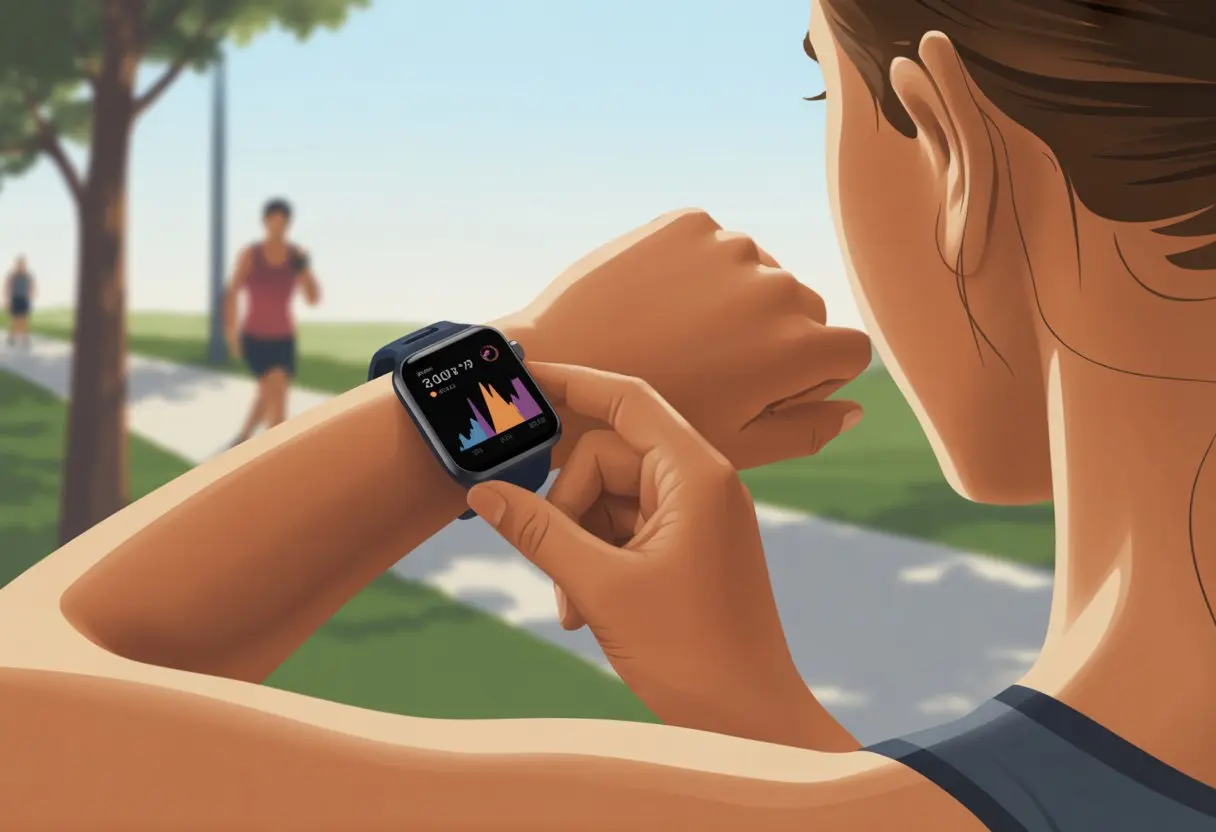
Setting it up? Way easier than untangling headphones. Most smartwatches—think Samsung or Garmin—connect to Strava with just a couple taps. For example, Samsung Gear works with Strava, and Garmin uploads activities to Strava in just a few steps.
We just pick our activity, wait for the GPS to wake up, and off we go—chasing PRs or, let’s be real, maybe just a pastry.
Let’s admit it—if there’s no graph, did we even sweat? With Strava and a smartwatch, we’ve got proof right there on our wrists, plus all the tech bragging rights with our friends. Who knew wearable gadgets could be this much fun?
Getting Started With Smartwatch and Strava
Before we hit the road, trail, or just the living room, we need to make sure our smartwatch and Strava are actually talking to each other. Here’s what we need, how to set it up, and how to link Strava with our shiny new gear.
Compatible Smartwatches and Fitness Apps
Not every smartwatch wants to hang out with Strava. We should check if ours is on the list. Most big names like Garmin, Apple Watch, Samsung Gear, and Wear OS watches support Strava integration.
Here’s a quick table:
| Smartwatch Brand | Works with Strava? |
|---|---|
| Garmin | Yes |
| Apple Watch | Yes |
| Samsung Gear/Galaxy | Yes |
| Fitbit | Limited* |
| Wear OS watches | Yes |
*Fitbit can sync to Strava with the Fitbit app, but only some data types transfer.
Some fitness apps help connect the dots too—like Samsung Health or Apple Health. Before we get too excited, let’s double-check both our watch and our go-to app are Strava-compatible.
Initial Setup and Pairing
Once we know our smartwatch is Strava-friendly, it’s time to pair things up. First, let’s make sure our watch isn’t dead. Then, update both the smartwatch and Strava app—because nobody wants surprise bugs.
Most watches want us to install their official fitness app, like Galaxy Wearable for Samsung or the Apple Watch app for iPhones. We pair the watch to our phone via Bluetooth.
Here’s a quick plan:
- Install the smartwatch’s app on our phone.
- Turn on Bluetooth.
- Follow the pairing steps on the screen.
- Make sure to allow location and fitness permissions for accurate tracking.
If something’s not working, support pages like Samsung Gear and Strava have step-by-step help.
Connecting Strava to Your Smartwatch
Now that our devices are friends, let’s bring Strava into the mix. Some watches can run Strava right on the wrist—pretty wild, honestly. On Wear OS, we just install the Strava app from the Play Store.
Other watches, like Samsung or Apple Watch, might want us to connect accounts inside their own fitness apps. We look for a menu called “Connected Services” or “Apps” in the app. Then we pick Strava and follow the prompts to sign in.
We grant permissions so our stats can actually sync. Once everything’s paired, our workouts should show up in Strava automatically. If it doesn’t work right away, opening the Strava app usually does the trick.
Choosing the Right Smartwatch for Strava
Trying to find a running or cycling watch that actually “gets” us? It can feel like endless swiping on a dating app. We need a smartwatch that syncs well with Strava, keeps up with our workouts, and doesn’t die before we finish.
Best Features for Runners and Cyclists
Nobody wants to stop mid-run because their watch missed half the route or died after two kilometers. When shopping for a Strava-ready smartwatch, built-in GPS, long battery life, and accurate heart rate sensors are must-haves.
If the watch can’t keep up, it’s a no-go. Waterproofing matters too—sweat and rain don’t care about our tech. Bluetooth syncing should be easy, and the display needs to be bright enough for sunny days.
Smart notifications are a nice bonus, letting us see messages without digging for our phones. User-friendly buttons help a ton—nobody wants to fumble with controls mid-sprint.
Cyclists should look for a big, clear screen for quick glances at speed. Sturdy straps and shockproofing help keep the watch in place when the ride gets bumpy.
Comparing mi, amazfit, and zepp Devices
If we’re on a budget—been there—the mi lineup is worth a look. These watches give us basic GPS, okay battery life, and simple Strava syncing. They’re great for beginners or anyone who tends to lose things.
Next up: Amazfit. Models like the Amazfit T-Rex 3 and GTS 4 offer multi-sport tracking, better GPS, and rugged builds. Their accuracy is surprisingly good, and Amazfit watches sync smoothly with Strava.
Zepp devices bring more advanced tracking, sleep insights, and a bit of style. They’re like the gym buffs who clean up well. Zepp syncs with Strava, but setup can be a bit more technical—grab some coffee and take your time.
Quick comparison:
| Brand | GPS | Battery | Ease of Use | Strava Sync | Price |
|---|---|---|---|---|---|
| mi | Basic | 5-10 days | Very Easy | Yes | Low |
| Amazfit | Advanced | 10-20 days | Easy | Yes | Medium |
| Zepp | Advanced | 7-14 days | Moderate | Yes | Medium+ |
Using Strava on Your Smartwatch
Let’s be real: we’re not wearing smartwatches just for the looks. We want to track every step, heartbeat, and maybe see if we can beat our “trip to the fridge” record. Strava on our wrist makes it easy to record workouts and see how hard (or not) we’re pushing.
Starting and Tracking Activities
Getting started with Strava on a smartwatch is almost as easy as forgetting about laundry. First, we check that the Strava app is installed and we’re logged in.
On Apple Watch, we open Strava, tap “Record,” pick an activity, and we’re set. For Samsung Gear, we go to the Strava website on a computer, link our account, and enter the code on our watch. That’s how the devices start talking.
If we want a walkthrough, YouTube has helpful videos for connecting Strava to our smartwatch.
During workouts, most watches show stats like time, distance, and pace right on our wrists. We can leave our phones at home and still get the data on Strava once we sync.
Monitoring Heart Rate and Workout Data
Even if we try to fake peak fitness, our smartwatch knows the truth—thanks to the built-in heart rate monitor. Strava takes that data and shows it during and after workouts, so we can see how hard our hearts really worked (and maybe rethink those spicy tacos).
Many smartwatches track heart rate all workout long. Strava then shows our heart rate zones, average beats per minute, and recovery time. Comparing workouts gets easier, and we can track real progress—or just see if we survived that HIIT class.
Tip: Make sure the watch band fits snugly, but don’t cut off blood flow. A loose band can make heart rate numbers look weird. Tracking this data helps us spot trends and keep workouts safe. For more details on Strava and heart rate stats, check out this Apple Watch and Strava guide.
Enhancing Your Experience With Strava Integration
Let’s be honest—if we’re using a smartwatch and a fitness app, we want all the numbers and trophies we can get. Strava integration really levels up our data game, making us feel like Tour de France pros (even if we’re just walking the dog).
Analyzing Your Performance Metrics
Strava gives us way more than just a step count. With a smartwatch, our workouts fill up with heart rate data, pace charts, elevation maps, and more.
Every time we sync, we can compare our latest run or ride to old records. Want to feel like a scientist? We can check out weekly stats like these:
| Metric | What We Get |
|---|---|
| Heart Rate | Max, average, zones |
| Pace/Speed | Fastest mile, splits |
| Elevation | Climbed hills, descents |
| Calories Burned | All those snacks, erased! |
This treasure trove of data helps us set goals, see what’s working, and maybe brag a little online about crushing that “legendary” hill. Strava’s social side even lets us chase friends’ scores—pretty good motivation to get moving.
Syncing Workouts Automatically
Saving time is really the best fitness hack, isn’t it? When we link our smartwatch to Strava, our sweaty achievements just pop up in the app like magic.
No more messing with cables or clunky uploads. Most modern watches—think Apple Watch or Samsung Gear—make this pretty painless once we set up the link. The Strava app will grab our workouts after each session, so our data stays together without us doing much (except maybe pressing “start”).
With automatic syncing, we don’t have to worry about forgetting to log a ride or run. Our fitness app stays fresh and ready for whatever’s next, whether it’s a power walk or surviving Monday’s HIIT class.
Music and Strava: A Match Made in Cardio Heaven
Music can turn a boring workout into something way more epic. With the right tunes, our run or ride feels smoother—and honestly, maybe even a bit faster (at least in our heads).
Connecting Spotify to Strava
If we’re hooked on Spotify during workouts, we’ll want the most out of our soundtrack and our Strava stats. Strava doesn’t let us control Spotify directly from inside the app yet, but we can still blast our playlists while logging miles. Here’s what we do:
- Open Spotify on our smartwatch or phone.
- Start a playlist or album.
- Switch to Strava: Begin recording our activity.
Both apps run side by side, playing together like peanut butter and jelly. Some smartwatches—Apple Watch, Garmin, and a few others—let us pause or skip tracks using side buttons during a run. There’s no magic “Strava–Spotify integration” button right now, but maybe one day we’ll see that “power song” option pop up in our activity feed.
Best Playlists for Your Workouts
A killer playlist makes us feel like champions. To keep motivation high, let’s check out a few options:
- Upbeat Pop Hits: Perfect for high-energy runs or rides.
- Classic Rock Anthems: Great for intensity and intervals.
- EDM or Dance Mixes: Keeps the tempo up and steady.
Some Spotify playlist names we love:
| Playlist Name | Good For |
|---|---|
| Power Run! | Sprint sessions |
| Cardio Motivation | Steady runs |
| Workout Throwback Jams | Fun variety |
| Beast Mode | Long workouts |
Don’t be shy about mixing things up. We can always build our own playlist with personal favorites—because nothing beats that “victory lap” feeling with our own handpicked tunes. The right music really can push us through that last stretch.
Troubleshooting and Connectivity Tips
Sometimes, our smartwatches and Strava just refuse to cooperate. Other times, we want our running playlist to work offline without Wi-Fi headaches. Let’s tackle these tech issues with a few steps—and maybe a little patience.
Solving Common Connection Issues
Strava usually loves a good connection, but sometimes it needs a nudge. First, we should check that our smartwatch and phone use the same Wi-Fi or Bluetooth. If syncing stalls, restarting both devices often helps—think of it as a quick reboot for their relationship.
Still not syncing? We need to check if we’re logged in to Strava on both our phone and watch. On Android or iOS, open the Strava app and log in. On our smartwatch, do the same.
If our activity won’t upload, maybe we’re offline or have limited data settings. Open the Strava app on our phone, connect to the internet, and our activity should upload. For more details, Strava Support’s troubleshooting guide can help.
Here’s a quick checklist:
| Issue | Fix |
|---|---|
| App not syncing | Restart both devices, check Bluetooth/Wi-Fi |
| Not logged in | Log in on both watch and phone |
| Activities not uploading | Connect to internet, refresh Strava app |
Converting Spotify to MP3 for Offline Mode
Let’s be honest—sometimes we need the perfect playlist even when there’s no internet. Spotify doesn’t let us download songs as MP3s directly, but we can still get those tracks offline with a few tricks.
With Spotify Premium, we can download playlists for offline use, though they’re saved in an encrypted format. If we really want MP3s for a smartwatch or a non-Spotify app, there are conversion tools online—but we should double-check the rules so we don’t get an angry email from Spotify.
Popular options include Spotify music converters. Usually, we log in, pick a playlist, and hit “Convert.” Then we can move MP3s to our watch or phone for offline listening. Always use reputable converters and remember—piracy isn’t cool.
Maximizing Results With Smartwatch and Strava
If we’re wearing a fancy gadget on our wrist, let’s get every bit of workout boost from it. Using Strava with our smartwatch tracks our sweat, sparks some friendly competition, and maybe even makes that daily walk seem a little more heroic.
Tips and Tricks for Daily Use
Remembering to press the right buttons before a run can feel like a workout itself. Here’s how to make things easier:
- Auto-sync: We should turn on automatic syncing between our smartwatch and Strava. That means fewer taps—and more snacks after our workout.
- Use Quick Start Workouts: Most smartwatches let us start runs or rides fast, so we’re not stuck fiddling with screens while everyone else is stretching.
- Customize Data Fields: Setting our watch to show what we care about—like heart rate or pace—means less squinting mid-jog.
- Route Previews: If we get lost more than a sock in the laundry, we can load routes straight to our watch. Our sense of direction might not improve, but at least our excuses will sound pro.
Even the right watch can make a difference. Some budget-friendly models are favorites among Strava users. There are also lists of best Strava compatible sports watches and smartwatches if we’re in the mood to shop around.
Staying Motivated and Engaged
Let’s be honest—we all need a push now and then.
With Strava, our smartwatch does more than just track steps.
It lights up with notifications whenever a friend sprints past us on a segment.
We get to track streaks. Who doesn’t love earning a gold star for actually showing up on Monday?
You can join virtual clubs and group challenges. Sometimes it’s just to show off your stats (or maybe to act like you’re not showing off).
Strava lets us compare our pace on familiar routes with its segments. Did we really conquer that neighborhood hill faster, or is our memory playing tricks on us?
Honestly, nothing keeps us coming back like a little competition.
Friendly leaderboards and sharing workouts give us a reason to cheer each other on—or maybe brag a bit when we crush our old record.

From a young age, I have always had a big interest in technology, and this blog is an extension of that interest. Through this blog, I hope to provide others with all of the information they need regarding tech options to consider, and things such as compatibility. Some of the different items I will be discussing include headphones, smartwatches, and how to fix common issues.
- How to Get Text Messages on Fitbit Versa 2 Android: Simple Guide for Users - October 13, 2026
- Why Doesn’t My Fitbit Record My Sleep? Quick Troubleshooting Guide - October 13, 2026
- How to Change Face on Fitbit Versa 2: Quick and Easy Guide - October 12, 2026
Related Posts: