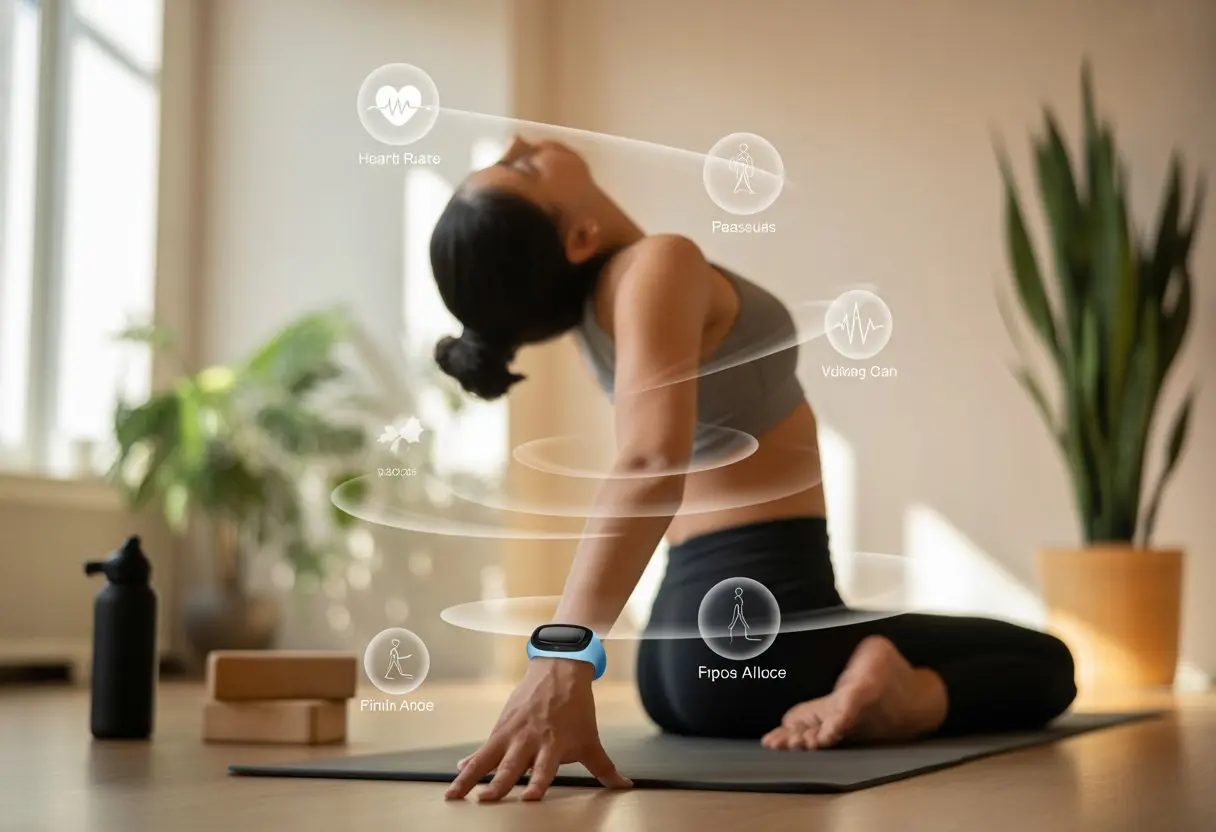
Let’s be real—most people don’t usually pair yoga and fitness trackers in their minds. Unless, of course, you’re worried your deep breaths in child’s pose are about to send your heart rate monitor into a frenzy.
But here’s a twist: using a fitness tracker for yoga can actually help you keep tabs on your progress, stay motivated, and see those hard-won moments of zen right on your wrist. It’s like mixing your search for calm with your not-so-secret love of data.
You can set your tracker to record yoga, watch your heart rate, and even see how much energy you burn in downward dog. Some trackers now come with yoga modes, so you don’t have to pretend you went for a run just to check your stats.
If you’ve ever wondered what your yoga stats look like, you’re about to find out.
Let’s jump in and see how using a fitness tracker with yoga isn’t just doable—it might even make you look forward to practice, if only to peek at your graphs later or show off to your friends.
Why Use a Fitness Tracker for Yoga?
https://www.youtube.com/watch?v=ZhBGXhlo0YI
Yoga isn’t just about stretching or touching your toes while trying not to fall over. A fitness tracker helps you keep track of your activity and brings a bit of tech-savvy mindfulness to your mat.
Wearing a fitness tracker during yoga feels like having a tiny coach on your wrist, gently reminding you to slow down and breathe. Most trackers watch your heart rate, so you’ll know if you’re as chill as you think—or if your heart’s running laps.
Real-time feedback makes it easier to stay present. Some trackers even nudge you to focus on your breath or take a break—super handy if your mind drifts to tonight’s dinner plans.
Table: Tracker Features That Support Mental Wellness
Feature
Mental Wellness Benefit
Heart Rate
Tracks calm vs. stress levels
Breathing Reminders
Helps slow down and refocus
Guided Meditation
Adds structure to relaxation
Session Logs
Shows our progress
Honestly, it feels good to check your stats and see proof you stayed still during Savasana (even if you almost nodded off). That data can be a real motivator to keep showing up for your own peace of mind.
Personalizing Your Yoga Practice
Every yoga journey is a bit different, and a fitness tracker helps you make your practice truly yours. By tracking things like heart rate, movement, and even time spent on the mat, you’ll spot trends and tweak your routine.
Curious if that new balance pose is working—or just making you wobble? Trackers reveal which days you pushed yourself and which days you just melted into the mat.
Some trackers offer yoga-specific modes and log your hours, so you can brag about sticking to your routine. Personalizing the settings lets you tailor your practice, whether you crave a sweaty flow or a gentle stretch.
Choosing the Right Tracker for Yoga
Let’s be honest, not every wearable device gets yoga. You want a fitness tracker that understands your flow and doesn’t just count steps while you’re standing still.
Best Fitness Trackers for Yoga
Not all trackers are equal, especially for yoga. Devices like the Apple Watch, Garmin Venu 3, and certain Fitbit models stand out for yoga-friendly features.
The Garmin Venu 3 is popular because it handles workouts that don’t involve a ton of movement, like yoga.
Here’s a quick look at some top choices:
Tracker
Key Yoga Features
Extra Perks
Apple Watch
Dedicated yoga mode, HR tracking
Smart notifications
Garmin Venu 3
Tracks yoga, meditation, HRV
Sleep, stress tracking
Fitbit Sense
Tracks yoga, mindfulness, HR
Guided breathing
You want a device that notices your warrior poses, not just your daily steps.
Fitness Technology Features to Look For
Be picky about what you need. Heart rate tracking matters, since it shows how relaxed (or sweaty) you get in those long planks.
Trackers with a yoga or custom workout mode let you log your sessions for better tracking.
Other features worth having? Breathing exercises, stress monitoring, and vibration alerts to keep you focused without staring at a screen.
Touchscreens help you switch modes mid-class—nobody wants to fumble with buttons during downward dog.
Water and sweat resistance are a must, especially for hot yoga. And if you hate charging, look for a tracker with a battery that actually lasts.
Comparing Top Brands
The tracker aisle can feel overwhelming—almost like a tricky yoga pose. Here’s the gist: Garmin makes rugged trackers loaded with fitness features, not just for runners.
Fitbit’s models shine for mindfulness and breathing exercises, and they’re easy to use, even if you’re new to yoga or trackers. The Apple Watch is super versatile, with tons of apps and easy iPhone integration—perfect if you need a smartwatch that goes from yoga to meetings.
Think about which features matter most to you, how easy it is to start a yoga session, and whether you want something that also tracks sleep or runs.
Setting Up Your Fitness Tracker
Before you can master downward dog, you need to set up your tracker the right way. Otherwise, all those deep breaths and stretches won’t count toward your stats.
Syncing with Fitness Apps
First, get your favorite apps talking to each other. You want your tracking device to sync with Apple Health, MyFitnessPal, or Strava—whether it’s for stats, calories, or just those yoga session charts.
Install the right apps on your phone. Sign in or make accounts if you haven’t already.
The device app (like Fitbit, Garmin, or Apple) usually hides a “connect” or “link” option deep in the settings—sometimes harder to find than your flexibility.
Once you connect everything, your workouts and heart rate data sync automatically. Whether you use Fitbit, Apple Watch, or Garmin, your yoga stats land right in your favorite fitness journal.
If syncing fails, don’t freak out. Restart both the device and the app, and double-check Bluetooth. You might need to tap “allow” for data sharing—think of it as a reward for a solid pose.
Customizing Your Yoga Session Settings
Once you’re synced up, it’s time for yoga-specific tweaks. Most trackers let you pick or customize workout modes, so choose “Yoga” if it’s there—or add it using the app’s exercise shortcut.
Usually, you tap into workout settings in the tracker app, select “Yoga,” move it to your device’s shortcuts, and maybe set up reminders or alerts.
Some devices show real-time stats like heart rate and session time, so you can keep track without staring at a clock.
If your tracker doesn’t have a yoga mode, pick a generic “workout” or “exercise” setting. It’ll still log time, heart rate, and calories, just with less yoga flair.
You can personalize timers, goal alerts, and vibration feedback in the app. Once you’re set, hit the mat and let your tracker do the counting.
Tracking Your Yoga Workouts
Let’s be honest—sometimes it’s tough to tell if you’re working out or just hanging out in child’s pose. But when you track yoga with your fitness tracker, details count.
If you want your device to know the difference between a chill stretch and a sweaty power session, you need to log workouts the right way and use tags.
How to Log and Start a Yoga Session
To track yoga, open the Exercise or Workout app on your device. Most trackers like the Apple Watch, Fitbit, and Garmin make it simple—a quick swipe, tap, or button press and you’re ready.
On the Apple Watch, scroll to “Yoga,” tap it, and the timer starts for your best attempt at downward dog.
Some trackers auto-detect workouts, but yoga is sneaky and often gets missed. Manually starting the session helps you log every stretch and twist, even the awkward poses you pretend to love.
During your session, your tracker records time, heart rate, calories burned, and sometimes steps—though, honestly, who’s walking during yoga?
Using Tags for Different Yoga Styles
If you’re not just sticking to gentle yoga, maybe you’re brave enough for power yoga or a sweaty vinyasa. Using tags or labels helps you remember what kind of challenge you took on.
Many trackers let you add a tag or rename the session after you finish. You can tag it as “Vinyasa Flow” or “Power Yoga.” Some apps let you do this right after saving, like in the Fitbit app.
Tags are great if you want to compare calories burned across styles. Spoiler: vinyasa usually burns more.
Plus, it’s way easier to show off when you can pull up every yoga style you’ve survived.
Monitoring Heart Rate and Health During Yoga
A fitness tracker in yoga isn’t just for bragging about step counts. It keeps tabs on our heart, helps us train safely, and sometimes even reminds us to skip that second espresso.
Heart Rate Zones and Resting Heart Rate
Yoga looks peaceful, but those poses can send our heart rate on quite a ride. With a heart rate monitor, we can check if we’re pushing too hard or just coasting.
Heart rate zones show how intense our exercise is. These zones change with age and fitness. Our resting heart rate is basically how fast our heart beats when we’re chilling—like it’s catching up on a favorite show. Yoga usually keeps us in lower heart rate zones, which is perfect for building endurance and relaxing.
Most trackers use wrist sensors to measure our heart rate. We get clear data on what happens during each pose.
It’s not as intense as sprinting, but we learn how our body reacts to both easy stretches and those challenging holds. Some trackers even show trends in our resting heart rate, so we notice if something’s off or if we’re just extra relaxed lately.
Benefits of Heart Rate Monitoring for Yoga
Tracking our heart rate helps us get more out of yoga. When our resting heart rate drops over time, we know we’re improving.
A lower resting heart rate means our heart’s working more efficiently—now that’s the kind of “lazy” we can appreciate. Heart rate monitoring also keeps us from overdoing it.
If our tracker shows our heart pounding during meditation, maybe it’s time to slow down. Spotting these patterns helps us manage stress, too.
Many trackers let us review data after each session: average heart rate, time in each zone, even how long we held a tough pose. If you want more details, explore how fitness trackers can help manage your health and stay in sync with your breath. Using heart rate sensors for yoga isn’t just smart—it’s a fun way to remind ourselves we’re athletes… just in stretchy pants.
Using Fitness Tracker Features to Improve Your Practice
When we unroll our yoga mats, a fitness tracker does more than just count steps or silently shame us for skipping them. With the right settings, it can help us breathe deeper, focus better, and maybe even keep us from answering that group chat about dinner.
Breathing Exercises and Meditation Tools
Fitness trackers aren’t just about nagging us for more movement. Plenty come with breathing exercises that guide us through slow inhales and exhales.
These modes help calm our busy minds before or after yoga. During meditation, the tracker might vibrate softly to let us know when to shift our focus or change our breath.
This gentle nudge keeps us in rhythm instead of drifting off into thoughts about unfinished to-do lists. Some watches even show animated guides on the touchscreen, so we don’t have to peek at our phones and lose the “relaxed yogi” vibe.
When we track our heart rate during breathing, we get real feedback. Did that three-minute break help, or do we need a longer nap? Some apps let us look back at our progress—finally, a way to earn badges for sitting still.
Notifications and Distraction-Free Modes
Let’s be real: nothing kills the mood in downward dog like a phone notification about Aunt Linda’s casserole. Thankfully, most fitness trackers offer a “do not disturb” or focus mode.
We only get notified if it’s urgent, or when we’ve been still for way too long. Turning on distraction-free modes means fewer interruptions from group texts, emails, or that one app reminding us to stretch.
The touchscreen can ignore stray swipes, so an accidental wrist bump doesn’t start a timer or order takeout. If we want certain alerts—like a meditation timer—we can choose what gets through.
This keeps us present, which is key when balancing on one leg or trying not to snooze in corpse pose. For more on notifications during yoga, check out these smart device tips.
Analyzing Fitness Data from Yoga Sessions
Let’s be honest—most of us aren’t holding downward dog just to make our watch buzz. We want to stretch, get stronger, and maybe sneak in a win against our neighbor’s plank time.
Understanding what our tracker tells us after yoga helps us know if we’re making progress or just practicing our best statue impression.
Understanding Our Fitness Goals
Before we get lost in numbers, let’s figure out what we want from yoga. Are we hoping to tie our shoes without groaning, build strength, or just find some peace without dozing off on the mat?
Our goals shape which fitness data matters most. For flexibility, we might track progress with advanced poses or better range of motion.
For strength, we’ll look at heart rate spikes during tough flows. If stress relief is the goal, a lower heart rate or smoother breathing patterns might matter more than calories.
Let’s jot down our main goals. Then, we’ll match the tracker stats to those goals. That way, our fitness tracker becomes a tool, not just a blinking ring-closing machine.
Interpreting Calories Burned and Activity Data
Yoga isn’t a sprint, but vinyasa can still make us sweat. Fitness trackers estimate calories using heart rate, session length, and our personal stats.
If our tracker says we burned 200 calories holding tree pose, don’t get too excited—trackers can over- or underestimate, especially in slower yoga styles.
Here’s a quick look at what we might see after yoga:
Metric
Meaning
Why We Care
Calories Burned
Estimated energy used
Helpful for fitness plans
Average Heart Rate
Beats per minute
Shows workout intensity
Peak Heart Rate
Highest BPM hit
Useful for power yoga
Workout Duration
Total session time
Tracks yoga consistency
To get the most from our data, let’s compare sessions over time. Do we see trends on tougher days? If our activity stats look like nap time, maybe it’s time to pick up the pace. For more on pairing trackers and yoga, see how fitness trackers help with yoga.
Maximizing Tracker Performance for Yoga
To get the most from our fitness trackers during yoga, we need to think about two things: how long the battery lasts and how well the device stands up to sweat. We want our trackers to survive every session and not quit before we do.
Battery Life Tips
Running out of battery halfway through a flow is just awkward. We can make trackers last longer with a few tricks.
Lowering screen brightness is a big help—like dimming the lights for savasana. Turning off features we don’t need also saves power.
Do we really want hourly stand reminders during yoga? Probably not. Turning off continuous heart rate monitoring when we’re not using it helps too.
Charging regularly is smart. If we use trackers like the Charge 6, topping it off after a session means it won’t die mid-pose. Airplane mode also stretches battery life when we’re not syncing.
Quick Battery Tips Table:
Tip
Result
Lower screen brightness
Less battery use
Turn off extras
Longer charge
Regular short charges
Less downtime
Water Resistance and Sweat Safety
Yoga isn’t swimming, but sweat is real. We need trackers that are water resistant, not just “splash-proof,” especially for hot yoga.
Check if our device can handle sweaty sessions. Fitness models like the Charge 6 usually hold up to sweat and the occasional splash.
Wiping straps and sensors with a towel after class keeps things fresh. Let’s skip soaking tracker bands in soap or pool water.
Leaving it in a gym bag can make it smell weird and mess with the sensors. Wipe it down, charge it away from steamy bathrooms, and check the charging port seals.
Having a water resistant tracker means one less thing to worry about while we try to touch our toes. Need more tips? The Apple Watch has features for sweaty workouts.
Integrating Sleep Monitoring for Yogis
If our yoga practice is strong but our sleep is a mess, sun salutations might feel more like moon stumbles. Our fitness tracker can help us see how well we’re actually sleeping—not just lying awake hoping the ceiling fan shuts up.
Sleep Tracking and Recovery
Our tracker keeps an eye on our sleep so we don’t have to. It records total hours slept, how often we toss around, and when we hit deep or REM sleep.
This isn’t just for bragging about early bedtimes. It tells us if we woke up ready to be zen or just cranky.
Most trackers show our sleep stages with easy-to-read graphs, so we know if we’re recovering or need to stop binge-watching at midnight. Tracking patterns helps us spot what habits help or hurt our rest.
One bad night can throw off our balance in tree pose. With sleep data, we can tweak our bedtime routine, so our next class isn’t fueled by caffeine and hope.
Some trackers even connect with apps for guided meditations or bedtime nudges. It’s like having a sleep coach—just less nagging than our yoga teacher.
Understanding Your Sleep Score
Our sleep score is basically a bedtime report card, usually from 0-100 (sorry, no blaming the dog for a bad score). This number adds up how much we sleep, the quality, and how often we wake up.
It gives us a quick answer: did we really rest, or just close our eyes and hope for the best? Watching our sleep score helps us catch problems before they get bigger.
If our sleep score drops and so does our focus on the mat, it’s probably time to change our bedtime habits. Some trackers even tell us what we did well and what to fix, like getting more deep sleep or going to bed earlier.
We can track scores over time. Honestly, seeing our sleep score go up feels almost as good as nailing a tough pose. For more on how fitness trackers monitor sleep, check out this fitness tracker sleep monitoring guide.
Fun Extra Fitness Tracker Features for Yoga Lovers
Fitness trackers have some fun tricks up their sleeves to make yoga even better. From finding the perfect outdoor spot to new digital add-ons, there’s way more than just step counting going on.
Navigation and Built-In GPS for Outdoor Yoga
Ever unrolled your mat at the park, only to realize you can’t remember where that perfect shady spot was? With built-in GPS and navigation, we get to roam around, then actually find our way back—no more doing downward dog next to the trash cans.
Fitness trackers with GPS, like some bike computers or a fancy running watch, help us figure out which park or patch of grass worked best for our headstands.
The Fitbit Charge 6 and newer Garmins let us record our route. Next time, we can skip wandering around searching for our favorite yoga hideout.
Some trackers even put live maps right on the screen. That means we can leave the gym behind and try yoga where the birds sing (and, honestly, where the squirrels look a little judgy).
We can also check our heart rate on the go. Sometimes that tells us we’re getting extra zen—or maybe just tired from walking in circles.
Trying Game-Changing Accessories
Accessories can turn a basic wrist gadget into something that feels almost magical—suddenly, you’re not just tracking steps, you’re controlling your playlist too. Some trackers work with smart mats that track your poses or buzz when your triangle gets a bit wobbly.
You can pair Bluetooth headphones directly with your tracker, blocking out the neighbor’s lawnmower and zoning in on your favorite playlist or that online flow class. Ever want a hands-free selfie in crow pose? That’s doable—just grab a tripod or a camera remote, since plenty of them sync up with fitness trackers.
And, let’s be real, most yoga folks have a soft spot for data. Smart scales can send stats straight to your tracker app, so you always know where you stand. Your tracker might even nudge you about hydration, daily movement, or that savasana you almost skipped (again).
Hi, my name is Garrett Jones, and I am a tech enthusiast. I enjoy researching the new tech that has been released, and have a vast knowledge of the best tech to purchase.
From a young age, I have always had a big interest in technology, and this blog is an extension of that interest. Through this blog, I hope to provide others with all of the information they need regarding tech options to consider, and things such as compatibility. Some of the different items I will be discussing include headphones, smartwatches, and how to fix common issues.