Let’s be real—conference calls don’t exactly make anyone’s day. Still, if we’re stuck in meetings for hours, why not grab the best headphones and make things a little less painful? Bluetooth headphones have become our escape from office noise, tangled wires, and that constant reminder that, yeah, we’re supposed to be professionals.
Conference rooms bring their own chaos: echoey acoustics, colleagues chatting just outside, and that one person who crunches chips way too close. Some headphones just can’t handle it.
We need a reliable microphone, solid battery life, and, honestly, comfort for those endless video calls. A good Bluetooth connection and noise cancelling help a lot, too.
The main features to look for? Microphone quality (because repeating yourself is the worst), fit (your ears will thank you), battery life, and how well they block background noise. Nobody wants the boss thinking you’re calling from inside a wind tunnel.
We tried out gear, tested microphones, asked picky coworkers, and spent way too long in virtual meetings. Here’s what we found—Bluetooth headphones that actually make conference room calls less miserable.
Best Bluetooth Headphones for Conference Rooms
Conference calls can get rough—especially when someone’s dog decides to join in. Our roundup of the best Bluetooth headphones for conference rooms should help us all sound clear and professional, even if we’re secretly wearing sweatpants.
If you want conference calls to sound peaceful (even when the neighbor’s mowing the lawn), these headphones actually deliver.
Pros
Connects with Bluetooth, dongle, or a cord—pick whatever works
Calls stay impressively quiet with noise-canceling tech
Comfortable, even if we forget to log off (oops)
Cons
AI noise canceling only works over Bluetooth
Mic mute is a bit hidden (flip the boom up)
Not really for music lovers—sound’s built for calls
Let’s face it. Most of us bounce between office, home, and maybe a coffee shop on the same day. The Masajoy Work Headset handles those switches with three ways to connect.
We loved flipping from Bluetooth to wired—no more “Where’s that adapter?” panic.
On calls, background noise disappeared just enough that we barely noticed the barking dogs anymore. The AI noise canceling only kicks in with Bluetooth mode, though—if you’re using the cord or dongle, you’ll miss out.
The mic mute is sneaky; you have to flip the boom up to mute. At least it keeps random sneezes private.
Those padded ear cups felt like little pillows, and at the end of a long day, our ears didn’t hate us. If you want a headset for Teams, Zoom, or just catching up, this one keeps us sane—and our calls clear.
If you want to actually hear people in meetings—minus the chaos or battery panic—this headset’s a solid pick.
Pros
Background noise vanishes, even when the neighbor’s dog is auditioning for The Voice
Battery outlasts most of our workweeks
Stays comfy all day, no “headset hair”
Cons
One device at a time—no sneaky multitasking
Not rainproof (so no calls during dramatic rooftop moments)
Looks more “office practical” than “fashion-forward”
Most of us don’t want the world to hear our home office chaos on Zoom. With the LEVN Bluetooth Headset, we finally drowned out everything from the blender to keyboard smashes.
That AI-powered noise cancellation works like magic—our coworkers might actually believe we’re in a real office now.
The battery life impressed us. Sixty-five hours means we survived the longest meetings and overtime sprints without hunting for a charger. The charging dock is easy—just drop it on during a coffee break.
Setup is quick—takes about as long as thinking up a good excuse to leave the meeting.
Comfort matters too. The soft ear cups treat our ears kindly, even on marathon call days. The headband is gentle, and it doesn’t twist our hair into a disaster.
It’s not perfect, though. We can only use one device at a time, so if we juggle calls between phone and computer, we have to reconnect. The headset won’t survive a lemonade spill, so keep drinks away. While it won’t win any beauty contests, it gets the job done.
If you want clear audio, comfy ears, and no tech headaches, this headset belongs at your conference table—ideally next to the snacks.
We gathered around the EMEET M0 Plus and instantly heard the difference—no more awkward “Can you repeat that?” moments. Its four mics pick up voices from every corner, so nobody can hide from sharing their ideas, even if they’re whispering at the snack table.
We set it up with Zoom and Teams in under two minutes, no downloads or weird updates needed. The battery lasted through our back-to-back calls and didn’t quit halfway through the day.
We did want a bit more Bluetooth range—the connection drops if you wander too far. Switching between phones and laptops means reconnecting manually; it won’t juggle multiple devices. Still, the sound quality is great. It’s an easy favorite for making meetings less painful.
If you want to survive marathon conference calls without sore ears or sounding like you’re underwater, this open-ear headset could be your next office hero.
Pros
Super comfy—even after hours, we forget it’s on
Can pair with two devices at once, so no more frantic Bluetooth shuffling
Noise cancellation blocks out the neighbor’s blender
Cons
Battery life won’t last a full all-day meeting marathon
Not great for deep bass if you want music after hours
Build feels a bit plasticky and lightweight (because, well, it is)
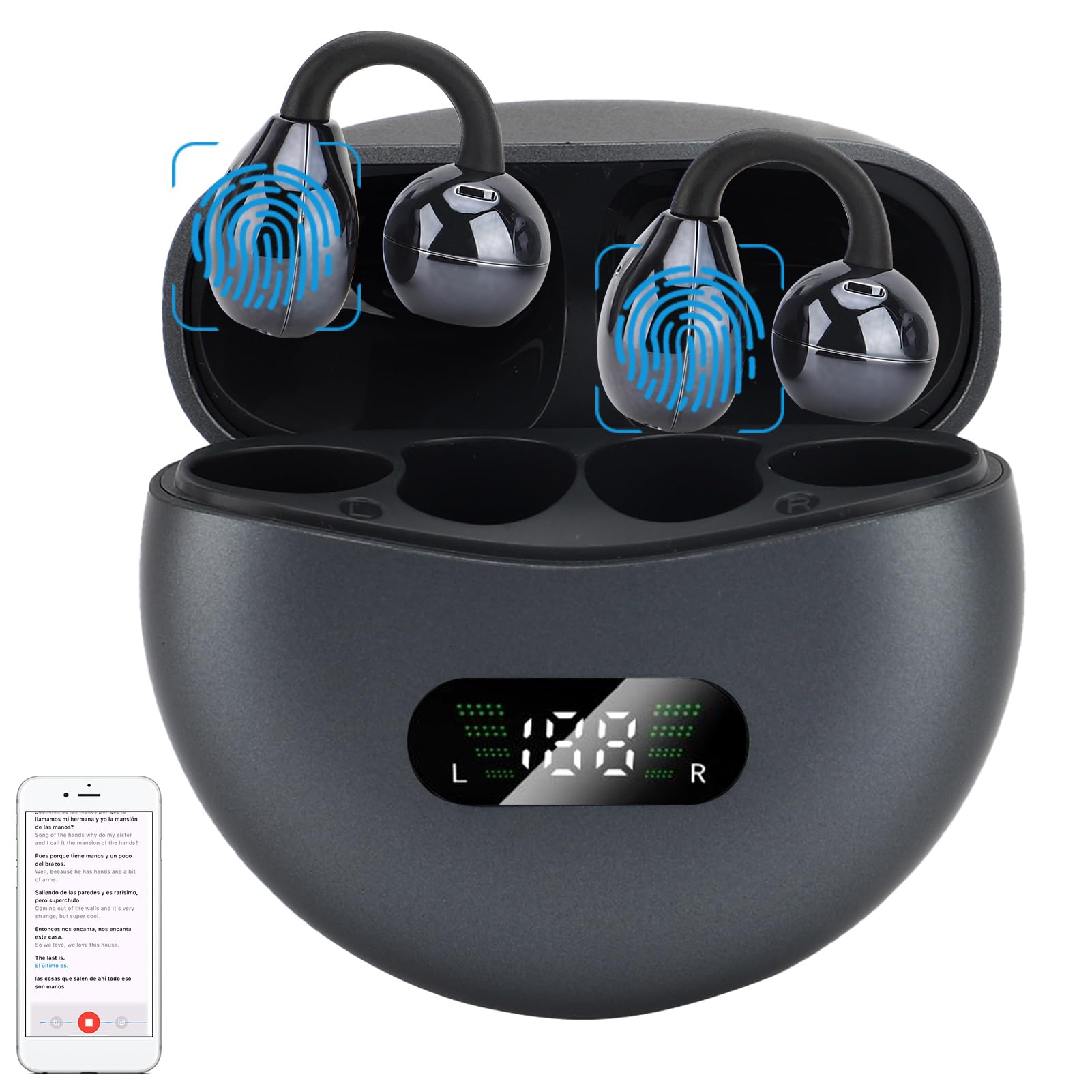
Wearing this headset almost feels like cheating the laws of headphone science. We get clear calls and can still hear someone sneaking up behind us with more work—so we stay aware, both professionally and literally.
Since nothing jams into our ear canals, our ears feel fresh even after hours of meetings. The ultra-lightweight design means we sometimes forget it’s there—until someone points it out in the breakroom.
Switching between phone and laptop is easy, so juggling calls and music is no big deal. The controls stay simple, and we don’t have to look like we’re piloting a spaceship just to mute ourselves.
The built-in microphone blocks out most office chaos, though it can’t work miracles in a construction zone.
Downsides? The battery taps out after about 12 hours, so we charge it overnight. The plasticky build makes us a little nervous if we drop it, and it’s not built for blasting music with heavy bass.
If you want comfortable, good-sounding calls—and ears that don’t feel like they’re dying—the CPTEA Open-Ear Bluetooth Headset deserves a spot on your desk. Just don’t expect it to survive getting run over by your office chair.
If you want a wireless headset that’s simple for long conference calls—without looking like you’re about to fly a plane—this Logitech mostly does the trick. It’s not perfect, but it gets the job done (with a few quirks).
Pros
You can slap it on and forget it’s there—seriously comfy
Dual mics handle loud coworkers (and your own snack breaks)
Battery life easily outlasts your longest status updates
Cons
Noise canceling isn’t magic—some circus-level chaos sneaks through
Good luck finding the right button on your first try
Bluetooth gets moody if you’re juggling devices
When we tried on the Zone 301, the lightweight design felt like a relief. Our heads thanked us during all-day meetings.
Wearing it for hours didn’t make us want to toss it out the window by 3pm. Calls sounded crisp enough for everyone to catch our questionable jokes.
The dual mics kept most chaos out of meetings, though if the neighbor’s lawnmower is doing a solo, some noise slips in. Teammates usually heard us clearly, though.
The battery lasted two days before we even thought about charging. We roamed halfway across the house for coffee without missing a beat, though sometimes Bluetooth reminded us who’s in charge if we tried switching devices.
Setup was straightforward—no “please hold, we’re updating drivers” moments. We just wish the buttons stood out more, especially when our morning brains lag behind.
Eco-conscious folks might appreciate the recycled plastic touches. For most conference rooms and home offices, this headset delivers comfort and decent audio, as long as you don’t expect total silence in the background.
Trying to look like you belong in a conference room? The Zone Vibe 100 helps you fake it ‘til you make it.
Pros
Super lightweight and comfy—even after a full workday, our ears didn’t beg for mercy
Flip-to-mute mic saves everyone from our snack choices
Bluetooth range lets us wander for “urgent” snacks
Cons
Not great for deep, concert-level music
Material feels a bit plasticky—not exactly “executive chic”
Extra large ears? The fit might feel snug
The Zone Vibe 100 kept us comfortable through back-to-back meetings. We wore them for hours and still had feeling in our ears, which is more than we can say for some old headsets.
The memory foam pads are soft and don’t turn “work-from-home” into “sweat-from-ear.” Muting ourselves is easy when the delivery driver rings or the dog starts barking.
The controls are simple, and tweaking settings in the Logi Tune app saves us from fiddling with tiny switches. Bluetooth multipoint lets us jump between laptop and phone faster than we switch browser tabs.
On the downside, these won’t pass for pro studio headphones if you want to jam out. The style is casual, and the build—while light—doesn’t scream “luxury.” If your ears are on the larger side, things might get a bit pinchy.
For everyday calls and meetings, though, these headphones handle the job and let us stay mobile—while looking pretty sharp.
Need a budget-friendly Bluetooth headset to survive endless conference calls without torturing your ears? The JLab Go Work Gen 2 is worth a serious look.
Pros
Crazy-long battery life means fewer frantic charger hunts
The noise-cutting mics keep you from sounding like you’re in a washing machine
Cons
The mute button hides a little too well
Windows gets fussy with Bluetooth—dongle works best
Ear cups are comfy, but get warm after marathon meetings
Right out of the box, the JLab Go Work Gen 2 looked ready to handle our daily chaos. We tested the multipoint Bluetooth and jumped from phone to laptop without menu-diving.
We love not having to charge it every night—this thing lasts well past a week of normal use. The foam ear cups feel like pillows (until about hour five), and the mic boom swings up and down, so we don’t accidentally broadcast our side commentary.
Honestly, the dongle became our new best friend on Windows. We had fewer “can you hear me now?” moments since making the switch.
The mute indicator is a nice touch, but it’s a little too easy to ignore (unlike our unread Slack messages). If you want a balance between price, comfort, and features, this headset delivers—just don’t expect instant meeting superpowers.
Tired of shouting “Can you hear me?” into the Zoom void? The JLab Go Work headset might finally help you sound like you know what you’re doing.
Pros
Multipoint connection makes swapping between laptop and phone easy
Battery lasts so long you might forget where you put the charger
Foam earcups stay comfy for those endless meetings
Cons
Mic boom feels a bit plasticky
No fancy noise-canceling, just basic blocking
Sound gets a bit flat in music mode
We tried the JLab Go Work and, honestly, didn’t expect our ears to survive both our nine and eleven o’clock calls. The foam earcups actually stayed comfortable all morning.
We wore glasses and didn’t feel like frogs being squished by headphones. Switching between laptop and phone felt like magic.
Bluetooth multipoint is a real lifesaver when you’re juggling Slack on one device and taking calls on another. The buttons are simple, and the mute indicator made us look like pros (no more accidental embarrassing noises).
It didn’t block out that leaf blower outside, but the dual mics kept our voices clear on calls. The mic does feel a little cheap, and music sounds just okay.
For meetings and daily work, though, it’s reliable, the battery is marathon-level, and you don’t need to panic if you forget to charge it overnight.
Want solid call quality in the conference room without that earmuff-from-the-90s vibe? The Soothielec headset is worth a look.
Pros
Background noise vanishes with AI noise canceling
Meetings all day before you need a recharge
Dual connection lets you pretend to multitask
Cons
Not friendly for folks with tiny heads
Takes up more bag space than you’d think
USB dongle only works with Windows
Wearing the Soothielec headset, we almost felt like secret agents (if secret agents sat in video meetings about quarterly reports). The noise canceling really works—our barking dog went unnoticed on calls.
Switching the mic mute on and off is easy, so embarrassing snack breaks stay private. Pairing two devices at once let us jump between phone calls and computer meetings, making us feel like productivity ninjas.
The battery life is impressive. We charged it at breakfast, survived a conference call marathon, and still didn’t need more juice.
It’s not all smooth sailing. If you have a dainty head, these might sit loose. Getting the headset into a small bag is like packing a carry-on for two weeks—kind of a struggle.
And if you grab a MacBook, the USB dongle is pretty much useless (sorry, Apple fans). For those of us living in Microsoft Teams and endless Zooms, the Soothielec brings some peace and quiet—just don’t expect it to shrink to pocket-size.
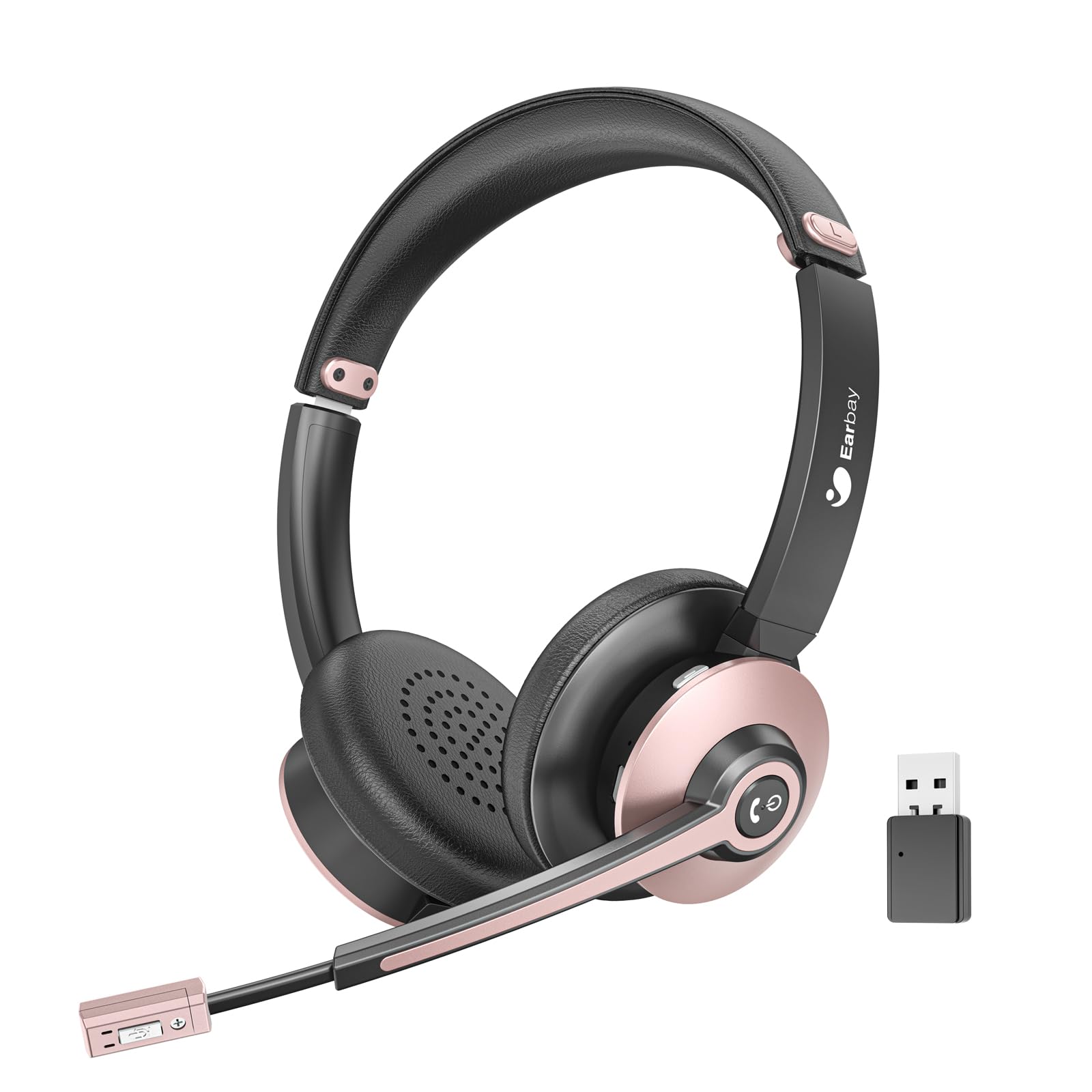
Let’s be honest—conference calls are tricky enough without worrying if your mic picks up chaos in the background. We definitely appreciated the dedicated mute button on the Earbay headset.
No fumbling, just one quick press and you’re muted when the dog barks or coffee spills (again). The comfort level had us forgetting we were even wearing headphones—until that coffee, anyway.
A wireless headset that lets you bounce between computer and phone without a tech degree is a win. The Bluetooth connection stays steady, and with the USB dongle, even our stubborn old office desktop joins in.
With battery life that lasts through back-to-back meetings, these headphones kept up better than our own attention span. The noise-canceling mic blocks some background racket, but one of us still got called out for a clattering keyboard.
We could do without the large dongle that’s like carrying a mini USB banana, and every now and then, we heard faint static. But if you want reliable sound and a quick mute switch, the Earbay Bluetooth Headset for Office is a smart pick.
Buying Guide
Stepping into the world of conference room headphones is honestly a bit confusing. There are so many buttons, flashing lights, and features—unless you’re a secret agent, you probably won’t touch half of them.
Let’s cut to the chase and focus on what actually matters.
First up: sound quality. You want your team to hear you the first time, not after a bunch of awkward repeats. Go for headphones with clear audio and a solid mic.
Nothing derails a meeting faster than, “Wait, what did you say?” over and over.
Bluetooth range is another thing you shouldn’t ignore. Nobody wants to lose connection just because they wandered over to refill their coffee. Most models work up to 30 feet, but extra range gives you more freedom (and more snack breaks).
Comfort really matters, especially when meetings drag on. Grab a pair with soft ear pads and an adjustable band. Your ears will be grateful, trust me.
Here’s a quick table to keep things straight:
Feature
Why It Matters
Sound Quality
Clear calls, less confusion
Battery Life
All-day meetings, no charging
Comfort
No sore ears, happier faces
Bluetooth Range
Freedom to move
Noise-canceling
Fewer distractions
Don’t forget to check battery life. It’s honestly the worst when your headphones die right as you’re about to speak. Try to find a pair that can survive a full day of meetings—or at least won’t quit halfway through.
And if you tend to fidget, noise-canceling is a game changer. Blocking out background noise saves you from those embarrassing moments when your dog starts barking or your neighbor cranks up the music.
Hi, my name is Garrett Jones, and I am a tech enthusiast. I enjoy researching the new tech that has been released, and have a vast knowledge of the best tech to purchase.
From a young age, I have always had a big interest in technology, and this blog is an extension of that interest. Through this blog, I hope to provide others with all of the information they need regarding tech options to consider, and things such as compatibility. Some of the different items I will be discussing include headphones, smartwatches, and how to fix common issues.