We’ve all been there—strapping on our fitness trackers, excited to check our blood oxygen levels, only to get… nothing. Your fitness tracker probably isn’t measuring blood oxygen because of stuff like a loose fit, tattoos blocking the sensor, or a glitchy feature. Sometimes, these fancy gadgets act fussier than we do.
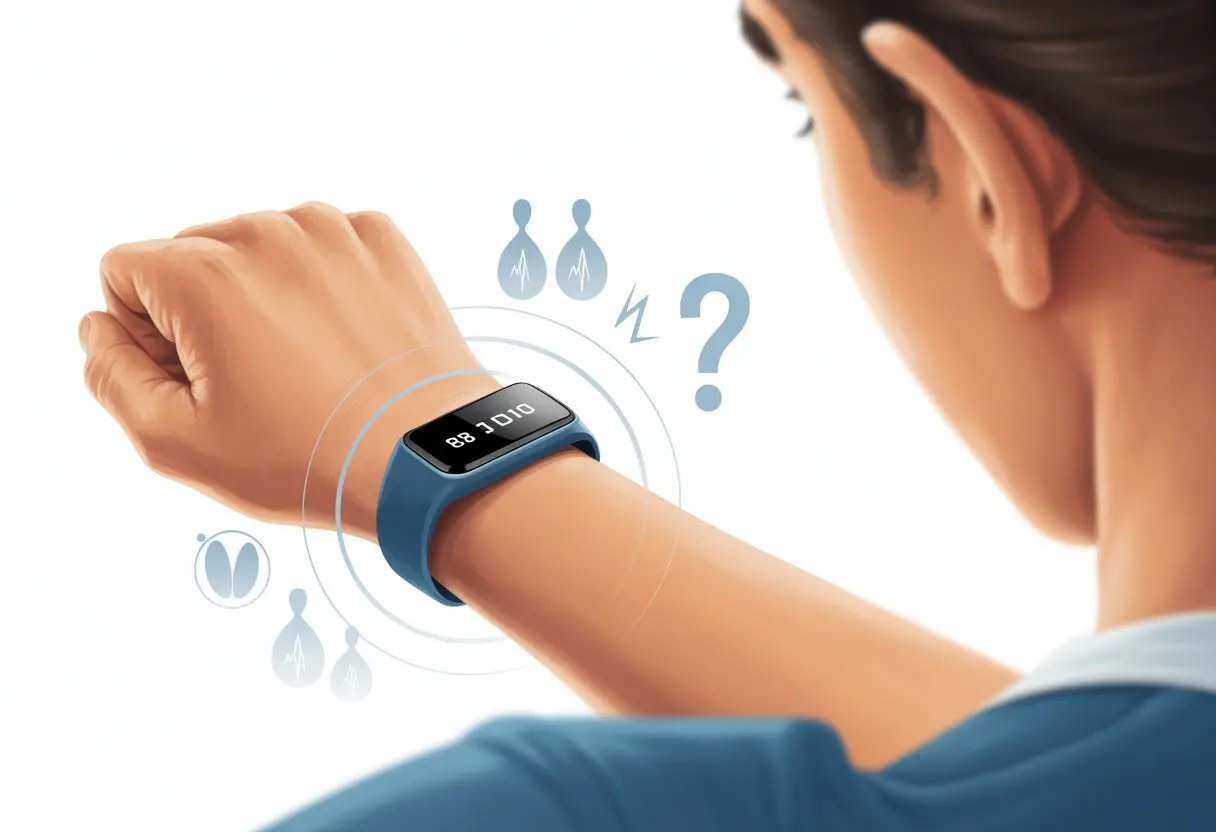
Before you panic and assume your wrist turned invisible, just remember—even great trackers can struggle with things like movement, dry skin, or that gummy candy you snuck into spin class. Tattooed skin especially throws the sensors off, according to Apple’s official guidance.
If your watch still refuses to cooperate, you can usually fix it without launching it into orbit. Stick around as we vent, laugh, and troubleshoot our way back to those precious SpO2 numbers.
How Fitness Trackers Measure Blood Oxygen
Fitness trackers use a mix of tiny machines and, well, science (not actual magic) to estimate blood oxygen. Let’s peek behind the curtain and see what goes on when you strap one on.
Understanding Pulse Ox Technology
Pulse ox, short for pulse oximeter, is the real hero here. It’s not just a snazzy buzzword—these devices shine light through your skin and measure how much gets absorbed by blood in your capillaries.
The amount of light absorbed changes based on how much oxygen’s hitching a ride on your red blood cells. You end up with a number called SpO2, which tells you the blood oxygen percentage.
Most healthy folks score between 95% and 100%. If it drops below that, your tracker quietly hopes you just held your breath too long. No needles, no fuss—just light, skin, and a bit of patience.
Role of Sensors in Measuring SpO2
The sensors handling all this are usually tiny LEDs paired with photodetectors. Your tracker shines red and infrared light into your skin, then checks how much bounces back.
That reflected light gives the tracker all the clues it needs. If your watch is too loose or your skin is dry (or maybe you just danced too hard), the sensor might struggle.
Dark tattoos, body hair, or chunky wristbands can confuse things, too. For the best reading, keep your tracker snug, your wrist clean, and your moves… well, as smooth as you can manage.
Pulse Oximeter vs. Fitness Tracker Apps
Traditional pulse oximeters—the little finger clips at the doctor’s office—are designed to be super accurate and give quick readings. Fitness trackers take longer and don’t always handle wild movements or weird wrist angles.
Here’s a quick breakdown:
| Feature | Pulse Oximeter | Fitness Tracker |
|---|---|---|
| Accuracy | Very high | Good (sometimes) |
| Measurement Time | Fast | Slower |
| Works During Movement | No | Not always reliable |
| Built-in to Wearables | No | Yes |
Your tracker’s app is great for daily checks, but it can’t replace a medical device if you feel unwell. These gadgets are cool, but they aren’t doctors—at least, not yet.
Common Reasons Your Fitness Tracker Isn’t Measuring Blood Oxygen
Sometimes our beloved smartwatches just won’t cooperate, especially with blood oxygen. If you’re staring at a blank SpO2 screen, there’s usually a simple reason.
Let’s break down the biggest culprits so you can get back to tracking your numbers—unless you get distracted by cat videos.
Improper Wearing of Device
Wearing your fitness tracker the right way sounds obvious, but even the smartest watch hates being worn loosely or halfway up your arm. For accurate blood oxygen tracking, it needs to rest snugly—just above the wrist bone, but not cutting off your circulation.
If your device flops around or sits at a weird angle, the sensors can’t keep good contact with your skin. Movement, arm position, and how tightly you fasten the band all matter.
If you’re waving your arms like an inflatable tube person, your watch might just give up.
Quick checklist:
- Is the band too loose or too tight?
- Is the device flat against your skin?
- Are you keeping your wrist still during a reading?
For more tips, check out Fitbit’s instructions on SpO2 accuracy and Garmin’s guidance on proper band fit.
Low Battery or Power Saving Mode
It’s easy to forget your smartwatch needs actual charging. When batteries run low, blood oxygen sensors are often the first to go since they’re power-hungry.
If you left your device on the charger for “just a few minutes” (which turned into not at all), low battery could be the culprit. Many smartwatches also enter power-saving mode and shut off features like SpO2 monitoring.
If you manually turned on power-saving mode (maybe to avoid getting up and finding your charger), it could block blood oxygen readings.
Make sure your battery’s above 20%, and if you see a battery icon flashing, plug in before blaming your tracker.
Dirty or Blocked Sensors
Fitness trackers go through a lot—gym sweat, spilled coffee, and whatever collects under your band. Grime can cover the sensors that read blood oxygen, making them about as useful as sunglasses at midnight.
If your readings have stopped or seem way off, flip your smartwatch over and check for sweat, dust, or sticky goo from lunch blocking the sensor.
Cleaning’s easy. Grab a soft, lint-free cloth (not your shirt sleeve), dampen it if needed, and gently wipe the back of the watch.
Skip harsh chemicals or soap; your tracker prefers a gentle touch. Lotion or wet skin can leave a film that blocks the sensor, so dry, clean wrists help.
For more info, Banner Health gives some tips about things that can mess with readings on pulse oximeters.
Device Limitations and Compatibility Issues
You might have the fanciest smartwatch, but that doesn’t always mean you’ll get the data you want. Blood oxygen tracking can be picky, and not every device or software version will cooperate.
Not All Models Support Blood Oxygen Tracking
Check if your tracker or smartwatch even has blood oxygen measurement. Some devices, like certain Fitbit and Apple Watch models, include this feature, but others skipped SpO2—maybe to keep us guessing.
No magic code unlocks a hidden sensor. If your tracker doesn’t support blood oxygen, no update or hack will make it appear. For example, on Fitbit, if you use older models, you may never see SpO2 numbers because the hardware just isn’t there—no matter how many times you tap the screen.
Checking the official specs is the quickest way to avoid heartbreak. Manufacturers usually brag about this feature, so if it’s not obvious, it’s probably missing.
Some devices only measure SpO2 during sleep, not all day. So if you’re yawning dramatically at lunch and waiting for a reading, don’t hold your breath.
Unsupported Device Software Versions
Sometimes, your device can measure blood oxygen, but the software’s stuck in the past—like it still thinks MySpace is cool. Without the latest updates, the watch might not support the app or sensor needed for blood oxygen.
It’s like having a bike with no tires—you’re not going anywhere. Both Fitbit and Apple Watch users run into this.
Missing features, random errors, and no SpO2 readings often mean you need an update.
Here’s a quick list:
- Check for app updates
- Update device firmware
- Restart the device after updates
Don’t ignore those “Please update” pop-ups. Newer software brings bug fixes and enables support for sensors. If you haven’t updated in a while, this might be why your blood oxygen readings won’t show up.
Environmental and Personal Factors Affecting SpO2 Measurements
Before you get annoyed at your fitness tracker, know that SpO2 readings can be finicky. Everything from your skin to how much you move can throw off that little sensor.
Impact of Skin Tone and Tattoos
Let’s be real—our skin is unique. Some of us are tanner, paler, or have tattoos.
Pulse oximeters shine light through your skin to measure blood oxygen. If you have darker skin, the sensor sometimes gets mixed up. The pigment changes how much light gets through, so SpO2 readings aren’t always accurate.
Tattoos don’t help. If you have ink right where the sensor sits, it can block or scatter the light. Your fitness tracker could show results that are too low or just plain off.
Apple warns that skin changes and tattoos can impact SpO2 measurements, so it’s not just you.
For better readings, wear the tracker on an area without tattoos or with lighter skin. It can make the gadget behave a bit better.
Motion Interference During Tracking
Trying to check your blood oxygen while jogging, dancing, or karate-chopping the air? Your tracker might just decide to nap.
SpO2 sensors are super sensitive to movement. When you wiggle, the lights inside can’t do their job, making readings as reliable as a weather forecast from an octopus.
Motion causes the sensor to get reflections or signals from everything but your blood vessels. This leads to inaccurate or impossible readings—like a zero percent blood oxygen when you’re clearly alive.
For better results, sit still and keep your arm relaxed. Even a few seconds of calm can give the tracker a better shot at your “real” SpO2. If you sneak a blood oxygen test during a dance party, don’t expect much.
How to Troubleshoot Your Fitness Tracker’s Blood Oxygen Feature
If your fitness tracker refuses to play nice and show blood oxygen numbers, the cause is usually something simple. Most issues come down to fit, dirty sensors, or an app that’s overdue for an update.
Ensuring Correct Fit and Placement
First things first—let’s make sure our tracker sits on our wrist like it belongs there. Most trackers, especially popular ones like Fitbit, should feel snug but not like they’re cutting off circulation. If it’s too loose, honestly, we might as well try measuring steps with it dangling from a ceiling fan.
The best spot for a tracker or pulse oximeter? About a finger-width above the wrist bone, with the screen on top and the sensor pressed flat against the skin. If you’ve got a hairy wrist, sometimes the sensor just can’t cope—a quick trim might help more than you’d think.
Try not to wear the tracker on the underside of your wrist or right over a bone. That can mess up the readings.
Here’s a quick fit checklist:
- Tracker sits above the wrist bone
- Strap feels secure, not too tight or loose
- Sensors touch skin fully
- No dirt or sweat under the band
If you’re using a Fitbit, remember it only tracks blood oxygen during sleep. Don’t expect a reading at 2 PM unless you’re seriously committed to mid-day naps.
Cleaning and Maintaining Sensors
Nothing ruins a sensor reading faster than pizza grease or sunscreen from last weekend. The sensor on your fitness tracker works best when it’s clean. Wipe it down with a soft, damp cloth after workouts or particularly sweaty days.
Skip harsh chemicals—they can scratch the sensor. If your tracker is waterproof, a quick rinse works too. For stubborn grime, use soapy water, then dry with a lint-free cloth. Keep the skin under the tracker clean as well. No one wants a confused pulse oximeter thanks to old lotion.
Consistent cleaning helps the sensor actually “see” your blood flow instead of gunk, sweat, or barbecue sauce.
Updating Firmware or Apps
When nothing else works, blame the software. Fitness trackers—like kids or houseplants—work better when you update them. Old firmware can make the blood oxygen feature freeze, spit out weird numbers, or just stop working.
Check your tracker app for updates, usually in device settings. Updating may fix bugs and even unlock new features you didn’t know you wanted.
Sometimes, deleting and reinstalling the app resets things. If your model never shows SpO2 readings, it might not support that feature—some Apple Watch models just don’t have it. If you’re not sure, check model numbers or visit the manufacturer’s site.
Before you declare war on your tracker, make sure it’s running the latest software. You’d be surprised how often this step saves the day.
When to Seek Alternative Blood Oxygen Monitoring Methods
Sometimes, fitness trackers just refuse to cooperate, especially with blood oxygen levels. If you keep seeing errors or weirdly low numbers, maybe it’s time for a backup plan—one that doesn’t get distracted by tattoos, motion, or dramatic wrist waves.
Using a Dedicated Pulse Oximeter
When your tracker acts more like a moody cat than a health device, a dedicated pulse oximeter is a smart upgrade. These little gadgets are made just for measuring blood oxygen. They usually clip onto your finger and shine light through your skin (not painful, promise), giving you a quick and reliable SpO2 reading.
If you’re recovering from illness, managing asthma, or your tracker just guesses wildly, try a pulse oximeter. They come in handy for tattoos, darker skin, or a stubborn wrist. Motion or cold fingers can still mess with them, but overall, pulse oximeters tend to be more reliable than many fitness trackers.
Here’s a quick look:
- Easy to use
- Fast results
- Designed for accuracy
Consulting Healthcare Professionals
Sometimes, let’s be real, Google just can’t help. If your blood oxygen numbers don’t add up, or you feel symptoms like shortness of breath, chest pain, or confusion, it’s time to talk to a healthcare professional. They’ve got the training, not just a battery-powered gadget on their wrist.
Doctors run more accurate tests and spot health issues your tracker might miss. They’ll help figure out if there’s an underlying problem or if your device just isn’t working for you. If your numbers worry you and don’t improve with rest, medical advice is always the safest move.
Think of healthcare pros as the tech support for your body—with way less time on hold.
Other Features Often Mistaken for Blood Oxygen Tracking
It’s way too easy to get mixed up by all the numbers on fitness trackers. Sometimes we think we’re seeing blood oxygen data, but it’s actually a totally different stat.
Heart Rate Monitoring vs. SpO2
Let’s be honest—some of us have stared at our wrists, watching the heart rate number flash, wondering if it’s secretly measuring our taxes too. But nope, trackers aren’t quite that magical.
Heart rate monitoring counts how many times your heart beats per minute. SpO2 checks how much oxygen is in your blood. They use different sensors. Heart rate uses an optical sensor to see blood flow, while SpO2 measures how your blood absorbs light.
Most trackers show a heart icon for heart rate and a percentage sign for SpO2. But those little icons? Sometimes they’re as mysterious as Uncle Bob’s “famous” chili. If your device doesn’t have the right sensor, you won’t see SpO2 readings—no matter how hard you wish.
| Feature | What it Measures | Typical Icon |
|---|---|---|
| Heart Rate | Beats per minute | ❤️ or similar |
| SpO2 | % oxygen in blood | % or O2 |
Sleep Tracking and Its Limitations
Wouldn’t it be great if sleep tracking told us everything—how we slept, what we dreamed, and if any ghosts showed up? Most basic sleep trackers just estimate light, deep, and REM sleep by tracking movement and sometimes heart rate.
Some advanced models use a pulse oximeter sensor to measure blood oxygen during sleep. But here’s the catch: not all wearables include this hardware. Even if your watch claims “wellness” tracking, it might skip SpO2 for sleep. Tattoos, arm hair, or a loose fit can also block the sensor, according to Apple’s support.
If you see lots of sleep stats but no blood oxygen data, your device probably lacks the right pulse ox sensor, or your arms are making things tricky. Even “wellness” metrics might just use heart rate and movement—not SpO2—unless your device specifically lists it.
Tips to Maximize Your Tracker’s Blood Oxygen Accuracy
If your tracker acts like it’s on a coffee break when measuring blood oxygen, a few tricks can help. Staying consistent and noticing small details can make a big difference for your activity tracking and wellness data.
Regular Maintenance Routines
Let’s be real—our fitness trackers see more sweat than a pizza delivery guy in July. Wipe down the sensors with a soft, lint-free cloth (especially after you spill spaghetti). Keeping the optical sensor clear matters. Dirt, lotion, or sunscreen can mess with readings faster than your cat can knock over a glass of water.
Wear the tracker snug, but not so tight it turns your wrist into a sausage. If it’s too loose, light sneaks in and the blood oxygen results might look like they came from a clown college. Move the tracker about a finger’s width above your wrist bone for the best contact.
Regularly clean the band to prevent skin gunk from interfering with the sensor.
Check for firmware updates—they can boost sensor performance, kind of like a good hair day boosts your mood. If you have tattoos or a lot of body hair where you wear it, try moving the device or switching arms. These can interfere with readings, as TechRadar points out.
Optimizing Tracking During Activities
When we’re running, walking, or even busting out a “victory dance” after some good news, it actually matters if we keep our arm still while the tracker takes a reading.
Blood oxygen sensors use light—not psychic powers—so movement can really throw them off.
If you need to check during or right after activity, just rest your arm on a table or something steady.
Cold hands? Yeah, we all get them, especially if we’re stubborn about turning on the heater.
When our hands are chilly, blood flow drops and the readings might dip too.
It’s worth warming up a bit before measuring if you want your number to be closer to the truth.
And maybe don’t clench your fist or wave at everyone in the gym during the test—tempting as it is.
Keep an eye on notifications from your tracker.
If you spot a low number, don’t freak out—just grab a medical-grade pulse oximeter and double-check, like Cables and Sensors suggests.
Your tracker’s great for wellness and activity, but it’s not a stand-in for real medical advice, no matter how cool it looks on your wrist.

From a young age, I have always had a big interest in technology, and this blog is an extension of that interest. Through this blog, I hope to provide others with all of the information they need regarding tech options to consider, and things such as compatibility. Some of the different items I will be discussing include headphones, smartwatches, and how to fix common issues.
- How to use a smartwatch for fall detection: Because Gravity Happens - October 1, 2026
- Best Smartwatches Under $100 That Won’t Make Your Wallet Cry - October 1, 2026
- How to use a smartwatch for meditation and Pretend You’re Not Just Checking Notifications - September 30, 2026
Related Posts: