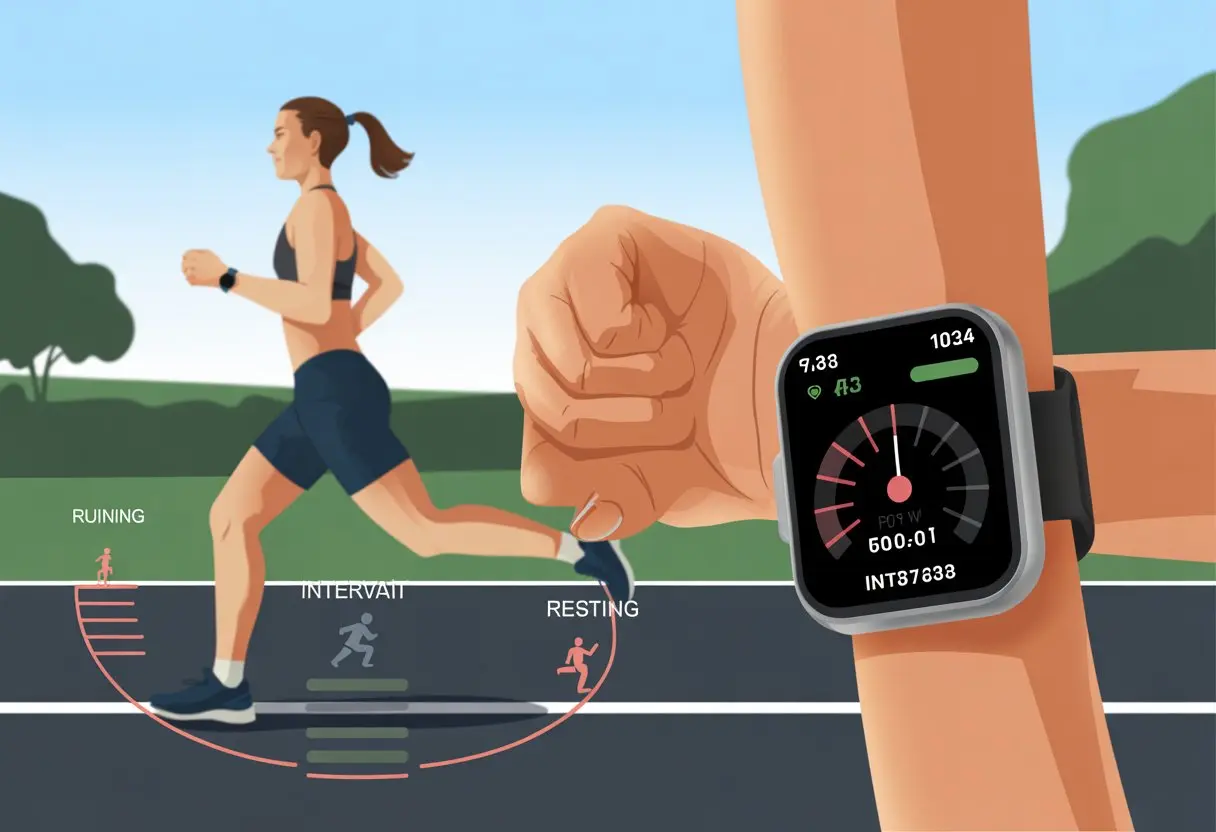
Let’s be real—interval training kind of feels like being chased by a bear, just with more structure and less actual danger. Thankfully, smartwatches make these workouts less overwhelming and keep us honest about our pace, minus the drama.
When we use a smartwatch for interval training, we can set timers, get vibration alerts, and track every gasping breath—all with a few taps.
We don’t have to keep track of time or guess when to rest. Our watches handle all the mental math.
Whether we use a Garmin, Samsung, or something else, it’s super easy to set up intervals so the watch keeps us moving (even when our legs are begging us to stop). If we want to get fancy, we can even train in the right heart rate zone, like those hardcore folks in the Polarfitness community.
Let’s skip the complicated stuff and let our smartwatches handle the tough parts, while we just focus on moving forward—one step at a time.
Getting Started with Smartwatch Interval Training
Nobody wants to spend forever figuring out how to set up interval training. We’d rather work out—or honestly, just nap.
Let’s break it down into steps so we can actually use our smartwatch for interval workouts and spend less time fighting with Bluetooth.
Choosing the Right Smartwatch
If we want interval training to feel smooth, picking the right smartwatch matters. Not every watch is made for sweaty, intense workouts or easy tracking.
Devices like the Apple Watch and some Samsung Galaxy models stand out because they focus on fitness and offer solid health features. We should look for something that actually feels good on our wrist, especially when we’re running or sweating buckets.
A long battery life means less time charging and more time training. That’s always good news.
Water resistance is a bonus—because sometimes, rain just happens. Bluetooth is a must if we want to sync with our phone or blast our workout playlist.
Some smartwatches even have Alexa or Google Assistant built in, so we can yell at our devices instead of fumbling with sweaty fingers. We want a watch that gives us audio or vibration alerts for intervals, so we don’t have to stare at the screen the whole time.
Setting Up Your Device
Once we find our champion smartwatch, it’s time to set it up for interval training. Most watches need us to connect to our phone first, usually through Bluetooth.
We’ll need to install the smartwatch’s app—maybe Apple Health, Samsung Health, Garmin Connect, or whatever fits. After we connect, it’s all about figuring out how to build interval workouts.
On a Garmin, we usually open the workout menu, pick “Intervals,” and add our run and rest times. The Samsung Galaxy Watch lets us adjust intervals under running options, but only for certain workouts.
Apple Watch makes us create custom workouts with repeats and rest periods. We’ll want to check that our watch vibrates or beeps to cue us for each interval.
Guessing when to stop running or resting is no fun—unless we’re into surprise sprints.
Understanding Basic Features
A solid smartwatch for interval training should have a few must-have features. Here’s a quick rundown:
Customizable Workouts: We should be able to set how long each interval lasts and how many rounds we want to survive.
Audio or Vibration Alerts: These cues tell us when to speed up, slow down, or question our life choices.
Heart Rate Monitoring: Most watches track our heart rate, which is handy for staying in the right zone (and not turning into a tomato).
App Integration: Syncing with apps means our stats go straight to our phones. We can brag later, or just keep a record for next time.
Multiple Workout Modes: Options for running, cycling, or other gym stuff keep things interesting.
Some smartwatches, especially those with Alexa or Google, let us set intervals or timers with voice commands. That’s a relief when we’re too tired to poke at tiny icons.
Preparing for Your First Interval Workout
Before we dive into our first round of watch-powered intervals, let’s make sure we don’t trip over our own shoelaces. Getting ready the right way sets us up for a better session and helps us dodge surprise muscle aches tomorrow.
Warming Up Like a Pro
Nobody wants to pull a muscle five minutes in. A solid warmup tells our body, “Hey, something’s about to happen!”
We can start with a brisk walk or light jog for 5-10 minutes. That gets the blood moving.
If our interval training includes weights or strength moves, we throw in some dynamic stretches—arm circles, hip openers, or gentle lunges. Many smartwatches let us set a timed warmup before intervals start.
Apple Watch users can tap Warmup to pick by time, distance, or leave it open-ended in custom workouts. Our knees and patience will thank us.
Selecting Activity Types
Picking the right activity type on our smartwatch really matters. We don’t want to log a set of sprints as “yoga”—unless yoga suddenly got intense.
Most watches let us choose modes like Running, Cycling, or Strength Training. For intervals, we pick the one that matches what we’re actually doing.
For strength training, picking the right activity ensures our reps get tracked, sweat and all. Setting up intervals is usually simple; Garmin, for example, lets us create custom interval workouts through its app or right on the watch.
A clear activity type helps the watch track stats and gives us accurate bragging rights.
Adjusting Watch Face for Training
Time to check our watch face. Ever tried squinting at tiny numbers mid-sprint? Not fun.
Many smartwatches let us customize the display to show big, bold data fields during workouts. We can add distance, pace, or interval splits—whatever stats keep us going.
Before we start, we make sure the important fields are front and center, and actually readable. Quick-glance metrics keep us focused, even if our lungs are busy arguing with us.
For more details on building interval workouts with a Garmin, check this step-by-step setup guide.
Customizing Interval Training Settings
We all want workouts that fit just right—not too long, not too short, and with a good cool down at the end. Here’s how we can tweak our smartwatch to build interval workouts that fit our goals.
Configuring Time Intervals and Repetitions
Let’s talk about setting up those intervals and how many times we want to repeat them. Most smartwatches—Apple, Garmin, Samsung—let us choose exactly how long each work/rest cycle lasts.
Usually, we open the workout or training app, pick our exercise, then tap into an “Intervals” or “Custom” area. There, we add intervals and set the number of repeats (or, in plain English, how many times we want to sweat through this).
Some watches, like Garmin, let us customize each interval by time or distance and edit the total repetitions in a list. Our fingers get a little workout just tapping those numbers in.
If we’re feeling bold, we can bump up the repeats with a few taps and trick ourselves into an extra set.
Setting Interval Duration
Not all intervals are the same. Maybe we want 30-second sprints, or maybe five-minute working intervals sound more our speed.
We get to choose—this is our show. When setting duration, we pick how long each burst or recovery lasts.
Usually, we set this in seconds, minutes, or even by distance if we like mixing things up. Some watches use a scroll wheel or numeric keyboard, which is a lifesaver for clumsy thumbs.
If we want to get creative, we can mix up short and long intervals. That keeps things interesting and our legs guessing.
Creating an Open-Ended Cool Down
Let’s not skip the cool down—ending a workout abruptly just feels weird. An open-ended cool down means we decide when we’re done.
Some devices, like Apple Watch, let us add a cool down that keeps going until we say “enough” (or until our dog starts staring us down).
To set this up, we look for a cool down or “open” interval at the end of the workout setup. Selecting “open” or leaving the time blank starts a cool down that only ends when we finish the activity.
It’s basically the smartwatch version of bottomless fries. If we need a little extra time to recover, we take it—no rules here.
Using Heart Rate Features for Better Results
When we use a smartwatch for interval training, we get more than step counts or a fancy timer. With the right features, our watch gives us real-time heart rate, oxygen levels, and even lets us pair up with chest straps for extra accuracy.
Let’s actually use these techy superpowers.
Monitoring Heart Rate During Workouts
Watching our heart rate during sprints or rests is like having a coach who never takes a break. Most smartwatches have a built-in heart rate sensor that tracks our bpm (beats per minute—not a new dance trend, sadly).
Real-time heart rate measurement shows us if we’re in the fat-burning zone or going full superhero. Staying in the right zone helps us burn more calories, boost stamina, and avoid the awkward moment when we just need to lie down on the gym floor.
Some watches display our heart rate in easy-to-read graphs. Others buzz to let us know if we need to speed up or slow down.
During run intervals, it’s normal for heart rates to rise and level off—like 125-130 bpm during a run. That feedback keeps us honest, even if our legs want to quit.
Pairing External Heart Rate Monitors
Sometimes, the tiny sensor on your wrist just gets it wrong. Maybe you’re drenched in sweat, or maybe it’s just not your watch’s day. That’s when a chest strap heart rate monitor really saves the day.
Chest straps track heart rate more accurately since they sit closer to your heart and don’t get thrown off by wild arm swings. If you want to pair your smartwatch with a chest strap, just hop into Bluetooth settings and connect. It’s usually a breeze.
The main perk? You get more reliable heart rate numbers, especially during intense intervals or when your arms are flailing around (maybe you’re secretly conducting an orchestra mid-sprint—no judgment).
Here’s a quick pros and cons list:
Wrist Sensor
Chest Strap
Easy to use
More accurate
Sometimes less exact
Uncomfortable for some
Built in
Separate accessory
Measuring Blood Oxygen and Oxygen Uptake
Some smartwatches track your blood oxygen levels (SpO2) during workouts. This tells you how well your body’s moving oxygen around—pretty important for intervals, especially when you’re gasping at the end of a tough set.
If you’re training at altitude or just love tracking every stat, checking SpO2 can be super handy. Low oxygen? Maybe you’re pushing too hard, or maybe you just need a breather. Some watches also estimate oxygen uptake (VO2 max), which is a great number to chase if you’re into bragging or fitness competitions.
When you combine heart rate and blood oxygen, your smartwatch turns into a mini science lab on your wrist. Now, if only it could hand you a towel, right?
Tracking and Analyzing Your Progress
If you’re going to put in all this effort, you want proof. Tracking your activity on a smartwatch can actually change how you train.
Counting Steps and Distance Covered
Watching your step count rise during a workout just feels good. Smartwatches use built-in accelerometers to tally up your steps, so even if you slow down or shuffle, you still get credit.
Distance gets tracked using GPS and step sensors. As you move, the watch maps out your route. Some watches even show you a map, which is perfect if you want to brag about how far you wandered from your living room.
Here’s a quick look at what you get:
Metric
What it Shows
How it Helps
Steps
Number of steps taken
Tracks consistency, daily goals
Distance
Miles or kilometers
Measures progress in intervals
Measuring Active Calories and Calories Burned
Let’s be real, everyone wants to know how many calories they’ve burned. Your smartwatch tracks active calories (from moving around) and total calories burned (which includes just existing—thank goodness).
Active calories are what you burn during exercise. The watch uses your heart rate, age, weight, and gender to figure this out. Push harder, and the number climbs.
Total calories burned combines your workout and rest time. The watch adds it all up, so you can claim you burned calories even while lounging post-workout.
Viewing Activity Rings and Fitness Levels
Those colorful activity rings are weirdly addictive. Most smartwatches use rings or badges to show your movement, exercise, and standing goals. When you close every ring, you get a little rush of pride (and maybe justify that extra snack).
Fitness levels get tracked over time using heart rate, steps, and trends. Some watches estimate VO2 max or even your “fitness age,” which might make you rethink those extra interval sprints—or not.
Let’s celebrate small wins:
Each closed ring = a well-earned high five
Higher fitness level = bragging rights at dinner
Using Third-Party Apps Like Strava
You’re definitely not the only one who wants proof of all that effort. Third-party apps like Strava let you log workouts, compare stats, and, okay, maybe peek at your friends’ training.
With syncing, your smartwatch sends workouts straight to Strava and similar apps. You can join group challenges, track trends, and collect digital badges and trophies—just for doing your thing.
Your workout log turns social and a bit competitive. With all your interval data in one place, there’s really no hiding from your progress (or your off days).
Pro Tips for Fun and Effective Smartwatch Workouts
Smartwatches aren’t just gadgets—they’re your secret weapon for smarter interval training. With a few tricks, you can stay motivated, avoid boredom, and sidestep the most annoying issues.
Making the Most of Voice Assistants
Let’s be honest: tapping tiny buttons in the middle of a burpee is just cruel. Voice assistants save the day here.
You can start, pause, or stop workouts with just a command, so you don’t miss a beat or trip over your own feet. Try saying, “Start interval training,” and let your watch handle the rest.
Voice assistants can also set timers, skip songs, or read out your stats. This means you get to focus on breathing, not fiddling with menus. If you forget what interval is next, just ask your watch and you’re back on track. No more awkward guessing or mumbling numbers under your breath like a math-phobic robot.
Troubleshooting Common Issues
Smartwatches definitely have their moments, don’t they? Sometimes, a workout just refuses to start.
Usually, I find the culprit is an outdated watch. Installing updates regularly squashes bugs and keeps those interval apps running the way they should.
If your battery gives up halfway through a session, take a second to check your power-saving settings. I like to close any apps I don’t need before I start.
Voice commands acting up? Make sure you’ve activated your assistant in the settings. And honestly, try speaking a little clearer—sometimes the watch just doesn’t catch what we’re saying.
When nothing else works and the watch seems possessed, a good old restart can do the trick. For apps that won’t open or sync, I usually just delete and reinstall them, and that fixes things most of the time.
Try not to stress—every smartwatch owner has argued with their wrist at some point. At least the watch won’t roll its eyes at you. If you want more tricks, check out these fitness session tips.
Hi, my name is Garrett Jones, and I am a tech enthusiast. I enjoy researching the new tech that has been released, and have a vast knowledge of the best tech to purchase.
From a young age, I have always had a big interest in technology, and this blog is an extension of that interest. Through this blog, I hope to provide others with all of the information they need regarding tech options to consider, and things such as compatibility. Some of the different items I will be discussing include headphones, smartwatches, and how to fix common issues.