We’ve all been there—about to hit play, only to find our Bluetooth headphones already begging for a charger. Didn’t we just charge them yesterday? Honestly, Bluetooth headphones drain fast because of battery wear, high volume, background connections, or even apps running on our devices.
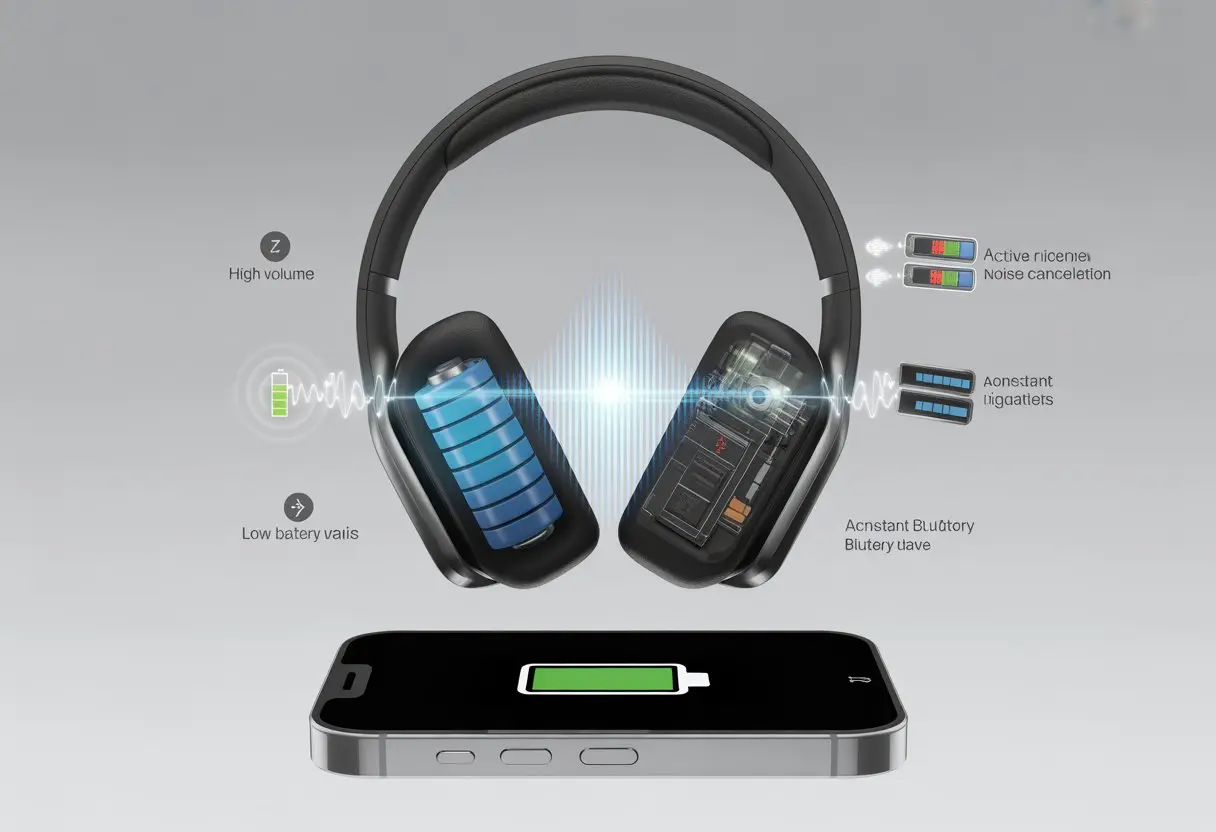
Sometimes it feels like the batteries have minds of their own, draining faster exactly when we need them most. If our headphones connect to multiple devices or fight with spotty Bluetooth signals, they end up working overtime and burning through power even quicker.
If your headphones seem to lose charge at lightning speed, you’re definitely not alone. Let’s try to figure out what’s really going on with this annoying battery drain so we can get back to the music instead of the charger hunt.
What Causes Battery Drain In Bluetooth Headphones?
It’s kind of wild how headphones go from “fully charged” to “please charge now” in what seems like five minutes. The real story behind short battery life isn’t dramatic, but it does change how often we’re hunting for the charger.
Common Reasons For Short Battery Life
1. Battery Age: Rechargeable batteries, like the ones in our wireless headphones, just don’t age well. Over time, they hold less power, leaving us recharging more often.
2. Improper Charging: We’ve all left headphones plugged in for hours or yanked them off the charger too soon. Charging habits actually matter more than we want to admit, and bad charging routines can shorten battery health.
3. High Volume and Features: Cranking up the volume, blasting bass boost, or using noise canceling eats up battery life.
- More features = more power used
- Louder sound = shorter battery time
4. Battery Damage: If headphones lose charge even when turned off, the battery might be damaged or defective. Damaged cells also lose charge when not in use, as some have noticed here.
5. Streaming Apps: Streaming from certain music apps over Bluetooth uses more battery than playing downloaded songs. Every open app or notification chips away at battery life.
How Operating Time Varies By Use
The way we use Bluetooth headphones can make battery life disappear like a magic trick. If we listen at full blast, keep all the features on, and never give them a break, the battery drops fast.
Here’s a quick look:
| Activity | Battery Impact |
|---|---|
| Low volume, no features | Longest battery life |
| High volume, noise canceling | Much shorter operating time |
| Leaving Bluetooth on always | Battery drains even when “off” |
If we only use headphones for quick calls or at a medium volume, we get longer battery life. Connecting to more devices or switching between them makes the headphones work harder. Even leaving them on overnight can nibble away at the battery.
Wireless headphones are a little picky about how we treat them. With a few tweaks, we can slow down that battery drain.
Battery Charge Habits That Secretly Sabotage You
Our Bluetooth headphones put up with a lot. From late-night playlists to panicked Zoom calls, it’s easy to forget the small habits that chip away at battery life.
How we charge, what we use, and where we stash our buds can make a big difference.
Partial Charging And Its Pitfalls
We all love topping off our headphones when the battery bar turns red. But plugging them in for five minutes here and ten minutes there doesn’t do the battery any favors.
Lithium-ion batteries (the kind in most Bluetooth headphones) have their quirks. They prefer full charge cycles. Repeated partial charges can trick the battery software, causing it to misread the actual battery level. This leads to weird battery percentage readings and can make us think the battery is draining too fast when it’s just confused.
Shallow charging also bumps up the “charge cycle count.” The battery wears out faster, and soon a full charge barely gets us through half a playlist. For longer battery life, let the headphones dip a bit lower before charging—but don’t let them die all the way, either.
Charging Cable And Port Woes
Nothing’s worse than realizing our headphones didn’t charge overnight—all because of a bad cable or dirty charging port. If the charging cable is frayed, loose, or ancient, it’s probably time to replace it.
Charging ports love to collect lint, dust, and even snack crumbs. Any debris can block the connection, making the headphones charge slowly or not at all—leaving us with silent ear cups. Sony says dirty connection points or cable issues can mess up charging.
Check cables for damage and wiggle them a bit to make sure they’re seated right. Cleaning the port gently with a toothpick or a blast of air keeps every audio adventure fully powered.
Charging Case Faux Pas
The charging case seems like a safe spot for our headphones. But if the case isn’t holding its own charge, or if the buds aren’t lined up inside, we’re in for a rude surprise next time we reach for them.
Sometimes we forget to charge the case itself, thinking the headphones are powering up when the case is actually empty. Other times, we toss them in but don’t check if the contacts are lined up. A blinking light or a snug fit isn’t always a guarantee.
To avoid drama, keep the case battery topped up and check both the case and the headset for dust, lint, or anything else that could block the charge. Make sure the earbuds snap into place so you don’t end up with dead headphones at the worst time.
Connection And Usage Factors
Bluetooth headphones and earbuds work hard just to stay connected. The settings we pick—sound quality, volume, and so on—play a big part in how long the battery lasts.
Our choices can leave us reaching for the charger faster than we’d like.
Bluetooth Connection Help
Let’s be honest: Bluetooth connections can be a little dramatic. Every time our headphones have to reconnect, search for a signal, or compete with five other Bluetooth gadgets, they burn through battery. A weak or unstable connection makes the headphones work extra hard to stay paired.
Walls, electronics, and even our own pockets can mess with the signal. When headphones keep losing connection, they use more power, and the battery pays for it. Experts say a weak connection can make earbuds drain much faster.
If we want better battery life, keep the device close and avoid pairing with too many things at once. Multipoint connections are cool, but they can drain the battery faster.
Sound Quality Vs. Battery Drain
Think of our headphones like they’re at the gym: the more intense the workout, the more calories (or battery) they burn. Using high-bitrate audio or features like noise-canceling takes a toll on battery life.
Noise-canceling and boosted bass sound awesome, but they demand extra juice. Some of us always use the “super hi-fi” setting. While it sounds epic, the battery just can’t keep up for long. Sometimes, simple is better if we want our headphones to last through the day.
We can tweak the app settings to lower audio quality if battery life matters more than studio sound. Not every song needs to sound like a live concert.
Volume Level: Louder Isn’t Always Better
Cranking up the volume to block out barking dogs or noisy buses does more than just save our sanity—it drains the battery much faster. The louder we go, the harder our headphones work, and the battery waves goodbye sooner.
Here are three quick facts:
- High volume = higher power draw
- Long listening sessions at top volume wear the battery down
- Sometimes moderation really is the answer
We might feel like a rockstar, but the battery isn’t sticking around for an encore. It’s smarter to keep the volume reasonable—just enough to enjoy the playlist and still have juice by dinner.
Device Features That Secretly Munch On Power
Some hidden features inside Bluetooth headphones act like tiny snack goblins, chomping away at battery life while we just want to enjoy our music. From fancy noise cancelling to glowing LEDs, these options sound cool but quietly eat away at battery.
Active Features: Noise Cancelling, LEDs, And More
Let’s admit it—turning on active noise cancelling is like inviting a hungry raccoon to our battery picnic. It uses extra microphones, circuitry, and processing power to block out the world. That’s a lot for a little battery.
LED lights look awesome, especially when they flash in sync with the music. But every glow drains a bit more juice. Those blinking battery indicators and status lights aren’t just for show—they’re burning through the battery, one flash at a time.
The more features we turn on—like multipoint connection or constant background scanning—the faster our battery shrinks. Sometimes, we don’t even realize background features are quietly sipping on power, even when we aren’t using them. It’s worth checking what’s active in our settings menu!
Quick tip: If you can, disable features you rarely use. Your battery (and your ears) will thank you.
Battery Indicator: Friend Or Foe?
We love a good battery indicator. Nothing beats glancing down and seeing how much listening time we’ve got left.
But let’s be honest: these tiny battery bars and percentage counters actually use a bit of power themselves. The irony is kind of funny—they’re warning us about running out of juice while quietly sipping some for themselves!
Some headphone brands, like the Xtreme models, go for super bright or animated indicators. Sure, it’s flashy, but that means a little more power gets burned just to tell us about the power. If you check your battery dozens of times a day, it really adds up.
A few battery indicators check charge in real-time or send updates over Bluetooth to our phones. That causes a sneaky drain in the background. It’s not the main reason we need to recharge, but it still matters.
Maybe next time we brag about battery life, we should consider turning off extra notifications or dimming those status lights if possible.
When To Reset, Replace, Or Service Your Product
Knowing when to reset, replace, or get service for our Bluetooth headphones saves us money and frustration. Sometimes, a quick fix is all we need. Other times, it’s time to move on or call in the pros.
How And When To Reset Your Product
A reset gives our headphones a fresh start—no therapy required. We should try this if our battery drains fast, buttons freeze, or the sound gets glitchy.
It’s also smart to reset after software updates, since those can confuse our headphones more than help. To reset, press and hold the power or reset button (check the manual for the exact time), or follow the steps for your model.
This can bring our gadgets back to life faster than coffee on a Monday. Most brands suggest a reset if we see battery indicator problems, like wild battery readings jumping from 70% to 40% to 90% for no clear reason.
Resetting usually erases paired devices, so we’ll need to reconnect everything after. If a reset doesn’t fix the battery drain, it’s time to look at other options.
Recognizing When Replacement Is Due
We all wish our headphones could last forever, but batteries just don’t work that way. If after charging and resets, our headphones can’t even last through a podcast, the battery might be on its last legs.
Here are some signs it’s time for a replacement:
- The battery drains quickly even after a full charge.
- Sound quality stays choppy, no matter what we try.
- Physical damage shows up, like cracked casings or exposed wires.
- The headphones won’t turn on, even when plugged in.
If our headphones are still under warranty or we’ve already replaced them for the same issue, it’s smart to check support or order tracking on the manufacturer’s support home before buying new ones.
Getting Service For Your Product
Sometimes we just need a pro, especially if we’re not ready to say goodbye to our favorite pair. Service works best when the problem is clearly hardware-related, like charging ports that won’t work or battery swelling that sticks around after a reset.
Many companies have repair programs, so it’s worth checking the support home or reaching out via live chat. Service might cost less than a replacement, but we should always check repair costs and order tracking before agreeing.
If the product is still under warranty, the fix could be free. Keep receipts and warranty info handy. That way, we don’t have to explain why our headphones suddenly played music from 2013 on repeat.
Contact Points That Eclipse Your Charging Dreams
If our Bluetooth headphones keep running out of power faster than a squirrel on espresso, we might have a sneaky culprit. Small problems with the charging contacts can make our headphones throw a low-battery tantrum.
Dirty Or Misaligned Charging Contacts
Let’s talk about those tiny metal dots—the charging contacts. If they’re dirty or misaligned, our headphones might not charge well, or at all.
Lint, dust, or even a greasy fingerprint can mess things up. We should check the contacts for anything stuck to them—maybe crumbs from a midnight snack.
Using a soft, dry cloth or a cotton swab, we can gently wipe them clean. If the contacts are misaligned, our headphones might wiggle or not sit right in the case.
Straightening them with a gentle nudge (no hammers, please) should help. For more info, check out Sony’s support article on dirty charging ports.
Battery Status And Warranty Wisdom
We’ve all spent way too long guessing if our headphones have enough juice left or if we can claim a replacement before the warranty runs out. Knowing battery levels and understanding warranty coverage can save us some headaches.
Checking Remaining Battery Charge
We know the feeling when the music fades and the battery icon starts blinking. To avoid that drama, let’s get in the habit of checking battery charge often.
Most Bluetooth headphones show battery levels on our phones or computers—if the headphones and device support it. Sometimes, these indicators act more like weather forecasts than actual science.
If the percentage keeps jumping around, the software might not be calibrated right. In that case, a quick fix is to charge your headphones to 100%, leave them plugged in for a couple of hours, then use them normally to recalibrate the battery indicator (experts on battery indicator issues suggest this).
Leaving headphones in low battery limbo isn’t just annoying—it’s actually bad for some batteries. Many headphones beep, flash, or freak out when they’re dying, so keep your ears open and charging cables close.
Here’s a simple checklist:
- Double-check device displays for up-to-date info
- Do a full charge and recalibration now and then
- Ignore wild swings until recalibrated
- Carry a charging accessory in your bag—because luck is not a battery
Warranty Information To The Rescue
Nothing says “adulting” like reading the warranty, but honestly, it’s worth it when our headphones start acting up early.
Most Bluetooth headphones come with a one-year warranty—sometimes more. Keep your receipt or email proof somewhere you can actually find it.
If our battery drains way too fast and we’re still in the coverage window, we might score a free repair or replacement. That’s way better than buying new headphones every time things go sideways.
A lot of companies are picky about warranty claims. Did we drop the headphones? Use sketchy charging cables? Let the dog chew them? These things can void the warranty faster than our battery drops from 90% to 5%.
Here’s a quick tip list:
- Register the headphones as soon as they arrive
- Keep the packaging and receipts
- Only use official accessories or cables
- Read the warranty policy, especially the fine print about batteries
If our headphones start acting up and we’re still within warranty, don’t panic—call support, follow their steps, and save those receipts like the responsible adults we pretend to be.
The Power-Off Habit: Why It Matters
Let’s be honest—we’ve all left our Bluetooth headphones on overnight at least once. Maybe even twice if we’re feeling wild.
Every time we forget, we basically invite a tiny battery vampire to drain power while we sleep. Turning off our headphones isn’t just about saving battery; it’s about letting the batteries get their much-needed beauty sleep.
When we keep them powered on, even if they’re just sitting there, they quietly leak energy. Those sneaky background processes can’t seem to stop themselves.
Here’s what really happens when we skip the power-off habit:
- Our music cuts out mid-song, and it’s always sooner than we expect.
- We end up searching for a charger way more often than we’d like.
- The battery meter sometimes goes wild, showing numbers that make no sense at all.
Pro tip: Try making the habit of turning off your headphones part of your daily routine. It’s almost as easy as brushing your teeth—maybe even easier, honestly.
Some headphones reward us with a cool sound or a robotic “power off.” That’s our sign!
If you’re the forgetful type, you can grab headphones that shut off automatically after a while. But let’s face it—nothing beats that little click or beep and knowing you’ve saved enough battery for another day.

From a young age, I have always had a big interest in technology, and this blog is an extension of that interest. Through this blog, I hope to provide others with all of the information they need regarding tech options to consider, and things such as compatibility. Some of the different items I will be discussing include headphones, smartwatches, and how to fix common issues.
- How to Get Text Messages on Fitbit Versa 2 Android: Simple Guide for Users - October 13, 2026
- Why Doesn’t My Fitbit Record My Sleep? Quick Troubleshooting Guide - October 13, 2026
- How to Change Face on Fitbit Versa 2: Quick and Easy Guide - October 12, 2026
Related Posts: