Let’s be real—nothing messes up a workout like tangled headphone wires or searching for the last working aux port at the gym.
Thankfully, we’ve got Bluetooth headphones now. We can finally ditch the wires and just enjoy our music while we’re sweating it out on treadmills, ellipticals, or bikes.
Most modern gym equipment lets us connect Bluetooth headphones directly, so we can go wire-free and stop fussing with cables.
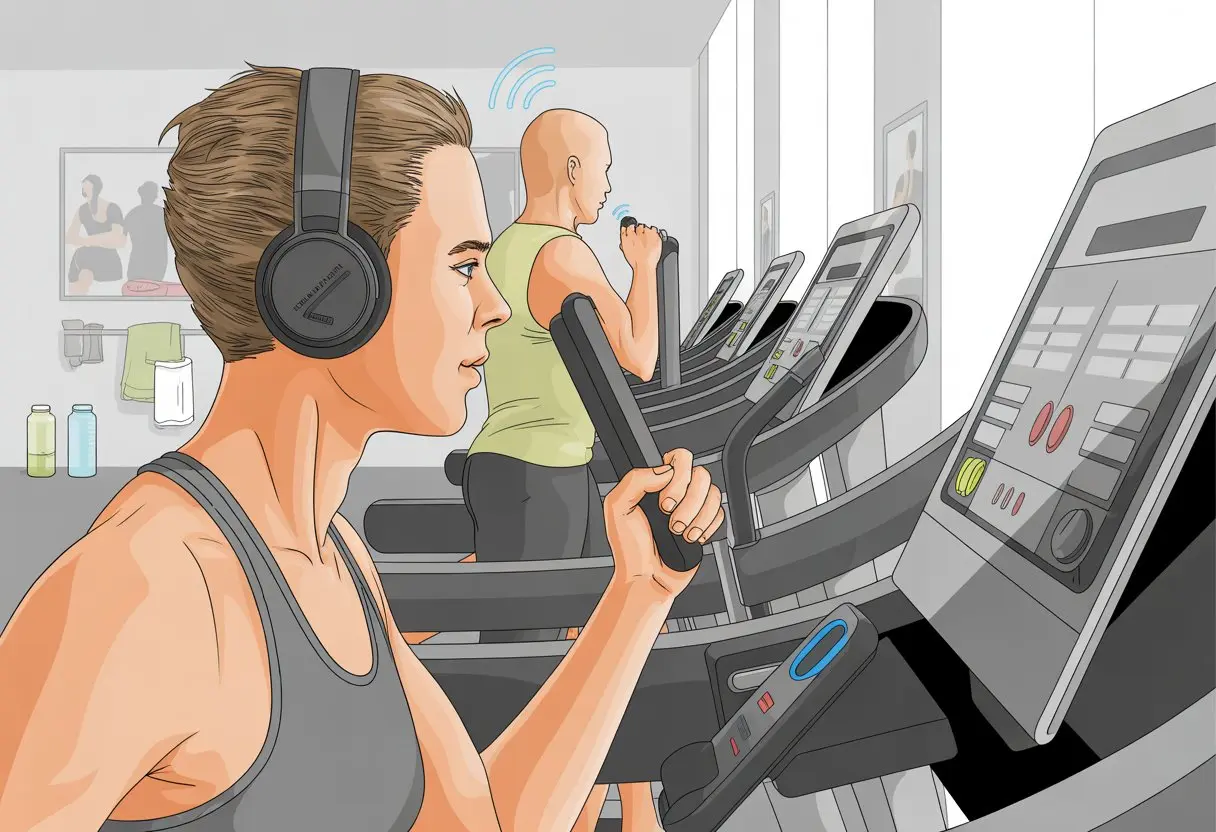
Pairing headphones isn’t rocket science, but each machine seems to have its own quirks. Some treadmills, like the ones in this Precor Elliptical Tutorial, let us pair quickly through their menus.
Others make us feel like we’re unlocking a secret level, but with some patience, we’ll get our tunes blasting.
If we know what we’re doing, we can avoid that awkward moment when we wonder if everyone else in the gym hears our music too.
A few simple steps, a short setup, and maybe a couple of clumsy button presses, and we’re good to go.
Understanding Bluetooth Headphones and Gym Equipment Compatibility
Before we blast our playlists or binge podcasts, we have to make sure our Bluetooth headphones and gym equipment can actually connect.
It all depends on the tech inside our headphones and whatever machines the gym decided to buy.
What Makes Headphones Bluetooth-Ready?
Bluetooth headphones aren’t just cool because they’re wire-free. They have tiny Bluetooth chips that let them talk to other Bluetooth devices—like our phones, treadmills, or exercise bikes—using radio waves.
If we want to connect to gym equipment, our headphones need to support Bluetooth profiles like A2DP (for streaming audio) or sometimes BLE (Bluetooth Low Energy).
Here’s a quick checklist for Bluetooth-ready headphones:
- Pairing mode: We should be able to put them in pairing mode easily (usually holding a button until a light flashes).
- Signal range: Look for at least a 10-meter range—more is better, especially in a busy gym.
- Battery life: Go for headphones that last longer than our workout.
A lot of headphones these days have built-in microphones (for yelling at friends mid-squat), but not every gym machine can use that feature.
Which Gym Machines Have Bluetooth Capability?
Not every gym machine has Bluetooth, but newer models are catching up fast.
Many treadmills, ellipticals, rowers, and bikes now include Bluetooth for headphones, heart rate monitors, fitness apps, or interactive workout programs.
Matrix and NordicTrack, for example, make machines with Bluetooth compatibility for headphones. We’ll usually see this called “Bluetooth audio” or “wireless connectivity,” and there’s often a button or screen prompt somewhere.
Some equipment connects directly to our headphones for music. Others only connect to our phone’s app, which then sends sound to our headphones.
Check the gym equipment model—read the labels or just ask the staff. It can save us a ton of frustration and button-mashing.
Limitations You May Encounter
Bluetooth is great, but it’s not perfect. Gyms are packed with Bluetooth and WiFi signals, and sometimes they interfere with our headphones.
A lot of us have had Bluetooth dropouts in crowded gyms. Nothing like your music skipping just as you’re hitting your stride.
Even if the machine says it’s Bluetooth-enabled, it might only work with certain headphone brands. Some only connect to apps and not headphones directly.
Trying to connect to multiple devices at once? Sometimes it works, sometimes it’s just a mess.
Honestly, even when everything should work, tech still finds new ways to test our patience. Expect a little troubleshooting—and maybe a few muttered curses.
Preparing Your Devices for Pairing Success
Before we hop on the treadmill with our favorite playlist queued up, we should make sure everything’s charged, powered on, and ready.
A little prep can save us from silent workouts or that awkward moment when our headphones pick up someone else’s device.
Charging and Powering On the Right Way
Nothing ruins a workout faster than dead headphones or a gym console that won’t turn on.
First, check that our Bluetooth headphones have enough battery. Most headphones blink red when they’re low—if we see that, it’s time to plug in for a bit.
Charging up both our headphones and the gym equipment ahead of time means we won’t get interrupted halfway through.
To power on our Bluetooth headphones, look for the power button and hold it down. Sometimes we’ll hear a voice say “power on” (which is always less awkward than silence).
For gym equipment, follow the console lights or listen for startup sounds.
A quick checklist never hurts:
| Device | Charged? | Powered On? | Ready to Pair? |
|---|---|---|---|
| Headphones | Yes/No | Yes/No | Yes/No |
| Gym Equipment | Yes/No | Yes/No | Yes/No |
Charged, then powered, then paired. That’s the order.
Activating Bluetooth on Both Devices
Bluetooth really is the secret handshake of modern tech.
To get things working, put both devices in Bluetooth pairing mode. For headphones, that usually means holding the Bluetooth or power button until a light flashes blue or red.
Sometimes it takes a full seven seconds—don’t give up early.
On gym equipment like NordicTrack or Life Fitness consoles, look for a Bluetooth button or menu option. Sometimes they’ll show a sync code or a little icon so we know we’re pairing with the right machine.
For more details, check out this guide for pairing devices.
Wait for confirmation—a chime, a blinking light turning solid, or a message on the screen. If we don’t see or hear anything, something’s still hiding.
Finding the Ideal Distance for Connection
We all need personal space, but Bluetooth has its limits.
For most headphones and gym consoles, the sweet spot is about 3 to 10 feet (1 to 3 meters). If we stray too far, our music might start sounding like it’s underwater.
Here are a few quick tips:
- Keep headphones and gym machines close during setup.
- Move other gadgets, like phones or smartwatches, away from the console until we’re connected.
- Stay away from big metal objects or microwaves—they love to mess with Bluetooth.
If we get a “connection lost” message or hear static, it’s time to scoot a bit closer. Staying in range keeps our music strong and our motivation up.
Step-By-Step: How to Connect Bluetooth Headphones to Gym Equipment
Connecting Bluetooth headphones to gym equipment isn’t hard, but it’s easy to hit the wrong button if we’re not paying attention.
We need a few clear steps, some quick fixes, and maybe a little patience—especially when tech decides to act up.
Let’s be honest, gym equipment touch screens aren’t always user-friendly.
First, turn on our Bluetooth headphones and set them to pairing mode. Most machines have a “Settings” or “Audio” menu, probably hidden behind too many icons.
Look for anything that mentions Bluetooth or “Connect to Bluetooth Headphones.” For example, NordicTrack machines offer a “Connect To Bluetooth Headphones” button after we start a workout.
If our treadmill, bike, or elliptical doesn’t show anything obvious, we might need to poke around or check the manual.
Quick list:
- Make sure headphones are in pairing mode.
- Tap the settings icon on the console.
- Select “Bluetooth” or “Audio.”
- Choose our headphone name when it pops up—don’t accidentally pair with someone else’s earbuds.
If nothing works, time to play detective and check the brand’s help guides.
Troubleshooting Troublesome Connections
Sometimes, gym tech just refuses to cooperate.
If our headphones won’t connect, check if they’re already paired to something else—phones, tablets, or that smartwatch we borrowed once.
Turn off Bluetooth on those other devices or disconnect them.
Restart both the gym equipment and our headphones. The classic “turn it off and on again” trick works more often than we’d like to admit.
Make sure we’re close enough to the console—Bluetooth really doesn’t do long-distance.
Outdated gym software can also cause problems. Some machines let us update their system in the settings.
And if autosave is on, the machine might refuse to connect until it finishes saving our last workout.
Dealing with Pairing Refusals—When Tech Says ‘Nah’
Sometimes our headphones just won’t pair, no matter what we try. It’s not personal—it’s just tech being stubborn.
Try “forgetting” the gym equipment on our headphones and resetting the pairing. If that doesn’t work, check compatibility. Some machines only work with certain Bluetooth headphones.
We can usually find this info in user manuals or on the brand’s website.
If we hear weird beeps or get error messages, look for a list of supported Bluetooth devices in the menu.
Trying a different pair of headphones can help us figure out if it’s the machine or the headphones being difficult.
For more help, Technogym explains Bluetooth connections to your equipment.
If nothing works, at least we can work out in peace—even if we didn’t plan on it.
Optimizing Your Listening Experience While Working Out
Getting the most out of our Bluetooth headphones at the gym takes more than just pressing play.
We want good sound, fewer interruptions, and music that actually makes us want to keep moving.
Managing Signal Interference
Raise your hand if your favorite song has ever cut out mid-lunge. It’s annoying, but we can dodge these dropouts with a few smart tricks.
Keep our headphones and device as close as possible. If we leave our phone across the room, we’re basically asking for static.
Most Bluetooth headphones work best within about 30 feet of the source, but thick walls or tons of metal equipment can mess with the signal.
Don’t stack devices next to big metal dumbbells or cover them with weights. If we’re using newer gym equipment, some treadmills or bikes offer direct Bluetooth connections, which helps reduce interference.
Going to the gym during less crowded hours might help too. Too many Bluetooth devices in one spot can make signals clash like sneakers in a dryer.
Adjusting Audio Settings for Peak Motivation
Let’s be honest: nobody wants to chase a personal record with bland elevator music in the background. When we tweak our audio settings, we can actually boost our motivation and stay locked in for every squat, sprint, or stretch.
Bass boost is a total game-changer if you like to feel the music in your bones. Most Bluetooth headphones come with equalizer settings, so you can dial in the sound—maybe you want heavy bass, crisp vocals, or something in between.
Many apps and headphones let us set volume limits, which helps protect our hearing, even when we get carried away by a great chorus.
If you crave focus, try noise-canceling mode to block out background noise or that guy who drops weights loud enough for everyone to notice.
Making these little changes can keep us motivated, safer, and—let’s be real—maybe a bit more likely to actually finish our cooldown.
Safety and Etiquette Tips for Bluetooth Headphone Use at the Gym
Wearing Bluetooth headphones at the gym almost makes it feel like we’re starring in our own music video. Still, we can’t tune out everything; we don’t want to miss important cues or become “that person” hogging the squat rack.
We need to pay attention to our surroundings and interact with staff so the gym keeps running smoothly.
Being Aware of Your Surroundings
Bluetooth headphones help us focus, but zoning out too much isn’t ideal. Always check your headphone volume so you can hear any announcements or someone politely asking, “Hey, can I work in with you?”
It’s just good manners to watch out for others. Don’t sprawl your gear everywhere or hold onto equipment for an endless HIIT session while lost in music.
We all have to re-rack our weights—headphones or not. Even Planet Fitness’s gym etiquette guide makes that clear.
If you use noise-canceling headphones, it’s extra important to look around before moving, swinging weights, or starting a set. No one wants to be surprised by a rogue barbell.
Staying aware keeps us—and everyone else—safe from accidental mishaps.
Responding to Staff Requests and Feedback
We might love our playlist, but ignoring staff leads to some pretty awkward moments. Try to keep at least one earbud out when walking around or between sets, especially if you notice staff nearby.
When a trainer or employee asks us to change something or gives feedback, a simple thumbs-up or “Okay!” really helps. Not every interruption ruins the vibe—sometimes it’s for our safety or to follow gym rules, as this etiquette guide explains.
It helps to check for posted notices or cleaning schedules from time to time. The janitor probably doesn’t want to mop around someone doing their best air guitar solo.
If we stay alert to feedback, we blend in way better—maybe even better than our Bluetooth connection.
Recommended Bluetooth Headphones and Compatible Equipment
Finding headphones that actually stay in during a workout is tougher than it sounds. And connecting them to gym machines? Sometimes that feels like its own challenge.
Let’s look at which headphones survive burpees and which gym machines play nice with Bluetooth.
Best Headphones for Gym Use
We’ve all had earbuds flying out mid-burpee—so we stick with headphones built to stay put. The JBL Reflect Aero TWS earbuds are a top pick for sweaty workouts.
They stay in place, resist water, and don’t leave us fighting with tiny buttons instead of finishing a set. Cleaning them is easy, which you’ll appreciate after a tough cardio session.
You can see why they’re a reliable choice for the gym on The New York Times’ best workout headphones list.
Here’s what we look for:
- A secure fit (especially for jumping around)
- Water and sweat resistance
- Simple controls
- Decent battery life (because nobody likes headphones dying halfway through a playlist)
Some of us swear by brands like Sony or JBL. Others try newer brands—as long as they survive the “shake-your-head-violently” test.
Popular Gym Machines with Bluetooth Support
Once you’ve picked your go-to headphones, pairing them with gym equipment is the next step. Modern machines, like those from NordicTrack or other iFit-enabled brands, let us connect Bluetooth headphones straight from the screen.
Goodbye, tangled wires during sprints.
Pairing is usually this simple:
- Pick a workout on the display.
- Tap “Start workout.”
- Hit “Connect to Bluetooth headphones” and follow the prompts.
You can find step-by-step instructions for connecting Bluetooth headphones to machines like NordicTrack in their official blog guide.
This isn’t just for treadmills—ellipticals, bikes, and rowers often have Bluetooth compatibility now. Just keep in mind: if someone shouts, “Are your headphones connected?” and you hear your podcast blaring from the machine, you might have missed a step.
Fixing Common Connection Woes and Software Updates
When Bluetooth headphones start cutting out mid-set, it feels like the audio gods are just messing with us. Thankfully, most connection problems have simple solutions.
Let’s troubleshoot our way back to a smooth workout.
Software Updates for Your Devices
Before blaming the gym’s Wi-Fi or the person hogging all the machines, check if your devices need a software update. Our Bluetooth headphones and whatever we’re using—phones, smartwatches—need to be up to date to avoid drama.
Most headphone brands update their gadgets through a companion app. These updates squash bugs and usually improve connections, especially in crowded gyms with lots of signals.
Check if your headphones have an app, then look for a firmware update option.
Don’t forget your phone or tablet. Go into settings, find the system update section, and make sure you’re running the latest version.
A quick update can fix random disconnects and weird pairing issues. For more help, check out these troubleshooting tips for Bluetooth headphones.
Resetting and Re-Pairing: Have You Tried Turning It Off and On Again?
If updating feels a little too easy or just doesn’t fix things, maybe it’s time for the classic move—resetting and re-pairing. Sometimes Bluetooth devices just need a clean slate, kind of like how we feel after a rough leg day.
Start by unpairing your headphones from your device. Head to Bluetooth settings, tap your headphones, and hit “forget” or “remove.”
Next, shut everything down—turn off both the headphones and your phone or computer. Wait at least ten seconds. Yeah, it’s not magic, but honestly, it sometimes feels that way.
Turn both devices back on. Now, pair them again.
This simple little ritual can clear up weird bugs and make your connection solid again.
Still not working? Try moving closer to your device, or test with a different one just to see if something else is up. Sony’s Bluetooth connection advice has some good tips if you’re still stuck.
Sometimes, you just can’t beat the classics.

From a young age, I have always had a big interest in technology, and this blog is an extension of that interest. Through this blog, I hope to provide others with all of the information they need regarding tech options to consider, and things such as compatibility. Some of the different items I will be discussing include headphones, smartwatches, and how to fix common issues.
Related Posts: