So you want to improve your WHOOP recovery score? Not just wake up, check your app, and silently scream into your coffee when you see that little number?
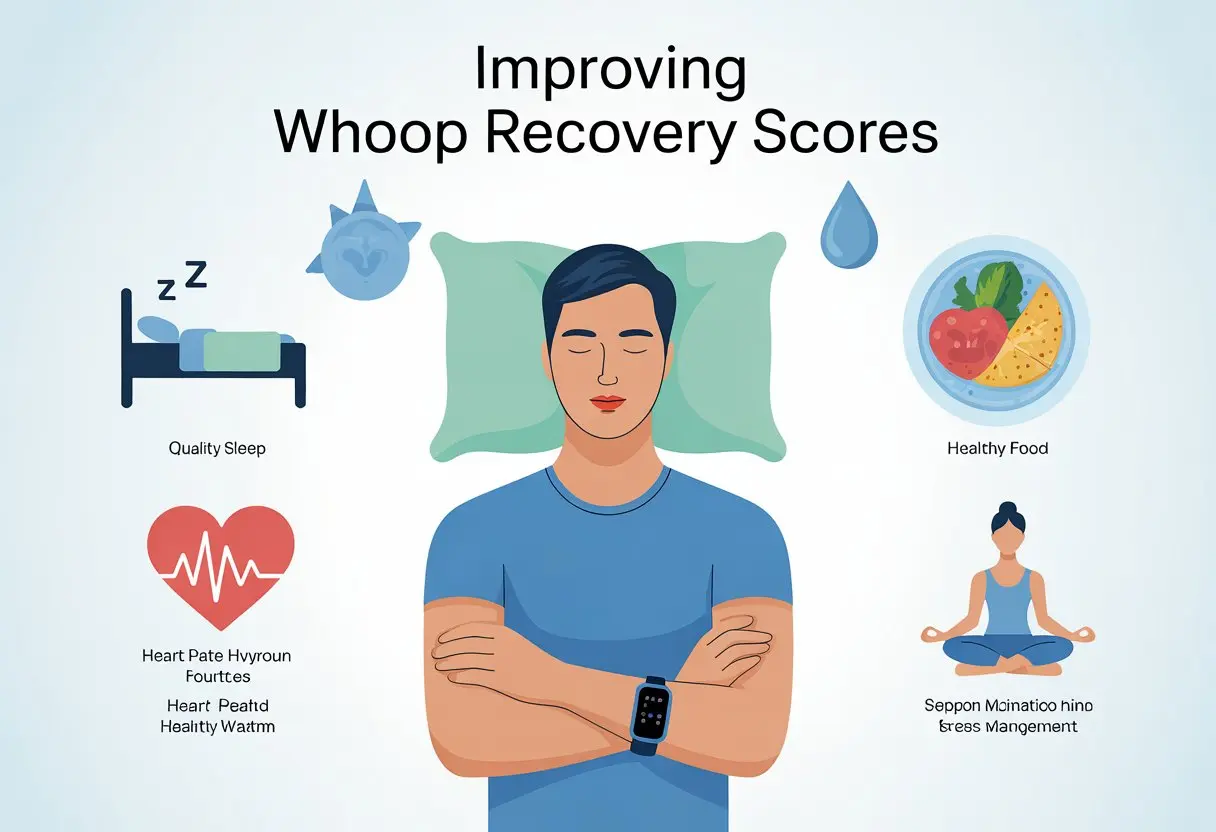
You’re in the right place. Improving your WHOOP recovery score is all about better sleep, good hydration, smart eating, and habits that help your body bounce back faster—with less grumbling each day.
The WHOOP system tracks a lot: your sleep, strain, heart rate, and more. It figures out if you’re ready for action or if you’d be better off spending extra time with your couch.
Boosting your recovery score isn’t about being perfect. It’s about knowing which little changes make a big difference—like regular bedtimes, healthy food, enough water, and maybe even a midday nap.
Get ready to learn some easy steps that fit into your routine and don’t require living like a robot. With a few tweaks, that recovery score could start being a reason to smile at your phone instead of giving it side-eye every morning.
Understanding WHOOP Recovery Scores
Ever wondered if your body’s ready to crush that workout or just binge-watch nature documentaries? WHOOP recovery scores give you a science-backed look at your body’s readiness by measuring physiological data.
You can skip the guesswork and spot the difference between game day and nap day. That’s pretty handy, honestly.
What is a WHOOP Recovery Score?
A WHOOP recovery score is not a mysterious number assigned by fitness elves. Instead, it’s a daily percentage (0-100%) designed to tell you how ready your body is for strain.
When your score is high, your body’s recharged and ready. If it’s low, your body might prefer a gentle stroll to a marathon.
Your recovery score isn’t just about sleep or steps. It’s a quantified recovery metric that looks at how your heart and nervous system are handling life.
So if you’re asking your body to deadlift a car, it’ll gently suggest you try just a sedan today.
Key Metrics for WHOOP Recovery
WHOOP doesn’t just eyeball your recovery. It relies on a trio of metrics:
- Sleep: Total hours, consistency, and how restful your sleep was.
- Heart Rate Variability (HRV): Measures how well your heart adapts to stress—a higher HRV usually means better recovery.
- Resting Heart Rate (RHR): Lower is often better, showing your body isn’t in panic mode.
- Respiratory Rate: Not just for scuba divers—abnormal changes might hint you’re getting sick.
These metrics are crunched together and presented as a simple score. You can see the full explanation from WHOOP’s own blog for how each metric plays a role.
How WHOOP Measures Recovery
WHOOP uses a wearable HRM strap loaded with sensors that collect data night and day. Every morning, it compares your current physiological data against your personal baseline.
It doesn’t matter if you’re an Olympic sprinter or just really excited about pickleball—your data is compared to you, not the CrossFit pro next door.
A lack of sleep, a pizza binge, or staying up watching true crime will show up in your recovery score. Your recovery is quantified, so you’ll know—without consulting your horoscope—if it’s safe to go for a new personal best or just hydrate and recover today.
Mastering Sleep for Better Recovery
When you want to turbocharge your WHOOP recovery score, sleep is not just “nice to have.” It’s the secret sauce your body craves.
Timing, quality, and the kind of Zs you catch each night all matter. Let’s break it down.
Optimizing Sleep Performance
Your body does some of its most impressive work while you’re drooling on your pillow. To rack up a high sleep performance score, set a consistent bedtime and wake-up time—even on weekends.
Pretend you’re Cinderella and run for your bed as the clock strikes 10 p.m. Schedule your sleep window to meet your nightly sleep need (usually 7-9 hours for adults).
Your WHOOP sleep coach is there to help plan your shut-eye, so take its advice or risk its silent judgment. Avoid caffeine and screens before bed—they aren’t on your side.
Create a cool, dark, and quiet bedroom. It might not look like a fancy hotel, but you’ll sleep like you paid for a suite.
Pair a bedtime routine with comfortable bedding, and you’re set for a night of recovery magic.
Monitoring Sleep Quality
Quality is more important than quantity—unless you’re counting tacos. Your WHOOP band doesn’t just look cool; it checks for things like sleep consistency, restlessness, and heart rate changes.
These data points impact your sleep and recovery scores. Look at your trends every morning.
It helps to spot trouble, like too many nights of tossing and turning. If your score drops, tweak habits: go to bed earlier, reduce stress, and avoid late dinners or Netflix marathons.
If your sleep quality gets worse than a soggy sandwich, try mindfulness or a wind-down routine.
Good sleep quality means waking up refreshed. If you feel like a zombie, check your bedtime habits, and let WHOOP’s feedback guide your next move.
Tracking Sleep Stages
Not all sleep is equal. Deep sleep, also called slow wave sleep, is your body’s prime time for fixing muscles and boosting recovery.
REM works on your brain and mood. WHOOP tracks these stages automatically, so you don’t need a PhD in sleep science.
Most adults need at least 1-2 hours of deep sleep and a similar chunk of REM. If your tracker says you’re missing out, cut back on scrolling social media in bed or fix your sleep schedule.
Try to line up your habits to get more of those key stages each night. Check your sleep stages report in the app.
If your deep sleep stinks, test different bedtime routines and keep an eye on your trends. With some tweaks, you’ll get more good sleep and climb the WHOOP recovery leaderboard faster—no cape required.
Balancing Strain and Recovery
Chasing higher recovery scores on WHOOP? You’ll need more than hope and herbal tea.
To boost your scores, you have to understand your strain score, manage your training load, and avoid turning into a sore, sleepy couch ornament—or, worse, an undertrained potato.
Understanding Strain Scores
Strain scores are not mysterious numbers generated by a group of anonymous fitness goblins. They are measurements based on your heart rate and the duration of your activity, rolled together in a number from 0 to 21.
The higher the score, the more demanding your day was on your body. Think of your strain score as a daily report card for effort.
It doesn’t matter whether your exercise came from marathon training or a really enthusiastic session of vacuuming—both can elevate your physical strain. Elite athletes often see higher strain numbers, but you don’t have to be an Olympian to rack up points.
To peek behind the curtain, strain scores help you track the balance between exertion and how much recovery your body needs. When you know your number, you can quickly see if you need more rest or if you could handle adding some extra resistance exercise to your session.
Learn more about how this works at WHOOP Strain.
Managing Training Load
Training load isn’t just about working harder—it’s about working smarter. If you lift weights today, sprint tomorrow, and hike on Sunday, each activity stacks up to become your weekly training load.
Keeping tabs on your load lets you aim for just enough challenge to spark progress, but not so much you’re always sore. Here are a few ways to keep your load in check:
- Adjust workouts based on recovery score.
- Mix high and low-intensity days.
- Add rest days when needed (yes, rest days count).
If you notice you’re pushing high strain scores every single day, that’s a bright-red warning sign. The idea is to balance challenging your muscles—through things like resistance exercise—with the right amount of rest.
Staying on top of your training load helps you avoid burnout and keep your scores steady.
Avoiding Overtraining and Undertraining
Going full superhero in every session may sound fun, but it usually ends in sore muscles and sad sighs. Overtraining happens when you ignore your body’s signals and keep piling on physical strain despite poor recovery.
You might see your recovery score take a nosedive, and you’ll probably feel like you’ve been run over by a herd of stationary bikes. On the other hand, undertraining is like showing up for a pizza-eating contest and only having a salad.
It’s not challenging enough for your body to adapt and get stronger. Both ends of the spectrum—overdoing and underdoing it—can mess with your WHOOP recovery scores.
The secret sauce? Listen to your scores, give yourself permission for easy days, and adjust training intensity when your recovery is low.
Your body will perform better and your scores will climb, with a little less drama and a lot less crying in the squat rack. For more on the science behind balancing strain and recovery, check out How Does WHOOP Recovery Work.
Leveraging Heart Rate and HRV Data
If you want to become a recovery master, you need to use your data wisely. Understanding the signals in your body—like heart rate variability, resting heart rate, and respiratory rate—can help you boost those WHOOP recovery scores faster than you can hit “snooze.”
The best part? You don’t need a medical degree, just a little patience and reliable sensor data.
Heart Rate Variability and Recovery
Heart Rate Variability (HRV) measures the tiny changes in time between heartbeats. It sounds complicated, but higher HRV basically means your body is doing a victory dance.
This is a sign your nervous system is adapting well and that you’re ready to tackle the day, or, at least, that one Zoom meeting you’ve been putting off. If you notice your HRV is lower, it doesn’t mean you’re broken.
It can dip after hard workouts, stress, poor sleep, or illness. You can see better HRV scores by sleeping well, managing stress, exercising smart, and maybe skipping that fourth cup of coffee before bed.
Tracking your HRV with WHOOP gives you a science-based way to know if you need more rest or if you’re ready to race your neighbor up the stairs. Dive deeper into how HRV connects to recovery at Heart Rate Variability (HRV): Everything You Need to Know.
Resting Heart Rate Insights
Your resting heart rate (RHR) is basically your body’s speedometer when you’re just hanging out. A lower RHR usually means your heart doesn’t have to work as hard when you’re at rest.
That’s a good sign for your cardiovascular health and your readiness to take on more activity. If your RHR suddenly spikes, it’s like your body waving a “Help!” flag.
Stress, lack of sleep, illness, or overtraining are common culprits. To keep your RHR steady, try to get enough sleep, stay hydrated, and rest up between tough workouts.
WHOOP says a lower RHR means you’re recovering well, while a higher one might be a heads-up to slow down and catch some extra z’s. More on this at WHOOP Recovery.
Respiratory Rate Considerations
Your respiratory rate is how many breaths you take each minute while you sleep. Not exactly thrilling, but it can quietly reveal when something’s off.
If your breathing speeds up overnight, your body might be fighting off stress, sickness, or maybe just that regrettable late-night snack. WHOOP keeps tabs on this stat to catch changes you might miss.
Stable numbers usually mean you’re in the clear. If you notice a jump, your body could be under more stress or you might be getting sick.
Keep an eye on it as part of your recovery plan. Sometimes, breathing a little easier really does make a difference.
Collecting Accurate Heart Rate Data
Even the fanciest data means nothing if it’s off. Make sure your WHOOP strap fits snug—not “tourniquet tight,” but not loose enough to slide around.
The heart rate sensor should sit flat against your skin. Loose straps might look cool, but they’re not doing your heart rate any favors.
Sweat, dirt, and hair can mess with your readings. Clean your device and your arm regularly.
For the best results, place the sensor just above your wrist bone and avoid putting it over bony spots. Good sleep habits and a steady routine also help you get more reliable heart rate data.
If you want your WHOOP to do its job, give it the best shot at collecting clear info. When in doubt, check your fit and your data in the app.
In the world of heart rate sensors, accuracy always wins out over style.
Fine-Tuning Your WHOOP Settings
Getting the most out of your WHOOP recovery scores means paying attention to the device, its battery, and how it syncs with your phone. Keep your settings in check, keep your strap charged, and make sure your apps are getting along.
Using the WHOOP Strap Effectively
Wearing the WHOOP strap shouldn’t feel like medieval torture, but it also shouldn’t flop around like a loose sock. A snug fit gives you better readings, catching every heartbeat and twitch.
If you’re using the WHOOP 4.0, you’ll get skin temperature and blood oxygen tracking, so stick to your wrist for the best results. Clean the band often unless you want your wrist to smell like a gym bag.
Check your app to make sure it’s collecting sleep and strain data correctly. If something looks weird—like recovering from a marathon while you’re just watching TV—it’s time to check your settings.
Sync your data regularly for more accurate readings. If your heart rate drops to zero (while you’re definitely alive), your WHOOP might need a restart or a tighter fit.
Battery Life and Charging Tips
Your WHOOP 4.0 battery isn’t going to last forever, but with good habits, it won’t let you down. Keep the battery pack charged, since WHOOP lets you charge while you wear it—no need to take it off unless you’re feeling adventurous.
Don’t wait for the dreaded “charge me” notification just as you’re about to fall asleep. Set a routine—maybe charge it during your shower or while you eat breakfast.
Try not to let the battery run totally dry. If you’re on iPhone, the app will warn you when your strap is low.
Keep the charging contacts clean, too. Sweat, dead skin, and other gunk can mess with charging.
A soft cloth works; think of it as a mini spa day for your gadget.
App and Device Integration
Pairing your WHOOP with your phone should be easy, unless you’ve got too many Bluetooth gadgets fighting for attention. Make sure your strap and app are actually connected, especially on iOS, where Bluetooth quirks can sneak in like mischievous gremlins.
Open the WHOOP app and check the connection status. If it’s being stubborn, try toggling Bluetooth or flipping airplane mode on and off.
The app should sync on its own, but sometimes you’ll need to refresh or reopen it. Connect WHOOP with other fitness apps if you want to combine your data.
It won’t make you coffee (yet), but it’ll give you a fuller picture. If you run into glitches, check for updates in the app store.
Most problems bow to the mighty update button. If your strap still refuses to cooperate, reach out to WHOOP support before launching it across the room.
A calm wrist is a happy wrist. For more help, see their official recovery guide.
Connecting WHOOP With Your Fitness Ecosystem
If you want your WHOOP band to join your other fitness gadgets, you’re in luck. Linking up your favorite apps can help you track workouts, sleep, steps, and maybe even bragging rights.
Linking Third-Party Fitness Trackers
Connecting WHOOP to your Fitbit, Garmin, or Apple Watch is like assembling your own fitness Avengers—minus the costumes. Most of these devices talk through Apple Health or Google Fit, letting WHOOP pull in extra details for deeper recovery and performance insights.
To link up, open your WHOOP app and check the integrations settings. You can connect Fitbit, Garmin, or Apple Health.
If you use an Apple Watch, your heart rate and exercise data can sync, filling in gaps from things WHOOP might miss—like your epic 12-minute plank.
Not every stat from every tracker will sync, though. WHOOP prioritizes certain metrics, so what you see depends on how each device handles data.
Utilizing GPS and Step Tracking
Some days you’re running city streets, other days you’re dodging laundry baskets at home. With GPS and step tracking, you can capture both.
WHOOP tracks activities based on heart rate, but syncing with Garmin, Fitbit, or Apple Watch gives you GPS accuracy for runs, cycling, or hikes. If you use Strava, you can link it for real-world route recording.
Step tracking from your smartwatch can be shared with the WHOOP app. WHOOP isn’t focused on step counting, but connecting these tools gives you a fuller picture of your day.
If you’re motivated by competition, seeing those steps add up can help—unless you’re just counting sprints to the fridge.
Integrating With Training Platforms
To get serious about your gains, plug WHOOP into platforms like Strava and TrainingPeaks. Linking these apps creates a hub for all your achievements, with performance stats, route maps, and notifications every time you log a workout.
Strava integration lets you bring over your cycling and running data, complete with maps and elevation, into your WHOOP account. If you’re planning training blocks or need more structure, TrainingPeaks helps manage intensity and recovery with detailed graphs and feedback.
You can compare how your recovery matches up with your training load. It makes planning rest days—and maybe binge-watching your favorite series—a little less guilt-ridden.
Whether you’re syncing heart rate, pace, or imaginary Strava KOMs, integrating with these platforms makes WHOOP a true team player.
Daily Habits That Boost Recovery Scores
Better recovery scores on WHOOP don’t come from luck—or just doing yoga once a year. It’s about building simple habits into your daily routine and figuring out what works for you.
Success comes from small choices and a little self-awareness. Fewer late-night snack attacks probably help, too.
Establishing Winning Routines
Your body loves consistency. Go to bed and wake up at the same time each day, even if you’re tempted to binge-watch until 2 a.m.
More sleep—especially quality sleep—improves recovery. Eat real food with enough protein and skip the fried stuff and desserts—unless it’s your birthday, then cake is required.
Staying hydrated is just as important as sleep. Bring a water bottle everywhere and pretend it’s your emotional support drink.
Add in light stretching, daily walks, meditation, or even quick breathwork. Activities like a massage or ice bath can help, but don’t worry if you don’t have a spa at home.
Small bits of movement and relaxation add up quickly for better scores. For more strategies, check out tips from WHOOP members.
Leveraging the Daily Journal
Use WHOOP’s daily journal as your personal recovery diary. Track habits like caffeine, protein, bedtime, and even mood.
This data helps you spot patterns—like how eating a whole pizza at midnight doesn’t exactly help recovery. The journal lets you experiment.
Adjust one habit at a time and see how your recovery score changes. Over time, you’ll have proof of what works.
The team interface and journal are great for accountability, friendly trash talk, and maybe even team-wide challenges. It can turn tracking wellness into more of a game than a chore.
If you need ideas on what to log, reddit has plenty of real-life habits that actually work.
Decoding Your Data for Actionable Insights
Understanding your WHOOP data can feel like reading a secret code. With a little know-how (and maybe a strong cup of coffee), you can unlock practical tips to improve your recovery scores.
Correlating Strain, Sleep, and Recovery
Think of Strain, Sleep, and Recovery as the Three Musketeers—each one affects the others, for better or worse. Your daily Strain score measures how hard your body works.
If you push for world records every day, your recovery will take a hit—your body will let you know with low scores. Balancing tough workouts with solid sleep boosts your odds of waking up ready to go.
Here’s a quick cheat sheet:
| Factor | High Value Impact | Low Value Impact |
|---|---|---|
| Strain | Low Recovery | Easier to recover |
| Sleep | Better Recovery | Poor Recovery |
| Recovery | Guides next day effort | Warns to take it easy |
By looking at patterns in your data, you’ll see how hard training or skipping sleep can tank your recovery. Consistent sleep routines and pacing your workouts help keep those numbers up.
Using Data Analysis Tools
You don’t need a Ph.D. to use WHOOP’s data features, but it might make you feel like a scientist. The WHOOP app offers charts, graphs, and even coaching tips.
Use these tools to spot trends—maybe you recover better when you skip late-night ice cream (tragic, but true). You can adjust your training plans based on these insights and figure out what works best for you.
Try these steps:
- Check Recovery color: Green means go, yellow means be careful, red means slow down.
- Use Weekly and Monthly views: Longer trends help you make smarter changes.
- Adjust training: Scale your workouts based on what your data tells you.
Even small tweaks—like going to bed earlier or dialing down stress—can lift your scores, keeping you feeling less like a zombie and more like a champ. For more, check out how to interpret your WHOOP data.
Subscriptions and Upgrades: Making the Most of Your WHOOP Experience
Ready to level up your WHOOP game? You don’t need a secret handshake—just a subscription.
With your subscription, you unlock all the features of the WHOOP system. Say goodbye to guesswork and hello to detailed stats that actually make sense (unlike your uncle’s vacation stories).
You can choose from different WHOOP 4.0 subscription plans. Monthly, yearly, or multi-year—pick whatever fits your vibe.
Just don’t blame us if WHOOP becomes your new favorite accessory. That’s on you.
Key perks include:
- Unlimited data analysis (get science-y with numbers you never knew existed)
- Personalized recovery insights (like a coach, but less sweaty)
- Sleep and strain tracking (let your wrist tell you when to stop scrolling)
| Plan | Length | Includes Tracker? | Best For |
|---|---|---|---|
| Monthly | 1 month | Yes | Newbies |
| Annual | 12 months | Yes | Die-hards |
| 24-Month | 24 months | Yes | Super fans |
Upgrades roll out with your subscription, so you don’t have to chase down the latest WHOOP 4.0. Updates land right on your device, almost like mail from the future.
Subscriptions also open up community features, challenges, and coaching tips. Basically, you get everything but a cape—and honestly, that might be next.
Blood Oxygen and Other Advanced Metrics
Let’s talk about blood oxygen levels for a second. If you’re picturing yourself as a high-altitude mountain climber, well, that’s a bit much—but not totally off.
WHOOP tracks your blood oxygen (SpO2) to show how well your body takes in and uses oxygen. Don’t stress if your number isn’t perfect.
Take a deep breath—seriously, it can help! Low blood oxygen might mean you’re not getting enough air at night or maybe your body’s just tired.
Try sleeping with your head propped up or running a fan in your room to help out. Sounds a little fancy, but hey, it works for some people.
Here are a few advanced metrics WHOOP uses to check on your recovery:
| Metric | What It Means | Why You Care |
|---|---|---|
| Blood Oxygen (SpO2) | Checks how much oxygen is in your blood | Helps spot breathing issues |
| HRV (Heart Rate Variability) | Looks at the tiny changes in your heartbeat | Shows your stress and recovery |
| Resting Heart Rate | Heart beats per minute while resting | Tells if you’re overtraining |
| Respiratory Rate | How many breaths you take each minute | Signals illness or poor sleep |
Eat well, stay active, and try to get sleep that doesn’t involve you rolling around like a burrito. Want even more details? Here’s a deep dive on how WHOOP recovery works.

From a young age, I have always had a big interest in technology, and this blog is an extension of that interest. Through this blog, I hope to provide others with all of the information they need regarding tech options to consider, and things such as compatibility. Some of the different items I will be discussing include headphones, smartwatches, and how to fix common issues.
- How to Improve WHOOP Recovery Scores Without Giving Up Pizza or Netflix - April 7, 2026
- Why is my fitness tracker not unlocking my computer? Tech tantrums and wearable woes explained - April 7, 2026
- Best Fitness Trackers for Stress Relief: Because Your Anxiety Deserves a Step Counter Too - April 6, 2026
Related Posts: