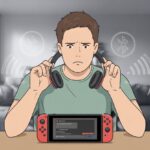
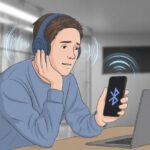
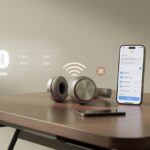
We’ve all had that moment—ready to jam out to a favorite song or catch a new podcast, and suddenly our Bluetooth headphones make everything sound like it’s coming from the bottom of a pool. Usually, Bluetooth headphones sound muffled because of connection issues, audio settings gone wrong, or even just dirt and moisture sneaking into the speakers. Not exactly the concert experience we signed up for.
But hey, we don’t have to settle for muffled tunes. Let’s figure out why our headphones suddenly betray us and how we can get them back on our side. No need for a tech degree—just some easy tips and troubleshooting steps to bring back that crisp, clear sound.
If we’re tired of guessing lyrics or missing half the conversation because everything sounds fuzzy, we’re definitely in the right place. Let’s dig in and see if we can rescue our sound from the dreaded underwater effect.
Understanding Muffled Sound in Bluetooth Headphones
Bluetooth headphones can turn our music into a weird, underwater version of itself. Sometimes it’s hard to tell—is it the device, our ears, or that suspicious puddle on the kitchen table?
What Does ‘Muffled’ Mean?
When we say a headset is “muffled,” we’re talking about audio that’s lost its sharpness. Music and voices hide behind a heavy curtain, and all those bright highs and punchy lows just vanish.
Instead of hearing a song, we end up listening to the thumps and hums from outside the club.
Muffled sound usually pops up when certain frequencies get blocked or dulled. Maybe there’s debris in the speakers, or some leftover sweat from a workout. And sometimes, Bluetooth itself just adds a bit of fuzz for no good reason.
Common Symptoms of Poor Sound Quality
If our Bluetooth headset sounds off, a few signs usually show up right away. Voices start to sound far away, like they’re talking through a pillow.
Music loses its sparkle, with all the instruments blending together into a muddy mess. Sometimes, one earbud sounds fine and the other just gives up.
Distortion likes to join in too. Static, crackling, or weird volume dips can sneak in. Sometimes, the sound goes super quiet, even when we crank up the volume.
We might even notice a lag between video and audio, making movies look like badly dubbed cartoons. Nobody’s ears deserve that.
Identifying the Source of the Problem
Annoyed by muffled sound? Yeah, us too. Clear audio is non-negotiable. Let’s figure out if our headset is the problem, our Bluetooth device, or if technology just woke up on the wrong side of the bed.
Is It Your Headset or Your Bluetooth Device?
When Bluetooth headphones start sounding like someone stuffed them with cotton, we need to play detective. Is it the headset, or our phone, computer, or tablet?
Try the headphones with another Bluetooth device—maybe switch from the laptop to a phone. If the sound gets better, our original device is the troublemaker, not the headphones.
A few quick checks:
- Test other headphones on the device.
- Try a different app or audio file—sometimes it’s just one song that sounds like it’s underwater.
- Restart both devices. Honestly, “turn it off and on again” still works wonders.
And don’t ignore low battery. If our headphones are running out of juice, we might hear static, muffled sound, or nothing at all.
Device Compatibility Shenanigans
Bluetooth isn’t always the universal friend it pretends to be. Sometimes our headset and device just refuse to get along.
Let’s say we pair an old computer with a new headset. They might default to a low-quality Bluetooth codec, so our tunes get muddy—like they’re playing through a wall.
Watch out for:
- Outdated Bluetooth drivers on computers.
- Limited bandwidth if we’re using the microphone. Windows loves to switch us to “hands-free” mode, but it also loves to wreck our sound quality.
- Some Android devices or computers force low-quality audio when both mic and headphones are active.
Sometimes, not every Bluetooth device wants to play nice. We might need to check for software updates, pair with a different phone or laptop, or even try another operating system. With a bit of patience, we’ll figure out who’s really at fault for the bad sound.
Troubleshooting Connectivity Issues
Bluetooth headphones are great—until they start sounding like a walkie-talkie from the ‘80s. Crackling, static, and weird cut-outs can drive anyone nuts. Let’s see what’s going on and how to fix it before we toss the headphones across the room.
Crackling, Static, and Other Annoying Sounds
Crackling and static aren’t just nostalgia—they’re signs of a weak Bluetooth connection. If our headphones keep making strange noises or cutting out, the signal’s probably getting blocked.
Here’s what gets in the way:
- Too many Bluetooth devices nearby fighting for the same space.
- Walls and barriers between us and the device. Even our own bodies mess with the signal—guess we’re mostly water and apparently great at blocking Bluetooth.
- Low battery levels can also cause static. Sometimes our headphones are just tired.
If other gadgets are hogging Bluetooth, try turning a few off. Moving closer to our device or away from WiFi routers can help too, since Bluetooth and WiFi love to clash. Cleaning the headphone speakers isn’t a bad idea either—dirt can sometimes muffle the sound or cause muffled sound.
Rebooting for Miraculous Results
Nothing says “tech support” quite like, “Have you tried turning it off and on again?” It’s a cliché for a reason—it actually works, especially with stubborn Bluetooth issues.
Here’s our quick reboot ritual:
- Turn off the headphones and the audio device.
- Wait 10 seconds. Seriously, don’t rush it.
- Turn both back on and reconnect.
This classic trick clears out leftover connection bugs and can fix that underwater sound. Rebooting resets the handshake between our gadgets and often chases away static and crackling.
If that fails, unpairing and pairing again sometimes does the trick. Sometimes Bluetooth just needs a clean slate.
Audio Settings That Muffle Your Groove
Sometimes, the real villain isn’t the headphones—it’s the settings hiding in our devices. EQ tweaks, bass boosts, or even the Bluetooth codec can turn our favorite songs into a muffled soup.
EQ Settings: Friend or Foe?
Tweaking EQ settings feels tempting—more bass and treble should be awesome, right? Well, not always. Pushing those sliders too far can drown out vocals or squash certain frequencies, making everything sound like it’s under a blanket.
Bad EQ settings can make audio sound quiet or hollow. A “V-shaped” EQ (lots of bass and treble, not much midrange) makes vocals and guitars feel distant. Too much mid can make things boxy or flat. If our headphones suddenly sound muffled, it’s time to check if we’ve accidentally made them into a digital pillow.
Tip: Most music apps let us reset the EQ to “flat.” If we’re not sure, going flat helps us hear music the way it was meant to sound.
Bass Performance: Lost in Translation
Let’s be honest—bass is fun, but it can cause problems. Some headphones boost the bass hoping to impress, but sometimes we just get a wall of boom that hides all the details.
Cranking up the bass in our settings can distort the sound, making the mids and highs disappear. Cheap headphones often try to make up for weak drivers by boosting the low end, but that just makes everything sound muddy. Even wearing bulky hats or covering an earcup can trap sound and muffle the bass.
Signs of bass overload:
| What We Hear | Likely Cause |
|---|---|
| Muddled vocals | Too much bass |
| Loss of clarity | Bass overpowering mids |
| Rattling in ears | Driver distortion |
The Role of Audio Codecs: OGG and Beyond
Every wireless stream uses an audio codec behind the scenes. Not all codecs are created equal. Bluetooth headphones use codecs like SBC, AAC, aptX, and sometimes OGG. If our device and headphones don’t agree on a good codec, the sound gets compressed and everything turns murky.
For instance, standard Bluetooth transfer uses the SBC codec, which can lower sound quality when we use a mic. Even OGG files, if they’re poorly encoded or mismatched, can lose sparkle and detail. Switching to a higher-quality codec (like aptX or LDAC) often brings the music back to life—if our devices support it. Otherwise, our favorite tracks might sound like they’re playing from another room.
Pro tip: We can check which codec our headphones are using in the Bluetooth settings. Upgrading or switching can give our music a real boost.
Environmental and External Factors
Let’s be real—our Bluetooth headphones don’t exist in a vacuum. The world around us, with all its noise and gadget chaos, loves to mess with our personal sound bubble and can make things sound worse than a karaoke night gone wrong.
Noise in Your Surroundings
Even the best headphones can struggle when chaos takes over our surroundings. Imagine sitting in a coffee shop, trying to catch a podcast, but all you really hear is the espresso machine, loud chatter nearby, and someone’s phone blaring a sitcom theme.
That kind of background noise doesn’t just mess with your mood—it actually makes everything sound muffled. Noise-canceling headphones help, but honestly, they’re not miracle workers. Loud places and sudden sounds still cut through, making it tough for headphones to do their job. Cranking up the volume just makes the sound more distorted.
Interference From Other Devices
We expect our Bluetooth device to stay loyal, but sometimes it gets distracted by other wireless gadgets, Wi-Fi routers, or even our own phones. With so many signals bouncing around, headphones can end up sounding like someone wrapped them in a scarf.
If you’re in a spot packed with electronics, Bluetooth signals might hit interference, making your audio choppy or muffled. Some folks have noticed that cellular and LTE radios from phones can mess with Bluetooth, too. Old or slow Bluetooth chips don’t help, either—they make sound quality worse when data lags, as explained more over on Quora.
To dodge this, try moving away from heavy gadget zones or just turn off devices you don’t need. Sometimes, giving your headphones a bit of space is all it takes to get that crisp sound back.
Solving the Mystery: Fixes and Prevention
Ever feel like your Bluetooth headphones make music sound like it’s coming from underwater, or through a wall? Luckily, you can do a few things to fix that—whether you’re streaming tunes, joining a call, or setting up a new device.
Service and Updates: Don’t Ignore Them
We all swipe away update notifications, but honestly, those reminders matter. Sometimes a quick software update can save your headphones from sounding muffled. It’s worth checking if your headphones or devices (like phones or computers) need updates—those download bars might hide important fixes.
Bluetooth settings can get ignored, too. If your headphones have paired with a bunch of devices, they might use older, weaker audio profiles. Try resetting your Bluetooth connection or re-pairing the headphones. It helps to keep your headphones and device close together to avoid drops. And if nothing else works, a restart might just do the trick.
Don’t forget about driver updates on your computer. Old or missing audio drivers on Windows can ruin your sound. For more stories, take a look at what others have run into when their Bluetooth headphones sounded bad on PC.
Listening to Music on Different Platforms
Not every music service treats our headphones the same way. Play a song on Spotify, then jump over to YouTube and—wait, is that the same track? Sometimes the sound just feels off.
Some apps stream at lower quality, which can make our music sound muddy or flat. If you notice this, poke around in the app’s audio settings and bump it up to “High” or “Very High” if you see that option.
Our computers can also mess with audio modes, especially when the headphones’ mic kicks in. On Windows, if your music suddenly sounds terrible when you make a call or start recording, the system probably switched to a “hands-free” audio profile.
That “hands-free” mode can absolutely wreck your music quality. If you’re just listening and not using the mic, try turning off the headset’s microphone in your sound settings. There’s a pretty helpful Reddit discussion with some real-world examples and tips.
Let’s be honest, not every weird Bluetooth glitch means you need to buy new headphones. Sometimes, it’s just a sneaky setting or a stubborn driver messing with us.

From a young age, I have always had a big interest in technology, and this blog is an extension of that interest. Through this blog, I hope to provide others with all of the information they need regarding tech options to consider, and things such as compatibility. Some of the different items I will be discussing include headphones, smartwatches, and how to fix common issues.
- Best Aviation Headset To Buy For Student Pilots? (7 Top Picks By Budget) - October 21, 2026
- The Best Rugged And Waterproof Smartwatches - October 21, 2026
- 10 Best Military Smartwatch – Find The Best Tactical Military Watches in 2023 - October 20, 2026
Related Posts: