Let’s be honest—waiting for Bluetooth headphones to charge is about as exciting as watching paint dry. We’ve all plugged them in, come back an hour later, and that little red light is still staring at us.
Bluetooth headphones often charge slowly because of outdated chargers, bad cables, dirty charging ports, or even issues with the battery itself.
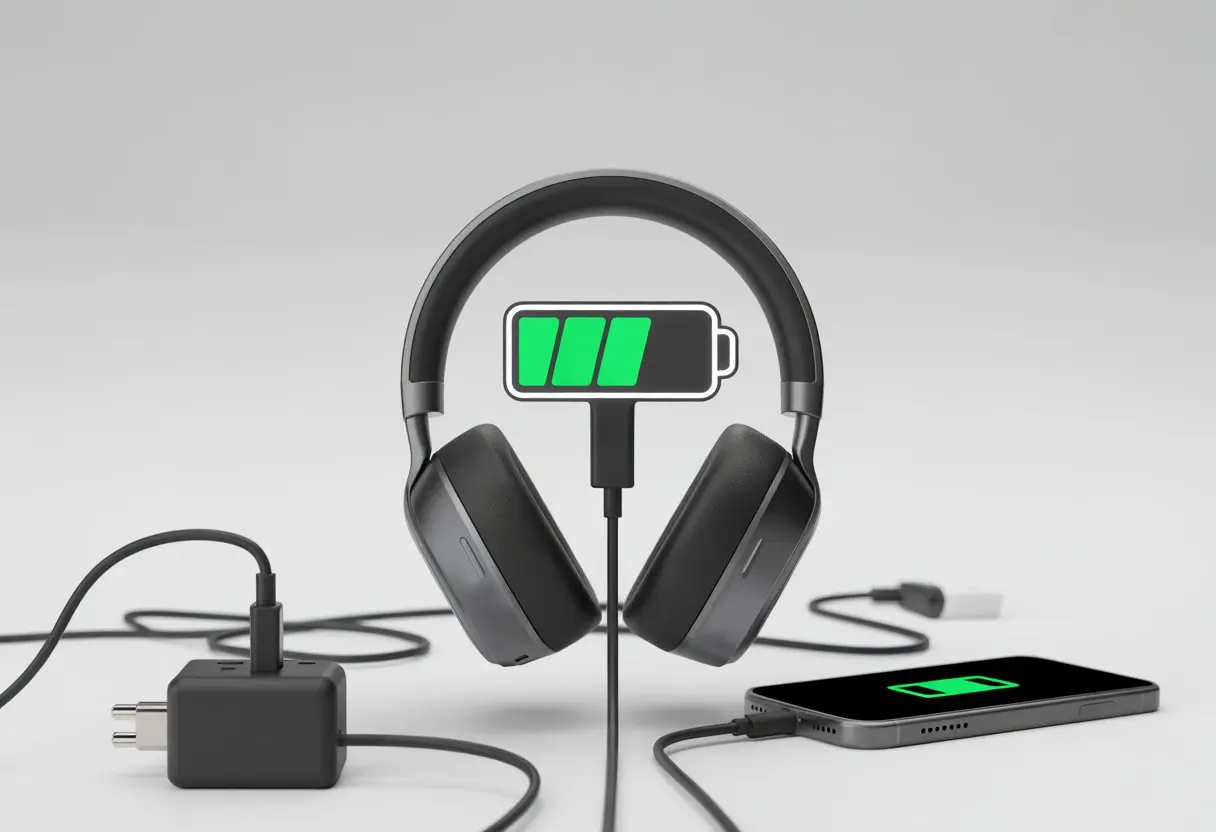
Nobody wants their favorite playlist or podcast to pause just because their headphones are crawling through a slow charge. Sometimes, the problem is just a worn-out cable.
Other times, it might be a firmware issue or a dusty charging port making life difficult.
If you’re tired of slow charging ruining your listening experience, stick around. Let’s dig into the real reasons your headphones are dragging their feet—and what you can actually do about it.
Understanding Bluetooth Headphones Charging Basics
We love our headphones, but nobody enjoys watching the battery level crawl like a snail. Different devices and charging tools can totally change how long you wait for that sweet, fully charged status.
How Bluetooth Headphones Draw Power
Bluetooth headphones seem small, but honestly, they’re sneaky little power-hogs. Every time you use Bluetooth, it pulls energy to keep the music rolling, manage settings, and handle wireless connections.
Most headphones and earbuds come with tiny batteries. They’re made for frequent, quick charges instead of one big marathon.
When you crank up the volume or use noise-canceling, they use even more power. So if you like a lot of features, expect your battery life to dip faster than a cookie in hot tea.
We all check the battery status, but our devices don’t always give a spot-on reading. The indicator can bounce around if the software isn’t quite right.
If you see the percentage jumping around, maybe it’s time for a calibration session or a good old-fashioned full charge.
Role of Charging Cases and Accessories
A good charging case is like giving your wearables a cozy home that also serves dinner. The case acts as both a storage spot and a portable battery, keeping your earbuds ready for action even when you’re out and about.
Not all charging cases are created equal. Some give more juice, while others run out faster than you’d expect.
If you use a wireless charging pad, charging might be more convenient, but it’s usually not as fast as a wired connection through the case.
Accessories matter, too. Cheap cables or third-party power adapters can look tempting, but using them can slow down charging or even cause damage.
To avoid a slow charge, it’s usually safest to stick with the original charging case and accessories made for your specific headphones or earbuds.
Significance of Amp Rating and Power Requirement
Let’s talk numbers—but don’t worry, nothing scary. The amp rating on your charging gear tells you how much current flows into your headphones during charging.
Higher amps usually mean a quicker charge. Lower amps? Well, get ready to wait.
Most Bluetooth headphones don’t need a high-powered charger. Using a strong charger on a low-power device can actually overheat things.
Always match the charger’s amp rating with what your headphones or earbuds can handle. Check the device’s label or manual for the right specs.
Here’s a quick table for reference:
| Device Type | Typical Amp Rating Needed |
|---|---|
| Bluetooth headphones | 0.5A to 1A |
| True wireless earbuds | Around 0.5A |
| Charging case only | 0.5A to 1A |
If you use too low an amp rating, your devices may take much longer to reach a full charge. Too high, and you might damage the battery or shorten its lifespan.
Pick your chargers wisely and keep your headphones healthy!
Common Reasons for Slow Charging
Sometimes, Bluetooth headphones just refuse to pick up the pace no matter how long you leave them plugged in. The tiny details—like your trusty USB cables, the stubborn power supply, and those sneaky charging contacts—could all be slowing things down.
Using Incompatible USB Charging Cables
Not all USB charging cables are created equal. There’s the legendary USB Type-C cable that charges things faster, and then there’s that random, mysterious cable from the bottom of your junk drawer.
If you use a cable without enough amp rating, your headphones might take forever to reach 100%. A low-quality or super old USB cable loses efficiency, and the charging speed drops.
Suddenly, it feels like charging time is measured in dog years. Make sure the cable matches the USB port on your headphones—using a micro USB instead of USB Type-C is a classic oops that kills charging speed.
Some smart chargers can detect cable quality and adjust power, but not all of us get that lucky. The solution? Grab a certified, high-speed cable and save the old one for something less important.
That way, when it’s time to jam, you’re not left waiting.
Outdated or Faulty Power Supply
Still using that charger from an ancient smartphone you retired years ago? You might have found the culprit. Power supply matters, and so does amp rating.
Chargers with a low amp output provide less juice, so expect charging time to drag. A worn-out USB charger or damaged USB ports will slow the flow of electricity.
Sometimes, a power supply just isn’t compatible. Newer chargers usually offer higher amp ratings, which means faster charging for your headphones.
If your charger gets warm, flickers, or takes a day to start working, it’s probably time for an upgrade. Check your wall adapter, USB ports, and everything in between.
Swapping out for a beefier, modern charger can make a bigger difference than just crossing your fingers and hoping for the best.
Issues With Charging Contacts
Charging contacts are those tiny metal dots or pins where the magic happens. Dirty, bent, or corroded contacts can make charging as slow as molasses.
Dust and sweat from your adventures build up and block a solid connection with the USB cable. If plugging in feels loose or the headphones only charge when you hold the cable at a weird angle, your contacts probably need cleaning.
A cotton swab or soft brush usually does the trick. Just don’t dunk them in water—unless you like sparks and weird smells.
If the contacts are worn down or damaged, you might need help from a pro or a replacement part. Keeping them clean and lined up keeps your headphones ready to charge quickly every time.
Troubleshooting Charging Problems
Let’s be real, Bluetooth headphones that charge at a snail’s pace can drive anyone nuts. Luckily, most slow charging headaches go away with a few detective moves involving your cables, chargers, and those tiny charging contacts.
How to Check Your Cable and Charger
First, check if your trusty cable and charger are up to the task. Not all USB chargers are created equal—using a charger with a low amp rating is like trying to fill a swimming pool with a leaky garden hose.
Your headphones might recharge slowly, or not at all, if you use an underpowered charger or a worn-out USB cable. If you’re using a USB hub, remember these often share power between devices.
The more gadgets you plug in, the less love your headphones get. Look for cables with no visible wear or fraying.
Just because it’s a USB Type-C cable doesn’t mean it’s not hiding a few secrets. Here’s a quick list for cable testing:
- Try a different cable and wall charger
- Avoid plugging into a computer’s USB port or multi-device USB hub
- Check your USB charger’s output (you want 1A or higher)
- Wiggle the cable gently while plugged in—if charging cuts in and out, it’s time to swap cables
If all else fails, borrow a friend’s charger and see if your headphones wake up.
Inspecting the Charging Case and Contacts
We’ve all tossed our headphones in a dusty gym bag. Those tiny metal charging contacts on your headphones and in the charging case can quickly become clogged with sweat, lint, or mysterious crumbs.
If the contacts get dirty, your battery status might claim you’re at 100%, but the headphones could still charge slowly or not at all. Cleaning these contacts is simple but important.
Use a soft, dry cloth or a cotton swab dipped in a drop of rubbing alcohol. Gently wipe both the charging case pins and the contacts on the headphones.
Please, no toothpicks or metal objects—we don’t need a shocking experience. Sometimes, a little cleaning is all it takes to re-establish charging according to the official advice from brands like JBL.
If cleaning doesn’t help, maybe it’s time to service your product or check if the charging case itself is faulty. When in doubt, a deep breath and a little patience go a long way—unless you really need those headphones before your next Zoom meeting.
Optimizing Your Charging Setup
When your Bluetooth headphones charge at the pace of a sloth, something’s probably off with your setup. The right charger and cable matter way more than you might think—even if they look almost identical to all those other chargers in your drawer.
Why Power Supply Quality Matters
Let’s be honest, we’ve all plugged in with the closest USB cable we can find—even that old mystery cord from some forgotten phone. Not all USB ports are created equal.
Different ports and chargers give off different power levels, and using a weak one is like trying to fill up a bathtub using a squirt gun. Bluetooth headphones have specific power requirements to charge at the speed they’re supposed to.
If you use a weak USB port on a computer or a cheap power strip, your headphones will take much longer to charge. Here’s a table comparing typical power outputs:
| Charging Source | Output (Amps) |
|---|---|
| Computer USB Port | 0.5A |
| Standard Phone Charger | 1.0A |
| Modern Quick Charger | 2.0A or up |
Using a more powerful charger (as long as it matches your headphones’ limits) can make a real difference. Skip the USB hubs and plug in directly to the wall if you can—your headphones deserve the VIP treatment, not economy class!
If you want more details, check out Sony’s advice on avoiding slow charging with direct connections.
Choosing Safety-Agency-Approved Chargers
When we shop for chargers and cables, it’s easy to grab the cheapest option. But if we skip safety-agency-approved chargers, we risk unsafe charging, damage to our headphones, or painfully slow charging times.
We should look for words like UL listed, CE certified, or FCC compliant on the packaging. These labels mean someone actually tested the charger, not just guessed it would work. Sometimes brands stamp their safety approvals right on the plug, which is pretty handy.
If a charger looks like it belongs in a discount bin, it’s probably not worth the gamble. Saving a few bucks feels good, but not if we end up needing product support—or worse, new headphones.
Picking the right, approved charger really helps keep our headphones powered up and happy.
Battery Health and Maintenance Tips
Let’s keep our earbuds running smoother than a well-oiled hamster wheel and avoid battery headaches before they start.
With a little care and some smart accessory choices, we can squeeze the most out of every charge—and know when it’s time for an upgrade.
Proper Care for Longer Battery Life
We all want our earbuds to last as long as our favorite playlist. If we usually charge to about 85%, we’ll help the batteries last longer.
This trick helps avoid unnecessary wear, since topping off to 100% all the time wears those little cells down faster than a toddler with a drum set. People are chatting about this online, if you’re curious.
Let’s not leave earbuds in a hot car or a chilly freezer. Batteries hate extreme temperatures and will absolutely throw a tantrum if we do.
When we’re not using the case, we should keep it clean and dry. Give the lid a quick pat and clear out pocket lint now and then—it’s the least we can do!
Try not to drain earbuds to zero every time. Instead, plug them back in around 20-30%.
Gentle, regular charging cycles make for happier earbuds. If battery levels bounce around like a yoyo, a full charge and a rest might help recalibrate things, kind of like a nap after too many snacks.
When To Consider Replacement Earbud Accessories
Sometimes, no amount of care can save earbud accessories that have survived too many laundry cycles. Cracked charging cases, frayed cables, or wireless pads that charge slower than a snail are big warning signs.
If our earbuds charge at a glacial pace, the accessories might be sabotaging us. Product warranties can sometimes save the day, so before we buy new gear, let’s check if we’re still covered.
Brands often replace defective cases or charging cables. If they don’t, maybe it’s time for better customer service—and a guilt-free upgrade.
Still stuck? Time to make a wishlist for fresh tips: look for MFi or certified accessories, and double-check that new chargers provide enough power for speedy charging.
Let’s treat our earbuds to proper replacement accessories before we have to say a tearful goodbye.
Special Cases: Wireless Charging and Other Devices
Honestly, we all want our headphones and gadgets to charge faster, not slower.
Sometimes, how we charge them makes all the difference—especially with wireless charging, soundbars, or those giant home cinema speakers.
Wireless Charging Versus Wired Charging
Wireless charging feels futuristic. We just drop our wireless earbuds or headphones on a pad and walk away.
But here’s the catch—the future is slow. Wireless charging usually lags behind plugging in with a USB cable.
Some charging pads are super picky about placement. If we don’t align things just right, we might end up charging at turtle speed.
There’s more energy loss, too, so less power actually gets into our headphones compared to using a cable.
Misalignment between the charging coil in our headphones and the pad leads to slower charging or even no charging at all. If we’re in a hurry, a USB cable usually wins.
For the impatient, sticking to wires might be our best move. If you want more details on why coil alignment matters, check out this wireless charging speed explanation.
Charging Soundbars and Speakers
Let’s talk about the big stuff—soundbars and speakers. These home cinema giants use much bigger batteries than earbuds, so they naturally take longer to charge.
Most soundbars and speakers still use standard USB cables or their own power bricks. If we pick a cheap or underpowered charger, we’re in for a long wait—sometimes hours.
It’s normal for a soundbar to take what feels like forever to charge, especially if we use it while it’s plugged in.
Some speaker accessories also drain extra power, which slows things down even more. No magic charging pad will make these devices fill up faster, so our best bet is a good quality charger and a little patience.
Or, maybe just take a nap while we wait.
When to Seek Help or Product Support
Sometimes, even our best cleaning and troubleshooting can’t fix slow charging problems.
When that happens, we might need to call in the experts, use our warranties, or hunt for a new part—or maybe even upgrade our headphones.
Warranty, Support, and Service Options
If our Bluetooth headphones are still under warranty, we might score a free fix or replacement. It’s worth checking when we bought them and digging up that tiny warranty pamphlet we almost tossed.
Big brands like Sony, JBL, and JLab usually have online product support centers with live chat, email, or even phone numbers where we can talk to a real human.
They’ll want us to describe the issue, so let’s tell them about our slow charging woes in detail. With luck, they’ll offer a fix that doesn’t involve using our headphones as an expensive paperweight.
For many models, we’ll need proof of purchase and the product’s serial number. If our warranty’s expired, there might still be service options, but those could cost extra.
If the battery is truly dead or a more serious electrical problem pops up—like a flashing orange or red indicator suggesting abnormal charging—they’ll let us know if a repair is possible or if it’s time to retire our trusty headphones.
Where to Shop for Replacement Parts
If our slow-charging headphones just need a new cable or set of charging contacts, we don’t have to say goodbye yet.
Many brands sell official replacement parts right on their websites. Let’s check the “shop” or “replacement parts” section for our specific model.
If we love to DIY (and live dangerously), third-party electronics shops sell compatible parts online. But we should be careful—sometimes third-party parts mess with compatibility or void our warranty.
If we want to play it safe, sticking with the brand’s site is best. When ordering, make sure we know exactly which part we need.
Need a new USB cable, a battery, or even a charger case? Double-check those model numbers before clicking “add to cart.”
With the right part and a bit of luck, we could be back to our favorite songs—with no more charging drama.
Bonus Round: Summer Vibe and Saving on Charging Gear
Nothing pairs better with summer jams than a full battery and extra cash in our pocket.
Let’s talk about how we can keep both our headphones and wallets charged up for those sunny days ahead.
Finding Charging Deals and Accessories
We’ve all been there—spotting a power bank, charging dock, or USB cable on sale just feels great, doesn’t it? Honestly, it can be as satisfying as curating the perfect summer playlist.
The best move? Hunt for deals during summer events like back-to-school or those random mid-year sales. Stores usually drop solid discounts on select products and bundles around then.
You can save even more if you watch for flash sales on big online shops. Retailers love to roll out limited-time accessory deals when they launch new tech.
Don’t forget to scroll through your favorite brands’ social media. Sometimes, secret promo codes show up there before you even hear about them anywhere else.
Here’s a quick cheat sheet for what to watch:
| Product Type | Typical Summer Discount | Where to Shop |
|---|---|---|
| Charging cables | 10-30% | Amazon, Best Buy |
| Power banks | 20-40% | Walmart, Target |
| Charging stations | 10-25% | Official brand sites |
Try not to grab the first cable you see at a gas station—cheap stuff isn’t always worth it. Reliable brands with real warranties keep your summer groove going, and you won’t have to stress about your headphones.

From a young age, I have always had a big interest in technology, and this blog is an extension of that interest. Through this blog, I hope to provide others with all of the information they need regarding tech options to consider, and things such as compatibility. Some of the different items I will be discussing include headphones, smartwatches, and how to fix common issues.
- How to Get Text Messages on Fitbit Versa 2 Android: Simple Guide for Users - October 13, 2026
- Why Doesn’t My Fitbit Record My Sleep? Quick Troubleshooting Guide - October 13, 2026
- How to Change Face on Fitbit Versa 2: Quick and Easy Guide - October 12, 2026
Related Posts: