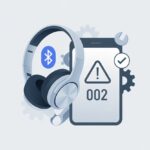
Let’s be real—nothing kills the vibe faster than that irritating hiss or crackle in our Bluetooth headphones. We shell out decent cash and expect smooth, clear sound, but sometimes all we get is static noise that sounds like someone’s making popcorn right in our ears.
Luckily, most headphone static noise isn’t permanent. A few quick checks and fixes can do wonders.
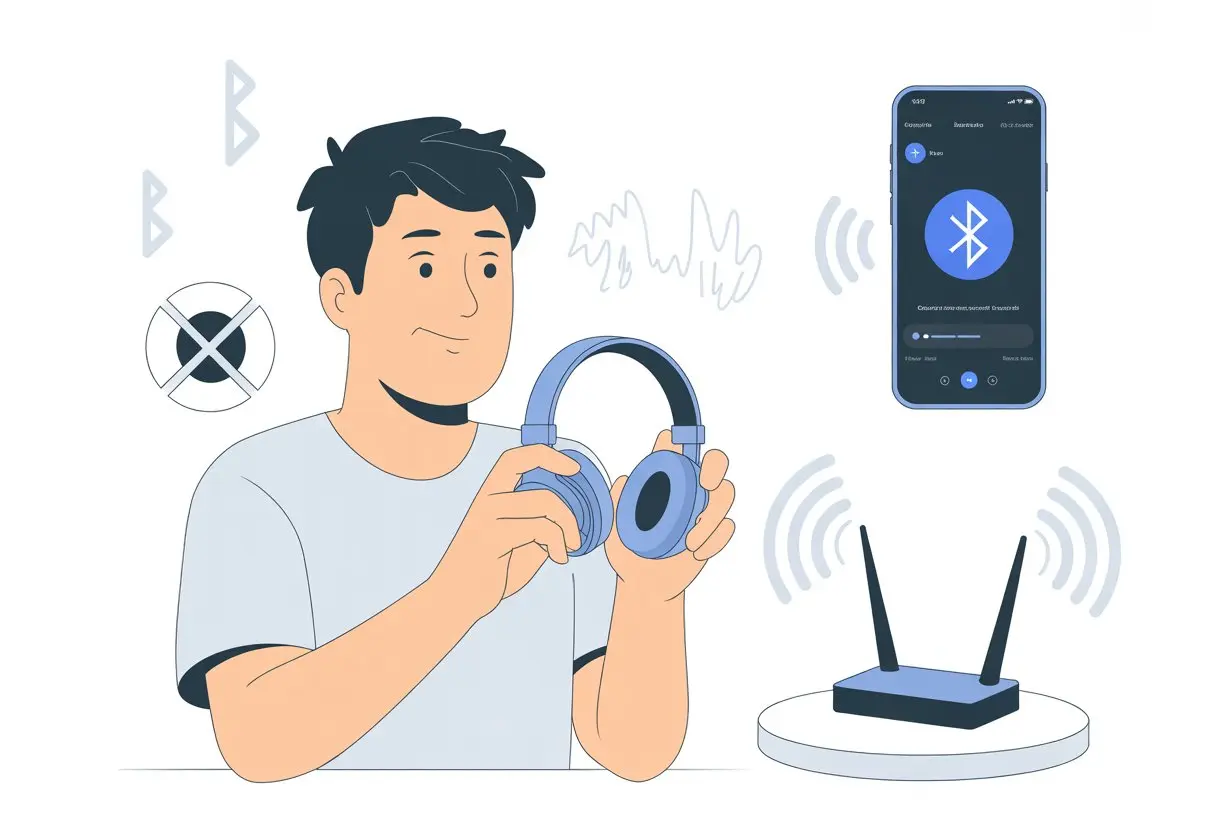
Whether it’s interference, a tired battery, or just dirty connectors, a handful of steps can really improve things. If you’re fed up with static ruining your music or podcasts, you’re definitely not alone.
Let’s try some fixes together and see if we can finally get some peace and quiet.
What Causes Static Noise in Bluetooth Headphones?
Static noise sneaks into Bluetooth headphones from a bunch of places. Sometimes it’s a buzzing like a bee, other times it’s like your favorite song is underwater.
Let’s dig into what’s actually messing with our sound.
Bluetooth Interference
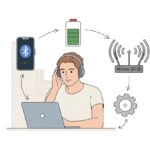
Bluetooth doesn’t always play nice with others. If you’re surrounded by Wi-Fi routers, microwaves, or a bunch of Bluetooth devices, your headphones’ signal can get crowded.
All this digital chaos causes interference, which leads to crackling or background static.
You’ll probably notice static gets worse in busy places—airports, coffee shops, anywhere with a lot of wireless gadgets. It’s like a noisy party, even if you just want to listen to chill music.
Thick walls or too many obstacles between your headphones and your phone can also mess up the signal.
Some headphones are just fussier than others. Cheaper models often have weak Bluetooth chips, so they’re more likely to buzz or hiss.
If you notice static only in certain spots, interference is probably the reason. Try moving away from other electronics and see if the static calms down.
For more about how nearby gadgets mess with wireless headphones, there’s a good overview of Bluetooth headset interference.
Low-Quality Audio Drivers
Not every headphone or earbud is built for great sound. Some use low-quality audio drivers, which are the tiny parts inside that actually make the sound.
When these are cheap or poorly made, you’ll hear hissing, popping, or static.
Even with a solid Bluetooth connection, bad drivers can ruin everything. Cheaper models cut corners, so don’t expect perfect audio.
If you hear high-pitched squeals or constant fuzz, the drivers might be at fault.
Expensive headphones aren’t perfect, but they usually use better materials. If you still get static in wired mode, it’s another hint the drivers are the issue.
If you can’t upgrade, try contacting product support. Sometimes, a firmware update can help if the problem’s in the software, not the hardware.
Battery Issues and Power Fluctuations
Headphone batteries are basically their lifeblood. When batteries get weak or start dying, static and buzzing often follow.
A dying battery just can’t give the headphones steady power, so you’ll hear faint static, popping, or random beeps—especially as headphones get older.
Sometimes, weird noises show up right after charging or when switching between charging and battery power. That’s just voltage spikes or drops causing trouble.
Using the original or a high-quality charger can help avoid this.
If your headphones always make weird noises and don’t last as long as they used to, it might be time for a battery swap or a visit to support. Don’t let a tired battery kill your playlist!
How to Fix Bluetooth Headphone Static Noise: Step-by-Step Guide
Nobody wants static noise messing up a playlist or ruining a movie twist. Our ears deserve better.
Let’s walk through some steps to kick static noise out and get those headphones working right.
Reconnect and Reset Your Bluetooth Device
Start with the easiest thing—just turn it off and on again! A simple reset often clears up weird static in Bluetooth headphones.
Disconnect your headphones from your device, then reconnect. If there’s a reset button or reset instructions in the manual, give that a shot too.
Bluetooth connections can get “clogged up” like a drain. Unpairing and re-pairing helps clear the way.
Sometimes, you’ll need to “forget” the headphones in your Bluetooth settings and pair them like new. This has solved crackling noises for a lot of people, just like in this guide.
Move Away from Interference Sources
Bluetooth isn’t magic. It’s just a weak radio signal, so other electronics can easily mess with it.
Static happens when your headphones fight with Wi-Fi routers, microwaves, or other Bluetooth gadgets. If you want less static, move away from crowded electronics, thick walls, and metal stuff.
Picture your headset trying to deliver smooth sound while you’re surrounded by speakers, a running microwave, and a dozen Wi-Fi signals. Your best move is to find a quieter spot or turn off other devices.
Some people notice static disappears just by switching rooms or moving to the other end of the couch. Don’t let static win—find Bluetooth’s sweet spot and let your music play without interruptions.
Update Firmware and Audio Drivers
Outdated firmware or audio drivers can totally wreck your listening experience. These bits of software help your Bluetooth headphones, audio settings, and devices talk to each other.
If they’re old, bugs can cause static noise.
Check for updates on the manufacturer’s support page, or look for a firmware tool. On your device, go to the audio or Bluetooth driver settings and hit “update.”
Both Windows and macOS make this pretty straightforward. Restart everything after updating and test the audio.
Sometimes, static needs this extra push to finally go away. For more info, check out these Windows and MacOS discussions.
Try Wired Connection as a Troubleshooting Step
If static won’t quit after all the Bluetooth fixes, try a wired connection. Plug your headphones directly into your device with a cable.
If the static disappears, your Bluetooth signal is the problem. If the noise sticks around, the headphones or their speaker parts might be the real culprits.
In that case, you might need help from the manufacturer. Sometimes, cleaning the ports helps too, especially if you switch between wired and wireless.
This quick test saves time and points you in the right direction, just like experts suggest in headset guides.
Advanced Troubleshooting for Persistent Static
If you still hear that annoying static after the basics, it’s time to get creative. A few advanced steps can sometimes make all the difference.
Adjust Audio Settings on Your Device
Sometimes, your headphones are fine—it’s your device causing trouble. Try changing the bit depth or sample rate in your audio settings.
Switching from 32-bit to 16-bit at 44100Hz can zap static and keep the music going. You’ll find this in your sound control panel.
Turning off sound enhancements like bass boost or 3D audio might help too. These features sometimes sneak in crackles and pops.
If nothing else works, try the built-in Bluetooth troubleshooter in Windows or other platforms. For details, see how someone fixed static by tweaking settings in this Reddit thread.
Use Specialized Repair Tools
If regular fixes don’t help, bring out the big tools. Software like Wondershare Repairit can fix corrupted audio files that cause playback issues.
No need to blame your headphones for a bad MP3.
For Bluetooth driver issues, try official repair utilities from your computer brand. These scan for outdated or corrupted drivers and can update your Bluetooth firmware too.
Don’t forget to clean the headphone jack and wireless receiver if you use a dongle. Sometimes static is just dirt, not disaster.
Seek Brand-Specific Product Support
If you’re out of ideas and ready to throw your headphones out the window, it’s time to call in the experts. Most brands have support pages, forums, and live chat.
They know their products’ quirks and can walk you through advanced steps you might not find on your own.
Some companies release firmware updates just to fix static noise. Support teams sometimes have secret tricks for your specific model.
Reaching out for brand-specific product support can save you a lot of trial and error.
Static Noise Issues in Popular Headphones
Static noise can make your favorite playlist sound like old-school radio fuzz. If your Bose or other big-name headphones buzz, hiss, or crackle, don’t panic just yet.
Every product has its quirks, but most fixes are easier than you’d think.
bose quietcomfort earbuds Static Solutions
When my Bose QuietComfort Earbuds hit me with static, I usually start by checking my Bluetooth connection. If my phone sits in another room, the earbuds might complain with static or even drop out.
I keep my devices together and away from microwaves (it sounds silly, but it matters). That alone can help.
Resetting the earbuds often clears up weird noises. I just drop them in the charging case, wait a bit, and pop them back in.
If I still hear fuzz, I’ll update the firmware with the Bose Music app. Those Bose engineers love squashing static bugs.
If none of this helps, I’ll grab a dry cloth and clean the earbuds and contacts. Sometimes, that’s all it takes.
And if I’m still stuck, I’ll dig out my earbud accessories box or call product support. Maybe a new tip or a quick chat saves the day.
bose noise cancelling headphones 700: Tips and Tricks
Static in my Bose Noise Cancelling Headphones 700? That’s not what I signed up for. I’ll toggle the noise cancelling feature off and on first.
Sometimes, these headphones just need a little nudge to remember what they’re supposed to do. A full reset usually works.
I hold the power button for ten seconds and wait for those lights to blink. It sounds too easy, but honestly, it fixes things more often than not.
I also make sure to keep the firmware updated. Every update seems to fight off another static monster.
Bluetooth can be finicky. I remove and re-pair the headphones with my device, which sometimes chases away those strange crackles.
And if I’m in a room full of wireless gadgets, I try connecting somewhere else. Unless I’m in the mood for a static symphony, which—let’s be real—I’m not.
Troubleshooting bose smart soundbar 900 and bose sport earbuds
When my Bose Smart Soundbar 900 or Bose Sport Earbuds start crackling, I check for nearby interference. Routers and other electronics love to crash my listening party.
I move closer or switch Bluetooth channels in the app. That usually helps.
Both gadgets appreciate a good reboot and update. For the soundbar, I unplug it for thirty seconds—a quick power nap.
The earbuds get a break in their case before I use them again. Regular firmware updates can bring new features and knock out static bugs.
If static still won’t quit, I check the Bose website for guides or call product support. Swapping cables or trying different earbud tips sometimes works.
I’m not shy about trying every trick—or calling in the pros if I need backup.
Enhancing User Experience with Headphones
Getting the most from headphones isn’t just about plugging them in and hoping for magic. I fight off background noise, tweak audio settings, and use a few tricks to boost my listening joy.
Noise Cancelling Technology Explained
Noise cancelling headphones feel like personal sound force fields. They use tiny microphones to pick up outside sounds and then create sound waves that “cancel out” the noise.
There are two main types: active noise cancelling (ANC) and passive noise cancelling. ANC uses electronics to hush loud places like airplanes or busy streets.
Passive noise cancelling relies on the physical shape and padding of the ear cups or tips. Honestly, ANC headphones create that private concert vibe in crowded places.
But, they can’t block every sound—especially sudden, sharp noises. Still, using noise cancelling tech is a smart way to block background static and focus on what you actually want to hear.
Optimizing Audio Quality for Daily Use
Nobody wants their favorite song to sound like it’s underwater. I start by picking the right audio settings for my device.
I always keep my Bluetooth headphones charged since low battery can cause connectivity and static issues.
Changing the equalizer can give my music more clarity or extra bass, depending on my mood. I also stream or play high-quality files, because low-quality audio can sound muffled or introduce weird artifacts.
If problems stick around, I disconnect and reconnect the headphones, or restart the device. Sometimes, just moving away from the microwave helps (I guess popcorn and music don’t mix).
Maintaining Headphones and Earbuds
Taking care of headphones keeps static and annoyances away. I clean them regularly to keep dust and earwax from building up.
If I use wires or Bluetooth, I make sure connections are snug and cables aren’t tangled. If my headphones use a cable, I’ll try a different port or adapter, just like troubleshooting steps suggest.
I store headphones in a case, not tossed in my bag like a snack. A little care gives me clearer audio—and maybe a longer life for my favorite gear.
Cookie Use and Analyzing Site Traffic
I want a smooth headphone experience and a website that actually works. Cookies and traffic analysis help with both, making things less glitchy and—hopefully—a little more enjoyable.
How Cookies Improve User Experience
Cookies are like the butlers of the internet: quiet, organized, and obsessed with keeping things tidy. They remember if you like dark mode, keep your shopping cart full, and save your settings for next time.
This way, you don’t have to redo boring stuff every visit. Cookies also help us show you more relevant content.
For example, if you check troubleshooting tips a lot, cookies help us bring those up faster. Nobody wants to scroll forever when static is already driving them nuts.
Here’s what cookies do for you:
- Save your preferences
- Remember your login (so you don’t have to)
- Suggest useful articles based on what you visit
Without cookies, using our site would feel like listening to headphones with one earbud missing—unpredictable and just a little bit annoying.
Analyzing Traffic to Diagnose Headphone Issues
Analyzing site traffic feels a bit like playing detective—except, you know, with graphs instead of trench coats and moody lighting.
I look at which pages people visit, what they search for, and the kinds of devices they’re using. That’s when the patterns start popping up. Suddenly, I’ll notice a spike in folks checking out Bluetooth static guides. Maybe it’s time to beef up the solutions and toss in some extra FAQs.
I rely on tools that track which guides get the most clicks and what fixes people actually try. These tools also show anonymous trends about what’s working and what’s not.
Suppose everyone searching for “static fix” uses the same phone. That pretty much tells me where to focus the troubleshooting. I can update instructions, drop in a quick video, or make tips easier to spot. Nobody should have to keep refreshing pages or, worse, try to decipher weird headphone noises alone.
Connecting all these dots lets me offer help that actually matters. That means less frustration, more “aha!” moments, and a smoother flow for everyone visiting the site.

From a young age, I have always had a big interest in technology, and this blog is an extension of that interest. Through this blog, I hope to provide others with all of the information they need regarding tech options to consider, and things such as compatibility. Some of the different items I will be discussing include headphones, smartwatches, and how to fix common issues.
- How to use a fitness tracker for sedentary alerts: Because Your Couch Won’t Miss You Anyway - September 14, 2026
- Why do my Bluetooth headphones not work with my projector? Solving Tech Mysteries for the Audio-Challenged - September 13, 2026
- Best Smartwatches for Medication Reminders: Never Forget Your Pills (or Your Sanity) Again - September 13, 2026
Related Posts: