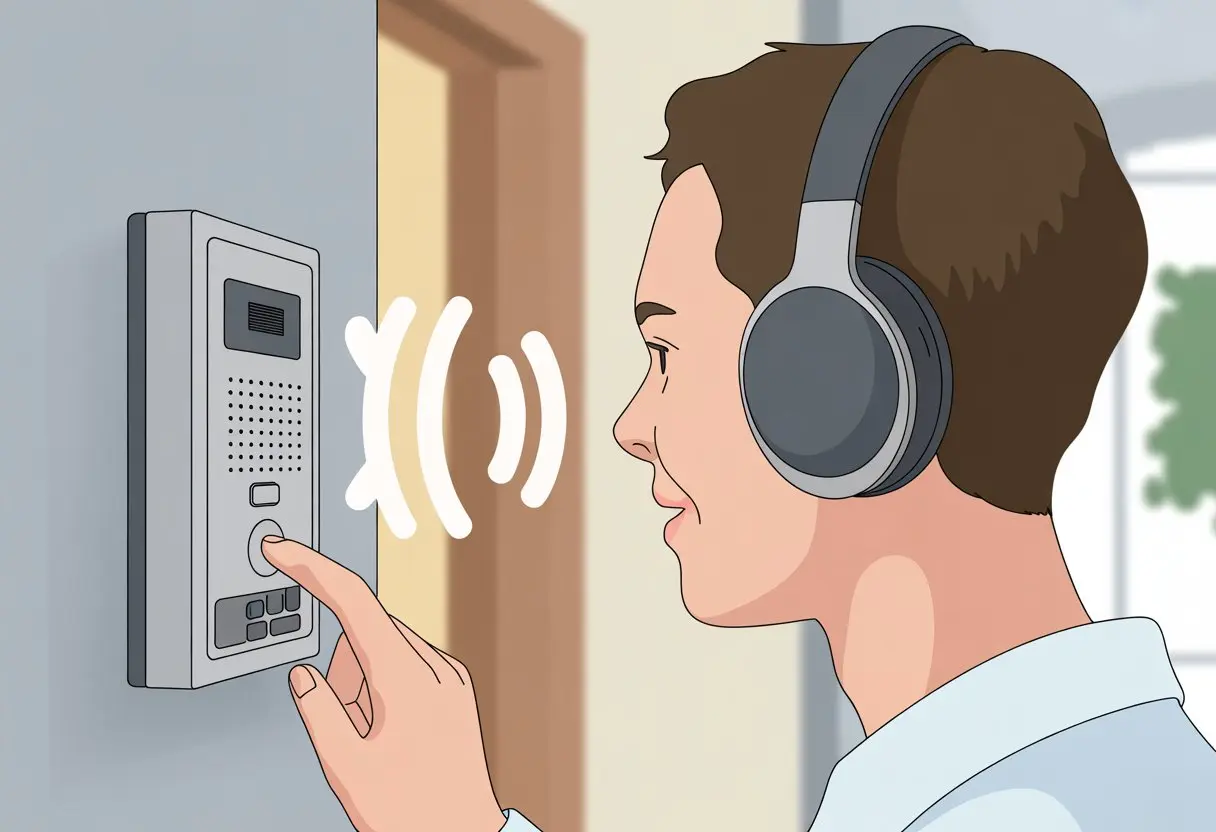
Ever found yourself yelling across a room like it’s some retro walkie-talkie ad, only to realize there’s got to be an easier way? Here’s the good news: you can use Bluetooth headphones with most intercom systems for hands-free chats—no more getting tangled up in wires. Forget awkward helmet removal or yanking out earbuds while scrambling to keep up with the conversation.
Let’s be honest, gadgets are fun, but figuring them out? Not so much. Luckily, connecting Bluetooth headphones to an intercom isn’t as tricky as it sounds.
You just need a few steps and maybe a little patience. With devices built for wireless pairing and adapters for older setups, we’ve got options.
A few taps and the right settings can keep us connected whether we’re riding, working, or just wrangling the family at dinner. Grab your gear—let’s make group chats a breeze.
Understanding Bluetooth Headphones and Intercom Systems
Trying to figure out how Bluetooth headphones connect with intercom systems can save us from shouting through doors or helmets. If we get what intercoms do, how Bluetooth headphones fit in, and what kind of setups exist, we’re already ahead.
What Is an Intercom System?
An intercom system lets us talk in real time, usually by pressing a button and hoping someone answers with, “Yeah, I hear you!” It uses wired or wireless connections to bring everyone’s voices together—no string and cans required.
Most modern intercoms have microphones and speakers built into headsets or standalone gadgets. We spot them in offices, apartments, motorcycle helmets, and, honestly, in drive-through windows when we’re ordering fries we probably shouldn’t.
Bluetooth intercoms make things even easier by letting us talk wirelessly. Instead of old-school analog, these digital models connect headsets and headphones so we can chat hands-free and maybe sneak in some music between debates about dinner.
Bluetooth headphones are like tiny radios for our ears. They use short-range radio waves to send sound from a phone, intercom, or even that ancient laptop we refuse to upgrade.
When we pair Bluetooth headphones to an intercom, the intercom sends out a signal and our headphones catch it—think Frisbee, but for audio. Most have a built-in microphone, so we can answer calls or talk on intercoms without dealing with wires.
Bluetooth headsets are perfect for staying mobile. No cords, no tangles, and no snagging on desk corners or helmet straps.
Some can even connect to more than one device at once, so we won’t miss that call from the one relative who always calls at dinnertime.
Types of Intercom Setups
We can connect Bluetooth headphones to intercom systems in a few different ways. Some setups are as easy as holding down a “Pair” button and crossing our fingers.
Common Intercom Setups:
Built-In Bluetooth Intercoms: Found in motorcycle helmets and office headsets, these connect straight to Bluetooth headphones—pretty painless.
Standalone Intercom Units: These link to PA systems or doors, and some come with Bluetooth modules so we can pair wireless headphones.
Mesh Intercoms: These use a different kind of wireless networking, allowing more users to chat at once (think biker crews or office pranksters). Reddit has a good discussion on how intercoms work.
Every setup is a little different. It helps to check which devices play nice together before we start mashing buttons and blaming the universe when things don’t pair.
Compatibility Between Bluetooth Headphones and Intercom Systems
Before we toss our Bluetooth headphones into bike helmets or conference rooms, we should cover some tech basics. Not every Bluetooth gadget gets along with the rest—sometimes they’re just stubborn.
Bluetooth Standards and Protocols
Let’s talk about the alphabet soup—Bluetooth standards. Not every Bluetooth version wants to be friends.
Most new intercom systems use Bluetooth 4.0 or better for faster speed, more range, and less battery drain. If our headphones are stuck with Bluetooth 2.1, we might not get all the features, like music sharing or clear two-way chats.
Protocols matter too. Headphones and intercoms rely on profiles like A2DP for music and HFP/HSP for talking. If both devices don’t “speak” the same profiles, we’re left in silence.
If we want to stream music and chat, both the intercom and headphones need to handle multipoint connections. Otherwise, someone’s getting left out.
Here’s a quick table:
Feature
Headphones Need
Intercom Needs
Music Sharing
A2DP
A2DP
Voice Calls
HFP/HSP
HFP/HSP
Multipoint/Fusion
Yes
Yes
Simplex vs. Duplex Communication
When we talk, systems can act like walkie-talkies (simplex) or phones (duplex). Simplex means only one person talks at a time—no interruptions, no “Wait, I have a joke!”
Duplex lets everyone talk at once, more like a normal phone call. Good Bluetooth intercoms aim for this, so group calls feel natural.
For smooth two-way chatting, both headphones and intercom should support duplex mode.
Some older wireless headset intercoms only allow simplex. We might end up waving for attention while stuck on mute.
If group chatter matters, always check for duplex support. Most Bluetooth intercom systems these days are duplex, but it’s worth double-checking.
Wireless Intercom System Limitations
Not every wireless intercom system is ready for Bluetooth headphones. Some only work with their own headsets and ignore everything else. Sometimes, adapters can help, or we need to see if the intercom supports common Bluetooth pairing.
Range can be a pain, too. Bluetooth headphones usually max out around 10 meters, while intercom-specific headsets can go much further.
Some systems just won’t pair with regular Bluetooth headphones at all, keeping the fun for their own expensive gear.
Mixing brands can be a gamble. Always check for compatibility, and don’t assume that “Bluetooth” means everything will magically work together.
Setting Up Bluetooth Headphones With Your Intercom System
Let’s actually get these gadgets talking. Connecting Bluetooth headphones to an intercom isn’t just about blasting music—it’s about making communication smooth, hands-free, and maybe a little less awkward.
Pairing Bluetooth Headphones to Intercom Devices
First, we need our Bluetooth headphones and intercom devices to find each other. Most Bluetooth intercoms have a pairing mode.
Usually, we hold down a button on both devices—often called the “center” or “multi-function” button—until a little light flashes.
It’s kind of like speed dating for tech: headphones search for partners, and the intercom waves its digital hand. When they connect, we might hear a beep or see a light go solid.
Some intercoms, like motorcycle headsets or bodypack transceivers, may need us to pick “Bluetooth” as the audio option in a menu.
If pairing fails at first, a quick reset usually helps. Honestly, reading the manual isn’t the worst idea.
Using Docking Stations and Adapters
Let’s talk docking. Some intercoms use docking stations or adapters to bridge the gap between wired and wireless.
If our intercom only has an old-school headphone jack, a Bluetooth adapter can make it wireless in no time.
We plug the adapter into the intercom’s audio output—usually a 3.5mm port—and then pair our Bluetooth headphones with the adapter. This works great for older push-to-talk transceivers or models that never planned to go wireless.
Docking stations can also charge devices and help reduce cable clutter. For teams with multiple headsets, a shared docking station keeps everyone’s gear organized (and maybe harder to lose under snack wrappers).
Configuring Voice Commands and Controls
Let’s set up voice commands. Many Bluetooth headphones now support voice assistants like Siri or Google Assistant.
We usually hold down the main button (or tap it twice) to wake up voice control.
On smart intercom systems, we might adjust volume, check battery, or switch channels just by asking. If we’re using lightweight or push-to-talk transceivers, we may need to assign a button for voice commands or just stick with push-to-talk for group chats.
Some headphones let us control music or answer calls while staying connected to the intercom—no need to fumble with tiny buttons while wearing gloves. Just a heads up: the team might roll their eyes if we talk to our “virtual assistant” more than to them.
Popular Bluetooth Headset Brands for Intercom Integration
Several brands and systems make it easy to connect Bluetooth headphones with intercoms. Each has its own approach to compatibility, features, and user experience, so it’s worth checking what sets them apart.
Sena Headsets Compatibility
When it comes to Bluetooth headsets for intercoms, Sena really feels like the Swiss army knife in our kit. Riders love Sena because they offer a bunch of models for both casual folks and pro crews.
Here’s the thing—many Sena devices use their own intercom protocol, but some also have Universal Intercom mode so they can work with other Bluetooth headsets. That’s a lifesaver when you’re mixing gear.
We like how Sena keeps things straightforward. Pair the headset, hit a button, and suddenly we’re yelling directions at each other like a flock of penguins. Models like the 20S and 30K support group chat, hands-free calls, and easy integration with phones or GPS.
For show crews or motorcycle groups, those big buttons and clear audio make a real difference. It’s just less fiddling and more talking.
Some intercom systems connect directly with Sena gear, especially if there’s an AUX or Bluetooth input. But always check compatibility before buying—nobody wants to look cool and then realize they can’t even say hello.
Cardo Systems Integration
Cardo sits right up there with Sena—maybe it’s the peanut butter to Sena’s jelly. Cardo’s Freecom and Packtalk series really shine for sound quality and “mesh” communication, which lets big groups chat without headaches.
Planning a music festival run or leading a biker pack? Cardo’s got us covered.
We really like Cardo’s focus on playing nice with lots of devices. Mesh intercom lets us connect with both Cardo and some non-Cardo headsets, no drama. Cardo’s Bluetooth headsets also let us listen to music or GPS while chatting away.
Don’t forget to check if your intercom system supports multipoint Bluetooth or has a 3.5mm input—mixing and matching gets a lot easier then. And honestly, losing connection halfway through planning lunch is just plain awkward.
listentalk and Other Alternatives
If Sena and Cardo feel a bit too mainstream, we’ve got options. ListenTALK stands out in theaters or tour groups, where you can’t afford to miss a cue or the punchline. These systems are all about easy pairing and fast group setup—even your least techy friend can figure it out.
Some newer alternatives let you mix Bluetooth headsets with wired intercoms, or connect through an adapter. Feeling adventurous? SYNCO’s XTalk headsets and other wireless intercom options are worth a peek.
Here’s a quick list of alternatives:
ListenTALK: Awesome for group tours or theaters.
SYNCO XTalk: Blends Bluetooth and wireless features.
Generic wireless sets: Easy on the wallet, but check if they’re reliable.
If the price is right and it works with our gear, there’s something out there for us—probably scribbled with our name in Sharpie.
Essential Features for a Smooth Wireless Experience
We all want crisp calls, good music, and none of that “What?!” every few seconds. Picking Bluetooth headphones and intercom gear should make life easier, not turn us into frustrated sound techs or expert lip-readers.
Noise Reduction and Cancellation
Let’s be honest—background noise just ruins conversations. Bluetooth intercom headsets with active noise reduction or cancellation help cut out wind, engines, and the rest of life’s noise parade.
Look for headsets that actually promise “active noise cancellation” (ANC). It’s not just a marketing line. ANC uses microphones and smart tech to cancel unwanted sounds, so you can hear and be heard—even if someone’s running a blender nearby.
If you’re riding motorcycles or working in busy places, noise cancelling and noise reduction aren’t just nice—they’re essential. No one wants to compete with a tornado for airtime.
Microphone Quality
A bad mic makes you sound like you’re trapped in a tin can. Go for headphones with a high-quality mic, especially one with a directional or boom design. That way, it picks up your voice and ignores the chaos.
If you’re dealing with wind (or, let’s say, angry geese), a windscreen on the mic can save your dignity. Many wireless intercom headsets have noise-cancelling or adaptive mics, so your voice actually stands out.
Mic placement matters too. A mic right in front of your mouth works way better than one hiding by your ear. You want to sound like a person, not a distant radio.
Sound Quality Tips
We deserve headphones that don’t make music sound like it’s underwater. Look for models with wide frequency response and clear, balanced audio. Crisp highs and solid lows make both music and voices pop—even over road noise or the occasional air horn.
Some headsets offer custom EQ or real-time audio monitoring. That lets us tweak sound on the fly, which is great if you’re picky. A 3.5mm monitoring port can give real-time feedback, so you don’t end up shouting by mistake.
Dual or soft padded earpieces can help block out noise and keep things comfy. Great sound quality means clear communication, enjoyable music, and no “tinny” headaches.
Maintaining Performance and Comfort
Bluetooth headphones and intercoms need more than just flashy features. We want solid battery life, all-day comfort, and the toughness to handle noisy, wild places.
Staying connected and comfortable matters just as much as sounding good—especially on a roaring highway or during a hectic shift.
Battery Life and Charging
If your headphones quit halfway through a chat, it’s just the worst. Look for models with at least 8-12 hours of battery life, so you don’t lose tunes or team banter mid-ride.
Fast charging is a sweet bonus. Some headsets get enough juice for an afternoon with just a 15-minute top-up. Carrying a portable charger can really save you when outlets are nowhere in sight.
To keep batteries healthy, unplug headphones when they’re fully charged. Most manufacturers say to pull the plug at 100%. Your future self will thank you when those battery bars stay full longer.
Comfort Considerations
Nobody wants sore ears or a sweaty head halfway through a chat. Soft, breathable padding and adjustable headbands are must-haves.
If you’re in for long sessions—group rides or team meetings—lightweight gear is your friend. Even the best sound won’t help if you’re wincing in discomfort.
Comfort checklist:
Cushioned ear cups (memory foam is a bonus)
Adjustable, padded headband
Lightweight materials (plastic usually wins for long use)
Flexible mic boom for easy tweaks
Try them on before buying, or at least get a good return policy. Heads come in all shapes, and comfort shouldn’t be a gamble. Comfort is non-negotiable.
Durability in High Noise Environments
High noise can wreck any conversation. Whether you’re at a construction site, on a busy street, or flying down the highway, your headphones need to handle the chaos.
Pick models with noise-canceling mics and thick, snug ear cups. These features help block out the world so your voice doesn’t get lost. Reinforced cables and sturdy hinges help prevent those dreaded cracks and breakdowns.
If you’re working or riding in dirt, mud, or rain, sweat-proof or water-resistant models are the way to go. That way, your gear survives whatever you throw at it—even in the wildest, loudest spots. Anyone who’s tried to talk in a wind tunnel knows the struggle.
Advanced Use Cases and Troubleshooting
Sometimes, things get a bit more technical than just pressing “pair.” When group chats turn into chaos or the gear acts up, we want quick fixes—and maybe a laugh or two.
Managing Independent Groups and Supervisors
Let’s be honest—sometimes it’s better to split into smaller groups. Maybe half the crew wants speed, and the rest just want to sightsee. Most Bluetooth intercoms let us set up private groups, so the chatter doesn’t get out of hand.
Supervisors (or “group leaders”) can control who talks and even mute that friend who won’t stop humming. Some systems let outsiders join in with “universal intercom” modes. Setting up groups before a ride keeps things organized, so we’re not all yelling “Can you hear me now?” at every light.
Here’s a quick cheat sheet for group management:
Action
Steps
Create a group
Use the headset app or device buttons
Add/Remove members
Follow pairing instructions
Assign supervisor
Select leader in app or device menu
Updating Firmware and Software
Let’s face it, tech can be grumpy. Updating firmware and software can fix problems we didn’t even know existed. Most brands offer free updates through a phone app or a trusty USB cable.
Back up your settings before updating if the app lets you. If things go sideways, try restarting both devices (and maybe mutter a few words under your breath). Updates unlock new features and keep your headset playing nice with everyone else’s gear.
Watch for update alerts—they always seem to pop up at the worst times.
Resolving Pairing and Audio Issues
We’ve all been there—everyone’s ready, but one headset just refuses to connect. If your Bluetooth intercoms won’t play along, check the batteries first (seriously, even if you “just charged them”). Then make sure both devices are actually in pairing mode.
Not all headsets from different brands get along. Sometimes, they only allow one non-brand headset at a time. If pairing still fails, reset the headset or clear out old connections.
Audio problems can crop up from interference, bad placement, or accidentally connecting to the wrong speaker—awkward! Keep devices updated and pairing fresh for the best results. For specific tips, check out guides from Sena or your headset’s brand.
Conclusion
We sure learned a lot about pairing Bluetooth headphones with intercom systems. Sometimes, honestly, it felt like we were trying to connect to a spaceship.
But hey, we made it work in the end!
Pressing the right buttons in the right order isn’t just for intercoms. I mean, think about how many times you’ve messed up a microwave or an elevator.
If you caught us wearing headsets and talking to thin air, don’t worry—we weren’t lost. We just had some pretty serious communication gear on.
Here’s a quick refresher on the basics:
Step
What to Do
1
Power on both devices
2
Enter pairing mode
3
Make sure they find each other
4
Confirm connection
Turns out, Bluetooth intercoms aren’t just for motorcycle racers or secret agents. Even group projects or loud family get-togethers get easier.
With this setup, you can skip the yelling and just talk quietly. Honestly, it feels a bit mysterious. Who wouldn’t want to look that cool?
A little patience and maybe some stubbornness go a long way. We can connect, chat, and maybe look cooler than we really are.
Hi, my name is Garrett Jones, and I am a tech enthusiast. I enjoy researching the new tech that has been released, and have a vast knowledge of the best tech to purchase.
From a young age, I have always had a big interest in technology, and this blog is an extension of that interest. Through this blog, I hope to provide others with all of the information they need regarding tech options to consider, and things such as compatibility. Some of the different items I will be discussing include headphones, smartwatches, and how to fix common issues.