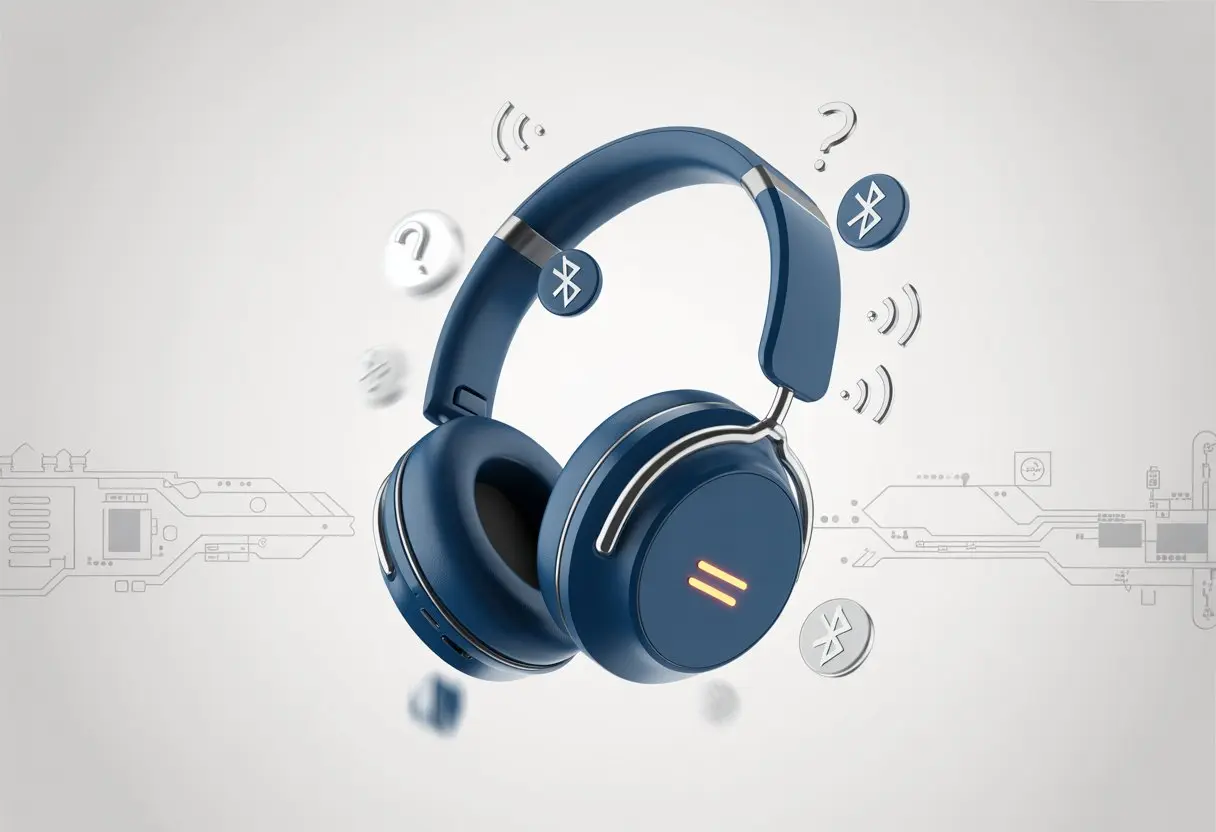
We’ve all been there—just when we think our Bluetooth headphones are finally off, they suddenly chirp a cheerful “power on.” Bluetooth headphones might turn on randomly because of stuck power buttons, nearby devices trying to connect, or weird software glitches. Sometimes, it almost feels like these things have a personality.
Is there some secret party happening in the case? Or maybe our phone just wants to make sure we’re never lonely. Sometimes it seems like our headphones are picking up signals from another dimension, or maybe there’s just a bit of gunk in the power button.
Either way, let’s dig into why this happens—and how we can stop our headphones from blasting music at 3 a.m. again.
Common Reasons Bluetooth Headphones Turn On Randomly
Bluetooth headphones and earbuds sometimes turn on by themselves for reasons that aren’t exactly magical. Usually, it comes down to a physical issue, a sneaky feature, or a hidden schedule in the settings.
Faulty Power Buttons
Let’s be honest, some headphone power buttons act more like mischief-makers than actual switches. If the button gets stuck, becomes too sensitive, or just wears out, it might register a press even if we’re nowhere nearby.
A bad button can power the headphones on, thinking we want to jam—when we just want peace and quiet. Lint, dust, or a bit of moisture love to sneak in there too, making things even weirder.
If we keep finding our headphones powered on for no reason, the power button is usually to blame. Maybe the power light flickers, or the device turns on or off by itself, even when we treat it gently.
We can check for debris or gently clean around the button. If cleaning doesn’t help, well, maybe it’s time to start eyeing a new pair.
Automatic Reconnection Features
Lots of Bluetooth headphones just love to reconnect to our devices, almost like they have separation anxiety. Some models will power on if a known device, like our phone or tablet, comes within range.
Our headphones just want to say “hi” to our phones.
It’s supposed to make life easier, but sometimes it just means our headphones are powered on for no obvious reason, draining away the battery while sitting on the shelf.
Troubleshooting tips from the Bose QuietComfort 35 and other models suggest turning off Bluetooth on devices we aren’t using if this keeps happening.
Scheduled or Timed Power-On Settings
Scheduled or timed power-on settings sound handy—like having coffee ready in the morning—but with headphones, they can be a pain. Some models let us set a wake time or have settings that turn on the headphones at certain intervals, even if we don’t remember setting it up.
Maybe we set this during setup or through an app and then forgot. If our headphones act like they have an internal alarm clock, it’s worth poking around in the device or app settings for any timer or wake functions.
Look for app features called Scheduled Power On, Wake Timer, or Auto Start—they could be behind those random 3 AM serenades. Turning these off should help.
Connection Oddities and Gremlins
Sometimes, our Bluetooth headphones just do whatever they want. Strange connections and random interruptions can make us feel like we’re trapped in some kind of tech sitcom.
Bluetooth Device Interference
Ever been in a room with a bunch of people wearing Bluetooth earbuds? It’s chaos. Bluetooth devices love to chat, but sometimes they pick the wrong friend.
Our headphones might pick up signals from nearby phones, laptops, or even smart fridges. Microwave ovens, Wi-Fi routers, and baby monitors can jump in too, messing with our connections.
Imagine our headphones fighting with the microwave over invisible airwaves—no wonder things get weird. When these signals overlap, we get random disconnects, static, or surprise power-ons.
Turning off other wireless gadgets we aren’t using can help. If that doesn’t fix it, try moving away from the source of interference. It’s not perfect, but at least it gives us something to try before blaming ghosts.
Simultaneous Pairing With Multiple Devices
Modern Bluetooth headphones often pair with several devices at once. Instead of sticking with our phone, they might jump to our tablet or laptop too.
This is handy until the connection gets mixed up and the headphones turn on at odd times. If our computer wakes up to check for updates, it might call the headphones for a quick chat, and suddenly they’re on—even if we didn’t touch them.
Sometimes they connect to another device just for the heck of it, confusing us even more.
We can fix this by unpairing devices we don’t use much or turning off Bluetooth on extra gadgets. Sometimes, resetting the headphones and pairing with just our main device helps, as some connection help threads suggest.
The Influence of Accessories and Home Devices
We might not realize it, but our homes are full of gadgets that love to mess with us. Soundbars, speaker accessories, and headphone add-ons sometimes wake our Bluetooth headphones at the worst times.
Soundbars and Home Cinema Mischief
Soundbars and home cinema systems think they run the place. When we add these, they sometimes try to grab every Bluetooth signal in the room—including our headphones.
Movie night can turn into a confused headphone rave if both the TV and soundbar connect to our headphones.
This usually happens when the soundbar is set to auto-pair with anything nearby. If we have multiple speakers or cinema accessories, get ready to play “which device did my headphones wake up for now?” Sometimes, even a soundbar in standby mode quietly begs for a Bluetooth friend.
Here are some usual suspects:
Auto-pairing soundbars
Home cinema receivers
Bluetooth adaptors for speakers
To avoid this, keep devices paired only to what we actually need and turn off Bluetooth settings we aren’t using. Otherwise, we’ll wonder why our headphones are vibing with the soundbar instead of our playlist.
Headphone Accessories and Their Tricky Behavior
Headphone accessories can be sneaky. Adapter dongles, sleep headphone accessories, and chargers that double as Bluetooth transmitters can sometimes turn on our headphones without warning.
A common troublemaker is the Bluetooth transmitter plugged into our TV or computer. If it’s always looking for a signal, our headphones might get pulled in like it’s some sort of surprise party.
Sleep headbands and other bedtime gadgets are guilty too, often auto-connecting at odd hours or when bumped at night.
Here’s how accessories stir up trouble:
Auto-wake features in headphone cases
Bluetooth transmitters for old devices
Sleep headphone bands with smart settings
We can limit these surprises by unpairing when not in use or turning off “auto-connect” in the accessory app. Otherwise, we’ll keep playing detective when our headphones power on in the middle of the night.
When our Bluetooth headphones randomly turn on, it can feel like a minor prank—especially when there’s no sound. Some days, instead of music, we just get silence or weird glitches.
Why Sound Disappears When Headphones Power On
We’ve all had it happen: Our headphones turn on, but the silence is deafening. Usually, this happens because the connection between our headphones and the audio device drops, maybe from bad Bluetooth signal or interference from microwaves, Wi-Fi routers, or that one neighbor with way too many gadgets.
Sometimes the battery runs low, so our headphones power on but don’t actually work. They might sneakily connect to the wrong device—a tablet here, a phone there—leaving us wondering why it’s so quiet while our device keeps playing audio somewhere else.
And sometimes, Windows just randomly picks a different output device, leaving our headphones in digital limbo.
How To Fix No Audio From Headphones
First, let’s check: Are our headphones actually on our ears, and are they set as the current audio device? Sometimes, all we need is to go into device settings and make sure the headphones are picked as output.
Windows and phones love to pick the wrong device at the worst times.
If that doesn’t work, try un-pairing and reconnecting the headphones. This quick fix often clears up connection issues, especially for no audio from headphones. Make sure the headphones are charged—batteries don’t run on wishful thinking.
Still stuck? Check for signal interference. Walls, other wireless devices, and even open fridge doors (don’t ask) can mess things up.
Sometimes, a quick restart is all it takes. Our tech, like us, just needs a break now and then.
Product-Specific Quirks: Popular Bluetooth Headphone Models
Some of us have Bluetooth headphones that seem to have a mind of their own, turning on randomly like they’re haunted. Each Bose model comes with its own quirks, and knowing them can save us from blaming ghosts every time our music starts playing at midnight.
Bose Noise Cancelling Headphones 700 Surprises
Let’s talk about the Bose Noise Cancelling Headphones 700. These headphones love to join Bluetooth parties we never invited them to.
If we pair them to multiple devices, they sometimes wake up when another device nearby turns on. Suddenly, they’re ready before we even have coffee.
If we leave the headphones in a bag or case and the buttons get pressed by accident, they might power up. Sometimes it feels like they just want attention—or they’re bored.
Firmware updates or Bluetooth glitches can cause auto-start problems too. Keeping the firmware up to date and turning off Bluetooth on unused devices helps keep these random awakenings under control.
Bose QuietComfort Earbuds Adventures
The Bose QuietComfort Earbuds have their own drama, honestly. Sometimes, if you don’t seat the earbuds just right in their case, they refuse to charge—and then they power on at totally random times. It’s a bit like telling a toddler it’s bedtime and watching them ignore you.
Possible triggers for random powering up:
Loose earbuds in the case
Case lid not fully closed
Dirty case contacts
We can usually fix this by snapping both buds in until we hear that satisfying click. Always close the case lid all the way. A quick swipe over the charging pins with a microfiber cloth can keep things calm, too.
Bose Sport Earbuds Mysteries
Now, the Bose Sport Earbuds have their own quirks. These little guys love to play hide and seek, sometimes turning on even when they’re just sitting in their case. Usually, it’s because the charging contacts don’t line up or some dust gets in the way.
If we toss the case in a bag and it gets jostled, sometimes the earbuds disconnect and reconnect, waking up for no good reason. As if our gym bag wasn’t chaotic enough!
If this keeps happening, let’s double-check that the earbuds sit snugly in their charging slot. Keeping the charging port clean and not tossing the case around helps, too. It won’t solve every mystery, but it does help us feel a little more in control.
Power Management, Updates, and Control Panel Antics
Bluetooth headphones love to catch us off guard. Sometimes, they turn on by themselves because of battery quirks, software updates, or even a sneaky change in Windows settings.
Battery Issues and Automatic Startup
Let’s be real: most of us expect our headphones to behave after we hit the power button. But if the battery decides to act up, things get weird fast. Some headphones start themselves when charging—especially if the battery tries to recalibrate or the manufacturer added an auto-on feature.
Flaky batteries, especially old ones, can trigger the power circuit at random. We’ve seen battery indicators jump from full to empty in a minute. If the device is plugged in and the battery’s charge bounces around, it might suddenly switch on. Ever wonder why your battery seems possessed? Experts say this points to calibration issues or the need for a full charge cycle. More details are in advice about Bluetooth headphone battery problems.
Firmware Updates Gone Wild
It wouldn’t be tech without a rogue software update now and then. We’ve all had headphones update firmware without asking. Suddenly, the headset powers on, ready for an update—or worse, it wakes you up in the middle of the night.
Some brands push out changes that mess with default power or Bluetooth settings. If your headphones update while plugged into a computer, don’t be shocked if they spring to life. Updating is important, but we should watch for any weird behavior afterward. When things get too wild, a factory reset can bring back some peace.
Control Panel Shenanigans
The Windows Control Panel and Bluetooth settings can be sneaky. Sometimes, these settings cause Bluetooth headsets to switch on or connect without warning, especially if power management is set too aggressively. We might notice our PC tries to wake up a paired headset whenever any audio app opens.
Tinkering with advanced settings, like those under “Sound” or “More Bluetooth Options,” can create a loop of on-and-off behavior. If random power-ons keep happening, double-check your settings and try disabling any “allow device to wake computer” options. For more troubleshooting, there’s a handy guide for changing Bluetooth power management settings on Windows. Sometimes, a few clicks stand between us and another Bluetooth ambush.
Help, Support, and Warranty Wisdom
Before we toss our headphones out the window or start blaming headphone poltergeists, let’s try some practical ways to get help. Navigating product support and using product finder tools can really save time and sanity.
Consulting Product Support and Warranty Information
We all ignore the product manual sometimes, but that’s where the real answers hide. If our Bluetooth headphones keep turning on out of the blue, reaching out to the manufacturer’s support page can explain a lot—like power cycling or surprise connections.
Company websites usually offer troubleshooting guides and FAQs that get straight to the point. Some even have chatbots—robots who love pointing us to the right “reset” button or explaining how to clear old paired devices.
When things really go haywire, it’s smart to check the warranty. We might be eligible for a replacement or repair if our headphones are busted for no good reason. Keep an eye out for details like purchase date, serial number, and proof of purchase. The customer support team will definitely ask for them.
If you’re still lost, Bose’s online help page and other brands can help explain odd power behavior and what to do if your device keeps turning itself on or off.
Using Product Finder Tools
Let’s be honest—model numbers are confusing. That’s where a product finder tool comes in. These handy helpers, found on most brand websites, let us type in our model name or serial number and pull up guides that actually fit our headphones.
Most product finder tools link straight to the right manuals, diagrams, and support docs. No more guessing which guide matches your pair, or reading instructions for a totally different speaker. It’s like a GPS, but for tech support.
Some brands even show warranty status once you enter your info. If we’re dealing with weird power issues, we can quickly see if we’re still in warranty territory or if it’s time to grab the duct tape.
Using product finders means less frustration, faster fixes, and more time listening to playlists instead of static or strange voice notifications.
When To Call for Backup: Soundbars and Smart Devices
Let’s face it—smart devices have a mind of their own. Just when we’re enjoying a quiet house, our soundbar or Bluetooth headphones suddenly spring to life like they were summoned by a ghost.
Bose Smart Soundbar 900 and Bluetooth Headphone Conflicts
If you own a Bose Smart Soundbar 900, things can get weird quickly. The soundbar sometimes switches on by itself and, for some reason, picks Bluetooth as its favorite mode. Even without another device nearby, we might find it going into BT mode on its own, which can mess with our Bluetooth headphones—causing random connections, interruptions, or a surprise party for no reason.
Devices love to reconnect to past pairings or pick up stray Bluetooth signals. Users say soundbars like the Bose Smart Soundbar 900 have a knack for powering on and choosing Bluetooth without permission, which could explain our audio chaos. If this keeps happening, try updating firmware, adjusting connection settings, or getting help if you just can’t tame your soundbar’s wild side. For more, check out this guide on what happens when a soundbar turns on by itself and switches to Bluetooth mode.
Advanced Troubleshooting and Fool-Proof Fixes
Bluetooth headphones can develop a mind of their own. Sometimes, it’s just a glitch. Other times, it’s a feature we didn’t ask for.
Let’s take back control and show those sneaky headphones who’s boss.
Resetting Devices and Software
When our headphones randomly turn on, a good old-fashioned reset is like turning them off and on again… with a little more drama. Most models reset if you hold the power button for 5 to 10 seconds, usually until a light blinks like it’s trying to talk to you in Morse code.
After the reset, pair the headphones again with your device. This wipes out leftover Bluetooth connections that can haunt us from the past. It’s surprising how often this fixes weird problems.
If your headphones have a dedicated app, updating the firmware is key. Outdated software is like socks with holes—still works, but embarrassing when things go wrong. Some apps let us factory reset or change advanced settings, which gives us more control over rogue power-ons.
If resets feel too easy, clear Bluetooth settings from your phone or computer. On most devices, you’ll find this under Bluetooth settings where you “forget” the headphones and pair again. Sometimes, we imagine the headphones sulking as we banish them.
Preventing Future Surprise Power-Ons
Now that we’ve done some damage control, let’s talk about how to stop this from happening again. Headphones can power on automatically if they sense charging, detect a paired device, or if the control button gets pressed in a bag, pocket, or—honestly, sometimes it’s just the cat’s fault.
Here are a few things we can try:
Store your headphones in a hard case. Flimsy cloth pouches practically invite accidental button presses.
If your headphones allow it, turn off auto-connect or quick pairing in the settings or companion app. Not every model offers this, but it’s worth a peek.
Try to only charge your headphones when you’re around to keep an eye on them. Yeah, it sounds a bit overprotective, but it works.
Double-check for any scheduled wake features. Sometimes timer settings hide deep in menus, and we don’t even realize they’re on.
Take a moment to check if other Bluetooth devices in your house are sending out connection requests. Sometimes that family iPad just won’t give up. If things keep acting up, reset your devices and clear out paired lists—it can really help keep your headphones in line.
Hi, my name is Garrett Jones, and I am a tech enthusiast. I enjoy researching the new tech that has been released, and have a vast knowledge of the best tech to purchase.
From a young age, I have always had a big interest in technology, and this blog is an extension of that interest. Through this blog, I hope to provide others with all of the information they need regarding tech options to consider, and things such as compatibility. Some of the different items I will be discussing include headphones, smartwatches, and how to fix common issues.