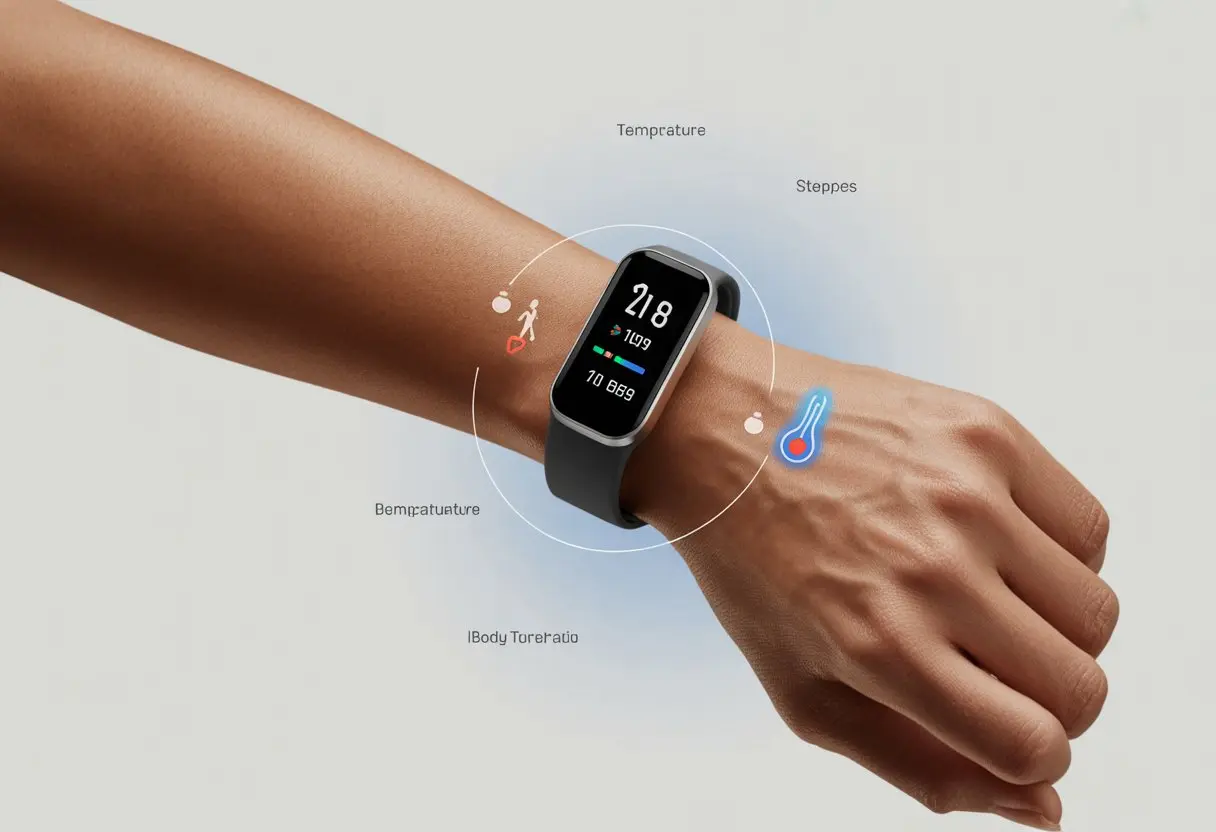
We’ve all been there: staring at our fitness tracker, hoping for some interesting update about our body’s “weather,” and getting—nothing. Usually, our fitness trackers skip body temperature because of hardware limits, old software, or just a weird settings hiccup. Sometimes, even the fanciest devices forget to measure body heat, or they just get lazy about syncing.
There’s the classic case where our wrist gadgets claim they track temperature, but suddenly the numbers vanish or the option disappears. We start resetting, tightening straps, and chatting with customer support like we’re solving a real medical mystery.
Even if the box promises temperature data, not every model actually records it. Some need specific settings or schedules to work. So why do our trackers sometimes take a holiday from tracking temps? And what can we do before blaming our wrists for being “too cold” or “too hot”?
How Fitness Trackers Measure Body Temperature
Ever wondered how our wristbands even guess our temperature? It’s a bit more technical than “tiny gnomes with thermometers.” Fitness trackers use sensors, skin readings, and a bit of math magic to turn raw data into body temperature insights. It’s clever, though not perfect.
Understanding Temperature Sensors
Temperature sensors sit inside our trackers, pressed gently against our skin. These sensors pick up small changes in temperature on our wrist or wherever we wear the tracker.
Most trackers use thermistors or infrared sensors. A thermistor changes resistance with temperature, letting the gadget calculate a reading. Infrared sensors measure heat radiating from our skin, kind of like those checkout scanners that beep at us for buying too many snacks.
Not all trackers do this equally well. Some give more detailed readings, while others just cover the basics.
Skin Temperature Vs. Core Temperature
Trackers don’t scan deep into our bodies like sci-fi gadgets. They only measure skin temperature at the surface, which is pretty different from our core temperature.
Core body temperature is stable and tells us if we have a fever. Skin temperature, though, gets influenced by weather, sweat, and even hugging our dog for five minutes.
That’s why temperature readings on many devices seem a little random. The watch thinks we’re chilling, but really, we just stepped out of a sauna (or a stressful Zoom call). Some trackers, like certain Fitbit models, use skin temperature sensors to estimate changes rather than giving exact numbers. You can check out more about this in the guide on how Fitbit tracks skin temperature.
External And Internal Temperature Sensors
Fitness trackers might use two types of sensors: external (measuring skin directly) and internal (placed farther inside the device or, rarely, inside our bodies).
External temperature sensors are most common. They track our skin’s temperature, but also get influenced by the sun or even a hot cup of coffee nearby.
Internal sensors (which sound scarier than they are) show up more in medical settings than in consumer trackers. Most of us don’t want to swallow a sensor for step data.
When our devices struggle with temperature tracking, it’s usually because outside factors confuse the sensors. This leads to weird results or missing data, kind of like finding socks after laundry day—sometimes there, sometimes not.
Common Reasons Your Tracker Isn’t Logging Your Body Temperature
Sometimes our fitness trackers just won’t cooperate, no matter how much we wish they would. From missing hardware to accidental soup spills (please don’t), there are a few reasons those temperature numbers don’t show up.
Lack Of Temperature Tracking Feature
Before we yell at our wrists for refusing to log temperature, let’s check if our gadget can even do it. Not every tracker includes a temperature sensor. Some models just don’t measure body temperature.
Maybe we bought a device for sleep tracking and step counting, only to realize it draws the line at temperature. Reading the product’s features list matters—even if it’s as fun as watching paint dry.
If our band or smartwatch doesn’t mention body or skin temperature, it won’t just magically appear. For example, Apple Watch only includes the sensor in some models, and even then, only in certain conditions like at night with sleep tracking enabled Apple Support.
Improper Device Placement
Fitness trackers work a lot like seatbelts—they only do their job when we use them right. If we wear our device in the wrong spot, it can totally mess up temperature readings.
If our watch is sliding up our arm or resting on a hoodie, the sensor gets confused. For best results, make sure the tracker fits snugly against the skin, just above the wrist bone.
Loose bands or wearing the watch over thick clothing create a gap between the sensor and our skin. This keeps the sensor from working, so our tracker might log zero changes or just give up. Consistent placement gives us the best shot at reliable tracking.
Dirty Or Blocked Sensors
Let’s be honest—most of us don’t clean our trackers often enough. When sensors get dirty, blocked by gunk, or covered in last night’s barbecue sauce, they can’t read our temperature.
Sweat, skin oils, lotions, or dust can build up on the sensor area. This acts like a tiny sleeping bag for the sensor—warm, fuzzy, but not very productive. If readings are missing or weird, it’s probably time for a gentle cleaning.
A soft, lint-free cloth and a bit of water (skip the soaps, detergents, or salad dressings) usually does the trick. If we dropped it in the mud, well, good luck.
Ambient Temperature Confusion
Even in climate-controlled spaces, our trackers still struggle to tell the difference between our skin and the room. Sensors get confused if the ambient temperature matches or overwhelms our body’s.
Wearing the device right after a hot shower or while sunbathing gives the tracker an identity crisis—“Am I tracking the arm, the air, or a rotisserie chicken?” Some devices track best overnight because activity and room temperature stay stable.
Tracking in places that are too hot or cold messes with the readings. We might want to let the tracker adjust for a few minutes when environments change, and avoid measuring in extreme temps. That’ll give our sensor a fighting chance.
Device-Specific Limitations And Compatibility
Before blaming our devices for not tracking temperature, we should check what they’re actually built to do. Not every tracker can measure skin or body temperature, and even if they can, certain settings need to be on or features supported.
Apple Watch And Series Capabilities
Apple Watch fans, gather around for a bit of good news and a pinch of disappointment. Only the Apple Watch Series 8 and newer can track wrist temperature.
If we’re still rocking a Series 6 hoping for fancy temperature graphs, we’re out of luck. Even with a Series 8, the feature doesn’t just work by magic. We have to enable “Sleep Focus” at night and wear the watch while we sleep—for several nights in a row.
If we forget for a night, the data might take longer to show up. If we see “no data” after about 12 days, it could be a settings issue or a bug (more on that at the Apple discussion forums). Also, anyone with an Apple Watch SE should know: it doesn’t have a temperature sensor at all.
Garmin And Fenix Models
Garmin devices like the Fenix 6 come loaded with features, but measuring body temperature directly with just the watch isn’t really one of them. Some models track temperature, but most use sensors for external temperatures, not our skin.
Let’s talk about Garmin Connect, the app we all pretend to understand. It shares plenty of stats, but it won’t show skin temperature if the device can’t collect it (which is often the case).
Wearing the device tighter won’t get us temperature graphs; the sensors have to be made for that. Even with the right device, things like skin tone, fit, and ambient light can mess with readings. That’s a lot for one little gadget to handle.
For truly accurate skin or core temperature, we probably need extra accessories and a bit of patience.
Fitbit And Oura Ring Features
Fitbit users get a mix of science and mystery. Some Fitbits measure “skin temperature variation” while we sleep, but not all models offer this—so it’s good to check twice.
The Fitbit app loves to show average temperatures, but it needs up to 30 days of overnight wear to set our baseline. If we skip too many nights, expect data gaps.
If the sensor isn’t making good contact, it throws a tiny digital tantrum and refuses to show the data (check the Fitbit community). And then there’s the Oura Ring. It’s small, smart, and takes temperature tracking seriously. It tracks changes from our daily baseline well, as long as we wear it consistently and don’t resent it for buzzing. Still, technical hiccups can happen, so patience helps.
Factors Impacting Accurate Temperature Measurement
Measuring body temperature with a tracker isn’t as easy as slapping it on and calling it a day. Plenty of things can throw off the numbers and make us wonder if our tracker knows its Fahrenheit from its elbow.
Environmental Influences And Ambient Temperature
Let’s be honest, our wrists don’t live in a bubble. The temperature around us—ambient temperature—can mess with readings. Walking from an air-conditioned room into a hot backyard isn’t just a shock for us; our tracker feels it too.
Cold weather may trick our device into thinking we’re an ice sculpture, while a stuffy room might suggest we have a fever even if we’re just binge-watching TV. For the most accurate ambient temperature readings, experts recommend keeping both our tracker and ourselves at a stable room temperature for a while before checking stats. It’s kind of like easing into a hot bath instead of cannonballing—less drama, more accuracy.
Wait Time For Reliable Readings
Patience isn’t just a virtue—it can mean the difference between your tracker thinking you’re chilly or burning up. It’s honestly pretty funny to check your temperature right after running up the stairs, but the data just won’t be right until your device settles in.
Most fitness tracker brands ask you to wait 20 to 30 minutes after you put the device on, or after you make a big change in activity or environment.
This buffer gives the sensor time to stop freaking out over sweat, sudden heat, or cold. Imagine it as a warm-up act before the main event—the tracker needs to calibrate to your body for the best possible numbers.
So, next time you’re eager to see if you’re running a superhero fever, just give it a little time. Waiting really pays off.
Wearing Your Tracker Correctly
Wearing your fitness tracker like a pirate’s floppy bracelet? That won’t work. For the sensor to actually catch your wrist temperature, the fit has to be just right—not too tight, not sliding around, and definitely not over a sweater cuff.
Apple’s support advice says a good fit stops gaps that let cool or hot air mess with your readings. Wearing the tracker on bare skin, snug but comfy, works best.
Keep the sensor area clean, too—cookie crumbs and sunscreen don’t help accuracy. These little details really matter if you want numbers you can trust.
Interpreting Temperature Data On Your Tracker
Reading body temperature from a fitness tracker isn’t like checking the oven—or your forehead when you’re feeling dramatic. You need a few tricks to make sense of the numbers, trends, and units these devices love to toss at you.
Understanding Baseline Temperatures
Trackers keep mentioning “baseline temperature,” but what does that even mean? It’s just the average temperature your device thinks you usually have while you sleep.
This isn’t the classic 98.6°F (or 37°C if you’re feeling fancy). Trackers watch you sleep for a few nights—usually at least three—to figure out your personal “normal.”
The baseline matters because your tracker won’t say “your skin is 92°F tonight.” Instead, it’ll say “you’re 0.5°F above your baseline.” If you see a change, maybe you just slept with one arm out of the blanket—no need to panic.
Don’t expect medical accuracy here. Skin temperature bounces around with room temperature, clothing, or that late-night ice cream you swore you wouldn’t eat.
Navigating Temperature Trends
Let’s talk about trends, because who doesn’t love spotting a pattern? Your tracker shows if you’re getting warmer, colder, or just stuck at the same temperature.
This can help you notice nights when you might be getting sick or just slept badly (thanks, caffeine). Most trackers don’t report your exact skin temperature. They show how your temperature changes compared to your baseline.
If you notice a steady climb or drop, check what’s new—maybe a new workout, a cold, or you just forgot to turn off the AC. Sometimes, it might warn you that you’re about to catch a cold—or just need a better blanket.
You can use these trends for your own detective work, even if you don’t have a badge or a fancy hat.
Switching Between Celsius And Fahrenheit
Sometimes, your tracker loves to mess with you by showing numbers in the wrong unit. If you’re seeing Celsius when you want Fahrenheit (or the other way around), most devices let you switch this in the app.
Here’s how you can usually swap between °C and °F:
Find an option labeled “Units,” “Temperature units,” or something like that.
Pick your preferred temperature unit—no more mental math.
If you still can’t figure it out, Google can convert for you faster than you can say “why is everything in Celsius?” Once you set the right unit, your temperature data will finally make sense. Hopefully, you’ll never mistake a mild fever for melting down.
Beyond Body Temperature: Other Health Metrics
Let’s be honest—body temperature isn’t the only thing our fitness trackers obsess over. These gadgets follow us around, tracking everything from how tired we feel to how well we chill out.
Body Battery And Training Readiness
Wouldn’t it be nice to have a battery life indicator for ourselves? Now, we kind of do. Many fitness trackers, especially Garmin models, use Body Battery to guess how much energy we have left.
It’s like that little phone icon, but for your body—except you can’t just plug yourself in overnight. Body Battery mixes together your sleep, activity, and stress to guess if you’re ready for action or need a nap (again).
Some watches even give you a Training Readiness score, so you can decide whether to go for a big workout or take it easy. Here’s a quick look at what affects Body Battery and Readiness:
Factors
Effect
Sleep Quality
Higher battery if good
Stress
Lower battery if high
Physical Activity
Can lower or restore
Rest
Recharges body battery
If your tracker says your “battery” is low, maybe it’s time for gentle yoga and snacks. Sounds pretty good, actually.
Resting Heart Rate And Heart Rate Variability
If the Body Battery is our fuel gauge, then Resting Heart Rate (RHR) feels more like an engine check light.
RHR shows how many times your heart beats per minute when you’re just hanging out. When you see a lower RHR, it usually means your heart’s working efficiently—kind of like a supercharged hamster powering a tiny treadmill.
Now, Heart Rate Variability (HRV) gets a bit trickier.
It looks at the small differences in time between each heartbeat. When your HRV is higher, your body’s probably handling stress better and feels ready for whatever comes next—like, say, an unexpected broccoli casserole at dinner.
Most trackers display HRV as a trend, so if you get a weird number after one night, don’t panic.
If you keep an eye on both RHR and HRV, you’ll notice when something feels off before your day even starts. Isn’t it wild to have a cheat sheet for your own body?
Hi, my name is Garrett Jones, and I am a tech enthusiast. I enjoy researching the new tech that has been released, and have a vast knowledge of the best tech to purchase.
From a young age, I have always had a big interest in technology, and this blog is an extension of that interest. Through this blog, I hope to provide others with all of the information they need regarding tech options to consider, and things such as compatibility. Some of the different items I will be discussing include headphones, smartwatches, and how to fix common issues.