Ever feel like your Bluetooth headphones have selective memory loss? One day they’re paired and ready, and the next, they act like they’ve never seen your phone before. Usually, Bluetooth headphones forget paired devices because of software bugs, outdated firmware, or getting overloaded with too many gadgets at once.
It’s not like our headphones are holding a grudge (at least, I hope not). From lost connections to setting everything up again, it feels like déjà vu every time.
If your headphones keep forgetting devices, you’re definitely not the only one scratching your head.
Let’s dig into the everyday reasons behind this annoying problem. Maybe we can finally stop playing tech support for our own music.
How Bluetooth Headphones Remember Paired Devices
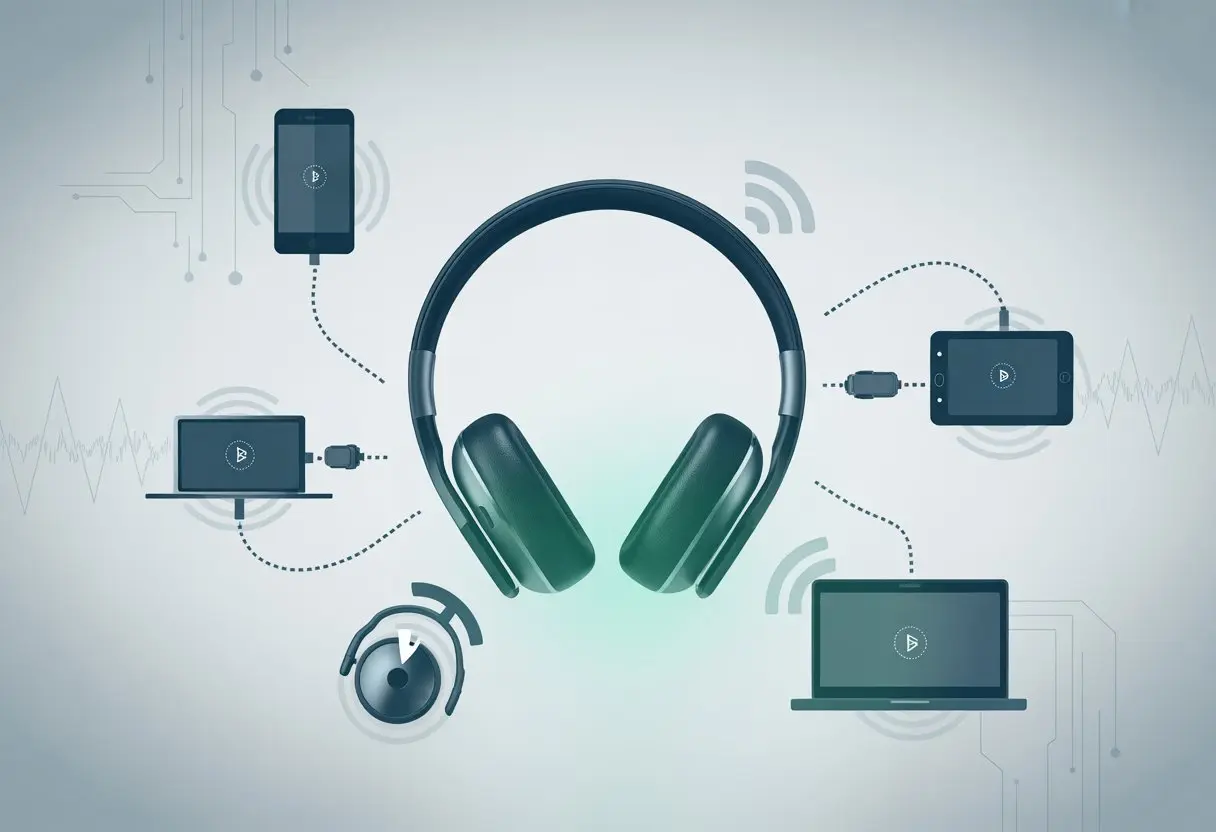
When you hit that pair button, it feels like magic. But there’s actually a simple process happening with memory chips and digital handshakes.
If your headphones can’t remember your devices, something probably glitched inside this process.
The Magic of Bluetooth Pairing
Pairing Bluetooth headphones with a device is like introducing two friends and giving them a secret password only they know.
Here’s what goes down:
- Your device and headphones search for each other.
- They swap special codes—a digital handshake, really.
- If the codes match, both agree to store this secret info.
Once paired, they recognize each other by matching codes. This shortcut skips the awkward “Who are you again?” conversation and jumps straight to your music.
But if either device forgets, you have to reintroduce them. Awkward.
Behind the Scenes: Device Memory
Bluetooth headphones use a tiny bit of built-in memory to remember paired devices. This memory stores those secret codes and device names.
Some headphones only remember a few devices at once. Pairing too many bumps old connections off the list.
It’s just like running out of space in a tiny address book.
If the memory gets wiped—maybe from a reset or firmware update—everything goes blank. That’s why you sometimes end up having to re-pair headphones like they’ve never met your phone.
If this keeps happening, maybe the memory is faulty or the software needs an update.
Common Reasons Bluetooth Headphones Forget Devices
Bluetooth headphones sometimes treat their memory like lost keys—one minute everything’s connected, the next it’s all gone. Here’s why those connections keep slipping away, with a little humor to make troubleshooting easier.
Running Out of Memory (Just Like Us on Mondays)
Bluetooth headphones have a limited number of “friend slots” for paired devices. If you connect yet another phone, tablet, or laptop, the headphones bump off an older device to make room.
It’s not personal—just limited storage.
Most headphones support five to eight paired devices. Anything more and, poof, someone gets forgotten.
If you’re constantly pairing, you might accidentally push a device out of memory.
Check the user manual for the magic number. If your headphones suddenly forget your favorite gadget, they might just be out of space.
Factory Reset Fiascos
We’ve all hit “factory reset” thinking it’ll fix things—but it wipes out all paired devices from memory. Sometimes, it’s way too easy to trigger a reset just by holding down the wrong buttons.
After a reset, your headphones forget every device. You’ll need to set up everything from scratch.
If you’re always having to pair your headphones, maybe they’re stuck in a reset loop. Weird lights flashing or sudden memory loss? It’s time to check for accidental resets.
Outdated Firmware: Living in the Past
Headphones running on outdated firmware start missing out on modern features and better memory management. Firmware updates often include fixes so your headphones won’t keep forgetting devices.
Manufacturers push out updates to solve memory blips and connection issues. It’s easy to ignore those update messages—nobody wants to wait.
But skipping updates is like ignoring the dentist. Things only get worse.
Updating your headphones’ firmware can help them remember devices better. Check the manufacturer’s app or website for instructions, since every brand does it a little differently.
Accidental Unpairing: Oops, You Did It Again
Sometimes, we’re our own worst enemy. A slip of the finger and we hit “Forget This Device” without realizing it.
Other times, trying to solve one problem leads us to unpair everything, hoping for a fresh start.
Bluetooth menus aren’t always forgiving. Once you tell your device to forget, you have to pair everything again from scratch.
This happens a lot if you share headphones or switch between gadgets.
If you keep having to pair a device that disappears after every use, you might be accidentally telling the headphones to forget the connection. Double-check before pressing that forget button—it could save you a lot of frustration.
Device Compatibility and Pairing Limitations
Sometimes our headphones just can’t juggle all the gadgets we throw at them. Pairing problems sneak up when we add too many devices or if our headphones don’t get along with a certain phone or tablet.
How Many BFFs Can Your Headphones Have?
Bluetooth headphones can only remember a set number of paired devices. It’s like a social circle—after a few close friends, the rest get left out.
Most headphones store about 5-8 paired devices. Some models might keep fewer buddies for their memory.
Once you hit the pairing limit, the headphones drop old connections to make room for new ones. This may explain why they sometimes act forgetful.
To stay on their good side, keep the list tidy by erasing devices you don’t need. Some headphones even kick out the oldest connection when they need space, as explained in this Bluetooth pairing problems guide.
The Perils of Cross-Platform Pairing
Pairing headphones across different brands or operating systems feels a bit like making friends at a family reunion—sometimes it just gets weird. Not every device “speaks” the same Bluetooth language, so sometimes your headphones can’t even greet new gadgets.
If you’re switching between Android, iPhone, Windows, or a smart TV, each might use different Bluetooth standards or security features. Some headphones only remember pairings with one type of device at a time.
This can force you to re-pair when swapping platforms.
Certain special devices, like some medical tech, are picky and only allow a single paired friend, according to Bluetooth pairing fails. Double-check compatibility lists before expecting your headphones to play nice with every device.
Interference and Environmental Factors
Bluetooth headphones sometimes act like they’re allergic to crowded networks and random objects in your home. Their forgetfulness isn’t always a design flaw—other gadgets and even your walls can mess things up.
Your Headphones vs. The Wi-Fi Horde
We’ve all seen it—headphones work fine in one room, but enter “Wi-Fi Central” and suddenly, they drop the ball. Bluetooth and Wi-Fi both fight for the same 2.4 GHz band, leading to interference.
Imagine your headphones as introverts at a loud party—overwhelmed and unable to keep up.
Here’s what to watch out for:
- Too many devices: Laptops, speakers, phones, smart TVs—each adds more “noise.”
- Pairing confusion: Interference can drop connections or make headphones “forget” paired devices.
- Signal skipping: Audio stutters lead us to keep re-pairing, which feels like Bluetooth déjà vu.
If your headphones refuse to remember devices, you might be living in a Wi-Fi jungle. Try moving closer to your phone (or maybe give the Wi-Fi router a break).
Obstacles: Not Just Emotional Walls
Between you and smooth audio is the world’s smallest villain: walls. Physical obstacles like thick walls, doors, or even fridges can limit Bluetooth range and cause issues with remembering devices.
Things to look out for:
- Walls and doors: Each one lowers signal strength.
- Metal objects: These block or scatter the signal.
- Crowded rooms: More bodies, more stuff, more things to block the path.
Unlike emotional baggage, these physical barriers directly impact your tech. If your headphones are forgetful, sometimes there’s just an annoying bookshelf or stubborn refrigerator in the way.
User Error: It’s Not Always the Headphones’ Fault
Let’s be honest, we sometimes get in our own way. The problem often starts with how we try to connect, not because the headphones have given up.
Some mistakes are easy, especially when more than one device wants to join the Bluetooth party or when pairing mode gets misunderstood.
Multiple Devices in the Same Room: Chaos Ensues
Who knew owning more than one gadget could make things so complicated? You try wearing headphones while the laptop, tablet, phone, and maybe even the neighbor’s Bluetooth speaker all compete for attention.
The headphones don’t know what to do. They might connect to the last device they recognized or just give up and ask you to pair again.
Picture this:
| Device | Wants the Headphones? |
|---|---|
| Phone | Yes |
| Laptop | Yes |
| Tablet | Yes |
All three are signal-happy, leading to confusion. If you don’t manually “forget” the headphones from devices you aren’t using, multiple devices can mess with connections.
This is a common headache, according to users sharing their Bluetooth stories on forums like Microsoft Community.
Pairing Mode Mishaps
Pairing mode sounds simple enough—until it isn’t. If we skip the directions or read them sideways, things can get weird fast.
We might think holding the button for five seconds will do the trick, but sometimes our headphones want ten. Other times, we just forget to actually put them in pairing mode, then stare at our phone, wondering why nothing pops up.
Things get even trickier when the headphones show up as two devices or just decide not to appear at all. That’s when we start mashing every button in sight, hoping for a miracle.
It helps to double check the basics: turn the headphones off completely, make sure Bluetooth is on, and actually follow the pairing steps in the manual. If nothing works, don’t hesitate to hit “forget device” and start over—just remember to do it on every gadget you’ve paired before.
For more step-by-step fixes, Wired put together some solid tips.
How to Fix Bluetooth Headphones That Don’t Remember Devices
We’ve all been there. The headphones connect once, then ghost us when we need them most.
Staying synced isn’t magic, but it does take a little effort. We have to run some resets, check for updates, and avoid breaking up with our devices the wrong way.
Reset Like a Pro (No Panic Required)
We’ve all frantically mashed buttons, hoping for a reset. But let’s not panic.
Most headphones hide their reset trick in the manual—usually holding the power button for 10 seconds until the lights flash. A good reset can clear out old connections and get things talking again.
If that doesn’t work, each earbud might need its own reset. Some earbuds want us to hold them until their LEDs flash red and white, or blue and red. If both sides sync, we’re back in business.
And if it still doesn’t work, take a breath and try again. No need to go full “unplug the router” mode.
Keep Your Firmware Fabulously Fresh
Firmware is the brains behind our headphones. If it’s stuck in the past, we’ll run into bugs.
Some brands let us update through their apps, or by downloading from the company’s website. Updating can fix memory issues, and sometimes even boost battery life or sound quality.
We should open the headphone’s official app, find the update button, and let it work its magic. If we ignore this, we’re basically using a flip phone in a smartphone world. Who wants that?
The Right Way to Pair and Unpair
Pairing and unpairing sounds easy, but it’s trickier than it looks. If we mess it up, our headphones might keep forgetting us like a goldfish at a party.
Start clean: remove the headphones from your device’s Bluetooth list. Also, disconnect other devices nearby, just in case.
When you’re ready, put the headphones into pairing mode before turning on Bluetooth on your phone or computer. That way, you get a better shot at a solid connection.
If pairing fails, don’t just give up—unpair both devices and start from scratch. Sometimes, a fresh start is all they need.
When to Seek Help or Replace Your Headphones
Sometimes, Bluetooth headphones act like forgetful goldfish. If you’re always re-pairing them, maybe it’s time to ask for help.
So, when do you just throw in the towel?
- Headphones drop connections every five minutes. (Are they allergic to Bluetooth or what?)
- Pairing fails with more than one device.
- Factory reset and software updates just won’t fix anything, no matter how much you hope.
Some signs scream, “Replace me!” louder than others:
| Sign | Our Reaction |
|---|---|
| Battery dies super fast | “Didn’t I just charge you?” |
| Buttons stop working | “Now they’re just fashion.” |
| Headphones randomly shut off | “Guess they needed a nap?” |
| Physical damage (cracks, broken wires) | “We had a good run.” |
If most of this feels weirdly familiar, let’s just admit it—those headphones probably belong in the tech retirement club. If you can’t unpair them from someone else’s device or they keep showing up as two separate devices, that’s another hint.
Before you sprint out to buy new ones, try updating drivers, resetting, and disconnecting other devices. If nothing changes and Bluetooth purgatory just won’t end, well, maybe it’s time for a shopping trip.

From a young age, I have always had a big interest in technology, and this blog is an extension of that interest. Through this blog, I hope to provide others with all of the information they need regarding tech options to consider, and things such as compatibility. Some of the different items I will be discussing include headphones, smartwatches, and how to fix common issues.
- Why do my Bluetooth headphones not remember paired devices? Forgetful Gadgets and the Mystery of Lost Connections - March 26, 2026
- Smartwatch Error Code 9001 Fix: When Your Wrist Decides to Rebel - March 25, 2026
- Best Bluetooth Headphones for Under $200 That Won’t Make Your Wallet Cry - March 24, 2026
Related Posts: