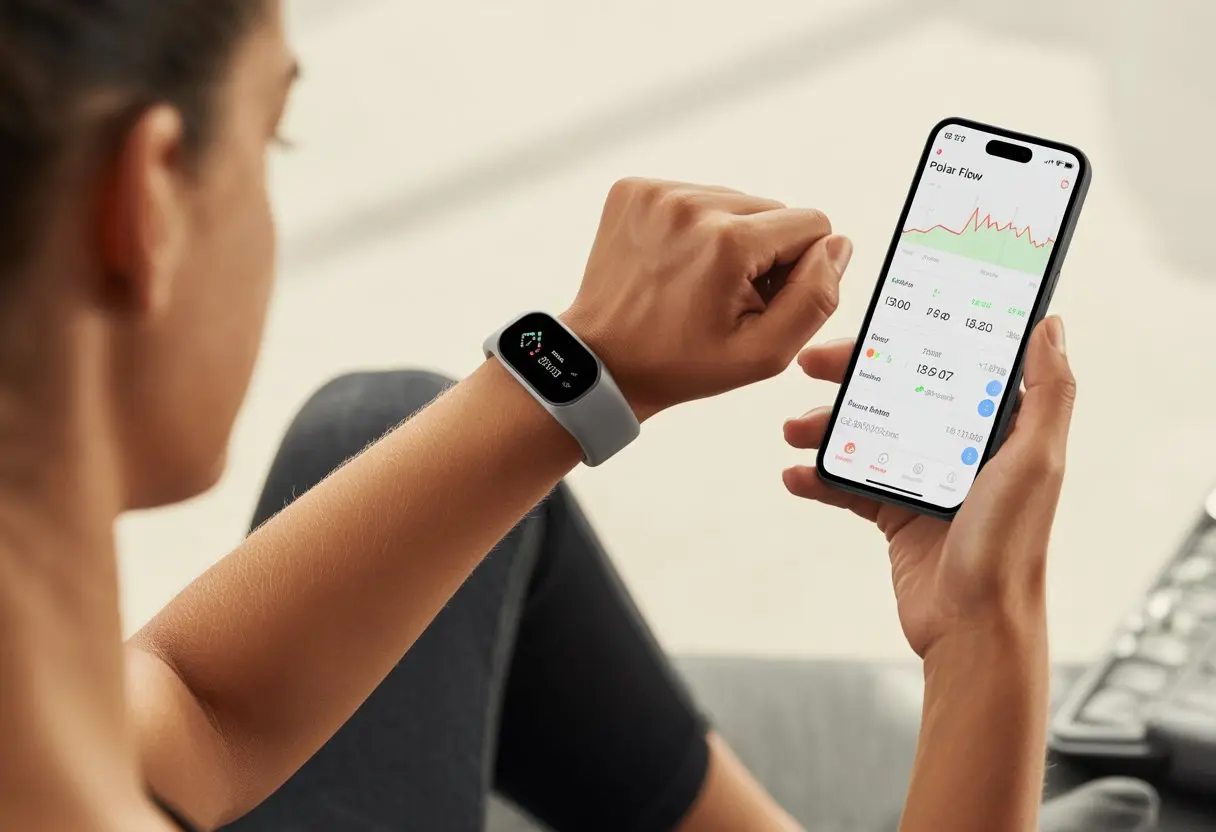
So, we’ve got this fancy fitness tracker strapped on, and we’re ready to become the fitness superheroes we always knew we could be. But honestly—if we don’t figure out Polar Flow, that tracker just turns into another high-tech bracelet silently judging us for skipping steps.
Polar Flow helps us turn all those numbers and graphs into a game plan for better health.
With Polar Flow, we track activity, analyze workouts, and maybe brag a little when we hit our goals. Syncing the fitness tracker to Polar Flow? It’s simple—tighten that wristband, connect to the app, and off we go, chasing daily targets and watching our activity circle fill up.
Ever wonder what happens to all the sweat and effort we put in? Polar Flow turns those moves into easy-to-read charts so we can see progress and improve every week.
Let’s take the mystery out of those blinking lights and actually make fitness tracking work for us.
Getting Started With Polar Flow
Ready to track every heroic step and maybe a not-so-heroic nap? Here’s how we pick the right Polar fitness tracker, set it up without mixing up the wristband, and keep it juiced for action.
Choosing the Right Polar Fitness Tracker
Not all trackers are created equal—some just count steps, while others count steps and, well, everything else. The Polar Loop is a classic for those who want simple, no-nonsense tracking of steps, calories, and sleep.
If we want more data, like heart rate or built-in GPS, the Polar Ignite or a Polar GPS watch is the way to go. They offer sports profiles, GPS, and even sleep scores if we’re curious how many hours we didn’t count sheep.
We should always check device compatibility with our phone, the Polar Flow app, and any other gadgets we use. Wrist comfort matters too—nobody wants a tracker that pinches or feels like a medieval torture device.
Make a quick checklist:
What activities do we want to track?
Do we care about heart rate?
Will we use GPS for outdoor walks and runs?
How long does the battery last?
Choosing the right device sets us up for success—and fewer awkward moments at family gatherings when people ask about the futuristic thing on our wrist.
Device Unboxing and Setup
Now comes the unboxing. Okay, we might tear through cardboard, but let’s try not to fling pieces everywhere.
Inside, we’ll find the tracker, a charging cable, and the world’s tiniest instruction manual.
First, we attach the wristband if it isn’t already on. Some models, like the Polar Ignite, may need us to loop and snap it ourselves.
Next, we turn it on—usually by pressing and holding a button until it wakes up.
We download the Polar Flow app on our phone. Once it’s installed, the app guides us through pairing the device over Bluetooth.
If pairing fails, we try moving closer to the phone—sometimes technology just needs a little nudge, like us before coffee.
Follow the on-screen steps to create or log in to a Polar Flow account. Entering basic details like height, weight, and age helps the tracker calculate everything from calories to how far we can run before needing snacks.
Charging and Powering Your Tracker
No one tracks anything on a dead device, so let’s talk charging. Most Polar activity trackers, including the Polar Loop and Ignite, come with a custom USB charging cable.
We connect the cable to our tracker and plug it into a USB port or adapter. Look for a small charging symbol on the tracker screen—it’s a good sign.
Charging from empty usually takes about one to two hours.
We suggest charging before bed, so our dreams of running marathons can be recorded—even if we’re just sleepwalking to the fridge. GPS watches need more regular charging since GPS eats up battery faster.
A charged tracker means we won’t miss out on our own stats.
Pairing Your Fitness Tracker
Before we can track our steps—or just admire how cool our new fitness tracker looks—we need to pair it properly. This keeps our data in one spot, up to date, and lets us use those fancy features we paid for.
Connecting via Bluetooth Smart
Let’s be honest—Bluetooth Smart is both a hero and a menace. When it works, life is sweet. When it doesn’t… well, we’ve all been there.
To connect our fitness tracker, we have to make sure Bluetooth is on for our phone (not just in spirit, but in the settings).
Here’s a quick checklist:
Make sure the tracker is charged.
Confirm Bluetooth is on in the phone’s settings.
Keep the tracker and phone close together. Across the room? Forget it.
Some folks try to pair from their phone’s regular Bluetooth menu. That’s like trying to toast bread in a freezer. We should always start pairing from the Polar Flow app or the tracker’s menu, so everything goes smoothly and we don’t end up yelling at our devices.
This is where the magic happens—if we do it right. First, we log in to the Polar Flow mobile app.
On our tracker, we go to Settings > General settings > Pair and sync > Pair and sync mobile device and hit the START button. The tracker starts connecting, and if it’s in a good mood, we’ll see “Connecting to phone” on the screen.
The pairing wizard in the app walks us through each step. Don’t skip prompts.
If we try to pair from the phone’s Bluetooth menu without the app, it just won’t work—like trying to join a secret club without the handshake.
If something glitches, turning Bluetooth off and back on usually works better than expected. For a step-by-step breakdown, check out the Polar Flow mobile app pairing guide.
Linking to the Polar Flow Web Service
This is where we let our inner data nerd loose. To link our tracker with the web service, we need a computer and the Polar FlowSync software.
First, install FlowSync, then log into the account. We connect the tracker to the computer with a USB cable—not the mystery cord in the junk drawer, but the one that actually fits.
Once plugged in, FlowSync syncs our data automatically. We just sit back and let the tech do its thing.
The data shows up on the Polar Flow web service, ready for us to analyze, share, or just stare at proudly. For more instructions, visit the Polar web service sync instructions.
Syncing Data Between Devices
Syncing our fitness tracker with Polar Flow might sound like a chore, but honestly, it’s just a few steps to keep our stats in one place.
Whether we let technology do the heavy lifting or prefer to press the button ourselves, syncing data is easy and reliable.
Automatic Syncing and Manual Syncing
Let’s start with automatic syncing—it’s like the self-cleaning oven of fitness tracking: low effort, minimum mess. When our Polar watch and phone are paired by Bluetooth, our data syncs right after finishing a workout.
Sometimes, the watch happily sends all our steps, sleep, and heart rate data to Polar Flow without us lifting a finger—unless we want to count it as another step for the day.
But sometimes, tech just gets stubborn. If automatic syncing spends too long “thinking” or finishes without syncing, we take things into our own hands.
For manual syncing, we hold down the BACK button on the Polar device. This nudges it and says, “Yes, now is the time to sync!”
If things still get stuck, checking Bluetooth, restarting the phone, or toggling airplane mode usually does the trick. We see the syncing prompt right away on the device screen.
Sync Your Data on Multiple Platforms
Syncing across different platforms is handy for those of us living a tech-filled life. Data from our Polar watch can be sent to the Polar Flow app, and also synced with the Flow web service when we connect to a computer with a USB cable.
The Polar Flow app is great for viewing data on our phones. For more detailed graphs and workout breakdowns, we can log into the Polar Flow website on desktops and laptops.
This way, our fitness—and even that embarrassing attempt at cardio—shows up across all our devices. We can find out how to sync a Polar watch with the Flow app and avoid those dreaded “data not found” moments.
Syncing multiple devices at once with the Polar FlowSync desktop app? Don’t do it. If we try syncing a watch and another gadget at the same time, chaos could break loose and nothing will sync. One device at a time is the way to go.
Understanding Heart Rate Monitoring
Tracking our heart rate isn’t just for astronauts or secret agents. With today’s fitness trackers—especially when paired with Polar Flow—we can all get accurate heart stats while jogging, cycling, or even dancing in the living room.
Whether we use a chest strap, an armband, or just a fitness watch, understanding how these tools work can make our workouts smarter.
How Heart Rate Sensors Work
Heart rate sensors are basically the nosy neighbors of the fitness world. They watch our every beat, literally.
At their core, these devices catch our heart’s rhythm by picking up electrical signals or using light to see blood flow.
Chest sensors (like Polar H10, H7, and H6) use electrodes to measure the electrical pulses inside our bodies. They sit snug around our chest, right below those superhero pectoral muscles.
Optical sensors (like the Polar OH1+) wear like armbands and use tiny LED lights to track blood pulsing through our skin. More James Bond, less cyborg.
Both types send our precious bpm (beats per minute) live to our devices and the Polar Flow app. So if our heart skips a beat because someone swiped right, the tracker knows!
Heart Rate Data and Its Importance
Our bpm isn’t just a number—it’s kind of like our body’s mood ring. When we track heart rate, we see how hard we’re working, how fast we bounce back, and whether we’re up for another lap or just need a nap.
Polar Flow puts all that into easy-to-read graphs. We can spot those peak intensity moments and nerd out on the stats. When we keep tabs on our heart rate, we’re less likely to overdo it and more likely to know when to take it easy (doctor’s orders, right?).
Benefits of heart rate monitoring:
Helps us train at the right effort
Shows our fitness progress
Flags signs of fatigue or illness
Motivates us to move—or rest—when we should
It’s honestly like strapping a tiny coach to our chest or arm.
Polar Heart Rate Sensor Models
Polar’s got a whole crew of sensors, and honestly, it’s tempting to want every one. Here’s the lineup:
Model
Type
Connection
Special Features
H10
Chest strap
Bluetooth/ANT+
Highest accuracy, waterproof, memory
H7
Chest strap
Bluetooth
Classic, reliable, simple setup
H6
Chest strap
Bluetooth
Basic, light, easy to use
OH1+
Optical armband
Bluetooth/ANT+
No chest strap, comfy, USB rechargeable
Each sensor pairs up with Polar Flow and most fitness apps. The H10? Top of the range. H7 and H6? Solid, simple, and dependable. OH1+ is perfect if you hate the chest strap thing. If you need help pairing, here’s a quick video guide.
Tracking Your Activity with Polar Flow
Polar Flow helps us track daily activity without pretending we’re Olympic athletes. We can log regular movements, use fun activity tracker tools, and trust the accelerometer to show us how much we’re actually moving. Even the fridge run counts.
Recording Daily Activity
No need to run marathons to keep Polar Flow happy. Our tracker counts every step, whether we’re walking, jogging, sweeping, or chasing the dog. Even the steps from the couch to the snack drawer—yep, those matter.
Polar Flow picks up our daily activity through wrist movements. We can check our stats—steps, distance, active time, and calories burned. The activity tracking feature gives us feedback on whether we’re crushing it or, well, maybe need to move a bit more.
Want to get nerdy? The tracker breaks down our movements into activity levels, so we know exactly how intense that mailbox stroll really was. It’s like having a coach on our wrist, but way less shouty.
Using the Activity Tracker Features
Polar Flow isn’t just about counting steps—though it’s pretty obsessed with them. We get nudges to get up if we’ve been parked too long, which is great for anyone glued to a desk. We can set daily activity goals to match our lifestyle. The activity guide helps us pick what actually works for us.
When we hit our daily goals, Polar Flow celebrates with achievement badges. If not, it offers gentle suggestions instead of guilt trips. If we’re feeling competitive, we can chase our own records—or try to outwalk our friends.
We can check out calories burned, steps, and active time. The Polar Flow app and web dashboard make it easy to see where all our energy went (or didn’t).
Benefits of the Accelerometer
The accelerometer is the unsung hero inside our fitness tracker. It quietly logs every wrist movement, day and night, and turns it into useful info. Think of it as our activity detective—without the judgment.
Unlike old-school pedometers, the accelerometer in our Polar device tracks how fast and how hard we’re moving. It can tell the difference between a stroll and a wild sprint for the bus. It even knows when we’re totally still, making it harder to fudge our activity.
The tracker catches everything from light chores to hardcore sports. We don’t have to enter anything by hand—every move counts. Our activity log stays up to date, so we always know if we’ve been active or just kidding ourselves.
Logging and Analyzing Training Sessions
Let’s be real—no one remembers every squat or step without help. Logging and analyzing our training sessions in Polar Flow turns us into data wizards.
Starting a Training Session
Logging a session is simple: lace up, strap on the tracker, and hit start. Honestly though, who hasn’t forgotten to press start and missed out on bragging rights?
Polar Flow tracks heart rate, calories, distance, and exercise time. We can pick from training modes—running, swimming, or even “indoor climbing” if we’re feeling bold.
During the workout, we can peek at our stats live on the tracker’s screen. Who doesn’t want to see their heart rate spike in the middle of a burpee? When we’re done, it syncs the data to Polar Flow, so we don’t lose anything.
Activity Data Review in Polar Flow
After syncing, Polar Flow lays out all the data from our session, ready for a deep dive. There’s a calendar view showing when we trained and how active we really were.
We can look at charts and graphs for pace, heart rate zones, and distance. It’s basically like being our own coach, minus the yelling (unless we’re into that).
There’s a training log that holds a full year of workouts. We can check if we improved our 5K or just spent more time “recovering.” It’s all in Polar Flow’s activity review tools.
Understanding Training Benefit Feedback
After each session, Polar Flow gives us Training Benefit feedback. It breaks down what our workout did—did we boost fitness, help recovery, or just coast? (No shade to pears, but we want progress.)
The app uses heart rate, intensity, and duration to tell us the effect, like “improved aerobic fitness” or “optimal recovery.” If we see “training effect: maintaining,” maybe it’s time to shake things up.
We get to see what kind of fitness gain we earned—no more guessing. Our tracker becomes a motivational sidekick, cheering us on as we go.
Heart Rate Zones and Training Intensity
Knowing our heart rate zones makes training with Polar Flow way less mysterious. We can boost fitness, burn more fat, and avoid overdoing it—especially on a random Tuesday.
Identifying Your Maximum Heart Rate
First, we need to figure out our maximum heart rate (HRmax). That’s the highest number of beats per minute our heart can handle—usually after a full-out sprint for the last slice of pizza. The quick way? 220 minus our age. Polar lets us use a personal field test or lab results if we want to get fancy.
A solid HRmax estimate helps our tracker set up the right heart rate zones. That way, we get guidance that actually fits us, and we don’t have to guess if we’re working hard enough. Knowing our HRmax keeps us training smarter and safer. For more info, check out Polar’s maximum heart rate and zones guide.
Heart Rate Guidance and EnergyPointer
Think of heart rate guidance as our tracker’s way of keeping us on track. It checks our pulse and tells us if we’re in the right zone for our goals—no more pretending a stroll is a HIIT workout.
Polar’s EnergyPointer feature is a nice bonus. It shows if our current effort is burning fat or building aerobic fitness. So we can train smarter, not just harder. Updates are easy to follow in real time with EnergyPointer and heart rate guidance.
Fat Burn Zone, Fitness Zone, and Heart Rate Zone
Here’s how the zones break down:
Fat Burn Zone: Comfortable heart rate, perfect for long walks or chatting about last night’s TV. Our body burns the highest percentage of calories from fat here.
Fitness Zone: Things get sweatier and our breathing gets heavier. This is where we build endurance and aerobic strength—think steady runs or that intense spin class.
Heart Rate Zone: This can mean any of the five training zones, but using all of them helps us match our training to our goals.
Polar keeps it simple. Our device tells us what zone we’re in, whether we want a chill walk or a sweaty challenge. See Polar’s heart rate zones guide for more details.
Monitoring Calories, Weight, and More
Tracking health with Polar Flow is like having a fitness detective in our pocket. We can check calories burned, keep an eye on our weight, and see how our heart’s doing—without getting lost in complicated numbers.
When we push harder, the tracker shows what percentage of calories came from fat. That’s pretty handy if fat burn is our goal. We get clear graphs showing how our body responds to different workouts. Suddenly, those stats mean something—besides making us crave snacks after a run.
Weight Management and Progress
Weight tracking with Polar Flow feels like finally keeping ourselves accountable. We can log weight manually, or let a compatible Polar scale do it automatically. Watching the trends gives us a reality check—no more blaming the dryer for shrinking our jeans.
Charts show how our weight changes over time. We can set a target weight, and Polar Flow keeps us going with positive nudges or the occasional guilt trip (in graph form). Seeing all our info in one place helps us spot if our workouts are helping or if those “reward” cookies are sabotaging us.
Measuring Cardiovascular Fitness and Blood Circulation
We all want a strong, reliable heart. Polar Flow tracks heart rate and heart rate zones during workouts to show us how our heart and blood circulation respond—no medical degree required.
Each session, the tracker records how quickly our heart recovers after exercise, which is a great sign of cardiovascular fitness. We can check charts to compare our progress over weeks or months. If we notice big changes, maybe it’s time to celebrate—or just add a few extra walks or dance breaks.
Customizing Units and Settings
If we want our Polar tracker to stop messing with kilometers when we’re all about miles (or the other way around), we’ve got options. We can tweak our workout goals too, so our tracker is actually cheering us on—not judging us.
Changing Measurement Units
Let’s be honest: metric and imperial units can cause some heated debates at the dinner table. With Polar Flow, you get to pick your side, and honestly, it’s pretty simple.
Once you log into the Polar Flow web service or app, just head to the settings menu.
Look under “General settings,” and you’ll find a spot to change units. Switch from kilometers to miles, kilograms to pounds, or Celsius to Fahrenheit—it’s like giving your tracker a new outfit.
When you save your changes, Polar Flow syncs your preferences across all your devices in no time.
Suddenly, your running routes, calorie counts, and hydration reminders actually make sense—no more mental math.
You don’t have to scroll through confusing stats and wonder if your step count is even real.
Personalizing Your Fitness Goals
Honestly, a fitness tracker only helps if the goals we set actually matter to us. I mean, who wants to chase a marathon when most days we’re just trying to find the remote?
In Polar Flow, you can set daily step targets, calorie goals, or even your own sport zones. That way, your goals fit your real life—sometimes ambitious, sometimes just “let’s survive today.”
Head over to the “Sport profiles” section online or in the app. You can set up different activities and tweak your training views.
Go ahead and fine-tune alerts, timers, and targets. Your watch will keep cheering you on—whether you’re running sprints or just wandering to the fridge.
Hi, my name is Garrett Jones, and I am a tech enthusiast. I enjoy researching the new tech that has been released, and have a vast knowledge of the best tech to purchase.
From a young age, I have always had a big interest in technology, and this blog is an extension of that interest. Through this blog, I hope to provide others with all of the information they need regarding tech options to consider, and things such as compatibility. Some of the different items I will be discussing include headphones, smartwatches, and how to fix common issues.