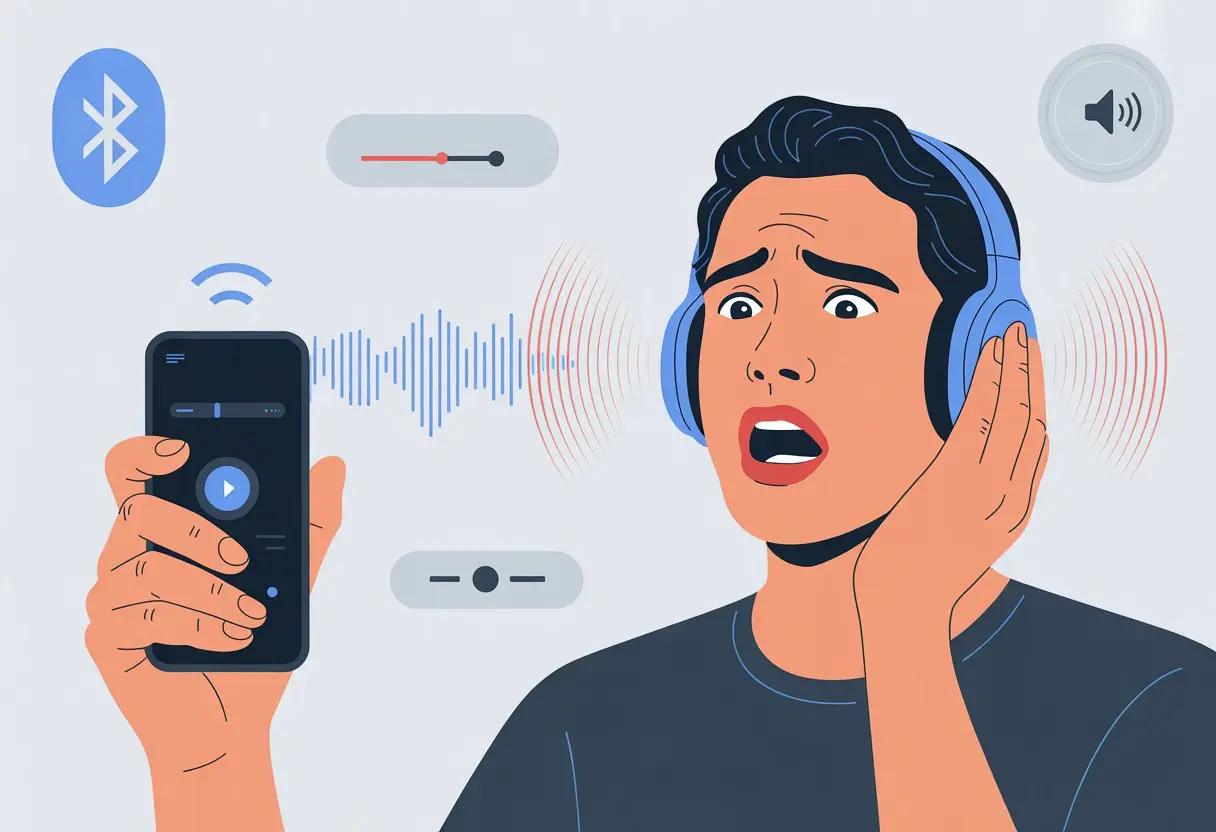
Ever put on your Bluetooth headphones, hit play, and nearly leap out of your seat because the music’s absolutely blasting? That’s happened to me more than once—scrambling for the volume controls, wondering why even the lowest setting feels like a front-row concert. Usually, our Bluetooth headphones sound way too loud because the headphone and device volume settings just don’t sync up the way we expect.
Sometimes, the problem isn’t even ours. Blame it on bizarre software settings, finicky Bluetooth connections, or that one hidden menu we swear we never touched.
You might turn the volume down and nothing really changes. It’s either rockstar loud or dead silent.
Let’s dig into why our headphones keep misbehaving, what settings we can mess with, and whether there’s hope for our poor eardrums.
We’re on a mission for some peace and quiet, and we’re dragging every stubborn pair of headphones along.
Common Reasons Your Bluetooth Headphones Sound Too Loud
Wearing Bluetooth headphones can sometimes feel like you’re next to a jet engine.
Knowing what’s actually causing the audio chaos helps us keep our ears safe for more important things, like eavesdropping on subway drama.
Device Settings May Be Causing the Volume Spike
If your Bluetooth headphones sound like they’re yelling, device settings are often the culprit.
A lot of phones and computers come with things like Media Volume Sync or automatic volume leveling.
When these are turned on, the device and headphones basically fight for control, which can cause sudden jumps in loudness.
Try turning off those sync features to keep the volume at a level your ears can actually handle.
Android users can open Bluetooth settings, tap the three-dot menu, and turn off media volume sync.
Give your ears a break and tweak these settings. We all deserve a little quiet now and then.
Volume Level Confusion: Headphones vs Device
Here’s where things get weird. Your phone, laptop, and headphones each have their own volume controls, and they don’t always play nice.
Imagine the headphones are at 100% while your phone’s at 10%, or the other way around. That mismatch can turn listening into a volume mystery.
Android devices have a setting called Disable Absolute Volume that separates your phone’s and headphones’ volume controls.
If the lowest headphone setting is still way too loud, try adjusting both the device and headphone volumes, or change the absolute volume setting.
Sometimes it’s just about finding that magic combo—like socks and sandals, but less embarrassing.
Bluetooth Connection Glitches
Bluetooth is supposed to make life simpler, but sometimes it just messes things up.
Connection hiccups or pairing fails can make headphones act up, jump in volume, or get extra shrill.
These issues often show up after software updates or when you connect to a new device for the first time.
Try restarting your headphones or unpairing and pairing them again. Sometimes, just forgetting the device and setting it up from scratch does the trick.
If your Bluetooth setup still refuses to cooperate, try a little troubleshooting—and maybe mutter a few choice words under your breath.
How Audio Sources Affect Your Listening Experience
Not every song sounds the same through your headphones.
Where you get your music and how it’s delivered can totally change what blasts out—sometimes way louder than you’d expect.
Differences Between Music Services (Hello, Spotify!)
Let’s talk about music apps. Spotify’s a go-to for a lot of us, but it’s not always the gold standard for audio quality.
Spotify offers streaming quality options like Normal, High, and Very High, but even “Very High” isn’t always on par with other apps.
Lower quality means more compression, and sometimes your headphones try to fill in the gaps by boosting everything—including the volume.
If you stream music from a service with lower bitrates, the sound can come out harsher or just plain louder than higher-quality streams.
Switching between Spotify, Apple Music, or Tidal, you might notice the same song sounds softer, clearer, or weirdly loud.
Not every headset handles these changes the same way. One pair might shout with Spotify but chill out with YouTube Music.
Streaming vs Downloaded Audio Tracks
Streaming a song and downloading it aren’t always the same deal.
Streaming usually means your device works with compressed files to save data. Downloaded tracks, especially those set to the highest quality, often sound fuller with less volume shifting.
Sometimes, streaming apps adjust volume and quality to keep music playing smoothly, which can bump up the loudness out of nowhere.
Downloaded songs usually play at the quality you picked, so things stay more consistent.
Some apps, like Spotify, even change quality and volume based on whether you’re on Wi-Fi or using data.
If in doubt, download your favorite playlists and set the quality as high as possible to avoid those surprise volume spikes—whether you’re online or offline.
Hardware Features That Crank Up the Loudness
Sometimes, the real culprit behind crazy-loud Bluetooth headphones isn’t your phone at all.
The hardware inside your headphones or earbuds can turn what should be chill music into a sudden audio jump scare.
Gain Settings on Headphones and Earbuds
Let’s talk about gain—not the laundry soap, but the audio setting inside your headphones.
Gain controls how much the audio signal gets boosted before it hits your ears.
Some headphones, especially “pro” or “studio” models, come with high default gain so every beat hits harder.
If your earbuds have high gain, even low volume can feel super loud.
Some models don’t let you adjust the gain, so the volume jumps from “barely there” to “why are my ears ringing?” with nothing in between.
Brands that want to sound “loud and proud” often crank the gain by default.
If you’re not sure about your gain settings or can’t change them, you might find yourself sliding the volume back and forth, begging for a little quiet.
If you’re using an iPhone, some headphones let you use their own volume buttons without messing with the phone’s volume.
Try both until your ears stop ringing. If your headphones have physical buttons, don’t be afraid to use them!
If nothing works, see if your headphones have a companion app for more settings.
Quick checklist:
Sync off: Separate phone and headphone volume controls.
Physical buttons: Press away!
Restart devices: Sometimes, tech just needs a little reset.
Remapping Volume Controls on Your Devices
Remapping volume buttons can help tame that wild “way-too-loud” audio beast. Sometimes, Bluetooth just acts weird—you turn your phone’s volume down, but your headphones ignore it.
Some headphones or apps let you remap the volume buttons for finer control. Check the audio or accessory settings, or poke around in your headphones’ companion app.
On Windows, open Control Panel > Sound > Playback and dig into your device’s properties. This forum post covers fixing loud headset audio on PC if you want more details.
If the controls still don’t cooperate, try something creative. Lower the app’s volume, tweak the EQ to soften things, or even stick a tiny bit of tape on the headphone’s grille (yep, that’s a real trick).
That last hack physically dulls the sound. You’ll find more on it in this thread about making headphones quieter.
Taming volume monsters isn’t rocket science—it’s mostly pokes, presses, and sometimes, a little tape.
When Firmware Updates Make (Or Break) Your Ears
A simple firmware update can turn your headphones from “just right” to “jump scare.” Sometimes, a fix actually helps the volume behave again. Why do these changes happen, and what can you do?
Firmware Bugs and Volume Problems
That “Update Available” message looks friendly, right? But sometimes, hitting update is like opening a door to a disco party at full blast.
Firmware updates can mess with Bluetooth headphone volume by introducing bugs. Some updates crank up the minimum volume so even the lowest setting hurts your ears.
Other times, the update changes how volume syncs with your devices, and suddenly you’re lost in the settings menu. On Reddit, people often complain their headphones get worse after updates—especially when it comes to surprise jumps in loudness or losing fine control.
Watch for these firmware-related volume problems:
Volume suddenly jumps after updating
More or fewer volume steps
Headphones and device won’t sync volume
These bugs aren’t just annoying—they can be downright painful if you get blasted unexpectedly.
How to Check and Update Your Headphone Firmware
Before you let another update loose on your eardrums, check your current firmware version. Most headphones have a companion app, so start there.
Here’s what to do:
Open your headphone app
Connect your headphones via Bluetooth
Look for “Firmware,” “Device Info,” or “Settings”—names vary
Follow the prompts to check for updates or install one
If an update caused your loudness problem, some brands let you roll back, but not all do. If you’re stuck, search online or contact support.
Some folks even suggest skipping updates unless the changelog mentions volume fixes. Why risk going from music lover to volume victim overnight?
Warranty Woes: What to Do If You Can’t Solve the Loudness
If you’ve tried every trick—volume sync, tape, you name it—and your headphones still blast at rock concert levels, what’s left? Here comes the warranty adventure.
First, check if your headphones are still under warranty. Dig up the box, the receipt, or that email confirmation. Can’t find it? Don’t panic yet.
If you’re within the warranty window, most brands want you to:
Register the product (does anyone do this right away?)
Find the serial number (usually in tiny print, just to make you squint)
Contact customer support (cue the hold music)
Sometimes, you’ll need to fill out a form explaining how your “ears are under attack.” Be honest—or maybe get a little dramatic for effect.
Common Warranty Outcomes:
Outcome
What It Means
Repair
They fix your headphones
Replacement
You get a new pair
Rejection
They blame “user error” or say “not covered”
If you get stuck, search for your headphone brand’s support number. It might save you time (and sanity).
Document everything—photos, emails, your saga from “the headphones that roared.” It helps if things get messy.
For more troubleshooting tips before you wave the white flag, check out what other frustrated users have tried.
Choosing Headphones and Earbuds That Won’t Blow Out Your Eardrums
Let’s be real—nobody wants to hit play and get blasted so hard they nearly drop their phone. The right headphones or earbuds can totally save your eardrums (and maybe your pride).
What should we look for?
We need volume controls that actually do their job, not those fake ones that barely change anything. Some headphones just start out loud, which feels like way too much, right? If you see “sensitivity” in the specs, go for lower numbers if loudness bugs you.
Here’s a quick table to compare what matters:
Feature
Why It Matters
Volume Range
So you can actually turn it down
Sound Sensitivity
Lower ratings are gentler
App Controls
More ways to fine-tune
Comfy Fit
No pain, no regrets
Wireless vs. Wired:
Some Bluetooth models just love to shout. If your headphones sound too loud even at the lowest volume, you can try fixes like turning off media volume sync. That might finally bring you some peace.
Brands do things differently, for better or worse. Always check reviews—someone out there probably already complained about the same ear-splitting problem.
If you sleep with headphones, go for models with quiet minimums. Your ears (and probably your dreams) will be way happier.
Hi, my name is Garrett Jones, and I am a tech enthusiast. I enjoy researching the new tech that has been released, and have a vast knowledge of the best tech to purchase.
From a young age, I have always had a big interest in technology, and this blog is an extension of that interest. Through this blog, I hope to provide others with all of the information they need regarding tech options to consider, and things such as compatibility. Some of the different items I will be discussing include headphones, smartwatches, and how to fix common issues.