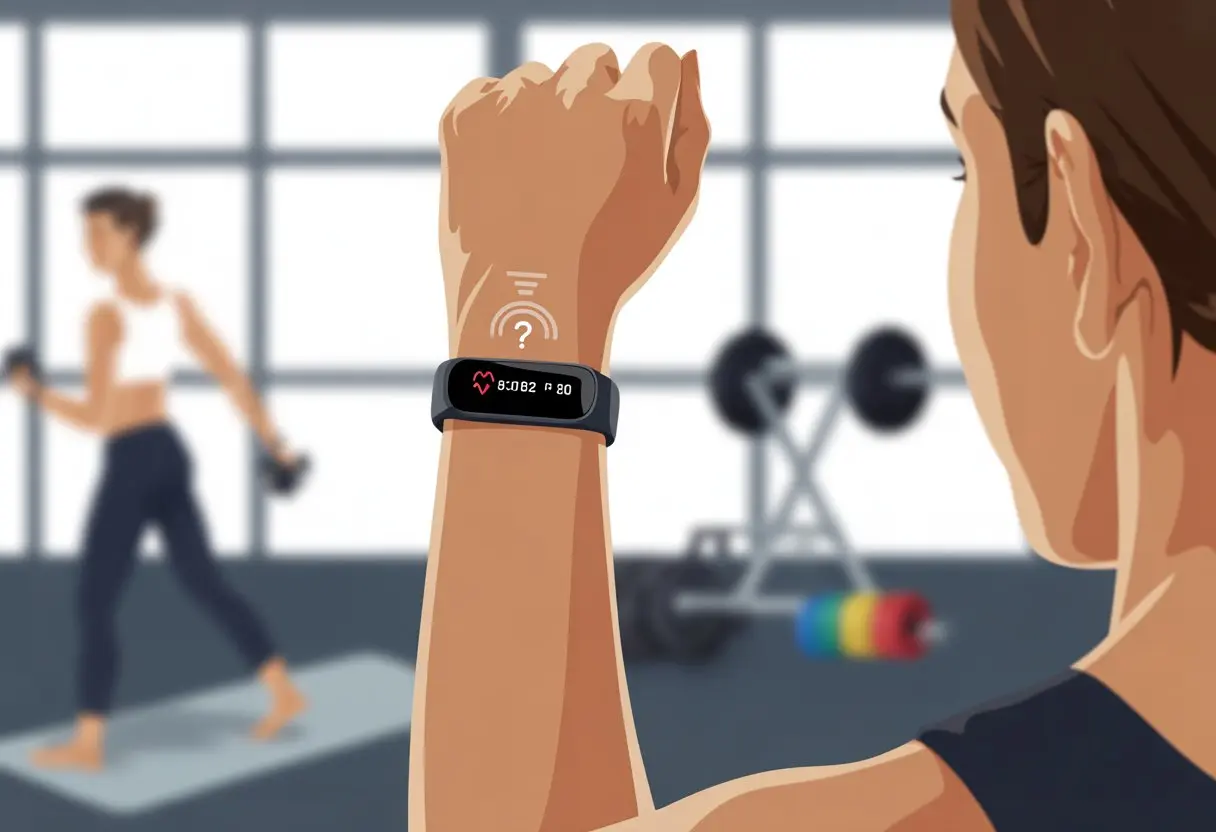
We’ve all been there. You finish your workout, swipe over to check your stats, and your heart rate hasn’t changed at all. Suddenly you’re left wondering—am I a superhero with a resting pulse, or is my device just being stubborn? Usually, our fitness trackers miss our heart rate because the sensor isn’t touching our wrist right, the settings are off, or the band is either too loose or cranked down too tight.
Honestly, nothing kills the post-workout brag quite like missing data. Sometimes, it’s an easy fix—just wiping off sweat or updating an app can actually help.
It’s wild how many things can make our trackers ignore us during exercise. Maybe the band needs a good cleaning, a better fit, or, in some cases, a replacement.
Let’s dig into why our heart rate isn’t showing up—because we know our hearts are working, even if the gadgets don’t agree.
How Heart Rate Tracking Works in Fitness Trackers
When we look at our wrists for heart rate data, there’s a lot happening under the surface.
Different trackers use different methods for tracking our heartbeats. Newer features like pulse ox and heart rate variability do more than just count beats.
Types of Heart Rate Sensors
Most fitness trackers rely on optical heart rate sensors. These use a green LED to shine light into our skin.
The sensor measures how much of that light bounces back and estimates our heart rate. The more blood moving, the more the light changes. It sounds high-tech, but honestly, it’s just a tiny rave on your wrist.
Some older trackers and chest straps use electrocardiogram (ECG) sensors. These pick up the electrical signals from your heart, which is why chest straps can feel like medical gear from another era.
Apple Watch and other fancier fitness wearables often use both types of sensors. That means more accurate data—and, let’s be real, another excuse to buy something shiny.
How Fitness Trackers Measure Heart Rate
Fitness trackers usually check our heart rate in real time. Those optical sensors grab readings every few seconds, especially during workouts.
The device translates changes in the light into beats per minute. If we move around a lot, sweat, or wear the band too loosely or tightly, the tracker can get confused and miss a beat. Literally.
You can usually fix weird or missing data by making sure the fit is snug and the sensor area is clean. The Fitbit community has some solid advice on how band fit affects tracking.
Want a quick check? Most trackers let us see heart rate data just by swiping or tapping. The Apple Watch even shows a live graph.
Role of Pulse Ox and Heart Rate Variability
Let’s talk about the newer features: pulse ox and heart rate variability (HRV). Pulse ox, which checks blood oxygen saturation, uses a red LED to see how much oxygen is in our blood.
This is great for spotting issues during sleep or intense workouts. Heart rate variability looks at the time between heartbeats instead of just counting them.
Higher HRV usually means our heart can handle stress and excitement—like sprinting for the last doughnut in the break room. Many advanced trackers and the Apple Watch now measure both pulse ox and HRV.
All this data makes us feel like fitness scientists—minus the lab coat.
Common Reasons Heart Rate Isn’t Being Recorded
Sometimes we fire up our fitness trackers, break a sweat, and then find our heart rate data isn’t showing up. Instead of blaming our hearts for lack of effort, let’s get down to why these devices miss a beat.
Loose or Improper Fit
If our fitness tracker sits loosely, even the fanciest tech can’t do its job. The sensor needs to press against our skin, kind of like a clingy toddler.
A loose band lets in extra light, which confuses the optical sensor. That leads to weird or missing heart rate data.
Wearing the tracker too far up the arm, too close to the wrist bone, or upside down can also block the sensor. If you switch wrists or move it, double-check the fit.
People with tattoos or darker skin tones might notice less reliable readings if the device isn’t positioned right. Even wrist hair can get in the way—so direct contact really does help.
Dirty or Blocked Sensors
Sweat, lotion, or plain old grime can block the light sensors that track our pulse. These tiny sensors hate peanut butter and sunscreen—anything between skin and sensor messes with the reading.
We’re all guilty of forgetting to clean our trackers. A quick wipe with a soft cloth (please, not sandpaper) can help more than you’d think.
Water or soap dried on the back after a shower can also block the optical sensor. If you use your tracker while cooking, gardening, or, yes, finger-painting, debris can get stuck in the crevices.
When your fitness tracker’s battery dips low, it might cut off heart rate tracking to save power. Some devices stop recording heart rate as soon as the battery drops to a certain level.
We’ve all ignored that “Charge Me!” alert a little too long. Sometimes, technical hiccups can also mess up data.
Sync issues, stalled apps, or a system that just needs a reboot can leave us with blank charts. Try restarting or syncing the device, or disconnect and reconnect it to your phone.
If your tracker still acts up after the basics, try a firmware update. If all else fails, reach out to support or check out Fitbit forums for troubleshooting.
Incompatible Activities
Fitness trackers are picky about what they track. Some activities just confuse the sensors.
Cycling or using an elliptical can trick the optical sensor because steady wrist movement helps with accurate readings. Sometimes the tracker mistakes repetitive movements for a pulse, especially during walking or running.
This “cadence lock” can cause weird readings or missing data, especially with optical sensors. High-impact sports, weightlifting, or anything that flexes or presses the wrist can also interrupt measurement.
If your tracker seems lost during certain workouts, it’s probably just the sensor needing a better angle—or the feature isn’t designed for that activity.
Environmental and User Factors Affecting Accuracy
Sometimes our fitness tracker’s heart rate data looks like a random number generator had a field day. There are plenty of reasons for this, and not all of them are obvious.
Everything from skin type to the weather can mess with those glowing green lights.
Skin Tone and Hair Interference
Let’s be honest, not all wrists are created equal. People with darker skin tones may notice that optical sensors sometimes struggle to “see” under the surface.
It’s not a diss on our melanin—it’s just how light works. Extra wrist hair doesn’t help either; it acts like a tiny jungle, blocking the sensors and making it harder for the tracker to find our heartbeat.
Some of us need to clear out the “wrist forest” or tighten the band to help the sensor out.
Tips to help:
Adjust the band for a snug—not suffocating—fit
Remove hair under the sensor area if possible
Try the other wrist if one works better
Sweat and Moisture Effects
When we’re sweating buckets, our tracker isn’t impressed. Sweat and moisture make the strap slip or fog up the optical sensor lens, which can throw off readings.
This happens more during long or intense workouts, and suddenly our device thinks we have the cardiovascular health of a potato. Water and light-based sensors just don’t mix, and too much moisture can lead to spotty data or a “try again” message.
To keep the tracker happy, make sure your wrist is clean and dry before you start. Wipe the back of the watch and your skin during breaks if things get swampy.
Dry off the back of the tracker and your skin before use
Tighten the strap if it starts slipping
Pause and wipe down if readings go weird mid-workout
Tattooed Skin Impact
We love a cool wrist tattoo, but our fitness tracker isn’t a fan. Tattoo ink—especially dark colors—can block or scatter the light from the sensors, making it tough to get accurate data.
Sensors get confused when they hit inked skin, so heart rate readings can be missing or just plain off. Studies and user stories say large or solid tattoos near the sensor area make data unreliable.
It’s not personal; our wearable just doesn’t get body art. Try moving the device to an area without a tattoo or switch wrists if you can.
Our tattoos may look awesome, but to our heart rate sensors, they’re just camouflage.
Software Settings and App-Side Blunders
Sometimes our fitness tracker just stops tracking heart rate because of some sneaky software setting or outdated app. Before we panic or threaten to go back to an old-school stopwatch, it’s worth checking the basics on our phone or watch.
Disabled Heart Rate Feature
We’ve all done it—tapping through menus, swiping away notifications, and accidentally flipping important switches. On some devices, the heart rate monitor just gets turned off in the settings. When that happens, the tracker basically throws a tantrum and refuses to check our pulse.
If you’re using an Apple Watch, check if Fitness Tracking and Heart Rate features are actually on. Head into Privacy settings on your iPhone to make sure. When these are off, even the fanciest watch won’t measure our heart rate, no matter how many times we poke the screen.
Other fitness trackers might tuck this option under “Sensors,” “Heart Rate,” or “Wellness” menus. We should make sure it’s enabled—otherwise, we’re just wearing an expensive bracelet that doesn’t do much.
Sometimes our gadgets just want to live in the past. Old firmware or a neglected app version can stop our fitness tracker from collecting heart rate data. Our wrist buddy might be begging for an update and we don’t even realize it.
For Apple Watch, make sure both the watch and the paired iPhone are running the latest updates. Open the Watch app on your iPhone, tap “General,” then “Software Update.” For other trackers, check the manufacturer’s app or website for update instructions.
Why bother? Updated software fixes bugs, improves sensors, and sometimes adds cool new features—like actually counting our heartbeats again. If we ignore updates, our gadget might pretend it’s working but just sits there looking pretty.
If your tracker still isn’t working after an update, check out troubleshooting tips from TunesKit before you throw in the towel.
Troubleshooting Steps to Revive Heart Rate Tracking
When our fitness trackers stop tracking our heart rate, it can feel like we’ve lost our nosiest friend. Luckily, there are a few things we can try to wake up that stubborn sensor and get our pulse counts back.
Checking Sensor Alignment and Strap Wear
Let’s talk about the strap. If our watch is too loose, the heart rate sensor gets confused and might just give up. The sensor needs to rest flat and snug against our skin—not so tight it hurts, but not sliding around, either.
Try positioning the tracker about a finger-width above the wrist bone. This usually gives better readings. If we wear it lower, especially while moving, the signal might just drop out.
If we’re sweating a lot—running or just flailing our arms—the tracker could slip. Check the fit now and then. Some bands stretch over time, so tightening it up can help. If you’ve just swapped bands, double-check that it fits well with the sensor.
Every wrist is different. Tattoos or hair can block the sensor, so if that’s you, try wearing the tracker on the other wrist or a bit higher up your arm. Sometimes that’s all it takes to get the heart rate sensor working.
Cleaning the Tracker
Our fitness trackers pick up all kinds of grime. Sweat, lotion, and even cookie crumbs (hey, it happens) can get stuck around the sensor and mess up readings.
We should clean our tracker once a week, or more if we work out a lot. Use a soft, damp cloth to wipe the underside and the charging pins. Skip the bleach and, please, no sandpaper.
If gunk won’t budge, a cotton swab can help with those tiny spots. Always dry the tracker before wearing it again. Clean skin helps too, so give your wrist a quick wash before strapping it back on. Keeping things clean helps those heart rate numbers stay accurate.
Restarting or Resetting the Device
Sometimes tech just has a bad day. When our heart rate numbers flatline or the app freezes, a restart can work wonders.
For most devices, press and hold the main button or find the restart option in settings. If that fails, some fitness trackers—like Fitbit—have a “clear user data” or full reset option. Always sync your data first so you don’t lose your steps.
A restart can clear up stubborn heart rate sensor issues. If you’re using an Apple Watch, double-check settings like Power Saving Mode, since it can turn off heart rate measurement during workouts. Turn that off if you want the sensor to stay active.
If forums aren’t your thing, services like JustAnswer let you talk to tech experts directly (for a fee, naturally). They can walk you through advanced steps or tell you if it’s time to send your device in for repair.
Sometimes, the smartest move is knowing when to ask for help and stop pulling your hair out—yours or the tracker’s.
Impact of Missing Heart Rate Data on Fitness Goals
When our fitness tracker skips heart rate readings, it’s not just being lazy—it can actually mess up our progress, skew sleep stats, and leave us sweating in the wrong heart rate zone. Even small data gaps can throw us off and leave us scratching our heads.
Effects on Tracking Workouts
Let’s be honest—if our tracker misses heart rate data during workouts, it’s like baking a cake and forgetting the flour. Our calorie burn can get undercounted, especially with intervals or sudden bursts of effort.
Missing heart rate readings can throw off our stats, including active minutes and exercise intensity. We might finish a tough run and see our tracker thinks we barely moved. Accurate heart rate helps devices figure out if our workout counts or if we just walked to the fridge—sometimes that should count, right? If we’re chasing badges, closing rings, or setting personal bests, spotty heart rate data can make us miss out. Some users even complain about workout gaps when they wore the device the whole time.
Accuracy in Sleep Monitoring
Who knew our heart rate worked overtime while we sleep? Without good heart rate data at night, our tracker might think we spent hours in light sleep when we were really deep in dreamland.
Many trackers use heart rate variability to guess our sleep stage. If the tracker drops the ball, our sleep scores become less trustworthy than a toddler’s promise to go to bed. Waking up groggy and seeing a “100%” sleep score? That’s funny, but also a little suspicious. Missed heart rate data can mess up long-term trends, making it tough to spot changes from stress, illness, or late-night snacks. With sleep being so key for recovery, missing this info can throw off our whole fitness plan.
Challenges in Monitoring Heart Rate Zones
Heart rate zones sound kinda fancy, but if we don’t get steady data, we’re not really in any zone at all. Our tracker tries to figure out which zone we’re in—like fat burn, cardio, or peak—just by watching our heart rate.
But if the device misses a few beats (and let’s be honest, it happens), we might think we’re spending more or less time in a certain zone than we actually are. Sometimes, we slog along, convinced we’re torching calories, while the tracker seems to have checked out.
Anyone who’s training with zones in mind knows this messes with goals and results. Time in each zone really matters for a lot of training plans.
If the tracker skips a beat, we might not get the fitness benefits we’re aiming for, and our targets start to feel like they’re always shifting. You’ll see more about this in user complaints, especially from runners who rely on accurate heart rate zone tracking.
Hi, my name is Garrett Jones, and I am a tech enthusiast. I enjoy researching the new tech that has been released, and have a vast knowledge of the best tech to purchase.
From a young age, I have always had a big interest in technology, and this blog is an extension of that interest. Through this blog, I hope to provide others with all of the information they need regarding tech options to consider, and things such as compatibility. Some of the different items I will be discussing include headphones, smartwatches, and how to fix common issues.