Let’s be real—most of us snagged Bluetooth headphones because we wanted to ditch the wires and maybe look a little cooler. But when it’s time to record a podcast, things get a bit complicated.
We can totally use Bluetooth wireless headphones for podcasting, but we have to watch out for audio delays and connection hiccups that can throw us off our game.
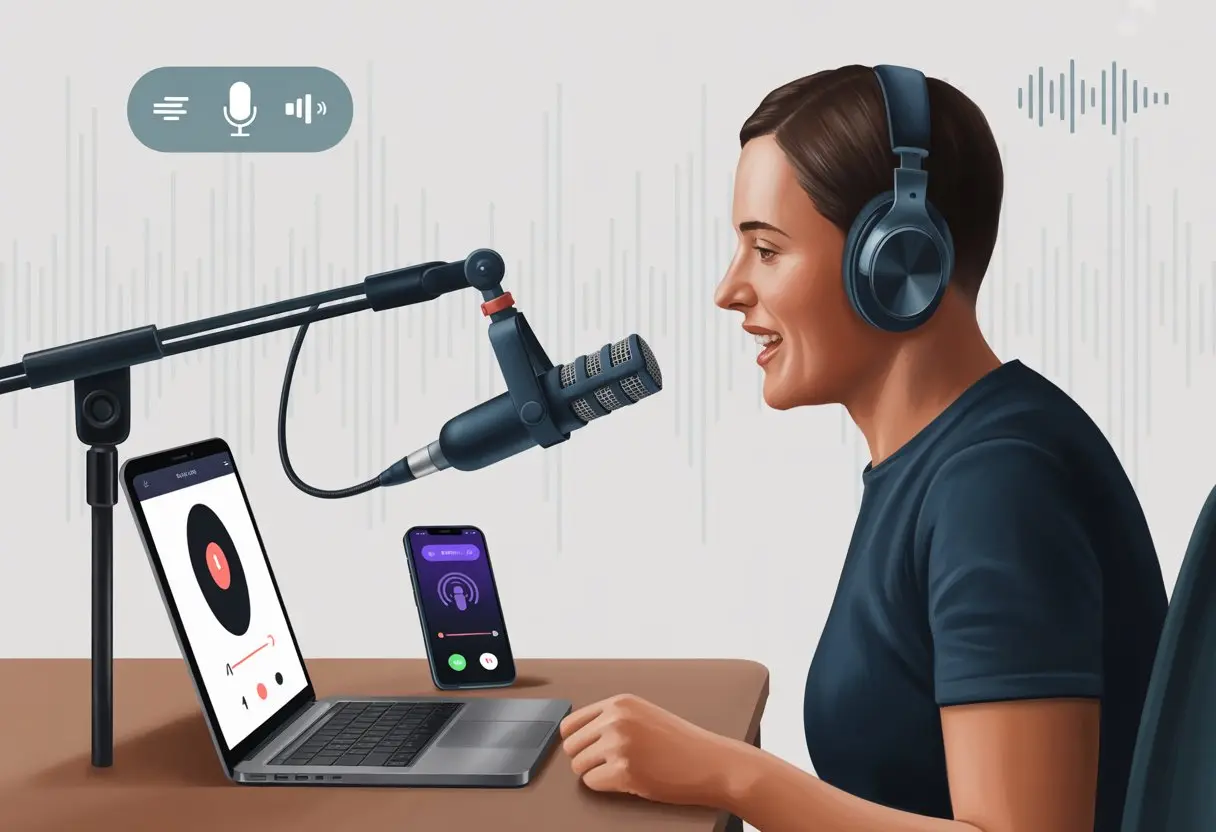
If you’ve tried recording with Bluetooth headphones and your voice sounds like it’s underwater or showing up late to its own party, you’re definitely not alone.
You can get solid results, but you’ll need a couple of tricks to dodge the usual problems.
Wired headphones might seem boring, but hey, sometimes we just want our freedom—so let’s figure out how to make wireless work.
Podcasters keep arguing about whether Bluetooth is a blessing or a curse for recording.
Maybe you want to multitask, maybe you want to dance while you talk, or maybe you just hate untangling cords.
Either way, here’s how to use Bluetooth headphones in your podcasting setup without losing your mind—or your sound.
Choosing the Best Bluetooth Headphones for Podcasting
Picking headphones feels a little like choosing a pizza topping—so many choices, and what you pick really changes the whole vibe.
Think about comfort, sound quality, and whether you want wires flopping around like spaghetti.
Wireless Versus Wired: The Eternal Debate
Wires always seem determined to tie themselves in knots, right?
That’s why Bluetooth headphones have become a go-to—they let us move around without dragging laptops off the desk.
Still, wired headphones have their perks, like instant connection and no audio delay.
A lot of pros stick with them because they don’t have to worry about batteries or weird interference.
But Bluetooth technology keeps getting better, and it’s perfect if you want flexibility and hate feeling tied down.
For podcasting, sound accuracy matters.
Wired picks like the classic Audio-Technica ATH-M50x usually deliver lower latency and a cleaner sound.
But honestly, wireless models have stepped up their game.
If you want to walk around while recording or editing, Bluetooth headphones win the freedom contest, hands down.
Over-Ear Headphones for Comfort and Style
If you’re going to wear headphones for hours, your ears deserve some luxury.
Over-ear headphones give that cozy, hug-your-head feeling.
They block out more noise than tiny earbuds and won’t leave your ears aching after a long session.
They look pretty sleek, too—nothing screams “I’m a serious podcaster” like big headphones.
Style aside, over-ear models usually have better sound isolation, so you can focus on your podcast instead of the neighbor’s leaf blower.
When picking a pair, check out padding, adjustable headbands, and tough materials.
A headphone guide for podcasting suggests thinking about comfort and build quality, so your headphones survive late-night edits and clumsy moments.
Picking the Right Brand: sennheiser pc 8 usb vs. audio technica
It’s kind of a showdown—Sennheiser PC 8 USB versus Audio-Technica.
The Sennheiser PC 8 USB is famous for being super easy to use and having a built-in mic, so beginners love it.
It’s lightweight, and the USB connection means you don’t have to mess with Bluetooth settings.
Audio-Technica, especially the ATH-M50x, is the go-to for folks who want studio-level sound.
You get better audio accuracy, a tougher build, and some extra features, but it’s pricier and usually doesn’t have a built-in mic.
Audio-Technica also comes in wired and Bluetooth versions, which is great if you can’t decide.
If you care about looks and flexibility, both brands have something to offer.
Comparing top podcast headphones can help you figure out what matters most—sound, comfort, mic, or price.
Setting Up Your Bluetooth Headphones
Getting Bluetooth headphones ready feels a bit like prepping for a weather forecast—skip a step, and you’re in for a tech storm.
We have to connect our devices right and make sure our sound quality doesn’t turn our podcast into a robot opera.
Pairing with Your Recording Device
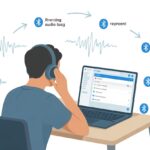
First, let’s get our Bluetooth headphones paired up with our laptop, phone, or whatever we’re using.
Usually, you hold down the power button until a tiny blue light flashes—kind of like waiting for a firefly, but this one brings tunes or podcast gold.
On your device, head into Bluetooth settings.
Cross your fingers that “Headphones-1234” is actually yours, not your neighbor’s.
Once you spot them, click “Pair.”
Sometimes you’ll need to confirm with a code.
If you get it right, you’re halfway there.
You can find more details in this Bluetooth setup discussion.
Tip: If your device doesn’t see the headphones, just turn it off and back on.
It’s the classic “Did you try restarting it?” move, but it works more often than you’d think.
Testing Sound Quality Before Hitting Record
Before you start recording your podcasting masterpiece, check the sound quality.
Bluetooth headphones can have a bit of lag, so your voice might show up late.
This can make you feel like you’re starring in a badly dubbed movie.
To test, record a quick clip, say a few words, and listen back.
If you sound like a robot from space or there’s a weird lag, try plugging in a cable if your headphones support it.
A lot of podcasters recommend using a cable for better results.
If latency isn’t too bad, try tweaking your audio settings or switching recording software.
Sometimes that helps.
Checklist for Sound Testing:
- Record a short clip
- Listen for delays or robot voices
- Try the wired option if needed
- Adjust settings or software
It’s way better to find out now than after recording an hour that sounds like it came from Mars.
Optimizing Audio Quality for Podcast Recording
Podcasting with Bluetooth headphones is kind of like baking with an oven that’s a little unpredictable.
You can pull it off, but you have to keep an eye on things.
Let’s talk about how to sharpen your audio and avoid the three big headaches: audio lag, background noise, and echoes.
Your listeners already deal with your dad jokes—don’t make them suffer through bad sound, too.
Minimizing Latency for Synchronized Speech
Bluetooth headphones sometimes sneak in a delay, making your voice sound like you’re calling from the moon.
Bluetooth uses wireless signals, so you’ll get more lag than with wires.
If you ignore it, conversations can turn into accidental comedy, with everyone talking over each other.
To cut down on latency, try these:
- Pick Bluetooth 5.0 or newer headphones for faster connections.
- Turn on Low Latency mode if your headphones have it.
- Keep your devices close—don’t record in the kitchen if your computer is in another room.
- Use recording software that lets you adjust buffer times.
If sync gets really bad, keep a wired backup handy.
Bluetooth can be moody sometimes.
Controlling Background Noise Like a Pro
Nothing ruins a podcast like a barking dog or a neighbor’s trumpet practice.
Bluetooth headphones usually rely on built-in mics, which pick up more background noise than fancy studio setups.
So, you’ll need to get a little creative.
Try these options:
| Strategy | Effectiveness | Notes |
|---|---|---|
| Record in a quiet space | High | Blankets make great sound traps! |
| Use noise suppression software | Medium | Some podcast tools have this built in |
| Invest in noise-canceling headphones | Medium/High | Especially ones made for calls |
| Politely threaten pets with snacks | Unknown | Worth a shot |
You don’t need a pro studio.
Simple tricks like turning off fans, unplugging appliances, or even building a pillow fort can make you sound way more professional.
For more tips, check out this guide on improving podcast audio quality.
Avoiding Echoes and Other Audio Pitfalls
Echoes are fun in canyons, but not so much on podcasts.
Bluetooth headphones aren’t always the best at keeping sound in, so you might get faint repeats or weird hollow audio.
These sneaky audio problems show up when sound leaks from your headphones into your mic, or when you’re recording in echoey rooms.
Here’s what you can do:
- Wear closed-back Bluetooth headphones to keep sound from escaping.
- Lower your headphone volume while recording.
- Use rugs, curtains, or even furniture to soak up sound in the room.
- Keep your mic away from windows or bare walls.
- Double-check your audio tracks for echoes before posting.
Do a quick test recording and try a “clap test”—clap your hands and listen for bounces.
It can save you hours of editing pain.
It’s way easier to fix before you end up sounding like you’re podcasting in a bathroom.
If you want to nerd out on headphones, check this headphone guide for podcasting.
Integrating Bluetooth Headphones with Your Podcasting Setup
Podcasting with Bluetooth headphones might sound futuristic, but you’ll need to make a few smart choices to pull it off.
Let’s look at what gear you actually need, how it all works together, and whether you really need those fancy mixers and headphone amps everyone talks about.
Using an Audio Interface for Seamless Connectivity
When you use Bluetooth headphones for podcasting, the audio interface is kind of your backstage pass.
It connects your microphones to your computer and lets you control sound quality.
But here’s the catch: Bluetooth headphones usually don’t plug straight into an audio interface.
Bluetooth devices use wireless signals, and that can cause delays.
So, if you go wireless, expect a little lag.
Some audio interfaces have built-in Bluetooth, but those are rare and can be finicky.
If you want fewer headaches, just use wired headphones with your interface—but where’s the fun in that?
If you really want Bluetooth, look for newer audio interface models that support wireless, but be ready for a bigger price tag and a setup that might test your patience.
Mixers and Headphone Amps: Are They Necessary?
Mixers and headphone amps sound pretty official, right? Almost like we’re running a real radio station.
But do we actually need them? For most beginner or hobby podcasters, honestly, probably not.
Mixers let us tweak sound from different mics or add effects. Headphone amps just make sure everyone gets enough volume.
If you’re podcasting solo, you can skip both. Bluetooth headphones have their own volume control, so a separate amp feels like overkill.
If you’re recording with a group, a mixer can help—assuming everyone’s using wired headphones. Bluetooth headphones and mixers don’t always get along, since mixers expect cords.
You can dive deeper into headphone setups in this guide to using headphones for podcasting.
USB Audio vs. Bluetooth: Making the Right Choice
Let’s talk about tech trade-offs for a second.
USB audio means plugging in headphones or a mic with a cable—no lag, no battery worries, and the sound stays crisp. Bluetooth is wireless, looks cool, but might add a delay.
That delay can throw off our timing, making us sound like we’re in a badly dubbed movie.
If you care about top audio quality or want everything in sync during interviews, USB audio wins. Devices like the Samson Q2U keep things simple by connecting straight to the computer.
Bluetooth works for solo sessions, editing, or listening. For live recording, though, USB is usually safer.
| Feature | USB Audio | Bluetooth Headphones |
|---|---|---|
| Audio delay | Rare | Possible |
| Battery needed | No | Yes |
| Setup difficulty | Plug-and-play | Can be tricky |
Microphone Considerations When Using Bluetooth Headphones
Mixing Bluetooth headphones with podcast microphones can get messy fast.
We need to get creative to connect gear that doesn’t always want to cooperate. Knowing these details saves us from frustration and tech headaches later.
Pairing Bluetooth Headphones with XLR Microphones
Using an XLR microphone gets tricky. These mics use analog connections, but Bluetooth headphones are all about wireless.
XLR microphones don’t connect right to Bluetooth headphones. They need an audio interface or digital mixer in the middle.
Here’s the annoying part: Bluetooth brings noticeable audio delay (latency). If you’re trying to monitor yourself in real-time, this lag just isn’t fun.
Even the best podcasting gear can’t always dodge Bluetooth lag.
Let’s look at the gear:
| Equipment | Bluetooth Compatible? | Notes |
|---|---|---|
| XLR microphone | ❌ | Needs interface for computer or recorder |
| Audio interface | ❌ | Sends audio out, but not wireless |
| Mixer with Bluetooth | 🟡 | Some mixers offer Bluetooth support |
| Bluetooth headphones | ✅ | Great for listening, tricky for live input |
If you plan to use XLR microphones with Bluetooth headphones, expect a little delay. For live feedback or instant monitoring, it’s not ideal.
Leveraging ModMic for Better Recording
If you want to dodge the XLR/Bluetooth hassle, ModMic can save the day.
ModMic is a clever little mic that sticks to almost any headphones—even your favorite Bluetooth pair. Suddenly, your headphones double as a headset.
Classic ModMic models use a wired connection or a USB dongle. The newer ones offer wireless options, but then you’re juggling Bluetooth for both headphones and mic.
Two Bluetooth devices don’t always get along with one computer, unless you bring in some fancy adapters.
ModMic can boost recording quality and lets you keep your favorite headphones. Just keep an eye on the connection types so you don’t lose audio halfway through a story.
Wired Microphones vs. Wireless Setups
We all like the idea of wireless freedom, but for podcasting, wired microphones still come out on top.
XLR mics give you consistent sound quality and skip battery drama. Wired systems avoid latency, so your voice actually matches your mouth. What a concept.
Bluetooth setups cut down on cable clutter, but can add delay and don’t always play nice with every mic or mixer.
A lot of folks find wired headphones work better for recording, just to dodge weird echoes and lag. Bluetooth headphones are fine for editing or listening after the fact.
To keep things simple: for live monitoring and zero lag, stick with wired. For editing, wireless is totally fine. Just don’t blame us if Bluetooth ghosts your punchline.
Using Bluetooth Headphones for Live Streaming
Streaming with Bluetooth headphones feels like walking a technical tightrope sometimes.
With a little patience and the right setup, though, you can make it work. A good setup means smoother audio and less stress when something goes sideways.
Best Practices for Streaming with Bluetooth
Bluetooth can sneak in some audio delay (latency) during live podcasting and streaming.
If you need perfect timing or want to react live, that’s something to watch out for.
Check if your headphones have low latency features—look for “aptX Low Latency” or “Bluetooth 5.0.” Lower latency means fewer lip-sync disasters.
Connect directly to your streaming computer, not through a phone or a Bluetooth chain. Sometimes an external Bluetooth dongle helps if your PC’s built-in Bluetooth is flaky.
Before you go live, test the connection in your streaming or podcasting software. This helps you dodge awkward surprises in front of everyone.
A few quick tips:
- Charge your headphones all the way.
- Pair only one device at a time to avoid random dropouts.
- Turn off other wireless gadgets nearby. Even Grandma’s smart fridge can mess with your signal.
Monitoring Audio in Real Time
Listening to yourself during a podcast or stream is helpful, but let’s admit, it feels a little odd.
Bluetooth can make this tricky, since audio might not be instant. Sometimes your voice sounds like it’s in slow-mo.
Many Bluetooth headphones have built-in mics, but not all of them sound great. Do a quick test recording before you stream.
If your headphones support sidetone or direct monitoring, turn it on. That way, you can hear yourself without making weird faces on camera.
You can set up audio monitoring in software like OBS Studio. If there’s a lag between speaking and hearing yourself, it’s better to mute your own monitor and just trust the levels.
Some people use Bluetooth for editing after the fact, then switch to wired for live work.
If you want to cut down on delay, picking Bluetooth headphones with low latency is worth a look.
Troubleshooting Connection Issues
Bluetooth gremlins have a knack for ruining podcast streams. When our audio drops or starts sounding like a robot, here’s what I usually do:
- Restart both the headphones and computer.
- Unpair and then re-pair the headphones.
- Move closer to the Bluetooth dongle or transmitter. Seriously, walls and microwaves are the enemy here.
Check for interference from other wireless gadgets. Sometimes I just switch USB ports for the dongle, or move the Wi-Fi router a bit—surprisingly, that can help.
If the audio still glitches, I’ll just grab a different pair or model instead of wasting hours on tech support. That usually saves a lot of time and frustration.
Oh, and don’t forget to keep those Bluetooth drivers updated. If nothing works, it’s totally fair to yell “Why now?!”—just please, remember to mute the mic first.

From a young age, I have always had a big interest in technology, and this blog is an extension of that interest. Through this blog, I hope to provide others with all of the information they need regarding tech options to consider, and things such as compatibility. Some of the different items I will be discussing include headphones, smartwatches, and how to fix common issues.
- Best Fitness Trackers for HIIT Workouts: Outrun Your Excuses, Not Just Your Heart Rate - August 24, 2026
- How to Use a Fitness Tracker for Digital Payments Without Breaking a Sweat - August 24, 2026
- Best Smartwatches for Tracking Kids’ Locations: Because Hide and Seek Just Got Serious - August 23, 2026
Related Posts: