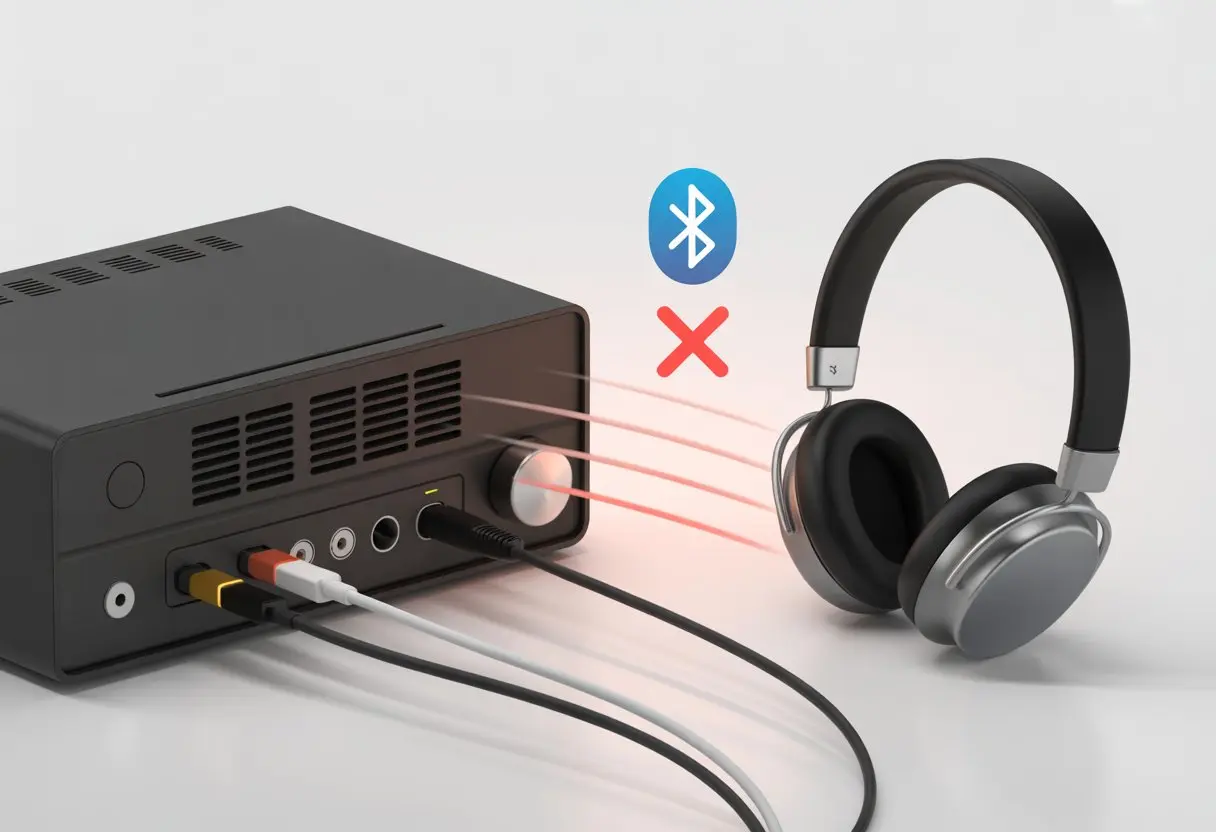
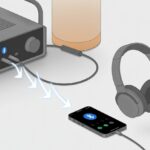
Suddenly, we’re Googling with one hand and scratching our heads with the other, wishing tech would just behave for once. Bluetooth headphones usually don’t work with most amplifiers because amps don’t have built-in Bluetooth transmitters.
If you’ve mashed every button on your amp or tried every random cable you could find, you’re definitely not the only one.
Plugging in Bluetooth headphones should be as easy as pairing your phone, right? Nope. Audio gear loves to keep us guessing.
Before we give up and dig out our old wired headphones, let’s try to figure out what’s actually going on here.
Maybe it’s not just the amp being grumpy. There’s a simple reason for all this—and there’s probably a fix that doesn’t require yelling at your gear.
Understanding Bluetooth Connectivity With Amplifiers
Pairing Bluetooth headphones with an old-school amplifier feels like mixing oil and water sometimes.
We need to know how Bluetooth devices actually talk and why amplifiers can be so stubborn about it.
How Bluetooth Devices Communicate
Bluetooth uses short-range radio waves—no magic, just science.
Devices need to be in Bluetooth mode to even try to connect.
One device acts as the transmitter (sending out the signal), and the other as the receiver (taking it in).
Headphones are built to receive sound only. Phones, tablets, and some smart speakers can transmit music over Bluetooth.
Pairing is like a digital handshake. If one side can’t reach out (like most amplifiers), nothing happens.
As much as we want our amp to beam out old rock tunes wirelessly, it just doesn’t have Bluetooth functionality unless it’s a newer model or we use a Bluetooth transmitter.
Key Differences: Bluetooth Headphones vs. Amplifiers
Let’s break it down. Bluetooth headphones are receivers.
Amplifiers? Usually neither transmitters nor receivers—just the boss of wired sound.
We can’t just hit a button and expect Bluetooth magic.
Most amps don’t have Bluetooth mode; they weren’t built for that.
Our headphones wait for a signal that never comes.
If we want them to work together, we need an add-on Bluetooth transmitter plugged into the amp’s output.
So unless we grab an external device to bridge the gap, our amp and Bluetooth headphones will keep ignoring each other at the dance.
Common Reasons Bluetooth Headphones Won’t Work With Amplifiers
We’ve all been there—sitting with our favorite amp, Bluetooth headphones in hand, and nothing connects.
Let’s break down what can go wrong and why we sometimes end up talking to ourselves instead of hearing our music.
Lack Of Bluetooth Transmitters
Here’s the thing: most amplifiers don’t have Bluetooth built in.
They’re old-school—like that friend who only listens to vinyl and calls cell phones “portable telegraphs.”
Bluetooth headphones need an audio device that sends Bluetooth signals, and most amps just don’t have the right hardware.
If we try to connect headphones directly, it’s like speaking French to someone who only knows German. Not gonna work.
We usually need a Bluetooth transmitter plugged into the amp’s headphone or line-out jack.
This little gadget grabs the sound from the amp and sends it out over Bluetooth, so our headphones can finally hear the music.
A simple transmitter does the trick—we can find one online, plug it in, and suddenly our amp speaks Bluetooth.
But without this, we’re just staring at blinking lights and wondering what went wrong.
Bluetooth is a bit like a family reunion—lots of versions, and not everyone gets along.
Our headphones might support Bluetooth 5.0, but if the transmitter is stuck in the past, we could end up with static or—worse—silence.
Not all devices and transmitters support the same Bluetooth profiles or codecs, either.
If our headphones need aptX for good audio but our transmitter only does SBC, we’ll hear downgraded sound.
Older transmitters can cause lag, too, which is the last thing we want if we’re trying to play along with our amp.
Before buying a Bluetooth transmitter, we should check what Bluetooth versions and audio codecs our devices support.
Matching these up helps us avoid disappointment and static-filled solos.
Audio Output Settings Issues
Even after we plug in the right gear, sometimes nothing happens.
That’s when we have to dig into audio output settings, and honestly, they can be confusing.
Modern amps and transmitters let us pick between headphone out, line out, or other settings.
Pick the wrong one, and our Bluetooth headphones miss out.
Some amps default to speaker output, which means the transmitter isn’t sending anything to the headphones.
We want to look for a headphone out or line out setting, depending on where we plugged in the transmitter.
Double-checking our Bluetooth settings on the device doesn’t hurt either.
Every amp, transmitter, and pair of headphones is a little different.
Trial and error (and maybe a few sighs) might be needed.
But with a little patience—and the right buttons—we’ll finally get our music without wires.
Pairing Headphones Correctly With Your Amplifier
Setting up Bluetooth headphones with an amplifier isn’t always quick, but if we get the steps right, we’ll have our favorite tunes or crisp audio for games without tangled wires.
Activating Pairing Mode
First, we need to put our Bluetooth headphones into pairing mode.
Usually, this means holding down a button—maybe labeled “power” or with a little Bluetooth symbol—until a light blinks.
If nothing happens, maybe our headphones just don’t want to meet new devices.
Checking the user manual (yeah, that tiny book we tossed aside) is a smart move.
Some headphones beep, flash, or even talk to let us know they’re ready.
If our amplifier doesn’t have Bluetooth built-in, don’t panic.
Bluetooth can be a bit stubborn, can’t it? When our headphones and amp refuse to sync, the best move is often to make them forget each other and start over. The classic “turn it off and on again” move works more often than we’d like to admit.
Here’s how we usually do it:
Open Bluetooth settings on both devices.
Unpair or “forget” the connection.
Power both devices off, then back on.
Try pairing them like it’s their first meeting.
Both devices need to be in discoverable mode. Sometimes, this means holding down a button for what feels like forever. If we get stuck, the manual usually helps—though sometimes we just mash buttons and cross our fingers (not recommended, but hey). Techlicious put together a pretty handy guide on fixing Bluetooth pairing problems.
Detecting Faulty Hardware
When nothing works, we have to wonder if something’s broken. Bluetooth modules can wear out, headphones get dropped, and sometimes the amp’s Bluetooth chip just gives up. Hardware problems often hide behind what look like software glitches.
To check for hardware issues, we should try our headphones with a different device. Then, pair another set of headphones with our amp. If both tests fail, there’s probably a hardware problem. Sometimes, the tiny antenna inside gets loose or damaged.
Updating firmware is always a good idea, but if things still won’t connect, we should check cables and sockets for damage. If we smell something weird, see sparks, or notice things getting hot, it’s time to stop and call a repair tech. Yamaha has a helpful set of Bluetooth troubleshooting tips for persistent amp issues.
Device-Specific Considerations
Every device seems to have its own quirks with Bluetooth headphones. Compatibility is a moving target, and it can get frustrating fast.
Using Bluetooth Headphones With TV, Computer, Or Tablet
Pairing Bluetooth headphones with TVs, computers, or tablets sounds simple in theory. In reality, manufacturers seem to love making it complicated. Most TVs don’t actually support Bluetooth audio for headphones, so we end up scrolling through menus that promise more than they deliver. Some newer TVs have Bluetooth, but it’s often just for remotes or keyboards.
Computers usually do better, unless they’re ancient and missing Bluetooth hardware. Then we’re stuck buying a USB dongle. Tablets aren’t perfect either—some only support certain headphone models, so it’s a bit of a gamble.
Pro Tip: If your TV is stubborn, try a separate Bluetooth transmitter in the headphone jack. Just don’t expect perfect lip sync—Bluetooth latency can be annoying, especially when watching people talk, as latency can cause noticeable delays.
Integrating Smartphones And Cordless Phone Systems
We expect smartphones to play nice with every Bluetooth gadget. When they don’t, it can be maddening. Sometimes, we just forget to turn Bluetooth on. Other times, connection issues pop up because we have too many saved devices or the device isn’t in pairing mode. Honestly, even houseplants seem more cooperative some days.
Cordless phone systems are another headache. Many use old Bluetooth versions or don’t support headphones at all. If we call Grandma and the audio sounds like we’re talking underwater, it might be time to rethink the setup.
Things that can cause connection problems:
Phone isn’t in pairing mode
Too many Bluetooth devices nearby
Interference from Wi-Fi routers, microwaves, or the neighbor’s weird gadgets
The Bose Music Amplifier is great for wireless streaming, but it’s picky about what it connects with. It’s built for Bose speakers, not really for Bluetooth headphones. Plugging headphones in? Not happening. Pairing Bluetooth headphones? Usually a no-go—most amps like the Bose only send Bluetooth to their own apps or speakers.
Here’s what usually works:
Task
Possible?
Bluetooth Headphones
❌
Bluetooth Speakers
✅
Wired Headphones
❌
If you really need wireless headphones, try plugging a separate Bluetooth transmitter into the amp’s audio output. Just keep your expectations in check—wireless isn’t always hassle-free.
Challenges With Older Equipment
Vintage amps and older gear weren’t designed for Bluetooth. Most don’t have it at all. If we’re trying to pair grandpa’s hi-fi setup with modern headphones, it’s going to be a challenge. Adapters can help, but they add complexity and sometimes weird buzzing sounds.
Plugging a Bluetooth transmitter into the audio output might work, but the sound quality and connection can be hit or miss. Latency and compatibility issues are common. In rooms full of other wireless gadgets, interference can make things even worse.
Sometimes, old-school wired headphones with a long cable are just easier—unless you trip over them, of course.
When To Use A Bluetooth Receiver Or Transmitter
Connecting Bluetooth headphones to an amplifier can feel like trying to order sushi at a burger joint. So, when do we actually need a Bluetooth receiver or a Bluetooth transmitter?
Bluetooth Transmitter
We need a transmitter if our amp only has old-school cable outputs. The transmitter plugs into the amp’s headphone jack or audio out, then sends the sound wirelessly to our Bluetooth headphones.
There’s a tripping hazard, or a cat who loves chewing cables
Bluetooth Receiver
A Bluetooth receiver lets us play music from our phone or tablet through the amp’s speakers. It’s like introducing your amp to the modern world.
We use a receiver when:
Our headphones have wires, but our music is on a wireless device
We want to play Spotify without plugging in
The aux cable is missing in action
Here’s a quick table to keep it straight:
Situation
What We Need
Amp to Bluetooth headphones
Bluetooth Transmitter
Phone/tablet to wired amp/speakers
Bluetooth Receiver
Picking the right device saves us a lot of frustration and random button-pushing. If all else fails, well, there’s always humming.
Getting Professional Assistance
Sometimes, even after we’ve tried everything, our Bluetooth headphones just won’t play nice with the amp. Before we send the amp to grandma’s or throw the headphones out the window, it might be time to get help from the pros or check out some online support.
When To Contact Customer Support
Nobody likes spending Saturday on hold with customer support, but sometimes it’s the smartest option. If our amp doesn’t recognize the Bluetooth adapter or our headphones keep cutting out, the folks who made the gear might actually know what’s up.
It’s probably time to call if:
We keep seeing error messages after resetting.
The amp or headphones are still under warranty.
There’s smoke, sparks, or a weird noise that sounds like a tiny marching band.
When we call support, having details ready helps a lot. That means model numbers, purchase dates, and a list of what we’ve already tried (so they don’t just ask, “Did you turn it off and back on?”).
Good customer support can walk us through firmware updates or special setup steps. That way, we’re less likely to turn a small problem into a big, expensive mess.
Utilizing Online Services Like justanswer
If the thought of sitting on hold gives us the chills, we can just pull up an online service like justanswer.
These sites connect us with an actual technician—not some chatbot that keeps calling us a “valued customer.”
Here’s why I find them helpful:
We get to type out our problem, typos and all.
Usually, answers pop up pretty fast, no matter what time it is—even if our amp freaks out at 3 a.m.
The advice feels specific to our gear, whether we’re dealing with a weird Bluetooth adapter, an old-school amp, or headphones that only play elevator tunes.
On justanswer, technicians might suggest Bluetooth transmitters that actually work with our setup, or help us figure out why only one ear is hearing anything while the other’s just… silent.
Honestly, this beats slogging through endless online reviews or forums where everyone just says, “Google it.” Sometimes, all we really want is a direct answer from a real person so we can get back to actually enjoying our music.
Hi, my name is Garrett Jones, and I am a tech enthusiast. I enjoy researching the new tech that has been released, and have a vast knowledge of the best tech to purchase.
From a young age, I have always had a big interest in technology, and this blog is an extension of that interest. Through this blog, I hope to provide others with all of the information they need regarding tech options to consider, and things such as compatibility. Some of the different items I will be discussing include headphones, smartwatches, and how to fix common issues.