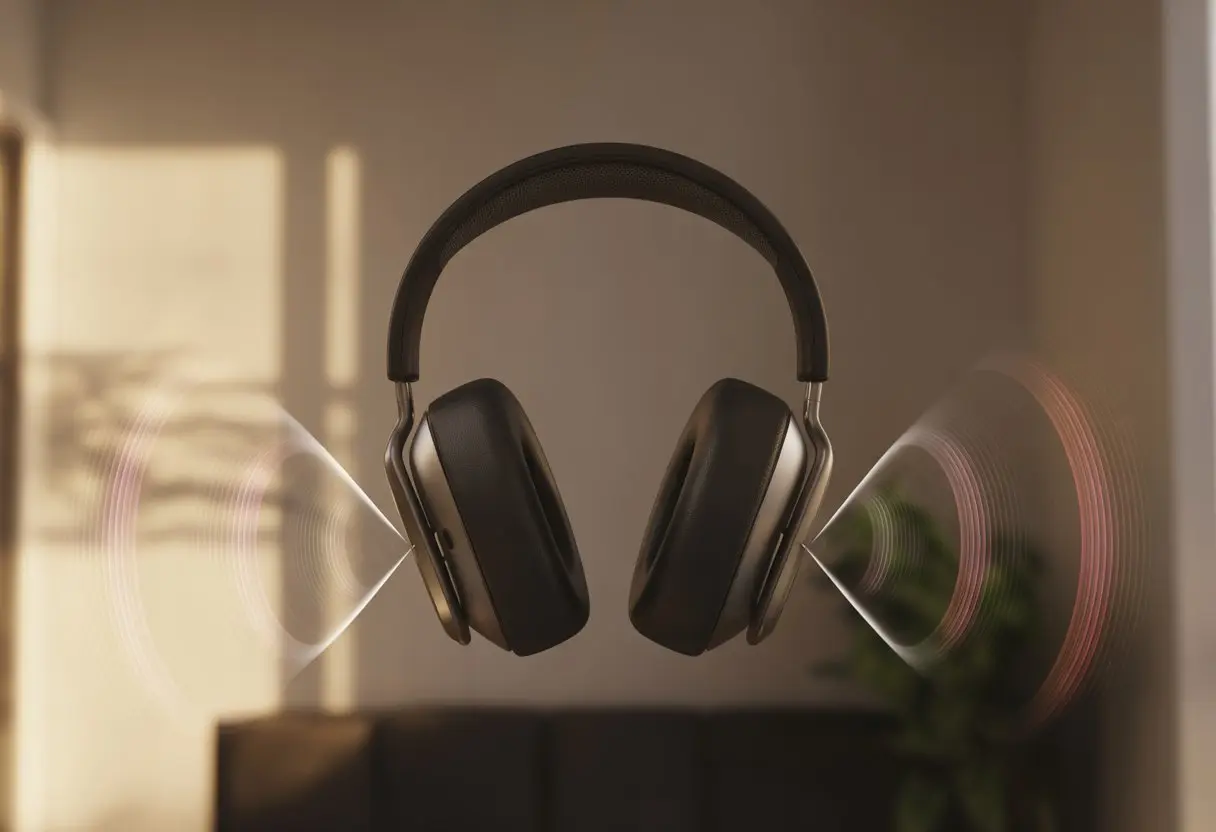
We’ve all been there—slipping on our Bluetooth headphones, hoping to tune out the world, but somehow, the neighbor’s leaf blower still finds its way into our heads. Bluetooth headphones usually don’t fully isolate sound because they’re either not built for real noise isolation, or the settings and audio profiles just aren’t right. Sometimes, our headphones act like regular headphones instead of a headset, or maybe we just wanted too much from those tiny cushions.
Honestly, we all wish headphones worked like portable soundproof rooms, but that’s just not how it goes. Hardware limits, design quirks, or some sneaky audio setting pretending to help—something always breaks the peace.
If you keep cranking up the volume only to hear more of the outside world, you’re far from alone. This audio struggle is pretty common.
Understanding Sound Isolation In Bluetooth Headphones
Sound isolation in Bluetooth headphones isn’t magic, though we all wish it was. There are a few ways headphones try to keep outside noise away, and some work better than others.
Let’s break down what’s really happening when we put those headphones on and expect silence.
What Is Sound Isolation?
Sound isolation means blocking out unwanted noises while we listen to music or podcasts. Headphones usually do this with a physical barrier like squishy ear pads or rubber ear tips.
It’s the “do not disturb” sign for our ears. The main goal is to stop noise before it reaches our ear drums.
Loose-fitting headphones or awkward ear cups let in outside sounds, no matter what. Sound isolation doesn’t need power or electronics—it’s all about the build and how well the headphones fit.
Good isolation lets us enjoy music without blasting the volume and risking our hearing. This is called “passive noise isolation,” and it’s really just good padding, not fancy tech.
Active Vs. Passive Noise Canceling
Now, let’s talk about the superhero battle: active noise canceling (ANC) versus passive noise isolation. Passive isolation is like closing a door—no batteries or buttons, just padding and smart design.
But it only works if the seal around our ears is solid.
Active noise canceling goes high-tech. Headphones with ANC use tiny microphones to listen to outside sounds.
Then, electronics create new sounds that cancel out the noise, kind of like fighting fire with fire. This needs power, so yeah, we have to keep our headphones charged.
Most Bluetooth headphones with ANC also use passive isolation as backup. If our headphones aren’t blocking noise, maybe the passive isolation is weak, the ANC isn’t working, or, let’s face it, we grabbed the cheapest pair we could find.
How Bluetooth Technology Impacts Isolation
Bluetooth itself doesn’t isolate sound at all. It just sends audio wirelessly from our phone or laptop to the headphones.
Going wireless is great for dancing in the kitchen, but it doesn’t block out noise by itself.
But Bluetooth headphones can have design trade-offs. Some compact wireless models sacrifice good passive isolation to stay light and stylish.
That’s bad news if we want quiet. Bluetooth headphones might also drop out of full ANC mode during calls or when the battery runs low.
If the audio profile switches to save battery, we might lose some noise cancelling features and suddenly hear the neighbor’s dog again.
Some Bluetooth headphones juggle passive isolation and ANC, but honestly, we need both for real peace. For more on Bluetooth and isolation, check out this noise isolating vs noise canceling guide.
Common Reasons Bluetooth Headphones Fail To Isolate Sound
We love blaming our Bluetooth headphones when the world crashes our music. But sometimes, the real problem is the fit, the tech inside, or even the shape of our ears.
Let’s look at the main reasons our headphones let us down when it comes to sound isolation.
Poor Ear Cup Seal
A weak ear cup seal is basically leaving the window open when you want quiet. If the ear cups don’t fit snugly, outside noise just walks in.
That defeats the whole point of headphones, right?
Ear cups come in all shapes and sizes, but not all of them work well. Sometimes the padding is too soft, the material is thin, or the shape just doesn’t match our ears.
That means sound leaks in, and bass can disappear before we even notice.
Even glasses, earrings, or wild hair can mess up the seal. To fix this, we should pick headphones with firm, plush pads, try a different size, or make sure nothing sits between the cups and our skin.
A good seal blocks noise and makes the audio sound better, too.
Improper Fit Or Wearing Style
Sometimes, let’s be real, we wear our Bluetooth headphones all wrong. Sound isolation needs a proper fit—going “half-on, half-off” just invites every barking dog and car horn in.
Headphones are built for comfort, but also for specific head shapes and sizes. If the headband isn’t tight enough or the cups don’t cover our ears fully, outside noise crashes the party.
In-ear buds work the same way. Without a tight seal in the ear canal, noise gets a free pass.
Adjust the headband, try different ear tips, or mess with the angle until it feels right. Sometimes, a tiny adjustment is all it takes.
And yeah, sometimes we just forget to put the headphones on the right way. It happens.
Low-Quality Noise Cancelling Technology
Some headphones promise noise cancelling, but not all of them deliver. Cheaper or older Bluetooth headphones often don’t have the right hardware or software for strong noise cancelling.
Usually, budget models rely on “passive isolation,” just using the ear cups or tips to block sound.
True “active noise cancellation” (ANC) needs little microphones and processors to cancel out unwanted sounds. If the tech inside isn’t good, it misses most real-life noise—like chatty coworkers, subway announcements, or crying babies.
If we want better sound isolation, it helps to check reviews for real ANC performance instead of just trusting the box. Good ANC headphones usually cost a bit more, but our sanity is worth it.
Audio Settings And Troubleshooting
Bluetooth headphones sometimes act like they’ve got a mind of their own. Fixing sound isolation problems usually means diving into settings, resetting devices, or just blaming Windows 10.
Let’s roll up our sleeves and see what actually helps.
Checking Bluetooth Settings
First off, let’s make sure our Bluetooth settings aren’t messing things up. Sometimes, our headphones connect, but the sound still sneaks out to the speakers or another device.
Bluetooth really likes to keep us guessing.
Here’s what to do:
Open the Bluetooth menu on our phone or computer.
Make sure the headphones are the default audio device.
On Windows 10, go to Settings > Devices > Bluetooth & other devices, select the headphones, and click “Connect.”
Volume can play tricks, too. Sometimes, the headphones say they’re connected but don’t play any sound.
Sometimes, headphones just need a fresh start. Resetting them can fix weird glitches or settings we don’t even remember changing.
Usually, we can reset by holding a combo of buttons (often Power + Volume) for a few seconds. If that doesn’t work, check the manual or, honestly, just Google it.
Don’t forget firmware updates. Manufacturers release these to fix bugs and improve things.
Outdated firmware is like using dial-up Internet—nobody wants that.
If we’re on Windows 10 and nothing helps, try removing the headphones from the paired devices list, then pair them again. It’s a simple trick, but it works more often than you’d think.
Some headphones come with their own apps, hiding all sorts of features we never use. In those menus, we can mess with EQ settings, turn noise isolation on or off, or reset everything back to factory defaults.
Sometimes, app settings override our usual device settings. If the microphones feel too sensitive or we hear too much ambient noise, poking around in the app can help.
Look for settings like “ambient sound,” “noise reduction,” or “audio profile.” You might find sliders and toggles you never knew existed, which can be both a blessing and a headache.
Testing On Different Devices
Sometimes, the headphones aren’t the problem at all. To avoid blaming them unfairly, try them with another device—a smartphone, a tablet, or even a friend’s laptop (borrowing, not stealing).
This helps figure out if the issue is with the headphones or our device’s settings.
If the headphones work fine with something else, our main device might be the real culprit. If the problem sticks around everywhere, it could be a hardware issue or something deeper in the headphones’ brain.
At least we’ll know where to focus next. And hey, if nothing works, we can always blame Windows 10 again.
Wired Vs. Wireless Sound Isolation
Not all headphones block noise the same way, and the connection type matters more than we want to admit. Sometimes, plugging in an audio cable turns our playlist into a private concert, while Bluetooth leaves us sharing background noise with everyone nearby.
Using An Audio Cable For Better Isolation
When we grab a wired connection, the signal just goes straight from our device to our headphones. That means audio quality doesn’t get lost along the way.
With wired headphones, we usually notice less lag and clearer details, even when our favorite song gets loud (or a bit embarrassing). This direct connection helps us get the most out of noise isolation features, especially if the headphones are built for it.
Bluetooth connections, by contrast, often need to compress the audio. That can bring in some weird artifacts and let outside sounds sneak through. Sometimes, switching to a trusty audio cable just gives us this nice, quiet bubble—perfect for dodging awkward small talk or pretending we’re in our own movie.
Wired headphones also don’t have to worry about battery drain messing with sound performance. As long as the cable’s plugged in, noise isolation stays strong the whole time.
If we’re stuck in a noisy spot, it’s a simple fix—no need to troubleshoot Bluetooth settings, download apps, or do a rain dance to get things working. It just works, and honestly, that’s a relief.
When To Prefer Wired Connection
If we’re in a crowded bus, a library, or anywhere silence is golden (or desperately needed), reaching for the audio cable makes sense. A wired connection often gives us tighter sound isolation, keeping our playlist in and the world out.
We should look for headphones designed to block noise, then check if they offer an audio cable connection. Getting perfect noise isolation with Bluetooth headphones can be tough, since wireless modes sometimes put battery life ahead of blocking sound.
That’s not ideal when someone next to us won’t stop chewing loudly. If we care about the best possible audio quality for music, podcasts, or work calls, wired headphones are the way to go.
Bluetooth headphones can be temperamental. Sometimes, they act more like drama queens than reliable headsets.
A little connection help and tech know-how can turn “no audio” panic into peaceful listening.
Bluetooth Version And Range Limitations
Let’s be honest, not all Bluetooth is created equal. Our new headphones might run Bluetooth 5.0 while our old laptop is stuck on 3.0.
Versions matter more than we’d like to admit. If the headset and audio device don’t speak the same language, isolation or sound quality will suffer.
Distance is another culprit. We can’t expect magical sound isolation if we wander too far.
Most Bluetooth headphones work best within 30 feet (and less if our walls are basically medieval fortresses). Add microwaves and Wi-Fi, and suddenly we’re in a “who gets the signal” competition.
Few things kill our vibe like headphones that are “connected” but totally silent. Usually, this happens because of a connection, settings, or device compatibility issue—not just our gadgets messing with us.
Bluetooth headphones can show up as paired but might only connect for voice, not audio—leaving us in an awkward one-sided staring contest with our devices.
If there’s no audio from our headphones, it’s time to put on our IT hat. First, remove and re-pair the headset.
Check the audio output settings—sometimes our computers think we want sound from built-in speakers instead. This can happen on both Windows and phones, so we need to select the Bluetooth audio device as the main output.
And yeah, try turning everything off and on again. It actually works more often than we’d like to admit.
Premium Features And Advanced Headsets
When we talk about cutting-edge Bluetooth headphones, comfort and isolation are just the start. Advanced models come with tech that makes it feel like we’ve checked into a private sound hotel, complete with support and futuristic controls.
Spotlight: Bose Noise Cancelling Headphones 700
The Bose Noise Cancelling Headphones 700? They’re basically the VIP lounge of headphones. These headphones offer 11 levels of active noise cancellation, so we can fine-tune exactly how much noise we want to block.
It’s not magic, but it does make that crying baby in row 14 fade into the background—kind of like socks disappearing in the laundry. The plush ear cushions hug our heads, helping with passive noise isolation.
But the tech is what really steals the show. Microphones inside and outside the ear cups analyze ambient noise, then the headphones create opposite sound waves to block it.
It’s science, but honestly, it feels like a superpower. Built-in voice assistants are there when we need directions or forget if we locked the door.
And if we need help, Bose has support and service channels that don’t leave us shouting into the void.
Bells, Whistles, And Volume Touchpads
Some advanced Bluetooth headphones throw in every feature except, maybe, teleportation. Our favorite? The volume touchpad.
We swipe a finger along the ear cup and music gets louder, softer, or skips tracks—no need to hunt for tiny buttons. Other bells and whistles sometimes include automatic pause when we take the headphones off, or gesture controls that make us feel like futuristic DJs.
There’s also multi-device support, so our headphones can jump from phone conference calls to our secret playlist in seconds. All these features come wrapped in designs that look sleek, feel comfy, and actually work.
We just wish figuring out the volume touchpad didn’t sometimes make us look like we’re waving at invisible birds.
Getting Help And Servicing Your Bluetooth Headphones
Sometimes even the best headphones need a checkup. We don’t need to be tech wizards to keep our favorite wireless gear happy, but knowing when to fix things ourselves and when to ask for help saves us from a lot of frustration.
How To Service Your Product
First, let’s become DIY headphone doctors! Before we panic, always check if the headphones are charged—low battery can cause weird issues, like sound dropouts or muffled noise.
Next, look for any visible dirt or earwax (yep, it happens). Cleaning the ear pads and mesh gently with a slightly damp cloth or cotton swab can work wonders.
If our headphones have a removable cover, peek for loose wires or strange smells (which is never a good sign unless our headphones came with a “fried circuits” scent option). For software fixes, we may need to reset or update the firmware.
Most brands hide the reset button in plain sight—usually a combo of pressing the power and volume buttons. Don’t forget to re-pair the headphones if needed; sometimes removing and pairing them again solves problems.
We should contact support if weird things keep happening even after our best cleaning and resetting efforts. If the sound won’t isolate no matter what, or the buttons feel off, that’s a sign it’s time for help.
If we hear bizarre noises—like the ghost of a radio DJ—or voices during quiet music, there could be an issue with the headphone’s noise cancelling. Most companies offer warranty coverage, so if our product is still in that magical window, it’s time to dig up the receipt and reach out.
When contacting support, having the model number, purchase date, and a list of the steps we’ve tried makes a world of difference. We might even impress them with our troubleshooting skills.
Tips For Better Sound Isolation (Without A Science Degree!)
Let’s be real, we all want to jam to music or binge our favorite podcasts in peace. Getting perfect sound isolation from Bluetooth headphones isn’t about luck—it’s about making smart choices and using a few simple tricks.
Choosing The Right Headphones
First things first, let’s talk gear. Not all headphones block outside noise or keep our audio private the same way.
Over-ear headphones with cushy pads usually win the isolation game. They wrap around our ears like little noise-blocking pillows, leaving less room for sound to leak in or out.
Closed-back headphones offer much better isolation than open-back ones. Open-back headphones let outside sounds in and our music out, which is the opposite of what most of us want.
If we want max privacy or don’t want to bug the person next to us, closed-back is the way to go. If we use earbuds, let’s go for in-ear models with solid silicone or foam tips.
These tips seal off our ear canals and can make a huge difference. Some even come with different tip sizes for a better fit—and better sound isolation.
Want next-level performance? Try headphones with active noise canceling tech, which reduces outside noise using tiny microphones and some clever audio wizardry.
Optimal Placement And Environment
Even the fanciest headphones won’t do much if you don’t wear them right. When you place headphones snugly against your ears, you keep sound from leaking out or sneaking in.
With earbuds, you really need a tight seal. If the tips don’t fit—maybe they’re too big or just annoyingly small—they won’t block noise, and honestly, your music might end up sounding thin.
Where you use your headphones? That actually matters more than you’d think. Hanging out in a crowd or sitting near a blaring speaker makes isolation pretty tough.
Quieter spots make it so much easier to block outside noise, even if you’ve got noise-canceling headphones. If you can close a door or step away from loud machines, your headphones will work way better.
You could even try using headphone covers or swapping out old ear pads to get a better seal over time. Little tweaks like these can really boost how much sound your headphones keep in, so every song sounds clearer and podcasts don’t get lost in the background noise.
Hi, my name is Garrett Jones, and I am a tech enthusiast. I enjoy researching the new tech that has been released, and have a vast knowledge of the best tech to purchase.
From a young age, I have always had a big interest in technology, and this blog is an extension of that interest. Through this blog, I hope to provide others with all of the information they need regarding tech options to consider, and things such as compatibility. Some of the different items I will be discussing include headphones, smartwatches, and how to fix common issues.