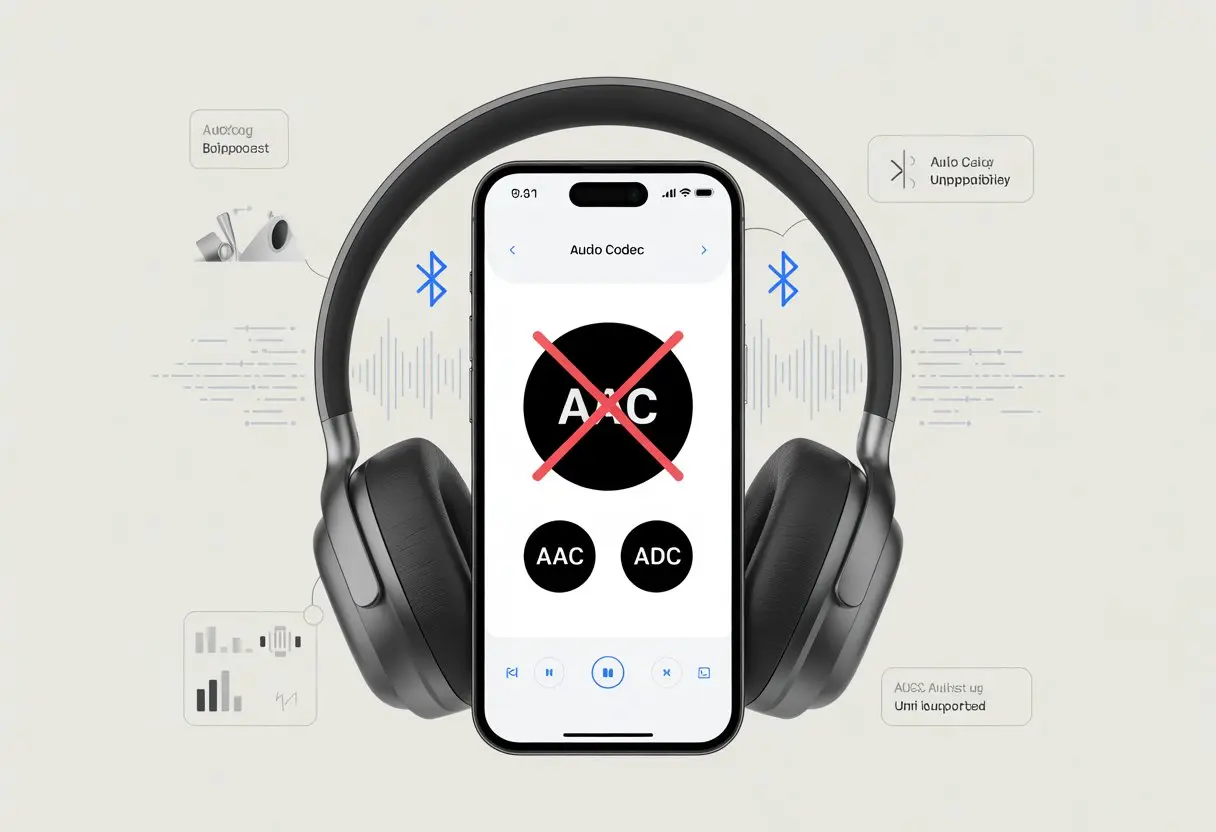
Isn’t it just a little maddening when our shiny Bluetooth headphones don’t do what they’re supposed to—like support the AAC codec that’s supposed to make everything sound better? We double-check the specs, poke around in the settings, and sometimes question our own sanity, but we still get stuck with that stubborn SBC codec every time.
AAC support can vanish if either our headphones or our phone’s hardware and software don’t actually have it, or if some weird Bluetooth connection issue gets in the way.
Most of us have probably tried digging through developer options, hoping for a miracle fix, only to watch AAC un-select itself like it’s trolling us. Before we give up and toss the headphones in a drawer, maybe we should try to figure out why AAC support is sometimes just missing. There are a few reasons—some technical, some just plain annoying—behind the mystery.
Understanding Bluetooth Audio Codecs
When we use Bluetooth headphones, what we actually hear comes down to something called a codec. Different codecs shape the sound quality, delay, and battery life of our headphones, sometimes in ways that make us smile—or just scratch our heads.
What Is a Codec?
A codec stands for “coder-decoder.” Think of it as a translator that helps our music or podcast leap from our phone to our Bluetooth headphones.
Codecs compress audio so it can squeeze through the narrow Bluetooth “pipe” without taking forever to get there. Once at the headphones, the codec unpacks (decodes) the sound so we can actually hear our music.
If our headphones and phone don’t speak the same codec language, we get stuck with basic quality or weird audio lag. It’s a bit like trying to share memes across different phones—sometimes, what you send isn’t what they get.
Overview of Bluetooth Codecs
Bluetooth isn’t some kind of wizardry. It needs codecs to move our favorite music from place to place. Each codec handles audio quality, speed, and battery life in its own way, with some odd trade-offs.
Some of the most common codecs:
SBC (Subband Codec): Basic, always there, but not exactly impressive.
AAC (Advanced Audio Codec): Apple’s favorite. Works well on iPhones, but can be hit or miss elsewhere.
aptX, aptX HD, aptX Adaptive: Android folks like these for better sound and less lag, but not every device supports them.
LDAC and LHDC: Sony and some Android devices use these for higher-res audio.
Samsung Scalable Codec: Yep, it’s a Samsung thing—found in newer Samsung devices.
If we want our headphones to sound their best, both our phone and headphones need to support the same codec. Otherwise, we’re stuck with the default—usually SBC, which is a bit like eating generic cereal instead of the good stuff.
SBC is the starter pack—reliable, but honestly, it can sound flat. AAC gives us smoother sound on Apple devices, but on Android it can sometimes sound muddy, depending on the phone.
aptX and its family (aptX HD, aptX Adaptive) can give us better sound and less lag—as long as both devices support them. Not every pair of headphones has them, though.
LDAC is the leader for high-res music, but it needs more data and sometimes drops out if the Bluetooth signal isn’t strong enough.
Other codecs like LHDC chase the same high-res dream, while Samsung Scalable Codec keeps things smooth for Samsung users.
Choosing headphones that match our device’s codec support can mean the difference between awesome sound and audio disappointment.
All About AAC and Advanced Audio Coding
AAC, or Advanced Audio Coding, is a really popular audio technology. It uses efficient coding to shrink sound files but tries to keep the quality high.
You’ll find it everywhere in wireless audio, especially in Bluetooth headphones.
What Makes AAC Different?
AAC isn’t just another audio format. It stands for Advanced Audio Coding, but honestly, it feels like Always Another Codec with how often it shows up.
AAC gets clever about squeezing music into small files. It uses smart down-conversion and optimized packetization. That means we get decent quality sound without needing a ton of space or super-fast wireless.
Compared to old-school MP3, AAC gives us better sound at the same file size.
AAC encoding is flexible, too. It works with different sample rates and bit rates, and it can handle mono, stereo, or even surround sound.
If you’re streaming music or watching a video, there’s a solid chance AAC is involved somewhere.
AAC in Bluetooth Audio
Let’s talk Bluetooth headphones. When we use wireless headphones, the audio has to fly through the air without tripping over radio waves or running out of steam.
A lot of Bluetooth headphones and devices use the AAC codec to send music from our phones or computers to our ears. AAC matters a lot for Apple devices, which pretty much always pick it over other codecs.
Some Android phones and headphones support it, too, but not always reliably. That’s why we sometimes see the dreaded “unsupported AAC” message.
When AAC works well, we can get pretty good sound quality at about 250 kbps over Bluetooth. It’s popular, but not always the perfect fit.
Not all headphones or devices support it, and some will just fall back on the more basic SBC codec if there’s a problem.
Smaller files with good (not magical) sound quality
Used by tons of streaming services and devices
Especially great for Apple fans
Drawbacks:
Can be picky about what devices it works with
Performance depends on how well a device handles AAC encoding and decoding
Sometimes reverts to SBC, especially with older or budget headphones
AAC strikes a decent balance between file size and sound quality for Bluetooth audio. But it’s not always as smooth as we’d hope.
If our headphones don’t support AAC, maybe blame the device, the headphones, or the Bluetooth gremlins in our pockets.
Why Your Bluetooth Headphones Might Not Support AAC
AAC support in Bluetooth headphones depends on more than just the headphones. Sometimes it’s about which devices we’re pairing with, what the manufacturer decided, and the specific Bluetooth profiles our gadgets use.
Compatibility Issues
Let’s be real—compatibility can be a mess. Sometimes our headphones and devices just don’t get along.
Not every Bluetooth device wants to deal with AAC. Some phones or computers prefer the simpler, less demanding SBC codec, especially if they’re older or running an old version of Bluetooth.
It’s not always about the latest software update or fiddling with developer settings—sometimes it’s just the hardware.
For example, Windows 10 only started supporting AAC with later updates. Earlier versions ignored the AAC party.
Both our headphones and our devices have to agree on AAC. If either side bails, we’re stuck with whatever codec both can handle.
Quick tip: We can check our device’s Bluetooth settings or developer options to see if AAC is there. If it’s missing, that’s a compatibility issue. There’s no magic fix if the hardware just can’t do it.
Device Manufacturer Limitations
Manufacturers sometimes like to keep things “simple” by giving us fewer choices. Our earbuds might promise “premium sound,” but not all brands actually include AAC.
It’s up to the manufacturer, and some chipsets just don’t support AAC, no matter what the box says.
A lot of budget headphones only support SBC or, if we’re lucky, aptX. Brands that focus on iOS devices might support AAC, since Apple loves it, but Android and Windows users aren’t always so lucky.
Sometimes, codec support shows up in a firmware update, or it just never appears.
Manufacturers don’t always list AAC support in the specs. It’s worth checking both the box and the official website.
If AAC is missing, our headphones simply won’t support it—no matter how many times we reboot or cross our fingers.
The Role of Bluetooth Profiles
Let’s talk Bluetooth profiles. These are like different jobs at a party—A2DP is into music, while HSP just wants to handle calls.
For AAC streaming, both our headphones and our device need to support the Advanced Audio Distribution Profile (A2DP) and the AAC codec.
A2DP lets us stream high-quality audio, but not all devices have every codec. Just having Bluetooth isn’t enough; if either side (headphones or phone) limits A2DP or leaves out AAC, we’ll get stuck with the next best thing—usually SBC.
Look for codec settings in your device’s menu or app, if it offers that. On some Android phones, we can try switching codecs in Developer Options, but if AAC keeps flipping back to SBC, the handshake just isn’t happening.
There’s a great example in this Reddit thread. Connection stability and audio quality both depend on these profiles, so it’s smart to know what your gear can actually do before expecting audiophile sound.
Device and Platform Limitations
When our Bluetooth headphones don’t support AAC, it’s often not their fault—sometimes it’s the device or the platform. Compatibility isn’t just about the headphones; it’s also about how the phone or computer handles AAC, and sometimes, they just don’t get along.
Apple vs. Android Support for AAC
Apple does its own thing, and AAC is its favorite. All Apple devices—from iPhones to iPads—support AAC as the main Bluetooth audio codec.
When we connect almost any Bluetooth headphones to an Apple device, AAC usually takes over, making everything sound a bit crisper (well, as crisp as Bluetooth can get).
Android phones, though, play by different rules. Support for AAC has improved, especially since Android 10, but results still vary.
Some Android devices let us pick our preferred codec in Bluetooth settings, but if the phone or headphones can’t agree, they’ll just switch over to SBC instead. That codec is more basic and, honestly, not as exciting as AAC.
Sometimes, our devices are just a little too stubborn for high-fidelity friendships.
Windows, macOS, and Bluetooth Audio
Let’s talk computers for a second. If you love using headphones with Windows 10 or Windows 11, brace yourself: AAC support on Windows is pretty limited.
Some recent updates added the AAC codec, but not every device or Bluetooth adapter uses it by default. You might end up poking around in Bluetooth settings, only to find your PC still picks SBC or something else.
Windows doesn’t exactly make this process easy, does it?
macOS, on the other hand, actually supports AAC quite well. Using a Mac is usually smooth, especially with Apple’s own headphones.
Bluetooth can be fussy like that. If you ever needed an excuse to blame technology, here it is.
How Bluetooth Transmission Affects Codec Support
When you connect Bluetooth headphones, codec quality and support depend on your Bluetooth version and the limits of your wireless network.
If your Bluetooth setup can’t handle enough data, some codecs just won’t work. You’re stuck with whatever your devices agree on.
Bluetooth Version Differences
Not all Bluetooth versions are created equal. Each version, from Bluetooth 4.0 up to 5.3, brings different boosts in speed, range, and reliability.
If your headphones use an older Bluetooth protocol, they probably can’t handle fancier codecs like AAC.
Bluetooth 4.0, for example, is slower and handles less data at once than newer versions. That means less room for high-bitrate codecs.
It’s kind of like trying to shove an elephant through a doggie door—something’s bound to get stuck.
Most new devices run on Bluetooth 5.0 or newer. These offer more bandwidth, so bigger codecs can fit through.
But if either the headphones or your device is using an outdated version, your audio options shrink fast.
Bandwidth and Bitrate Limitations
Bluetooth transmission works a bit like a crowded highway. Only so many audio “cars” fit at once, so codecs with high bitrates (measured in kbps) need more space.
SBC, the default codec, is fine with low bandwidth and lower bit depth. AAC wants a bit more room.
If your connection is slow or unstable, Bluetooth will usually default to SBC so your music doesn’t sound like a skipping CD from 1998.
You might think your wireless network is fast, but Bluetooth limits how much data gets through. Try to push more, and things get choppy fast.
For a deeper dive into why codec support drops when bandwidth is tight, check out PCMags’ Bluetooth codecs guide.
Performance, Latency, and Sound Quality Considerations
When you pick Bluetooth headphones, you’re not just picking a fashion accessory. You want them to keep up with movie marathons, playlists, and gaming, without lag or muddy sound.
Different Bluetooth codecs can really shake things up for both latency and audio quality.
Real-Time Audio and Latency
Latency is that annoying delay between what happens on your screen and when you actually hear it in your headphones.
AAC might sound great on paper, but on many Bluetooth devices—especially Android phones—the delay can get pretty obvious.
AAC’s performance depends on how your device encodes the signal before sending it out. Some phones just aren’t great at this, so you get sound that’s out of sync with your videos or games.
Some users have found that switching to an alternative codec, like SBC-XQ, can lower latency and improve the experience in real time, especially on platforms like the Steam Deck.
Lower latency matters for gaming, video calls, or any time you need your audio in sync with what’s on screen.
For music alone, the delay isn’t a big deal, but when you see mouths move and the sound follows later, it’s enough to make you mute everything.
How Codecs Affect Audio Quality
Think of codecs as translators for your music. They take digital audio from your phone or computer and prep it for your headphones.
A good codec can mean the difference between crisp hi-res audio and something that sounds like it’s coming from a tin can.
AAC delivers high fidelity audio, but only if the bitrate and encoding are handled well. On Apple devices, AAC usually sounds great, thanks to better optimization.
On some Android devices, though, audio quality can suffer because of inconsistent implementation. Music streaming can be hit-or-miss if your Bluetooth connection isn’t strong, so sometimes you’re not getting what you expected.
SBC, the default Bluetooth codec, doesn’t always give you the best quality, but at least it’s predictable.
Higher-end codecs like aptX, LDAC, or LHDC aim for better quality, offering higher sample rates to boost your listening experience. Not all headphones or devices support these advanced options, though.
If you want truly hi-res audio, you might want wired headphones or a quality amplifier, because Bluetooth alone sometimes just can’t keep up with audiophile dreams.
Sometimes, your Bluetooth headphones just don’t talk to the AAC codec. When that happens, things get a little less fancy and sometimes a bit more… crackly.
Here’s what happens to your music and podcasts when AAC isn’t invited.
Fallback to Other Codecs
When AAC isn’t supported, your headphones switch to another codec, usually SBC (Subband Codec). It’s not that SBC is anyone’s favorite—it’s just the baseline option that’s always there.
Some headphones might try aptX or even aptX HD if both your headphones and audio devices support them. These codecs can offer better sound than SBC, but they’re still not AAC.
Sometimes, the switch happens so smoothly you barely notice. Other times, you might get random beeps or a “no AAC for you” message.
Transcoding and down-conversion can happen too. If your device tries to use AAC but your headphones refuse, the audio has to be converted.
You end up with an audio file that’s been passed around so many times, it’s like playing musical chairs with your tunes.
When your headphones drop AAC, you might notice changes in audio quality. SBC can sound more compressed, especially at higher volumes, where things get noisy or a bit muffled.
It’s like your favorite song put on earmuffs.
Some codecs, like aptX, try to hold onto more details so the music still sounds crisp. If your setup forces you onto SBC, though, you might hear more background noise, less detail, and sometimes even odd delays (great for audio bloopers, not so much for movies).
If you’re listening on Apple devices, you’ll probably miss the cleaner sound AAC usually delivers, since Apple products love AAC the most.
With some headphones, using a lesser codec might lead to white noise or weaker bass, turning your dance party into more of a gentle sway.
Honestly, getting AAC support on your Bluetooth headphones isn’t as simple as pressing a button or wishing really hard.
Still, there are a few things you can try before giving up and settling for SBC life.
Firmware Updates and Device Settings
Sometimes, your wireless headphones just need a little digital caffeine—a firmware update. Some headphone makers release updates that add features or improve support for Bluetooth codecs like AAC.
It’s worth checking the official app or the product’s website.
On your laptop or phone, the right Bluetooth settings can help. If AAC is available, you might need to enable it in developer options or audio settings.
For example, some Android devices let you pick the codec after pairing. But be warned: a few devices are stubborn and snap back to SBC instead of AAC every time.
Even if you get the settings right, the tiny computer chips inside your headphones might not support AAC. No amount of button-mashing will change that.
If the hardware doesn’t have AAC baked in, it’s time to look for plan B.
Using External Adapters and Workarounds
When your headphones are stubborn, adapters can come to the rescue. There are Bluetooth transmitters and dongles out there that plug into laptops or even TVs and support AAC.
By using one of these, you’re basically giving your headphones an AAC-enabled buddy that does the hard work.
Some adapters also sip less power, so you don’t have to worry about draining your laptop or wireless headphones as fast.
Just make sure to pick an adapter that’s known for AAC support, or you’ll end up right back where you started.
If your headphones don’t physically support AAC, no amount of software magic will fix it. But hey, you can try a few tricks before admitting defeat!
Choosing the Best Audio Setup for Your Needs
There’s a jungle of headphones, Bluetooth codecs, and brands out there, and getting lost is almost too easy.
The right audio setup depends on what gear you have, how picky you are about sound, and, honestly, if you want to look cool on the subway.
Picking Headphones Based on Codec Support
Before you shell out for a shiny new pair of Bluetooth headphones, check which audio codecs they support.
Codec compatibility is key because not all headphones or phones are created equal.
Apple fans get a steady diet of AAC, but many Android users have a buffet that includes SBC, aptX, LDAC, and some rare scalable codecs.
If you own a Sony device, you might want headphones that support LDAC for higher quality music. Qualcomm offers aptX, which is popular for its balance of sound and stability.
Here’s a quick cheat sheet:
Codec
Best For
Common Devices
AAC
Apple lovers
iPhones, iPads, Macs
aptX
Android users
Samsung, Qualcomm chips
LDAC
Sound snobs
Sony, some Androids
SBC
Backup only
Everything Bluetooth
Considering Use Cases and Environments
Everyone uses headphones a little differently. Some of us blast Spotify at home, while others just want to drown out that relentless 90s gym playlist.
Choosing the right setup really depends on where—and how—you listen. If you’re streaming music on the move, you’ll want a stable connection just as much as good sound.
There’s nothing worse than headphones cutting out in the middle of your favorite song. If you’re relaxing at home, codecs like LDAC or aptX HD can really show off.
But sometimes, especially in crowded spots or with older gear, SBC or AAC just gets the job done. It’s not fancy, but at least your music keeps playing.
Noise is another thing to keep in mind. Some headphones come with noise-canceling features that work better with certain codecs.
When you’re unsure, it’s smart to match your headphones and devices. No one wants to be that person struggling with Bluetooth settings in public.
Hi, my name is Garrett Jones, and I am a tech enthusiast. I enjoy researching the new tech that has been released, and have a vast knowledge of the best tech to purchase.
From a young age, I have always had a big interest in technology, and this blog is an extension of that interest. Through this blog, I hope to provide others with all of the information they need regarding tech options to consider, and things such as compatibility. Some of the different items I will be discussing include headphones, smartwatches, and how to fix common issues.