Breathing—yeah, we all do it, but most of us don’t really pay attention until we’re gasping for air on the stairs or trying not to look awkward in yoga. With all the features packed into our fitness trackers, we can actually get some help relaxing and focusing on our breath. Fitness trackers can guide our breathing exercises, making it easier to chill out, concentrate, or just take a breather.
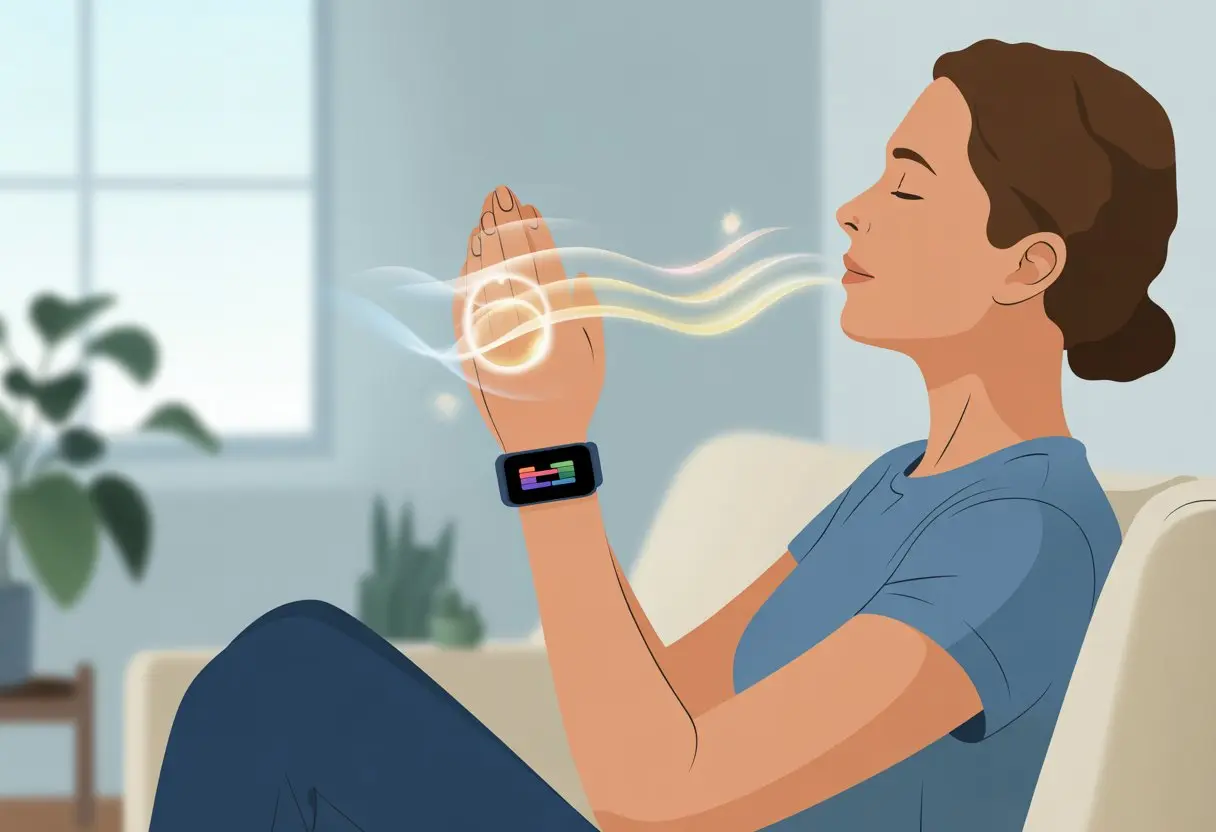
Whether we’re rocking an Apple Watch, Fitbit, or some random smartwatch with a name we can’t pronounce, these gadgets come with built-in features that walk us through simple breathing sessions. We don’t even have to count—our watches gently nudge us with calming visuals or subtle vibrations.
We don’t need to drop cash on fancy meditation apps or get lost in sketchy YouTube videos. We can just raise our wrists and jump into a guided session, following steps on Fitbit Charge 2 or Polar’s Serene. Let’s check out how our fitness trackers can turn “just breathing” into actual relaxation.
Understanding Fitness Trackers for Breathing Exercises
We don’t have to be elite athletes or meditation masters to benefit from breathing exercises. Our trusty fitness trackers put health right on our wrists, making mindful breathing both easy and a little bit techy.
These small gadgets make tracking our breath feel less like a chore and more like a secret superpower.
What Is a Fitness Tracker and How Does It Help?
A fitness tracker is basically a wearable sidekick—a digital workout buddy that never gets tired or judges us for skipping leg day. It’s loaded with sensors that keep an eye on our steps, heart rate, sleep, and even how we breathe.
For breathing exercises, some trackers come with guided sessions and reminders. They nudge us—softly but regularly—to take a minute and focus on our breath before we go back to pretending everything is fine at work.
Features like Breathwork activities or relaxation modes walk us through slow inhales and exhales, turning a simple breathing exercise into an interactive moment.
Many trackers log our progress, which means we can check if we’re actually relaxing or just zoning out and thinking about pizza. That makes it easier to spot improvements or notice when our stress is off the charts.
Breathing Exercises: What’s the Big Deal?
Breathing exercises aren’t just for yoga teachers. When we practice slow, controlled breathing, our body gets the signal to relax. Our heart rate can slow down, stress drops, and sometimes we even feel like calm, collected humans again.
The best part? Breathing exercises are easy to do almost anywhere. Our fitness tracker guides us through specific routines, usually just 2 to 5 minutes long.
This is especially helpful if we get distracted by, well, anything. Regular practice with our tracker’s breathing programs can sharpen our focus, lower anxiety, and help us gear up for that mountain of unread emails.
Never underestimate the power of a good inhale and exhale.
Sensors and Tech That Track Your Breathing
So, how do these wrist gadgets know what’s going on with our lungs? Most fitness trackers use optical sensors to monitor our heart rate, and then use that heart data to estimate our breathing rate.
Other trackers add sensors like accelerometers to detect the rise and fall of our chest during breathing exercises. Higher-end trackers even have special apps that monitor stress using our breathing pattern and heart rate together.
Devices usually offer session timers, vibration cues, and on-screen instructions to help us stay on track. If we want more structure, some trackers let us pick between short, medium, or longer breathing routines—perfect for squeezing in mindful practice during snack breaks.
For more details on the tech, check out what a fitness tracker really does.
Getting Started With Your Fitness Tracker
Before we get fancy with mindful breathing, we need our fitness tracker ready to go. A smooth start means the device is set up right, feels good on our wrist, and has enough battery to last at least one meditation session.
Setting Up Your Device for Breathing Bliss
Let’s make sure our tech is actually smarter than us. First, charge the tracker fully—no one wants a mid-breath freeze.
Follow the instructions to pair your device with your phone or tablet. Usually, that means a Bluetooth connection and an app—think of it as a friendship handshake for electronics.
Once paired, find the breathing or relaxation features. Fitbit calls it the Relax app, Apple Watch has the Breathe app.
Pick your session length, usually 1-5 minutes. Some trackers let you track your stress after the session, so you can brag (or complain) about your zen progress.
Wear and Care Tips for Maximum Comfort
Wearing the tracker too tight turns “wellness” into “red wrist syndrome.” We want it snug but not squeezing—two fingers should fit under the band without effort.
Switch up which wrist you wear it on sometimes. Sweat and grime are mood killers, so wipe down the band after workouts or every couple days with a soft cloth.
If your tracker is water resistant, a little soap and water is fine—but don’t dunk it if the manual says no. If skin gets irritated, take a break or try a different band. Your wrists will thank you.
Keeping Your Tracker Charged and Ready
Nothing ruins a good breathing session like a tracker that dies halfway through. Most fitness trackers last days on a charge, but using breathing apps can drain them faster.
Top off the charge every night or while you’re reading, showering, or doing anything but working out. Most trackers show battery level right on the screen—no guessing.
A backup charging cable at work or in your gym bag is a lifesaver. That way, you can focus on breathing, not on hunting for an outlet.
Breathing Features and Functions
Fitness trackers aren’t just step counters—they help us breathe easier, too. With a few taps, we get a mini-meditation coach right on our wrist, track our breathing patterns, and check if our stress is through the roof—all without incense or a yoga mat.
Guided Breathing Sessions: Your Digital Yoga Buddy
Many trackers now come with guided breathing exercises. These sessions walk us through slow inhales and exhales, usually just a few minutes long.
It’s like yoga for our lungs, but no stretchy pants required. Trackers like the Fitbit Charge 2 give on-screen or vibration cues so we know exactly when to breathe in and out.
The goal is to help us calm down, focus, and maybe avoid snapping at our little brother. It’s also great for squeezing in a quick mood boost between homework and dinner.
For more details, check out how to use guided breathing sessions on some wearables. Many trackers let us pick session lengths or number of breaths per minute, so we can find what works best.
Tracking Your Breathing Rhythm Like a Pro
These gadgets do more than remind us to breathe—they track our breathing rhythm. Sensors measure how many breaths we take per minute.
Looking at our breathing rate helps us spot trends. Maybe our breath speeds up before a big test or slows down when we’re gaming.
Watches like the Apple Watch let us change the number of breaths per minute right on the screen. This gives us control over our own relaxation experiment.
Here’s a quick comparison:
| Tracker | Breathing Rhythm Tracking | Customization |
|---|---|---|
| Fitbit Charge 2 | Yes | Session Length |
| Apple Watch | Yes | Breath Rate |
| Polar Watches | Yes | On-Screen Guide |
No lab coat needed—we’re basically breathing scientists now.
Monitoring Stress Levels Without Breaking a Sweat
Most modern fitness trackers estimate our stress levels by checking changes in our breathing pattern and heart rate. When we’re stressed, our breathing gets faster and more shallow. The watch notices, crunches the numbers, and sometimes even pops up with a “Hey, maybe relax” notification.
Some trackers show a simple stress score, while others break it into zones like “relaxed,” “medium,” or “why are you freaking out?” With a good tracker, we get instant feedback if our day’s getting wild.
For deeper stress insight, tools like Polar’s Serene and some Casio watches walk us through calming exercises right on our wrist. That means less guessing, more relaxing, and maybe fewer lectures from our parents about going outside for fresh air.
Setting Reminders, Notifications, and Alarms
It’s easy to lose track of time and forget to focus on our breathing. Thankfully, our fitness trackers are packed with tools to nudge us to slow down and breathe—without making us look weird in public.
Never Forget to Breathe: Using Reminders
We can set up reminders to keep breathing exercises on our radar. Many trackers, like the Apple Watch, let us turn on gentle reminders at the start of the day, in the evening, or even several times throughout the day.
That way, we can squeeze in a quick session between emails or snack breaks. Some devices, like Fitbit, let us set a weekly goal and prompt us to practice mindfulness at regular intervals.
If you really need a nudge (or twelve), the reminders can be customized to fit your schedule. The best part is, these reminders aren’t as annoying as an alarm clock. They’re soft buzzes or taps that are easy to ignore—and, yeah, maybe we skip a few.
If only they could remind us where we left our keys. For more info on adjusting reminders, check Apple’s guide on mindfulness reminders.
Silent Alarms: The Ninja Way to Relax
Ever want to look cool and collected, even if you’re secretly counting the seconds until your next break? Silent alarms have become our secret weapon. Our fitness trackers just buzz quietly on our wrists—no awkward ringtone, no coworkers giving us weird looks, just a stealthy cue that it’s time to breathe.
Most fitness trackers let us set a bunch of silent alarms throughout the day. We can sneak in a breathing exercise before a meeting or while we’re waiting for our coffee. It’s subtle, clever, and nobody else even notices.
We can set these alarms right from our devices or through their apps. Sometimes they even let us add labels like “Breathe!” or “Pause!”—just enough motivation to actually take a break. If only all reminders in life were this chill.
Notifications for Breathing and Beyond
Notifications aren’t just about checking our phones anymore. They help us keep track of our breathing habits, too. Many devices ping us gently when it’s time for a mindfulness or breathing session.
Some trackers even give us feedback after each session, showing how relaxed (or not) we managed to get. That’s pretty handy, honestly.
We also get reminders to move if we’ve been glued to our chairs too long. It’s an easy way to stay a little healthier. Garmin, for example, has relax reminders and stress alerts.
We get to choose how often these notifications pop up. We decide how needy—or chill—we want our wrist to be. Just tweak the app settings so our tracker gives us a nudge at the right time, and not when we’re finally relaxing with our favorite show.
Integrating Breathing Exercises Into Your Daily Routine
Most of us forget to breathe deeply, even though our bodies need it. By using our fitness trackers smartly, we can sneak in healthy breaths during moments that already fill our day.
Especially when we’re trying to move more or just keep our motivation up, these little reminders help a lot.
Pairing Breathing With Exercise for Double the Zen
Let’s be real, we only think about breathing when we’re out of breath on the stairs. But we can actually use our fitness trackers to guide intentional breathing during workouts. It works well with walking, yoga, or during cooldowns after cardio.
For example, we might set a timer or try guided breathe modes while stretching after a run. Some trackers nudge us with a gentle buzz, reminding us to inhale for 6 seconds and exhale for 6, like a tiny yoga coach on our wrist.
Syncing our breath with movement—say, inhaling during an overhead reach or exhaling during a forward fold—can help us relax and focus. This isn’t just for athletes; even pulmonary rehab recommends it. We can easily make these mindful habits part of our daily routine, just like the tips in fitness coaching guides.
Using Apps and Clock Faces to Motivate Yourself
Sometimes all it takes is a gentle buzz—or a not-so-subtle poke from an app—to remind us to slow down and breathe. Plenty of fitness trackers come with built-in apps that count our breaths, track how often we breathe, and even toss us some digital confetti when we stay calm.
Customizable clock faces are another trick. Some show a little breathing animation or timer right on the main screen, so next time we check the time, we might remember to breathe instead of just stressing about being late.
Apps can log every session, turning the basic act of breathing into something almost fun—a win for anyone who loves streaks, badges, or just another excuse to look at their wrist. Using these tools regularly helps us spot patterns and build new habits, kind of like integrating breathwork into our day.
Analyzing Data and Tracking Progress
Breathing exercises get a lot more interesting when we can actually see the numbers change. Our fitness trackers collect useful data that show how our bodies respond, and looking at that info keeps us motivated.
Understanding Your Heart Rate and Resting Heart Rate
Honestly, watching our heart rate drop during a calm breathing session feels like unlocking a secret achievement. With a fitness tracker, we see real-time heart rate numbers as we breathe deeply or slowly.
During a good session, the number should drop a bit—kind of like a puppy finally settling down. Tracking our resting heart rate over time is even more useful.
If we notice it trending lower in the morning, our new breathing habit might actually be helping. Most smartwatches and trackers show these numbers right on the dashboard or in little graphs, like in this study on accuracy of heart rate tracking.
Having the numbers right there takes away the guesswork. We don’t have to fake feeling calm—we’ll see it for real when our heart rate dips.
Comparing Breathing Data Over Time: Progress, Not Perfection
It’s easy to look at our tracker, see tiny changes, and wonder if it’s even working. But progress usually happens in small steps, not big leaps.
Looking at our breathing session stats and heart rate over a few weeks gives us a real sense of how we’re doing, even if our inner perfectionist gets a little bored.
Let’s break it down:
- Consistent Sessions: Are we doing breathing exercises more often each week?
- Average Heart Rate Drops: Do our numbers chill out a bit more after a month?
- Session Quality: Does holding that deep breath feel easier now?
Most apps show our history in simple graphs, so it’s painless to compare past and present. The point isn’t perfection—just a steady trend in the right direction, even if our breathing still sounds more like a gentle wheeze than a calming breeze.
Maximizing Results for Better Sleep and Relaxation
When it comes to relaxing or actually getting decent sleep, we know gadgets aren’t magic. Our habits, timing, and breathing play a big part. Here’s how using a fitness tracker, plus a few smart tricks, can help us drift off a little easier.
Connecting Breathing Exercises With Sleep Stages
Our sleep has more layers than a good lasagna. We move from light sleep to deep sleep, and sometimes into REM, as our bodies cycle through the night.
Breathing exercises calm our nervous system, which helps us shift from “Can my brain please stop?” to relaxing, like a cat stretching in the sun. Studies suggest slow breathing—like the 4-7-8 method—helps us fall asleep faster by lowering our heart rate.
Fitness trackers can tell when we’re tossing and turning or moving into deeper sleep. By doing breathing exercises before bed, we send a signal to our brains that it’s time to power down.
Some trackers, including Fitbit, track our sleep stages and breathing patterns together. We can review our bedtime experiments and tweak our routines to get more rest. If you’re curious, the Calm Blog lists some good breathing techniques for sleep.
Practical Relaxation Tips With Your Fitbit
Let’s be honest—sometimes a warm glass of milk just doesn’t cut it. With a Fitbit on your wrist, you’ve got a digital buddy for relaxation.
Fitbit’s guided breathing sessions encourage you to slow down and focus on your breath. Slowing your breath can lower stress and help you unwind.
Before bed, try the “Relax” feature on your Fitbit. It walks you through a few minutes of breathing, syncing gentle vibrations with your inhale and exhale.
If you can manage a four-count inhale and a four-count exhale, you’re already ahead of the game. Want to level up? Pair your breathing with some chill music or a bit of visualization.
Once you finish, Fitbit updates your stats so you can actually see if your relaxation efforts made a difference—well, besides making you yawn. Using your tracker this way adds a bit of structure to your bedtime routine.
Curious for more? Check out how to use guided breathing on the Fitbit Charge 2.

From a young age, I have always had a big interest in technology, and this blog is an extension of that interest. Through this blog, I hope to provide others with all of the information they need regarding tech options to consider, and things such as compatibility. Some of the different items I will be discussing include headphones, smartwatches, and how to fix common issues.
- How to Get Text Messages on Fitbit Versa 2 Android: Simple Guide for Users - October 13, 2026
- Why Doesn’t My Fitbit Record My Sleep? Quick Troubleshooting Guide - October 13, 2026
- How to Change Face on Fitbit Versa 2: Quick and Easy Guide - October 12, 2026
Related Posts: