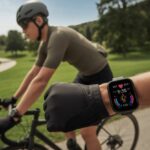
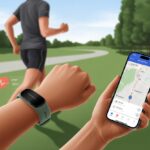
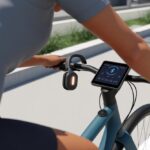
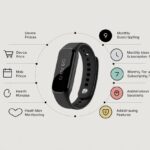
Let’s be real—if our stationary bike could log our workouts for us, we’d probably just let it ride itself while we snack in the next room. But until that sci-fi moment arrives, most of us depend on trusty fitness trackers to count our effort, even when our bike isn’t actually moving anywhere.
We can connect our fitness tracker to our stationary bike workouts by using heart rate tracking, activity modes, and syncing ride data, so all our sweat actually counts for something.
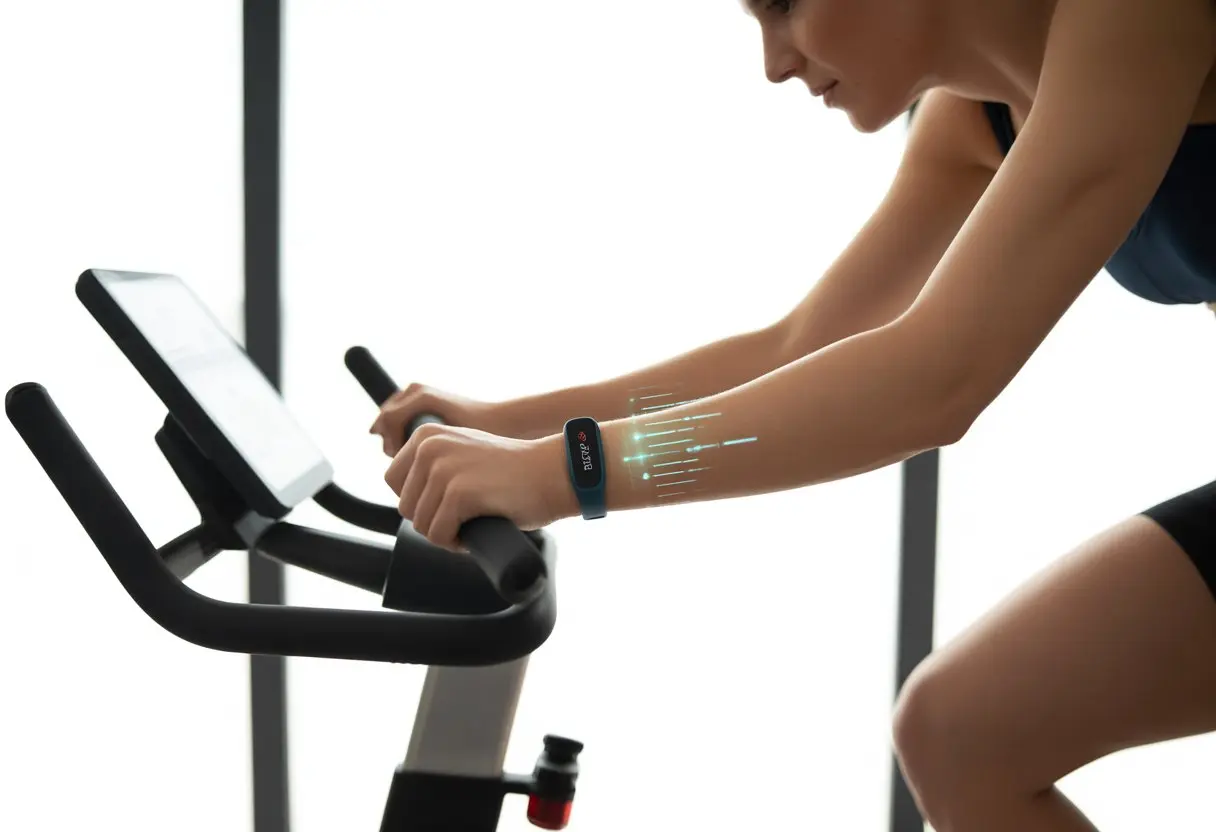
It’s not always as simple as counting steps. Some wrist trackers just assume we’re sitting still, doing nothing.
We need to trick our devices with cycling or indoor activity modes. If we can, syncing with our bike’s display or using cycling features helps too—our calves deserve some recognition.
Let’s make sure every stubborn pedal spin shows up in our stats. Not just the wild arm movements when we’re jamming to our workout playlist.
With the right settings, we can finally prove those stationary miles aren’t just a figment of our imagination.
Getting Started With Fitness Trackers on Stationary Bikes
Using a fitness tracker with a stationary bike isn’t just about strapping something to our wrists and pedaling away.
We want data that actually means something—not just a tally of our left arm’s dance moves.
Choosing a Compatible Device
Not every fitness tracker wants to join our stationary fitness journey. Most trackers count steps, but many can’t handle a workout where our feet never leave the pedals.
We need to check if our device supports “indoor cycling” or at least has a manual exercise mode.
Wrist-based trackers, like some Fitbits, often miss the mark on stationary bikes. Our arms just aren’t moving enough to convince them we’re exercising.
Some newer models, especially those made for all kinds of workouts, let us pick specific activities.
Tips for choosing a compatible device:
- Look for trackers with stationary or indoor cycling as an option.
- Check if the app lets us enter activities by hand.
- Heart rate monitors are a big plus—our legs work hard, after all.
A quick peek at the device’s support page or Fitbit Community can help us figure out if our gadget is up for the job.
Understanding Fitness Tracker Features
Fitness trackers come packed with features, but do they actually work on an indoor bike? Auto-detect often skips stationary rides because our arms aren’t flailing.
Some models record heart rate and calories burned, but steps? Usually not.
What should we look for?
- Manual activity mode: Lets us start and stop an indoor cycling session.
- Heart rate tracking: Shows how hard we’re working.
- Bluetooth or ANT+ compatibility: Some bikes sync directly with trackers or their apps.
- Display screen: So we can actually see our progress.
Some trackers even toss in cadence or estimated distance. Step counts aren’t going to happen, but we’ll still get credit for our effort with the right settings.
Setting Up Your Fitness Tracker
Before we start, let’s make sure our tracker is updated and charged. In the app, find the “exercise” or “workout” section.
Pick “indoor cycling,” “cycling,” or make a custom workout if there’s no cycling option. Some apps let us set goals—time, calories, distance, whatever motivates us.
Wear the tracker snug on your wrist or arm for better heart rate readings. If it only tracks steps, using manual exercise mode helps make sure our cycling counts.
After the ride, check the stats. Some devices let us edit if tracking wasn’t perfect.
And if all else fails, jotting down stats in a notebook (yep, old school) always works. No batteries required.
Connecting Your Fitness Tracker to a Stationary Bike
Let’s put our tech to work—no more guessing how much we sweat. We want every pedal, pulse, and imaginary finish line to count.
Skipping setup means our tracker will only log wrist movement, not our ride.
Pairing Bluetooth and ANT+ Devices
Most modern bikes and trackers use Bluetooth, but some prefer ANT+ (yeah, looking at you, Garmin). Check if our stationary bike has sensors that support Bluetooth or ANT+.
Do the same for our tracker. Compatibility is everything here.
Take a look at the bike’s display or manual for clues.
To pair, open the tracker’s connection settings. Hit “Add Device” or “Pair Sensor.”
If we see options like cadence, speed, or power, we’re on the right track. Sometimes we need to spin the pedals a bit to wake up the bike’s sensors.
Brands like Garmin and Wahoo have their own quirks. Garmin watches might ask if we want to search for indoor trainers—just say yes.
Wahoo bike trainers usually pair up pretty smoothly. If we’re unsure which protocol to use, Bluetooth is often easier, but ANT+ is handy for multi-device setups.
Syncing With Popular Fitness Apps
Pairing isn’t the end—we want to see our data somewhere we can brag about it. The Wahoo Fitness app is popular, but Strava, Garmin Connect, and other fitness apps can sync rides from our tracker.
Open the app and look for “Add Device” or “Connect Sensor.” Sometimes we have to log in, which is a pain but necessary.
If we use Wahoo or Garmin, they usually walk us through it. Once paired, rides upload automatically.
Some apps let us record indoor trainer sessions and tweak the dashboard.
If we’re on Strava, make sure the tracker is set to “Indoor Cycling.” Otherwise, Strava might think we biked through the living room instead of crushing an indoor climb.
Bonus: Some apps have leaderboards and challenges. Bragging rights, anyone?
Troubleshooting Connection Issues
Sometimes pairing just doesn’t work, and we end up staring at a blank screen. If our tracker won’t connect, check if Bluetooth and ANT+ are turned on.
Restart both devices if needed. Remove old pairings if things get weird—sometimes gadgets get clingy.
Low batteries can ruin the ride, so check those too. Update the tracker’s firmware and see if the bike’s sensors need updates.
If the app can’t find our device, try closing and reopening the app. If all else fails, check the bike or tracker’s support site.
Lots of users share tips on Garmin forums and Reddit.
Sometimes our tech just needs a pep talk—or a factory reset—before it decides to play nice.
Tracking Your Indoor Cycling Workout
Using a fitness tracker for indoor cycling means more than just bragging rights. We can see our heart rate, check how far (sort of) we’ve pedaled, time our workouts, and even find out how many calories we’ve burned—all without leaving the house.
Recording Time and Speed
When we hop on a stationary bike, tracking time is usually the easy part. Most fitness trackers start a workout session with one button.
They’ll keep counting, even if we’re just staring at the wall, wondering why cardio feels endless.
Speed is a different beast. Some smartwatches try to guess speed using sensors, but it’s not perfect since we’re not moving.
If our spin bike has a display, trust that instead. For the perfectionists, pairing speed sensors to our device gives a more accurate “zooming” speed.
Bottom line: trust the time, but double-check speed with the bike’s display if you want real numbers.
Monitoring Heart Rate Accurately
Watching our heart rate tells us if we’re cruising or about to break a sweat record. Wrist-based heart rate sensors work, but they can slip or get sweaty, making them less accurate during tough rides.
For the best results, use a chest strap heart rate monitor. These give more precise readings no matter how hard we pedal.
Most fitness trackers connect to these straps via Bluetooth, so our workout stats stay in one place. Chest straps aren’t stylish, but they get the job done.
Measuring Cadence and Distance
Cadence answers, “How fast are our legs spinning?” If our tracker can link up with a cadence sensor, we’ll see pedal revolutions per minute (RPM).
Many spin bikes show cadence, but not all models send this info to trackers.
Distance indoors is a bit of a guessing game. Most trackers won’t know how far we’ve gone unless the bike shares data with the device.
Some apps let us enter bike display stats, but otherwise, distance is just a rough estimate. Still, it’s handy for comparing workouts.
If you want more details, check out discussions about tracking stationary bike distance.
Calculating Calories Burned
Nothing motivates like seeing calories melt away, but accuracy depends on a few things.
Fitness trackers estimate calories using heart rate, age, weight, and workout intensity. The more details we give the app, the closer the number gets to reality.
Some advanced bikes show their own calorie readout.
If we’re feeling extra, we can compare the bike’s number with the tracker’s and pick whichever looks better (hey, no judgment). Both are just estimates but give us a sense of our effort.
For more ways to track progress, check out tips from indoor cycling pros.
Advanced Features and Performance Monitoring
Getting the most out of our fitness tracker while cycling indoors means playing with every feature—accelerometers, GPS, and all those fancy extras we usually ignore until something beeps at us.
We can tweak settings, compare data, and maybe even feel like high-tech cyclists, even if our only competition is the houseplant next to the bike.
Using the Accelerometer Indoors
Most fitness trackers rely on an accelerometer to pick up movement, but honestly, they’re built for walking, running, or maybe some wild dance moves. When we’re grinding away on a stationary bike, our arms and wrists barely move.
So, our tracker might log calories as if we’re relaxing, not sweating like crazy.
To get better numbers, we can grip the handlebars lightly so our wrists move a bit, or—if our tracker allows—strap it to a shoe to catch leg motion. Some trackers have an “indoor cycling” mode, which focuses on heart rate, time, and estimated calories based on what it senses from our pulse and movement.
But steps? Those usually don’t budge, unless we get bored and start flailing our arms mid-ride (which, honestly, is a terrible idea).
Comparing Fitness Trackers to Treadmills
Fitness trackers pretty much adore treadmills. Our arms swing, our feet hit the belt, and the accelerometer keeps busy, jotting down steps and distance.
On a bike, though, the tracker just doesn’t get as much to work with. Treadmills and wearables are a match made in fitness heaven, and cyclists sometimes get jealous.
Treadmill workouts give us more stats: steps, pace, distance, and sometimes even a map—though, let’s be real, it’s just a line across the living room. Indoor cycling? The tracker usually just shows time and heart rate.
If we’re lucky, some devices let us tweak wheel size or resistance settings, but it’s still not as spot-on as treadmill tracking. If you’re switching from running to cycling, you might notice this gap, but there are ways to improve your stationary bike tracking.
Utilizing GPS Data for Indoor Training
Let’s be honest—using GPS indoors is pointless unless we want a map of our snack breaks during a ride. Fitness trackers with built-in GPS shine outside, but they usually shut off GPS for indoor cycling because, well, we’re not actually going anywhere.
Some trackers still let us check out our ride stats afterward, even with GPS off. We can see heart rate graphs, cadence, and workout time—just without the existential dread of being told we biked “0.00 miles” for an hour.
If we’re obsessed with numbers, some high-end bikes and trackers let us punch in wheel size to estimate distance, building our own “indoor course” without leaving the house. But let’s be honest, beating our personal best means pedaling harder, not dragging the bike into the hallway for a better signal.
Tips for Optimizing Results and Motivation
If we want to enjoy riding a stationary bike and not feel like a hamster, there are ways to make the workout count. Using a fitness app, joining virtual challenges, or even training for a marathon indoors can keep things fresh.
Setting Goals With Your Fitness App
It’s easy to lose motivation when workouts start to feel endless. That’s where a trusty fitness app steps in.
By setting clear, realistic goals—like cycling for 30 minutes three times a week, or burning 250 calories per ride—we can see progress beyond just the puddle of sweat on the floor.
Most apps let us set reminders, track heart rate, and sync with our bike. If we need a little boost, some apps toss us badges or achievements for hitting milestones.
Those digital high-fives can keep us going, even when our legs feel like floppy noodles.
It’s smart to track improvements, not just numbers. Are we recovering faster? Can we turn up the resistance? Watching these stats gives us a sense of progress—not just imaginary biceps.
Joining Virtual Spinning Challenges
Let’s admit it: competition sometimes brings out our stubborn streak. With virtual spinning challenges, we can race riders from around the world, all while wearing pajamas in the living room.
Popular spinning apps and platforms run monthly or weekly contests, set distance goals, and show off leaderboard rankings. Nothing lights a fire like seeing our name just below “FitGuy2025” and planning payback with another ride.
We can also join group rides, starting and finishing together. It adds a social kick—and honestly, a bit of peer pressure never hurts.
Friendly competition keeps things fun and helps us push past our limits. Plus, we don’t have to squeeze into tight cycling shorts in public. For more ideas, check out these indoor cycling tips.
Preparing for a Marathon With Indoor Cycling
Training for a marathon sounds huge, but we don’t have to run endless miles on pavement to get ready. Indoor cycling works wonders for building endurance—especially if our knees are tired of pounding the street.
We can use a stationary bike for interval workouts, slowly crank up resistance, and mimic longer races by stacking sessions together. We’ll still need some running, but cycling helps build cardio strength and keeps recovery time shorter after tough days.
Don’t forget to log those rides in the fitness app so we can compare cycling and running progress.
Mixing both activities boosts performance and makes marathon prep feel less like a chore—maybe we’ll even enjoy the process, instead of just counting down miles. For more tips on getting the most from your stationary bike, check out this guide to maximizing your stationary bike workout.
Maintaining Your Equipment and Data
Let’s be real: our fitness gear takes a beating. Sweat drips on the tracker, dust gathers under the bike, and a little TLC makes a big difference for both gear and data.
Cleaning Your Fitness Tracker and Exercise Bike
Nobody wants their wrist to smell like last week’s gym socks. We should wipe down the fitness tracker after every workout with a soft, slightly damp cloth.
Don’t dunk it in water or spray it down—clean, not destroyed!
For the bike, use a lint-free cloth on the seat, handlebars, and display. Pay extra attention to touchscreens and buttons, since grime loves to hide there.
Every week (or whenever we remember), give the frame and pedals a quick once-over. If only motivation was as easy to polish.
Here’s a quick cleaning checklist for the fridge:
| Area | How Often | What to Use |
|---|---|---|
| Fitness Tracker | After Workout | Damp Cloth, Mild Soap |
| Bike Handlebars | Every Few Days | Disinfectant Wipes |
| Bike Display | Weekly | Screen Cleaner |
| Bike Pedals/Frame | Weekly | Lint-Free Cloth |
Ensuring Data Accuracy Over Time
We all want brag-worthy stats, right? So let’s keep our fitness tracker calibrated and update its software whenever we can.
Some trackers ask us to enter weight, height, and age. That stuff actually helps with accuracy. If we switch bikes or move things around, it’s worth double-checking those settings.
If the device acts weird after a big update, or the numbers just look off, we can reset or recalibrate it. It’s not magic—just a smart habit.
Tracking stationary bike workouts can get a little tricky. Most trackers use arm motion to count steps, which isn’t perfect for cycling. We should try using built-in cycling workouts if our device has them.
If you’re a bit techy, backing up your data regularly means you won’t lose your best stats. And hey, yelling at the tracker never works, but sometimes a quick restart does the trick.

From a young age, I have always had a big interest in technology, and this blog is an extension of that interest. Through this blog, I hope to provide others with all of the information they need regarding tech options to consider, and things such as compatibility. Some of the different items I will be discussing include headphones, smartwatches, and how to fix common issues.
Related Posts: