We’ve all been there—settling in with our Bluetooth headphones, ready to enjoy some music or a podcast, only to get hit with that annoying static noise.
It feels like we’ve tuned in to the world’s worst radio station. Bluetooth headphones often pick up static noise because of wireless interference, signal problems, or just issues with the headphones themselves.
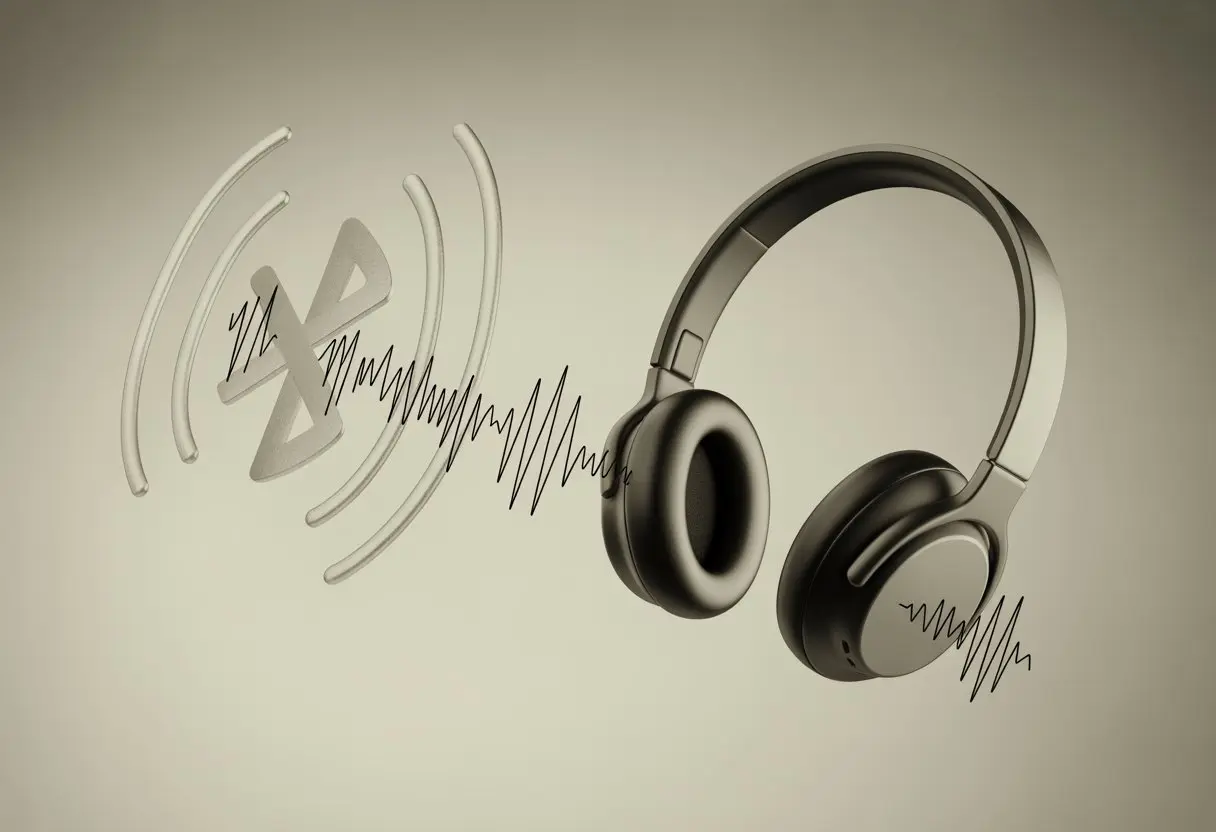
Static can turn what should be a relaxing experience into a game of “Where’s that noise coming from?” Sometimes it’s the neighbor’s Wi-Fi, sometimes it’s just a crowded signal, and sometimes our headphones seem to have their own moods.
For some people, dust, a low battery, or a poor Bluetooth connection can be the culprit.
No matter if the hiss is barely there or sounds like an angry snake, let’s dig into why this happens and what we can actually do about it.
Maybe, just maybe, we can keep the static where it belongs—on old vinyl records.
What Causes Static Noise in Bluetooth Headphones?
Static noise in our Bluetooth headphones is just plain annoying.
It usually pops up because technology isn’t playing nice—signals clash, software acts up, or maybe something inside the headphones is just off.
Interference From Other Devices
Honestly, wireless signals are everywhere, tripping over each other like kids at a birthday party.
Bluetooth headphones need a clear path between our device and the headphones. If other gadgets are nearby—like Wi-Fi routers, microwaves, or someone else’s Bluetooth speaker—these can mess with our sound.
Smartphones, laptops, and even baby monitors are common offenders. This interference causes weird pops or that buzzing static we all dread.
According to some folks, it’s pretty common to experience static when signals collide.
To help, we can move away from electronic clutter or keep headphones close to our devices. Not stacking every gadget we own in one spot might actually help us hear our music without static.
Audio Driver Issues
Sometimes, our computers or phones just throw software tantrums.
Audio drivers let our devices “talk” to the headphones. If they’re outdated, corrupted, or just having a bad day, we get static instead of smooth sound.
We usually spot driver issues when everything worked fine yesterday, but today our headphones sound all crackly for no reason. Windows updates or new apps sometimes mess things up without warning.
Most devices have built-in troubleshooters that can help.
Updating, reinstalling, or even just restarting our device often clears up these digital hiccups. If not, it’s time to poke around in the audio settings and see if our device decided to switch things up on us.
Hardware Problems With Your Headphones
Sometimes, the headphones themselves are the problem.
A loose wire, a worn-out battery, or some other internal hardware issue can let static sneak in, no matter how expensive the headphones are.
If we hear static all the time, with every device, that’s a big clue. Static that stays even when we change sources or cables (for wired headsets) usually points to hardware.
A damaged USB or charging port can also send weird signals that make our ears buzz. Replacing or fixing the cable or just switching to a different pair of headphones might be the only way out.
We can try turning the headphones off and on again (classic move), or plug them into another device to see if the static follows. If the noise refuses to leave, well, we might be shopping for a new pair sooner than we hoped.
Common Signs of Static and Buzzing Noises
Static and buzzing can make even fancy Bluetooth headphones sound like they’re stuck inside a beehive.
If we can tell the difference between these weird sounds, it’s easier to figure out what’s actually wrong.
Distinguishing Between Static Noise and Buzzing
Static noise sounds like a faint hissing, a bit like that fuzzy TV channel nobody wants.
It’s a background noise—steady, and sometimes almost easy to ignore (well… almost).
Buzzing, though, likes to make itself known. It can be high-pitched or low, but it’s definitely not shy.
Static is usually continuous, while buzzing can come and go, often getting worse if we move the headphones or our phone.
A handy trick is to pause the music or video—if the sound is still there, it’s not part of the track. Static often comes from interference or weak connections.
Buzzing usually points to hardware issues, like loose wires or something inside the headphones.
| Noise Type | Sound | Typical Causes |
|---|---|---|
| Static | Hissing | Interference, signal |
| Buzzing | Vibrating | Hardware, wires |
When Static Noise Is Most Noticeable
Static noise seems to have the worst timing—right when we want peace and quiet.
We tend to hear it most when no music is playing, or between tracks, as if it knows we’re finally listening. It’s also louder when our headphone battery is low or if we wander too far from our device and the signal drops.
Bluetooth interference loves to show up when there are too many wireless gadgets nearby. Even walking from room to room can trigger static, especially in old buildings with thick walls.
Some users report that their headphones only make static while audio is playing, which just proves our gadgets get stage fright too.
If we have poor sound device quality or dirty headphone ports, static can get worse.
Cleaning ports and moving to a less crowded area sometimes helps get rid of the unwanted soundtrack.
Quick Fixes for Static Noise
Dealing with static noise in our Bluetooth headset is about as fun as stepping on LEGO bricks.
But sometimes, just a bit of patience and a few quick steps can get us back to clear sound.
Resetting Your Bluetooth Connection
Bluetooth can be moody. Sometimes our headphones pick up interference from other devices, like that ancient microwave or the neighbor’s WiFi.
One of the easiest ways to kick out static is to reset the Bluetooth connection.
Here’s how we do it:
- Turn off the Bluetooth headset.
- Turn off Bluetooth on our phone or laptop.
- Wait a few seconds (counting to ten isn’t the worst idea).
- Turn everything back on and re-pair the devices.
Sometimes, static disappears just by reconnecting. Moving away from other wireless gadgets or routers can also help.
If the problem keeps coming back, we can try pairing the headphones with a different device to see if the static follows. That helps us figure out if the issue is the headphones or the original gadget.
Honestly, it’s a simple fix, but the classic “turn it off and on again” trick works more often than we’d like to admit.
Checking and Updating Audio Settings
After all the plugging and unplugging, sometimes the static isn’t about our headset at all—it’s the audio settings.
We should double-check our sound preferences, both on the device and in any apps we’re using. On a computer, make sure we’ve got the right playback device selected, and see if any sound effects or enhancements are switched on.
Turning off advanced audio effects or “improvements” can sometimes fix Bluetooth static noise.
Updating audio drivers (on Windows) or checking for software updates (on phones/tablets) is worth a shot. If we’re using a music app, lowering the streaming quality just a bit might help.
If nothing works, running the built-in troubleshooter on Windows or macOS gives the system a chance to catch something we missed.
Sometimes, tweaking one small setting is all it takes to send the static packing.
Advanced Troubleshooting for Persistent Issues
If we still hear that annoying static after the basics, it’s time to roll up our sleeves.
Sometimes, fixing it isn’t just about toggling Bluetooth or wiggling wires.
Reinstalling or Updating Audio Drivers
Let’s be honest, our computers and phones sometimes run on pure chaos.
Outdated or corrupted audio drivers can cause static noise. The first thing we should try is updating them.
On Windows, we can check Device Manager, find our audio device, and either update or uninstall the driver. If sound disappears for a second, don’t panic—that’s normal, and it usually comes back better than before.
If updating doesn’t help, a full reinstall might do the trick. Sometimes devices and drivers just need a fresh start.
For extra luck, we can visit our sound card’s or laptop’s official website for the latest drivers, instead of letting Windows pick for us.
It’s also smart to check Bluetooth adapters. Outdated Bluetooth drivers love making static noises just to mess with us.
Keeping everything updated is a basic and sometimes magical fix for that annoying static buzz.
Trying Your Headphones on a Different Device
Time to play detective.
Sometimes, we blame the headphones, but the real problem is the device. If we test our Bluetooth headphones with a phone, tablet, or another computer and the static disappears, our original device is the culprit.
That usually means something is off with the software, settings, or those pesky audio drivers.
If we still hear crackling on a totally different device—even a friend’s phone—then our headphones might be damaged. Maybe they’re old, or maybe something inside just rattled loose.
At that point, the best fix might be a warranty claim or, well, a tiny headphone funeral.
Testing headphones with another device is one of the fastest ways to figure out what’s actually broken. Plus, it’s a great excuse to borrow someone else’s fancy phone for a few minutes.
When to Seek Professional Help
Sometimes, no matter how hard we try, static noise just keeps buzzing in our Bluetooth headphones. At some point, we might need to call in the experts or try out some special gadgets and repair tools.
Identifying Irreparable Hardware Damage
Let’s be honest: not every headphone problem disappears with a quick restart or a furious shake. If we clean the ports, update the drivers, or swap the battery and the static still won’t quit, hardware damage might be the real culprit.
Loose wires, distorted sounds, or total silence (the unsettling kind, not the peaceful kind) usually mean something inside has gone wrong. If the headphones only work when we twist the cable or hold them at a weird angle like we’re fiddling with an old radio, that’s another red flag.
Broken connectors, cracks, or melted plastic? That’s a sign to throw in the towel. Using headphones with these issues might just make things worse, so let’s not risk a sudden “pop” in our ears.
Before giving up, it’s smart to read about other common issues that cause static in headphones. If we diagnose the problem correctly, we might avoid spending money on fixes we don’t need.
Using Headphone Repair Services and Tools
If we’re ready to hand over our headphones, local electronic repair shops can help. Certified repair centers usually have the tools and know-how to fix things like damaged drivers or faulty Bluetooth chips, which is way safer than poking around with a butter knife.
For those who like to tinker, software repair tools like Wondershare Repairit claim to fix some Bluetooth and audio glitches. But honestly, if wires are busted, no app is going to patch them up. When in doubt, we should check for warranty options before paying for repairs—it might save us a headache and some cash.
If official repairs seem pricey, let’s compare the cost with just buying new headphones. Sometimes, it’s better to move on and treat ourselves to a fresh pair than keep patching up the old ones.
Enhancing Your Headphone User Experience
If we want our Bluetooth headphones to stop sounding like a staticky radio from the 1980s, we need a few clever tricks. Keeping things clean and making smart choices about where and how we listen can actually make a big difference.
Maintenance Tips to Prevent Future Static
Let’s face it, we drag headphones everywhere. They end up at the bottom of bags, on gym floors, and sometimes wedged in the sofa. No wonder they get cranky! We can keep static at bay with just a little TLC.
- Regular cleaning: Dust or debris in the headphone port or charging contacts can mess with our sound. A soft, dry cloth or a gentle puff of air works wonders.
- Check for damage: Frayed cables or loose parts add unwanted fuzz. If we spot anything, it might be time for a fix or a replacement—before things get noisy.
- Bluetooth updates: Some brands send out updates. Don’t ignore those pop-ups! Updating could squash annoying audio bugs.
- Proper storage: Stashing headphones in a case instead of a pocket helps keep dirt away and prevents bending.
Sticking to these steps is basically like giving our headphones a spa day. Their performance improves, and we get a better listening experience. Plus, less static means less hassle.
Optimizing Your Listening Environment
Even the fanciest headphones sound awful if they’re in the wrong spot. Interference is a big culprit when it comes to unwanted noise. We can be a bit smarter about where we listen.
- Watch out for physical barriers: Thick walls, metal, and even kitchen microwaves can mess with Bluetooth signals. Let’s keep headphones and devices close and away from big metal objects (unless, of course, we live in an art gallery).
- Limit crowded frequencies: Too many Bluetooth gadgets in one place can cause static. Turning off devices we’re not using helps calm the chaos (as explained here).
- Find the sweet spot: Sometimes, just moving our phone or computer a few feet clears up all the noise.
- Be aware of interference: Microwaves and WiFi routers often run on similar frequencies as Bluetooth. If we hear crackling every time popcorn’s in the microwave, it’s probably not a coincidence.
With just a few tweaks, we can relax and enjoy crisp, static-free sound—unless, of course, we’re feeling nostalgic for that old FM radio vibe.
Fun (and Slightly Bizarre) Causes of Static You Never Expected
Static in our Bluetooth headphones isn’t always what we think. Sometimes, the real troublemakers are unexpected digital quirks and website features sneaking into our listening.
Can Cookie Policies Actually Make Noise?
Let’s talk about cookies—not the chocolate chip kind, but those sneaky digital ones websites love. Sometimes, when we connect headphones to a device while loading web pages, all those pop-ups about cookie use or privacy policies seem harmless.
We tap “Accept,” but with so many background processes—ad trackers, cookie banners, and the never-ending scroll for the cookie policy—our device can lag. More lag = more static. The cookie policy isn’t singing in our ears, but our phones and computers are working overtime, and the Bluetooth connection hiccups.
Picture this: we’re streaming music, browsing a new site, and—bam—static pops up right after that “This site uses cookies” warning. It’s not magic, just digital overload.
Here’s a quick checklist to cut down on cookie chaos:
- Close extra tabs and ditch unnecessary pop-ups.
- Keep browser extensions in check.
- Try private browsing mode for fewer cookie warnings.
The Mystery of Site Traffic and Headphone Performance
Ever noticed your headphones getting all staticky right when that viral news drops? When a site gets slammed with visitors, it pulls harder on our networks and devices. This isn’t just about a slow website—a jam-packed digital highway can mess with our signals.
Bluetooth and Wi-Fi actually fight for the same radio frequencies. So when everyone’s online at once, things get a little chaotic. If you’re streaming music while the rest of the house is glued to videos, well, your connection might just suffer.
Even site traffic and network congestion can sneak in and mess with your headphone sound.
Here are a few ways to cut down on the chaos:
- Try not to stream during peak internet hours, if you can help it.
- Switch off other Wi-Fi devices nearby.
- Move to a spot with fewer wireless gadgets—your headphones could sound a lot happier!

From a young age, I have always had a big interest in technology, and this blog is an extension of that interest. Through this blog, I hope to provide others with all of the information they need regarding tech options to consider, and things such as compatibility. Some of the different items I will be discussing include headphones, smartwatches, and how to fix common issues.
- Best Aviation Headset To Buy For Student Pilots? (7 Top Picks By Budget) - October 21, 2026
- The Best Rugged And Waterproof Smartwatches - October 21, 2026
- 10 Best Military Smartwatch – Find The Best Tactical Military Watches in 2023 - October 20, 2026
Related Posts: