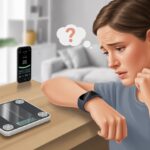
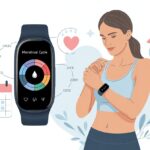
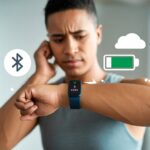
We’ve all been there—our fitness tracker just stops caring about our stress levels. It’s annoying, especially when we’re stressed about not seeing our stress stats.
Usually, the tracker misses stress readings because it can’t pick up a good heart rate signal, or the heart rate feature is off. Sometimes, all it takes is tightening the band or flipping a switch in settings—no deep breathing required.
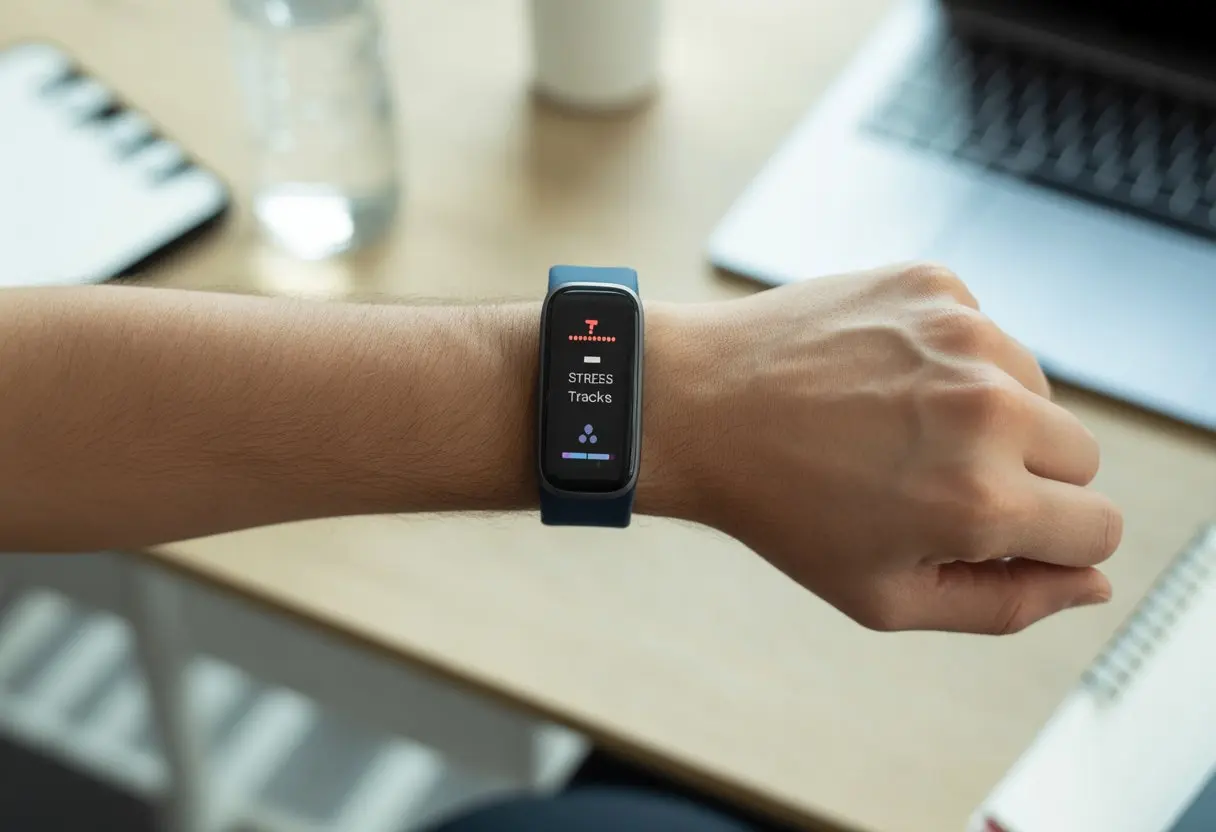
Honestly, we trust our gadgets to tell us how we feel—sometimes more than we trust ourselves. If we just finished a workout, our tracker might get mixed up and forget about tracking stress until we reboot it.
If this keeps happening, it’s probably time to poke around the menus or check for settings hiding our stress data.
So, why isn’t our fitness tracker tracking stress? Maybe it needs a break, or just a little encouragement. Let’s look at what could be wrong and how we can get those stress numbers back, right where we want them—judging us from our wrists.
How Fitness Trackers Measure Stress Levels
Our fitness trackers claim to know when we’re relaxed or about to lose it. But how do they actually figure this out? It’s a mix of heart rate readings, clever data crunching, and a bit of tech wizardry.
The Role of Heart Rate and HRV
You’ve probably seen your heart rate spike after a run or a shocking restaurant bill. Fitness trackers use light sensors to measure heart rate, but for stress, they focus on heart rate variability—HRV.
HRV is all about the tiny differences in time between each heartbeat. When we’re calm, those differences get bigger and more random. When we’re stressed, our heartbeats fall into a steady, boring rhythm.
Fitness trackers analyze this data to guess our stress level. If HRV drops, stress probably goes up.
- High HRV: Chill, relaxed, not much stress
- Low HRV: Regular, possible stress
This method isn’t perfect, but it’s surprisingly good at picking up on stress—even if it’s just panic over stepping on a Lego.
Stress Detection Technology Overview
Fitness trackers don’t have a secret “stress sensor.” Instead, they collect data from our skin and wrists. Garmin devices use HRV to calculate a stress score, not mind reading (thankfully).
They also consider activity, sleep, and sometimes movement to come up with a stress score. During exercise, trackers might skip stress tracking since sprinting from a bear isn’t the same as dreading your inbox.
The end result is a score showing how much strain our bodies feel, even if we pretend we’re “fine.”
Wrist-Based Heart Rate Monitoring Explained
Our smartwatches skip the chest straps and use wrist-based heart rate monitoring. Green LEDs shine into our skin, and sensors watch how the light changes as blood moves through.
This tech—photoplethysmography—tracks heart rate and HRV. It sounds fancy, but really, our wrists just give the sensors a front-row seat to our heart’s performance.
Movement and a bad fit can throw off readings. But when everything lines up, our trackers can follow our stress—whether it’s a real crisis or just a Monday.
Common Reasons Your Fitness Tracker Isn’t Tracking Stress
Sometimes our smart watches just ignore us when we want stress data. We check our Apple Watch over and over, hoping for a miracle, but the real cause is usually something simple.
Let’s look at a few reasons why our stress stats go missing.
Device Not Supporting Stress Monitor
First things first—does our tracker even support stress tracking? Not every device does. Some older or cheaper models just count steps, heart rate, and maybe sleep.
If we’re using an Apple Watch or something else, it helps to check the specs. Some trackers promise wellness but skip stress tracking, which is what we’re after.
Early Apple Watch models, for example, love fitness stats but don’t care about stress. Before we panic, let’s check our model. If “stress monitor” isn’t on the list, we might have to upgrade to get those stats.
Improper Wearing or Placement
Even the best smart watch can’t help if it’s loose, upside down, or tangled in a jacket sleeve. Stress monitors need to hug bare skin—not too loose, not too tight.
The best spot is just above the wrist bone. Dirty sensors can mess things up too. If the back of the device is grimy after gardening, a quick wipe might solve things.
Wearing it under a sleeve, letting kids borrow it, or switching wrists can throw off the readings. Sensor contact and cleanliness actually matter—a lot.
Outdated Software or Incompatible Apps
If we avoid software updates, we might break features like the stress monitor. Sometimes updates add features, sometimes they take them away. It’s a gamble.
Conflicts between the tracker app and our phone—looking at you, iOS updates—can ruin our tracking. Apps can stop working together overnight. Syncing with the latest software, like Garmin Express, keeps things running. The same goes for Apple Watch—keep iOS and watchOS up to date.
Some fitness apps just don’t get along. If we use a third-party health app, it might block stress data. Regular updates, syncing, and checking compatibility lists are our best bets. If you want more details, check out discussions like Body Battery and Stress Level not registering properly.
Sensor and Hardware Issues
Stress tracking falls apart if the sensors aren’t happy. If the device can’t read our skin, those stress numbers just vanish.
Dirty or Damaged Sensors
Let’s be real—trackers get dirty. Sweat, sunscreen, dirt, or snack crumbs build up on the back. When that happens, the optical sensors can’t measure heart rate or stress.
Even tiny scratches or cracks can mess with readings. It’s like trying to see through a foggy window.
Here’s a quick checklist:
- Clean the sensor with a soft cloth.
- Check for scratches or cracks.
- Skip harsh cleaning sprays.
If the sensor is broken, the tracker might show “no data” or weird results. Sometimes, restarting the watch helps, like users have found with their Garmin Forerunner.
Physical Skin Interference
Our own skin can trip up the tracker. If we wear it too loosely, light leaks in under the sensor. Too tight, and blood flow drops—cue the cold, cranky hand.
Thick arm hair, tattoos, or lotions can block the sensor’s light. For the best readings:
- Wear the band snug, but not too tight.
- Move the tracker to a less hairy spot if possible.
- Skip lotions right before putting it on.
If our tracker keeps missing stress data during normal stuff, it’s probably struggling to get a good read. Adjusting the fit usually helps—unless we’re secretly superheroes with armored skin.
App Settings and Permissions
We need to check if our stress monitor actually has permission to work. Sometimes one little switch means our smartwatch just sits there, blank and confused.
Granting Necessary App Permissions
Before blaming our smartwatch, let’s check if we gave the app the right permissions. On Android, we go to Settings > Apps > [Fitness App Name] > Permissions and turn on anything for sensors, location, or health.
Sometimes, these permissions reset themselves—especially on certain devices like the Fitbit Sense 2. We might have to re-enable permissions every so often.
On iOS, it’s similar. Head to Settings > Privacy & Security > Health and make sure the fitness app and watch can collect and send health data. If permissions are off, our stress data just disappears, and the only thing being tracked is our confusion.
Configuring Stress Monitoring Features
Once permissions are sorted, we need to check if stress tracking is actually turned on. Most trackers don’t monitor stress all the time by default.
On something like the Galaxy Watch 4, we might need to enable continuous stress tracking in the health app settings. Sometimes it’s under “Wellness” or “Stress Management.”
Some trackers ask us to place a finger on a sensor or tap a button for a reading. If we skip that, we get nothing. On Samsung Health, for example, you have to tap the stress tracker and follow the prompts.
Always make sure automatic and manual readings are turned on, or our smartwatch will just sit there, blissfully unaware of our stress.
Understanding the Limitations of Stress Monitoring
Fitness trackers sound like they know everything, but stress is slippery. These gadgets can only do so much, and sometimes the real world just gets in the way.
Accuracy vs. Real-Life Stress
Sometimes, it feels like our trackers know us better than we know ourselves. But honestly, they just use heart rate, heart rate variability, and sometimes skin temperature to guess our stress.
It’s not magic—just clever sensors and a bit of educated guessing. These gadgets can’t read our minds, and they definitely don’t know if we just dropped our favorite snack on the floor.
If we’re running up the stairs or cheering at a game, our wrists might flash “high stress,” even though we’re actually having a blast. The tracker picks up physical changes, not just emotional ones.
That’s why stress monitoring can miss the real mental stuff and sometimes misjudge what’s actually happening. Garmin even points out that fitness trackers aren’t as accurate during physical activity since exercise messes with our body’s signals.
We shouldn’t treat stress tracking like a crystal ball. It works best for spotting long-term patterns, not every rough moment.
Environmental and Physical Factors
Life’s messy—sweat, extra movement, or just sitting in the sun can throw our stress sensors off. Wearing a tracker too loose or tight, having dry skin, or even tattoos can make it misread stress.
It’s kind of like trying to nap in a room full of toddlers—just too much chaos. Room temperature, caffeine, big meals, or being sick can all mess with our heart rate and tilt stress readings.
Even our smartwatches sometimes admit they’re confused. People notice their watch might show a “stressful day” when they’re just chilling or listening to music, like in some user experiences.
A tracker helps, but it’s not really the boss of our feelings—especially after that third cup of coffee.
How to Improve Stress Tracking Accuracy
Getting better stress tracking doesn’t take a rocket scientist, but it does need a bit of effort. Making small changes in how we wear our device and move can keep our tracker from getting confused.
Optimizing Tracker Placement
Let’s start with wearing our tracker in the right spot. It should be snug on our wrist—not so loose it flops around like a tiny hula hoop.
If the tracker moves, it loses skin contact and just guesses at our stress levels. And, really, guesswork isn’t very scientific.
For better results, we can keep the tracker one finger-width above our wrist bone. That way, the sensors get good skin contact for a more stable reading.
If we wear chunky bracelets or watches, it’s better to keep them away from the tracker so nothing interferes. Some devices are picky, too.
If it’s too tight, it cuts off circulation and turns our hand into a sad, numb pancake. Too loose, and we might as well wave the tracker around like a magic wand, hoping for stress-busting powers.
Staying Still During Timed Activities
We’ve all tried to sneak a phone check during a timed activity, but movement is the enemy of stress tracking. Our tracker uses heart rate variability to estimate stress.
Sudden movements or fidgeting—like scratching our nose for the twelfth time—can make the tracker think we’re running from a bear instead of relaxing during meditation.
To get the best readings, we need to sit comfortably, relax our arms, and keep our wrist still for the whole activity. Motion confuses sensors and makes our stress levels look higher.
If we can hold still for a few minutes, our data will be much more accurate. If the tracker still struggles, we should check the device’s instructions or troubleshooting guide.
No amount of stillness will help if the settings are off or the sensors need a quick cleaning.
What Your Tracker’s Data Can and Can’t Tell You
Fitness trackers seem to know everything—except where we left our keys. They’re great at collecting data, but they definitely have limits.
Let’s look at what we can and can’t actually learn from their numbers.
Interpreting Historical Data
When we check our tracker for stress info, we might expect it to play detective. But really, it just gathers historical data like heart rate, sleep patterns, and maybe how restless we get at night.
Wearables can spot trends over time, like our heart racing every Monday morning. We can look back at these patterns, but they don’t explain why we’re stressed.
If we want the full story, we have to remember big events or life changes along with the numbers. The stress management score is handy for marking good and bad streaks, but it won’t explain if that extra coffee was the culprit.
We still need to use our common sense with the stats, because a tracker can’t see what’s happening outside our wrists.
Beyond Heart Rate: The Limits of Wearables
Our trusty gadgets gather lots of info, mostly by tracking heart rate. They estimate stress by checking heart rate variability—how much our heartbeat speeds up or slows down.
That’s the main trick behind most stress scores. But wearables don’t know if we’re running to catch a bus or stressing over a big exam.
Physical activity confuses the stress sensors, so most devices won’t track stress while we’re working out (more on this from Garmin). Basically, our trackers take a break when we break a sweat.
These devices can’t read our minds (yet). Hydration, illness, and caffeine can fool the sensors, too.
So while our trackers do their best, we still have to handle real stress management with more than just a wrist buzz.
Alternatives and Complementary Stress Management Tools
Sometimes our fitness trackers act more like forgetful sidekicks than helpful health tools. The good news: we can manage stress in other ways—no charging required.
Managing Stress Beyond Your Wrist
When our wrists let us down, we don’t need to panic or toss our trackers out the window (though it’s tempting). There are plenty of hands-on ways to manage stress.
Deep breathing exercises work and don’t need any tech—plus, they won’t send us random notifications. Meditation, yoga, and stretching routines can help calm our minds and bodies.
Some of us like keeping a stress journal. Jotting down how we feel each day makes patterns easier to spot.
And hey, chatting with a friend, therapist, or even our pet goldfish can work wonders. Social connection is a powerful, sometimes hilarious, stress reliever.
If we like gadgets, mental well-being apps—like guided meditation or relaxation sound apps—give us more control than a moody fitness tracker ever could. Plus, we get to pick our own background music—no elevator tunes required.
Incorporating Blood Pressure Monitoring
If you really want to know how stressed you are, checking your blood pressure is a surprisingly useful trick. Stress tends to send blood pressure up, so keeping an eye on it at home can clue you in about your overall health.
Blood pressure cuffs are everywhere these days, and you don’t have to break the bank to get one. Sure, some of them look a little intimidating—like something out of a mad scientist’s lab—but they get the job done.
Here’s a quick comparison:
| Method | Tech Level | Pros | Cons |
|---|---|---|---|
| Fitness Tracker | High | Convenient, automatic | Can glitch, needs charging |
| Blood Pressure Monitor | Medium | Reliable data, easy to use | Manual checking, bulky |
| Breathing or Meditation | Low | Free, always available | Self-discipline required |
A lot of blood pressure monitors now save your readings in apps, so you don’t have to rely on your memory. When you mix this info with a mood or activity journal, you start to see what’s really stressing you out and maybe, just maybe, how to deal with it—even if your fitness tracker is still “thinking.”

From a young age, I have always had a big interest in technology, and this blog is an extension of that interest. Through this blog, I hope to provide others with all of the information they need regarding tech options to consider, and things such as compatibility. Some of the different items I will be discussing include headphones, smartwatches, and how to fix common issues.
- How to Use Bluetooth Headphones with Alexa Without Accidentally Calling Your Ex - March 30, 2026
- How to Use Bluetooth Headphones with a Camera So You Don’t Trip Over Cables (Again) - March 29, 2026
- Best Bluetooth Headphones for Audiobook Lovers: Hear Every Plot Twist Without Tangled Wires - March 28, 2026
Related Posts: