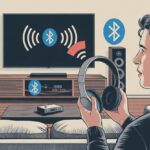
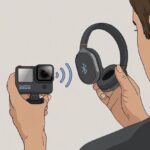
We love our GoPros. But when we try to use Bluetooth headphones with them, things start to get a little strange.
Most of us have tried to pair our wireless headsets, only to watch the GoPro act like we asked it to solve a Rubik’s Cube. Here’s the thing: most GoPro cameras just don’t support Bluetooth audio devices like headphones or earbuds, even though they have Bluetooth built in.

You’re probably wondering—why even bother with Bluetooth if we can’t jam out to our own voices while cliff jumping or skateboarding? It’s a solid question, and honestly, it’s a little annoying for anyone who expected that feature.
Let’s poke at why this happens, what GoPro’s Bluetooth actually does, and whether there’s anything we can do about it.
Grab your imaginary headphones. Let’s dive in.
Common Culprits Preventing Bluetooth Headphones from Connecting
Let’s be real—sometimes gadgets act like moody cats. They work when they feel like it.
Here are a few usual suspects when Bluetooth headphones just won’t connect.
1. Dead Batteries
Did we charge everything? Bluetooth headphones with low power might just ghost us. If our GoPro’s battery is low too, good luck getting them to say hi.
2. Outdated Firmware
Our GoPro or headphones might need a software pep talk. Devices with old firmware can get picky and forget how to work together.
Updating sometimes saves us from more tech drama. Some users say updating to the latest GoPro firmware helps, but it’s not a guaranteed fix (GoPro forums).
3. Bluetooth Gremlins (Interference)
Crowded signals feel like trying to talk at a loud concert. Wi-Fi, other Bluetooth gadgets, and even microwaves can mess with our headphones.
4. Incorrect Pairing Steps
Sometimes we press the wrong buttons in the wrong order. Double-check the instructions—GoPro and Bluetooth headphones might have a secret handshake, and missing a step means starting over.
5. Not Supported (Yikes!)
Some GoPros just don’t support regular Bluetooth headphones at all. For certain models, pairing only works for things like remote controls, not audio.
That’s a recipe for confusion.
Here’s a quick checklist:
| Trouble | What We Should Try |
|---|---|
| Battery low | Charge both devices |
| Old firmware | Update GoPro and headphones |
| Signal mess | Move away from other devices |
| Pairing fail | Reset and retry steps |
| Not supported | Check GoPro’s manual |
GoPro’s Bluetooth Compatibility: What’s Actually Supported?
If you’ve ever tried pairing Bluetooth headphones to a GoPro and wondered if it’s just you—or the camera—you’re not alone.
GoPro’s Bluetooth features can feel confusing since they don’t work like our phones or laptops.
Supported Audio Devices
Let’s rip off the Band-Aid: with the newer GoPro HERO12 Black and up, we can finally use Bluetooth audio devices like headphones, earbuds, or microphones, but only if we choose the right ones.
These models let us send audio to the camera from certain Bluetooth headsets or mics, not just listen to playback. If you’re using an older GoPro like the HERO7, sorry—Bluetooth is only for mobile apps, not for audio recording.
Here’s the catch: not all Bluetooth headphones or mics work. GoPro uses its own rules, so it’s picky. Sometimes, even earbuds that connect fine to our phone refuse to talk to the GoPro.
Before spending hours troubleshooting, check GoPro’s latest official instructions and supported device lists.
Some people say only Bluetooth headphones work, while others get Bluetooth microphones working instead. It’s not your imagination—GoPro compatibility is just unpredictable sometimes.
GoPro Model Limitations
GoPro’s Bluetooth features really depend on the model. The HERO12 Black and newer models are the Bluetooth party animals—think of them as social butterflies.
They can send and receive audio with certain Bluetooth audio devices. If you’ve got older models like the HERO7 or HERO8, Bluetooth is just for the GoPro App or remote controls—no wireless mics or headphones.
Here’s a quick table to clear things up:
| Model | Bluetooth Audio | Notes |
|---|---|---|
| HERO12 Black + | Yes | Audio support for some devices |
| HERO9/10/11 | Limited/No | Mostly for app pairing |
| HERO7 & earlier | No | Only app/remote, no audio |
If the GoPro says “Connected” but you hear nothing, it’s probably the model, not you.
Understanding GoPro’s Wireless Features
GoPro Bluetooth isn’t like Bluetooth everywhere else in our lives. Most GoPros use Bluetooth for non-audio stuff—like connecting to our phones for app controls or quick transfers.
For wireless audio recording, we need specific hardware support, and that mostly exists in the newest GoPros.
A lot of models use WiFi and Bluetooth together, but for totally different things. Bluetooth handles quick tasks (like remote controls), while WiFi deals with bigger stuff (like sending video to our phones).
That’s why our Bluetooth headphones often get left out, waving from the sidelines.
So, when the GoPro ignores our wireless earbuds, don’t take it personally. It’s just the way GoPro does wireless.
If we want to use audio devices, checking if our camera and accessories actually support what we want will save us a headache—and maybe a few choice words.
Troubleshooting Steps When Your Headphones Won’t Pair
Nothing’s more annoying than putting on Bluetooth headphones, ready to capture the perfect GoPro moment, only to run into stubborn pairing problems.
Let’s roll up our sleeves and see if we can make these gadgets behave.
Checking Your Headphones’ Pairing Mode
First, make sure our headphones aren’t just being shy. Most Bluetooth headphones need to be in pairing mode to connect with the GoPro.
Usually, we hold down the power or a dedicated pairing button until a blinking light goes wild—our headphones’ way of waving at us. If we skip this step, the GoPro will act like our headphones don’t even exist.
Here’s a quick checklist:
- Make sure the headphones aren’t already connected to another device.
- Turn them off, then hold the button for 5–10 seconds.
- Watch for flashing blue or red lights (that “pick me, pick me!” dance).
- Look in the GoPro’s Bluetooth menu for the headphone name to show up.
If the headphones are blinking and our GoPro still can’t see them, check the Bluetooth version. Some GoPros only connect with specific devices, and not all support Bluetooth audio.
If our headphones are still acting aloof, try moving them closer together—Bluetooth isn’t known for long-distance relationships.
Resetting Bluetooth Settings
If our headphones and GoPro still refuse to speak, give them a fresh start. Resetting often fixes stubborn Bluetooth problems.
On our GoPro, open wireless settings and reset connections.
Steps to reset GoPro Bluetooth settings:
- Swipe down on the GoPro’s rear screen.
- Go to “Connections.”
- Tap “Reset Connections.”
- Confirm when the GoPro asks if we’re sure.
Once we reset these settings, restart the GoPro and put both the headphones and camera back into pairing mode. Sometimes, the GoPro just needs a little nudge to remember how to make friends.
A factory reset wipes everything clean, but only do that if nothing else works.
From community forums, users have seen better results after resetting.
Updating GoPro Firmware
Old firmware is like using last year’s calendar—it’s just out of date. GoPro updates can fix bugs and help the camera connect better with headphones.
If we’re using a GoPro Hero 12 or 13, it’s smart to check for updates often.
Update GoPro firmware by:
- Connecting the camera to the GoPro Quik app on our phone.
- Following the prompts to check for firmware updates.
- Letting the camera update itself. It might take a few minutes—snack break?
Keeping firmware up to date helps squash annoying Bluetooth bugs. Sometimes a simple update makes the camera instantly more friendly with our headphones.
According to users on the GoPro forums, updating fixed weird pairing problems and made their GoPro work with more Bluetooth devices.
Audio Transmission and Lag: Why You Might Hear Nothing or Everything Late
Bluetooth headphones love taking their sweet time to deliver sound. Sometimes, we press play and it feels like the audio is packing for a delayed vacation—leaving us with awkward silence or words that don’t match what’s happening on screen.
Let’s talk about the two big reasons our GoPro and headphones act like they’re in a long-distance relationship.
Bluetooth Audio Latency
Audio latency is just a fancy way to say there’s a weird lag between seeing action on our GoPro and actually hearing it. Bluetooth adds delay because sound has to travel through the air instead of boring old wires.
When we watch videos, the lag can range from barely noticeable to “Why is the punchline five seconds late?” Bluetooth is slow, especially with older versions, and even the best headphones can’t outrun it.
Some apps try to sync audio and video, but GoPros don’t always play along.
If we use Bluetooth headphones that aren’t the latest models, the lag gets even longer. Using the device’s speaker puts things back to normal, which is just Bluetooth being quirky again.
For more, check out this page on Bluetooth audio lag.
Codec Mismatches Between Devices
Let’s talk codecs. The word sounds like it belongs in a spy movie, but really, it just means the “translator” between our GoPro and headphones. Not every gadget speaks the same Bluetooth language.
If our GoPro uses the basic “SBC” codec, but our headphones expect “aptX” or “AAC,” things get messy fast. The two try to communicate, but usually, they just slow down the audio or make it disappear entirely.
It’s kind of like trying to order pizza in French at an Italian place—almost, but not quite right. GoPros tend to stick with older codecs, which doesn’t help with lag and sometimes leaves us with no sound at all.
We can’t fix this with secret settings. Instead, we need to make sure both our headphones and GoPro use the same codec. If you want more details, check out this Bluetooth headphone audio lag discussion.
Environmental and Interference Issues
Bluetooth doesn’t always behave in crowded spaces or through thick walls. Before we blame our headphones, let’s check out the tech traffic jam around us.
Too Many Devices Spoiling the Bluetooth Broth
Ever feel like our gadgets are throwing a party, and our headphones didn’t get the invite? Bluetooth runs on the same 2.4 GHz frequency as Wi-Fi, microwaves, and even the neighbor’s drone.
When too many devices try to shout at once, things get jumbled. Our GoPro might miss what our headphones are saying because of all the noise.
Lots of devices switched on at once can clutter the airwaves. That creates interference and confuses both the camera and headphones. Tech forums say strong signals from Wi-Fi routers or even smart fridges can mess with GoPro’s Bluetooth. When that happens, connections drop, stutter, or just refuse to pair. Sometimes, you’ll even hear static or odd audio glitches if interference gets bad.
If we want a smooth connection, it helps to turn off extra gadgets and keep other Bluetooth transmitters out of the room. That way, we’re less likely to have something else crash the party.
Physical Barriers and Signal Weakness
Walls, shelves, and even our own bodies love to mess with Bluetooth signals. Bluetooth hates obstacles—especially thick walls, metal, or glass.
Our signal drops off fast if the GoPro and headphones are separated by a couple of rooms or a closed door. It’s easy to forget Bluetooth only works well within about 30 feet, and that’s in open spaces.
Reinforced concrete, steel cabinets, or even a big stack of pizza boxes can make the signal weak. If our headphones work near the camera but fail when we walk away, maybe it’s just bad placement or too much stuff in the way.
Sometimes, keeping the GoPro and headphones on the same side of our body helps. Apparently, even our own head can block the signal—who knew? For best results, we should keep both devices close and away from bulky objects, unless we’re in the mood for Bluetooth hide-and-seek.
Alternative Ways to Get Audio from Your GoPro
If our Bluetooth headphones go silent with our GoPro, we still have a few options. We can try different microphones or move audio around with other devices.
Using External Microphones
Sometimes, we need to get creative. GoPro cameras often work with external microphones, but not every mic will work.
Most newer GoPros require a USB-C to 3.5mm adapter (sold separately, of course). Once we have it, just plug in a lavalier or shotgun mic, and we’re ready to capture clearer sound.
This upgrade makes a big difference, especially if we’re recording from a distance or want our commentary to sound less like we’re underwater. We can clip a lav mic to our shirt for interviews, or mount a shotgun mic on the camera.
Either way, our audio will be way better than what the built-in GoPro mic picks up. That thing usually grabs more wind than words.
Audio Recording Workarounds
If external mics aren’t our style or our wallet needs a break, we’ve got some clever workarounds. One trick is to use a separate audio recorder—think of it as a tag team.
We hit record on the audio recorder (even a phone’s voice memo app works), then sync up the sound with GoPro video during editing. This method is called “double system sound.” It sounds fancy, but even free editing apps can match audio and video pretty easily.
For those who like to tinker, there are tutorials about connecting Bluetooth headphones or earbuds to GoPro Hero 12 Black, but it doesn’t work on every model. We should always double-check what our specific GoPro supports, or we might end up talking to ourselves… with nothing to show for it.
When All Else Fails: Contacting GoPro Support and Joining User Forums
Sometimes, no matter how many times you turn things off and on again, your GoPro and Bluetooth headphones just won’t play nice. It’s kind of like a family reunion where nobody’s talking.
That’s when you need to call in the experts.
GoPro Support is there for those moments when things go sideways. You can try reaching them by chat or email, but honestly, getting a real person sometimes feels like winning the lottery.
Plenty of folks have struggled to get through, even with a GoPro subscription. Just check out the complaints on the GoPro support forum.
If you do reach out, make sure you’ve got a few details handy:
| Details to Share | Why They Matter |
|---|---|
| Camera model & firmware | So they know what you’re using |
| Exact problem | Helps them troubleshoot |
| Steps you tried | Saves everyone’s time |
While you wait for a reply, hopping into a user forum can honestly be a lifesaver. Other GoPro fans have probably run into the same weird issues and might have some clever fixes.
Sometimes, just searching the GoPro forums or Reddit gives you answers way faster than official support.
When you’re stuck, don’t be shy—ask the crowd. You might even stumble on someone who fixed their Bluetooth problem with a random trick, like standing on one foot while rebooting. Who knows? At this point, anything’s worth a shot.

From a young age, I have always had a big interest in technology, and this blog is an extension of that interest. Through this blog, I hope to provide others with all of the information they need regarding tech options to consider, and things such as compatibility. Some of the different items I will be discussing include headphones, smartwatches, and how to fix common issues.
- The Best Rugged And Waterproof Smartwatches - October 21, 2026
- 10 Best Military Smartwatch – Find The Best Tactical Military Watches in 2023 - October 20, 2026
- Are Wired Headphones Safer Than Bluetooth? A Friendly Guide - October 20, 2026
Related Posts: