Ever put on your Bluetooth headphones, hit play, and suddenly it sounds like your favorite song is coming from inside a soup can? Yeah, it’s frustrating. Bluetooth headphones sound tinny mostly because of things like limited Bluetooth bandwidth, interference, or just using the wrong audio profile.
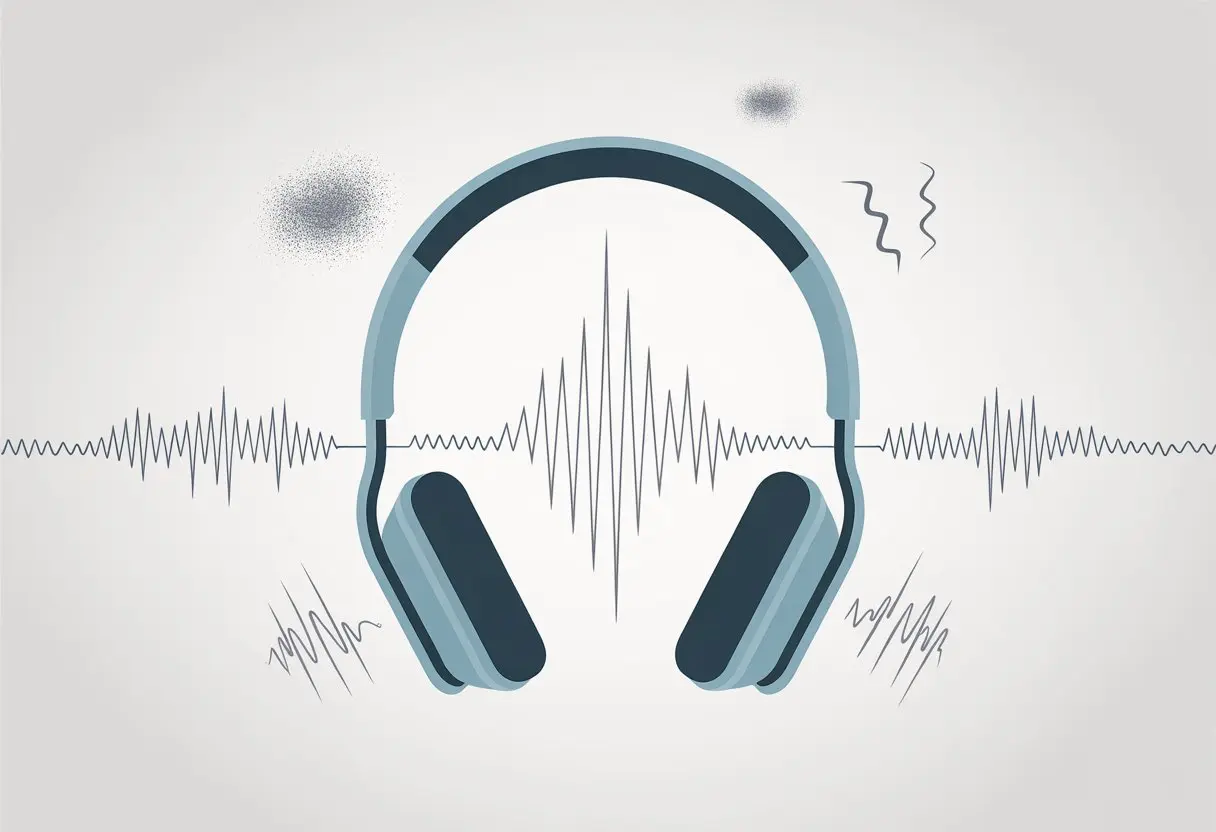
Sometimes, the problem is as simple as a weak battery or too many devices fighting for Bluetooth space. If you’re using voice call features, your headphones might switch to a lower quality mode, and suddenly you’re hearing more static than music.
For anyone who likes poking around with tech, figuring out why your headphones sound off can be weirdly satisfying—or just another thing to rant about. So, what’s really going on with all these tinny-sounding headphones?
Understanding Tinny Sound in Bluetooth Headphones
Tinny sound is a classic Bluetooth headphone headache. It makes music, movies, or calls feel flat and kind of lifeless.
It all comes down to both what we hear and how Bluetooth tech shuffles audio from our device to our ears.
What Does ‘Tinny’ Really Mean?
When we say headphones sound “tinny,” we usually mean the audio is thin, sharp, or missing that nice bass kick. It’s almost like someone swapped your concert ticket for a seat in a metal bucket.
You might notice:
- Music loses that warm, full vibe.
- Voices in movies sound shrill or far away.
- Bass is basically MIA, like someone just muted it.
Tinny sound always signals poor sound quality. It doesn’t matter if you’re streaming from a fancy device or an old phone—if the headphones are tinny, everything gets dragged down.
Cranking up the volume just makes it worse, not better. For a lot of us, it’s a fast way to ruin a playlist or a call.
How Bluetooth Headphones Process Audio
Bluetooth headphones don’t just beam sound like magic. They use wireless signals to send audio data, which means plenty can go wrong along the way.
Bluetooth offers only so much bandwidth, so your music often gets compressed just to fit through the pipeline.
If you use the microphone, things get even messier. Most Bluetooth headphones switch to a mode that gives the mic priority, but this chops the audio stream down to walkie-talkie level.
People talk about this all the time on forums like Reddit.
Interference from other Bluetooth devices or Wi-Fi can also mess with your connection. When your phone or laptop sends the signal, all these Bluetooth quirks pile up and leave you with sound that’s just, well, tinny.
Common Causes of Tinny Audio
Tinny Bluetooth headphones can kill your favorite songs in seconds. If you dig into the details, it’s usually a mix of technical hiccups, missing bass, weird settings, and sample rate drama.
Audio Codec Confusion
Sometimes, your device and headphones just don’t speak the same language. Bluetooth audio uses codecs like SBC, AAC, or aptX.
If your headphones support aptX but your phone only does SBC, the sound just falls flat.
The wrong codec shrinks audio quality. Music can go from smooth to gritty in a heartbeat.
Check your device’s audio settings—some let you pick your codec, but others just pick the lowest quality by default. That’s a fast track to tinny sound.
Codec negotiation isn’t always clear or simple. You can poke around in Device Manager on Windows or Bluetooth settings on your phone to see what’s actually running.
It takes a little detective work, but your ears will thank you.
The Bass Disappearance Act
Bass is the heartbeat of music. When Bluetooth headphones lose the bass, everything sounds thin and weak.
Bluetooth audio has limited bandwidth, so sometimes bass is the first thing to disappear when the connection struggles.
Interference from other wireless gadgets can also mess up those low notes. You might even have EQ settings turned on that cut the bass, making your music sound, well, kind of boring.
Wireless audio can be quirky, but if bass keeps vanishing, check your headphone and device settings. Sometimes, a quick reset or just moving away from other electronics brings the bass back.
Device Settings That Miss the Mark
Our computers and phones are full of audio settings that look helpful but somehow make things worse. Messed-up settings in Device Manager, wrong drivers, or things like “Hands-Free Telephony” can ruin your sound fast.
Some devices default to low-quality audio profiles whenever the mic is on. This forces a drop in sound quality, and suddenly your headphones sound like a payphone.
Turning off unwanted features or reinstalling the right drivers can fix a lot of these issues. For step-by-step help, check out Bluetooth headphones sound bad on PC.
It’s only a few clicks, but those settings can make you feel like you’re wrestling with your computer.
Sample Rate Silliness
Sample rate is how often your audio device “checks in” on the sound every second. If the sample rate is too low, audio can get muffled, robotic, or just plain tinny.
Bluetooth headphones sometimes get tripped up by mismatched or unsupported sample rates.
- Common sample rates: 44.1 kHz (CD quality), 48 kHz (video standard)
- Some Bluetooth drivers try to force a lower sample rate to save power or bandwidth
If your headphones and device can’t agree on a sample rate, it’s not going to sound good. You can usually adjust this in your device’s sound settings or the audio driver’s control panel.
It’s a quick fix that can make your headphones sound normal again. Sometimes, it’s the difference between “tin can concert” and real music.
If you want more details, bad sound through bluetooth headphones explains it well.
Distortion, Crackling, and Static: The Noisy Culprits
Those weird noises coming from your Bluetooth headphones? You’re not imagining it.
Distortion, crackling, and hissing can show up for all sorts of reasons, but a few usual suspects show up again and again.
Decoding Distortion and Crackling
Let’s be real: nothing kills a song faster than sudden distortion or that annoying crackle. These noises mean something’s off with your connection or settings.
It can feel like your headphones are remixing the audio on their own.
Usually, distortion pops up when the Bluetooth connection is weak. If you wander too far from your device or there are walls in the way, things can get messy.
Sometimes it’s just your computer running too many apps or putting your headphones in low-quality mode. Even system settings can mess with the output, turning your tunes tinny and scratchy.
If you hear hissing or static, outdated drivers or a glitchy Bluetooth dongle might be at fault. Try your headphones on another device to see if the problem follows.
If the noise sticks around, your headphones might just be drama queens.
Interference from Other Bluetooth Devices
Picture a family reunion where everyone talks over you. That’s what happens when too many Bluetooth signals crowd the air.
Your headphones try to keep up, but all the extra chatter means more interruptions and static.
Bluetooth uses a specific frequency band, and if your neighbors, siblings, or even your smart fridge are using Bluetooth, things can get crowded fast.
The more crowded, the worse the sound gets. Other wireless gadgets or even metal objects nearby can add to the mess.
Moving closer to your device or turning off other Bluetooth gear can help cut down on crackling and noise.
Here’s a quick checklist for quieter airwaves:
- Turn off Bluetooth devices you’re not using.
- Stay close to your audio source.
- Avoid big metal barriers between your headphones and device.
With a little effort, you can quiet the noise and get your headphones back to actually playing music.
Telephony Mode: When Calls Make Things Worse
Ever notice how music quality tanks the second you answer a call with your Bluetooth headset? There’s a reason for that, and it’s all about what happens when the microphone and “telephony mode” get involved.
How Microphones Affect Audio Quality
Let’s be honest: as soon as you try to use the microphone on your Bluetooth headphones, your device has to juggle sending your voice out and letting you hear at the same time.
Bluetooth isn’t exactly built for multitasking.
When you turn on the mic for a call, Bluetooth splits its attention between the microphone and speakers, but bandwidth is limited. The headset switches to “headset profile” (HSP/HFP), which is fine for calls but terrible for high-quality audio.
Suddenly, your playlists sound like they’re coming through a drive-thru speaker.
It’s not just you—tons of Bluetooth headset users notice music and videos instantly lose fidelity when a call starts, with audio turning muffled or robotic. If your favorite songs suddenly sound like they’re underwater, blame the microphone.
People talk about this all over online forums, so you’re definitely not alone.
Mono Mode Madness
Nothing kills the mood quite like mono mode. When our Bluetooth headset flips into telephony mode during a call, we suddenly lose stereo and get stuck with a single, lonely audio channel.
Why does this happen? Bluetooth calls run on a different audio profile that just can’t juggle regular music quality and the microphone together. That profile only lets one channel through, so say goodbye to rich, full sound.
It’s honestly the tech equivalent of being handed one earbud at a surround sound concert. Sure, we catch the dialogue, but all the depth and detail just disappear.
A bunch of Reddit users have noticed this shift the moment they answer or place a call. Suddenly, music and notifications sound flat or painfully tinny.
Basically, once our headset tries to be “smart” enough to send our voice, it goes “dumb” on sound quality—thanks, mono mode.
Operating System Oddities
Bluetooth headphones can sound weird or tinny for reasons that depend a lot on our operating system. Sometimes, a sneaky setting or system quirk—not the headphones themselves—causes the problem.
Windows 10 Woes
Windows 10 definitely does its own thing with Bluetooth headphones. When we turn on the headset mic, Windows loves to switch to a “Hands-Free” audio profile, which is just a fancy way to say “let’s make things sound worse.”
This profile gives us lower sound quality, so music and movies end up sounding tinny or way too quiet.
If we try using Device Manager, it doesn’t always help. Windows 10 sometimes forces us into drivers that just don’t play nice with our headphones.
It’ll also pick a default sample rate that’s too low, making everything sound robotic.
To fix some audio issues, we can go into sound settings, disable the headset mic, or update Bluetooth and audio drivers. If you want the gritty details (and some creative user rants), check out this Microsoft Community thread about bad Bluetooth sound.
Quick Fixes Table
| Problem | Quick Fix |
|---|---|
| Tinny Sound with Mic | Disable headset mic in sound settings |
| Bad Driver | Update drivers via Device Manager |
| Wrong Audio Profile | Select “Stereo” instead of “Hands-Free” |
Linux: Joy or Riddle?
Linux tries its best to keep up with Bluetooth. Sometimes, everything works out of the box. Other times, it feels like a wild ride.
Different Linux distributions treat Bluetooth audio profiles in their own quirky ways. PulseAudio (or PipeWire, if you’re feeling brave) doesn’t always pick the best quality option.
We might need to dig into menus or even open up a terminal to change our audio profile. Picking A2DP instead of HSP usually helps us ditch the tinny sound.
On some setups, we have to reload audio services or mess with sample rates to get better sound.
Here’s the thing—not all Linux systems are headaches. But when it goes wrong, it really turns into a puzzle.
We’ve got to be ready for some detective work and keep up with driver updates if we want our headphones to sing instead of squeak.
Troubleshooting Tinny Bluetooth Headphones
Tinny headphone sound makes our favorite songs feel like a marching band stuck in a tin can. Let’s check out some simple ways to fix these problems and figure out if it’s the headphones or the Bluetooth connection that’s acting up.
Quick Fixes and Simple Solutions
First, let’s be honest: nobody buys headphones to listen to robot bees. If our Bluetooth headphones sound tinny, the fastest thing to try is turning them off and back on. Classic IT move, but it works more often than we’d like to admit.
Next up, we should try resetting our headphones or updating their software. Most weird sound glitches come from bugs that a quick reset can clear up.
If your headphones have a tiny reset button, now’s the time to poke it with a paperclip.
Sometimes, our computer or phone connects using the “hands-free” profile, which drops sound quality so low that even static sounds fancy. On Windows, disabling the hands-free telephony setting in Bluetooth device properties can help.
For Mac, quitting any app that uses the mic—like Zoom—often fixes things. If this sounds familiar, check out these steps from Microsoft: Bluetooth headphones sound bad on PC.
Another tip? Turn off other Bluetooth devices nearby to clear up bandwidth. If possible, kick Wi-Fi hogs off your network too.
Too many signals can cause a virtual wrestling match over bandwidth.
Testing with Other Bluetooth Speakers
Let’s not jump to conclusions about our headphones just yet. Try grabbing another Bluetooth speaker or headset—maybe that old portable one gathering dust in the garage.
If that one sounds fine, our headphones probably just need a little attention. Maybe they’re due for a service appointment, or just a reset.
But if every Bluetooth device sounds equally bad, the computer’s Bluetooth adapter might be to blame. You could try updating the Bluetooth drivers, or even plug in a USB Bluetooth dongle and see if things improve.
Still getting lousy sound? Try switching over to a wired connection, even if it means digging up an ancient aux cable. If the wired sound is clear, then Bluetooth might be the real issue here—maybe something like limited bandwidth.
Honestly, Bluetooth sometimes just can’t juggle playing music and using the mic at the same time. This Super User article dives into that problem if you want more details.
If nothing works, at least we can be sure our ears aren’t broken—unless we’re still hearing that weird tinniness when nothing’s playing. In that case, maybe it’s not the tech that needs a reset, but us. Maybe a nap would do the trick.

From a young age, I have always had a big interest in technology, and this blog is an extension of that interest. Through this blog, I hope to provide others with all of the information they need regarding tech options to consider, and things such as compatibility. Some of the different items I will be discussing include headphones, smartwatches, and how to fix common issues.
- Why do my Bluetooth headphones not block outside sound? Sorry, They’re Not Mind Readers! - October 5, 2026
- How to Use a Smartwatch for Running Without Looking Like You’re Checking Your Stocks - October 4, 2026
- Best Bluetooth Headphones for Long Flights: Ears Happy, Neighbors Jealous - October 4, 2026
Related Posts: