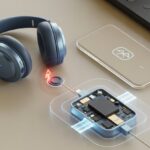
We’ve all had that moment—ready to jam out or hop on a call, but our Bluetooth headphones just won’t charge. Most charging issues come down to a worn-out cable, dirty charging contacts, or a faulty battery. Sometimes our gear just needs a quick cleaning or a fresh cable, even if it feels like it should be more complicated.
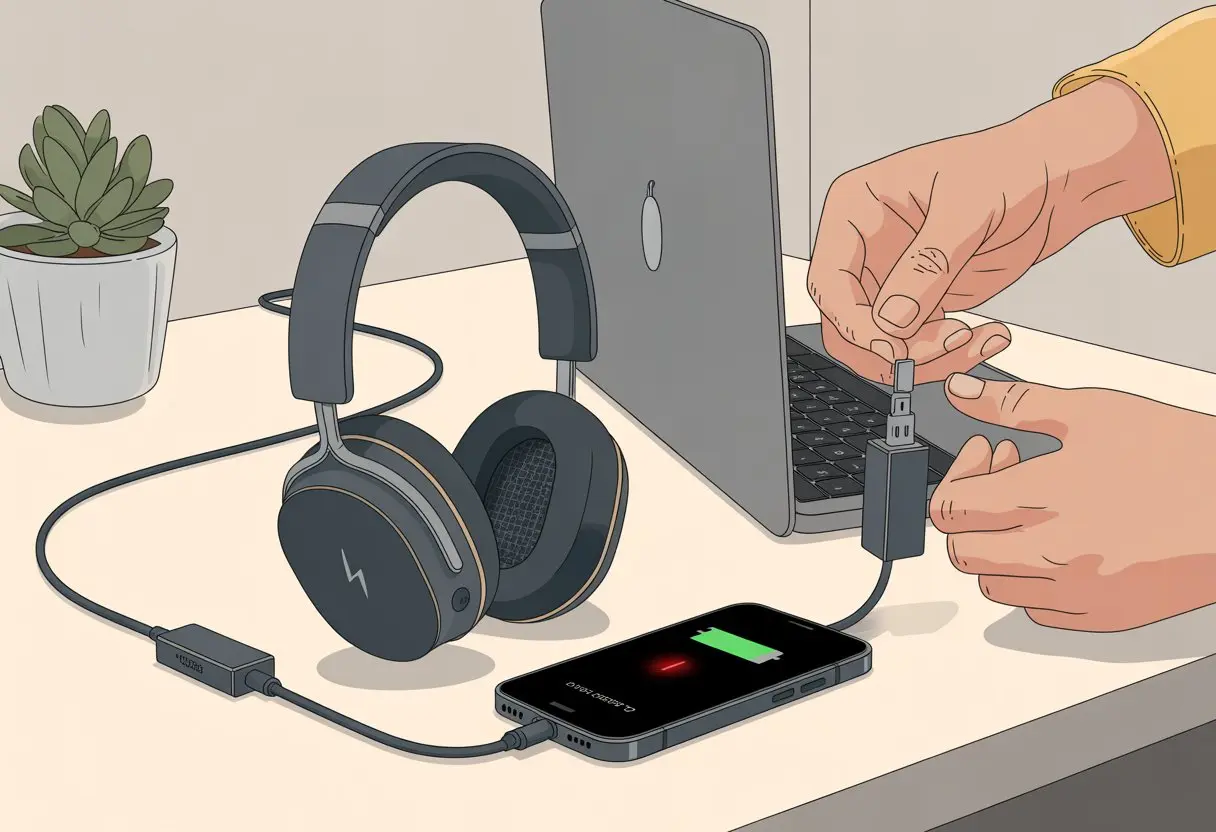
When that red charging light blinks and then gives up, it drives us nuts. Maybe the charging port is loose, or maybe some sneaky pocket lint is causing all the trouble.
Either way, we want our music back—fast.
Let’s unravel this charging mess together and see how we can get those headphones working again—without flipping every cable in the house nine times.
Common Reasons Bluetooth Headphones Won’t Charge
Getting our Bluetooth headphones to charge can feel like a detective game. The usual suspects? Faulty cables, tired batteries, wrong chargers, and more.
Let’s grab a metaphorical magnifying glass and dig into each one.
Faulty Charging Cable Or Port
Isn’t it great when the cable pretends to work, only to fail the second we stop watching? Cables take a beating. We twist, yank, and sometimes step on them, so they don’t last forever.
A bad USB cable often causes charging issues. Try a different cable—see if the charging light pops on.
If we use the same cable for everything, it’s probably seen better days. And that charging port on our headphones? It’s a magnet for lint, dust, and loose connections.
When the port wiggles as we plug in, that’s a broken connection, not a cool feature. Nothing’s more frustrating than lining up the charger, only to see the LED blink and fade out.
Need more cable troubleshooting? This guide on fixing charging problems might help.
Battery Degradation
Batteries get tired, just like we do after a long week. Over time, the battery inside our headphones loses its ability to hold a charge.
If our headphones used to last all day but now quit after an hour, the battery is probably the issue. Headphones a couple years old are especially prone to this.
Sometimes the charging light turns off quickly, or never lights up at all. Replacing headphone batteries isn’t always straightforward.
Some cheaper models don’t even let us try. The only sign we get is a brief flicker of hope before silence.
Incorrect USB Charger
Not all chargers are created equal—who knew? Using the wrong USB charger can leave our headphones confused.
Some chargers don’t provide enough current, and some provide way too much. This can mess up the charging circuit.
Most Bluetooth headphones like chargers that deliver between 0.5A and 2A. If we use a fast charger meant for a tablet, the high amp rating could be too much.
An old, slow charger might not give enough juice. Try a different charger and see what happens.
A loose charging port or bad cable can also cause trouble here.
Debris Or Dirt In Connectors
Dust and crumbs love to hide in our charging ports. Even tiny bits of lint can block charging completely.
If our USB cable feels loose or doesn’t fit right, dirt might be in the way. Shine a flashlight into the charging port—sometimes you’ll spot a fuzzy invader.
A toothpick or compressed air can help clean it out, but don’t poke too hard. Clean connectors mean fewer headaches and less time wondering what’s wrong.
For cleaning tips, check out this simple fix tutorial.
Diagnosing Charging Issues At Home
Before we toss our headphones out the window, let’s try a few things at home first. Usually, the problem is way simpler than it seems.
No rocket science required.
Testing With Different USB Cables
Let’s be real—USB cables don’t last long. If our headphones won’t charge, the first thing we do is flip the cable around and hope.
But here’s a better move: try a different USB cable. Sometimes the cable is just dead, and swapping it out can bring our headphones back to life.
Make sure the cable fits snugly into the charging port. A loose connection will stop charging in its tracks.
Look for frayed ends or bent connectors. If a new cable fixes things, we just solved the mystery.
If not, don’t panic—there’s more to try. Upbeat Geek has more tips on fixing charge issues.
Trying Alternative Power Sources
Plugging our headphones into a sketchy wall charger from 2006? Yeah, that might be the problem.
Try plugging into a different power source, like a laptop or a newer USB brick. Make sure it’s one that works with other devices.
If our headphones still won’t charge, test a few power sources. This helps us figure out if the power adapter is to blame.
A charging port that works for our phone but not our headphones might not deliver the right power requirements. And always double-check if the outlet is working.
We’ve all wasted time at a dead outlet before. It never hurts to check the basics!
When Headphones Seem To Charge But Don’t Work
Sometimes our Bluetooth headphones look like they’re charging, but then refuse to actually work. It feels like they’re trolling us, but there’s usually a fixable reason.
No Audio From Headphones After Charging
We plug in, see the charging light, and expect to blast our favorite tunes. But all we get is silence.
If our headphones charge but we hear no audio, they might not have paired right. Sometimes the headphones say they’re connected, but nothing comes through.
Check the volume on both the headphones and the device. It sounds basic, but we’ve all accidentally muted them (thanks, pocket lint).
If that’s not it, try forgetting the headphones on your device and pairing again. Dust jammed into the headphone port can also block audio or cause charging problems if you’re really unlucky.
Try a different cable or reset the headphones if you’re stuck.
Unexpected Disconnections
Fully charged headphones that cut out mid-song? It’s enough to make us question everything.
Usually, a weak Bluetooth signal is to blame. If we wander too far from our phone, we’ll lose connection.
Using headphones near microwaves, Wi-Fi routers, or too many other Bluetooth gadgets can also cause drops. Sometimes a loose or damaged charging port means our headphones never charged fully, even if the battery icon says otherwise.
Try a quick reset, stay close to your device, and check for firmware updates. That usually helps keep the music going.
Software And Firmware Factors
Our headphones aren’t just being dramatic. Sometimes, the real trouble comes from outdated software or settings that need a reset.
Outdated Product Updates
We all ignore notifications, but missing a product update can make Bluetooth headphones stop charging. Companies release updates to fix bugs and improve battery performance.
An outdated version can cause charging errors or weird connection problems. Checking for the latest firmware is usually easy.
Most brands let us update through their app or website. Updating only takes a few minutes—maybe just a couple taps (and remembering another password).
Some earbuds may even refuse to charge at all until we update their software—sneaky, right? If you want more info, Soundcore has tips for fixing charging problems with firmware updates.
Resetting Headphones Settings
Sometimes, our headphones need a fresh start. Resetting clears up weird bugs that build up after months of use.
Usually, we hold down the power button or a reset pin for a few seconds. Some models flash lights, beep, or just take a moment before rebooting.
When in doubt, check the manual or do a quick search. Resetting can resolve charging problems, random shutdowns, or battery reading issues. Giving our headphones a reset now and then helps keep things running smoothly.
Professional Help And Next Steps
Sometimes, we just have to call in the pros. We can try every trick in the book, but some things are out of our hands.
When To Service Your Product
If our Bluetooth headphones are still pretending to play dead after we’ve switched chargers, checked cables, and cleaned everything, it might be time to service your product.
Look for these signs:
- The charging light blinks off and never comes back
- No power, even with a different USB cable
- Connectors look clean, but nothing happens
If that’s the case, check if your headphones are still under warranty. If not, a professional can test for battery or port issues.
Sometimes, it’s best to let someone else handle the tiny electronics.
Power Supply Considerations
Honestly, it’s easy to blame our headphones when they won’t charge. But sometimes, the real problem starts at the wall outlet.
We often forget to check the amp rating of our charger and whether it’s got the right approvals to keep things safe.
Checking Amp Ratings
Not all chargers are equal, honestly, and headphones can get a little picky about where they get their juice. Most Bluetooth headphones want a charger that puts out at least 5 volts and somewhere between 0.5 to 2 amps.
If the output’s too low, your headphones might just refuse to charge. Too high, and you could end up with overheating or even damage. That’s not a good time.
Here’s a quick cheat sheet:
| Headphones Type | Ideal Amp Rating |
|---|---|
| Basic Earbuds | 0.5A – 1A |
| Over-Ear Headphones | 1A – 2A |
Maybe it’s time to ditch that old phone charger with the faded stickers—it could be the problem. When you see the red charging light pop on and then go dark almost right away, it’s probably your amp rating acting up. There’s more about that here.
Using Approved Power Supplies
Before you go plugging headphones into some random charger, pause for a second and check if your power supply is actually safety-agency-approved.
Agencies like UL, CE, or FCC put their marks on chargers that won’t fry your tech—or, honestly, your house.
Look for those safety marks right on the charger. If you spot a suspiciously cheap adapter, maybe skip it.
Sure, saving a few bucks feels good, but it’s probably not worth risking your headphones. Unapproved chargers can cause weird issues, or even real hazards.
Try to make this a habit: stick with chargers your manufacturer recommends or ones clearly listed as compatible.
If a charger gets hot enough to toast bread, just ditch it. That way, you’re charging smartly and safely—keeping your ears, your home, and your gear in good shape.

From a young age, I have always had a big interest in technology, and this blog is an extension of that interest. Through this blog, I hope to provide others with all of the information they need regarding tech options to consider, and things such as compatibility. Some of the different items I will be discussing include headphones, smartwatches, and how to fix common issues.
- How to use a fitness tracker with Peloton Without Accidentally Joining the Tour de France - April 2, 2026
- Why are my Bluetooth headphones not charging? – Charging Woes and Mystery Buttons Explained - April 1, 2026
- How to use a fitness tracker with a stationary bike and Actually Impress Your Watch - April 1, 2026
Related Posts: